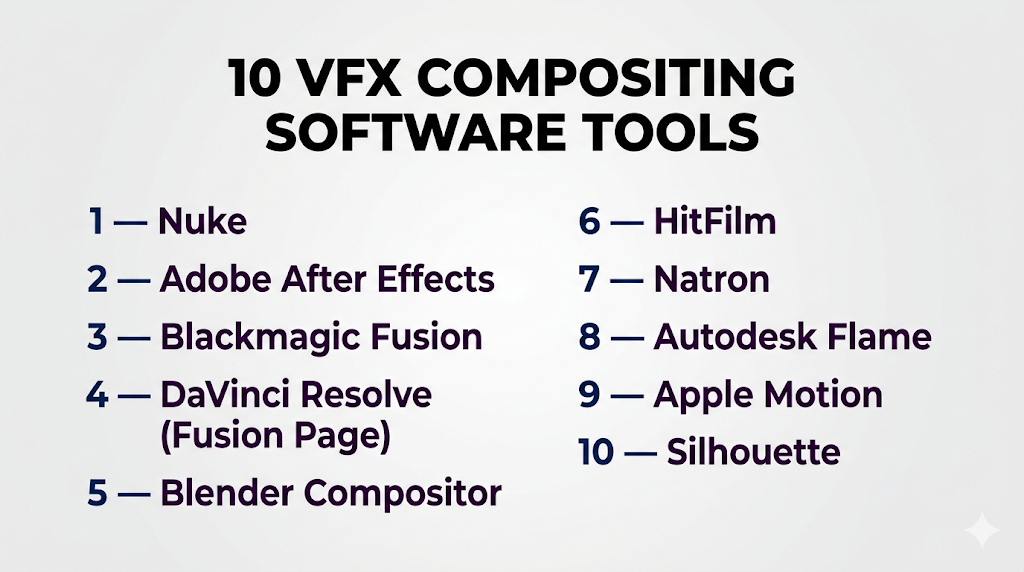
Introduction
VFX compositing software is used to combine multiple visual elements—such as live-action footage, CGI, matte paintings, and effects—into a single seamless image or scene. It is a critical step in the post-production pipeline, enabling creators to produce realistic, cinematic visuals that would be impossible to capture in-camera.
Today, compositing tools are more powerful and accessible than ever, supporting real-time rendering, AI-assisted masking, and collaborative workflows. From blockbuster films to YouTube content and virtual production, compositing software is essential for modern visual storytelling.
Common Use Cases
- Film and TV visual effects production
- YouTube and social media content creation
- Game cinematics and trailers
- Virtual production and green screen workflows
- Motion graphics and advertising
What Buyers Should Evaluate
- Node-based vs layer-based workflows
- Keying, rotoscoping, and tracking capabilities
- Real-time preview and rendering performance
- Integration with 3D and editing tools
- GPU acceleration and hardware support
- Collaboration and pipeline integration
- Ease of use vs feature depth
- Asset and color pipeline management
- Extensibility via plugins or scripting
- Pricing and licensing model
Best for: VFX artists, compositors, video editors, motion designers, and studios working on visual storytelling.
Not ideal for: Basic video editing tasks or users who only need simple effects without compositing complexity.
Key Trends in VFX Compositing Software
- Shift toward node-based workflows for complex shot control
- AI-assisted rotoscoping and object isolation
- Real-time compositing and playback improvements
- Integration with virtual production pipelines
- Increased use of GPU acceleration
- Cloud collaboration and remote workflows
- Support for high dynamic range and multi-pass rendering
- Growth of open-source compositing tools
- Expansion into VR/AR and immersive content
- Automation of repetitive compositing tasks
How We Selected These Tools (Methodology)
- Industry adoption across film, TV, and content creation
- Strength of compositing tools (keying, tracking, roto)
- Performance and real-time capabilities
- Integration with major pipelines and tools
- Community size and documentation quality
- Flexibility across beginner to advanced users
- Availability of both node-based and layer-based workflows
- Extensibility and scripting support
- Stability and reliability in production environments
- Representation of free, indie, and enterprise tools
Top 10 VFX Compositing Software Tools
#1 — Nuke
Short description: A high-end node-based compositing software widely used in film and TV production for complex VFX work.
Key Features
- Node-based compositing workflow
- 3D compositing and camera tracking
- Advanced keying and rotoscoping
- Deep compositing support
- Python scripting and automation
- Multi-pass EXR workflows
- GPU acceleration
Pros
- Industry-standard for professional VFX
- Highly flexible for complex scenes
Cons
- Expensive
- Steep learning curve
Platforms / Deployment
Windows / macOS / Linux
Self-hosted
Security & Compliance
Not publicly stated
Integrations & Ecosystem
Nuke sits at the center of many VFX pipelines and integrates with production tools and render systems.
- 3D software pipelines
- Render farms
- Color workflows
- Custom plugins
Support & Community
Strong professional community and extensive documentation.
#2 — Adobe After Effects
Short description: A layer-based compositing and motion graphics tool widely used across content creation and media production.
Key Features
- Layer-based compositing
- Motion graphics tools
- Keying and masking
- Plugin ecosystem
- Template workflows
- Integration with editing tools
- Real-time preview
Pros
- Easy to learn compared to node-based tools
- Strong ecosystem and plugins
Cons
- Less efficient for complex compositing
- Performance can degrade with heavy scenes
Platforms / Deployment
Windows / macOS
Cloud / Local
Security & Compliance
Not publicly stated
Integrations & Ecosystem
Seamless integration within creative tool ecosystems.
- Video editing tools
- Plugin marketplace
- Asset libraries
Support & Community
Very large community with tutorials and resources.
#3 — Blackmagic Fusion
Short description: A node-based compositing tool integrated into a broader post-production suite.
Key Features
- Node-based workflow
- 3D compositing environment
- VR and stereoscopic support
- Real-time rendering
- Multi-user collaboration
- GPU acceleration
Pros
- Professional-grade features
- Available as part of a larger suite
Cons
- Learning curve
- Interface complexity
Platforms / Deployment
Windows / macOS / Linux
Local
Security & Compliance
Not publicly stated
Integrations & Ecosystem
Integrated into a full post-production workflow.
- Editing tools
- Color grading tools
- Rendering pipelines
Support & Community
Growing community with strong documentation.
#4 — DaVinci Resolve (Fusion Page)
Short description: An all-in-one post-production platform combining editing, color grading, and compositing.
Key Features
- Built-in Fusion compositing
- Real-time collaboration
- Color grading tools
- Editing timeline
- Multi-user workflows
Pros
- All-in-one solution
- Strong collaboration features
Cons
- Heavy system requirements
- Complex interface
Platforms / Deployment
Windows / macOS / Linux
Local
Security & Compliance
Not publicly stated
Integrations & Ecosystem
Unified workflow for post-production tasks.
Support & Community
Large and growing user base.
#5 — Blender Compositor
Short description: An open-source compositing system integrated within Blender.
Key Features
- Node-based compositor
- Real-time preview
- Integration with 3D rendering
- Open-source flexibility
- Custom nodes
Pros
- Free and open-source
- Strong integration with 3D
Cons
- Not as advanced as dedicated tools
- Limited large-scale pipeline support
Platforms / Deployment
Windows / macOS / Linux
Local
Security & Compliance
Not publicly stated
Integrations & Ecosystem
Works within Blender ecosystem.
Support & Community
Large open-source community.
#6 — HitFilm
Short description: A beginner-friendly compositing and editing tool for creators and small teams.
Key Features
- Layer-based compositing
- Built-in effects library
- Editing tools
- Real-time preview
- Templates
Pros
- Easy to use
- Good for beginners
Cons
- Limited advanced features
- Smaller ecosystem
Platforms / Deployment
Windows / macOS
Local
Security & Compliance
Not publicly stated
Integrations & Ecosystem
Standalone with plugin support.
Support & Community
Moderate community support.
#7 — Natron
Short description: An open-source node-based compositing tool inspired by high-end workflows.
Key Features
- Node-based interface
- Open-source flexibility
- Plugin support
- Multi-platform support
- Real-time feedback
Pros
- Free alternative to premium tools
- Familiar workflow for professionals
Cons
- Limited updates
- Smaller community
Platforms / Deployment
Windows / macOS / Linux
Local
Security & Compliance
Not publicly stated
Integrations & Ecosystem
Supports plugins and open formats.
Support & Community
Small but active community.
#8 — Autodesk Flame
Short description: A high-end compositing and finishing tool used in professional studios.
Key Features
- 2D and 3D compositing
- Timeline-based workflows
- AI-assisted tools
- Color grading
- Camera tracking
- High-end finishing tools
Pros
- Powerful all-in-one solution
- Advanced finishing capabilities
Cons
- Expensive
- Requires training
Platforms / Deployment
Linux
Local
Security & Compliance
Not publicly stated
Integrations & Ecosystem
Integrated into studio pipelines.
- Production tracking
- Rendering workflows
Support & Community
Enterprise-level support.
#9 — Apple Motion
Short description: A motion graphics and compositing tool designed for macOS users.
Key Features
- Real-time rendering
- Motion graphics tools
- Template system
- Integration with editing tools
- Effects library
Pros
- Easy to use
- Fast performance
Cons
- Limited advanced compositing
- Platform restricted
Platforms / Deployment
macOS
Local
Security & Compliance
Not publicly stated
Integrations & Ecosystem
Works within Apple ecosystem.
Support & Community
Moderate community support.
#10 — Silhouette
Short description: A specialized compositing tool focused on rotoscoping and paint work.
Key Features
- Advanced rotoscoping
- Paint tools
- Tracking tools
- Integration with pipelines
- High-quality matte creation
Pros
- Industry-standard for roto work
- High precision
Cons
- Limited full compositing features
- Niche use case
Platforms / Deployment
Windows / macOS / Linux
Local
Security & Compliance
Not publicly stated
Integrations & Ecosystem
Used alongside other compositing tools.
Support & Community
Strong niche professional community.
Comparison Table (Top 10)
| Tool Name | Best For | Platform(s) Supported | Deployment | Standout Feature | Public Rating |
|---|---|---|---|---|---|
| Nuke | AAA VFX | Windows, macOS, Linux | Self-hosted | Node-based pipeline | N/A |
| After Effects | Content creators | Windows, macOS | Cloud/Local | Motion graphics | N/A |
| Fusion | Professionals | Windows, macOS, Linux | Local | 3D compositing | N/A |
| DaVinci Resolve | All-in-one | Windows, macOS, Linux | Local | Integrated workflow | N/A |
| Blender | Indie creators | Windows, macOS, Linux | Local | Open-source | N/A |
| HitFilm | Beginners | Windows, macOS | Local | Ease of use | N/A |
| Natron | Open-source users | Windows, macOS, Linux | Local | Node-based free tool | N/A |
| Flame | Enterprise | Linux | Local | High-end finishing | N/A |
| Apple Motion | Mac users | macOS | Local | Real-time rendering | N/A |
| Silhouette | Roto specialists | Windows, macOS, Linux | Local | Rotoscoping | N/A |
Evaluation & Scoring of VFX Compositing Software
| Tool Name | Core (25%) | Ease (15%) | Integrations (15%) | Security (10%) | Performance (10%) | Support (10%) | Value (15%) | Weighted Total |
|---|---|---|---|---|---|---|---|---|
| Nuke | 10 | 6 | 9 | 6 | 9 | 9 | 6 | 8.3 |
| After Effects | 8 | 9 | 9 | 6 | 7 | 9 | 8 | 8.2 |
| Fusion | 9 | 6 | 8 | 6 | 9 | 8 | 9 | 8.3 |
| DaVinci Resolve | 9 | 7 | 9 | 6 | 9 | 8 | 9 | 8.5 |
| Blender | 7 | 8 | 7 | 5 | 7 | 8 | 10 | 7.8 |
| HitFilm | 6 | 9 | 6 | 5 | 6 | 7 | 9 | 7.1 |
| Natron | 7 | 7 | 6 | 5 | 7 | 6 | 10 | 7.2 |
| Flame | 10 | 5 | 9 | 6 | 10 | 9 | 5 | 8.1 |
| Apple Motion | 6 | 9 | 6 | 5 | 8 | 7 | 8 | 7.2 |
| Silhouette | 8 | 6 | 7 | 5 | 8 | 7 | 7 | 7.3 |
How to interpret scores:
- Scores compare tools relative to each other
- Higher scores indicate balanced performance
- Lower scores may still excel in niche use cases
- Choose based on your workflow needs
- Always validate with real-world usage
Which VFX Compositing Software Is Right for You?
Solo / Freelancer
- Best: Blender, HitFilm, Natron
- Focus on affordability and simplicity
SMB
- Best: After Effects, DaVinci Resolve
- Balance usability and features
Mid-Market
- Best: Fusion, After Effects
- Need integration and scalability
Enterprise
- Best: Nuke, Flame
- Require advanced pipelines and performance
Budget vs Premium
- Budget: Blender, Natron
- Premium: Nuke, Flame
Feature Depth vs Ease of Use
- Advanced: Nuke, Fusion
- Easy: After Effects, HitFilm
Integrations & Scalability
- Strong: Nuke, Resolve
- Limited: HitFilm
Security & Compliance Needs
- Most tools: Not publicly stated
Frequently Asked Questions (FAQs)
What is VFX compositing software?
It combines multiple visual elements into a single final image or video.
Is compositing different from video editing?
Yes, compositing focuses on layering and blending elements, not just cutting footage.
Which tool is best for beginners?
HitFilm and After Effects are easier to start with.
What is node-based compositing?
It uses connected nodes instead of layers to build complex effects.
Are there free compositing tools?
Yes, Blender and Natron are popular free options.
Which software is used in movies?
Nuke is widely used in professional film production.
Do I need coding skills?
Not necessarily, but scripting can enhance workflows.
Can I use compositing tools for YouTube?
Yes, tools like After Effects are widely used by creators.
What hardware do I need?
A strong GPU and sufficient RAM are important.
What are common mistakes?
Ignoring workflow complexity and choosing tools beyond your skill level.
Conclusion
VFX compositing software is essential for creating modern visual content, from cinematic films to online videos. Each tool offers different strengths—some focus on ease of use, while others provide deep control for complex productions.
