Introduction
Game Development IDEs (Integrated Development Environments) are software tools that provide a complete workspace for coding, debugging, testing, and managing game projects. Unlike basic code editors, these IDEs are optimized for game engines, offering features like intelligent code completion, performance profiling, and deep integration with engines such as Unity and Unreal.
As games become more complex—featuring real-time physics, AI systems, multiplayer networking, and cross-platform deployment—the need for powerful IDEs has grown significantly. Modern IDEs now support large-scale codebases, collaborative workflows, and automation, making them essential for both indie developers and enterprise studios.
Common real-world use cases:
- Writing gameplay logic and engine code
- Debugging and performance profiling
- Managing large game codebases
- Integrating assets and build pipelines
- Cross-platform deployment automation
What buyers should evaluate:
- Language support (C++, C#, Python, Lua, etc.)
- Integration with game engines
- Debugging and profiling tools
- Performance on large projects
- Plugin ecosystem
- Collaboration and version control support
- Cross-platform compatibility
- Ease of use and learning curve
- Licensing and pricing
Best for: Game developers, studios, engine programmers, indie creators, and technical designers working on code-heavy projects.
Not ideal for: Non-coders, beginners using no-code tools, or teams focused purely on visual scripting platforms.
Key Trends in Game Development IDEs
- AI-assisted coding: Smart code suggestions and automation tools
- Engine-specific IDE optimizations: Deep integration with Unity, Unreal, and Godot
- Cloud-based development workflows: Remote builds and collaboration
- Lightweight IDE adoption: Faster tools like VS Code gaining popularity
- Multi-language support: Handling C++, C#, Python, shaders, and scripting languages
- Improved debugging tools: Real-time profiling and memory analysis
- Plugin-driven ecosystems: Custom workflows through extensions
- Cross-platform development: Seamless support across OS and devices
- DevOps integration: CI/CD pipelines for game builds
- Collaborative coding environments: Real-time team development
How We Selected These Tools (Methodology)
- Industry adoption and developer preference
- Compatibility with major game engines
- Performance on large-scale projects
- Feature completeness (debugging, profiling, refactoring)
- Plugin and extension ecosystem
- Ease of use for different skill levels
- Cross-platform support
- Community and documentation quality
- Flexibility for different workflows
- Long-term ecosystem reliability
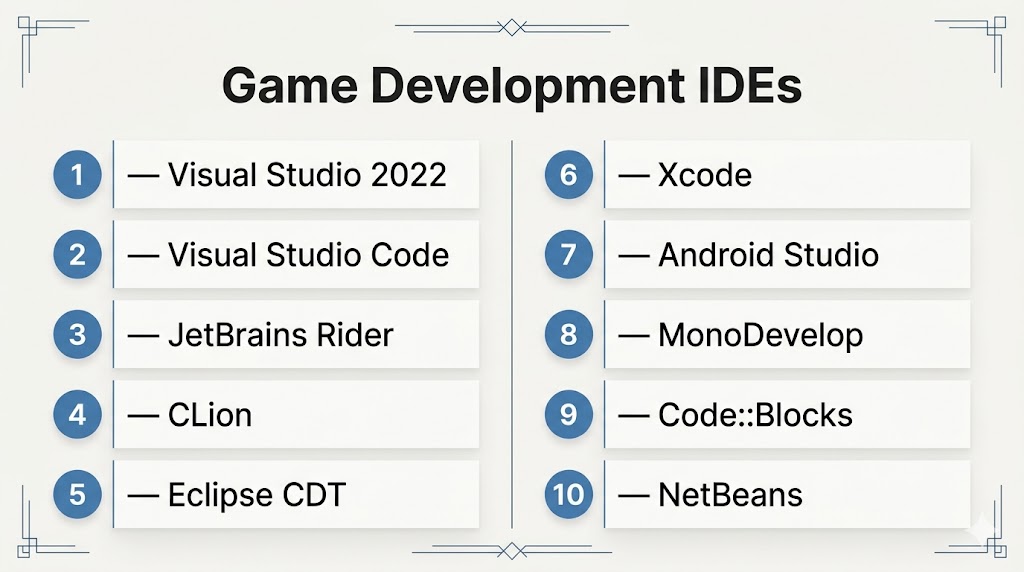
Top 10 Game Development IDEs
#1 — Visual Studio 2022
Short description: A powerful, enterprise-grade IDE widely used for C++ and C# game development, especially with Unity and Unreal.
Key Features
- Advanced IntelliSense and code analysis
- Deep Unity and Unreal integration
- Debugging and profiling tools
- Large-scale project support
- Built-in version control tools
- Multi-language support
Pros
- Industry standard for AAA development
- Excellent debugging capabilities
Cons
- Heavy resource usage
- Windows-focused experience
Platforms / Deployment
Windows
Self-hosted
Security & Compliance
Not publicly stated
Integrations & Ecosystem
Visual Studio integrates deeply with major game engines and development pipelines.
- Unity and Unreal integration
- Git and version control
- APIs and plugins
- Build tools
Support & Community
Extensive documentation and massive developer community.
#2 — Visual Studio Code
Short description: A lightweight, highly customizable IDE popular among indie developers and cross-platform teams.
Key Features
- Extension-based architecture
- Multi-language support
- Integrated terminal and Git
- Debugging tools
- Cross-platform compatibility
- Lightweight performance
Pros
- Free and flexible
- Huge plugin ecosystem
Cons
- Requires setup for full functionality
- Less powerful out-of-the-box
Platforms / Deployment
Windows / macOS / Linux
Self-hosted
Security & Compliance
Not publicly stated
Integrations & Ecosystem
- Unity, Unreal plugins
- Git integration
- APIs
- Build tools
Support & Community
Very large global community.
#3 — JetBrains Rider
Short description: A professional IDE designed for game development with strong Unity and Unreal support.
Key Features
- Advanced C# support
- Unity-specific tooling
- Debugging and profiling
- Refactoring tools
- Cross-platform support
Pros
- Excellent for Unity developers
- Clean and modern UI
Cons
- Paid license
- Resource-intensive
Platforms / Deployment
Windows / macOS / Linux
Self-hosted
Security & Compliance
Not publicly stated
Integrations & Ecosystem
- Unity integration
- Unreal support
- APIs
- Plugins
Support & Community
Strong JetBrains ecosystem.
#4 — CLion
Short description: A C/C++ IDE optimized for engine-level and systems programming.
Key Features
- Intelligent code analysis
- CMake support
- Debugging tools
- Cross-platform support
- Code navigation
Pros
- Strong C++ support
- Clean codebase management
Cons
- Paid tool
- Limited engine-specific features
Platforms / Deployment
Windows / macOS / Linux
Self-hosted
Security & Compliance
Not publicly stated
Integrations & Ecosystem
- CMake projects
- Debuggers
- APIs
- Toolchains
Support & Community
JetBrains support and documentation.
#5 — Eclipse CDT
Short description: Open-source IDE for C/C++ development, suitable for custom engines.
Key Features
- C/C++ support
- Plugin ecosystem
- Debugging tools
- Cross-platform support
- Custom workflows
Pros
- Free and open-source
- Flexible
Cons
- Outdated UI
- Setup complexity
Platforms / Deployment
Windows / macOS / Linux
Self-hosted
Security & Compliance
Not publicly stated
Integrations & Ecosystem
- Plugins
- APIs
- Build tools
- Debuggers
Support & Community
Large open-source community.
#6 — Xcode
Short description: Apple’s IDE for building games on iOS and macOS platforms.
Key Features
- Swift and Objective-C support
- Built-in simulator
- Debugging tools
- Interface builder
- Performance profiling
Pros
- Optimized for Apple platforms
- Strong performance tools
Cons
- Limited to Apple ecosystem
- macOS only
Platforms / Deployment
macOS
Self-hosted
Security & Compliance
Not publicly stated
Integrations & Ecosystem
- Apple SDKs
- APIs
- Game frameworks
- Tools
Support & Community
Strong Apple developer support.
#7 — Android Studio
Short description: IDE for Android game development, especially for mobile-focused projects.
Key Features
- Kotlin and Java support
- Emulator and testing tools
- Debugging tools
- Gradle build system
- UI design tools
Pros
- Best for Android games
- Strong mobile tooling
Cons
- Limited for non-Android development
- Resource-heavy
Platforms / Deployment
Windows / macOS / Linux
Self-hosted
Security & Compliance
Not publicly stated
Integrations & Ecosystem
- Android SDK
- APIs
- Build tools
- Emulators
Support & Community
Strong developer ecosystem.
#8 — MonoDevelop
Short description: Open-source IDE for .NET development, historically used with Unity.
Key Features
- C# support
- Debugging tools
- Lightweight
- Cross-platform
- Plugin support
Pros
- Free
- Simple
Cons
- Limited updates
- Smaller ecosystem
Platforms / Deployment
Windows / macOS / Linux
Self-hosted
Security & Compliance
Not publicly stated
Integrations & Ecosystem
- Unity integration
- APIs
- Plugins
- Development tools
Support & Community
Moderate community.
#9 — Code::Blocks
Short description: Lightweight C/C++ IDE for beginners and small projects.
Key Features
- Open-source
- Debugging tools
- Plugin support
- Cross-platform
- Lightweight
Pros
- Free
- Easy to use
Cons
- Limited advanced features
- Outdated UI
Platforms / Deployment
Windows / macOS / Linux
Self-hosted
Security & Compliance
Not publicly stated
Integrations & Ecosystem
- Plugins
- APIs
- Compilers
- Tools
Support & Community
Moderate community support.
#10 — NetBeans
Short description: General-purpose IDE with support for Java-based game development.
Key Features
- Multi-language support
- Debugging tools
- Plugin ecosystem
- Cross-platform
- Code refactoring
Pros
- Free and open-source
- Stable
Cons
- Not game-specific
- Slower performance
Platforms / Deployment
Windows / macOS / Linux
Self-hosted
Security & Compliance
Not publicly stated
Integrations & Ecosystem
- APIs
- Plugins
- Build tools
- Development frameworks
Support & Community
Strong open-source support.
Comparison Table (Top 10)
| Tool Name | Best For | Platform(s) Supported | Deployment | Standout Feature | Public Rating |
|---|---|---|---|---|---|
| Visual Studio | AAA dev | Windows | Self-hosted | Debugging | N/A |
| VS Code | Lightweight dev | Multi-platform | Self-hosted | Extensions | N/A |
| Rider | Unity dev | Multi-platform | Self-hosted | Unity tools | N/A |
| CLion | C++ engines | Multi-platform | Self-hosted | Code analysis | N/A |
| Eclipse | Open-source C++ | Multi-platform | Self-hosted | Plugins | N/A |
| Xcode | iOS dev | macOS | Self-hosted | Apple tools | N/A |
| Android Studio | Mobile games | Multi-platform | Self-hosted | Emulator | N/A |
| MonoDevelop | C# dev | Multi-platform | Self-hosted | Lightweight | N/A |
| Code::Blocks | Beginners | Multi-platform | Self-hosted | Simplicity | N/A |
| NetBeans | Java dev | Multi-platform | Self-hosted | Stability | N/A |
Evaluation & Scoring of Game Development IDEs
| Tool Name | Core (25%) | Ease (15%) | Integrations (15%) | Security (10%) | Performance (10%) | Support (10%) | Value (15%) | Weighted Total |
|---|---|---|---|---|---|---|---|---|
| Visual Studio | 10 | 6 | 10 | 7 | 9 | 10 | 8 | 8.95 |
| VS Code | 8 | 9 | 9 | 6 | 8 | 9 | 10 | 8.60 |
| Rider | 9 | 8 | 9 | 7 | 8 | 9 | 7 | 8.35 |
| CLion | 9 | 7 | 8 | 7 | 9 | 8 | 7 | 8.15 |
| Eclipse | 7 | 6 | 8 | 6 | 7 | 8 | 9 | 7.35 |
| Xcode | 8 | 7 | 8 | 7 | 8 | 8 | 7 | 7.75 |
| Android Studio | 8 | 7 | 8 | 7 | 8 | 8 | 7 | 7.75 |
| MonoDevelop | 6 | 7 | 6 | 6 | 7 | 6 | 9 | 6.95 |
| Code::Blocks | 6 | 8 | 6 | 6 | 7 | 6 | 9 | 7.05 |
| NetBeans | 7 | 7 | 7 | 6 | 7 | 7 | 9 | 7.25 |
How to interpret scores:
- Higher scores indicate stronger overall IDE capabilities
- Enterprise tools dominate in performance and integrations
- Lightweight IDEs score high in ease of use and value
- Open-source tools offer flexibility but fewer advanced features
- Scores are comparative and should align with your use case
Which Game Development IDE Is Right for You?
Solo / Freelancer
- Best: VS Code, Code::Blocks
- Reason: Lightweight and easy to use
SMB
- Best: Rider, Eclipse
- Reason: Balance of features and cost
Mid-Market
- Best: Visual Studio, CLion
- Reason: Strong performance and tooling
Enterprise
- Best: Visual Studio
- Reason: Industry-standard capabilities
Budget vs Premium
- Budget: VS Code, Eclipse
- Premium: Rider, Visual Studio
Feature Depth vs Ease of Use
- Deep: Visual Studio, CLion
- Easy: VS Code, Code::Blocks
Integrations & Scalability
- Best: Visual Studio, Rider
Security & Compliance Needs
- Enterprise environments benefit from mature IDE ecosystems
Frequently Asked Questions (FAQs)
What is a game development IDE?
It is a software tool that provides coding, debugging, and project management features for building games.
Which IDE is best for beginners?
VS Code and Code::Blocks are beginner-friendly.
Are IDEs necessary for game development?
Yes, especially for large and complex projects.
Can I use VS Code for game development?
Yes, with extensions it becomes a powerful game dev IDE.
What languages are supported?
C++, C#, Python, Lua, Java, and more.
Is Visual Studio free?
It offers free versions with limitations.
Do IDEs support Unity and Unreal?
Yes, most major IDEs integrate with them.
Can I develop mobile games?
Yes, using Android Studio or Xcode.
Are open-source IDEs good?
Yes, for flexibility and cost savings.
How long does it take to learn?
Basic usage can be learned quickly; mastery takes time.
Conclusion
Game Development IDEs play a crucial role in building modern games by providing powerful coding, debugging, and workflow tools. From enterprise solutions like Visual Studio to lightweight options like VS Code, the right choice depends on your project size, language, and workflow.
