Introduction
Finite Element Analysis (FEA) software is a category of engineering tools used to simulate how physical objects behave under real-world conditions such as stress, heat, vibration, and fluid flow. Instead of relying solely on physical prototypes, engineers use FEA to test designs digitally, reducing development time and improving product reliability.
As engineering systems become more complex and product cycles shorten, FEA software has become a core part of modern design workflows. With advancements in cloud computing, AI-assisted modeling, and real-time simulation, these tools are no longer limited to large enterprises—they are increasingly accessible to smaller teams as well.
Common real-world use cases include:
- Structural analysis of buildings, bridges, and infrastructure
- Automotive crash testing and durability simulations
- Aerospace component validation under extreme conditions
- Thermal management in electronics and semiconductors
- Manufacturing process optimization and material testing
What buyers should evaluate:
- Solver accuracy and multi-physics capabilities
- Ease of use and learning curve
- Integration with CAD and PLM systems
- Performance and scalability
- Deployment options (cloud vs on-premise)
- Cost and licensing flexibility
- Security and compliance features
- Support, training, and documentation
- Customization and scripting capabilities
Best for: Engineering teams, simulation specialists, product designers, and R&D departments across industries like automotive, aerospace, manufacturing, and energy. It is especially valuable for organizations building complex physical products.
Not ideal for: Non-technical users, small teams with basic calculation needs, or projects where simple analytical methods or spreadsheets are sufficient.
Key Trends in Finite Element Analysis (FEA) Software for 2026 and Beyond
- AI-assisted simulation workflows: Automatic meshing, error detection, and optimization reduce manual effort
- Cloud-native simulation platforms: Scalable compute resources eliminate the need for expensive hardware
- Real-time and near-real-time simulation: Faster solvers enable rapid design iterations
- Digital twin integration: Linking simulations with real-world data for predictive insights
- Low-code simulation tools: Expanding access to non-expert users
- Multi-physics convergence: Unified platforms combining structural, thermal, and fluid simulations
- Flexible pricing models: Subscription-based and usage-based licensing
- Stronger data governance: Increasing focus on security, traceability, and compliance
- Open-source adoption: Growing interest in customizable, cost-effective solutions
- Interoperability improvements: Better integration across CAD, PLM, and manufacturing systems
How We Selected These Tools (Methodology)
The tools in this list were evaluated using a structured framework:
- High market adoption and industry recognition
- Depth and breadth of simulation capabilities
- Proven solver accuracy and performance reliability
- Integration with major CAD and PLM ecosystems
- Availability across cloud and on-premise deployments
- Vendor stability and long-term product investment
- Suitability for different business sizes and industries
- Quality of documentation, training, and support
- Flexibility for customization and automation
- Signals of enterprise readiness and security posture
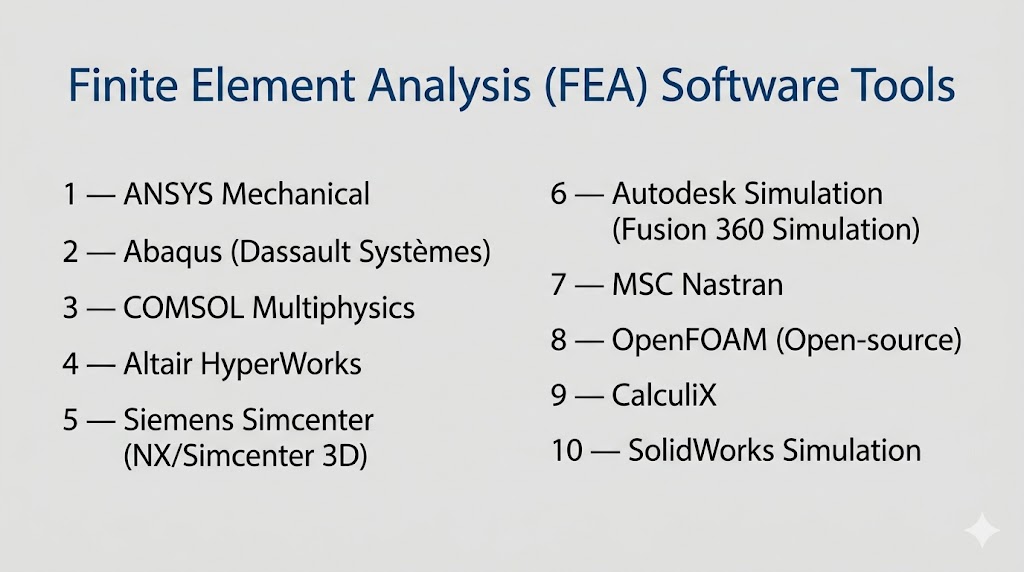
Top 10 Finite Element Analysis (FEA) Software Tools
#1 — ANSYS Mechanical
Short description: A leading enterprise-grade FEA solution used for advanced structural and multi-physics simulations across industries.
Key Features
- Advanced nonlinear structural analysis
- High-performance computing (HPC) solvers
- Multi-physics simulation capabilities
- AI-assisted meshing and optimization
- Parametric design studies
- Digital twin integration
- Extensive material libraries
Pros
- Highly accurate and reliable results
- Scales well for complex simulations
Cons
- Expensive licensing
- Steep learning curve
Platforms / Deployment
Windows / Linux
Self-hosted / Cloud / Hybrid
Security & Compliance
RBAC, encryption
Other certifications: Not publicly stated
Integrations & Ecosystem
ANSYS integrates with a wide range of engineering tools and workflows.
- CAD tools (SolidWorks, CATIA)
- PLM systems
- APIs and scripting support
- HPC infrastructure
Support & Community
Strong enterprise support, extensive documentation, and global user base.
#2 — Abaqus (Dassault Systèmes)
Short description: A powerful FEA platform known for handling complex nonlinear problems and advanced material simulations.
Key Features
- Nonlinear and dynamic simulations
- Advanced contact modeling
- Multi-step simulation workflows
- Integration with 3DEXPERIENCE platform
- Python scripting
- High solver accuracy
Pros
- Excellent for complex material behavior
- Highly customizable
Cons
- Requires advanced expertise
- High cost
Platforms / Deployment
Windows / Linux
Self-hosted / Hybrid
Security & Compliance
Not publicly stated
Integrations & Ecosystem
Deep integration within Dassault ecosystem.
- CATIA
- SIMULIA tools
- PLM systems
- APIs
Support & Community
Strong enterprise and academic support network.
#3 — COMSOL Multiphysics
Short description: A flexible simulation platform designed for multi-physics modeling and custom simulations.
Key Features
- Multi-physics simulation
- Custom PDE modeling
- Application builder
- MATLAB integration
- Flexible modeling environment
- Visualization tools
Pros
- Highly customizable
- Ideal for research and advanced simulations
Cons
- Expensive
- Requires technical expertise
Platforms / Deployment
Windows / macOS / Linux
Self-hosted
Security & Compliance
Not publicly stated
Integrations & Ecosystem
- MATLAB integration
- APIs
- Custom application deployment
- Research ecosystem
Support & Community
Strong academic and research community.
#4 — Altair HyperWorks
Short description: A comprehensive simulation suite focused on optimization and design efficiency.
Key Features
- Structural and multi-physics simulation
- AI-driven optimization
- Lightweight modeling tools
- HPC integration
- Material modeling
- Visualization capabilities
Pros
- Strong optimization features
- Flexible licensing
Cons
- Complex interface
- Learning curve
Platforms / Deployment
Windows / Linux
Cloud / Self-hosted
Security & Compliance
Not publicly stated
Integrations & Ecosystem
- CAD integrations
- APIs
- HPC systems
- Data analytics tools
Support & Community
Enterprise support with growing ecosystem.
#5 — Siemens Simcenter 3D
Short description: An integrated simulation platform combining CAD and FEA for end-to-end engineering workflows.
Key Features
- CAD-integrated simulation
- Multi-physics analysis
- Digital twin capabilities
- Automated workflows
- High scalability
- Advanced solvers
Pros
- Seamless CAD integration
- Enterprise-ready
Cons
- Expensive
- Complex setup
Platforms / Deployment
Windows
Cloud / Hybrid
Security & Compliance
Not publicly stated
Integrations & Ecosystem
- Siemens PLM ecosystem
- NX CAD
- APIs
- Manufacturing systems
Support & Community
Strong enterprise support and training resources.
#6 — Autodesk Fusion 360 Simulation
Short description: A cloud-based simulation tool designed for product designers and small engineering teams.
Key Features
- Cloud-based simulation
- Integrated CAD environment
- Stress and thermal analysis
- Generative design
- Collaboration tools
- User-friendly interface
Pros
- Easy to use
- Affordable
Cons
- Limited advanced capabilities
- Not ideal for large-scale simulations
Platforms / Deployment
Web / Windows / macOS
Cloud
Security & Compliance
Not publicly stated
Integrations & Ecosystem
- Autodesk ecosystem
- Cloud collaboration
- APIs
- CAD tools
Support & Community
Large community with strong tutorials.
#7 — MSC Nastran
Short description: A well-established FEA solver widely used in aerospace and automotive industries.
Key Features
- Linear and nonlinear analysis
- Structural simulation
- High solver accuracy
- Fatigue analysis
- Optimization tools
- Industry-standard workflows
Pros
- Proven reliability
- Industry standard
Cons
- Outdated interface
- Limited usability
Platforms / Deployment
Windows / Linux
Self-hosted
Security & Compliance
Not publicly stated
Integrations & Ecosystem
- CAD tools
- Pre/post processors
- APIs
- Engineering workflows
Support & Community
Strong legacy community.
#8 — OpenFOAM
Short description: An open-source simulation platform with strong CFD capabilities and extensibility for FEA workflows.
Key Features
- Open-source
- Custom solver development
- Parallel computing
- Script-based workflows
- CFD capabilities
- HPC support
Pros
- Free and flexible
- Highly customizable
Cons
- Requires programming knowledge
- Steep learning curve
Platforms / Deployment
Linux
Self-hosted
Security & Compliance
Not publicly stated
Integrations & Ecosystem
- Open-source tools
- HPC systems
- Scripts
- APIs
Support & Community
Large global open-source community.
#9 — CalculiX
Short description: An open-source FEA solver designed for structural analysis and similar workflows to Abaqus.
Key Features
- Nonlinear structural analysis
- Abaqus-compatible input
- Lightweight solver
- Scriptable workflows
- Open-source
- Good accuracy
Pros
- Free
- Familiar for Abaqus users
Cons
- Limited UI
- Smaller ecosystem
Platforms / Deployment
Windows / Linux
Self-hosted
Security & Compliance
Not publicly stated
Integrations & Ecosystem
- Open-source tools
- Pre/post processors
- CAD integrations
- Scripts
Support & Community
Community-driven support.
#10 — SolidWorks Simulation
Short description: An integrated simulation tool within SolidWorks CAD, designed for engineers and product designers.
Key Features
- CAD-integrated simulation
- Stress and motion analysis
- Thermal simulation
- Parametric studies
- Easy-to-use interface
- Design validation tools
Pros
- Easy to learn
- Strong CAD integration
Cons
- Limited advanced features
- Not suitable for complex simulations
Platforms / Deployment
Windows
Self-hosted
Security & Compliance
Not publicly stated
Integrations & Ecosystem
- SolidWorks CAD
- PLM tools
- APIs
- Design ecosystem
Support & Community
Strong global user base and documentation.
Comparison Table (Top 10)
| Tool Name | Best For | Platform(s) Supported | Deployment | Standout Feature | Public Rating |
|---|---|---|---|---|---|
| ANSYS Mechanical | Enterprise simulations | Windows, Linux | Hybrid | Advanced solvers | N/A |
| Abaqus | Nonlinear analysis | Windows, Linux | Hybrid | Material modeling | N/A |
| COMSOL | Research | Windows, macOS, Linux | Self-hosted | Multi-physics | N/A |
| Altair HyperWorks | Optimization | Windows, Linux | Hybrid | AI optimization | N/A |
| Siemens Simcenter | Integrated workflows | Windows | Hybrid | CAD + FEA | N/A |
| Fusion 360 | SMB | Web, Windows, macOS | Cloud | Ease of use | N/A |
| MSC Nastran | Aerospace | Windows, Linux | Self-hosted | Structural accuracy | N/A |
| OpenFOAM | Developers | Linux | Self-hosted | Open-source | N/A |
| CalculiX | Budget users | Windows, Linux | Self-hosted | Abaqus compatibility | N/A |
| SolidWorks Simulation | Designers | Windows | Self-hosted | CAD integration | N/A |
Evaluation & Scoring of Finite Element Analysis (FEA) Software
| Tool Name | Core (25%) | Ease (15%) | Integrations (15%) | Security (10%) | Performance (10%) | Support (10%) | Value (15%) | Weighted Total |
|---|---|---|---|---|---|---|---|---|
| ANSYS | 10 | 6 | 9 | 7 | 10 | 9 | 6 | 8.35 |
| Abaqus | 10 | 6 | 9 | 7 | 9 | 9 | 6 | 8.15 |
| COMSOL | 9 | 7 | 8 | 6 | 8 | 8 | 6 | 7.75 |
| Altair | 9 | 6 | 8 | 6 | 8 | 8 | 7 | 7.65 |
| Siemens | 9 | 6 | 9 | 7 | 9 | 9 | 6 | 8.05 |
| Fusion 360 | 7 | 9 | 7 | 6 | 7 | 8 | 9 | 7.65 |
| MSC Nastran | 9 | 5 | 7 | 6 | 9 | 8 | 6 | 7.55 |
| OpenFOAM | 8 | 4 | 7 | 5 | 8 | 6 | 10 | 7.05 |
| CalculiX | 7 | 5 | 6 | 5 | 7 | 6 | 10 | 6.75 |
| SolidWorks | 7 | 9 | 8 | 6 | 7 | 8 | 8 | 7.65 |
How to interpret scores:
- These scores are comparative across tools, not absolute measures
- Higher scores indicate stronger overall balance across criteria
- Enterprise tools score higher in performance but lower in value
- Open-source tools offer strong value but require expertise
- Choose based on your priorities, not just total score
Which Finite Element Analysis (FEA) Software Tool Is Right for You?
Solo / Freelancer
- Best options: Fusion 360, SolidWorks Simulation
- Focus on affordability and ease of use
SMB
- Best options: SolidWorks, COMSOL
- Balance between capability and usability
Mid-Market
- Best options: Altair HyperWorks, COMSOL
- Advanced features with manageable complexity
Enterprise
- Best options: ANSYS, Abaqus, Siemens Simcenter
- High scalability and advanced simulation
Budget vs Premium
- Budget: OpenFOAM, CalculiX
- Premium: ANSYS, Abaqus
Feature Depth vs Ease of Use
- Deep features: ANSYS, Abaqus
- Ease of use: Fusion 360, SolidWorks
Integrations & Scalability
- Strong ecosystems: Siemens, ANSYS
Security & Compliance Needs
- Enterprise tools provide better built-in controls
- Open-source requires internal management
Frequently Asked Questions (FAQs)
What is FEA software used for?
FEA software is used to simulate how products behave under physical conditions, reducing the need for physical prototypes.
How much does FEA software cost?
Costs vary from free open-source tools to high-cost enterprise licenses depending on features and scale.
Is cloud-based FEA reliable?
Yes, cloud platforms offer scalable performance and are increasingly reliable for many workloads.
What industries use FEA?
Common industries include automotive, aerospace, manufacturing, energy, and construction.
Do I need coding skills?
Basic tools do not require coding, but advanced simulations benefit from scripting knowledge.
How long does implementation take?
It can range from a few days for simple tools to several months for enterprise deployments.
Can FEA replace physical testing?
It reduces the need significantly but does not fully replace real-world testing.
What are common mistakes in FEA?
Incorrect meshing, poor boundary conditions, and inaccurate material data are common issues.
Are open-source FEA tools viable?
Yes, but they require more technical expertise and setup.
Is it difficult to switch tools?
Switching tools can be complex due to differences in workflows and data formats.
Conclusion
Finite Element Analysis software plays a critical role in modern engineering, enabling teams to design, test, and optimize products efficiently. From enterprise-grade platforms like ANSYS and Abaqus to accessible tools like Fusion 360 and open-source options, the ecosystem offers solutions for every level of complexity and budget.
