Introduction
Building Information Modeling (BIM) software is a category of tools used to create, manage, and analyze data-rich 3D digital models of buildings and infrastructure. Unlike traditional CAD tools, BIM software integrates geometry with real-world data such as materials, costs, timelines, and performance metrics—creating a complete digital representation of a structure across its lifecycle.
BIM has become essential as construction and architecture industries shift toward collaborative, data-driven, and efficiency-focused workflows. It enables teams to simulate designs, detect issues early, and manage projects from concept to maintenance.
Common Use Cases
- Architectural design and visualization
- Structural and MEP (mechanical, electrical, plumbing) modeling
- Construction planning and clash detection
- Cost estimation and scheduling (4D/5D BIM)
- Facility management and digital twins
What Buyers Should Evaluate
- Parametric modeling capabilities
- Collaboration and cloud workflows
- Clash detection and simulation tools
- Integration with CAD, GIS, and ERP systems
- Ease of use and training requirements
- Scalability for large projects
- File standards (IFC, open BIM support)
- Performance with large datasets
- Automation and AI features
- Security and access controls
Best for: Architects, civil engineers, construction managers, infrastructure planners, and enterprise AEC teams handling complex, multi-disciplinary projects.
Not ideal for: Small teams needing simple drafting tools or users who only require 2D CAD workflows.
Key Trends in Building Information Modeling (BIM) Software
- AI-assisted design and automation: Generative design and predictive analytics
- Cloud-based BIM platforms: Real-time collaboration across distributed teams
- Digital twin integration: Connecting BIM with operational data
- 4D/5D BIM adoption: Time and cost simulation becoming standard
- Open BIM standards (IFC): Improved interoperability across tools
- Scan-to-BIM workflows: Converting LiDAR/photogrammetry data into BIM models
- Sustainability modeling: Energy analysis and carbon tracking
- Mobile BIM access: Field teams using tablets and mobile apps
- Integration with IoT: Real-time building performance monitoring
- Automation of compliance checks: Regulatory validation during design
How We Selected These Tools (Methodology)
- Evaluated market adoption and industry dominance
- Assessed feature completeness across BIM lifecycle
- Reviewed performance with large-scale projects
- Considered ease of use vs professional depth
- Analyzed integration ecosystems (CAD, GIS, ERP)
- Evaluated cloud and collaboration capabilities
- Considered support for open standards (IFC)
- Reviewed community, training, and support resources
- Included tools for SMB to enterprise use cases
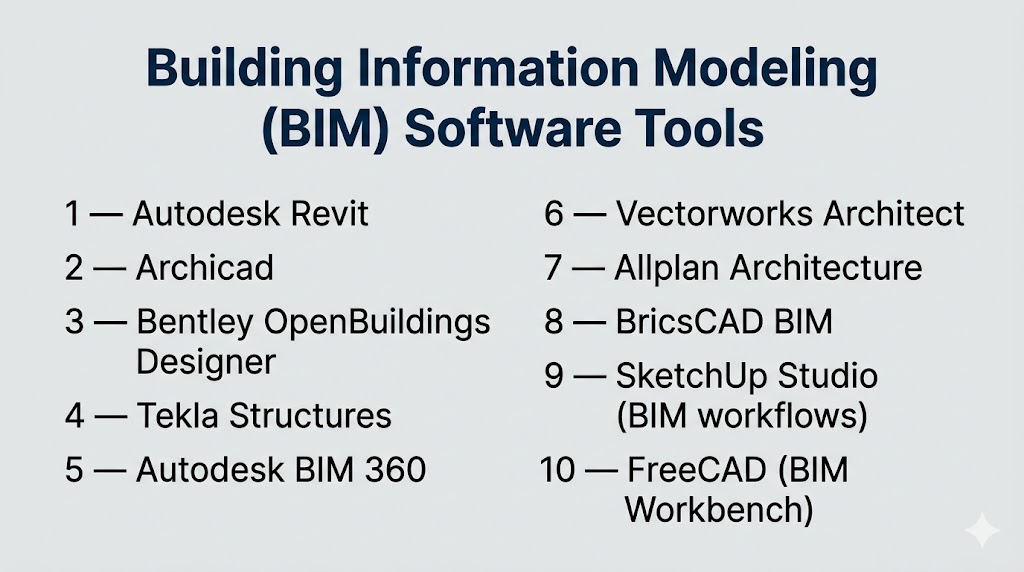
Top 10 Building Information Modeling (BIM) Software Tools
#1 — Autodesk Revit
Short description: A leading BIM platform used for architecture, engineering, and construction with full lifecycle project capabilities.
Key Features
- Parametric 3D modeling
- Clash detection and coordination
- 4D/5D project planning
- MEP and structural tools
- Documentation automation
- Cloud collaboration support
Pros
- Industry-standard BIM solution
- Strong ecosystem and integrations
Cons
- Windows-only
- High learning curve
Platforms / Deployment
- Windows
- Cloud / Self-hosted
Security & Compliance
- Not publicly stated
Integrations & Ecosystem
- Autodesk ecosystem (CAD, construction tools)
- APIs and plugins
- Cloud collaboration tools
Support & Community
Extensive global community and enterprise support.
#2 — Archicad
Short description: A BIM tool focused on architectural design with strong usability and performance.
Key Features
- BIM modeling and visualization
- Real-time collaboration
- Parametric design tools
- Integrated rendering
- Documentation workflows
Pros
- User-friendly interface
- Strong for architects
Cons
- Limited engineering tools
- Smaller ecosystem than Revit
Platforms / Deployment
- Windows / macOS
- Cloud / Self-hosted
Security & Compliance
- Not publicly stated
Integrations & Ecosystem
- Open BIM (IFC support)
- Plugins
- Design tools
Support & Community
Strong architecture-focused community.
#3 — Bentley OpenBuildings Designer
Short description: A BIM solution for complex infrastructure and large-scale building projects.
Key Features
- Advanced BIM modeling
- Infrastructure design tools
- Parametric components
- Simulation capabilities
- Collaboration features
Pros
- Ideal for large infrastructure projects
- Strong engineering capabilities
Cons
- Complex interface
- Steep learning curve
Platforms / Deployment
- Windows
- Self-hosted
Security & Compliance
- Not publicly stated
Integrations & Ecosystem
- Bentley ecosystem
- Infrastructure tools
- CAD integrations
Support & Community
Enterprise-grade support.
#4 — Tekla Structures
Short description: A BIM tool focused on structural engineering and construction detailing.
Key Features
- Structural modeling
- Steel and concrete detailing
- Clash detection
- Construction workflows
- High-detail models
Pros
- Highly accurate structural modeling
- Strong for fabrication workflows
Cons
- Limited architectural features
- Requires expertise
Platforms / Deployment
- Windows
- Self-hosted
Security & Compliance
- Not publicly stated
Integrations & Ecosystem
- Construction tools
- Fabrication systems
- APIs
Support & Community
Strong engineering community.
#5 — Autodesk BIM 360
Short description: A cloud-based BIM platform for collaboration, project management, and construction workflows.
Key Features
- Cloud collaboration
- Document management
- Project tracking
- Field management tools
- Real-time updates
Pros
- Strong collaboration features
- Scalable cloud platform
Cons
- Requires internet connectivity
- Subscription-based
Platforms / Deployment
- Web
- Cloud
Security & Compliance
- Not publicly stated
Integrations & Ecosystem
- Autodesk ecosystem
- APIs
- Third-party integrations
Support & Community
Strong enterprise support.
#6 — Vectorworks Architect
Short description: A flexible BIM tool combining design, modeling, and documentation capabilities.
Key Features
- BIM modeling
- 2D/3D design tools
- Visualization features
- Rendering integration
- Flexible workflows
Pros
- Versatile design capabilities
- Cross-platform support
Cons
- Smaller ecosystem
- Learning curve
Platforms / Deployment
- Windows / macOS
- Self-hosted
Security & Compliance
- Not publicly stated
Integrations & Ecosystem
- Plugins
- CAD tools
- Rendering tools
Support & Community
Active design community.
#7 — Allplan Architecture
Short description: A BIM solution focused on precision design and construction workflows.
Key Features
- BIM modeling
- Parametric design
- Structural analysis
- Collaboration tools
- Construction workflows
Pros
- High precision modeling
- Strong for engineering
Cons
- Less intuitive UI
- Limited global adoption
Platforms / Deployment
- Windows
- Self-hosted
Security & Compliance
- Not publicly stated
Integrations & Ecosystem
- Nemetschek ecosystem
- CAD tools
- Plugins
Support & Community
Moderate community support.
#8 — BricsCAD BIM
Short description: A cost-effective BIM solution with CAD-like workflows.
Key Features
- BIM modeling
- AI-based classification
- Parametric design
- IFC compatibility
- CAD interoperability
Pros
- Affordable
- Familiar CAD interface
Cons
- Limited advanced features
- Smaller ecosystem
Platforms / Deployment
- Windows / macOS / Linux
- Self-hosted
Security & Compliance
- Not publicly stated
Integrations & Ecosystem
- CAD tools
- APIs
- Open standards
Support & Community
Growing community.
#9 — SketchUp Studio (BIM workflows)
Short description: A simplified BIM workflow tool for conceptual design and visualization.
Key Features
- 3D modeling
- BIM extensions
- Visualization tools
- Plugin ecosystem
- Easy interface
Pros
- Easy to learn
- Fast conceptual design
Cons
- Limited full BIM capabilities
- Requires plugins
Platforms / Deployment
- Windows / macOS / Web
- Cloud / Self-hosted
Security & Compliance
- Not publicly stated
Integrations & Ecosystem
- Plugin marketplace
- Design tools
- Rendering tools
Support & Community
Large user base.
#10 — FreeCAD (BIM Workbench)
Short description: An open-source BIM tool offering parametric modeling and customization.
Key Features
- Parametric modeling
- Open-source flexibility
- BIM workbench
- Custom scripting
- IFC support
Pros
- Free
- Highly customizable
Cons
- Less polished UI
- Limited enterprise features
Platforms / Deployment
- Windows / macOS / Linux
- Self-hosted
Security & Compliance
- Not publicly stated
Integrations & Ecosystem
- Open-source tools
- Plugins
- IFC workflows
Support & Community
Active open-source community.
Comparison Table (Top 10)
| Tool Name | Best For | Platform(s) Supported | Deployment | Standout Feature | Public Rating |
|---|---|---|---|---|---|
| Revit | Enterprise BIM | Windows | Hybrid | Full lifecycle BIM | N/A |
| Archicad | Architects | Win/macOS | Hybrid | Ease of use | N/A |
| OpenBuildings | Infrastructure | Windows | Self-hosted | Large projects | N/A |
| Tekla Structures | Structural design | Windows | Self-hosted | Detailed modeling | N/A |
| BIM 360 | Collaboration | Web | Cloud | Cloud workflows | N/A |
| Vectorworks | Design flexibility | Win/macOS | Self-hosted | Versatility | N/A |
| Allplan | Engineering | Windows | Self-hosted | Precision modeling | N/A |
| BricsCAD BIM | Budget BIM | Cross-platform | Self-hosted | CAD-like workflow | N/A |
| SketchUp | Concept design | Cross-platform | Hybrid | Ease of use | N/A |
| FreeCAD | Open-source | Cross-platform | Self-hosted | Free BIM tools | N/A |
Evaluation & Scoring of Building Information Modeling (BIM) Software
| Tool Name | Core (25%) | Ease (15%) | Integrations (15%) | Security (10%) | Performance (10%) | Support (10%) | Value (15%) | Weighted Total |
|---|---|---|---|---|---|---|---|---|
| Revit | 10 | 6 | 10 | 7 | 9 | 9 | 6 | 8.6 |
| Archicad | 9 | 8 | 8 | 6 | 8 | 8 | 7 | 8.1 |
| OpenBuildings | 9 | 6 | 9 | 6 | 9 | 8 | 6 | 8.1 |
| Tekla | 9 | 6 | 8 | 6 | 9 | 8 | 6 | 8.0 |
| BIM 360 | 8 | 8 | 9 | 7 | 8 | 8 | 7 | 8.1 |
| Vectorworks | 8 | 7 | 7 | 6 | 8 | 7 | 7 | 7.6 |
| Allplan | 8 | 6 | 7 | 6 | 8 | 7 | 7 | 7.5 |
| BricsCAD | 7 | 8 | 7 | 5 | 7 | 6 | 9 | 7.5 |
| SketchUp | 7 | 9 | 7 | 5 | 7 | 8 | 8 | 7.6 |
| FreeCAD | 6 | 6 | 6 | 5 | 7 | 7 | 10 | 7.0 |
How to interpret:
- Scores are comparative across tools
- Higher scores indicate better balance across criteria
- Enterprise tools score higher in features but lower in ease
- Value reflects cost vs capability
- Use scores to shortlist tools based on priorities
Which BIM Software Tool Is Right for You?
Solo / Freelancer
- Best options: FreeCAD, SketchUp
- Focus on affordability and simplicity
SMB
- Best options: Archicad, BricsCAD
- Balance between usability and capability
Mid-Market
- Best options: Vectorworks, Tekla
- Need stronger modeling and integration
Enterprise
- Best options: Revit, OpenBuildings, BIM 360
- Require full lifecycle management and collaboration
Budget vs Premium
- Budget: FreeCAD, BricsCAD
- Premium: Revit, OpenBuildings
Feature Depth vs Ease of Use
- Deep tools: Revit, Tekla
- Easy tools: SketchUp, Archicad
Integrations & Scalability
- Strong ecosystems: Revit, BIM 360
Security & Compliance Needs
- Most tools: Not publicly stated
- Enterprises should validate internally
Frequently Asked Questions (FAQs)
What is BIM software?
It creates and manages digital building models with embedded data.
How is BIM different from CAD?
BIM includes data and lifecycle management, while CAD focuses on drawings.
Is BIM mandatory?
In many large projects, BIM is required for compliance and efficiency.
Which BIM tool is best?
It depends on your use case—Revit is widely used for enterprise projects.
Can BIM be used for small projects?
Yes, but simpler tools may be more cost-effective.
Does BIM support collaboration?
Yes, especially cloud-based platforms.
What is 4D and 5D BIM?
4D includes time; 5D includes cost estimation.
Is BIM difficult to learn?
Advanced tools have a steep learning curve.
Can BIM integrate with other tools?
Yes, most tools support CAD, GIS, and ERP integrations.
What should I avoid when choosing?
Avoid tools that don’t match your project scale or team expertise.
Conclusion
Building Information Modeling software is transforming how buildings are designed, constructed, and managed. From open-source tools to enterprise-grade platforms, BIM solutions provide a unified, data-driven approach to construction workflows.
