Introduction
3D printing workflow software manages the entire process of turning a digital design into a physical printed object. Unlike standalone tools (like CAD or slicers), these platforms coordinate multiple stages—including model preparation, slicing, printer management, scheduling, and production tracking.
This category has become critical as 3D printing evolves from hobbyist use to industrial-scale manufacturing and distributed production systems. These tools help organizations reduce errors, optimize print jobs, and manage fleets of printers efficiently.
Common Use Cases
- Managing 3D print farms and multiple printers
- Preparing and repairing models for printing
- Slicing models into printer instructions (G-code)
- Monitoring print jobs in real time
- Tracking materials, costs, and production workflows
What Buyers Should Evaluate
- End-to-end workflow coverage (design → slicing → monitoring)
- Printer compatibility and hardware support
- Ease of use vs advanced configuration
- Automation and scheduling capabilities
- Real-time monitoring and alerts
- Integration with CAD and PLM systems
- Cloud vs on-premise deployment
- Scalability for multiple printers
- File repair and optimization tools
- Security and access control
Best for: Manufacturing teams, product designers, print farms, educational institutions, and enterprises managing multiple 3D printers.
Not ideal for: Users who only need basic slicing or occasional printing; standalone slicers may be sufficient.
Key Trends in 3D Printing Workflow Software
- End-to-end automation: Platforms managing the full lifecycle from design to production
- AI-assisted model preparation: Automatic repair, optimization, and error detection
- Cloud-based print management: Remote monitoring and distributed manufacturing
- Fleet management tools: Centralized control of multiple printers and jobs
- Real-time analytics: Tracking print success rates, costs, and efficiency
- Integration with enterprise systems: CAD, PLM, ERP integrations becoming standard
- Security-first deployments: Offline and LAN-based options for sensitive environments
- Material tracking systems: Monitoring usage, waste, and inventory
- Standardized workflows: Ensuring repeatability across locations
- Hybrid workflows: Combining cloud and local control for flexibility
How We Selected These Tools (Methodology)
- Evaluated industry adoption and credibility
- Assessed end-to-end workflow capabilities
- Reviewed ease of use and learning curve
- Considered multi-printer and enterprise scalability
- Analyzed integration with CAD, slicing, and production tools
- Evaluated performance and reliability signals
- Considered deployment flexibility (cloud vs local)
- Reviewed community and support ecosystem
- Included tools for both hobbyist and enterprise users
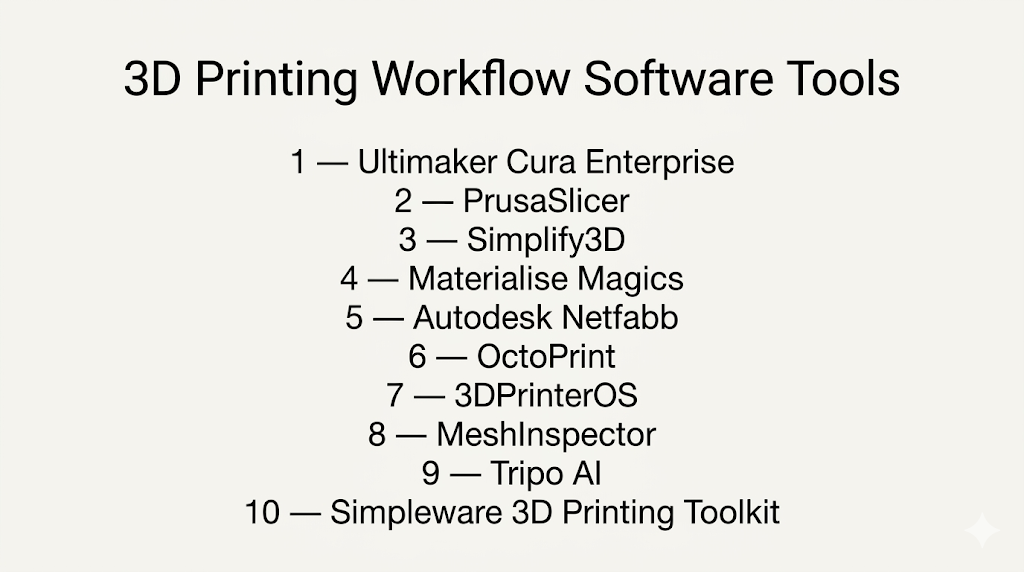
Top 10 3D Printing Workflow Software Tools
#1 — Ultimaker Cura Enterprise
Short description: A widely used slicing and workflow tool designed for professionals managing multiple 3D printers and production environments.
Key Features
- Advanced slicing engine with customizable settings
- Multi-printer management
- Real-time monitoring
- Material tracking
- STL repair and optimization
- Integration with CAD tools
Pros
- Highly reliable slicing performance
- Scalable for professional environments
Cons
- Best optimized for specific printer ecosystems
- Advanced features may require setup
Platforms / Deployment
- Windows / macOS / Linux
- Cloud / Self-hosted
Security & Compliance
- SSO, encryption, GDPR-ready
Integrations & Ecosystem
- CAD tools integration
- Printer ecosystems
- Plugin marketplace
- File format support
Support & Community
Strong documentation and active user community.
#2 — PrusaSlicer
Short description: An open-source slicing and workflow tool designed for precision and flexibility.
Key Features
- Advanced slicing customization
- Multi-material support
- Automatic support generation
- Print preview tools
- Profile management
Pros
- Free and open-source
- High customization
Cons
- UI can feel technical
- Limited enterprise features
Platforms / Deployment
- Windows / macOS / Linux
- Self-hosted
Security & Compliance
- Not publicly stated
Integrations & Ecosystem
- Open-source plugins
- Printer compatibility
- File export formats
Support & Community
Strong community-driven support.
#3 — Simplify3D
Short description: A professional-grade slicing and workflow optimization tool.
Key Features
- Advanced slicing control
- Multi-printer support
- Simulation preview
- Custom support structures
- Material optimization
Pros
- High-quality print results
- Fine control over prints
Cons
- Paid software
- Smaller ecosystem
Platforms / Deployment
- Windows / macOS / Linux
- Self-hosted
Security & Compliance
- Not publicly stated
Integrations & Ecosystem
- Printer compatibility
- Export formats
- Workflow tools
Support & Community
Moderate community with documentation.
#4 — Materialise Magics
Short description: Enterprise-grade software for preparing and managing 3D print workflows.
Key Features
- Advanced file repair
- Build preparation tools
- Simulation capabilities
- Automation workflows
- Industrial-grade processing
Pros
- Highly accurate
- Enterprise-ready
Cons
- Expensive
- Complex setup
Platforms / Deployment
- Windows
- Self-hosted
Security & Compliance
- Not publicly stated
Integrations & Ecosystem
- Industrial printers
- CAD systems
- Manufacturing workflows
Support & Community
Strong enterprise support.
#5 — Autodesk Netfabb
Short description: A professional tool for design optimization and additive manufacturing workflows.
Key Features
- Model repair and optimization
- Simulation tools
- Lattice generation
- Workflow automation
- Build preparation
Pros
- Strong simulation capabilities
- Integration with Autodesk ecosystem
Cons
- Expensive
- Learning curve
Platforms / Deployment
- Windows
- Cloud / Self-hosted
Security & Compliance
- Not publicly stated
Integrations & Ecosystem
- Autodesk tools
- Manufacturing workflows
- APIs
Support & Community
Strong professional support.
#6 — OctoPrint
Short description: An open-source platform for remote printer management and monitoring.
Key Features
- Remote printer control
- Real-time monitoring
- Plugin ecosystem
- Camera integration
- Print job management
Pros
- Free and flexible
- Large plugin ecosystem
Cons
- Requires setup
- Not a full workflow solution
Platforms / Deployment
- Linux / Raspberry Pi
- Self-hosted
Security & Compliance
- Not publicly stated
Integrations & Ecosystem
- Plugins
- Printer integrations
- APIs
Support & Community
Very active open-source community.
#7 — 3DPrinterOS
Short description: A cloud-based platform for managing 3D printers and workflows.
Key Features
- Cloud print management
- User access control
- Workflow automation
- Analytics and reporting
- File management
Pros
- Strong cloud features
- Scalable for institutions
Cons
- Subscription model
- Internet dependency
Platforms / Deployment
- Web
- Cloud
Security & Compliance
- Not publicly stated
Integrations & Ecosystem
- Cloud storage
- APIs
- Educational tools
Support & Community
Growing support ecosystem.
#8 — MeshInspector
Short description: A mesh processing and repair tool for preparing models for 3D printing.
Key Features
- Mesh repair and optimization
- Scan-to-mesh workflows
- Quality inspection tools
- Multi-format support
- Visualization tools
Pros
- Strong mesh editing capabilities
- Cross-platform support
Cons
- Limited full workflow coverage
- Learning curve
Platforms / Deployment
- Windows / macOS / Linux / Web
- Cloud / Self-hosted
Security & Compliance
- Not publicly stated
Integrations & Ecosystem
- CAD tools
- File formats
- APIs
Support & Community
Moderate community and documentation.
#9 — Tripo AI
Short description: AI-driven platform for generating and preparing 3D models for printing.
Key Features
- AI model generation from text/images
- Automatic retopology
- Export-ready formats
- API integrations
- Smart mesh optimization
Pros
- Speeds up design phase
- Reduces manual effort
Cons
- Emerging tool
- Limited enterprise maturity
Platforms / Deployment
- Web
- Cloud
Security & Compliance
- Not publicly stated
Integrations & Ecosystem
- APIs
- 3D formats
- Workflow tools
Support & Community
Growing ecosystem.
#10 — Simpleware 3D Printing Toolkit
Short description: A specialized tool for converting imaging data into printable models.
Key Features
- Image-to-model conversion
- Model preparation tools
- Printability checks
- Multi-format export
- Analysis tools
Pros
- High accuracy
- Strong for medical and research use
Cons
- Niche use case
- Complex workflows
Platforms / Deployment
- Windows
- Self-hosted
Security & Compliance
- Not publicly stated
Integrations & Ecosystem
- CAD tools
- Medical imaging systems
- Export formats
Support & Community
Professional support available.
Comparison Table (Top 10)
| Tool Name | Best For | Platform(s) Supported | Deployment | Standout Feature | Public Rating |
|---|---|---|---|---|---|
| Cura Enterprise | Slicing + management | Win/macOS/Linux | Hybrid | Enterprise slicing | N/A |
| PrusaSlicer | Open-source slicing | Win/macOS/Linux | Self-hosted | Customization | N/A |
| Simplify3D | Advanced slicing | Win/macOS/Linux | Self-hosted | Precision control | N/A |
| Magics | Enterprise workflows | Windows | Self-hosted | Industrial prep | N/A |
| Netfabb | Optimization | Windows | Hybrid | Simulation | N/A |
| OctoPrint | Remote control | Linux | Self-hosted | Plugin ecosystem | N/A |
| 3DPrinterOS | Cloud workflows | Web | Cloud | Cloud management | N/A |
| MeshInspector | Mesh repair | Cross-platform | Hybrid | Mesh processing | N/A |
| Tripo AI | AI modeling | Web | Cloud | AI generation | N/A |
| Simpleware | Medical workflows | Windows | Self-hosted | Image-to-print | N/A |
Evaluation & Scoring of 3D Printing Workflow Software
| Tool Name | Core (25%) | Ease (15%) | Integrations (15%) | Security (10%) | Performance (10%) | Support (10%) | Value (15%) | Weighted Total |
|---|---|---|---|---|---|---|---|---|
| Cura Enterprise | 9 | 8 | 8 | 7 | 9 | 8 | 8 | 8.4 |
| PrusaSlicer | 8 | 7 | 7 | 5 | 8 | 8 | 10 | 7.9 |
| Simplify3D | 9 | 7 | 7 | 5 | 9 | 7 | 6 | 7.8 |
| Magics | 10 | 5 | 9 | 6 | 9 | 8 | 5 | 8.0 |
| Netfabb | 9 | 6 | 9 | 6 | 9 | 8 | 6 | 8.1 |
| OctoPrint | 7 | 6 | 8 | 5 | 7 | 9 | 10 | 7.8 |
| 3DPrinterOS | 8 | 8 | 8 | 6 | 8 | 8 | 7 | 7.9 |
| MeshInspector | 8 | 6 | 7 | 5 | 8 | 7 | 7 | 7.5 |
| Tripo AI | 7 | 8 | 7 | 5 | 7 | 6 | 8 | 7.2 |
| Simpleware | 9 | 5 | 8 | 6 | 9 | 7 | 6 | 7.8 |
How to interpret:
- Scores are comparative across tools
- Higher scores indicate stronger overall balance
- Some tools specialize in specific workflow stages
- Value reflects cost vs capability
- Use scores to shortlist options
Which 3D Printing Workflow Software Tool Is Right for You?
Solo / Freelancer
- Best options: PrusaSlicer, OctoPrint
- Focus on affordability and ease of setup
SMB
- Best options: Cura Enterprise, 3DPrinterOS
- Balance between features and scalability
Mid-Market
- Best options: Netfabb, Simplify3D
- Need better optimization and workflow control
Enterprise
- Best options: Materialise Magics, Cura Enterprise
- Require full lifecycle management and scalability
Budget vs Premium
- Budget: PrusaSlicer, OctoPrint
- Premium: Magics, Netfabb
Feature Depth vs Ease of Use
- Deep tools: Magics, Netfabb
- Easy tools: Cura, 3DPrinterOS
Integrations & Scalability
- Strong ecosystems: Netfabb, Cura Enterprise
Security & Compliance Needs
- Enterprise tools may support advanced controls
- Others: Not publicly stated
Frequently Asked Questions (FAQs)
What is 3D printing workflow software?
It manages the entire process from design preparation to printing and monitoring.
How is it different from a slicer?
A slicer prepares files, while workflow software manages the full process.
Do I need it for home use?
Not always; basic slicers are often sufficient.
Can it manage multiple printers?
Yes, many tools support fleet management.
Is cloud-based software better?
It depends; cloud offers flexibility, while local offers control.
What industries use this software?
Manufacturing, healthcare, education, and product design.
Does it support automation?
Yes, many tools automate scheduling and optimization.
Can it reduce print failures?
Yes, through simulation and error detection.
Are there free options?
Yes, tools like PrusaSlicer and OctoPrint are free.
What should I avoid when choosing?
Avoid tools that don’t match your workflow scale.
Conclusion
3D printing workflow software has become the backbone of modern additive manufacturing, enabling efficient, scalable, and reliable production processes. From open-source tools to enterprise-grade platforms, each solution addresses different stages of the workflow.
