Introduction
3D CAD (Computer-Aided Design) software is used to create precise digital models of physical objects. These tools enable engineers, architects, and designers to build, test, and visualize products or structures before they are manufactured or constructed.
3D CAD software is essential across industries because it improves accuracy, efficiency, and collaboration in design workflows. It allows teams to simulate real-world conditions, detect issues early, and reduce production costs.
Common Use Cases
- Mechanical product design and engineering
- Architecture and construction planning
- Industrial and manufacturing workflows
- 3D printing and prototyping
- Electrical and systems design
What Buyers Should Evaluate
- Parametric vs direct modeling capabilities
- Ease of use and onboarding
- Simulation and analysis features
- File compatibility and interoperability
- Integration with manufacturing tools (CAM, PLM)
- Cloud vs desktop deployment
- Collaboration features
- Performance and hardware requirements
- Licensing and pricing flexibility
- Security and data management
Best for: Engineers, product designers, architects, manufacturing teams, and startups building physical products.
Not ideal for: Users needing artistic or animation-focused tools; 3D modeling software may be more suitable in those cases.
Key Trends in 3D CAD Software
- AI-assisted design: Automated modeling, generative design, and optimization
- Cloud-native CAD platforms: Browser-based tools enabling remote collaboration
- Real-time collaboration: Multiple users editing designs simultaneously
- Integration with manufacturing workflows: CAD tightly connected with CAM and PLM systems
- Interoperability improvements: Better support for standard formats like STEP and IGES
- Simulation-driven design: Built-in testing for stress, motion, and performance
- Low-code design tools: Simplified interfaces for non-experts
- Subscription-based pricing: Increasing shift away from perpetual licenses
- Security focus: Growing demand for access control and secure design environments
- AI-generated models: Emerging tools converting text or images into 3D designs
How We Selected These Tools (Methodology)
- Evaluated industry adoption and credibility
- Assessed core CAD capabilities (modeling, simulation, documentation)
- Reviewed ease of use vs advanced functionality
- Considered platform availability and deployment flexibility
- Analyzed integration with engineering and manufacturing ecosystems
- Evaluated performance and scalability
- Considered community, documentation, and support quality
- Included tools for different user segments (beginner to enterprise)
- Focused on tools with active development and relevance
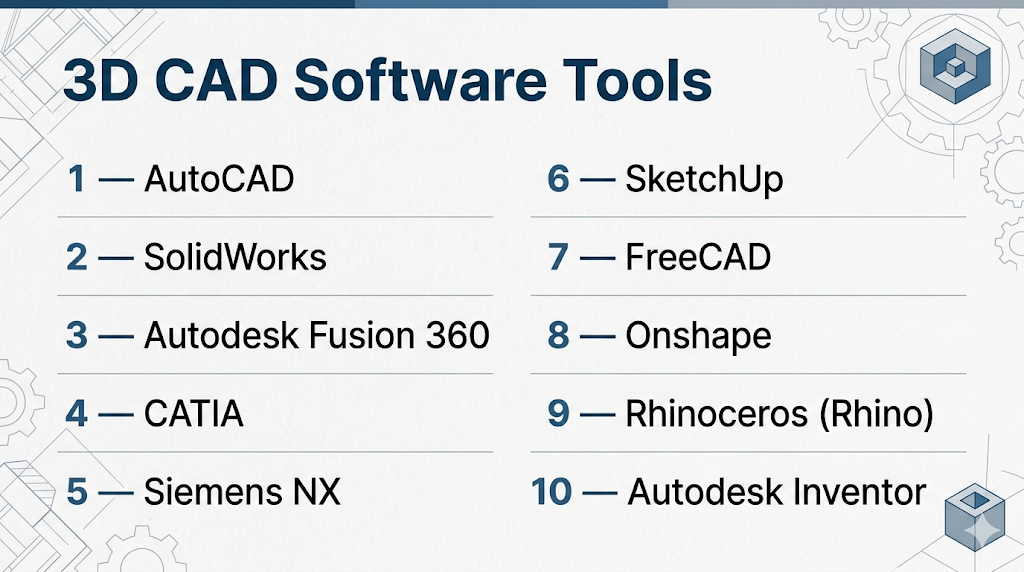
Top 10 3D CAD Software Tools
#1 — AutoCAD
Short description: A widely used CAD platform for 2D drafting and 3D modeling across architecture, engineering, and construction.
Key Features
- 2D drafting and 3D modeling
- Industry-specific toolsets
- DWG file support
- Automation and scripting
- Cloud collaboration features
Pros
- Industry standard across multiple sectors
- Strong ecosystem and compatibility
Cons
- Steep learning curve
- Expensive licensing
Platforms / Deployment
- Windows / macOS
- Cloud / Self-hosted
Security & Compliance
- Not publicly stated
Integrations & Ecosystem
- Autodesk ecosystem
- Cloud storage tools
- APIs and extensions
- Industry-specific toolsets
Support & Community
Extensive documentation and large global user base.
#2 — SolidWorks
Short description: A leading 3D CAD software for mechanical design and engineering.
Key Features
- Parametric modeling
- Assembly design
- Simulation tools
- Product data management
- Rendering capabilities
Pros
- Strong engineering capabilities
- Widely used in manufacturing
Cons
- Windows-only
- High cost
Platforms / Deployment
- Windows
- Self-hosted
Security & Compliance
- Not publicly stated
Integrations & Ecosystem
- PLM tools
- Simulation software
- CAD file compatibility
Support & Community
Large professional community and enterprise support.
#3 — Autodesk Fusion 360
Short description: A cloud-based CAD/CAM tool designed for product design and manufacturing workflows.
Key Features
- Parametric and direct modeling
- Integrated CAM tools
- Cloud collaboration
- Simulation and testing
- Version control
Pros
- All-in-one platform
- Cloud-based collaboration
Cons
- Requires internet for full functionality
- Subscription pricing
Platforms / Deployment
- Windows / macOS
- Cloud
Security & Compliance
- Not publicly stated
Integrations & Ecosystem
- Manufacturing tools
- APIs
- Cloud storage
Support & Community
Strong tutorials and active community.
#4 — CATIA
Short description: Advanced CAD software used in aerospace, automotive, and large-scale engineering projects.
Key Features
- Advanced surface modeling
- Product lifecycle management integration
- Simulation tools
- Complex assembly design
- Collaborative design
Pros
- Extremely powerful
- Ideal for large enterprises
Cons
- Very expensive
- Complex to learn
Platforms / Deployment
- Windows
- Cloud / Self-hosted
Security & Compliance
- Not publicly stated
Integrations & Ecosystem
- PLM systems
- Engineering tools
- Enterprise workflows
Support & Community
Enterprise-level support and training.
#5 — Siemens NX
Short description: High-end CAD software for product engineering and manufacturing.
Key Features
- Integrated CAD/CAM/CAE
- Advanced simulation
- Digital twin capabilities
- Parametric modeling
- Automation tools
Pros
- Comprehensive engineering solution
- Strong simulation features
Cons
- Expensive
- Requires training
Platforms / Deployment
- Windows
- Self-hosted
Security & Compliance
- Not publicly stated
Integrations & Ecosystem
- PLM systems
- Manufacturing tools
- Enterprise software
Support & Community
Strong enterprise support.
#6 — SketchUp
Short description: Easy-to-use 3D CAD tool popular in architecture and interior design.
Key Features
- Simple modeling tools
- 3D warehouse
- Web-based version
- Plugin support
- Rendering extensions
Pros
- Beginner-friendly
- Fast learning curve
Cons
- Limited advanced features
- Not ideal for engineering
Platforms / Deployment
- Web / Windows / macOS
- Cloud / Self-hosted
Security & Compliance
- Not publicly stated
Integrations & Ecosystem
- Plugin ecosystem
- Rendering tools
- Design libraries
Support & Community
Large user base and tutorials.
#7 — FreeCAD
Short description: An open-source parametric 3D CAD tool for engineering and product design.
Key Features
- Parametric modeling
- Open-source customization
- BIM and FEM support
- Multi-platform support
- Python scripting
Pros
- Free and open-source
- Flexible and extensible
Cons
- UI can be complex
- Less polished
Platforms / Deployment
- Windows / macOS / Linux
- Self-hosted
Security & Compliance
- Not publicly stated
Integrations & Ecosystem
- Python API
- Engineering workflows
- CAD formats
Support & Community
Active open-source community.
#8 — Onshape
Short description: A fully cloud-based CAD platform designed for collaboration and version control.
Key Features
- Browser-based CAD
- Real-time collaboration
- Version control
- Parametric modeling
- Mobile access
Pros
- No installation required
- Strong collaboration features
Cons
- Subscription model
- Requires internet
Platforms / Deployment
- Web / iOS / Android
- Cloud
Security & Compliance
- Not publicly stated
Integrations & Ecosystem
- APIs
- Cloud integrations
- PLM tools
Support & Community
Growing community and support resources.
#9 — Rhinoceros (Rhino)
Short description: A flexible CAD tool focused on precision modeling using NURBS geometry.
Key Features
- NURBS-based modeling
- Freeform surface design
- Plugin ecosystem
- Rendering support
- 3D printing compatibility
Pros
- Highly flexible
- Strong for complex shapes
Cons
- Limited parametric features compared to others
- Learning curve
Platforms / Deployment
- Windows / macOS
- Self-hosted
Security & Compliance
- Not publicly stated
Integrations & Ecosystem
- Plugin ecosystem
- Rendering tools
- Design workflows
Support & Community
Strong niche community.
#10 — Autodesk Inventor
Short description: A mechanical design and simulation tool for product development.
Key Features
- Parametric modeling
- Assembly design
- Simulation tools
- Documentation features
- CAD compatibility
Pros
- Strong for mechanical engineering
- Integrated simulation
Cons
- Windows-only
- Expensive
Platforms / Deployment
- Windows
- Self-hosted
Security & Compliance
- Not publicly stated
Integrations & Ecosystem
- Autodesk ecosystem
- Manufacturing tools
- CAD compatibility
Support & Community
Professional support and training resources.
Comparison Table (Top 10)
| Tool Name | Best For | Platform(s) Supported | Deployment | Standout Feature | Public Rating |
|---|---|---|---|---|---|
| AutoCAD | General CAD | Win/macOS | Hybrid | Industry standard | N/A |
| SolidWorks | Mechanical design | Windows | Self-hosted | Parametric modeling | N/A |
| Fusion 360 | Product design | Win/macOS | Cloud | CAD + CAM integration | N/A |
| CATIA | Enterprise engineering | Windows | Hybrid | Advanced design systems | N/A |
| Siemens NX | Advanced engineering | Windows | Self-hosted | Digital twin | N/A |
| SketchUp | Architecture | Web/Win/macOS | Hybrid | Ease of use | N/A |
| FreeCAD | Open-source CAD | Win/macOS/Linux | Self-hosted | Free parametric modeling | N/A |
| Onshape | Cloud CAD | Web/Mobile | Cloud | Real-time collaboration | N/A |
| Rhino | Freeform design | Win/macOS | Self-hosted | NURBS modeling | N/A |
| Inventor | Mechanical design | Windows | Self-hosted | Simulation tools | N/A |
Evaluation & Scoring of 3D CAD Software
| Tool Name | Core (25%) | Ease (15%) | Integrations (15%) | Security (10%) | Performance (10%) | Support (10%) | Value (15%) | Weighted Total |
|---|---|---|---|---|---|---|---|---|
| AutoCAD | 9 | 7 | 9 | 6 | 8 | 9 | 6 | 8.0 |
| SolidWorks | 10 | 7 | 9 | 6 | 9 | 9 | 6 | 8.4 |
| Fusion 360 | 9 | 8 | 9 | 6 | 8 | 8 | 8 | 8.4 |
| CATIA | 10 | 5 | 9 | 7 | 9 | 8 | 5 | 7.9 |
| Siemens NX | 10 | 5 | 9 | 7 | 9 | 8 | 5 | 7.9 |
| SketchUp | 7 | 9 | 7 | 5 | 7 | 8 | 9 | 7.9 |
| FreeCAD | 8 | 6 | 7 | 5 | 7 | 7 | 10 | 7.7 |
| Onshape | 8 | 8 | 8 | 6 | 8 | 8 | 7 | 7.9 |
| Rhino | 8 | 7 | 7 | 5 | 8 | 7 | 7 | 7.5 |
| Inventor | 9 | 7 | 8 | 6 | 8 | 8 | 6 | 7.9 |
How to interpret:
- Scores are relative comparisons across tools
- Higher scores indicate stronger overall balance
- Some tools rank lower due to specialization
- Value reflects cost vs capability
- Use scores for shortlisting, not final decisions
Which 3D CAD Software Tool Is Right for You?
Solo / Freelancer
- Best options: FreeCAD, SketchUp, Fusion 360
- Focus on cost and ease of learning
SMB
- Best options: Fusion 360, SketchUp, Onshape
- Balance between features and collaboration
Mid-Market
- Best options: SolidWorks, Inventor
- Require stronger engineering capabilities
Enterprise
- Best options: CATIA, Siemens NX
- Need scalability and advanced simulation
Budget vs Premium
- Budget: FreeCAD, SketchUp
- Premium: CATIA, Siemens NX
Feature Depth vs Ease of Use
- Deep tools: CATIA, SolidWorks
- Easy tools: SketchUp, Onshape
Integrations & Scalability
- Strong ecosystems: Fusion 360, SolidWorks, CATIA
Security & Compliance Needs
- Most tools: Not publicly stated
- Enterprises should validate internally
Frequently Asked Questions (FAQs)
What is 3D CAD software used for?
It is used to design, simulate, and visualize physical objects digitally before production.
Is CAD software difficult to learn?
Some tools are beginner-friendly, while others require professional training.
Are there free CAD tools?
Yes, tools like FreeCAD and Tinkercad are available at no cost.
What industries use CAD?
Engineering, manufacturing, architecture, automotive, aerospace, and more.
Do CAD tools support simulation?
Many advanced tools include simulation for stress, motion, and performance.
Is cloud CAD better than desktop?
Cloud CAD offers collaboration, while desktop tools offer performance and control.
Can CAD files be shared easily?
Yes, most tools support standard formats for sharing.
What hardware is required?
High-performance systems are recommended for complex designs.
Can CAD integrate with manufacturing?
Yes, many tools include CAM and PLM integrations.
What should I avoid when choosing CAD software?
Avoid choosing based only on popularity instead of your specific use case.
Conclusion
3D CAD software is essential for modern design and engineering workflows. From beginner-friendly tools like SketchUp to enterprise-grade platforms like CATIA and Siemens NX, each solution serves a specific purpose.
