Introduction
Financial Planning & Analysis (FP&A) Software helps organizations plan budgets, forecast financial performance, analyze data, and support strategic decision-making. Unlike traditional accounting tools that focus on historical data, FP&A tools are forward-looking—they enable businesses to model scenarios, predict outcomes, and guide growth strategies.
In today’s data-driven business environment, finance teams are expected to move beyond reporting and act as strategic advisors. FP&A software makes this possible by combining automation, real-time analytics, and scenario planning, allowing organizations to respond quickly to market changes and make informed decisions.
Common use cases include:
- Budgeting and financial forecasting
- Scenario planning and what-if analysis
- Cash flow and performance analysis
- Strategic decision support
- Financial reporting and dashboards
What buyers should evaluate:
- Forecasting and modeling capabilities
- Integration with ERP, CRM, and data systems
- Ease of use and collaboration features
- Automation and AI capabilities
- Reporting and dashboard quality
- Scalability and performance
- Security and compliance features
- Implementation complexity
- Pricing and ROI
Best for: CFOs, finance teams, SaaS companies, enterprises, and mid-market organizations managing complex financial planning.
Not ideal for: Freelancers or very small businesses with simple financial needs where spreadsheets or basic tools are sufficient.
Key Trends in FP&A Software
- AI-powered forecasting: Predictive analytics improving accuracy and decision-making
- Driver-based planning: Linking operational metrics directly to financial outcomes
- Real-time collaboration: Multiple teams working on financial models simultaneously
- Scenario modeling: Advanced what-if simulations for risk management
- Cloud-native platforms: Scalable and accessible from anywhere
- Integration-first ecosystems: Seamless connection with ERP, CRM, and data warehouses
- Rolling forecasts: Moving beyond static annual budgets
- Data centralization: Single source of truth for financial data
- Automation of reporting: Faster and more accurate financial insights
- xP&A adoption: Extending planning beyond finance to HR, sales, and operations
How We Selected These Tools (Methodology)
- Evaluated market adoption and industry recognition
- Assessed forecasting, budgeting, and modeling capabilities
- Reviewed automation and AI features
- Analyzed integration ecosystem and APIs
- Considered ease of use and onboarding experience
- Checked security posture and compliance readiness
- Compared scalability across SMB to enterprise
- Reviewed performance and reliability signals
- Ensured coverage across different pricing tiers and business sizes
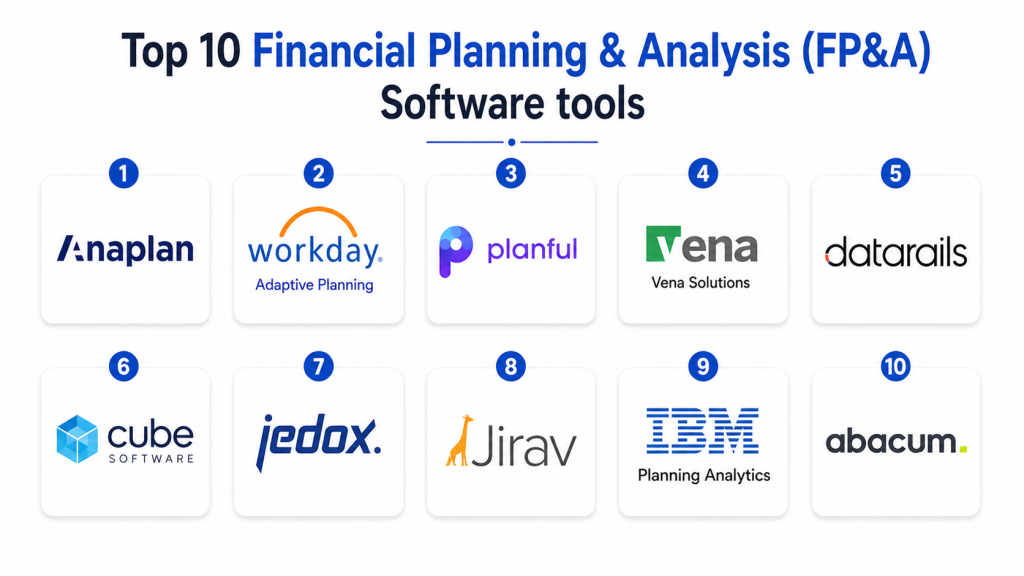
Top 10 Financial Planning & Analysis (FP&A) Software
#1 — Anaplan
Short description: Anaplan is a leading enterprise FP&A platform that enables large organizations to perform real-time planning, forecasting, and scenario modeling at scale.
Key Features
- Scenario planning and modeling
- Real-time financial forecasting
- Multi-department collaboration
- Data integration and analytics
- Workflow automation
- Dashboard reporting
Pros
- Highly scalable
- Strong modeling capabilities
- Enterprise-ready
Cons
- Complex implementation
- Expensive
- Requires training
Platforms / Deployment
Cloud
Security & Compliance
Encryption, RBAC; certifications not publicly stated
Integrations & Ecosystem
Integrates with enterprise systems and data platforms.
- ERP integrations
- CRM systems
- API support
Support & Community
Strong enterprise support and partner ecosystem
#2 — Workday Adaptive Planning
Short description: Workday Adaptive Planning provides cloud-based FP&A with strong forecasting, budgeting, and reporting capabilities for enterprises.
Key Features
- Budgeting and forecasting
- Scenario analysis
- Workforce planning
- Real-time dashboards
- Financial reporting
Pros
- Easy to use
- Strong reporting
- Scalable
Cons
- Pricing complexity
- Requires implementation
- Limited customization in some areas
Platforms / Deployment
Cloud
Security & Compliance
Encryption; certifications not publicly stated
Integrations & Ecosystem
Integrates with Workday and other enterprise tools.
- ERP integrations
- HR systems
Support & Community
Strong documentation and support
#3 — Planful
Short description: Planful is a cloud FP&A platform offering financial planning, consolidation, and analytics in one solution.
Key Features
- Budgeting and forecasting
- Financial consolidation
- Cash flow planning
- Reporting dashboards
- Workflow automation
Pros
- All-in-one platform
- Strong automation
- Scalable
Cons
- Requires setup
- Learning curve
- Pricing varies
Platforms / Deployment
Cloud
Security & Compliance
Not publicly stated
Integrations & Ecosystem
Integrates with ERP and financial systems.
- API integrations
- Data connectors
Support & Community
Good support and onboarding
#4 — Vena Solutions
Short description: Vena Solutions combines Excel familiarity with centralized data and workflow automation for FP&A teams.
Key Features
- Excel-native interface
- Centralized data management
- Scenario modeling
- Workflow automation
- Audit trails
Pros
- Easy adoption for Excel users
- Strong governance
- Flexible
Cons
- Requires Excel knowledge
- Setup complexity
- Limited UI innovation
Platforms / Deployment
Cloud
Security & Compliance
Not publicly stated
Integrations & Ecosystem
Integrates with ERP and CRM systems.
- API support
- Data integrations
Support & Community
Strong customer support
#5 — Datarails
Short description: Datarails is an Excel-based FP&A tool designed for finance teams that want automation without leaving spreadsheets.
Key Features
- Excel automation
- Data consolidation
- Budgeting and forecasting
- Financial reporting
- Real-time data sync
Pros
- Familiar interface
- Quick implementation
- Strong reporting
Cons
- Limited advanced modeling
- Excel dependency
- Smaller ecosystem
Platforms / Deployment
Cloud
Security & Compliance
Not publicly stated
Integrations & Ecosystem
Integrates with accounting and ERP systems.
- API integrations
- Data connectors
Support & Community
Moderate support
#6 — Cube Software
Short description: Cube is an FP&A platform focused on integrating with spreadsheets and automating financial planning workflows.
Key Features
- Spreadsheet integration
- Financial modeling
- Forecasting tools
- Reporting dashboards
- Data consolidation
Pros
- Easy to adopt
- Fast setup
- Good integrations
Cons
- Limited enterprise features
- Smaller ecosystem
- Pricing varies
Platforms / Deployment
Cloud
Security & Compliance
Not publicly stated
Integrations & Ecosystem
Integrates with ERP and CRM tools.
- API support
- Data sync
Support & Community
Growing support ecosystem
#7 — Jedox
Short description: Jedox is a planning and analytics platform offering financial modeling and business intelligence capabilities.
Key Features
- Financial planning
- Data analytics
- Scenario modeling
- Reporting dashboards
- Workflow automation
Pros
- Strong analytics
- Flexible
- Scalable
Cons
- Learning curve
- Complex setup
- Pricing varies
Platforms / Deployment
Cloud / Hybrid
Security & Compliance
Not publicly stated
Integrations & Ecosystem
Integrates with BI and ERP systems.
- API integrations
- Data connectors
Support & Community
Good support and documentation
#8 — Jirav
Short description: Jirav is a cloud FP&A tool designed for SMBs with integrated financial modeling and forecasting.
Key Features
- Three-statement modeling
- Cash flow forecasting
- Budgeting tools
- Reporting dashboards
- Integration capabilities
Pros
- SMB-friendly
- Strong forecasting
- Easy to use
Cons
- Limited enterprise features
- Pricing may be high for small teams
- Limited customization
Platforms / Deployment
Cloud
Security & Compliance
Not publicly stated
Integrations & Ecosystem
Integrates with accounting and CRM tools.
- API support
- Data integrations
Support & Community
Good support
#9 — IBM Planning Analytics
Short description: IBM Planning Analytics is an enterprise FP&A platform powered by AI for advanced planning and forecasting.
Key Features
- AI-powered forecasting
- Scenario modeling
- Financial planning
- Data visualization
- Workflow automation
Pros
- Strong AI capabilities
- Enterprise-ready
- Highly scalable
Cons
- Complex implementation
- Expensive
- Requires expertise
Platforms / Deployment
Cloud / Hybrid
Security & Compliance
Not publicly stated
Integrations & Ecosystem
Integrates with enterprise systems.
- API support
- Data platforms
Support & Community
Enterprise-level support
#10 — Abacum
Short description: Abacum is a modern FP&A platform designed for mid-sized companies to streamline planning and reporting workflows.
Key Features
- Financial modeling
- Real-time reporting
- Data consolidation
- Scenario analysis
- Workflow automation
Pros
- Modern interface
- Strong automation
- Easy collaboration
Cons
- Smaller ecosystem
- Limited enterprise features
- Pricing varies
Platforms / Deployment
Cloud
Security & Compliance
Not publicly stated
Integrations & Ecosystem
Connects with ERP, CRM, and data systems.
- API integrations
- Data connectors
Support & Community
Good onboarding and support
Comparison Table
| Tool Name | Best For | Platform(s) Supported | Deployment | Standout Feature | Public Rating |
|---|---|---|---|---|---|
| Anaplan | Enterprise | Web | Cloud | Scenario modeling | N/A |
| Workday Adaptive | Enterprise | Web | Cloud | Workforce planning | N/A |
| Planful | Mid-market | Web | Cloud | Consolidation | N/A |
| Vena | Mid-market | Web | Cloud | Excel integration | N/A |
| Datarails | SMB | Web | Cloud | Excel automation | N/A |
| Cube | SMB | Web | Cloud | Spreadsheet integration | N/A |
| Jedox | Mid-market | Web | Cloud/Hybrid | Analytics | N/A |
| Jirav | SMB | Web | Cloud | Forecasting | N/A |
| IBM Planning | Enterprise | Web | Cloud/Hybrid | AI planning | N/A |
| Abacum | Mid-market | Web | Cloud | Real-time insights | N/A |
Evaluation & Scoring of FP&A Software
| Tool | Core | Ease | Integrations | Security | Performance | Support | Value | Weighted Total |
|---|---|---|---|---|---|---|---|---|
| Anaplan | 9 | 6 | 9 | 8 | 9 | 8 | 6 | 8.1 |
| Workday | 8 | 8 | 8 | 8 | 8 | 8 | 7 | 7.9 |
| Planful | 8 | 7 | 8 | 7 | 8 | 8 | 7 | 7.8 |
| Vena | 8 | 7 | 8 | 7 | 7 | 7 | 7 | 7.6 |
| Datarails | 7 | 8 | 7 | 7 | 7 | 7 | 8 | 7.5 |
| Cube | 7 | 8 | 8 | 7 | 7 | 7 | 8 | 7.6 |
| Jedox | 8 | 6 | 8 | 7 | 8 | 7 | 7 | 7.6 |
| Jirav | 7 | 8 | 7 | 7 | 7 | 7 | 8 | 7.5 |
| IBM | 9 | 5 | 9 | 8 | 9 | 8 | 6 | 8.0 |
| Abacum | 7 | 8 | 7 | 7 | 7 | 7 | 8 | 7.4 |
Scores are comparative and help evaluate strengths across features, usability, and value.
Which FP&A Software Is Right for You?
Solo / Freelancer
Basic tools or spreadsheets are usually sufficient.
SMB
Jirav, Datarails, and Cube offer simplicity and affordability.
Mid-Market
Planful, Vena, and Abacum provide balance between features and usability.
Enterprise
Anaplan, IBM Planning Analytics, and Workday Adaptive Planning deliver advanced capabilities.
Budget vs Premium
- Budget: Cube, Jirav
- Premium: Anaplan, IBM
Feature Depth vs Ease of Use
- Feature-rich: Anaplan, IBM
- Easy-to-use: Jirav, Cube
Integrations & Scalability
Choose tools with strong API and ERP integrations.
Security & Compliance Needs
Enterprises should prioritize platforms with audit controls and compliance features.
Frequently Asked Questions (FAQs)
1. What is FP&A software?
FP&A software helps businesses plan budgets, forecast financial outcomes, and analyze performance. It supports decision-making by providing insights into future financial scenarios. It is essential for strategic planning.
2. How is FP&A different from accounting?
Accounting focuses on historical financial data, while FP&A focuses on future planning and analysis. FP&A helps businesses forecast and strategize based on financial insights. Both functions work together but serve different purposes.
3. Who should use FP&A software?
Finance teams, CFOs, and businesses with complex financial operations benefit the most. It is especially useful for SaaS and enterprise companies. Growing businesses also use it for forecasting.
4. What features should I look for?
Look for forecasting, scenario modeling, reporting, and integrations. Automation and AI features are also important. Choose tools that match your complexity level.
5. Are FP&A tools cloud-based?
Most modern FP&A tools are cloud-based for flexibility and scalability. They allow real-time collaboration and remote access. This improves efficiency.
6. How long does implementation take?
Implementation varies from weeks to months depending on complexity. Enterprise tools take longer due to customization. Proper planning can reduce time.
7. Can FP&A tools integrate with ERP systems?
Yes, most tools integrate with ERP, CRM, and data platforms. This ensures seamless data flow. API support is essential.
8. Are FP&A tools secure?
Most platforms offer encryption and access controls. Security features vary by vendor. Enterprises should check compliance standards.
9. What pricing models are used?
Pricing is usually subscription-based or enterprise licensing. Costs vary depending on features and scale. Businesses should evaluate ROI.
10. What are common mistakes when choosing FP&A software?
Ignoring scalability, overpaying for features, and neglecting integrations are common mistakes. Businesses should also consider ease of use. Long-term planning is key.
Conclusion
FP&A software has become a critical component for organizations aiming to move from reactive financial reporting to proactive strategic planning. These tools enable businesses to forecast accurately, analyze scenarios, and align financial planning with operational goals. As financial complexity increases, relying on spreadsheets alone is no longer sufficient. From enterprise platforms like Anaplan and IBM Planning Analytics to SMB-friendly tools like Jirav and Cube, there are solutions for every business size. The right choice depends on your organization’s scale, complexity, and integration requirements. Businesses should prioritize automation, real-time insights, and collaboration features when selecting a tool. Security and compliance should also be key considerations. Instead of choosing based on popularity, companies should evaluate how well a platform fits their workflows. Running a pilot with shortlisted tools is the best way to validate performance and usability. This ensures long-term efficiency and better financial decision-making.
