Introduction
Operating Systems (OS) are the foundation of every computing device, managing hardware resources and enabling software applications to run efficiently. In simple terms, an operating system acts as the bridge between users and computer hardware.
From desktops and servers to mobile devices and cloud environments, operating systems play a critical role in performance, security, and usability. Choosing the right OS impacts productivity, compatibility, scalability, and overall system experience.
Modern operating systems go beyond basic functionality. They offer advanced features like security frameworks, virtualization support, cloud integration, developer tools, and performance optimization—making them essential for individuals, businesses, and enterprises.
Common use cases include:
- Personal computing (desktop/laptop)
- Server and cloud environments
- Software development
- Enterprise IT infrastructure
- Mobile and embedded systems
What buyers should evaluate:
- Performance and stability
- Security features
- Compatibility with applications
- User interface and ease of use
- Customization capabilities
- Hardware support
- Community and support
- Licensing and cost
- Scalability
- Ecosystem integration
Best for: Individuals, developers, enterprises, IT teams, and organizations of all sizes.
Not ideal for: None—every computing system requires an operating system, but the choice depends on use case.
Key Trends in Operating Systems
- Growth of open-source operating systems
- Cloud-native and container-optimized OS
- Increased focus on security and privacy
- Integration with AI and automation
- Lightweight OS for edge and IoT devices
- Improved developer environments
- Cross-platform compatibility
- Virtualization and container support
- Continuous updates and rolling releases
- Energy-efficient and performance-optimized systems
How We Selected These Operating Systems (Methodology)
- Global adoption and popularity
- Performance and reliability
- Security capabilities
- Ecosystem and software compatibility
- Ease of use
- Enterprise readiness
- Developer support
- Community and documentation
- Scalability
- Overall value
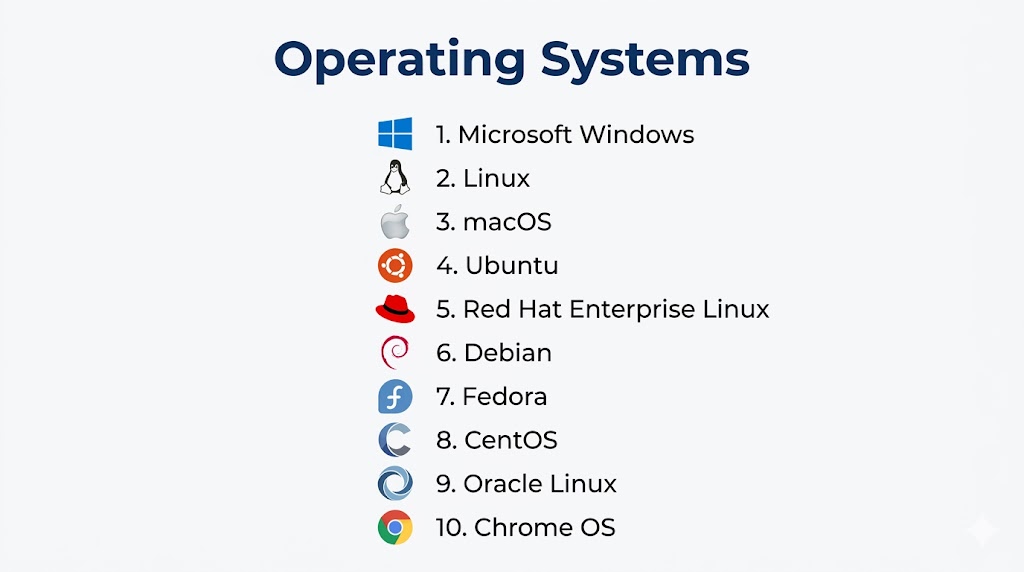
Top 10 Operating Systems
#1 — Microsoft Windows
Short description: The most widely used desktop operating system known for its compatibility and ease of use.
Key Features
- User-friendly interface
- Wide software compatibility
- Gaming support
- Enterprise tools
- Security features
- Regular updates
Pros
- Massive ecosystem
- Easy to use
Cons
- Licensing cost
- Security vulnerabilities if not maintained
Platforms / Deployment
Desktop / Server
Security & Compliance
Built-in security tools and enterprise controls.
Integrations & Ecosystem
Microsoft ecosystem, enterprise tools.
Support & Community
Global user base.
#2 — Linux
Short description: Open-source operating system powering servers, cloud infrastructure, and development environments.
Key Features
- Open-source flexibility
- High performance
- Security-focused
- Customizable distributions
- Strong command-line tools
- Container support
Pros
- Free and flexible
- Highly secure
Cons
- Learning curve
- Limited support for some commercial software
Platforms / Deployment
Server / Desktop / Cloud
Security & Compliance
Strong open-source security model.
Integrations & Ecosystem
DevOps tools, cloud platforms.
Support & Community
Large global community.
#3 — macOS
Short description: Apple’s operating system known for performance, design, and ecosystem integration.
Key Features
- Clean UI
- Optimized hardware performance
- Security features
- Developer tools
- Apple ecosystem integration
- Stability
Pros
- Smooth performance
- Strong security
Cons
- Limited hardware compatibility
- Premium cost
Platforms / Deployment
Apple devices
Security & Compliance
Built-in security features.
Integrations & Ecosystem
Apple ecosystem.
Support & Community
Strong user base.
#4 — Ubuntu
Short description: Popular Linux distribution known for ease of use and strong community support.
Key Features
- User-friendly Linux
- Regular updates
- Software repositories
- Cloud compatibility
- Security features
- Desktop and server versions
Pros
- Beginner-friendly
- Free and open-source
Cons
- Limited commercial software
- Performance depends on configuration
Platforms / Deployment
Desktop / Server / Cloud
Security & Compliance
Linux-based security.
Integrations & Ecosystem
Open-source tools, cloud platforms.
Support & Community
Large community support.
#5 — Red Hat Enterprise Linux (RHEL)
Short description: Enterprise-grade Linux distribution designed for business environments.
Key Features
- Enterprise support
- Stability and reliability
- Security features
- Automation tools
- Container integration
- Scalability
Pros
- Enterprise-ready
- Strong support
Cons
- Subscription cost
- Requires expertise
Platforms / Deployment
Server / Cloud
Security & Compliance
Enterprise-grade controls.
Integrations & Ecosystem
Enterprise tools, Red Hat ecosystem.
Support & Community
Strong enterprise support.
#6 — Debian
Short description: Stable and reliable Linux distribution used in servers and development.
Key Features
- Stability
- Open-source
- Package management
- Security updates
- Lightweight
- Customizable
Pros
- Highly stable
- Free
Cons
- Less user-friendly
- Slower release cycle
Platforms / Deployment
Server / Desktop
Security & Compliance
Strong open-source model.
Integrations & Ecosystem
Linux ecosystem.
Support & Community
Active community.
#7 — Fedora
Short description: Cutting-edge Linux distribution focused on innovation and development.
Key Features
- Latest technologies
- Developer tools
- Security features
- Frequent updates
- Open-source
- Cloud integration
Pros
- Modern features
- Strong developer support
Cons
- Frequent updates
- Less stability than enterprise OS
Platforms / Deployment
Desktop / Server
Security & Compliance
Advanced security features.
Integrations & Ecosystem
Open-source tools.
Support & Community
Strong developer community.
#8 — CentOS
Short description: Community-driven Linux distribution historically used for servers.
Key Features
- Stability
- Enterprise compatibility
- Open-source
- Server-focused
- Security updates
- Long-term support
Pros
- Free alternative to RHEL
- Stable
Cons
- Changes in project direction
- Limited official support
Platforms / Deployment
Server
Security & Compliance
Linux-based security.
Integrations & Ecosystem
Enterprise Linux tools.
Support & Community
Large community.
#9 — Oracle Linux
Short description: Enterprise Linux distribution optimized for Oracle workloads.
Key Features
- High performance
- Security features
- Kernel enhancements
- Enterprise support
- Cloud integration
- Scalability
Pros
- Optimized for enterprise workloads
- Free option available
Cons
- Smaller ecosystem
- Oracle dependency
Platforms / Deployment
Server / Cloud
Security & Compliance
Enterprise-grade controls.
Integrations & Ecosystem
Oracle ecosystem.
Support & Community
Enterprise-focused support.
#10 — Chrome OS
Short description: Lightweight operating system designed for cloud-based computing.
Key Features
- Fast boot time
- Cloud integration
- Security features
- Automatic updates
- Simple UI
- App ecosystem
Pros
- Easy to use
- Lightweight
Cons
- Limited offline capabilities
- Dependence on cloud apps
Platforms / Deployment
Chromebooks
Security & Compliance
Strong sandboxing and updates.
Integrations & Ecosystem
Google ecosystem.
Support & Community
Growing user base.
Comparison Table (Top 10)
| Tool Name | Best For | Platform(s) | Deployment | Standout Feature | Public Rating |
|---|---|---|---|---|---|
| Windows | General users | Desktop/Server | Local | Compatibility | N/A |
| Linux | Developers/Servers | Multi-platform | Hybrid | Flexibility | N/A |
| macOS | Creatives | Apple devices | Local | Performance | N/A |
| Ubuntu | Beginners/Linux users | Multi-platform | Hybrid | Ease of use | N/A |
| RHEL | Enterprises | Server | Hybrid | Stability | N/A |
| Debian | Servers | Multi-platform | Local | Reliability | N/A |
| Fedora | Developers | Desktop | Local | Innovation | N/A |
| CentOS | Servers | Server | Local | Enterprise compatibility | N/A |
| Oracle Linux | Enterprises | Server | Hybrid | Performance | N/A |
| Chrome OS | Casual users | Chromebook | Cloud | Simplicity | N/A |
Evaluation & Scoring of Operating Systems
| Tool Name | Core (25%) | Ease (15%) | Integrations (15%) | Security (10%) | Performance (10%) | Support (10%) | Value (15%) | Weighted Total |
|---|---|---|---|---|---|---|---|---|
| Windows | 9 | 10 | 9 | 8 | 9 | 9 | 8 | 9.0 |
| Linux | 10 | 7 | 10 | 10 | 10 | 9 | 10 | 9.5 |
| macOS | 9 | 9 | 8 | 9 | 9 | 9 | 7 | 8.7 |
| Ubuntu | 9 | 8 | 9 | 9 | 9 | 9 | 10 | 9.1 |
| RHEL | 9 | 7 | 9 | 10 | 9 | 10 | 7 | 8.8 |
| Debian | 8 | 7 | 8 | 9 | 8 | 8 | 10 | 8.2 |
| Fedora | 8 | 7 | 8 | 9 | 8 | 8 | 9 | 8.1 |
| CentOS | 8 | 7 | 8 | 9 | 8 | 7 | 9 | 8.0 |
| Oracle Linux | 8 | 7 | 8 | 9 | 9 | 8 | 8 | 8.1 |
| Chrome OS | 7 | 10 | 7 | 9 | 8 | 8 | 9 | 8.2 |
How to interpret scores:
Linux-based systems dominate in performance and flexibility, while Windows and macOS excel in usability and ecosystem support.
Which Operating System Is Right for You?
Solo / Personal Use
Windows, Chrome OS
Developers
Linux, Ubuntu, Fedora
SMB
Windows, Ubuntu
Enterprise
RHEL, Windows Server, Oracle Linux
Budget vs Premium
- Budget: Linux, Ubuntu
- Premium: Windows, macOS
Feature Depth vs Ease of Use
- Easy: Windows, Chrome OS
- Deep: Linux, RHEL
Security & Compliance Needs
Linux, RHEL, macOS
Frequently Asked Questions (FAQs)
What is an operating system?
It manages hardware and software resources.
Which OS is best?
Depends on your needs.
Is Linux free?
Yes, most distributions are free.
Is Windows better than Linux?
Depends on use case.
What is macOS?
Apple’s operating system.
Which OS is best for developers?
Linux.
Which OS is most secure?
Linux and macOS are highly secure.
Can I run multiple OS?
Yes, using virtualization.
What is open-source OS?
Linux-based systems.
How do I choose?
Based on usage, budget, and compatibility.
Conclusion
Operating Systems form the foundation of all computing environments, from personal devices to enterprise data centers. Windows remains the most widely used for general computing, while Linux dominates servers and cloud infrastructure. macOS offers a seamless experience for creative professionals, and Ubuntu provides an accessible entry into the Linux ecosystem. Enterprise environments rely on RHEL and Oracle Linux for stability and support. The right operating system depends on your specific needs, whether it’s ease of use, performance, security, or scalability. Evaluate your requirements carefully and choose an OS that aligns with your long-term goals.
