Introduction
Virtual Desktop Infrastructure (VDI) allows organizations to host desktop environments on centralized servers and deliver them to users over a network. In simple terms, instead of running operating systems and applications locally on individual machines, users access a virtual desktop from anywhere using a secure connection.
VDI has become essential for modern businesses that support remote work, distributed teams, secure data access, and centralized IT management. It helps organizations reduce hardware dependency, improve security, simplify updates, and ensure consistent user experiences across devices. With increasing cybersecurity threats and compliance requirements, VDI also plays a critical role in protecting sensitive data by keeping it within controlled environments.
Today’s VDI platforms include features like desktop virtualization, application streaming, GPU acceleration, centralized management, endpoint flexibility, and cloud integration. Organizations can deploy VDI on-premises, in the cloud, or as a hybrid model depending on their needs.
Common use cases include:
- Remote workforce enablement
- Secure access to enterprise applications
- Call centers and support teams
- Development and testing environments
- Education and training labs
What buyers should evaluate:
- Deployment model (cloud, on-prem, hybrid)
- Performance and latency
- Security controls
- Scalability
- GPU and high-performance support
- Endpoint compatibility
- Management and automation
- Integration with identity systems
- Licensing and cost structure
- Ease of deployment
Best for: Enterprises, mid-market companies, IT teams, healthcare, finance, education, and security-focused organizations.
Not ideal for: Very small teams with minimal IT infrastructure needs.
Key Trends in Virtual Desktop Infrastructure (VDI)
- Shift toward cloud-hosted VDI (DaaS models)
- Zero Trust security frameworks
- GPU-powered virtual desktops for high-performance workloads
- AI-based performance monitoring
- Browser-based virtual desktop access
- Integration with identity and access management tools
- Cost optimization through elastic scaling
- Hybrid VDI deployments
- Increased demand for secure remote work solutions
- Automation of provisioning and updates
How We Selected These Tools (Methodology)
- Market leadership and adoption
- Performance reliability
- Security and compliance readiness
- Deployment flexibility
- Integration ecosystem
- Scalability across organizations
- Ease of administration
- Feature completeness
- Vendor reputation
- Overall value for money
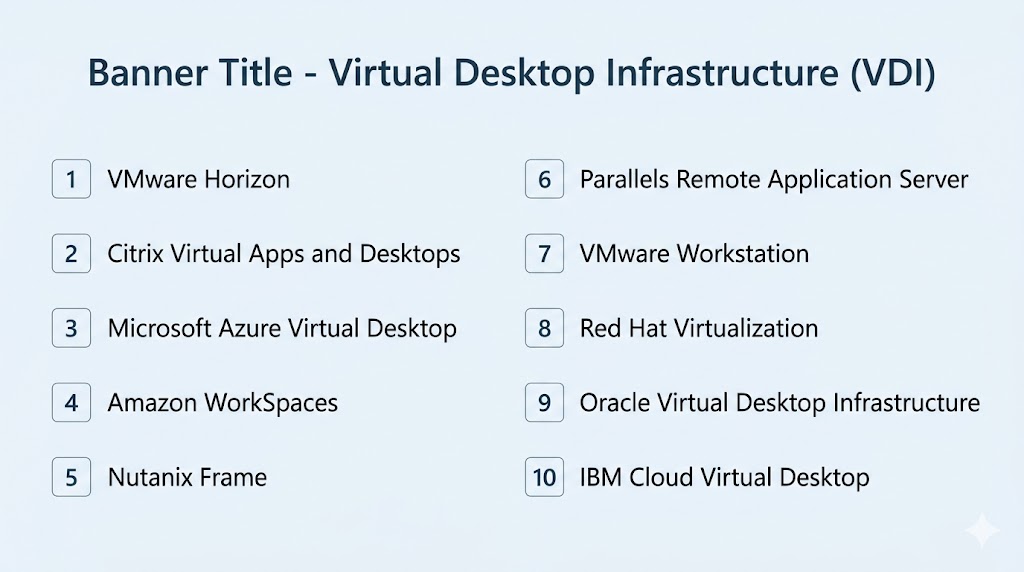
Top 10 Virtual Desktop Infrastructure (VDI) Tools
#1 — VMware Horizon
Short description: Industry-leading VDI platform offering robust virtualization, performance, and enterprise scalability.
Key Features
- Desktop and application virtualization
- Instant clone technology
- GPU acceleration
- Unified endpoint management
- Hybrid cloud support
- Centralized control
Pros
- Strong enterprise performance
- Highly scalable
Cons
- Complex deployment
- Premium pricing
Platforms / Deployment
Windows / Linux
Cloud / Self-hosted / Hybrid
Security & Compliance
Enterprise-grade security controls, RBAC, encryption.
Integrations & Ecosystem
VMware ecosystem, cloud platforms, identity tools.
Support & Community
Large global enterprise user base.
#2 — Citrix Virtual Apps and Desktops
Short description: Enterprise-grade virtualization platform known for performance optimization and remote access.
Key Features
- App and desktop virtualization
- HDX performance optimization
- Secure remote access
- Multi-cloud deployment
- Centralized management
- User experience monitoring
Pros
- Excellent performance
- Strong enterprise features
Cons
- Complex setup
- Higher cost
Platforms / Deployment
Windows / Linux
Cloud / Hybrid
Security & Compliance
Advanced security controls available.
Integrations & Ecosystem
Cloud providers, identity platforms, enterprise apps.
Support & Community
Strong enterprise presence.
#3 — Microsoft Azure Virtual Desktop
Short description: Cloud-native VDI solution tightly integrated with Microsoft Azure and Windows ecosystem.
Key Features
- Cloud-hosted desktops
- Multi-session Windows support
- Microsoft 365 integration
- Auto-scaling
- Centralized management
- Secure remote access
Pros
- Strong Microsoft integration
- Flexible scaling
Cons
- Requires Azure expertise
- Cost management needed
Platforms / Deployment
Web / Windows / macOS / iOS / Android
Cloud
Security & Compliance
Microsoft security and identity controls.
Integrations & Ecosystem
Azure, Microsoft 365, Active Directory.
Support & Community
Large enterprise adoption.
#4 — Amazon WorkSpaces
Short description: Fully managed cloud desktop service designed for scalable remote work environments.
Key Features
- Managed virtual desktops
- Pay-as-you-go pricing
- Secure access
- Multi-device support
- Persistent desktops
- Auto scaling
Pros
- Easy to deploy
- No infrastructure management
Cons
- Limited customization compared to on-prem VDI
- Cloud cost considerations
Platforms / Deployment
Cross-platform
Cloud
Security & Compliance
Cloud-native security controls.
Integrations & Ecosystem
AWS services, identity tools.
Support & Community
Strong cloud ecosystem support.
#5 — Nutanix Frame
Short description: Cloud-based VDI platform designed for simplicity and multi-cloud deployment.
Key Features
- Browser-based desktops
- Multi-cloud deployment
- Auto-scaling
- Application delivery
- Centralized control
- Monitoring tools
Pros
- Easy to use
- Flexible cloud options
Cons
- Smaller ecosystem
- Advanced features vary
Platforms / Deployment
Web / Cross-platform
Cloud
Security & Compliance
Enterprise-grade controls available.
Integrations & Ecosystem
Cloud providers, enterprise tools.
Support & Community
Growing adoption.
#6 — Parallels Remote Application Server
Short description: Cost-effective VDI and application delivery platform for SMB and mid-market organizations.
Key Features
- Desktop virtualization
- Application publishing
- Centralized management
- Load balancing
- Secure remote access
- Multi-device support
Pros
- Affordable pricing
- Easier deployment
Cons
- Less enterprise depth
- Limited advanced analytics
Platforms / Deployment
Windows / macOS / Linux
Cloud / Self-hosted
Security & Compliance
Secure access and admin controls available.
Integrations & Ecosystem
Microsoft ecosystem, IT tools.
Support & Community
Strong SMB focus.
#7 — VMware Workstation
Short description: Desktop virtualization software often used for development and testing environments.
Key Features
- Local virtual machines
- Snapshot management
- Multi-OS support
- Testing environments
- Network simulation
- Developer tools
Pros
- Ideal for developers
- Flexible local virtualization
Cons
- Not full enterprise VDI
- Local deployment only
Platforms / Deployment
Windows / Linux
Self-hosted
Security & Compliance
Local environment controls.
Integrations & Ecosystem
VMware ecosystem.
Support & Community
Strong developer community.
#8 — Red Hat Virtualization
Short description: Open-source virtualization platform designed for enterprise workloads.
Key Features
- Virtual desktop support
- Open-source flexibility
- Centralized management
- Automation tools
- Scalability
- Performance monitoring
Pros
- Open-source flexibility
- Strong Linux support
Cons
- Requires expertise
- Less mainstream VDI adoption
Platforms / Deployment
Linux
Self-hosted / Hybrid
Security & Compliance
Enterprise controls available.
Integrations & Ecosystem
Red Hat ecosystem, open-source tools.
Support & Community
Strong open-source community.
#9 — Oracle Virtual Desktop Infrastructure
Short description: Enterprise VDI solution focused on secure and scalable desktop delivery.
Key Features
- Centralized desktops
- Secure access
- Virtual machine management
- Resource optimization
- Monitoring tools
- Enterprise scalability
Pros
- Strong enterprise support
- Good performance
Cons
- Smaller market presence
- Less modern UX
Platforms / Deployment
Cross-platform
Self-hosted / Hybrid
Security & Compliance
Enterprise-grade controls.
Integrations & Ecosystem
Oracle ecosystem.
Support & Community
Enterprise-focused support.
#10 — IBM Cloud Virtual Desktop
Short description: Cloud-based virtual desktop offering secure access and enterprise scalability.
Key Features
- Cloud-hosted desktops
- Secure remote access
- Centralized management
- Scalable resources
- Multi-device support
- Monitoring tools
Pros
- Enterprise-grade cloud platform
- Secure infrastructure
Cons
- Smaller adoption compared to leaders
- Pricing varies
Platforms / Deployment
Web / Cross-platform
Cloud
Security & Compliance
Enterprise cloud security controls.
Integrations & Ecosystem
IBM Cloud ecosystem.
Support & Community
Enterprise-focused presence.
Comparison Table (Top 10)
| Tool Name | Best For | Platform(s) Supported | Deployment | Standout Feature | Public Rating |
|---|---|---|---|---|---|
| VMware Horizon | Enterprises | Cross-platform | Hybrid | High scalability | N/A |
| Citrix Virtual Apps and Desktops | Large enterprises | Cross-platform | Hybrid | Performance optimization | N/A |
| Azure Virtual Desktop | Microsoft users | Cross-platform | Cloud | Native integration | N/A |
| Amazon WorkSpaces | Cloud teams | Cross-platform | Cloud | Managed desktops | N/A |
| Nutanix Frame | Multi-cloud users | Cross-platform | Cloud | Browser-based VDI | N/A |
| Parallels RAS | SMBs | Cross-platform | Hybrid | Cost-effective VDI | N/A |
| VMware Workstation | Developers | Windows/Linux | Local | Local virtualization | N/A |
| Red Hat Virtualization | Open-source teams | Linux | Hybrid | Open flexibility | N/A |
| Oracle VDI | Enterprise users | Cross-platform | Hybrid | Enterprise control | N/A |
| IBM Cloud Virtual Desktop | Enterprise cloud | Cross-platform | Cloud | Secure cloud desktops | N/A |
Evaluation & Scoring of Virtual Desktop Infrastructure (VDI)
| Tool Name | Core (25%) | Ease (15%) | Integrations (15%) | Security (10%) | Performance (10%) | Support (10%) | Value (15%) | Weighted Total |
|---|---|---|---|---|---|---|---|---|
| VMware Horizon | 10 | 7 | 9 | 9 | 9 | 9 | 7 | 8.7 |
| Citrix Virtual Apps | 10 | 7 | 9 | 9 | 9 | 9 | 7 | 8.7 |
| Azure Virtual Desktop | 9 | 8 | 10 | 9 | 8 | 8 | 8 | 8.7 |
| Amazon WorkSpaces | 8 | 9 | 8 | 8 | 8 | 8 | 8 | 8.2 |
| Nutanix Frame | 8 | 9 | 8 | 8 | 8 | 8 | 8 | 8.2 |
| Parallels RAS | 8 | 8 | 7 | 8 | 8 | 8 | 9 | 8.1 |
| VMware Workstation | 7 | 8 | 7 | 7 | 8 | 8 | 8 | 7.6 |
| Red Hat Virtualization | 8 | 6 | 8 | 8 | 8 | 8 | 8 | 7.8 |
| Oracle VDI | 7 | 7 | 7 | 8 | 7 | 7 | 7 | 7.2 |
| IBM Cloud Virtual Desktop | 8 | 8 | 8 | 9 | 8 | 8 | 7 | 8.0 |
How to interpret scores:
Enterprise platforms score highest in performance and security, while cloud-native tools excel in ease of use and scalability.
Which VDI Tool Is Right for You?
Solo / Freelancer
VMware Workstation.
SMB
Parallels RAS, Amazon WorkSpaces.
Mid-Market
Nutanix Frame, Azure Virtual Desktop.
Enterprise
VMware Horizon, Citrix, Azure Virtual Desktop.
Budget vs Premium
- Budget: Parallels RAS
- Premium: VMware Horizon, Citrix
Feature Depth vs Ease of Use
- Easy: WorkSpaces, Nutanix Frame
- Deep: VMware, Citrix
Integrations & Scalability
Azure Virtual Desktop, VMware Horizon.
Security & Compliance Needs
Citrix, VMware Horizon, Azure.
Frequently Asked Questions (FAQs)
What is VDI?
It delivers desktops from centralized servers.
Is VDI secure?
Yes, data stays centralized.
Can it replace physical desktops?
Yes, in many use cases.
Is VDI expensive?
Depends on scale and deployment.
Does it support remote work?
Yes, that is a primary use case.
Can I use VDI on mobile?
Yes, many platforms support it.
What is DaaS?
Cloud-hosted VDI.
Which tool is best for enterprises?
VMware Horizon or Citrix.
Which is best for cloud?
Azure Virtual Desktop or WorkSpaces.
How do I choose?
Evaluate scale, budget, and ecosystem.
Conclusion
Virtual Desktop Infrastructure (VDI) is a powerful solution for modern organizations looking to improve security, enable remote work, and centralize IT operations. VMware Horizon and Citrix remain enterprise leaders, while Azure Virtual Desktop and Amazon WorkSpaces dominate cloud-based deployments. SMBs benefit from Parallels RAS and Nutanix Frame, while developers may prefer VMware Workstation. The right choice depends on your infrastructure, performance needs, security requirements, and budget. Shortlist two or three platforms, test performance and usability, and validate cost efficiency before making a final decision.
