Introduction
Cloud File Storage platforms help individuals and businesses store files online, sync them across devices, share them securely, and collaborate from anywhere. In simple terms, they replace local-only file storage with internet-accessible storage that improves mobility, teamwork, backup readiness, and scalability.
Modern organizations rely on remote work, hybrid teams, mobile devices, and distributed collaboration. Traditional file servers often create access bottlenecks, version conflicts, and costly maintenance. Cloud file storage solves this by enabling anytime access, real-time sharing, permission controls, and scalable storage capacity.
Today’s leading platforms go beyond simple storage. They include version history, ransomware recovery options, admin controls, workflow integrations, compliance features, smart search, and AI-powered productivity tools. Recent industry reviews continue to rank Google Drive, Dropbox, OneDrive, and Box among leading business options.
Common use cases include:
- Team document collaboration
- Secure file sharing with clients
- Remote workforce access
- Backup of important business files
- Cross-device sync for laptops and phones
What buyers should evaluate:
- Storage limits and pricing
- Collaboration features
- Sharing permissions
- Security and encryption
- Version history / recovery
- Integrations with office tools
- Admin controls
- Cross-platform support
- Scalability
- Ease of use
Best for: SMBs, enterprises, freelancers, agencies, remote teams, education, and growing digital businesses.
Not ideal for: Highly isolated offline-only environments with no internet access needs.
Key Trends in Cloud File Storage
- AI-powered file search and summaries
- Stronger ransomware recovery controls
- Zero Trust sharing permissions
- Hybrid cloud + local sync models
- Real-time co-authoring becoming standard
- Data residency and compliance options
- Password-protected external sharing
- Better mobile productivity workflows
- Cross-platform sync improvements
- Larger business storage bundles
How We Selected These Tools (Methodology)
- Strong market adoption
- Reliable sync and sharing reputation
- Broad device/platform support
- Collaboration feature depth
- Security and compliance readiness
- Admin and governance controls
- Integration ecosystem strength
- Scalability for teams
- Overall usability
- Long-term business value
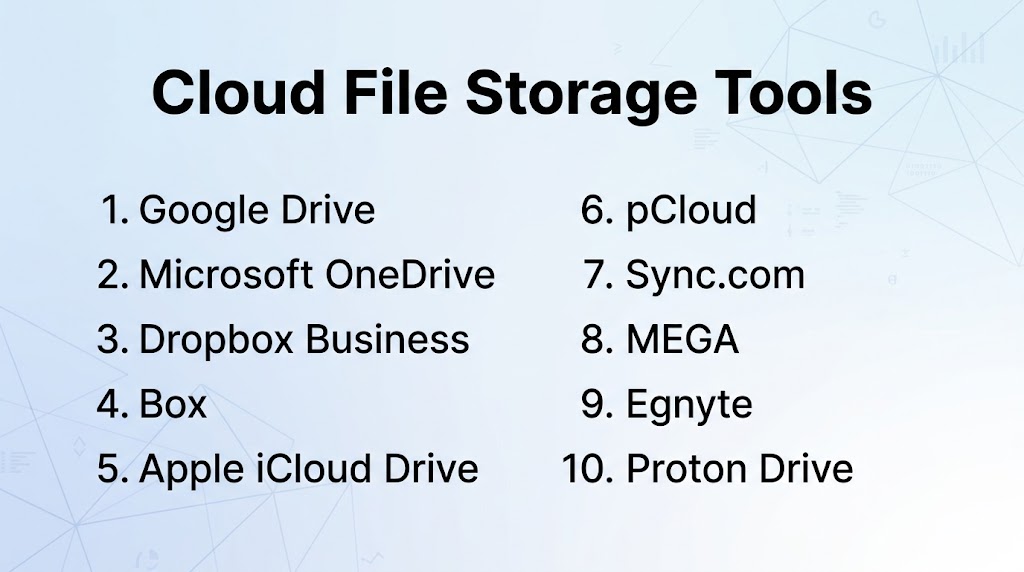
Top 10 Cloud File Storage Tools
#1 — Google Drive
Short description: One of the most widely used cloud storage platforms with excellent collaboration through Docs, Sheets, and Slides.
Key Features
- Real-time document collaboration
- Shared drives
- Smart search
- File sync desktop app
- Mobile apps
- Version history
Pros
- Excellent teamwork experience
- Strong Google Workspace integration
Cons
- Best inside Google ecosystem
- Advanced governance requires business plans
Platforms / Deployment
Web / Windows / macOS / iOS / Android | Cloud
Security & Compliance
Encryption in transit/at rest, admin controls, enterprise options.
Integrations & Ecosystem
Google Workspace, third-party SaaS apps, APIs.
Support & Community
Massive global adoption.
#2 — Microsoft OneDrive
Short description: Strong cloud storage platform for Microsoft 365 users with seamless Office integration.
Key Features
- File sync
- Office collaboration
- Personal Vault
- Version history
- Share links
- Desktop backup
Pros
- Best for Microsoft users
- Strong Windows integration
Cons
- Best value inside Microsoft subscriptions
- Sharing UX can vary by org setup
Platforms / Deployment
Web / Windows / macOS / iOS / Android | Cloud
Security & Compliance
Encryption, enterprise admin controls, Microsoft security ecosystem.
Integrations & Ecosystem
Microsoft 365, Teams, Windows, Power Platform.
Support & Community
Large enterprise user base.
#3 — Dropbox Business
Short description: Popular file sync and sharing platform known for reliability and ease of use.
Key Features
- Smart sync
- Team folders
- File requests
- Version history
- Secure sharing
- App integrations
Pros
- Excellent sync reputation
- Easy external collaboration
Cons
- Can cost more than bundled suites
- Native document suite less central than Google/Microsoft
Platforms / Deployment
Web / Windows / macOS / iOS / Android | Cloud
Security & Compliance
Encryption, admin controls, SSO options on business tiers.
Integrations & Ecosystem
Adobe, Slack, Zoom, Microsoft, Google tools.
Support & Community
Very strong brand presence.
#4 — Box
Short description: Enterprise-focused content cloud platform emphasizing governance and secure collaboration.
Key Features
- Granular permissions
- Workflow automation
- Secure sharing
- Metadata controls
- Content governance
- E-sign integrations
Pros
- Excellent enterprise compliance fit
- Strong admin controls
Cons
- Premium enterprise positioning
- Overkill for very small teams
Platforms / Deployment
Web / Windows / macOS / iOS / Android | Cloud
Security & Compliance
Enterprise security and governance capabilities.
Integrations & Ecosystem
Microsoft, Google, Salesforce, Slack, APIs.
Support & Community
Strong enterprise reputation.
#5 — Apple iCloud Drive
Short description: Best suited for Apple users needing seamless sync across Mac, iPhone, and iPad.
Key Features
- Apple ecosystem sync
- Shared folders
- Device backups
- File versioning
- Family sharing
- Native Finder integration
Pros
- Excellent Apple experience
- Very easy personal use setup
Cons
- Less ideal for mixed enterprise fleets
- Fewer admin features than business-first rivals
Platforms / Deployment
Web / macOS / iOS / Windows | Cloud
Security & Compliance
Encryption and Apple account security options.
Integrations & Ecosystem
Apple ecosystem apps and devices.
Support & Community
Huge consumer adoption.
#6 — pCloud
Short description: Privacy-friendly storage platform popular for fast sync and lifetime plan options.
Key Features
- File sync
- Link sharing
- Media streaming
- File versioning
- Optional encrypted vault
- Cross-device access
Pros
- Strong privacy appeal
- Good long-term pricing options
Cons
- Collaboration lighter than Google/Microsoft
- Some advanced security options add-ons
Platforms / Deployment
Web / Windows / macOS / iOS / Android | Cloud
Security & Compliance
Encryption options available.
Integrations & Ecosystem
Desktop/mobile apps, media workflows.
Support & Community
Strong global user base.
#7 — Sync.com
Short description: Security-focused cloud storage with privacy-first sharing and collaboration.
Key Features
- Zero-knowledge approach
- Secure sharing links
- Team folders
- File versioning
- Remote wipe
- Backup sync tools
Pros
- Strong privacy positioning
- Good team sharing features
Cons
- Fewer broad integrations than larger suites
- Less mainstream enterprise adoption
Platforms / Deployment
Web / Windows / macOS / iOS / Android | Cloud
Security & Compliance
Privacy-focused encryption model.
Integrations & Ecosystem
Desktop/mobile sync apps.
Support & Community
Growing privacy-conscious audience.
#8 — MEGA
Short description: Cloud storage known for generous free tier and privacy-first positioning.
Key Features
- Large free storage tier
- Encrypted sharing
- Cross-device sync
- Secure chat options
- Versioning
- File transfers
Pros
- Strong free plan appeal
- Privacy-focused branding
Cons
- Less business workflow depth
- Collaboration lighter than suite vendors
Platforms / Deployment
Web / Windows / macOS / iOS / Android | Cloud
Security & Compliance
End-to-end style privacy model highlighted publicly.
Integrations & Ecosystem
Desktop/mobile apps.
Support & Community
Popular among personal users.
#9 — Egnyte
Short description: Business-focused cloud file platform with strong governance and hybrid deployment options.
Key Features
- Secure file sharing
- Governance controls
- Hybrid storage models
- Collaboration tools
- Audit trails
- Admin policies
Pros
- Excellent SMB/enterprise governance fit
- Strong hybrid storage approach
Cons
- Premium pricing possible
- Less consumer familiarity
Platforms / Deployment
Web / Windows / macOS / iOS / Android | Cloud / Hybrid
Security & Compliance
Business-grade governance controls.
Integrations & Ecosystem
Microsoft, Google, business apps, APIs.
Support & Community
Strong business market presence.
#10 — Proton Drive
Short description: Privacy-centric encrypted cloud storage from Proton.
Key Features
- End-to-end encryption
- Secure file sharing
- Web and desktop access
- Cross-device sync
- Privacy-first controls
- File backups
Pros
- Strong privacy reputation
- Good for sensitive personal/business files
Cons
- Collaboration lighter than major suites
- Smaller ecosystem
Platforms / Deployment
Web / Windows / macOS / iOS / Android | Cloud
Security & Compliance
End-to-end encryption emphasized publicly.
Integrations & Ecosystem
Proton ecosystem services.
Support & Community
Growing privacy-focused community.
Comparison Table (Top 10)
| Tool Name | Best For | Platform(s) Supported | Deployment | Standout Feature | Public Rating |
|---|---|---|---|---|---|
| Google Drive | Collaboration teams | Cross-platform | Cloud | Real-time Docs suite | N/A |
| OneDrive | Microsoft users | Cross-platform | Cloud | Microsoft 365 integration | N/A |
| Dropbox Business | External sharing | Cross-platform | Cloud | Reliable sync | N/A |
| Box | Enterprises | Cross-platform | Cloud | Governance controls | N/A |
| iCloud Drive | Apple users | Apple + Windows | Cloud | Native Apple sync | N/A |
| pCloud | Privacy/value buyers | Cross-platform | Cloud | Lifetime plans | N/A |
| Sync.com | Privacy teams | Cross-platform | Cloud | Secure sharing | N/A |
| MEGA | Free storage users | Cross-platform | Cloud | Generous free tier | N/A |
| Egnyte | Hybrid businesses | Cross-platform | Hybrid | Governance + hybrid | N/A |
| Proton Drive | Privacy-first users | Cross-platform | Cloud | End-to-end encryption | N/A |
Evaluation & Scoring of Cloud File Storage
| Tool Name | Core (25%) | Ease (15%) | Integrations (15%) | Security (10%) | Performance (10%) | Support (10%) | Value (15%) | Weighted Total |
|---|---|---|---|---|---|---|---|---|
| Google Drive | 9 | 9 | 10 | 8 | 9 | 8 | 9 | 9.0 |
| OneDrive | 9 | 9 | 10 | 9 | 9 | 8 | 9 | 9.1 |
| Dropbox Business | 9 | 9 | 8 | 8 | 9 | 8 | 7 | 8.4 |
| Box | 9 | 8 | 9 | 9 | 8 | 8 | 7 | 8.4 |
| iCloud Drive | 8 | 9 | 7 | 8 | 9 | 8 | 8 | 8.1 |
| pCloud | 8 | 8 | 6 | 8 | 8 | 7 | 9 | 7.9 |
| Sync.com | 8 | 8 | 6 | 9 | 8 | 7 | 8 | 7.9 |
| MEGA | 7 | 8 | 6 | 8 | 8 | 7 | 9 | 7.7 |
| Egnyte | 8 | 8 | 8 | 9 | 8 | 8 | 7 | 8.0 |
| Proton Drive | 7 | 8 | 5 | 9 | 7 | 7 | 8 | 7.3 |
How to interpret scores:
These scores are comparative. Suite-based tools score higher in integrations, while privacy-focused tools score higher in security.
Which Cloud File Storage Tool Is Right for You?
Solo / Freelancer
pCloud, MEGA, Proton Drive.
SMB
Google Drive, OneDrive, Dropbox Business.
Mid-Market
Dropbox Business, Egnyte, Box.
Enterprise
Box, OneDrive, Google Drive, Egnyte.
Budget vs Premium
- Budget: Google Drive, MEGA, pCloud
- Premium: Box, Egnyte
Feature Depth vs Ease of Use
- Easy: Google Drive, iCloud
- Deep: Box, Egnyte
Integrations & Scalability
OneDrive, Google Drive, Box.
Security & Compliance Needs
Box, Sync.com, Proton Drive.
Frequently Asked Questions (FAQs)
What is cloud file storage?
It stores files online so you can access and share them anywhere.
Is it different from backup?
Yes. Storage focuses on sync/share; backup focuses on recovery.
Which tool is best for Microsoft users?
OneDrive is usually the best fit.
Which tool is best for Google Workspace?
Google Drive.
Are cloud file storage tools secure?
Leading vendors offer strong protections.
Can teams collaborate in real time?
Yes, especially Google Drive and OneDrive ecosystems.
Which is best for privacy?
Sync.com or Proton Drive are strong options.
Do small businesses need it?
Yes, it improves mobility and teamwork.
How much does it cost?
Free tiers exist; business plans vary by storage and users.
How do I choose the best tool?
Compare ecosystem fit, sharing needs, security, and budget.
Conclusion
Cloud File Storage platforms are now core productivity infrastructure for modern teams. The best choice depends on your ecosystem, collaboration style, security needs, and budget. Google Drive and OneDrive lead for productivity suites, Dropbox remains excellent for sharing and sync, Box stands out for enterprise governance, while privacy-focused users may prefer Sync.com or Proton Drive. Businesses needing hybrid control should evaluate Egnyte. Shortlist two or three options, run a pilot, and validate sync speed, permissions, integrations, and total cost before making a final decision.
