Introduction
Archiving Tools help organizations store, retain, search, govern, and retrieve older or inactive data for compliance, legal, operational, and cost-optimization purposes. In simple terms, these tools move less frequently used data out of expensive primary systems while keeping it accessible when needed.
Modern businesses generate massive amounts of email, documents, chat records, files, backups, logs, and regulated records. Keeping everything in production systems increases storage costs, slows performance, and creates governance risks. That is why archiving tools are critical for IT, compliance, legal, finance, and records management teams.
Today’s leading archiving platforms go beyond storage. They offer retention policies, legal hold, eDiscovery search, tamper resistance, metadata indexing, lifecycle automation, and cloud tiering. The right platform depends on your data sources, compliance obligations, retrieval speed needs, and budget.
Common use cases include:
- Email archiving and retrieval
- Regulatory data retention
- Legal hold and eDiscovery
- File storage optimization
- Legacy system decommissioning
What buyers should evaluate:
- Supported data sources
- Search and retrieval speed
- Retention policy flexibility
- Legal hold features
- Security controls
- Storage efficiency
- Integrations
- Scalability
- Reporting and audit trails
- Pricing and value
Best for: Enterprises, SMBs, legal teams, healthcare, finance, education, government, and regulated industries.
Not ideal for: Very small businesses with minimal historical data and no retention requirements.
Key Trends in Archiving Tools
- Cloud-first archive adoption
- AI-powered eDiscovery search
- Immutable retention storage growth
- Unified email + collaboration archiving
- Legacy application retirement projects
- Lower-cost cold storage tiers
- Zero Trust archive access controls
- Better Teams and Slack capture support
- Compliance automation workflows
- Cross-border data residency options
How We Selected These Tools (Methodology)
- Strong market reputation
- Proven retention and search capabilities
- Broad workload coverage
- Security and compliance readiness
- Ease of administration
- Integration ecosystem strength
- Scalability for growing data volumes
- Reporting and audit readiness
- Long-term vendor viability
- Overall business value
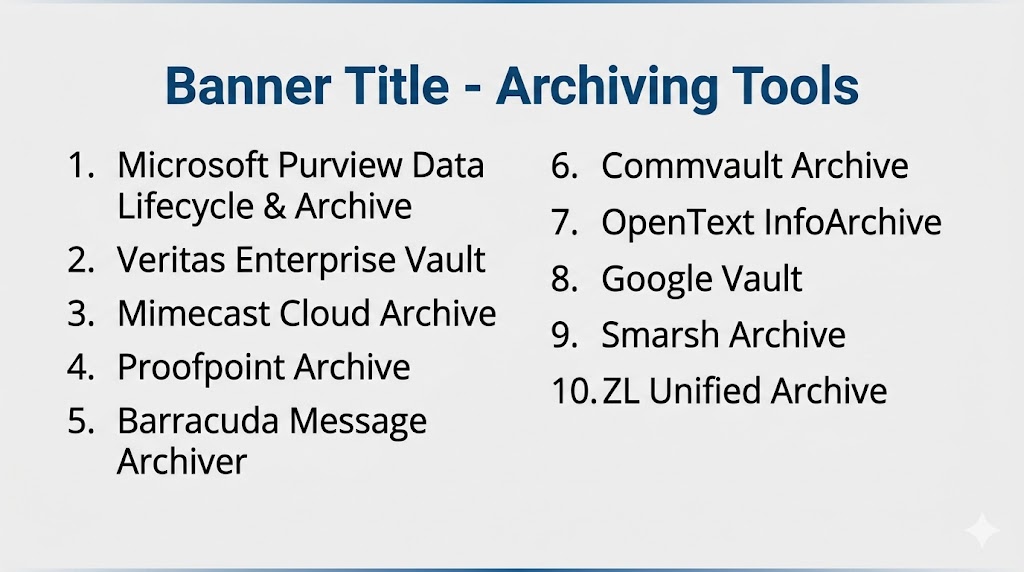
Top 10 Archiving Tools
#1 — Microsoft Purview Data Lifecycle & Archive
Short description: Enterprise archiving and retention platform tightly integrated with Microsoft ecosystems.
Key Features
- Email retention
- Teams and SharePoint archiving
- Lifecycle policies
- eDiscovery workflows
- Legal hold
- Compliance reporting
Pros
- Excellent Microsoft 365 integration
- Strong governance capabilities
Cons
- Best in Microsoft environments
- Licensing can be complex
Platforms / Deployment
Web / Cross-platform | Cloud
Security & Compliance
Enterprise-grade controls and compliance tooling.
Integrations & Ecosystem
Microsoft 365, Exchange, Teams, SharePoint, security stack.
Support & Community
Large global enterprise ecosystem.
#2 — Veritas Enterprise Vault
Short description: Mature enterprise archiving platform known for email and file retention at scale.
Key Features
- Email archiving
- File archiving
- Legal hold
- Search and retrieval
- Policy management
- Storage optimization
Pros
- Strong enterprise scale
- Longstanding market reputation
Cons
- Can feel complex
- Less modern UX than newer rivals
Platforms / Deployment
Windows / Web | Self-hosted / Hybrid
Security & Compliance
Enterprise controls available.
Integrations & Ecosystem
Exchange, file systems, enterprise storage.
Support & Community
Large installed base.
#3 — Mimecast Cloud Archive
Short description: Cloud archive platform focused on email continuity, retention, and compliance.
Key Features
- Email archiving
- Search tools
- Retention policies
- Continuity features
- Legal hold
- Reporting dashboards
Pros
- Strong cloud delivery model
- Good email-focused experience
Cons
- Primarily email-centric
- Broader data archiving may need other tools
Platforms / Deployment
Cloud
Security & Compliance
Security-focused controls available.
Integrations & Ecosystem
Microsoft 365, Exchange, security tools.
Support & Community
Strong enterprise presence.
#4 — Proofpoint Archive
Short description: Compliance-focused archiving solution for email, messaging, and regulated communications.
Key Features
- Email archiving
- Supervision workflows
- Retention controls
- eDiscovery search
- Legal hold
- Analytics
Pros
- Strong regulated-industry fit
- Excellent compliance focus
Cons
- Premium enterprise positioning
- Best fit for compliance-heavy teams
Platforms / Deployment
Cloud
Security & Compliance
Enterprise-grade controls available.
Integrations & Ecosystem
Email platforms, security tools, compliance systems.
Support & Community
Strong enterprise reputation.
#5 — Barracuda Message Archiver
Short description: SMB-friendly archiving solution focused on email retention and retrieval.
Key Features
- Email capture
- Fast search
- Retention policies
- Legal hold
- Reporting tools
- Appliance/cloud options
Pros
- Simple deployment
- Good SMB value
Cons
- Email-first focus
- Less enterprise breadth
Platforms / Deployment
Cloud / Appliance / Hybrid
Security & Compliance
Business-grade controls available.
Integrations & Ecosystem
Email systems, Barracuda ecosystem.
Support & Community
Established SMB presence.
#6 — Commvault Archive
Short description: Enterprise archive solution integrated with backup, governance, and data lifecycle management.
Key Features
- File archiving
- Email archiving
- Retention policies
- Storage tiering
- Search tools
- Governance workflows
Pros
- Strong enterprise ecosystem
- Unified data management approach
Cons
- More complex than niche tools
- Premium pricing possible
Platforms / Deployment
Cloud / Hybrid
Security & Compliance
Enterprise controls available.
Integrations & Ecosystem
Backup systems, cloud storage, enterprise apps.
Support & Community
Strong enterprise presence.
#7 — OpenText InfoArchive
Short description: Platform designed for legacy application retirement and long-term records retention.
Key Features
- Legacy data migration
- Long-term retention
- Searchable archive
- Metadata management
- Governance workflows
- Secure access controls
Pros
- Excellent legacy system retirement fit
- Strong enterprise records use cases
Cons
- Specialized use cases
- Less SMB relevance
Platforms / Deployment
Cloud / Hybrid
Security & Compliance
Enterprise controls available.
Integrations & Ecosystem
Enterprise applications, databases, APIs.
Support & Community
Strong enterprise footprint.
#8 — Google Vault
Short description: Native archiving and retention tool for Google Workspace environments.
Key Features
- Gmail retention
- Drive governance
- Search and export
- Legal hold
- User data controls
- Audit tools
Pros
- Excellent Google Workspace fit
- Easy native experience
Cons
- Best for Google environments only
- Limited outside Workspace ecosystem
Platforms / Deployment
Cloud
Security & Compliance
Google enterprise security model.
Integrations & Ecosystem
Gmail, Drive, Workspace apps.
Support & Community
Large global adoption.
#9 — Smarsh Archive
Short description: Leading archive platform for financial services and regulated communications.
Key Features
- Email archiving
- Messaging capture
- Supervision tools
- Search and retrieval
- Retention controls
- Compliance workflows
Pros
- Excellent financial compliance fit
- Broad communications capture
Cons
- Specialized enterprise focus
- Premium pricing likely
Platforms / Deployment
Cloud
Security & Compliance
Enterprise-grade regulated controls.
Integrations & Ecosystem
Email, messaging apps, compliance systems.
Support & Community
Strong regulated market presence.
#10 — ZL Unified Archive
Short description: Enterprise archiving platform focused on governance, eDiscovery, and retention control.
Key Features
- Unified archiving
- Legal hold
- Search and analytics
- Governance policies
- Data classification
- Reporting tools
Pros
- Strong governance depth
- Good legal/compliance fit
Cons
- Complex enterprise deployments
- Less SMB focus
Platforms / Deployment
Cloud / Self-hosted / Hybrid
Security & Compliance
Enterprise controls available.
Integrations & Ecosystem
Enterprise communication systems, APIs.
Support & Community
Established enterprise presence.
Comparison Table (Top 10)
| Tool Name | Best For | Platform(s) Supported | Deployment | Standout Feature | Public Rating |
|---|---|---|---|---|---|
| Microsoft Purview | Microsoft enterprises | Cross-platform | Cloud | Native M365 governance | N/A |
| Veritas Enterprise Vault | Large enterprises | Windows/Web | Hybrid | Mature email + file archive | N/A |
| Mimecast Cloud Archive | Email-heavy businesses | Cloud | Cloud | Cloud email continuity | N/A |
| Proofpoint Archive | Compliance-driven orgs | Cloud | Cloud | Regulated communications | N/A |
| Barracuda Message Archiver | SMBs | Appliance/Cloud | Hybrid | Simplicity | N/A |
| Commvault Archive | Enterprise IT teams | Hybrid | Hybrid | Unified data management | N/A |
| OpenText InfoArchive | Legacy retirement projects | Hybrid | Hybrid | Legacy app decommissioning | N/A |
| Google Vault | Google Workspace users | Cloud | Cloud | Native Workspace retention | N/A |
| Smarsh Archive | Financial services | Cloud | Cloud | Communications supervision | N/A |
| ZL Unified Archive | Legal/compliance teams | Hybrid | Hybrid | Governance depth | N/A |
Evaluation & Scoring of Archiving Tools
| Tool Name | Core (25%) | Ease (15%) | Integrations (15%) | Security (10%) | Performance (10%) | Support (10%) | Value (15%) | Weighted Total |
|---|---|---|---|---|---|---|---|---|
| Microsoft Purview | 9 | 8 | 10 | 9 | 9 | 8 | 8 | 8.8 |
| Veritas Enterprise Vault | 9 | 6 | 8 | 9 | 8 | 8 | 7 | 7.9 |
| Mimecast Cloud Archive | 8 | 9 | 8 | 8 | 8 | 8 | 8 | 8.2 |
| Proofpoint Archive | 9 | 7 | 8 | 9 | 8 | 8 | 7 | 8.0 |
| Barracuda Message Archiver | 7 | 8 | 7 | 8 | 8 | 8 | 9 | 7.9 |
| Commvault Archive | 9 | 7 | 8 | 9 | 8 | 8 | 7 | 8.0 |
| OpenText InfoArchive | 8 | 6 | 7 | 9 | 8 | 8 | 7 | 7.5 |
| Google Vault | 8 | 9 | 8 | 8 | 8 | 8 | 8 | 8.2 |
| Smarsh Archive | 9 | 7 | 8 | 9 | 8 | 8 | 7 | 8.0 |
| ZL Unified Archive | 8 | 6 | 7 | 9 | 8 | 8 | 7 | 7.4 |
How to interpret scores:
These scores are comparative. Enterprise governance suites rank higher in compliance depth, while SMB and cloud-native tools often score better in usability and deployment simplicity.
Which Archiving Tool Is Right for You?
Solo / Freelancer
Google Vault if already using Google Workspace.
SMB
Barracuda Message Archiver, Mimecast.
Mid-Market
Microsoft Purview, Google Vault, Mimecast.
Enterprise
Microsoft Purview, Veritas, Proofpoint, Commvault.
Budget vs Premium
- Budget: Google Vault, Barracuda
- Premium: Proofpoint, Veritas
Feature Depth vs Ease of Use
- Easy: Google Vault, Mimecast
- Deep: Purview, Veritas
Integrations & Scalability
Purview, Commvault, Proofpoint.
Security & Compliance Needs
Proofpoint, Smarsh, Purview.
Frequently Asked Questions (FAQs)
What are archiving tools?
They store inactive data securely for retention and retrieval.
Why archive data instead of deleting it?
For compliance, legal, and business continuity reasons.
Is archiving the same as backup?
No. Backup is for recovery; archiving is for long-term retention.
Can archiving reduce storage costs?
Yes, by moving inactive data to cheaper storage.
Are cloud archives secure?
Leading vendors provide strong controls.
Can archived emails be searched?
Yes, search is a core feature.
What is legal hold?
It preserves data needed for investigations or litigation.
Do SMBs need archiving?
Often yes, especially for regulated email retention.
How much do archiving tools cost?
Usually based on users, storage, or data volume.
How do I choose the best tool?
Compare data sources, compliance needs, retrieval speed, and budget.
Conclusion
Archiving Tools are essential for organizations that need long-term data retention, compliance readiness, and lower storage costs. The best platforms combine secure retention, powerful search, legal hold, and lifecycle automation. Microsoft Purview is a strong leader for Microsoft environments, while Google Vault excels for Workspace users. Proofpoint and Smarsh stand out for regulated industries, while Barracuda and Mimecast provide solid value for growing businesses. The right choice depends on your data sources, compliance obligations, operational complexity, and budget. Shortlist two or three tools, run a pilot, and validate search speed, retention workflows, and administration ease before making a final decision.
