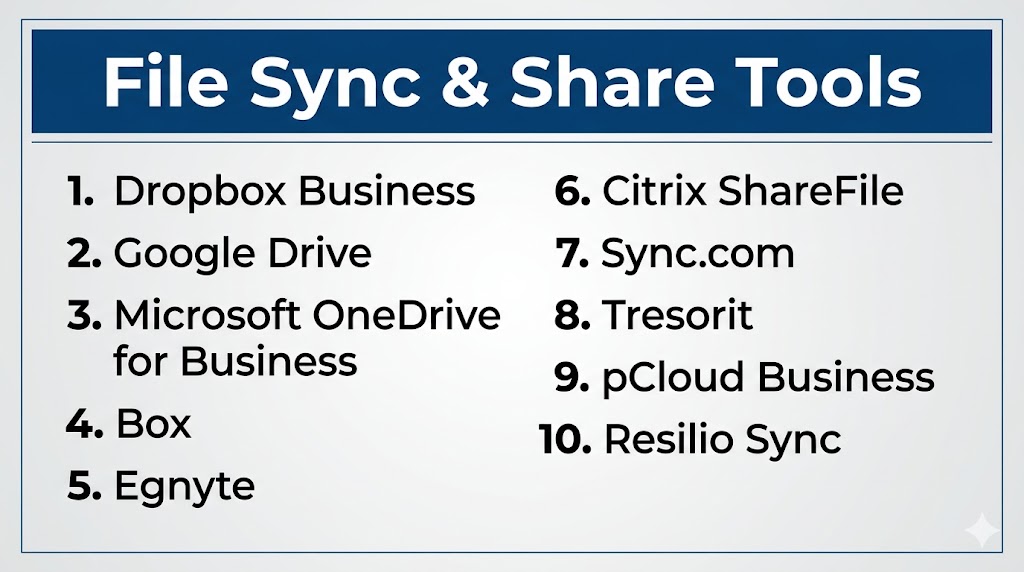
Introduction
File Sync & Share Tools help businesses store files centrally, synchronize them across devices, and securely share documents with employees, customers, vendors, and partners. In simple terms, these platforms make it easy to access the latest version of files from anywhere while improving collaboration and reducing manual file transfers.
Modern organizations rely on hybrid work, remote teams, mobile devices, and cross-company collaboration. Traditional file servers and email attachments often create version confusion, storage limits, security risks, and slow workflows. File sync and share tools solve these problems with cloud access, automatic syncing, permission controls, version history, and real-time collaboration.
Today’s leading platforms offer more than storage. They include admin governance, ransomware recovery, external sharing controls, workflow automation, smart search, e-signature integrations, and compliance capabilities.
Common use cases include:
- Team document collaboration
- Secure client file sharing
- Remote employee access
- Cross-device synchronization
- Controlled vendor document exchange
What buyers should evaluate:
- Sync reliability
- Sharing permissions
- Security and encryption
- Collaboration tools
- Version history
- Admin controls
- Integrations
- Mobile support
- Scalability
- Pricing and value
Best for: SMBs, enterprises, agencies, law firms, finance teams, healthcare, remote teams, and growing businesses.
Not ideal for: Offline-only environments or teams with no collaborative file workflows.
Key Trends in File Sync & Share Tools
- AI-powered file search and summaries
- Stronger ransomware recovery features
- Zero Trust sharing permissions
- Secure external collaboration workflows
- Real-time co-editing becoming standard
- Hybrid cloud + local sync models
- Compliance-focused data residency options
- Password-protected sharing links
- Mobile-first productivity improvements
- Workflow automation integrations
How We Selected These Tools (Methodology)
- Strong market adoption
- Reliable sync performance
- Secure sharing reputation
- Broad platform support
- Collaboration feature depth
- Governance and admin controls
- Integration ecosystem quality
- Scalability across teams
- Ease of use
- Overall business value
Top 10 File Sync & Share Tools
#1 — Dropbox Business
Short description: One of the most trusted file sync platforms known for reliable syncing and easy external collaboration.
Key Features
- Smart Sync
- Team folders
- Secure file requests
- Version history
- External sharing links
- App integrations
Pros
- Excellent sync reliability
- Easy client collaboration
Cons
- Premium pricing for larger teams
- Native docs suite lighter than rivals
Platforms / Deployment
Web / Windows / macOS / iOS / Android
Cloud
Security & Compliance
Encryption, admin controls, SSO options.
Integrations & Ecosystem
Slack, Zoom, Adobe, Google Workspace, Microsoft 365.
Support & Community
Large global business adoption.
#2 — Google Drive
Short description: Leading sync and collaboration platform with excellent real-time document editing.
Key Features
- Shared drives
- Real-time editing
- Smart search
- File sync app
- Mobile access
- Version history
Pros
- Best collaboration experience
- Strong Workspace ecosystem
Cons
- Best within Google ecosystem
- Advanced governance needs higher tiers
Platforms / Deployment
Web / Windows / macOS / iOS / Android
Cloud
Security & Compliance
Encryption and enterprise admin controls.
Integrations & Ecosystem
Google Workspace, SaaS apps, APIs.
Support & Community
Massive global user base.
#3 — Microsoft OneDrive for Business
Short description: Strong business sync platform integrated deeply with Microsoft 365 and Teams.
Key Features
- Desktop sync
- SharePoint integration
- Office co-authoring
- Personal Vault features
- Versioning
- File recovery
Pros
- Excellent Microsoft fit
- Strong Windows experience
Cons
- Sharing workflows vary by setup
- Best value with Microsoft subscriptions
Platforms / Deployment
Web / Windows / macOS / iOS / Android
Cloud
Security & Compliance
Encryption, enterprise controls, Microsoft security stack.
Integrations & Ecosystem
Teams, Office apps, Windows, Power Platform.
Support & Community
Large enterprise footprint.
#4 — Box
Short description: Enterprise-focused content cloud emphasizing secure collaboration and governance.
Key Features
- Granular permissions
- Workflow automation
- Secure sharing
- Metadata management
- Governance controls
- Content lifecycle tools
Pros
- Excellent compliance fit
- Strong admin capabilities
Cons
- Premium pricing
- Overkill for small teams
Platforms / Deployment
Web / Windows / macOS / iOS / Android
Cloud
Security & Compliance
Enterprise-grade governance features.
Integrations & Ecosystem
Microsoft, Google, Salesforce, Slack, APIs.
Support & Community
Strong enterprise reputation.
#5 — Egnyte
Short description: Business file sharing platform with strong governance and hybrid storage flexibility.
Key Features
- Secure sharing
- Governance controls
- Hybrid deployment
- Audit logs
- Team collaboration
- Policy management
Pros
- Excellent governance fit
- Strong hybrid model
Cons
- Premium pricing possible
- Less consumer familiarity
Platforms / Deployment
Web / Windows / macOS / iOS / Android
Cloud / Hybrid
Security & Compliance
Business-grade governance controls.
Integrations & Ecosystem
Microsoft, Google, business apps, APIs.
Support & Community
Strong business market presence.
#6 — Citrix ShareFile
Short description: Secure file sharing platform popular in regulated industries and client-facing teams.
Key Features
- Secure client portals
- Workflow automation
- E-sign integrations
- File requests
- Policy controls
- Audit trails
Pros
- Strong regulated-industry fit
- Good external sharing workflows
Cons
- Premium positioning
- UI preferences vary
Platforms / Deployment
Web / Windows / macOS / iOS / Android
Cloud / Hybrid
Security & Compliance
Enterprise-grade controls available.
Integrations & Ecosystem
Microsoft apps, workflows, APIs.
Support & Community
Established business presence.
#7 — Sync.com
Short description: Privacy-first sync and share platform focused on secure collaboration.
Key Features
- Secure sharing links
- Team folders
- File versioning
- Remote wipe
- Admin controls
- Cross-device sync
Pros
- Strong privacy positioning
- Good team collaboration tools
Cons
- Fewer enterprise integrations
- Smaller mainstream footprint
Platforms / Deployment
Web / Windows / macOS / iOS / Android
Cloud
Security & Compliance
Privacy-focused encryption model.
Integrations & Ecosystem
Desktop/mobile sync apps.
Support & Community
Growing user base.
#8 — Tresorit
Short description: Security-focused enterprise sync and share platform with strong encryption features.
Key Features
- Encrypted file sharing
- Secure workspaces
- Access controls
- Audit trails
- Version history
- Cross-device sync
Pros
- Excellent security reputation
- Good compliance fit
Cons
- Premium pricing
- Collaboration lighter than suite vendors
Platforms / Deployment
Web / Windows / macOS / iOS / Android
Cloud
Security & Compliance
Security-first enterprise controls.
Integrations & Ecosystem
Desktop/mobile apps, business workflows.
Support & Community
Strong security-conscious audience.
#9 — pCloud Business
Short description: Flexible business file sync platform with privacy-focused features and simple management.
Key Features
- Team storage
- File sync
- Sharing links
- Version history
- Access controls
- Cross-device support
Pros
- Good value options
- Easy to deploy
Cons
- Lighter enterprise governance depth
- Smaller ecosystem
Platforms / Deployment
Web / Windows / macOS / iOS / Android
Cloud
Security & Compliance
Encryption options available.
Integrations & Ecosystem
Desktop/mobile apps.
Support & Community
Strong global awareness.
#10 — Resilio Sync
Short description: Peer-to-peer file synchronization platform ideal for high-speed direct syncing.
Key Features
- Peer-to-peer sync
- Large file transfer
- No central storage required
- Selective sync
- Cross-device support
- Team sharing
Pros
- Very fast large-file syncing
- Useful for distributed teams
Cons
- Different model than traditional cloud tools
- Less built-in collaboration suite features
Platforms / Deployment
Windows / macOS / Linux / iOS / Android
Hybrid / Self-hosted
Security & Compliance
Admin and encryption controls available.
Integrations & Ecosystem
Cross-platform apps and direct sync workflows.
Support & Community
Strong niche following.
Comparison Table (Top 10)
| Tool Name | Best For | Platform(s) Supported | Deployment | Standout Feature | Public Rating |
|---|---|---|---|---|---|
| Dropbox Business | External sharing | Cross-platform | Cloud | Reliable sync | N/A |
| Google Drive | Collaboration teams | Cross-platform | Cloud | Real-time editing | N/A |
| OneDrive for Business | Microsoft users | Cross-platform | Cloud | Office integration | N/A |
| Box | Enterprises | Cross-platform | Cloud | Governance controls | N/A |
| Egnyte | Hybrid businesses | Cross-platform | Hybrid | Governance + hybrid | N/A |
| Citrix ShareFile | Client-facing teams | Cross-platform | Hybrid | Secure portals | N/A |
| Sync.com | Privacy teams | Cross-platform | Cloud | Secure sharing | N/A |
| Tresorit | Security-focused firms | Cross-platform | Cloud | Strong encryption | N/A |
| pCloud Business | SMB teams | Cross-platform | Cloud | Value pricing | N/A |
| Resilio Sync | Large file sync | Cross-platform | Hybrid | Peer-to-peer speed | N/A |
Evaluation & Scoring of File Sync & Share Tools
| Tool Name | Core (25%) | Ease (15%) | Integrations (15%) | Security (10%) | Performance (10%) | Support (10%) | Value (15%) | Weighted Total |
|---|---|---|---|---|---|---|---|---|
| Dropbox Business | 9 | 9 | 8 | 8 | 9 | 8 | 7 | 8.4 |
| Google Drive | 9 | 9 | 10 | 8 | 9 | 8 | 9 | 9.0 |
| OneDrive for Business | 9 | 9 | 10 | 9 | 9 | 8 | 9 | 9.1 |
| Box | 9 | 8 | 9 | 9 | 8 | 8 | 7 | 8.4 |
| Egnyte | 8 | 8 | 8 | 9 | 8 | 8 | 7 | 8.0 |
| Citrix ShareFile | 8 | 8 | 8 | 9 | 8 | 8 | 7 | 8.0 |
| Sync.com | 8 | 8 | 6 | 9 | 8 | 7 | 8 | 7.9 |
| Tresorit | 8 | 7 | 6 | 10 | 8 | 7 | 7 | 7.8 |
| pCloud Business | 8 | 8 | 6 | 8 | 8 | 7 | 9 | 7.9 |
| Resilio Sync | 7 | 7 | 6 | 8 | 9 | 7 | 8 | 7.5 |
How to interpret scores:
Suite-based platforms score highest in integrations, while security-focused tools often score strongest in protection and privacy.
Which File Sync & Share Tool Is Right for You?
Solo / Freelancer
pCloud Business, Sync.com, Dropbox Business.
SMB
Google Drive, OneDrive for Business, Dropbox Business.
Mid-Market
Box, Egnyte, Citrix ShareFile.
Enterprise
Box, OneDrive for Business, Egnyte, Dropbox Business.
Budget vs Premium
- Budget: Google Drive, pCloud Business
- Premium: Box, Tresorit
Feature Depth vs Ease of Use
- Easy: Google Drive, Dropbox
- Deep: Box, Egnyte
Integrations & Scalability
OneDrive, Google Drive, Box.
Security & Compliance Needs
Tresorit, Box, Sync.com.
Frequently Asked Questions (FAQs)
What are File Sync & Share Tools?
They help teams sync files across devices and share them securely.
Are they different from backup tools?
Yes. They focus on collaboration and syncing rather than disaster recovery.
Which tool is best for Microsoft users?
OneDrive for Business.
Which tool is best for Google users?
Google Drive.
Are these tools secure?
Leading vendors provide strong protections and admin controls.
Can external clients access shared files?
Yes, with permissions and secure links.
Which tool is best for privacy?
Tresorit or Sync.com are strong choices.
Do small businesses need these tools?
Yes, they improve teamwork and remote access.
How much do they cost?
Pricing varies by users, storage, and features.
How do I choose the best tool?
Compare ecosystem fit, security needs, collaboration style, and budget.
Conclusion
File Sync & Share Tools are essential for modern businesses that need secure collaboration, mobile access, and reliable file control. The best solution depends on your existing ecosystem, sharing requirements, security needs, and budget. Google Drive and OneDrive lead for productivity suites, Dropbox remains excellent for sync and external sharing, Box stands out for governance, while Tresorit and Sync.com are strong privacy-focused options. Egnyte is ideal for hybrid business environments. Shortlist two or three tools, run a pilot, and validate sync performance, permissions, integrations, and total cost before making a final decision.
