Introduction
SSH clients are tools that allow users to securely connect to remote systems over encrypted networks. They enable administrators, developers, and IT teams to access servers, execute commands, transfer files, and manage infrastructure safely using the Secure Shell protocol.
As organizations increasingly rely on cloud computing, remote servers, and distributed systems, SSH clients have become essential for secure remote access, automation, and infrastructure management. Modern SSH clients go beyond basic terminal access by offering features like session management, file transfer, scripting, and multi-platform support.
Real-world use cases:
- Remote server administration and management
- Secure file transfer between systems
- DevOps and cloud infrastructure operations
- Managing multiple remote sessions
- Automating deployment and maintenance tasks
What buyers should evaluate:
- Security features and encryption standards
- Ease of use and interface design
- Multi-session and tab support
- File transfer capabilities (SFTP/SCP)
- Cross-platform compatibility
- Automation and scripting support
- Integration with cloud and DevOps tools
- Performance and connection stability
- Licensing and cost
Best for: System administrators, DevOps engineers, developers, and IT professionals managing remote servers and cloud infrastructure.
Not ideal for: Non-technical users or teams that do not require remote server access.
Key Trends in SSH Clients
- Cross-platform clients supporting desktop and mobile devices
- Cloud sync and credential management becoming standard
- Integrated file transfer and terminal workflows
- Modern UI/UX improvements for better usability
- Support for automation and scripting in DevOps pipelines
- Enhanced security features like key management and MFA
- Multi-session and tabbed interfaces for productivity
- Integration with cloud platforms and containers
- Portable and lightweight SSH tools gaining popularity
- Centralized connection management for teams
How We Selected These Tools (Methodology)
- Evaluated popularity and long-term adoption
- Assessed core SSH functionality and performance
- Reviewed security features and encryption support
- Analyzed ease of use and user interface
- Considered multi-platform compatibility
- Evaluated file transfer and automation capabilities
- Reviewed community support and documentation
- Compared enterprise readiness and scalability
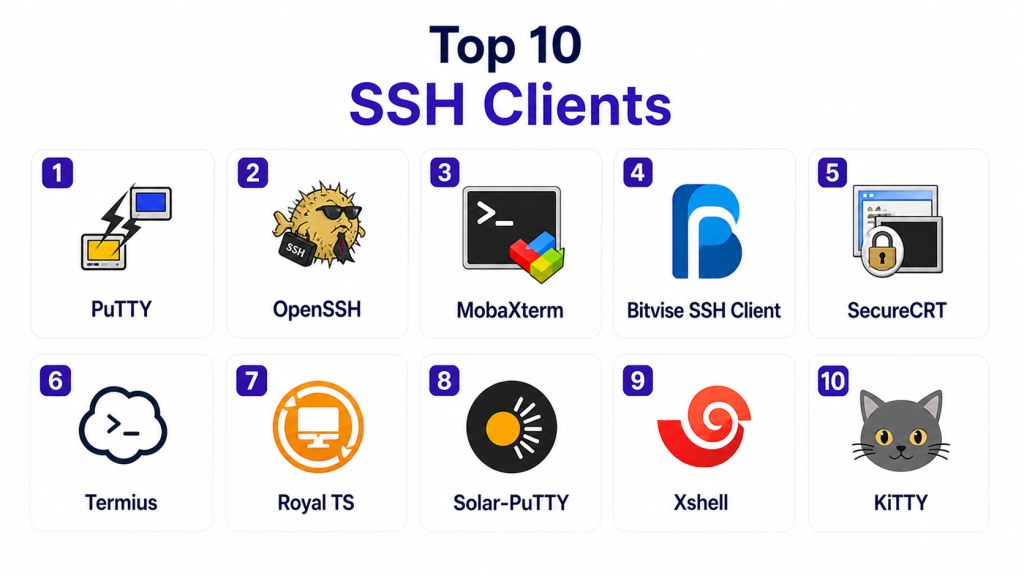
Top 10 SSH Clients
#1 — PuTTY
Short description:
PuTTY is one of the most widely used SSH clients, especially on Windows. It provides a simple interface for secure remote connections and is known for its lightweight design.
Key Features
- SSH, Telnet, and serial connections
- Lightweight and portable
- Key authentication support
- Session saving
- Terminal emulation
Pros
- Free and widely used
- Lightweight
- Easy to install
Cons
- Outdated interface
- Limited advanced features
- Windows-focused
Platforms / Deployment
Windows
Security & Compliance
Encryption, key-based authentication
Integrations & Ecosystem
Works with basic SSH workflows.
- Servers
- Network devices
Support & Community
Large user base with extensive documentation.
#2 — OpenSSH
Short description:
OpenSSH is the default SSH client for Unix-based systems and provides secure remote login and file transfer capabilities.
Key Features
- Secure remote access
- SCP and SFTP support
- Strong encryption
- Key management
- Automation via scripts
Pros
- Highly secure
- Built-in on many systems
- Flexible and powerful
Cons
- Command-line only
- Steep learning curve
- No graphical interface
Platforms / Deployment
Linux / macOS / Windows
Security & Compliance
Encryption, key-based authentication
Integrations & Ecosystem
Deep integration with OS and tools.
- Linux systems
- DevOps tools
Support & Community
Very strong open-source community.
#3 — MobaXterm
Short description:
MobaXterm is a feature-rich SSH client for Windows that includes a built-in terminal, file transfer, and multiple network tools.
Key Features
- Tabbed terminal
- Built-in SFTP
- X11 forwarding
- Multi-session support
- Portable version
Pros
- All-in-one tool
- User-friendly interface
- Rich features
Cons
- Windows-only
- Limited free version features
- Can be heavy
Platforms / Deployment
Windows
Security & Compliance
Encryption, secure file transfer
Integrations & Ecosystem
Supports various remote protocols.
- SSH
- FTP
- RDP
Support & Community
Active user community.
#4 — Bitvise SSH Client
Short description:
Bitvise SSH Client offers advanced SSH features for Windows, including terminal access and secure file transfer.
Key Features
- SFTP support
- Port forwarding
- Terminal access
- Graphical interface
- Automation support
Pros
- Easy to use
- Strong file transfer features
- Free for personal use
Cons
- Windows-only
- Limited enterprise features
- UI not modern
Platforms / Deployment
Windows
Security & Compliance
Encryption, authentication support
Integrations & Ecosystem
Works with SSH workflows.
- Servers
- Network systems
Support & Community
Good documentation and support.
#5 — SecureCRT
Short description:
SecureCRT is a professional SSH client designed for enterprise use, offering advanced features for secure remote access and automation.
Key Features
- Multi-session support
- Scripting capabilities
- Secure file transfer
- Session management
- Cross-platform support
Pros
- Enterprise-grade
- Strong security
- Advanced automation
Cons
- Paid software
- Learning curve
- Complex setup
Platforms / Deployment
Windows / macOS / Linux
Security & Compliance
Encryption, authentication, audit logs
Integrations & Ecosystem
Enterprise integrations.
- DevOps tools
- Network systems
Support & Community
Professional support and documentation.
#6 — Termius
Short description:
Termius is a modern SSH client with cross-platform support and cloud synchronization, making it ideal for teams and remote work.
Key Features
- Cross-platform support
- Cloud sync
- Key management
- Modern UI
- Multi-device access
Pros
- User-friendly
- Mobile support
- Sync features
Cons
- Paid features
- Cloud dependency
- Limited offline features
Platforms / Deployment
Windows / macOS / Linux / iOS / Android
Security & Compliance
Encryption, key management
Integrations & Ecosystem
Works across devices and systems.
- Servers
- Cloud systems
Support & Community
Active community and support.
#7 — Royal TS
Short description:
Royal TS is a remote management tool that supports SSH along with multiple protocols, making it suitable for IT professionals.
Key Features
- Multi-protocol support
- Credential management
- Team collaboration
- Secure connections
- Centralized management
Pros
- Supports many protocols
- Team-friendly
- Strong security
Cons
- Paid tool
- Complex interface
- Overkill for simple tasks
Platforms / Deployment
Windows / macOS
Security & Compliance
Encryption, credential management
Integrations & Ecosystem
Supports multiple environments.
- RDP
- SSH
- Cloud
Support & Community
Professional support available.
#8 — Solar-PuTTY
Short description:
Solar-PuTTY is an enhanced version of PuTTY with a modern interface and additional features like tabbed sessions.
Key Features
- Tabbed interface
- Session management
- Credential saving
- Script automation
- Easy setup
Pros
- Free
- Improved UI
- Easy to use
Cons
- Windows-only
- Limited advanced features
- Smaller ecosystem
Platforms / Deployment
Windows
Security & Compliance
Encryption, authentication
Integrations & Ecosystem
Works with standard SSH workflows.
- Servers
- Network devices
Support & Community
Moderate community support.
#9 — Xshell
Short description:
Xshell is a powerful SSH client designed for professionals managing multiple remote sessions and networks.
Key Features
- Tabbed sessions
- Session manager
- Secure file transfer
- Automation
- Customization
Pros
- Powerful features
- Professional-grade
- Good performance
Cons
- Paid software
- Complex UI
- Learning curve
Platforms / Deployment
Windows
Security & Compliance
Encryption, authentication
Integrations & Ecosystem
Supports enterprise environments.
- Network devices
- Servers
Support & Community
Strong professional support.
#10 — KiTTY
Short description:
KiTTY is a fork of PuTTY that adds additional features and enhancements while maintaining simplicity.
Key Features
- Session filters
- Automation scripts
- Portable version
- Enhanced configuration
- File transfer support
Pros
- Lightweight
- More features than PuTTY
- Free
Cons
- Windows-only
- Less polished UI
- Limited support
Platforms / Deployment
Windows
Security & Compliance
Encryption, key-based authentication
Integrations & Ecosystem
Works with standard SSH environments.
- Servers
- Network tools
Support & Community
Smaller but active community.
Comparison Table
| Tool Name | Best For | Platform(s) Supported | Deployment | Standout Feature | Public Rating |
|---|---|---|---|---|---|
| PuTTY | Beginners | Windows | Local | Lightweight | N/A |
| OpenSSH | Advanced users | Multi-platform | Built-in | Native SSH | N/A |
| MobaXterm | All-in-one tool | Windows | Local | Integrated tools | N/A |
| Bitvise | File transfer | Windows | Local | SFTP UI | N/A |
| SecureCRT | Enterprise | Multi-platform | Local | Automation | N/A |
| Termius | Cross-device access | Multi-platform | Cloud | Sync | N/A |
| Royal TS | IT teams | Multi-platform | Local | Multi-protocol | N/A |
| Solar-PuTTY | Improved PuTTY | Windows | Local | Tabbed UI | N/A |
| Xshell | Power users | Windows | Local | Session manager | N/A |
| KiTTY | Advanced PuTTY | Windows | Local | Extra features | N/A |
Evaluation & Scoring
| Tool Name | Core | Ease | Integrations | Security | Performance | Support | Value | Weighted Total |
|---|---|---|---|---|---|---|---|---|
| PuTTY | 8 | 8 | 7 | 8 | 8 | 8 | 9 | 8.1 |
| OpenSSH | 9 | 6 | 9 | 9 | 9 | 9 | 9 | 8.7 |
| MobaXterm | 8 | 9 | 8 | 8 | 8 | 8 | 8 | 8.2 |
| Bitvise | 8 | 8 | 7 | 8 | 8 | 7 | 9 | 8.0 |
| SecureCRT | 9 | 7 | 8 | 9 | 9 | 9 | 7 | 8.5 |
| Termius | 8 | 9 | 8 | 8 | 8 | 8 | 8 | 8.2 |
| Royal TS | 8 | 7 | 9 | 9 | 8 | 8 | 7 | 8.2 |
| Solar-PuTTY | 7 | 9 | 7 | 8 | 8 | 7 | 9 | 7.9 |
| Xshell | 9 | 7 | 8 | 9 | 9 | 8 | 7 | 8.4 |
| KiTTY | 7 | 8 | 7 | 8 | 8 | 7 | 9 | 7.9 |
How to interpret scores:
These scores compare SSH clients across usability, security, performance, and value. A higher score indicates a well-rounded tool, but the best choice depends on your workflow and environment. Some tools excel in simplicity while others provide enterprise-grade capabilities. Use this scoring as a reference and align it with your specific needs, technical skills, and infrastructure requirements.
Which SSH Client Is Right for You?
Solo / Freelancer
PuTTY, KiTTY, or OpenSSH are ideal for simple and lightweight use cases.
SMB
MobaXterm and Termius provide better usability and productivity features.
Mid-Market
Xshell and Bitvise offer advanced features and scalability.
Enterprise
SecureCRT and Royal TS are best for large teams and complex environments.
Budget vs Premium
Free tools are sufficient for most users, while paid tools offer advanced features and support.
Feature Depth vs Ease of Use
Simple tools are easier to learn, while advanced clients provide automation and customization.
Integrations & Scalability
Choose tools that integrate with your cloud and DevOps workflows.
Security & Compliance Needs
Enterprise users should prioritize strong encryption and audit capabilities.
Frequently Asked Questions (FAQs)
1. What is an SSH client?
An SSH client is a tool used to connect securely to remote systems using encrypted communication.
2. Is SSH secure?
Yes, SSH uses encryption to protect data during transmission.
3. Can SSH clients transfer files?
Yes, most support SFTP or SCP for secure file transfer.
4. Are SSH clients free?
Many are free, but enterprise tools may require licenses.
5. Do I need SSH for cloud servers?
Yes, SSH is commonly used for managing cloud infrastructure.
6. What is key-based authentication?
It is a secure login method using cryptographic keys instead of passwords.
7. Can SSH be automated?
Yes, scripting and automation are supported in many tools.
8. Are there mobile SSH clients?
Yes, tools like Termius support mobile devices.
9. What is port forwarding?
It allows secure tunneling of network traffic through SSH.
10. How do I choose the right SSH client?
Choose based on your platform, experience level, and required features.
Conclusion
SSH clients are essential tools for securely managing remote systems and infrastructure in modern IT environments. As organizations increasingly adopt cloud computing and distributed architectures, the need for reliable and secure remote access continues to grow. The tools listed in this guide range from simple, lightweight clients to advanced enterprise solutions with automation and multi-protocol support. Selecting the right SSH client depends on your technical expertise, environment, and workflow requirements. Instead of focusing on a single best option, it is more effective to choose a tool that aligns with your daily operations and security needs. The best next step is to test a few options, evaluate their usability and performance, and standardize on the one that best supports your infrastructure management strategy.
