Introduction
Database replication tools are platforms that enable organizations to copy and synchronize data across multiple databases, systems, or environments in real time or near real time. These tools ensure that data remains consistent, available, and up-to-date across distributed systems, making them essential for modern data architectures, analytics pipelines, and disaster recovery strategies.
At the core of most modern replication tools is Change Data Capture (CDC), a technique that tracks inserts, updates, and deletes at the source and streams them continuously to target systems . This shift from batch processing to real-time replication has transformed how organizations handle analytics, AI workloads, and cloud migrations.
Real-world use cases:
- Real-time analytics and dashboards
- Data synchronization between microservices
- Cloud data warehouse ingestion
- Disaster recovery and high availability
What buyers should evaluate:
- CDC support and replication method
- Latency and real-time capabilities
- Supported databases and connectors
- Scalability and throughput
- Ease of setup and automation
- Data integrity and consistency guarantees
- Integration with cloud and streaming platforms
- Monitoring and observability features
Best for: Data engineers, analytics teams, DevOps teams, and enterprises managing real-time data pipelines, cloud migrations, or distributed systems.
Not ideal for: Small projects using static datasets or applications that do not require real-time synchronization.
Key Trends in Database Replication Tools
- Real-time data pipelines: Shift from batch ETL to streaming CDC pipelines
- Log-based CDC dominance: Minimizes load on source databases and improves reliability
- Cloud-native replication: Tight integration with data warehouses and lakehouses
- AI and analytics integration: Feeding real-time data into ML models and dashboards
- Low-code and no-code tools: Simplifying pipeline creation for non-engineers
- Multi-cloud support: Replication across diverse cloud ecosystems
- Event-driven architectures: Integration with Kafka and streaming platforms
- Schema evolution automation: Handling changes without pipeline failures
- Cost optimization focus: Efficient replication with minimal infrastructure overhead
How We Selected These Tools (Methodology)
- Evaluated market adoption and enterprise usage
- Compared CDC capabilities and replication methods
- Assessed latency, performance, and scalability
- Reviewed integration with cloud and data platforms
- Analyzed ease of deployment and automation features
- Considered security and data integrity mechanisms
- Evaluated community and enterprise support
- Balanced open-source and managed solutions
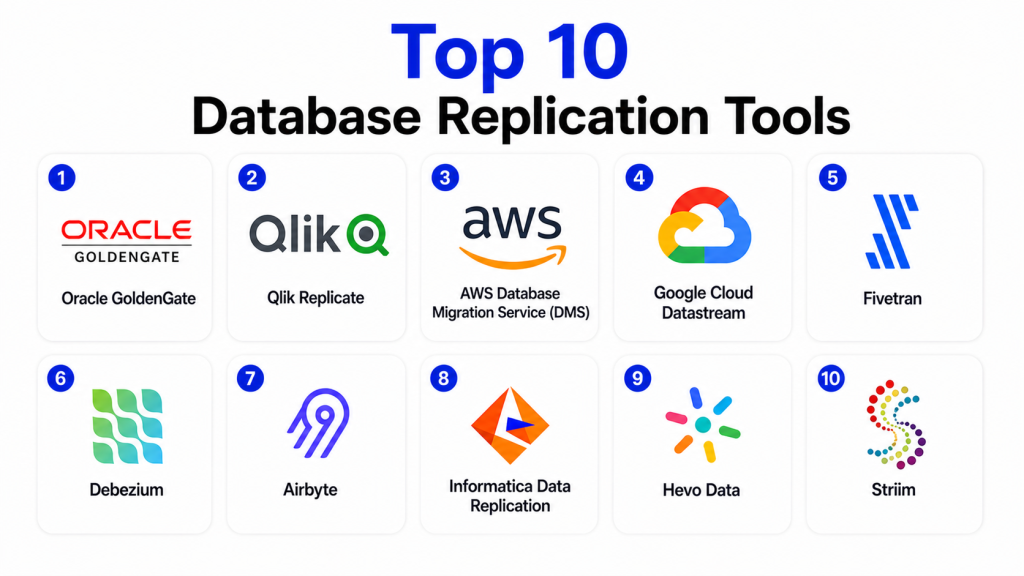
Top 10 Database Replication Tools
#1 — Oracle GoldenGate
Short description: Oracle GoldenGate is a leading enterprise-grade data replication platform designed for high-performance, real-time data integration across heterogeneous systems.
Key Features
- Real-time CDC replication
- Cross-platform data integration
- High availability support
- Data transformation capabilities
- Bi-directional replication
Pros
- Highly reliable
- Enterprise-grade performance
- Supports complex environments
Cons
- Expensive
- Complex setup
- Requires expertise
Platforms / Deployment
Linux / Windows
Cloud / Hybrid
Security & Compliance
Encryption, secure data transfer
Not publicly stated
Integrations & Ecosystem
Works across enterprise databases and cloud platforms.
- Oracle ecosystem
- Data warehouses
Support & Community
Strong enterprise support.
#2 — Qlik Replicate
Short description: Qlik Replicate is a high-performance CDC tool enabling real-time data movement across databases, cloud platforms, and analytics systems.
Key Features
- Log-based CDC
- Real-time replication
- Broad database support
- Data transformation
- Automated pipelines
Pros
- Easy to use
- Fast replication
- Wide compatibility
Cons
- Licensing cost
- Requires configuration
- Limited open-source support
Platforms / Deployment
Windows / Linux
Cloud / Hybrid
Security & Compliance
Secure data pipelines
Not publicly stated
Integrations & Ecosystem
Supports multiple data platforms and streaming systems.
- Cloud warehouses
- Streaming tools
Support & Community
Strong enterprise backing.
#3 — AWS Database Migration Service (DMS)
Short description: A managed AWS service that enables database migration and replication with minimal downtime.
Key Features
- Continuous replication
- Schema conversion
- Multi-engine support
- Automated migration
- AWS integration
Pros
- Fully managed
- Scalable
- Easy to use
Cons
- AWS-centric
- Limited customization
- Performance tuning required
Platforms / Deployment
Cloud
Security & Compliance
Encryption, IAM
Not publicly stated
Integrations & Ecosystem
Deep integration with AWS ecosystem.
- AWS services
- Data pipelines
Support & Community
Strong AWS support.
#4 — Google Cloud Datastream
Short description: A serverless replication service for streaming data into Google Cloud platforms.
Key Features
- Serverless CDC
- Real-time streaming
- Low latency
- Managed service
- Cloud-native
Pros
- Easy deployment
- No infrastructure management
- Scalable
Cons
- Google-centric
- Limited customization
- Requires GCP ecosystem
Platforms / Deployment
Cloud
Security & Compliance
Google security
Not publicly stated
Integrations & Ecosystem
Works with Google Cloud analytics services.
- BigQuery
- Cloud storage
Support & Community
Strong support.
#5 — Fivetran
Short description: A fully managed data replication platform focused on ELT pipelines and real-time data integration.
Key Features
- Automated connectors
- CDC support
- Managed pipelines
- Schema handling
- Cloud integration
Pros
- Easy to use
- Fully managed
- Wide connector library
Cons
- Expensive at scale
- Limited customization
- Vendor dependency
Platforms / Deployment
Cloud
Security & Compliance
Encryption
Not publicly stated
Integrations & Ecosystem
Extensive integrations with data platforms.
- Data warehouses
- SaaS tools
Support & Community
Strong support.
#6 — Debezium
Short description: An open-source CDC platform that streams database changes into Kafka and other systems.
Key Features
- Log-based CDC
- Kafka integration
- Open-source
- Real-time streaming
- Fault-tolerant
Pros
- Free and open-source
- Highly flexible
- Strong community
Cons
- Requires setup
- No native UI
- Needs Kafka expertise
Platforms / Deployment
Linux
Self-hosted
Security & Compliance
Not publicly stated
Integrations & Ecosystem
Works with streaming platforms and data pipelines.
- Kafka
- Event systems
Support & Community
Very strong open-source community.
#7 — Airbyte
Short description: An open-source data integration platform that supports replication across databases and cloud systems.
Key Features
- Open-source connectors
- CDC support
- Custom pipelines
- Cloud and on-prem support
- Extensible architecture
Pros
- Flexible
- Open-source
- Growing ecosystem
Cons
- Requires maintenance
- Performance tuning needed
- Limited enterprise features
Platforms / Deployment
Cloud / Self-hosted
Security & Compliance
Not publicly stated
Integrations & Ecosystem
Supports a wide range of connectors and APIs.
- Databases
- SaaS platforms
Support & Community
Active community.
#8 — Informatica Data Replication
Short description: A comprehensive enterprise data replication solution supporting real-time data integration across systems.
Key Features
- CDC replication
- Data governance
- Multi-platform support
- Automation
- Enterprise security
Pros
- Enterprise-ready
- Strong governance
- Scalable
Cons
- Expensive
- Complex
- Requires training
Platforms / Deployment
Cloud / Hybrid
Security & Compliance
Enterprise security
Not publicly stated
Integrations & Ecosystem
Works with enterprise data ecosystems.
- Data platforms
- Cloud services
Support & Community
Strong enterprise support.
#9 — Hevo Data
Short description: A no-code data replication tool designed for real-time data pipelines and analytics.
Key Features
- No-code pipelines
- Real-time replication
- Automated schema handling
- Data transformation
- Cloud integration
Pros
- Easy to use
- Fast setup
- Scalable
Cons
- Limited customization
- Pricing model
- Cloud-only
Platforms / Deployment
Cloud
Security & Compliance
Encryption
Not publicly stated
Integrations & Ecosystem
Supports multiple cloud and SaaS integrations.
- Data warehouses
- SaaS tools
Support & Community
Good support.
#10 — Striim
Short description: A real-time data streaming and replication platform for high-speed data integration.
Key Features
- Real-time streaming
- CDC support
- Data processing
- Integration with analytics tools
- Low-latency pipelines
Pros
- High performance
- Real-time capabilities
- Enterprise-ready
Cons
- Complex setup
- Costly
- Requires expertise
Platforms / Deployment
Cloud / Hybrid
Security & Compliance
Not publicly stated
Integrations & Ecosystem
Works with analytics and streaming systems.
- Kafka
- Cloud platforms
Support & Community
Enterprise support.
Comparison Table (Top 10)
| Tool Name | Best For | Platform(s) Supported | Deployment | Standout Feature | Public Rating |
|---|---|---|---|---|---|
| Oracle GoldenGate | Enterprise replication | Linux/Windows | Hybrid | Bi-directional replication | N/A |
| Qlik Replicate | Real-time CDC | Windows/Linux | Hybrid | Log-based CDC | N/A |
| AWS DMS | Cloud migration | Cloud | Cloud | Managed service | N/A |
| Google Datastream | Streaming | Cloud | Cloud | Serverless CDC | N/A |
| Fivetran | ELT pipelines | Cloud | Cloud | Automated connectors | N/A |
| Debezium | Open-source CDC | Linux | Self-hosted | Kafka integration | N/A |
| Airbyte | Open-source pipelines | Cloud/Linux | Hybrid | Custom connectors | N/A |
| Informatica | Enterprise data | Cloud/Hybrid | Hybrid | Governance | N/A |
| Hevo Data | No-code pipelines | Cloud | Cloud | Ease of use | N/A |
| Striim | Streaming pipelines | Cloud/Hybrid | Hybrid | Real-time processing | N/A |
Evaluation & Scoring of Database Replication Tools
| Tool Name | Core | Ease | Integrations | Security | Performance | Support | Value | Weighted Total |
|---|---|---|---|---|---|---|---|---|
| Oracle GoldenGate | 9 | 7 | 9 | 9 | 9 | 9 | 7 | 8.6 |
| Qlik Replicate | 9 | 8 | 9 | 8 | 9 | 8 | 8 | 8.6 |
| AWS DMS | 8 | 9 | 9 | 8 | 8 | 9 | 8 | 8.4 |
| Google Datastream | 8 | 9 | 8 | 8 | 8 | 8 | 8 | 8.1 |
| Fivetran | 8 | 9 | 9 | 8 | 8 | 8 | 7 | 8.2 |
| Debezium | 8 | 7 | 9 | 7 | 9 | 8 | 9 | 8.2 |
| Airbyte | 8 | 8 | 8 | 7 | 8 | 7 | 9 | 8.0 |
| Informatica | 9 | 7 | 9 | 9 | 9 | 9 | 7 | 8.6 |
| Hevo Data | 8 | 9 | 8 | 8 | 8 | 8 | 8 | 8.2 |
| Striim | 9 | 7 | 8 | 8 | 9 | 8 | 7 | 8.3 |
How to interpret the scores:
These scores represent comparative benchmarks based on real-world usage, performance, and feature depth. A higher score indicates stronger overall capabilities, but not necessarily the best fit for every use case. For example, Oracle GoldenGate and Informatica excel in enterprise environments, while Debezium and Airbyte are ideal for open-source and flexible architectures. Use these scores as a guide and align them with your infrastructure, latency requirements, and budget before making a decision.
Which Database Replication Tool Is Right for You?
Solo / Freelancer
Choose Airbyte or Hevo Data for simplicity and ease of setup.
SMB
Fivetran or AWS DMS provide reliable and scalable solutions.
Mid-Market
Qlik Replicate or Google Datastream offer strong real-time capabilities.
Enterprise
Oracle GoldenGate or Informatica Data Replication are ideal for large-scale deployments.
Budget vs Premium
Open-source tools reduce cost, while enterprise tools require investment.
Feature Depth vs Ease of Use
Managed tools are easier, while open-source offers flexibility.
Integrations & Scalability
Cloud-native tools provide better integration and scalability.
Security & Compliance Needs
Enterprise tools provide stronger compliance and security.
Frequently Asked Questions (FAQs)
1. What is database replication?
Database replication is the process of copying and synchronizing data across multiple systems. It ensures data availability and consistency. It is widely used in modern data architectures.
2. What is CDC in replication?
Change Data Capture tracks changes in a database and replicates them in real time. It reduces latency and improves efficiency. It is widely used in modern tools.
3. Why is replication important?
It improves availability, performance, and reliability. It also supports disaster recovery. It is essential for distributed systems .
4. What are types of replication?
Common types include snapshot, transactional, and real-time replication. Each has different use cases. The choice depends on requirements.
5. Are replication tools scalable?
Yes, most modern tools are designed for large-scale environments. They support distributed systems. Scalability is a key feature.
6. Can replication be real-time?
Yes, CDC enables real-time replication. It streams data continuously. This supports analytics and AI workloads.
7. Are these tools cloud-ready?
Most modern tools are cloud-native or cloud-compatible. They integrate with cloud platforms. This supports hybrid environments.
8. What are the challenges of replication?
Challenges include latency, data consistency, and system complexity. Proper planning is essential. Tool selection matters.
9. Is replication secure?
Yes, most tools use encryption and secure pipelines. Security depends on configuration. Enterprise tools offer stronger protection.
10. How do I choose the right tool?
Evaluate your data volume, latency needs, and infrastructure. Consider integration and cost. Test tools before finalizing.
Conclusion
Database replication tools are a critical component of modern data infrastructure, enabling organizations to maintain real-time data synchronization, improve system reliability, and support advanced analytics and AI-driven workloads. Solutions like Oracle GoldenGate, Qlik Replicate, and Informatica Data Replication provide enterprise-grade capabilities for complex environments, while tools like Debezium and Airbyte offer flexibility through open-source architectures. Managed platforms such as AWS DMS, Google Datastream, and Fivetran simplify deployment and reduce operational overhead. Each tool has unique strengths depending on your requirements for latency, scalability, and integration. The best choice depends on your architecture, data strategy, and budget. Start by identifying your use case, shortlist a few tools, and run pilot implementations to validate performance, reliability, and integration before scaling your data pipelines.

I found this article very insightful. The comparison is clear and well organized, making it easier to evaluate different database replication tools and understand where each one fits best.