Introduction
Medical billing and coding software helps healthcare providers, billing teams, revenue cycle departments, and medical practices manage the financial side of patient care. These tools support charge capture, claim creation, coding workflows, insurance verification, denial management, payment posting, patient billing, reporting, and revenue cycle tracking. Instead of handling claims manually or using disconnected spreadsheets, healthcare organizations use billing and coding platforms to reduce errors, speed up reimbursement, and improve financial visibility.
Medical billing and coding software is important because healthcare reimbursement is complex. Providers must document care correctly, apply accurate codes, submit clean claims, follow payer rules, manage denials, and collect patient balances. A strong platform helps teams reduce rejected claims, improve coding accuracy, shorten payment cycles, and maintain better compliance with payer and regulatory requirements.
Common use cases include:
- Medical claim creation and submission
- Medical coding support
- Charge capture and encounter billing
- Insurance eligibility verification
- Denial management and appeals
- Payment posting and reconciliation
- Patient billing and statements
- Revenue cycle reporting
- Claims scrubbing and validation
- Practice financial performance tracking
Buyers should evaluate:
- Claims management depth
- Coding support and validation
- Payer connectivity
- Denial management workflows
- Payment posting automation
- Reporting and analytics
- Integration with EHR and EMR systems
- Patient billing experience
- Security and access controls
- Implementation and support quality
Best for: physician practices, specialty clinics, medical billing companies, revenue cycle teams, hospitals, ambulatory care groups, healthcare administrators, and providers that need cleaner claims, faster reimbursement, and better financial workflow control.
Not ideal for: very small non-clinical wellness businesses, providers that do not submit insurance claims, or teams that only need simple invoicing. In those cases, basic accounting software, appointment tools, or lightweight payment platforms may be enough.
Key Trends in Medical Billing & Coding Software
- AI-assisted coding support is becoming more important, helping billing teams identify documentation gaps, coding suggestions, and potential claim issues before submission.
- Claims automation is now a major buying factor, especially for practices that want faster claim creation, cleaner submissions, and fewer manual corrections.
- Denial prevention is becoming more valuable than denial recovery, as providers want to catch errors before claims reach payers.
- Patient financial engagement is expanding, including online payments, payment plans, digital statements, and clearer patient balance communication.
- EHR and billing integration is essential, because disconnected clinical and billing workflows create duplicate work and coding errors.
- Specialty-specific billing workflows are growing, especially for behavioral health, urgent care, primary care, physical therapy, dermatology, and multi-specialty groups.
- Analytics-driven revenue cycle management is becoming standard, helping practices monitor claim status, payer trends, denials, collections, and staff productivity.
- Cloud-based billing platforms are gaining adoption, especially among small and mid-sized practices that want easier access and fewer infrastructure needs.
- Compliance and audit readiness are becoming more important, because billing errors can create financial and regulatory risk.
- Outsourced and hybrid billing models are expanding, where providers use software plus managed billing services to reduce administrative burden.
How We Selected These Tools
- We selected tools that are widely recognized in medical billing, coding, claims management, and revenue cycle workflows.
- We included a balanced mix of practice management platforms, billing-focused tools, clearinghouse solutions, and healthcare revenue cycle systems.
- We considered claims creation, claims scrubbing, coding support, eligibility verification, denial management, payment posting, and patient billing.
- We evaluated fit for different healthcare organizations, including small practices, specialty clinics, billing companies, ambulatory groups, and larger provider networks.
- We considered integration strength with EHR, EMR, scheduling, patient portals, clearinghouses, payment systems, and reporting tools.
- We reviewed usability for billers, coders, front-office teams, administrators, providers, and revenue cycle leaders.
- We considered support, onboarding, documentation, implementation services, training quality, and customer assistance.
- We avoided guessing public ratings, certifications, or compliance claims where details are not clearly stated.
- We considered scalability, workflow automation, reporting depth, and operational reliability.
- We selected tools that are practical for real healthcare billing environments rather than only simple invoice generation.
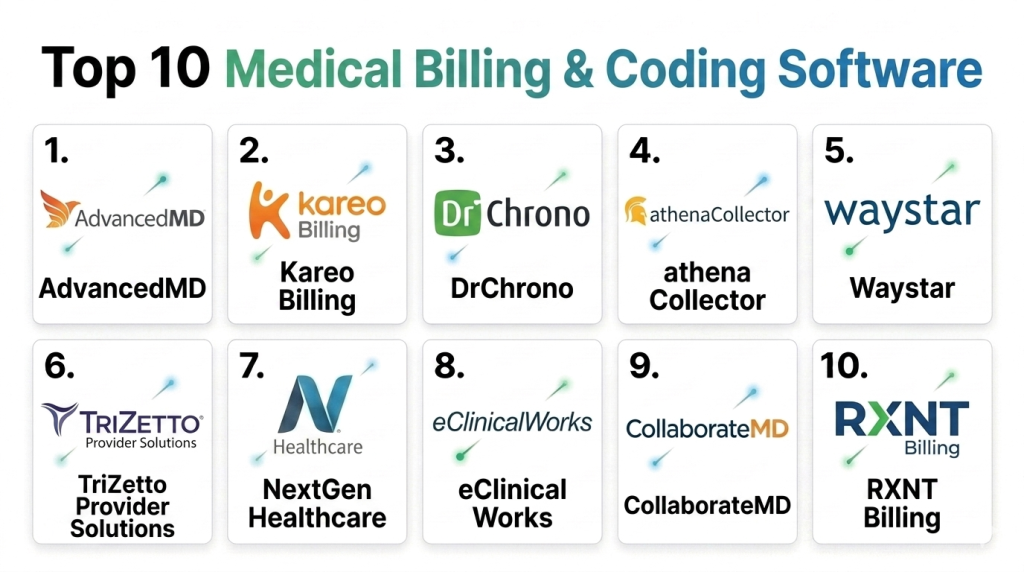
Top 10 Medical Billing & Coding Software Tools
#1 — AdvancedMD
Short description: AdvancedMD is a cloud-based medical billing, practice management, and EHR platform designed for independent practices, specialty clinics, and medical groups. It supports claims management, coding workflows, scheduling, payment processing, patient billing, reporting, and revenue cycle operations. AdvancedMD is especially useful for practices that want billing and clinical workflows connected in one platform. It is best suited for small to mid-sized healthcare providers that need flexible billing and practice management support.
Key Features
- Claims creation and submission workflows
- Practice management and scheduling
- Medical billing and payment posting support
- Patient statements and online payment options
- Reporting and revenue cycle analytics
- EHR and billing workflow connectivity
- Support for specialty practice workflows
Pros
- Strong fit for independent and specialty practices
- Cloud-based access reduces infrastructure burden
- Combines billing, scheduling, and clinical workflows
- Useful reporting for practice financial visibility
Cons
- Advanced configuration may require training
- Pricing and add-on modules should be reviewed carefully
- Large hospital billing needs may require broader systems
- Workflow fit can vary by specialty and setup
Platforms / Deployment
Web / Mobile access varies
Cloud
Security & Compliance
AdvancedMD is designed for healthcare practice environments and includes security controls relevant to patient and billing data. Specific details for encryption, authentication, access controls, audit logs, and compliance support should be confirmed directly with the vendor.
Integrations & Ecosystem
AdvancedMD supports connected practice operations by linking billing, clinical, scheduling, and patient payment workflows. It is useful for practices that want fewer disconnected systems.
- EHR and practice management integration
- Claims and clearinghouse workflows
- Patient payment and statement tools
- Scheduling and registration workflows
- Reporting and analytics features
- Third-party healthcare service connections
Support & Community
AdvancedMD provides vendor support, onboarding, documentation, training, and customer assistance. Practices should validate billing setup support, migration help, claim workflow training, and support response quality before adoption.
#2 — Kareo Billing
Short description: Kareo Billing is a medical billing solution focused on independent practices and smaller healthcare providers. It helps teams manage claims, patient billing, insurance payments, denials, and revenue cycle workflows. Kareo Billing is often used by practices that want a more accessible billing platform without the complexity of enterprise systems. It is best suited for small practices, specialty clinics, and billing teams that need practical claims and payment management.
Key Features
- Claims creation and tracking
- Insurance billing workflows
- Patient billing and statements
- Payment posting support
- Denial and rejection management
- Practice financial reporting
- Integration with practice workflows
Pros
- Good fit for smaller practices
- Easier to adopt than large enterprise billing systems
- Practical claims and patient billing features
- Useful for independent provider operations
Cons
- May not fit complex hospital revenue cycle needs
- Advanced analytics may be limited compared with enterprise tools
- Specialty workflow depth should be validated
- Product packaging and availability should be reviewed carefully
Platforms / Deployment
Web / Mobile access varies
Cloud / Varies
Security & Compliance
Security details should be confirmed directly with the vendor or current platform provider. Buyers should validate authentication, access controls, encryption, audit logging, data export, and healthcare privacy requirements.
Integrations & Ecosystem
Kareo Billing supports practice-focused billing and patient payment workflows. It can help small teams keep claims and collections organized.
- Claims submission workflows
- Patient payment and statement tools
- Practice management connections
- Reporting and financial tracking
- Insurance payment workflows
- Patient communication support
Support & Community
Support availability may vary by plan, product packaging, and service model. Practices should confirm onboarding, billing training, migration support, and customer service options before purchase.
#3 — DrChrono
Short description: DrChrono is a cloud-based EHR, practice management, medical billing, and patient engagement platform for medical practices. It supports claim submission, coding workflows, scheduling, clinical documentation, patient payments, and revenue cycle operations. DrChrono is especially useful for practices that want billing tightly connected with an EHR and mobile-friendly workflows. It is best suited for ambulatory practices, specialty clinics, and providers that value flexible digital operations.
Key Features
- Medical billing and claims management
- EHR and clinical documentation support
- Scheduling and patient registration
- Payment processing and patient billing
- Coding and charge capture support
- Reporting and practice analytics
- Mobile-friendly provider workflows
Pros
- Combines EHR, billing, and practice management
- Good fit for ambulatory and specialty practices
- Cloud-based and mobile-friendly
- Useful for practices wanting connected clinical and billing workflows
Cons
- Advanced revenue cycle needs may require additional support
- Workflow configuration can take time
- Larger organizations may need more complex billing infrastructure
- Billing performance depends on setup and staff adoption
Platforms / Deployment
Web / iOS / Mobile access varies
Cloud
Security & Compliance
DrChrono is used in healthcare practice environments and supports security controls relevant to patient and billing data. Specific details for encryption, authentication, audit logs, role-based access, and compliance should be confirmed directly.
Integrations & Ecosystem
DrChrono connects billing workflows with clinical documentation, scheduling, and patient engagement. It is useful for practices that want to reduce duplicate work between care delivery and claims.
- EHR and billing workflow integration
- Payment processing connections
- Patient portal and communication tools
- Scheduling and intake workflows
- Claims and clearinghouse support
- Reporting and analytics options
Support & Community
DrChrono provides vendor support, onboarding resources, documentation, and training. Practices should evaluate billing setup guidance, implementation quality, and specialty workflow support before committing.
#4 — athenaCollector
Short description: athenaCollector is a medical billing and revenue cycle solution from athenahealth, designed to help practices manage claims, payments, denials, and financial performance. It is often used alongside athenahealth’s broader clinical and practice management ecosystem. athenaCollector is especially useful for ambulatory practices that want cloud-based billing operations with payer network support. It is best suited for medical groups that want billing workflow automation and revenue cycle visibility.
Key Features
- Claims submission and tracking
- Revenue cycle management workflows
- Denial management and follow-up support
- Payment posting and reconciliation
- Patient billing and collections support
- Reporting and financial performance insights
- Integration with athenahealth practice workflows
Pros
- Strong cloud-based billing workflow support
- Useful for ambulatory practices and medical groups
- Good fit with athenahealth ecosystem
- Helps teams monitor claims and revenue cycle performance
Cons
- Best value may depend on athenahealth ecosystem alignment
- Pricing and service model should be reviewed carefully
- May not fit all specialty workflow requirements equally
- Larger hospital billing operations may need broader enterprise systems
Platforms / Deployment
Web / Mobile access varies
Cloud
Security & Compliance
athenaCollector is designed for healthcare billing environments and includes security controls relevant to patient and financial data. Specific details for encryption, access controls, authentication, audit logs, and compliance should be validated directly with the vendor.
Integrations & Ecosystem
athenaCollector works best within the athenahealth ecosystem and supports billing workflows across claims, payments, patient balances, and reporting.
- athenahealth clinical and practice management workflows
- Claims and payer network connections
- Patient payment tools
- Denial management workflows
- Financial reporting dashboards
- Practice operations integrations
Support & Community
athenahealth provides vendor support, onboarding, documentation, training, and operational assistance. The platform is especially useful for practices that want billing technology combined with revenue cycle workflow support.
#5 — Waystar
Short description: Waystar is a healthcare payment and revenue cycle technology platform used by providers, hospitals, billing companies, and healthcare organizations. It supports claims management, eligibility verification, prior authorization workflows, denial management, patient payments, and revenue cycle analytics. Waystar is especially valuable for organizations that need payer connectivity and financial workflow automation. It is best suited for teams that need strong claims and revenue cycle infrastructure across larger billing operations.
Key Features
- Claims management and submission workflows
- Eligibility and benefit verification
- Denial management and prevention tools
- Patient payment and billing workflows
- Revenue cycle analytics and reporting
- Payer connectivity and clearinghouse capabilities
- Automation for financial workflow improvement
Pros
- Strong revenue cycle and claims infrastructure
- Useful for providers, hospitals, and billing companies
- Good fit for eligibility, denials, and payment workflows
- Helps improve financial visibility across billing operations
Cons
- May require integration with existing EHR or practice systems
- Smaller practices may not need the full platform depth
- Implementation scope depends on selected modules
- Buyers should validate workflow fit and pricing carefully
Platforms / Deployment
Web / Varies
Cloud / Hybrid / Varies
Security & Compliance
Waystar is used in healthcare revenue cycle environments where security and privacy are important. Specific details for authentication, encryption, access controls, audit logs, and compliance documentation should be confirmed directly with the vendor.
Integrations & Ecosystem
Waystar is often used as a connected revenue cycle layer across provider systems, payer workflows, and patient payment processes.
- EHR and practice management integrations
- Claims and clearinghouse connections
- Eligibility verification workflows
- Patient payment platforms
- Denial management processes
- Revenue cycle reporting systems
Support & Community
Waystar provides vendor support, onboarding, documentation, implementation help, and customer assistance. Organizations should validate integration support, payer workflow setup, training, and reporting configuration before rollout.
#6 — TriZetto Provider Solutions
Short description: TriZetto Provider Solutions supports healthcare revenue cycle, claims processing, payer connectivity, eligibility, and billing workflows. It is commonly used by providers, billing companies, and healthcare organizations that need claims and transaction management support. The platform helps teams manage reimbursement workflows and improve communication with payers. It is best suited for organizations that need clearinghouse-style connectivity and revenue cycle transaction support.
Key Features
- Claims submission and transaction management
- Eligibility and benefits verification
- Clearinghouse and payer connectivity
- Denial and rejection workflow support
- Payment and remittance processing support
- Revenue cycle reporting capabilities
- Integration with provider billing systems
Pros
- Strong fit for claims transaction workflows
- Useful for payer connectivity and eligibility verification
- Supports billing companies and provider organizations
- Can help streamline reimbursement operations
Cons
- May require integration with existing billing or EHR tools
- User experience depends on workflow setup
- Smaller practices may prefer simpler all-in-one tools
- Product fit should be validated against specific payer needs
Platforms / Deployment
Web / Varies
Cloud / Hybrid / Varies
Security & Compliance
TriZetto Provider Solutions operates in healthcare transaction environments where data security is important. Specific authentication, encryption, access controls, audit logging, and compliance support should be confirmed directly with the vendor.
Integrations & Ecosystem
TriZetto Provider Solutions connects provider billing workflows with payer transaction processes. It is useful for organizations that need reliable claims and eligibility connectivity.
- Provider billing system integrations
- Payer and clearinghouse workflows
- Eligibility verification connections
- Claims transaction support
- Remittance and payment workflows
- Revenue cycle reporting tools
Support & Community
Support is vendor-led through documentation, customer assistance, implementation help, and transaction workflow support. Buyers should validate payer connectivity, training resources, and integration services before selection.
#7 — NextGen Healthcare
Short description: NextGen Healthcare provides medical billing, practice management, EHR, revenue cycle, and patient engagement solutions for ambulatory practices and specialty care organizations. It supports clinical documentation, claims, billing workflows, patient statements, reporting, and payer connectivity. NextGen Healthcare is useful for practices that need billing connected with clinical and administrative workflows. It is best suited for specialty practices, physician groups, and community health organizations.
Key Features
- Medical billing and practice management
- Claims creation and submission
- Clinical documentation and charge capture
- Patient billing and payment workflows
- Revenue cycle reporting
- Specialty workflow support
- Integration with EHR and patient engagement tools
Pros
- Strong fit for ambulatory and specialty practices
- Combines clinical, billing, and administrative workflows
- Useful for practices needing configurable templates
- Supports reporting and revenue cycle visibility
Cons
- Configuration requires planning
- User experience can vary by setup
- Training is important for effective billing workflows
- Smaller practices may need simpler solutions
Platforms / Deployment
Web / Windows / Mobile access varies
Cloud / Self-hosted / Hybrid / Varies
Security & Compliance
NextGen Healthcare supports healthcare data protection needs through access controls and security features relevant to patient and billing data. Specific details for encryption, audit logs, authentication, access control, and compliance should be confirmed directly.
Integrations & Ecosystem
NextGen Healthcare connects billing workflows with clinical documentation, scheduling, reporting, and patient communication.
- EHR and practice management integrations
- Claims and payer workflows
- Patient portal and payment tools
- Revenue cycle reporting
- Lab and diagnostic workflow connections
- Third-party healthcare ecosystem integrations
Support & Community
NextGen Healthcare provides implementation resources, training, documentation, and vendor support. Practices should validate billing workflow setup, specialty templates, migration support, and ongoing service options.
#8 — eClinicalWorks
Short description: eClinicalWorks is an EHR and practice management platform that includes billing, claims, coding support, patient engagement, and revenue cycle workflows. It is widely used by ambulatory practices, specialty clinics, medical groups, and community health organizations. eClinicalWorks is useful for practices that want medical billing connected with clinical documentation and scheduling. It is best suited for outpatient care groups needing an integrated practice platform.
Key Features
- Medical billing and claims workflows
- EHR and clinical documentation
- Practice management and scheduling
- Patient portal and payment support
- ePrescribing and patient engagement tools
- Revenue cycle reporting
- Population health and operational analytics
Pros
- Broad feature set for ambulatory care
- Combines clinical and billing workflows
- Useful for specialty clinics and group practices
- Supports patient engagement and telehealth workflows
Cons
- Implementation quality depends on setup and training
- Billing workflow configuration may take time
- Some practices may need support for advanced optimization
- Larger hospital revenue cycle needs may require broader systems
Platforms / Deployment
Web / Windows / Mobile access varies
Cloud / Self-hosted / Hybrid / Varies
Security & Compliance
eClinicalWorks supports healthcare security and patient data protection needs. Specific details around SSO, MFA, encryption, audit logs, access controls, and compliance should be validated directly with the vendor.
Integrations & Ecosystem
eClinicalWorks connects clinical documentation, claims, billing, patient engagement, and reporting in an ambulatory care environment.
- EHR and billing integration
- Claims and payer workflows
- Patient portal and payment tools
- Telehealth and digital intake support
- Lab and diagnostic result workflows
- Reporting and analytics options
Support & Community
eClinicalWorks provides vendor support, onboarding, documentation, and training resources. Practices should plan workflow setup carefully to align billing, coding, charting, and reporting needs.
#9 — CollaborateMD
Short description: CollaborateMD is a cloud-based medical billing and practice management platform built for practices and billing services. It supports claims submission, payment posting, patient billing, scheduling, reporting, and revenue cycle management. CollaborateMD is especially useful for teams that want a billing-focused platform with cloud access and practical workflow tools. It is best suited for billing companies, independent practices, and small to mid-sized provider groups.
Key Features
- Claims submission and tracking
- Payment posting and reconciliation
- Patient billing and statements
- Practice management and scheduling
- Reporting and revenue cycle analytics
- Denial and rejection workflow support
- Cloud-based billing operations
Pros
- Strong fit for billing companies and practices
- Cloud-based platform supports remote billing teams
- Practical claims and payment workflows
- Useful reporting for revenue cycle visibility
Cons
- May need integration with external EHR systems
- Clinical workflow features may be limited compared with full EHR platforms
- Advanced enterprise needs may require broader systems
- Setup and payer workflows should be validated
Platforms / Deployment
Web
Cloud
Security & Compliance
CollaborateMD operates in healthcare billing environments and supports security controls relevant to patient and financial data. Specific authentication, encryption, access controls, audit logs, and compliance details should be confirmed directly with the vendor.
Integrations & Ecosystem
CollaborateMD is designed for billing workflows and can connect with practice operations, claim processing, reporting, and payment workflows.
- Claims and clearinghouse workflows
- Payment posting and reconciliation
- Patient statement workflows
- Practice management tools
- EHR integration options
- Revenue cycle reporting
Support & Community
CollaborateMD provides vendor-led documentation, training, onboarding, and customer support. Billing companies and practices should validate implementation help, payer setup, support response quality, and reporting configuration before selection.
#10 — RXNT Billing
Short description: RXNT Billing is a medical billing and practice management solution designed for healthcare practices that need claims, payments, scheduling, reporting, and revenue cycle support. It can be used as part of RXNT’s broader healthcare platform, which includes clinical and practice tools. RXNT Billing is especially useful for practices that want cloud-based billing workflows with patient payment and claims management support. It is best suited for small to mid-sized practices looking for practical and affordable billing operations.
Key Features
- Medical claims management
- Patient billing and payment workflows
- Practice management and scheduling
- Payment posting support
- Reporting and financial analytics
- Integration with broader RXNT healthcare tools
- Cloud-based billing access
Pros
- Practical option for small and mid-sized practices
- Cloud-based access supports flexible operations
- Can connect billing with practice management workflows
- Useful for teams seeking straightforward revenue cycle tools
Cons
- May not fit complex enterprise hospital billing needs
- Advanced coding automation should be validated
- Feature depth may vary by package
- Integration needs should be reviewed before purchase
Platforms / Deployment
Web / Mobile access varies
Cloud
Security & Compliance
RXNT Billing is used in healthcare practice environments where patient and financial data security matters. Buyers should confirm authentication, encryption, role-based access, audit logs, data handling, and compliance support directly with the vendor.
Integrations & Ecosystem
RXNT Billing supports medical practice billing workflows and may connect with broader RXNT tools for clinical, scheduling, and prescribing workflows.
- Claims and billing workflows
- Patient payment tools
- Practice management connections
- Scheduling and administrative workflows
- Reporting and analytics
- Broader healthcare platform integrations
Support & Community
RXNT provides vendor support, documentation, training resources, and onboarding assistance. Practices should confirm billing workflow setup, migration support, payer configuration help, and support availability before adoption.
Comparison Table
| Tool Name | Best For | Platforms Supported | Deployment | Standout Feature | Public Rating |
|---|---|---|---|---|---|
| AdvancedMD | Small and mid-sized practices | Web / Mobile access varies | Cloud | Cloud billing with practice management and EHR connectivity | N/A |
| Kareo Billing | Independent practices | Web / Mobile access varies | Cloud / Varies | Practical claims and patient billing workflows | N/A |
| DrChrono | Ambulatory and specialty practices | Web / iOS / Mobile access varies | Cloud | Mobile-friendly EHR and billing platform | N/A |
| athenaCollector | Ambulatory revenue cycle teams | Web / Mobile access varies | Cloud | Cloud-based billing and revenue cycle workflows | N/A |
| Waystar | Providers, hospitals, and billing companies | Web / Varies | Cloud / Hybrid / Varies | Claims, eligibility, denials, and payment automation | N/A |
| TriZetto Provider Solutions | Claims transaction and payer connectivity | Web / Varies | Cloud / Hybrid / Varies | Clearinghouse and payer transaction support | N/A |
| NextGen Healthcare | Specialty and ambulatory practices | Web / Windows / Mobile access varies | Cloud / Self-hosted / Hybrid / Varies | Billing connected with clinical workflows | N/A |
| eClinicalWorks | Outpatient care groups | Web / Windows / Mobile access varies | Cloud / Self-hosted / Hybrid / Varies | Integrated EHR, billing, and patient engagement | N/A |
| CollaborateMD | Billing companies and practices | Web | Cloud | Cloud medical billing and practice management | N/A |
| RXNT Billing | Small to mid-sized practices | Web / Mobile access varies | Cloud | Practical billing with practice workflow support | N/A |
Evaluation & Scoring of Medical Billing & Coding Software
| Tool Name | Core 25% | Ease 15% | Integrations 15% | Security 10% | Performance 10% | Support 10% | Value 15% | Weighted Total |
|---|---|---|---|---|---|---|---|---|
| AdvancedMD | 8 | 8 | 8 | 7 | 8 | 8 | 8 | 7.85 |
| Kareo Billing | 7 | 8 | 7 | 7 | 7 | 7 | 8 | 7.30 |
| DrChrono | 8 | 8 | 7 | 7 | 7 | 7 | 7 | 7.45 |
| athenaCollector | 9 | 8 | 8 | 8 | 8 | 8 | 7 | 8.05 |
| Waystar | 9 | 7 | 9 | 8 | 9 | 8 | 7 | 8.15 |
| TriZetto Provider Solutions | 8 | 7 | 9 | 8 | 8 | 8 | 7 | 7.85 |
| NextGen Healthcare | 8 | 7 | 8 | 8 | 7 | 7 | 7 | 7.45 |
| eClinicalWorks | 8 | 7 | 8 | 8 | 7 | 7 | 7 | 7.45 |
| CollaborateMD | 7 | 8 | 7 | 7 | 7 | 7 | 8 | 7.30 |
| RXNT Billing | 7 | 8 | 7 | 7 | 7 | 7 | 8 | 7.30 |
These scores are comparative and should be used as a shortlist guide, not a final purchasing decision. Waystar and TriZetto Provider Solutions score strongly for claims infrastructure, payer connectivity, and revenue cycle transaction workflows. athenaCollector, AdvancedMD, DrChrono, NextGen Healthcare, and eClinicalWorks are strong when billing needs to connect closely with practice management and clinical documentation. CollaborateMD, RXNT Billing, and Kareo Billing are practical options for small to mid-sized practices and billing teams that want cloud-based billing workflows. Security scores are conservative because buyers should validate access controls, encryption, audit logs, hosting, and compliance documentation directly before using the software with sensitive patient or billing data.
Which Medical Billing & Coding Software Is Right for You?
Solo / Freelancer
Solo providers and independent medical billers usually need affordable, easy-to-use billing software that supports claims, patient statements, payments, and basic reporting. Kareo Billing, RXNT Billing, CollaborateMD, AdvancedMD, and DrChrono can be practical options depending on workflow needs. These tools can help smaller teams organize billing without needing enterprise-level infrastructure.
Solo users should focus on ease of claim submission, payer connectivity, denial tracking, patient payment options, and simple reporting. If coding complexity is high, they should also evaluate coding support and documentation review workflows carefully.
SMB
Small and mid-sized practices need billing software that connects scheduling, documentation, claims, payments, and reporting. AdvancedMD, DrChrono, athenaCollector, NextGen Healthcare, eClinicalWorks, RXNT Billing, and CollaborateMD are strong candidates. These platforms can support day-to-day practice operations while helping teams reduce rejected claims and improve collections.
SMBs should evaluate implementation time, staff training, claim scrubbing, patient billing, payment posting, and EHR integration. The right tool should reduce administrative friction, not create more manual steps.
Mid-Market
Mid-market provider groups, specialty networks, and billing organizations usually need stronger reporting, payer connectivity, denial management, and workflow automation. Waystar, TriZetto Provider Solutions, athenaCollector, AdvancedMD, NextGen Healthcare, and eClinicalWorks are strong options depending on the environment.
These organizations should focus on analytics, payer performance tracking, denial prevention, batch claim workflows, payment reconciliation, and integration with existing clinical systems. Workflow scalability matters because billing teams often manage many providers, locations, and payer rules.
Enterprise
Hospitals, large provider networks, and enterprise revenue cycle teams need deeper claims infrastructure, payer connectivity, automation, and reporting. Waystar, TriZetto Provider Solutions, athenaCollector, NextGen Healthcare, eClinicalWorks, and AdvancedMD may be relevant depending on the broader technology stack.
Enterprise buyers should evaluate integration with EHR, ERP, data warehouses, payment systems, patient engagement platforms, and compliance workflows. They should also assess role-based access, auditability, performance, implementation services, and long-term vendor support.
Budget vs Premium
Budget-focused teams should consider RXNT Billing, CollaborateMD, Kareo Billing, and selected practice-focused billing systems. These tools can be practical for smaller teams that need essential billing, claims, and payment workflows.
Premium buyers should evaluate Waystar, TriZetto Provider Solutions, athenaCollector, AdvancedMD, NextGen Healthcare, and eClinicalWorks. These may offer stronger automation, integrations, reporting, payer connectivity, and operational support, depending on the selected modules and implementation scope.
Feature Depth vs Ease of Use
For feature depth in revenue cycle operations, Waystar, TriZetto Provider Solutions, athenaCollector, AdvancedMD, NextGen Healthcare, and eClinicalWorks are strong candidates. They can support more complex claims, denials, payer workflows, and reporting needs.
For ease of use, Kareo Billing, RXNT Billing, CollaborateMD, DrChrono, and AdvancedMD may be more approachable for smaller practices. Buyers should test real workflows such as claim creation, denial follow-up, patient statement generation, and payment posting before choosing.
Integrations & Scalability
Medical billing software should integrate with EHR, EMR, practice management systems, clearinghouses, payment processors, patient portals, eligibility tools, coding tools, and reporting systems. Waystar and TriZetto Provider Solutions are especially strong where payer connectivity and transaction workflows matter. AdvancedMD, DrChrono, athenaCollector, NextGen Healthcare, and eClinicalWorks are useful when billing must stay connected to clinical documentation.
Scalability should be evaluated based on provider count, locations, claim volume, specialty complexity, payer mix, reporting needs, and internal billing team structure.
Security & Compliance Needs
Medical billing software handles sensitive patient, insurance, and financial information, so security must be reviewed carefully. Buyers should evaluate authentication, user roles, encryption, audit logs, data retention, payment security, backups, and vendor security documentation.
Compliance is not only a software issue. Staff training, internal billing policies, coding accuracy, documentation quality, and access management all affect risk. Buyers should validate vendor controls before production use.
Frequently Asked Questions
1. What is medical billing and coding software?
Medical billing and coding software helps healthcare providers create claims, manage codes, submit bills, track payments, and handle denials. It connects clinical documentation with financial workflows so providers can receive reimbursement. These tools support insurance billing, patient billing, payment posting, and reporting. They are essential for practices that submit claims to payers.
2. What is the difference between medical billing and medical coding?
Medical coding converts diagnoses, procedures, and services into standardized codes. Medical billing uses those codes to create claims, submit them to payers, and collect payments. Coding accuracy affects whether claims are accepted, denied, or underpaid. Billing and coding work closely together in the revenue cycle.
3. Which medical billing software is best for small practices?
Small practices often need cloud-based tools that are easy to use and include claims, payments, patient billing, and reporting. Kareo Billing, RXNT Billing, CollaborateMD, AdvancedMD, and DrChrono may be practical options. The best choice depends on specialty, payer mix, staff skills, and EHR integration needs. A workflow-based demo is important before purchase.
4. Which software is best for billing companies?
Billing companies usually need strong claims tracking, payment posting, denial management, reporting, and multi-provider support. CollaborateMD, Waystar, TriZetto Provider Solutions, AdvancedMD, and athenaCollector can be strong candidates depending on client size and workflows. Billing companies should focus on batch processing, payer connectivity, reporting, and role-based access. Scalability and support quality are especially important.
5. Can billing software reduce claim denials?
Yes, good billing software can help reduce denials by checking claims before submission, validating required fields, tracking payer rules, and identifying common errors. However, software alone cannot fix poor documentation or incorrect coding. Teams still need trained billers, coders, and strong internal processes. The best results come from combining automation with good revenue cycle discipline.
6. Does medical billing software include coding features?
Some billing platforms include coding support, code validation, charge capture, or documentation-linked billing workflows. Others focus more on claims and payment processing. Advanced coding automation may depend on integrations or selected modules. Buyers should confirm whether the software supports their specialty codes, payer rules, and documentation review process.
7. Can billing software integrate with EHR systems?
Yes, many billing tools integrate with EHR and EMR systems so clinical documentation can flow into billing workflows. Integration can reduce duplicate data entry, improve charge capture, and support cleaner claims. Integration quality varies by vendor and system. Buyers should validate real data flow before final selection.
8. How much does medical billing software cost?
Cost varies by vendor, number of providers, modules, claims volume, clearinghouse services, support level, and implementation needs. Some tools use subscription pricing, while others may charge based on usage or service scope. Buyers should calculate total cost, including training, migration, integrations, support, and payment processing fees. The cheapest tool is not always the best value.
9. What are common mistakes when choosing billing software?
A common mistake is choosing software based only on price without testing real billing workflows. Teams may also ignore EHR integration, payer connectivity, denial management, reporting needs, and staff training. Another mistake is assuming automation will solve coding or documentation problems automatically. A pilot using real claims and payer scenarios is the safest approach.
10. Is medical billing and coding software secure?
Medical billing software should protect patient, insurance, and financial information through access controls, encryption, audit logs, and secure data handling. Security depends on the vendor, deployment model, configuration, and internal user practices. Buyers should review security documentation carefully before using real patient data. Staff training and role-based access are also important for reducing risk.
Conclusion
Medical billing and coding software helps healthcare organizations improve claim accuracy, reduce manual work, manage denials, collect payments, and gain better revenue cycle visibility. The best platform depends on practice size, specialty, payer mix, claim volume, billing team maturity, integration needs, and budget. AdvancedMD, Kareo Billing, DrChrono, athenaCollector, Waystar, TriZetto Provider Solutions, NextGen Healthcare, eClinicalWorks, CollaborateMD, and RXNT Billing all serve different billing and coding scenarios. No single tool is best for every provider because small practices, billing companies, specialty clinics, and enterprise revenue cycle teams have different needs. The smartest next step is to shortlist two or three tools, test real billing workflows, validate EHR integrations, review denial management features, confirm security controls, and choose the platform that improves both reimbursement speed and billing accuracy.

This article provides a clear and practical comparison of medical billing and coding software, making it easier to understand the key differences and choose the right solution for healthcare administration.