Introduction
School Timetabling Software helps educational institutions create, manage, and optimize class schedules by automatically allocating teachers, subjects, rooms, and time slots while avoiding conflicts. These tools replace manual scheduling processes that are time-consuming, error-prone, and difficult to manage at scale.
With increasing academic complexity, hybrid learning models, and resource constraints, schools require intelligent scheduling systems that can adapt quickly and ensure optimal utilization of staff and infrastructure. Modern timetabling platforms use automation and constraint-based algorithms to generate efficient schedules, saving administrative time and improving operational accuracy.
Common use cases include:
- Creating class schedules for schools and colleges
- Allocating teachers and classrooms efficiently
- Managing timetable changes and substitutions
- Avoiding scheduling conflicts
- Optimizing resource utilization
Key evaluation criteria:
- Scheduling automation and optimization
- Conflict detection and resolution
- Flexibility in timetable rules
- Integration with school systems
- Ease of use for administrators
- Scalability for large institutions
- Reporting and visualization tools
- Pricing and deployment options
Best for: Schools, colleges, and educational institutions managing complex schedules with multiple classes, teachers, and constraints.
Not ideal for: Very small institutions with simple scheduling needs that can be managed manually.
Key Trends in School Timetabling Software
- AI-based scheduling optimization for better efficiency
- Cloud-based platforms replacing desktop tools
- Real-time timetable updates and notifications
- Integration with school management and SIS platforms
- Mobile access for teachers and students
- Automation of substitution and rescheduling
- Visual timetable dashboards
- Constraint-based scheduling engines
- Increased focus on usability and simplicity
- Data-driven insights for resource planning
How We Selected These Tools Methodology
- Evaluated adoption across schools and institutions
- Assessed scheduling capabilities and flexibility
- Reviewed performance and conflict resolution efficiency
- Considered integration with school systems
- Analyzed ease of use for administrators
- Included both advanced and simple tools
- Focused on scalability and reliability
- Balanced commercial and open-source options
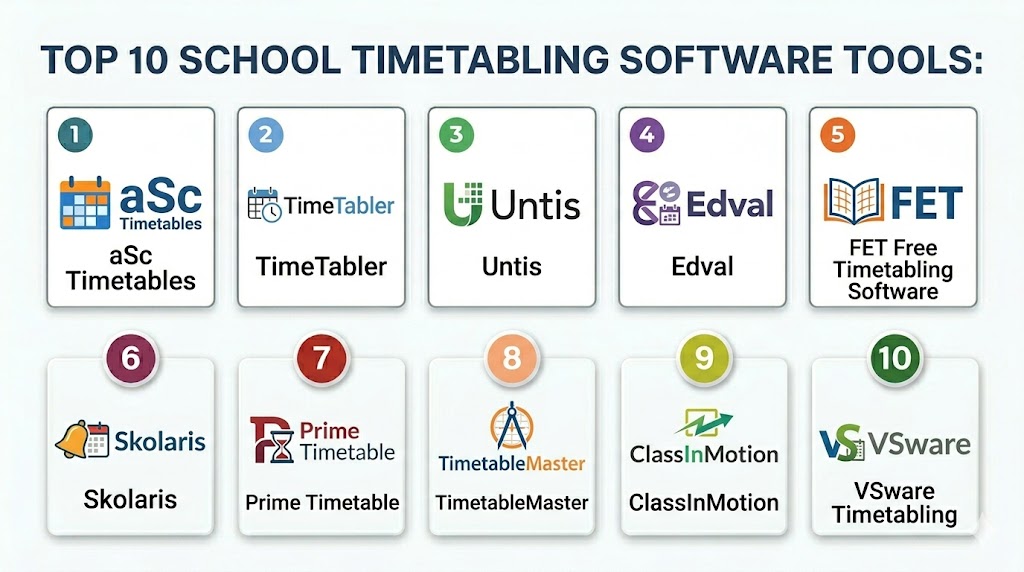
Top 10 School Timetabling Software Tools
#1 — aSc Timetables
Short description:
aSc Timetables is one of the most widely used scheduling tools for schools, offering powerful automation and flexibility. It supports complex scheduling scenarios with multiple constraints. The platform is suitable for schools of all sizes. It also integrates with school management systems.
Key Features
- Automatic timetable generation
- Constraint-based scheduling
- Substitution management
- Reporting tools
- Integration support
- Conflict detection
Pros
- Highly flexible
- Widely adopted
- Strong automation
Cons
- Learning curve
- UI can feel dated
- Requires setup time
Platforms / Deployment
Windows / Cloud
Security & Compliance
Not publicly stated
Integrations & Ecosystem
Integrates with school systems and databases for seamless data exchange.
- APIs
- School system integrations
Support & Community
Strong community and documentation
#2 — TimeTabler
Short description:
TimeTabler is a scheduling solution designed for secondary schools and colleges. It provides tools for creating and managing timetables efficiently. The platform is known for its flexibility. It supports complex scheduling requirements.
Key Features
- Timetable creation
- Constraint handling
- Conflict resolution
- Reporting tools
- Custom rules
Pros
- Flexible
- Reliable
- Good support
Cons
- Interface complexity
- Requires training
- Limited cloud features
Platforms / Deployment
Windows
Security & Compliance
Not publicly stated
Integrations & Ecosystem
Supports integration with school systems.
- Data imports
- System integrations
Support & Community
Good support
#3 — Untis
Short description:
Untis is a comprehensive scheduling platform used globally by schools. It provides advanced timetabling features along with resource management. The platform supports real-time updates. It is suitable for medium to large institutions.
Key Features
- Automatic scheduling
- Resource management
- Substitution planning
- Mobile access
- Reporting tools
Pros
- Feature-rich
- Scalable
- Strong ecosystem
Cons
- Expensive
- Complex setup
- Requires training
Platforms / Deployment
Cloud / Desktop
Security & Compliance
Not publicly stated
Integrations & Ecosystem
Integrates with school systems and mobile applications.
- APIs
- Mobile integrations
Support & Community
Enterprise support
#4 — Edval
Short description:
Edval is a high-performance timetabling solution designed for large schools. It uses advanced algorithms to optimize scheduling. The platform is known for speed and accuracy. It is suitable for complex environments.
Key Features
- Advanced scheduling engine
- Conflict resolution
- Optimization algorithms
- Reporting tools
- Scenario planning
Pros
- Fast processing
- High accuracy
- Strong optimization
Cons
- Expensive
- Requires expertise
- Limited UI simplicity
Platforms / Deployment
Desktop
Security & Compliance
Not publicly stated
Integrations & Ecosystem
Supports integration with school systems.
- Data integrations
- APIs
Support & Community
Professional support
#5 — FET Free Timetabling Software
Short description:
FET is an open-source timetabling software designed for schools with complex scheduling needs. It uses constraint-based algorithms for timetable generation. The platform is free and customizable. It is suitable for institutions with technical expertise.
Key Features
- Automatic scheduling
- Constraint-based engine
- Conflict detection
- Custom rules
- Open-source flexibility
Pros
- Free to use
- Highly customizable
- Strong algorithm
Cons
- Requires technical knowledge
- Limited UI
- No official support
Platforms / Deployment
Windows / Linux
Security & Compliance
Not publicly stated
Integrations & Ecosystem
Supports custom integrations through data export and import.
- File integrations
- Custom workflows
Support & Community
Community-driven support
#6 — Skolaris
Short description:
Skolaris is a school management platform with integrated timetabling features. It offers tools for scheduling and academic management. The platform is suitable for schools looking for an all-in-one solution. It supports automation and reporting.
Key Features
- Timetable creation
- Academic management
- Reporting tools
- Automation features
- Integration support
Pros
- All-in-one solution
- Easy to use
- Integrated features
Cons
- Limited advanced scheduling
- Smaller ecosystem
- Pricing varies
Platforms / Deployment
Cloud
Security & Compliance
Not publicly stated
Integrations & Ecosystem
Integrates with school management systems.
- APIs
- System integrations
Support & Community
Standard support
#7 — Prime Timetable
Short description:
Prime Timetable is a scheduling tool designed for educational institutions with complex timetabling needs. It offers advanced features for optimization and conflict resolution. The platform is suitable for large schools. It provides detailed scheduling control.
Key Features
- Advanced scheduling
- Conflict management
- Optimization tools
- Reporting features
- Custom rules
Pros
- Highly configurable
- Strong optimization
- Scalable
Cons
- Complex interface
- Requires training
- Pricing varies
Platforms / Deployment
Desktop
Security & Compliance
Not publicly stated
Integrations & Ecosystem
Supports integration with school systems.
- APIs
- Data integrations
Support & Community
Professional support
#8 — TimetableMaster
Short description:
TimetableMaster is a scheduling tool designed for simplicity and efficiency. It provides basic timetable management features for schools. The platform is suitable for smaller institutions. It focuses on ease of use.
Key Features
- Timetable creation
- Basic scheduling
- Conflict detection
- Reporting tools
- User-friendly interface
Pros
- Easy to use
- Affordable
- Quick setup
Cons
- Limited advanced features
- Smaller ecosystem
- Basic analytics
Platforms / Deployment
Desktop
Security & Compliance
Not publicly stated
Integrations & Ecosystem
Supports basic integration with school systems.
- File integrations
Support & Community
Standard support
#9 — ClassInMotion
Short description:
ClassInMotion is a scheduling platform designed for educational institutions. It offers tools for managing timetables and resources efficiently. The platform focuses on automation and usability. It is suitable for schools and colleges.
Key Features
- Timetable management
- Resource allocation
- Conflict resolution
- Reporting tools
- Automation features
Pros
- Easy to use
- Flexible
- Good automation
Cons
- Limited advanced features
- Smaller ecosystem
- Pricing varies
Platforms / Deployment
Cloud
Security & Compliance
Not publicly stated
Integrations & Ecosystem
Integrates with school systems and applications.
- APIs
- System integrations
Support & Community
Standard support
#10 — VSware Timetabling
Short description:
VSware Timetabling is part of a broader school management system offering scheduling features. It provides tools for timetable creation and resource management. The platform is suitable for schools using integrated solutions. It supports automation and reporting.
Key Features
- Timetable creation
- Resource management
- Reporting tools
- Integration support
- Automation features
Pros
- Integrated platform
- Easy to use
- Reliable
Cons
- Limited standalone features
- Smaller ecosystem
- Pricing varies
Platforms / Deployment
Cloud
Security & Compliance
Not publicly stated
Integrations & Ecosystem
Integrates with school management systems.
- APIs
- System integrations
Support & Community
Standard support
Comparison Table
| Tool Name | Best For | Platform Supported | Deployment | Standout Feature | Public Rating |
|---|---|---|---|---|---|
| aSc Timetables | All schools | Windows | Cloud | Automation | N/A |
| TimeTabler | Secondary schools | Windows | Desktop | Flexibility | N/A |
| Untis | Large institutions | Web | Cloud | Resource management | N/A |
| Edval | Complex scheduling | Desktop | Desktop | Optimization | N/A |
| FET | Open-source users | Windows | Desktop | Free solution | N/A |
| Skolaris | All-in-one systems | Web | Cloud | Integration | N/A |
| Prime Timetable | Large schools | Desktop | Desktop | Configurability | N/A |
| TimetableMaster | Small schools | Desktop | Desktop | Simplicity | N/A |
| ClassInMotion | Flexible scheduling | Web | Cloud | Automation | N/A |
| VSware | Integrated systems | Web | Cloud | Unified platform | N/A |
Evaluation and Scoring of School Timetabling Software
| Tool Name | Core | Ease | Integrations | Security | Performance | Support | Value | Weighted Total |
|---|---|---|---|---|---|---|---|---|
| aSc Timetables | 9 | 7 | 8 | 7 | 9 | 8 | 8 | 8.2 |
| TimeTabler | 8 | 7 | 7 | 7 | 8 | 7 | 7 | 7.6 |
| Untis | 9 | 6 | 8 | 7 | 9 | 8 | 6 | 8.0 |
| Edval | 9 | 6 | 7 | 7 | 9 | 8 | 6 | 8.0 |
| FET | 8 | 6 | 6 | 6 | 8 | 6 | 9 | 7.5 |
| Skolaris | 7 | 8 | 7 | 7 | 7 | 7 | 7 | 7.4 |
| Prime Timetable | 9 | 6 | 7 | 7 | 8 | 7 | 6 | 7.8 |
| TimetableMaster | 7 | 9 | 6 | 6 | 7 | 6 | 8 | 7.3 |
| ClassInMotion | 7 | 8 | 7 | 7 | 7 | 7 | 7 | 7.4 |
| VSware | 7 | 8 | 7 | 7 | 7 | 7 | 7 | 7.4 |
How to interpret these scores:
These scores provide a comparative view of how each tool performs across essential criteria such as core functionality, usability, integrations, and value. Higher scores indicate stronger overall capability, but they should not be treated as absolute rankings. Advanced tools typically score higher in performance and feature depth, while simpler tools excel in ease of use and affordability. The weighted scoring model balances multiple factors to provide a realistic comparison. Institutions should focus on criteria that matter most to them, such as scheduling complexity or budget, rather than relying solely on the total score. Testing shortlisted tools in real scenarios is recommended for better decision-making.
Which School Timetabling Software Is Right for You
Solo Freelancer
Not typically required unless managing structured class schedules.
SMB
TimetableMaster or ClassInMotion are suitable due to simplicity and affordability.
Mid Market
aSc Timetables or Skolaris offer balanced features and scalability.
Enterprise
Untis, Edval, and Prime Timetable provide advanced capabilities for complex scheduling.
Budget vs Premium
Budget tools focus on ease of use and cost, while premium tools offer advanced optimization.
Feature Depth vs Ease of Use
Advanced tools provide more control but require training, while simpler tools prioritize usability.
Integrations and Scalability
Cloud-based and API-driven platforms are better for scaling operations.
Security and Compliance Needs
Institutions should prioritize tools with reliable data management and security practices.
Frequently Asked Questions
1 What is school timetabling software
School timetabling software helps institutions create and manage class schedules automatically. It assigns teachers, subjects, and rooms efficiently. It reduces manual effort. It improves accuracy.
2 How does it improve scheduling
It uses algorithms to optimize schedules and avoid conflicts. It saves time for administrators. It ensures efficient resource use. It simplifies complex planning.
3 Can it handle large schools
Yes, many tools are designed for large institutions with complex scheduling needs. They handle multiple constraints. Performance depends on the tool. Choosing the right platform is important.
4 Is it easy to use
Ease of use varies by tool. Some platforms are simple, while others require training. User-friendly tools are better for smaller schools. Advanced tools offer more features.
5 Does it integrate with other systems
Most tools support integration with school management systems and other platforms. This improves workflow efficiency. API support is important. Integration capabilities vary.
6 Is open-source software reliable
Open-source tools like FET can be reliable but require technical expertise. They offer flexibility. Support may be limited. They are suitable for technical teams.
7 How much does it cost
Costs vary based on features and scale. Some tools are free, while others are premium solutions. Pricing should align with needs. Budget is an important factor.
8 Can schedules be updated in real time
Yes, many tools allow real-time updates and adjustments. This helps manage changes quickly. It improves flexibility. It ensures accurate schedules.
9 What industries use this software
Primarily education institutions use it, including schools and colleges. It is essential for academic scheduling. Adoption is widespread. It supports efficient operations.
10 How do I choose the right tool
Evaluate features, ease of use, integrations, and cost. Consider your scheduling complexity. Test multiple tools. Choose one that fits your workflow.
Conclusion
School timetabling software plays a crucial role in helping educational institutions manage complex scheduling efficiently by automating the allocation of teachers, classes, and resources while minimizing conflicts and maximizing utilization. These tools significantly reduce administrative workload and improve operational accuracy, especially in institutions with multiple constraints and large student populations. While advanced platforms provide powerful optimization and scalability for large schools, simpler tools offer ease of use and affordability for smaller institutions. The right choice depends on your institution’s size, scheduling complexity, and technical capabilities. Schools should shortlist a few tools, evaluate them through real-world testing, and ensure they align with operational requirements before making a final decision. A structured evaluation approach will help ensure long-term efficiency and better scheduling outcomes.
