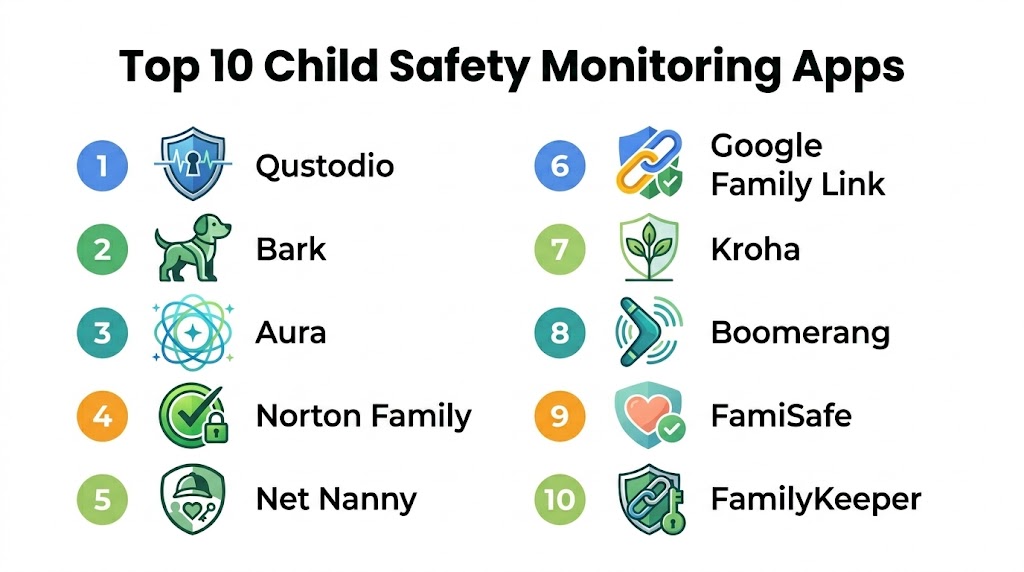
Introduction
Child safety monitoring apps are comprehensive digital solutions designed to help parents and guardians oversee their children’s online activities, physical location, and overall digital well-being. In the modern era, these tools have evolved from simple website blockers into sophisticated ecosystems that utilize artificial intelligence to detect risks such as cyberbullying, online predators, and inappropriate content across a vast array of social media platforms and messaging apps. As children gain access to personal devices at younger ages, these platforms serve as a vital safety net, allowing for a balanced approach between granting digital independence and maintaining essential oversight.
The significance of these platforms lies in their ability to manage the hyper-connected reality of the current generation. With children often switching between smartphones, tablets, and computers, a unified management system is necessary to enforce consistent household rules. These apps provide a centralized dashboard to monitor screen time, track real-time locations, and receive alerts about potential dangers. Beyond simple restriction, they act as educational facilitators, helping families have informed conversations about digital hygiene and responsible internet usage.
Real-world use cases include:
- Cyberbullying Detection: Using AI to analyze the sentiment of messages and alerting parents to aggressive or harmful language in private chats.
- Geofencing for Safety: Setting virtual boundaries around school or home and receiving instant notifications when a child enters or leaves those areas.
- Screen Time Balance: Implementing schedules that automatically lock gaming or social media apps during homework hours or bedtime.
- Predatory Behavior Alerts: Identifying unusual patterns in communications with unknown individuals on social platforms.
- Content Filtering: Automatically masking explicit results in search engines and blocking access to age-inappropriate websites.
What buyers should evaluate:
- Cross-Platform Support: Does the software work consistently across iOS, Android, Windows, and macOS devices?
- Tamper Resistance: How effectively does the app prevent tech-savvy children from bypassing filters or uninstalling the software?
- Monitoring Depth: Does the tool scan the actual content of messages or only track the time spent on specific apps?
- Ease of Setup: Is the installation process straightforward, or does it require complex device configurations?
- Privacy Controls: Does the app allow for a graduated approach to privacy as the child matures?
- Real-Time Alerts: How quickly are parents notified of a potential safety breach or location change?
- Social Media Coverage: Which specific applications and social networks can the software effectively monitor?
- Reliability of Tracking: Is the GPS location data accurate and updated frequently?
Mandatory paragraph
- Best for: Families with children and teenagers who use multiple internet-connected devices and parents seeking a proactive, data-driven way to ensure their children’s safety in digital and physical spaces.
- Not ideal for: Households where children do not have personal devices, or parents who prefer manual, non-technical methods of monitoring without the use of third-party software.
Key Trends in Child Safety Monitoring Apps
- Contextual AI Analysis: Modern tools are moving away from simple keyword blocking to advanced natural language processing that understands the context and intent behind digital conversations.
- Gaming Ecosystem Integration: There is a significant shift toward monitoring interactions within gaming platforms and specialized chat apps frequented by younger gamers.
- Predictive Mental Health Alerts: Advanced systems can now identify changes in a child’s digital patterns that may indicate shifts in mood, potential burnout, or social isolation.
- Identity Protection for Minors: Some platforms are integrating identity theft monitoring specifically for children to prevent fraudulent use of their personal information.
- Hardware-Level Control: A growing trend involves software that integrates directly with home routers to manage all “smart home” and IoT devices from a single point.
- Sentiment-Based Reporting: Rather than showing raw transcripts, apps provide parents with a high-level view of the emotional tone of a child’s online interactions.
- Driving Safety for Teens: Specialized modules are increasingly common for older children, tracking speed, phone usage, and hard braking while they are behind the wheel.
- Seamless School-to-Home Handoff: Systems that can automatically adjust filtering levels based on the child’s location, such as during school hours versus weekend free time.
How We Selected These Tools (Methodology)
The selection of the top ten child safety monitoring apps is based on a multi-layered evaluation of the current digital safety market. Our methodology focuses on the following pillars:
- Market Adoption and Trust: We prioritized platforms with established track records and high user ratings across major application stores.
- Feature Integration: Preference was given to “all-in-one” solutions that provide location tracking, content filtering, and social media monitoring in a single package.
- Stability and Performance: Evaluation included how well the apps run in the background without significantly impacting device battery life or speed.
- Security Architecture: We assessed the encryption levels and data privacy policies to ensure the child’s data is never compromised.
- Flexibility of Controls: We looked for tools that offer granular settings, allowing parents to customize rules for different ages and maturity levels.
- Innovation and Modern Tech: Preference was given to tools utilizing the latest AI and machine learning for proactive threat detection.
Top 10 Child Safety Monitoring Apps
#1 — Qustodio
Short description: Qustodio is widely considered the gold standard for all-in-one parental control, offering a highly balanced set of features for both young children and teenagers. It excels at providing detailed activity reports and robust web filtering across almost every major platform.
Key Features
- Cross-Platform Dashboard: Unified management of iOS, Android, Windows, Mac, and Kindle devices.
- Panic Button: Allows children to send an instant SOS alert with their exact location to a list of trusted contacts.
- Per-App Time Limits: Set specific daily limits for social media or gaming apps while leaving educational apps unlimited.
- Detailed Activity Logs: High-level visual breakdowns of web searches, app usage, and total screen time.
- Call and SMS Monitoring: Track who the child is communicating with and view text message content on compatible devices.
Pros
- Exceptionally difficult for children to bypass using VPNs or incognito modes.
- The “Instant Pause” feature allows parents to lock all devices immediately for family time.
- Excellent geofencing capabilities with real-time location history.
Cons
- Social media monitoring is more focused on time usage than deep sentiment analysis of messages.
- The premium plans can be expensive for families with a large number of devices.
Platforms / Deployment
- Windows / macOS / Android / iOS / Kindle / Chromebook
- Cloud
Security & Compliance
- 256-bit encryption and multi-factor authentication for the parent dashboard.
- Compliant with major global data privacy standards.
Integrations & Ecosystem
Qustodio acts as a central hub for the digital household, integrating with major browsers and system-level tools.
- Chrome / Safari / Edge
- Integrated Kids App for device sync
- Varies / N/A
Support & Community
Offers a massive knowledge base and specialized setup assistance for premium users through a dedicated success team.
#2 — Bark
Short description: Bark is a specialized monitoring tool designed for parents who want to protect their children from online dangers without being overly intrusive. It uses advanced AI to scan over thirty social platforms, only alerting parents when it detects potential issues like bullying or self-harm.
Key Features
- AI Content Monitoring: Scans direct messages, emails, and social posts for signs of cyberbullying, predators, and mental health concerns.
- Broad Social Media Coverage: Monitors platforms that are often difficult to track, including Discord and Snapchat.
- Alert-Based Philosophy: Respects a child’s privacy by only showing parents the specific messages that triggered a safety alert.
- Screen Time Management: Includes core tools for scheduling internet access and blocking specific websites.
- Bark Home Support: A hardware integration option that extends controls to gaming consoles and smart TVs on the home network.
Pros
- Unmatched for identifying high-risk digital interactions and emotional shifts.
- Supports an unlimited number of devices under a single family subscription.
- Fosters a relationship of trust between parent and child through its “alert-only” model.
Cons
- Screen time controls are less granular compared to dedicated filtering apps.
- Does not provide real-time GPS “follow” tracking; it focuses on check-ins and geofencing.
Platforms / Deployment
- iOS / Android / Windows / macOS / Chromebook
- Cloud / Hardware
Security & Compliance
- End-to-end encryption for all monitored communication data.
- Verified security audits and data protection protocols.
Integrations & Ecosystem
Bark integrates directly with the APIs of the most popular social networks and email providers.
- Google Workspace / Microsoft 365
- Social Media APIs (30+)
- Bark Home hardware
Support & Community
Highly active in the digital parenting community with a wealth of educational blogs and a dedicated support team.
#3 — Aura
Short description: Aura is a powerful modern solution that combines parental controls with identity theft protection and digital security. It is designed for families looking for a “total safety” package that protects both the child’s online activity and their personal identity.
Key Features
- Identity Theft Monitoring: Specifically tracks the child’s personal information to prevent early-life identity fraud.
- Safe Browsing with VPN: Includes a built-in VPN to mask the child’s location and filter out malicious websites.
- Gaming Safety: Monitors text and voice interactions on major gaming communication platforms.
- Content Filtering: Simple, category-based blocking for adult content and gambling sites.
- One-Click Screen Time: Easy-to-use toggles to limit internet access and set daily boundaries.
Pros
- Excellent value as it bundles VPN, Antivirus, and Identity Protection in one app.
- Extremely fast setup process that is very friendly for non-technical parents.
- Strong focus on older children who require a lighter touch and more privacy.
Cons
- Less specialized in granular per-app time limits compared to Qustodio.
- Some identity features are currently more focused on the North American market.
Platforms / Deployment
- Windows / macOS / iOS / Android
- Cloud
Security & Compliance
- Multi-factor authentication and bank-grade encryption for all data.
- Includes significant identity theft insurance for family plans.
Integrations & Ecosystem
Aura is a full security suite that integrates various protection layers into a single dashboard.
- Integrated Password Manager
- Data Breach monitoring
- Varies / N/A
Support & Community
Provides 24/7 white-glove customer support and access to specialized fraud resolution specialists.
#4 — Norton Family
Short description: Norton Family excels at web oversight and educational support, making it ideal for families with school-aged children. It focuses on helping children use the internet safely for research and play while maintaining clear boundaries.
Key Features
- School Time Mode: Restricts device usage to educational sites and apps during school hours.
- Web Supervision: Filters out inappropriate content across dozens of categories.
- Video Supervision: Tracks the specific YouTube videos a child watches on computers.
- Search Supervision: Shows the specific terms a child is searching for in major search engines.
- Instant Lock: Allows parents to lock all managed devices immediately with one tap.
Pros
- Included at no extra cost with many Norton security subscriptions.
- Supports a large number of devices (up to 15) for a single family account.
- Highly effective at preventing the use of secondary browsers to bypass rules.
Cons
- Does not monitor the actual content of social media direct messages.
- Features for Mac computers are more limited than those for Windows and Android.
Platforms / Deployment
- Windows / Android / iOS
- Cloud
Security & Compliance
- Leverages Norton’s global security infrastructure for data protection.
- Compliant with international data privacy regulations.
Integrations & Ecosystem
Norton Family is part of the larger Norton security ecosystem, providing a unified view of family safety.
- Integrated Antivirus and VPN
- Shared security dashboard
- Varies / N/A
Support & Community
Access to global security experts and a comprehensive library of online safety resources.
#5 — Net Nanny
Short description: Net Nanny is famous for its real-time AI web filtering. Instead of relying on a list of “bad” websites, it analyzes the content of a page as it loads, allowing safe access while masking inappropriate language or imagery.
Key Features
- Dynamic Web Filtering: Analyzes text in real-time to block explicit content and mask profanity.
- Social Media Protection: A dashboard that tracks usage patterns across popular social apps.
- Custom Search Filters: Forces SafeSearch on and blocks specific keywords from results.
- Screen Time Rewards: Grant extra time for good behavior directly from the parent app.
- App Advisor: Notifies parents when new apps are downloaded and highlights their potential risks.
Pros
- The most intelligent web filter in the category with very few false positives.
- Profanity masking allows kids to view safe articles while hiding inappropriate language.
- Very clean and intuitive “Parent Feed” for daily safety updates.
Cons
- Does not offer monitoring for traditional phone calls or SMS messages.
- The iOS version is slightly more limited in app-blocking capabilities than Android.
Platforms / Deployment
- Windows / macOS / Android / iOS / Kindle
- Cloud
Security & Compliance
- Secure, read-only parent dashboard with encrypted data transfers.
- Compliant with children’s online privacy protection standards.
Integrations & Ecosystem
Net Nanny is a specialized tool that focuses on content analysis and web safety across all browsers.
- Browser-level integration
- Proprietary AI content engine
- Varies / N/A
Support & Community
Offers a wealth of digital parenting webinars and a responsive email support team for technical help.
#6 — Google Family Link
Short description: Family Link is a highly effective free solution for families using Android devices. It is built directly into the operating system, providing a seamless way to manage app downloads and screen time for no cost.
Key Features
- App Approvals: Parents must approve or deny every app download from the Google Play Store.
- Bedtime Schedules: Set a specific time when the child’s device automatically locks for the night.
- Remote Device Lock: Lock the child’s phone instantly for family meals or chores.
- YouTube Restricted Mode: Enforces safety settings across Google’s video platform.
- Battery Level Monitoring: See the child’s device battery status in real-time.
Pros
- Completely free with no subscription tiers or hidden costs.
- Requires zero installation on the child’s Android device as it is a native feature.
- Excellent integration with Chromebooks used for school work.
Cons
- Web filtering is basic compared to specialized tools like Net Nanny.
- No AI-based monitoring for social media content or direct messages.
- Features are very limited if the child uses an iPhone as their primary device.
Platforms / Deployment
- Android / iOS (Parent only) / Chromebook
- Cloud (Native OS)
Security & Compliance
- Leverages Google’s primary account security and multi-factor authentication.
- Compliant with global privacy standards for minors.
Integrations & Ecosystem
Family Link is the core of the Google Family group, connecting various shared services.
- Google Play Family Library
- Shared Google Calendar
- Varies / N/A
Support & Community
Standard Google support and an extensive help center for Android and Chromebook users.
#7 — Kroha
Short description: Kroha is a modern, user-friendly app known for its “Messaging Insights.” It is designed for parents who want a straightforward mobile experience that provides deep visibility into YouTube and messaging app usage.
Key Features
- Messaging Insights: View who your child is interacting with on platforms like WhatsApp and Telegram.
- YouTube History: See the specific videos watched and terms searched within the YouTube app.
- App Usage Limits: Set daily time caps or block specific applications with one tap.
- Geofencing: Get alerts when your child enters or leaves predefined safe zones.
- Night Mode: A specialized filter to protect the child’s eyes from blue light before bed.
Pros
- One of the most intuitive and easy-to-navigate interfaces for parents.
- Very reliable monitoring for YouTube activity on Android devices.
- Offers a “Lifetime” license option, which is rare in the SaaS world.
Cons
- iPhone functionality is more restricted than the Android version.
- The support community is smaller than that of industry leaders like Norton.
Platforms / Deployment
- iOS / Android
- Cloud
Security & Compliance
- Encryption for all transmitted data and secure cloud storage.
- Compliant with standard data privacy regulations.
Integrations & Ecosystem
Kroha focuses on being a dedicated mobile-to-mobile companion for parents.
- Direct YouTube API integration
- Secure mobile sync
- Varies / N/A
Support & Community
Responsive email support and a detailed onboarding guide to help parents get started quickly.
#8 — Boomerang
Short description: Boomerang is a specialized tool that focuses on healthy digital habits, particularly for Android users. It uses high-level security to make the app very difficult for children to tamper with or remove.
Key Features
- Tamper-Proof Design: Uses advanced security layers to prevent unauthorized uninstallation.
- “Always Available” Apps: Designate educational or communication apps that do not count toward screen time.
- Per-App Time Limits: Highly granular control over exactly how long a child can spend in any app.
- Safe Texting: Scans SMS messages for specific “bad” keywords and alerts parents.
- YouTube App Monitoring: Tracks activity within the official YouTube application.
Pros
- One of the most “kid-proof” apps for the Android ecosystem.
- Encourages learning by allowing unlimited use of educational applications.
- Provides exceptionally detailed control over app-level timers.
Cons
- The iOS version is significantly less powerful due to platform restrictions.
- The user interface can feel a bit more technical and less modern than competitors.
Platforms / Deployment
- Android / iOS (Limited)
- Cloud
Security & Compliance
- Certified for high-level tamper resistance on mobile devices.
- Compliant with general data protection standards.
Integrations & Ecosystem
Boomerang is designed to be the ultimate Android management tool, often used with its own safe browser.
- SPIN Safe Browser integration
- Android-specific security architecture
- Varies / N/A
Support & Community
Responsive technical support and a wealth of “Device Setup” guides for various smartphone brands.
#9 — FamiSafe
Short description: FamiSafe is a comprehensive platform that specializes in safety for older children and teens. It includes unique features such as driving reports and the detection of inappropriate images in a child’s gallery.
Key Features
- Driving Safety Reports: Tracks speed and phone usage while the teen is driving.
- Explicit Image Detection: AI scans the child’s photo gallery for inappropriate content and alerts parents.
- YouTube & TikTok History: Tracks video history and search terms on the most popular video platforms.
- Screen Time Scheduling: Flexible schedules that can change between weekdays and weekends.
- Geofencing with 30-day History: Provides a long-term view of where the child has been.
Pros
- Best-in-class for parents who have new teen drivers in the household.
- The image detection feature provides a critical layer of safety for social media users.
- Offers a consistent experience across both major mobile operating systems.
Cons
- Some advanced scanning features can impact the child’s device battery life.
- The parent interface can feel cluttered due to the high volume of detailed alerts.
Platforms / Deployment
- Windows / macOS / iOS / Android / Chromebook / Kindle
- Cloud
Security & Compliance
- Secure data encryption and privacy-focused storage.
- Compliant with children’s online safety standards.
Integrations & Ecosystem
FamiSafe is part of a larger software ecosystem, providing cross-device management.
- Cross-device cloud dashboard
- Integrated mobile safety tools
- Varies / N/A
Support & Community
24/7 technical support and a library of video tutorials focusing on digital safety and parenting.
#10 — FamilyKeeper
Short description: FamilyKeeper is the simple, “essential” choice for parents who want core safety features without a complex setup. It focuses on rapid onboarding and provides clear, non-technical alerts.
Key Features
- Rapid Onboarding: Uses QR codes to link parent and child devices in minutes.
- Bullying Alerts: Flags concerning keywords in searches and messaging apps.
- Real-time GPS and Battery: Shows the child’s current location and device power level.
- Basic App Blocking: Simple toggles to block apps or set daily time limits.
- Messaging Safety: Monitors major chat apps for signs of harassment.
Pros
- The easiest app for parents who are not tech-savvy to set up and use.
- Very lightweight on the child’s device battery compared to more complex apps.
- Provides clear, actionable alerts that encourage family discussion.
Cons
- Lacks advanced features like driving safety or deep gaming console integration.
- The web filtering is not as intelligent as Net Nanny’s AI analysis.
Platforms / Deployment
- iOS / Android
- Cloud
Security & Compliance
- Secure login protocols and data encryption for all transfers.
- Compliant with standard global data privacy regulations.
Integrations & Ecosystem
FamilyKeeper is a focused, standalone mobile companion for the digital parent.
- Simple push-notification system
- Integrated Parent/Child app sync
- Varies / N/A
Support & Community
Support focuses on digital parenting advice and providing simple troubleshooting guides.
Comparison Table (Top 10)
| Tool Name | Best For | Platform(s) Supported | Deployment | Standout Feature | Public Rating |
|---|---|---|---|---|---|
| Qustodio | All-in-One Oversight | Win, Mac, Android, iOS | Cloud | Instant “Family Pause” Lock | N/A |
| Bark | AI Content Monitoring | iOS, Android, Win, Mac | Cloud | 30+ Social Media Platform AI | N/A |
| Aura | Identity + Safety | Win, Mac, iOS, Android | Cloud | Minor Identity Theft Monitoring | N/A |
| Norton Family | Educational Balance | Win, Android, iOS | Cloud | Specialized School Time Mode | N/A |
| Net Nanny | Real-Time Filtering | Win, Mac, Android, iOS | Cloud | AI-Powered Page Analysis | N/A |
| Google Family Link | Free Android Basics | Android, Chromebook | Cloud | Native Android OS Integration | N/A |
| Kroha | Intuitive UI | iOS, Android | Cloud | YouTube App History & Search | N/A |
| Boomerang | Habit Formation | Android, iOS | Cloud | “Always Available” App Toggles | N/A |
| FamiSafe | Teen Drivers | Win, Mac, iOS, Android | Cloud | Driving Safety & Image Alerts | N/A |
| FamilyKeeper | Rapid Simple Setup | iOS, Android | Cloud | 10-Minute QR Onboarding | N/A |
Export to Sheets
Evaluation & Scoring of Child Safety Monitoring Apps
| Tool Name | Core (25%) | Ease (15%) | Integrations (15%) | Security (10%) | Performance (10%) | Support (10%) | Value (15%) | Weighted Total |
|---|---|---|---|---|---|---|---|---|
| Qustodio | 10 | 9 | 10 | 10 | 9 | 9 | 8 | 9.2 |
| Bark | 10 | 8 | 10 | 10 | 9 | 9 | 9 | 9.2 |
| Aura | 8 | 10 | 10 | 10 | 9 | 10 | 9 | 9.2 |
| Norton Family | 9 | 9 | 8 | 10 | 9 | 9 | 8 | 8.8 |
| Net Nanny | 9 | 9 | 8 | 9 | 9 | 8 | 8 | 8.6 |
| Google Family Link | 7 | 10 | 9 | 10 | 10 | 8 | 10 | 8.7 |
| Kroha | 8 | 10 | 8 | 9 | 9 | 8 | 9 | 8.6 |
| Boomerang | 9 | 7 | 8 | 10 | 9 | 8 | 8 | 8.3 |
| FamiSafe | 9 | 8 | 8 | 9 | 8 | 9 | 8 | 8.5 |
| FamilyKeeper | 7 | 10 | 7 | 9 | 9 | 8 | 9 | 8.3 |
Export to Sheets
How to Interpret the Scores
The scoring model above provides a comparative view of how these tools perform within the current child safety market. A high Core (25%) score indicates a tool with advanced technical capabilities like AI monitoring or tamper-proof security. The Weighted Total represents the overall balance of the platform. For example, Qustodio and Bark lead because of their specialized depth, while Aura shares the top spot due to its exceptional all-in-one value and ease of use.
When choosing a tool, prioritize the columns that match your child’s age and primary device. If you have a social-media-active teen, the Core and Integrations scores are most important. For a young child on their first tablet, the Ease of Use and Value scores should be your primary guide. The weighted total is a global benchmark, but your individual “best fit” may depend on a specific feature like Bark’s social media AI or FamiSafe’s driving reports.
Which Child Safety Monitoring App Is Right for You?
Solo / Young Children
If you are managing devices for children under ten, Qustodio or Net Nanny are excellent choices. They provide the “hard boundaries” needed for younger ages, such as strict web filtering and instant pause buttons. For families on a budget who exclusively use Android, Google Family Link provides all the essential basics for free.
Tweens and Social Media Users
If your child is active on platforms like Instagram, TikTok, or Discord, Bark is the undisputed leader. Its ability to monitor the actual context of messages and alert you to real dangers—rather than just blocking apps—makes it the most effective tool for the middle-school and high-school years.
Families with Teen Drivers
For parents of new drivers, FamiSafe offers a specialized set of features that other apps lack. Its driving safety reports provide peace of mind by tracking speed and phone usage behind the wheel, combined with standard parental control features like location history and app blocking.
Technical / Engineering Households
If you want granular control and don’t mind a slightly more technical interface, Boomerang or Qustodio offer the most tweakable settings. These apps allow you to set complex schedules and per-app timers that satisfy a data-driven parenting approach.
Budget vs Premium
- Budget: Google Family Link (Free) and FamilyKeeper (Affordable) offer the best entry-level protection.
- Premium: Bark and Qustodio are premium services that charge more for their advanced AI, extensive platform support, and deep monitoring.
Feature Depth vs Ease of Use
- Feature Depth: Bark (AI analysis) and Boomerang (security depth) offer the most technical capabilities.
- Ease of Use: Family Link and FamilyKeeper are designed to be “set it and forget it” for busy parents.
Frequently Asked Questions (FAQs)
1. Can my child simply delete the monitoring app from their phone?
Most professional child safety apps use “Tamper Resistance” features to prevent unauthorized removal. On Android, this often involves “Device Admin” rights that require the parent’s password to disable. On iOS, uninstallation is harder to prevent due to Apple’s privacy rules, but apps like Qustodio will send an immediate “Tamper Alert” to the parent’s phone if the profile is removed.
2. Do these apps work on school-issued iPads or Chromebooks?
It depends on the school’s specific management policy. If the school manages the device, third-party apps may conflict with their internal filters. However, apps like Norton Family and Google Family Link have specialized modes that work well alongside school filters, and Aura specializes in protecting children who use school devices for home research.
3. Will my child be able to use a VPN to bypass the web filters?
Top-tier apps like Qustodio and Net Nanny are designed to detect and block the use of VPNs. If a child tries to launch a VPN, the monitoring app will either block the internet connection entirely or send an immediate alert to the parent dashboard. Net Nanny’s AI filter is also capable of analyzing traffic even if a child attempts to use a “private” browser.
4. Is it ethical to monitor my child’s private social media messages?
Most modern platforms, especially Bark and Aura, advocate for a “Trust but Verify” approach. Rather than letting parents read every message—which can damage trust—they use AI to scan for danger only. This respects the child’s privacy for normal conversations while ensuring the parent is alerted to cyberbullying, self-harm, or predatory behavior.
5. Do I need to pay for a subscription or is free software enough?
Free tools like Google Family Link are excellent for basic screen time and app approvals. However, they typically lack advanced features like social media AI monitoring, location history, and driving safety. If your primary concern is cyberbullying or your child has a complex multi-device lifestyle, a premium subscription is usually worth the investment.
6. Can I set different rules for different children in the same app?
Yes, almost all the apps on this list allow you to create “Child Profiles.” You can set a strict filter and a 7:00 PM bedtime for an eight-year-old, while providing a more relaxed, alert-only filter and a 10:00 PM bedtime for a fifteen-year-old, all managed from the same parent app.
7. Does the software track location in real-time?
Yes, apps like Qustodio, Kroha, and Norton Family provide real-time GPS tracking. You can open your phone at any time to see exactly where your child is on a map. Others, like Bark, focus more on “Check-ins,” where the child manually sends their location when requested by the parent.
8. Will these apps drain my child’s phone battery quickly?
While background GPS and AI scanning do use some power, modern software is highly optimized for efficiency. Apps like FamilyKeeper and Family Link are particularly lightweight. You can also minimize battery drain by adjusting the “Location Update” frequency in the settings of most professional apps.
9. Can I manage gaming consoles like Xbox or PlayStation?
Direct control of consoles is difficult for third-party apps. However, hardware-based solutions like Bark Home or integrated routers can manage the internet access of these consoles on your home Wi-Fi. Many parents use the native parental controls built into the consoles alongside a tool like Qustodio for the child’s mobile devices.
10. What happens if I forget my parent PIN or master password?
Reputable companies provide “Multi-Factor Recovery.” You will typically need access to your registered email and potentially a secondary phone number to reset your master PIN. Because these apps have high-level permissions on your child’s device, keeping your own parent account secure with a strong password is the most important part of the setup.
Conclusion
Child safety monitoring apps are a foundational partner for families navigating the complexities of the modern digital world. Whether you choose the all-in-one oversight of Qustodio, the proactive AI monitoring of Bark, or the free simplicity of Google Family Link, the goal is to foster a safe environment where children can learn and play. These tools are most effective when paired with open communication; they provide the data that starts meaningful conversations about digital safety. Your next step should be to identify your primary concern—be it screen time, social media safety, or location tracking—and shortlist two tools from this list for a trial period to see which best fits your family’s management style.
