Introduction
Medical Imaging PACS Systems are digital platforms used to store, manage, retrieve, and share medical images such as X-rays, CT scans, MRIs, and ultrasounds. PACS eliminates the need for physical film and enables faster, more efficient workflows for radiologists and healthcare providers. These systems play a critical role in modern healthcare by improving diagnostic accuracy and collaboration across departments.
With the growing volume of imaging data and the need for real-time access, PACS systems have become essential for hospitals, diagnostic centers, and imaging labs. They support remote access, faster reporting, and seamless data sharing across healthcare networks.
Real-world use cases include:
- Radiology departments managing imaging workflows
- Teleradiology and remote diagnostics
- Multi-location hospital image sharing
- Clinical research and imaging data analysis
- Emergency care requiring quick image access
What buyers should evaluate:
- Image storage and retrieval speed
- Compatibility with imaging modalities
- Integration with RIS and EHR systems
- Security and compliance standards
- Ease of use for radiologists
- Scalability for growing data volumes
- Cloud vs on-premise deployment
- Advanced visualization tools
Best for: Hospitals, diagnostic imaging centers, radiology departments, and healthcare networks managing large imaging datasets.
Not ideal for: Small clinics with minimal imaging needs or organizations without digital infrastructure.
Key Trends in Medical Imaging PACS Systems
- Growth of cloud-based PACS deployments
- AI-assisted image analysis and diagnostics
- Increased adoption of vendor-neutral archives
- Real-time image sharing across networks
- Integration with tele-radiology platforms
- Advanced visualization and 3D imaging tools
- Focus on cybersecurity and data protection
- Mobile access for radiologists
- Automation of workflows and reporting
- Scalable storage solutions for large datasets
How We Selected These Tools
- Evaluated adoption across hospitals and imaging centers
- Assessed feature completeness and imaging capabilities
- Considered performance and reliability
- Reviewed security and compliance readiness
- Analyzed integration with RIS and EHR systems
- Compared usability for radiologists
- Evaluated scalability for large imaging volumes
- Considered vendor ecosystem and support
- Assessed suitability for different healthcare segments
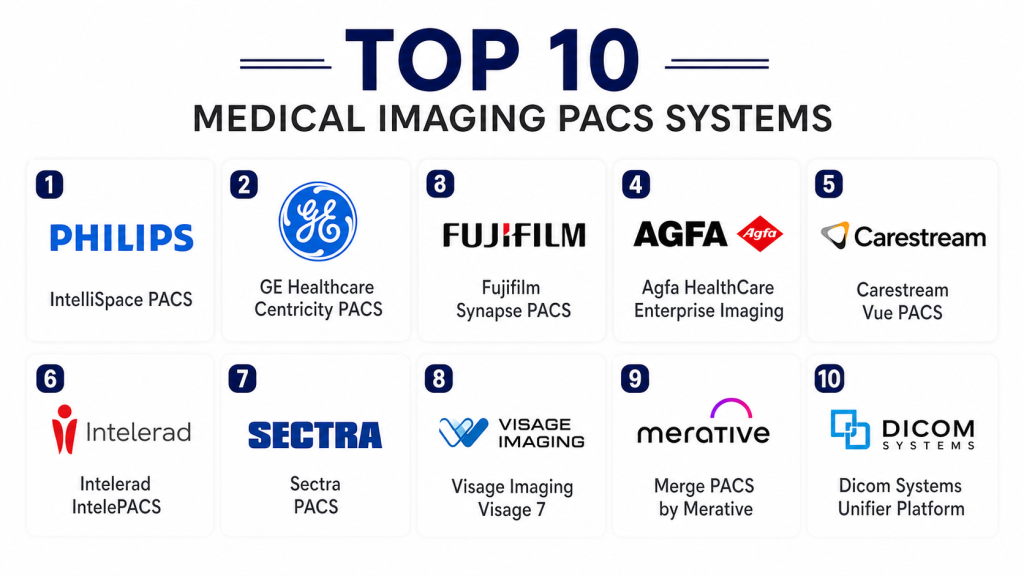
Top 10 Medical Imaging PACS Systems Tools
#1 — Philips IntelliSpace PACS
Short description: A robust enterprise PACS solution designed for large hospitals and healthcare networks. It offers advanced imaging workflows and real-time access to diagnostic data. The platform supports collaboration and efficient radiology operations.
Key Features
- Advanced image visualization
- Workflow automation
- Real-time data access
- Integration with hospital systems
- Scalable storage
Pros
- Strong enterprise capabilities
- Reliable performance
- Advanced analytics
- Scalable
Cons
- High cost
- Complex setup
- Requires training
Platforms / Deployment
- Web / Cloud / Hybrid
Security & Compliance
- Not publicly stated
Integrations & Ecosystem
Supports integration with healthcare systems and imaging modalities for seamless workflows.
- RIS systems
- EHR systems
- Imaging devices
- APIs
Support & Community
Enterprise-level support with onboarding and training.
#2 — GE Healthcare Centricity PACS
Short description: A widely used PACS solution designed for radiology departments. It provides efficient image management and integrates with clinical systems for streamlined workflows.
Key Features
- Image storage and retrieval
- Workflow management
- Reporting tools
- Integration capabilities
- Visualization tools
Pros
- Trusted vendor
- Reliable performance
- Good integration
- Scalable
Cons
- Expensive
- Interface complexity
- Customization limits
Platforms / Deployment
- Web / Cloud
Security & Compliance
- Not publicly stated
Integrations & Ecosystem
Integrates with hospital systems and imaging devices.
- RIS systems
- EHR systems
- Imaging equipment
Support & Community
Strong enterprise support.
#3 — Fujifilm Synapse PACS
Short description: A high-performance PACS platform known for fast image processing and scalability. It is widely used in large healthcare organizations for imaging workflows.
Key Features
- Fast image rendering
- Workflow automation
- Scalable architecture
- Advanced visualization
- Integration tools
Pros
- High performance
- Scalable solution
- Reliable
- Advanced features
Cons
- Cost considerations
- Implementation complexity
- Training required
Platforms / Deployment
- Web / Cloud
Security & Compliance
- Not publicly stated
Integrations & Ecosystem
Supports integration with imaging systems and healthcare platforms.
- RIS systems
- EHR systems
- Imaging devices
Support & Community
Enterprise support with training programs.
#4 — Agfa HealthCare Enterprise Imaging
Short description: A comprehensive imaging platform that combines PACS with enterprise imaging capabilities. It is designed for large healthcare networks.
Key Features
- Enterprise imaging
- Workflow management
- Data sharing
- Visualization tools
- Scalable storage
Pros
- Comprehensive solution
- Strong integration
- Scalable
- Reliable
Cons
- Expensive
- Complex deployment
- Requires expertise
Platforms / Deployment
- Cloud / Hybrid
Security & Compliance
- Not publicly stated
Integrations & Ecosystem
Integrates with healthcare systems and imaging platforms.
- EHR systems
- RIS systems
- Imaging tools
Support & Community
Strong enterprise support.
#5 — Carestream Vue PACS
Short description: A flexible PACS solution designed for imaging centers and hospitals. It provides efficient image management and workflow tools.
Key Features
- Image storage
- Workflow tools
- Reporting
- Integration support
- Visualization
Pros
- Flexible
- Reliable
- Good usability
- Scalable
Cons
- Limited advanced features
- Integration complexity
- Cost considerations
Platforms / Deployment
- Cloud / On-premise
Security & Compliance
- Not publicly stated
Integrations & Ecosystem
Supports integration with imaging systems and healthcare tools.
- RIS systems
- EHR systems
- Imaging devices
Support & Community
Reliable support services.
#6 — Intelerad IntelePACS
Short description: A PACS solution focused on radiology groups and imaging centers. It supports remote access and efficient workflow management.
Key Features
- Remote access
- Workflow management
- Image storage
- Reporting tools
- Integration
Pros
- Good for teleradiology
- Easy to use
- Reliable
- Flexible
Cons
- Limited enterprise features
- Fewer advanced tools
- Integration limitations
Platforms / Deployment
- Cloud
Security & Compliance
- Not publicly stated
Integrations & Ecosystem
Supports integration with healthcare systems and imaging tools.
- RIS systems
- Imaging devices
Support & Community
Good support for imaging centers.
#7 — Sectra PACS
Short description: A highly secure and scalable PACS platform used by large healthcare organizations. It focuses on imaging efficiency and data security.
Key Features
- Image management
- Workflow automation
- Security features
- Integration
- Visualization
Pros
- Strong security
- Scalable
- Reliable
- Efficient workflows
Cons
- High cost
- Complex setup
- Requires training
Platforms / Deployment
- Cloud / Hybrid
Security & Compliance
- Not publicly stated
Integrations & Ecosystem
Integrates with hospital systems and imaging platforms.
- RIS systems
- EHR systems
- Imaging tools
Support & Community
Enterprise-level support.
#8 — Visage Imaging Visage 7
Short description: A high-performance PACS platform known for fast image rendering and advanced visualization. Suitable for large healthcare providers.
Key Features
- Fast image rendering
- Advanced visualization
- Workflow tools
- Integration
- Scalable storage
Pros
- High speed
- Advanced features
- Reliable
- Scalable
Cons
- Expensive
- Complex implementation
- Requires expertise
Platforms / Deployment
- Cloud
Security & Compliance
- Not publicly stated
Integrations & Ecosystem
Supports integration with imaging systems and healthcare platforms.
- RIS systems
- EHR systems
- Imaging devices
Support & Community
Strong enterprise support.
#9 — Merge PACS by Merative
Short description: A PACS solution focused on imaging workflow efficiency and data management. It supports integration with healthcare systems and imaging tools.
Key Features
- Image management
- Workflow tools
- Integration
- Reporting
- Data storage
Pros
- Reliable
- Flexible
- Good integration
- Scalable
Cons
- Limited advanced features
- Requires customization
- Cost considerations
Platforms / Deployment
- Cloud / On-premise
Security & Compliance
- Not publicly stated
Integrations & Ecosystem
Integrates with healthcare systems and imaging tools.
- RIS systems
- EHR systems
- Imaging devices
Support & Community
Reliable support services.
#10 — Dicom Systems Unifier Platform
Short description: A vendor-neutral platform that connects imaging systems and PACS environments. It focuses on interoperability and workflow automation.
Key Features
- Vendor-neutral integration
- Workflow automation
- Data routing
- Image management
- Connectivity tools
Pros
- Strong interoperability
- Flexible
- Scalable
- Reliable
Cons
- Requires technical expertise
- Not a standalone PACS
- Implementation complexity
Platforms / Deployment
- Cloud / Hybrid
Security & Compliance
- Not publicly stated
Integrations & Ecosystem
Supports integration across imaging systems and healthcare platforms.
- PACS systems
- RIS systems
- EHR systems
Support & Community
Good enterprise support.
Comparison Table Top 10
| Tool Name | Best For | Platform Supported | Deployment | Standout Feature | Public Rating |
|---|---|---|---|---|---|
| Philips IntelliSpace | Enterprise hospitals | Web | Cloud | Advanced workflows | N/A |
| GE Centricity | Radiology departments | Web | Cloud | Reliable imaging | N/A |
| Fujifilm Synapse | Large hospitals | Web | Cloud | Fast rendering | N/A |
| Agfa Imaging | Enterprise imaging | Web | Hybrid | Enterprise platform | N/A |
| Carestream Vue | Imaging centers | Web | Hybrid | Flexible usage | N/A |
| Intelerad | Teleradiology | Web | Cloud | Remote access | N/A |
| Sectra PACS | Large hospitals | Web | Hybrid | Strong security | N/A |
| Visage 7 | High-performance imaging | Web | Cloud | Fast rendering | N/A |
| Merge PACS | Workflow management | Web | Cloud | Integration | N/A |
| Dicom Systems | Interoperability | Web | Hybrid | Vendor-neutral | N/A |
Evaluation and Scoring of Medical Imaging PACS Systems
| Tool Name | Core | Ease | Integrations | Security | Performance | Support | Value | Weighted Total |
|---|---|---|---|---|---|---|---|---|
| Philips | 9 | 7 | 8 | 8 | 9 | 9 | 6 | 8.1 |
| GE | 8 | 7 | 8 | 8 | 8 | 8 | 6 | 7.8 |
| Fujifilm | 9 | 7 | 8 | 7 | 9 | 8 | 6 | 8.0 |
| Agfa | 8 | 7 | 8 | 8 | 8 | 8 | 6 | 7.9 |
| Carestream | 8 | 7 | 7 | 7 | 8 | 7 | 7 | 7.6 |
| Intelerad | 7 | 8 | 7 | 7 | 7 | 7 | 7 | 7.3 |
| Sectra | 9 | 7 | 8 | 9 | 9 | 8 | 6 | 8.2 |
| Visage | 9 | 7 | 8 | 7 | 9 | 8 | 6 | 8.0 |
| Merge | 7 | 7 | 7 | 7 | 7 | 7 | 7 | 7.2 |
| Dicom Systems | 8 | 6 | 9 | 7 | 8 | 7 | 7 | 7.7 |
These scores provide a comparative view of each PACS system based on core capabilities, usability, and scalability. Enterprise tools typically score higher in performance and security, while smaller or flexible tools offer better value and ease of use. Buyers should prioritize criteria based on their imaging needs and infrastructure.
Which Medical Imaging PACS Systems Tool Is Right for You
Solo / Freelancer
Not typically applicable as PACS systems are designed for organizations.
SMB
Carestream Vue PACS and Intelerad are suitable for smaller imaging centers.
Mid-Market
Fujifilm Synapse and Merge PACS offer balanced features and scalability.
Enterprise
Philips IntelliSpace, Sectra PACS, and Agfa Enterprise Imaging are best for large healthcare networks.
Budget vs Premium
Budget solutions offer basic imaging workflows, while premium platforms provide advanced analytics and scalability.
Feature Depth vs Ease of Use
Advanced platforms offer powerful tools but require training, while simpler systems prioritize usability.
Integrations and Scalability
Choose platforms with strong integration with RIS and EHR systems and scalable storage.
Security and Compliance Needs
Healthcare organizations should prioritize platforms with strong data protection and compliance readiness.
Frequently Asked Questions FAQs
1. What is a PACS system
A PACS system is a digital platform used to store, manage, and access medical images such as X-rays and MRIs. It replaces traditional film-based systems and improves efficiency. Healthcare providers use it for faster diagnosis and collaboration. It is essential for modern radiology workflows.
2. How much do PACS systems cost
Costs vary depending on deployment type, features, and organization size. Enterprise systems are typically expensive, while smaller solutions are more affordable. Pricing may include hardware, software, and maintenance. It is important to evaluate total cost.
3. Are PACS systems secure
Most PACS systems include security features like encryption and access control. However, security levels vary by vendor. Healthcare organizations should verify compliance and data protection measures. Protecting patient data is critical.
4. Can PACS integrate with EHR systems
Yes, most PACS systems support integration with EHR and RIS systems. This allows seamless sharing of patient data and imaging records. Integration improves workflow efficiency. It is a key selection factor.
5. What imaging devices are supported
PACS systems support a wide range of imaging devices including X-ray, CT, MRI, and ultrasound machines. Compatibility depends on the platform. Most systems follow standard imaging protocols. This ensures broad device support.
6. How long does implementation take
Implementation can take several weeks to months depending on system complexity. Large hospitals may require longer deployment timelines. Integration and training also affect duration. Proper planning is essential.
7. Who uses PACS systems
Hospitals, diagnostic centers, radiology departments, and imaging labs use PACS systems. They are essential for managing large volumes of imaging data. Healthcare providers rely on them for accurate diagnosis. Usage is widespread in modern healthcare.
8. Can PACS systems be cloud-based
Yes, many modern PACS systems offer cloud-based deployment options. Cloud solutions provide scalability and remote access. They also reduce infrastructure costs. Adoption of cloud PACS is increasing.
9. What are common challenges
Challenges include high implementation cost, integration complexity, and training requirements. Managing large data volumes is also a concern. Organizations must ensure proper infrastructure. Addressing these challenges improves efficiency.
10. Can small clinics use PACS systems
Yes, smaller clinics can use lightweight PACS solutions. These systems are designed for limited imaging needs and lower budgets. They are easier to deploy and manage. This makes PACS accessible to smaller providers.
Conclusion
Medical Imaging PACS Systems are a foundational component of modern healthcare, enabling efficient storage, retrieval, and sharing of critical imaging data. From enterprise platforms like Philips IntelliSpace and Sectra PACS to flexible solutions like Carestream and Intelerad, organizations have multiple options based on scale and requirements. Advanced systems provide high performance, integration, and security, while smaller solutions focus on usability and cost efficiency. Choosing the right PACS system depends on imaging volume, infrastructure, and workflow needs. To ensure success, healthcare providers should evaluate integration capabilities, scalability, and real-world usability through pilot deployments before making a final investment decision.

This article provides a clear and informative comparison of PACS systems, making it easier to understand their features and choose the right solution for medical imaging management.