Introduction
Cloud migration tools are platforms designed to help organizations move applications, data, and workloads from on-premise environments or legacy systems to cloud infrastructure. These tools simplify complex migration processes by automating discovery, assessment, replication, and cutover while minimizing downtime and operational risk.
As businesses adopt cloud-first strategies, the need for efficient and secure migration tools has increased significantly. Whether transitioning to public cloud providers, hybrid environments, or multi-cloud architectures, these tools play a critical role in ensuring smooth, cost-effective, and scalable migrations.
Real-world use cases:
- Migrating legacy applications to cloud infrastructure
- Moving databases and storage to cloud platforms
- Modernizing workloads for scalability and performance
- Enabling hybrid and multi-cloud strategies
What buyers should evaluate:
- Compatibility with cloud providers
- Automation and orchestration capabilities
- Downtime and data replication support
- Security and compliance features
- Cost optimization and reporting
- Ease of use and deployment
- Scalability for large migrations
- Integration with DevOps and IT tools
Best for: Enterprises, IT teams, cloud architects, and organizations undergoing digital transformation or infrastructure modernization.
Not ideal for: Small projects with minimal data or applications that do not require cloud scalability or migration complexity.
Key Trends in Cloud Migration Tools
- Automation-first migrations: Tools are focusing on reducing manual intervention
- Hybrid and multi-cloud adoption: Support for diverse cloud environments is increasing
- AI-driven migration planning: Intelligent recommendations for workload placement
- Zero downtime migrations: Advanced replication techniques minimizing disruptions
- Security-first approach: Built-in compliance and data protection
- Containerization support: Migration of containerized workloads
- Cost optimization tools: Better visibility into migration costs
- Integration with DevOps pipelines: Seamless CI/CD compatibility
- Cloud-native transformation: Tools supporting modernization, not just migration
How We Selected These Tools (Methodology)
- Evaluated market adoption and cloud provider support
- Compared automation and orchestration capabilities
- Assessed data replication and downtime handling
- Reviewed security and compliance features
- Analyzed ease of use and deployment flexibility
- Considered enterprise scalability and performance
- Evaluated integration with DevOps and cloud ecosystems
- Balanced vendor-native and third-party tools
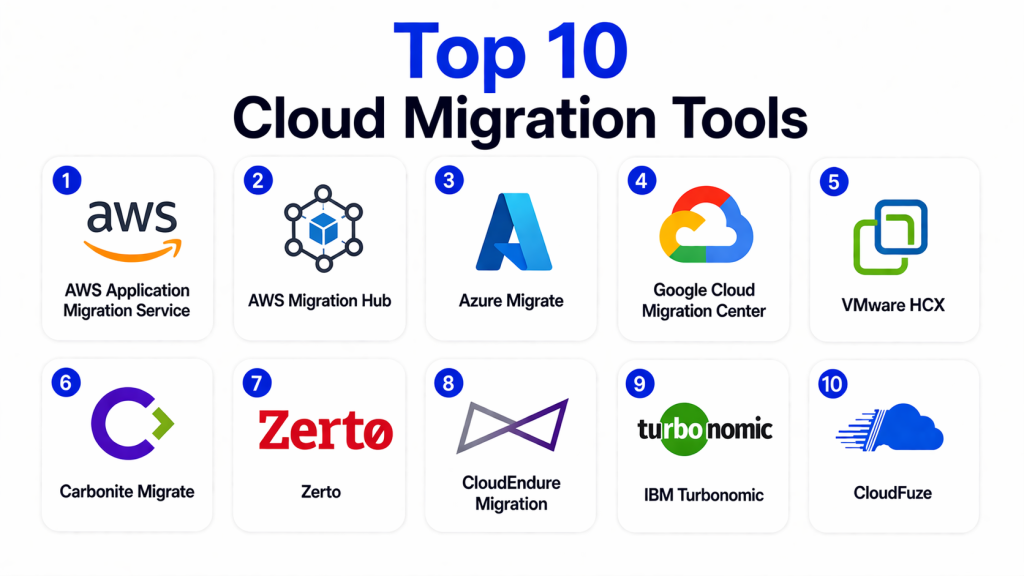
Top 10 Cloud Migration Tools
#1 — AWS Application Migration Service
Short description: A fully managed migration tool that enables organizations to move applications to AWS with minimal downtime using continuous replication.
Key Features
- Continuous data replication
- Lift-and-shift migration
- Automated conversion
- Minimal downtime
- AWS integration
Pros
- Easy migration to AWS
- Reliable replication
- Scalable
Cons
- AWS-only
- Limited multi-cloud support
- Requires AWS expertise
Platforms / Deployment
Cloud
Security & Compliance
Encryption, IAM controls
Not publicly stated
Integrations & Ecosystem
Deep integration with AWS services and tools.
- AWS ecosystem
- DevOps tools
Support & Community
Strong enterprise support.
#2 — AWS Migration Hub
Short description: A centralized platform for tracking and managing migrations across AWS services.
Key Features
- Migration tracking
- Resource discovery
- Progress monitoring
- Integration with AWS tools
Pros
- Centralized management
- Easy tracking
- AWS ecosystem integration
Cons
- AWS-focused
- Limited standalone functionality
- Requires AWS tools
Platforms / Deployment
Cloud
Security & Compliance
IAM controls
Not publicly stated
Integrations & Ecosystem
Works across AWS migration tools.
- AWS services
Support & Community
Strong AWS support.
#3 — Azure Migrate
Short description: A comprehensive migration solution for moving workloads to Microsoft Azure with assessment and migration capabilities.
Key Features
- Discovery and assessment
- Server migration
- Database migration
- Dependency mapping
Pros
- Strong Azure integration
- Comprehensive features
- Easy planning
Cons
- Azure-centric
- Learning curve
- Requires Microsoft ecosystem
Platforms / Deployment
Cloud
Security & Compliance
Azure security features
Not publicly stated
Integrations & Ecosystem
Deep integration with Microsoft tools.
- Azure services
- Microsoft ecosystem
Support & Community
Enterprise support.
#4 — Google Cloud Migration Center
Short description: A platform for assessing, planning, and executing migrations to Google Cloud.
Key Features
- Asset discovery
- Migration planning
- Cost estimation
- Performance insights
Pros
- Strong analytics
- Easy planning
- Google Cloud integration
Cons
- Google-centric
- Limited multi-cloud
- Requires expertise
Platforms / Deployment
Cloud
Security & Compliance
Google security features
Not publicly stated
Integrations & Ecosystem
Works within Google Cloud ecosystem.
- Google services
Support & Community
Strong support.
#5 — VMware HCX
Short description: A hybrid cloud migration platform designed for seamless workload mobility across environments.
Key Features
- Live migration
- Hybrid cloud support
- Network extension
- Workload mobility
Pros
- Minimal downtime
- Hybrid cloud support
- Enterprise-grade
Cons
- Complex setup
- Costly
- VMware dependency
Platforms / Deployment
Cloud / Hybrid
Security & Compliance
Enterprise security
Not publicly stated
Integrations & Ecosystem
Works with VMware environments.
- VMware ecosystem
Support & Community
Strong enterprise support.
#6 — Carbonite Migrate
Short description: A migration tool focused on moving workloads with minimal downtime and high reliability.
Key Features
- Real-time replication
- Automated migration
- Minimal downtime
- Flexible deployment
Pros
- Reliable
- Easy to use
- Supports multiple environments
Cons
- Limited advanced features
- Smaller ecosystem
- Cost considerations
Platforms / Deployment
Cloud / Hybrid
Security & Compliance
Encryption
Not publicly stated
Integrations & Ecosystem
Supports diverse IT environments.
- Enterprise systems
Support & Community
Moderate support.
#7 — Zerto
Short description: Zerto specializes in disaster recovery and cloud migration with continuous data protection.
Key Features
- Continuous replication
- Disaster recovery
- Orchestration
- Multi-cloud support
Pros
- Strong DR capabilities
- Reliable
- Flexible
Cons
- Complex setup
- Pricing
- Requires expertise
Platforms / Deployment
Cloud / Hybrid
Security & Compliance
Data protection
Not publicly stated
Integrations & Ecosystem
Works across cloud environments.
- Cloud platforms
Support & Community
Strong enterprise support.
#8 — CloudEndure Migration
Short description: A migration solution offering continuous replication and minimal downtime for cloud migrations.
Key Features
- Continuous replication
- Automated failover
- Minimal downtime
- AWS integration
Pros
- Reliable
- Easy to deploy
- Cost-effective
Cons
- AWS-focused
- Limited features
- Requires configuration
Platforms / Deployment
Cloud
Security & Compliance
Encryption
Not publicly stated
Integrations & Ecosystem
Works with AWS services.
- AWS ecosystem
Support & Community
Good support.
#9 — IBM Turbonomic
Short description: A performance optimization platform that also supports migration planning and resource management.
Key Features
- Resource optimization
- Migration planning
- Performance analytics
- Automation
Pros
- Strong analytics
- Optimization features
- Enterprise-ready
Cons
- Not migration-focused
- Complex setup
- Higher cost
Platforms / Deployment
Cloud / Hybrid
Security & Compliance
Not publicly stated
Integrations & Ecosystem
Integrates with enterprise IT systems.
- Cloud platforms
- IT tools
Support & Community
Enterprise support.
#10 — CloudFuze
Short description: A migration tool focused on transferring data between cloud storage platforms.
Key Features
- Data migration
- Cross-cloud transfer
- Automation
- File sharing support
Pros
- Easy to use
- Cloud-to-cloud support
- Flexible
Cons
- Limited enterprise features
- Focused on data only
- Smaller ecosystem
Platforms / Deployment
Cloud
Security & Compliance
Not publicly stated
Integrations & Ecosystem
Supports cloud storage platforms.
- Cloud storage
Support & Community
Moderate support.
Comparison Table (Top 10)
| Tool Name | Best For | Platform(s) Supported | Deployment | Standout Feature | Public Rating |
|---|---|---|---|---|---|
| AWS App Migration | AWS migration | Cloud | Cloud | Continuous replication | N/A |
| AWS Migration Hub | Tracking | Cloud | Cloud | Centralized control | N/A |
| Azure Migrate | Azure workloads | Cloud | Cloud | Assessment tools | N/A |
| Google Migration | GCP | Cloud | Cloud | Planning insights | N/A |
| VMware HCX | Hybrid cloud | Cloud/Hybrid | Hybrid | Live migration | N/A |
| Carbonite | Reliability | Hybrid | Hybrid | Real-time replication | N/A |
| Zerto | DR + migration | Hybrid | Hybrid | Continuous protection | N/A |
| CloudEndure | AWS | Cloud | Cloud | Automated failover | N/A |
| IBM Turbonomic | Optimization | Hybrid | Hybrid | Resource analytics | N/A |
| CloudFuze | Data transfer | Cloud | Cloud | Cross-cloud transfer | N/A |
Evaluation & Scoring of Cloud Migration Tools
| Tool Name | Core | Ease | Integrations | Security | Performance | Support | Value | Weighted Total |
|---|---|---|---|---|---|---|---|---|
| AWS App Migration | 9 | 8 | 9 | 9 | 9 | 9 | 8 | 8.8 |
| AWS Migration Hub | 8 | 8 | 9 | 8 | 8 | 9 | 8 | 8.3 |
| Azure Migrate | 9 | 8 | 9 | 9 | 8 | 9 | 8 | 8.7 |
| Google Migration | 8 | 8 | 8 | 8 | 8 | 8 | 8 | 8.0 |
| VMware HCX | 9 | 7 | 9 | 9 | 9 | 9 | 7 | 8.6 |
| Carbonite | 8 | 8 | 7 | 8 | 8 | 8 | 8 | 8.0 |
| Zerto | 9 | 7 | 8 | 9 | 9 | 9 | 7 | 8.5 |
| CloudEndure | 8 | 8 | 8 | 8 | 8 | 8 | 8 | 8.0 |
| IBM Turbonomic | 8 | 7 | 9 | 8 | 8 | 9 | 7 | 8.1 |
| CloudFuze | 7 | 9 | 7 | 7 | 7 | 7 | 8 | 7.7 |
How to interpret the scores:
These scores are comparative and based on real-world usage scenarios, feature depth, and performance capabilities. A higher score reflects stronger overall capabilities, but not necessarily the best fit for every organization. For example, AWS and Azure tools score high due to ecosystem integration, while VMware HCX excels in hybrid environments. Use these scores as a guideline and align them with your specific migration goals, infrastructure, and budget before making a final decision.
Which Cloud Migration Tool Is Right for You?
Solo / Freelancer
Choose CloudFuze or AWS Migration Hub for simple and lightweight migrations.
SMB
CloudEndure or Carbonite Migrate offer reliable and cost-effective solutions.
Mid-Market
Azure Migrate or Google Cloud Migration Center provide balanced features and scalability.
Enterprise
VMware HCX, AWS Application Migration Service, or Zerto are ideal for large-scale migrations.
Budget vs Premium
Open or basic tools reduce cost, while enterprise platforms require higher investment.
Feature Depth vs Ease of Use
Simple tools are easier to use, while advanced platforms offer deeper capabilities.
Integrations & Scalability
Cloud-native tools integrate better within their ecosystems.
Security & Compliance Needs
Enterprise tools provide stronger security and compliance support.
Frequently Asked Questions (FAQs)
1. What is a cloud migration tool?
A cloud migration tool helps move applications, data, and workloads from on-premise or legacy systems to cloud environments. It automates many steps in the migration process. This reduces manual effort and minimizes risk.
2. Why are cloud migration tools important?
They simplify complex migrations and reduce downtime. They also ensure data integrity and security during the process. This makes cloud adoption faster and more efficient.
3. Can cloud migration tools handle large workloads?
Yes, most enterprise-grade tools are designed to handle large-scale migrations. They support automation and replication. This ensures smooth transitions.
4. Are cloud migrations secure?
Yes, most tools use encryption and secure transfer methods. Security depends on configuration and platform. Proper planning is essential.
5. What is lift-and-shift migration?
It is a method where applications are moved to the cloud without modification. It is faster but may not optimize performance. Many tools support this approach.
6. Do these tools support multi-cloud environments?
Some tools support multi-cloud, while others are vendor-specific. Always check compatibility. Multi-cloud support is growing.
7. How long does migration take?
It depends on the size and complexity of the workload. Small migrations can take hours, while large ones may take weeks. Planning is key.
8. Can I migrate without downtime?
Many tools offer near-zero downtime migration. They use continuous replication. However, complete zero downtime may vary.
9. Are cloud migration tools expensive?
Pricing varies based on features and scale. Some tools are free or bundled with cloud services. Enterprise tools can be costly.
10. How do I choose the right tool?
Evaluate your requirements, cloud platform, and budget. Test tools before committing. Choose one that aligns with your migration strategy.
Conclusion
Cloud migration tools are essential for organizations looking to modernize their infrastructure and move to scalable, flexible cloud environments. Solutions like AWS Application Migration Service and Azure Migrate provide seamless integration within their ecosystems, while VMware HCX and Zerto excel in hybrid and enterprise-grade migrations. Tools like CloudEndure and Carbonite offer reliable replication and cost-effective migration paths for mid-sized workloads. Each tool brings unique strengths depending on whether your priority is automation, performance, or scalability. The right choice depends on your migration goals, infrastructure complexity, and cloud strategy. Start by identifying your requirements, shortlist a few tools, and run pilot migrations to validate performance, integration, and security before committing to a full-scale transition.

I found this article very informative. The comparison is clear and practical, helping readers understand the capabilities of different cloud migration tools and choose the most suitable option for their migration goals.