Introduction
Proteomics analysis tools are software platforms used to identify, quantify, compare, and interpret proteins from biological samples. These tools usually work with mass spectrometry data and help researchers convert complex raw spectra into meaningful results such as peptide identification, protein abundance, post-translational modifications, pathway changes, biomarker candidates, and disease-related protein signatures.
Proteomics analysis matters because proteins are closer to real biological function than genes alone. While genomics can show what may happen, proteomics helps reveal what is actually happening inside cells, tissues, organisms, or disease models. Modern proteomics tools support discovery proteomics, targeted proteomics, DIA analysis, DDA analysis, label-free quantification, TMT workflows, statistical analysis, quality control, and downstream biological interpretation.
Common use cases include:
- Protein identification from mass spectrometry data
- Label-free and labeled protein quantification
- DIA and DDA proteomics analysis
- Biomarker discovery
- Post-translational modification analysis
- Clinical and translational proteomics research
- Pathway and enrichment analysis
- Quality control for proteomics experiments
Buyers should evaluate:
- Supported acquisition methods
- Identification and quantification accuracy
- Ease of use
- Vendor raw file compatibility
- DIA and DDA workflow support
- Statistical analysis features
- Visualization and reporting
- Automation and batch processing
- Integration with downstream analysis tools
- Support, documentation, and community strength
Best for: proteomics core facilities, mass spectrometry labs, pharmaceutical research teams, biotech companies, academic researchers, clinical research groups, biomarker discovery teams, and computational biology teams working with protein-level data.
Not ideal for: teams that only need basic protein sequence lookup, simple lab reporting, or non-MS-based protein annotation. In those cases, protein databases, visualization tools, or basic statistical software may be enough.
Key Trends in Proteomics Analysis Tools
- DIA proteomics is becoming more common because it supports reproducible quantification across larger sample cohorts.
- AI-assisted peptide and protein prediction is improving spectral library generation, retention time prediction, and identification confidence.
- Large-scale cohort proteomics is increasing, creating demand for faster processing, batch automation, and strong quality control.
- Open-source pipelines are gaining adoption, especially among academic labs and computational proteomics teams.
- Vendor ecosystem alignment remains important, because many labs use tools that work smoothly with specific mass spectrometry instruments.
- Post-translational modification analysis is expanding, especially for phosphorylation, acetylation, ubiquitination, and other regulatory protein changes.
- Cloud and HPC workflows are becoming more relevant for labs processing high-volume proteomics datasets.
- Downstream biological interpretation is now expected, including pathway analysis, differential expression, clustering, and protein interaction mapping.
- Reproducibility is a major buying factor, especially for multi-lab studies, clinical research, and regulated environments.
- Hybrid workflows are common, where teams combine search engines, quantification tools, statistical platforms, and visualization software.
How We Selected These Tools
- We selected tools that are widely recognized in mass spectrometry-based proteomics analysis.
- We included a balanced mix of commercial platforms, open-source tools, statistical analysis tools, and workflow-oriented pipelines.
- We considered support for discovery proteomics, targeted proteomics, DIA, DDA, label-free quantification, and labeled workflows.
- We prioritized tools that are commonly used by proteomics labs, core facilities, academic groups, and biotechnology teams.
- We evaluated ecosystem strength, including compatibility with instrument outputs, data formats, workflow engines, and downstream analysis tools.
- We considered usability for different users, from wet-lab scientists to expert computational proteomics teams.
- We looked at documentation, training availability, community adoption, and support models.
- We avoided guessing public ratings, certifications, or compliance claims where details are not clearly stated.
- We included tools that support real-world proteomics workflows rather than narrow experimental utilities only.
- We considered both premium guided platforms and flexible open-source options for different budgets.
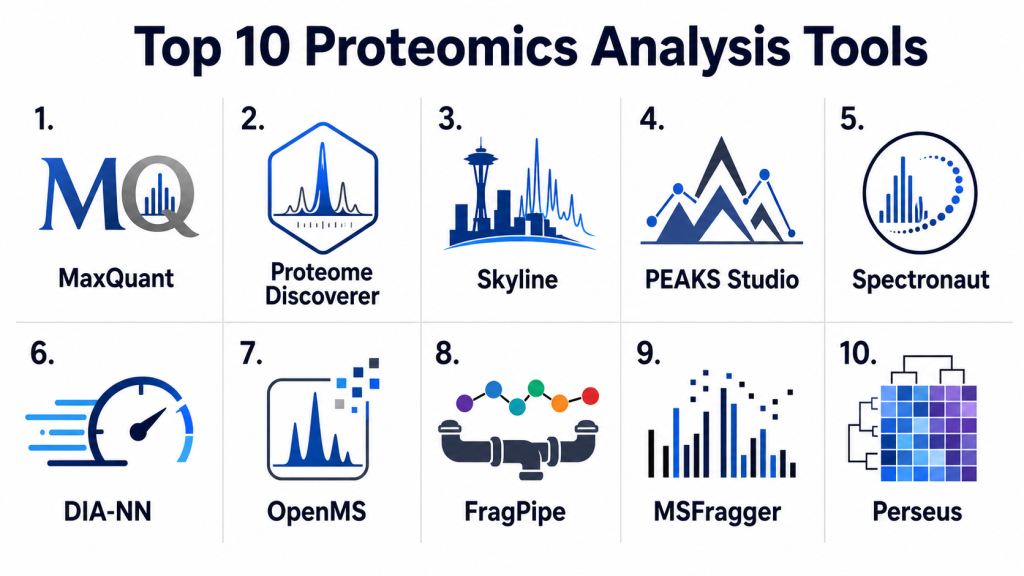
Top 10 Proteomics Analysis Tools
#1 — MaxQuant
Short description: MaxQuant is a widely used proteomics analysis platform for processing high-resolution mass spectrometry data. It supports protein identification, label-free quantification, labeled quantification, peptide analysis, and downstream integration with statistical tools. MaxQuant is especially common in academic and research proteomics labs. It is best suited for teams that need strong discovery proteomics workflows and are comfortable with scientific configuration.
Key Features
- Protein and peptide identification workflows
- Label-free quantification support
- Support for labeled quantification workflows
- Match-between-runs functionality
- High-resolution mass spectrometry data processing
- Integration with Perseus for downstream analysis
- Strong adoption in academic proteomics research
Pros
- Strong reputation in discovery proteomics
- Useful for label-free and labeled workflows
- Good fit for academic and research labs
- Works well with downstream statistical analysis tools
Cons
- Can be computationally demanding for large datasets
- Interface may require learning for new users
- Best results require proteomics expertise
- Enterprise security features are not a central product focus
Platforms / Deployment
Windows / Linux / Varies
Self-hosted / Varies
Security & Compliance
Security depends on the workstation, server, or institutional environment where MaxQuant is installed. Native enterprise security features such as SSO, RBAC, audit logs, and formal compliance certifications are not publicly stated as universal built-in capabilities.
Integrations & Ecosystem
MaxQuant fits well into discovery proteomics workflows and is often used with statistical, visualization, and downstream biological interpretation tools. It is commonly paired with Perseus for deeper analysis of protein quantification results.
- Works with mass spectrometry proteomics workflows
- Supports export to statistical analysis tools
- Often used with Perseus
- Can be included in lab-specific processing pipelines
- Useful with downstream pathway and enrichment tools
- Strong research ecosystem and documentation base
Support & Community
MaxQuant has a strong academic and research community. Documentation, tutorials, and user knowledge are widely available, but support is generally community and research-driven rather than enterprise-style commercial support.
#2 — Thermo Scientific Proteome Discoverer
Short description: Thermo Scientific Proteome Discoverer is a commercial proteomics analysis platform used for peptide identification, protein quantification, and workflow-based mass spectrometry analysis. It is especially popular among labs using Thermo mass spectrometry instruments. The platform offers a guided, node-based workflow interface for building and running proteomics analysis methods. It is best suited for core facilities, industry labs, and teams that want vendor-supported workflows.
Key Features
- Node-based workflow design
- Protein identification and quantification workflows
- Support for label-free and labeled quantification
- Integration with search engines and analysis nodes
- Useful for Thermo instrument data workflows
- Quality control and reporting capabilities
- Guided interface for standardized analysis
Pros
- Strong fit for Thermo instrument users
- Guided workflow structure supports repeatability
- Good for core facility and industry workflows
- Commercial support can help production labs
Cons
- Commercial licensing may be expensive
- Best value may depend on instrument ecosystem alignment
- Less open than fully open-source workflows
- Customization can depend on available nodes and modules
Platforms / Deployment
Windows / Varies
Self-hosted / Varies
Security & Compliance
Security and compliance depend on local deployment and institutional IT controls. Authentication, access management, audit logging, encryption, and regulated use requirements should be validated directly during procurement. Public compliance details are not universally stated for every use case.
Integrations & Ecosystem
Proteome Discoverer fits strongly into vendor-aligned proteomics workflows and can export results for downstream statistics, biological interpretation, and lab reporting.
- Works well with Thermo raw data workflows
- Supports multiple search and processing nodes
- Can export tables for R, Python, and downstream statistics
- Useful with core facility SOPs
- Supports repeatable workflow templates
- Can connect indirectly with lab reporting processes
Support & Community
Support is vendor-led through documentation, training, and commercial support channels. It is especially useful for labs that need structured onboarding, standardized workflows, and support connected to instrument ecosystems.
#3 — Skyline
Short description: Skyline is a widely used open-source platform for targeted proteomics, quantitative mass spectrometry, and assay development. It supports SRM, MRM, PRM, DIA, and related workflows, making it valuable for targeted and reproducible proteomics studies. Skyline is especially useful for reviewing chromatograms, building assays, validating transitions, and managing quantitative proteomics experiments. It is best suited for targeted proteomics labs, method development teams, and quality-focused research groups.
Key Features
- Targeted proteomics workflow support
- SRM, MRM, PRM, and DIA analysis support
- Chromatogram visualization and review
- Assay development and transition management
- Quantitative data analysis tools
- Vendor data format support through ecosystem compatibility
- Strong educational and community resources
Pros
- Excellent for targeted proteomics
- Strong visualization for peptide and transition review
- Open-source and widely adopted
- Good documentation and training ecosystem
Cons
- More focused on targeted workflows than broad discovery search
- Best experience is often on Windows
- Requires method development knowledge
- Large complex projects may need careful organization
Platforms / Deployment
Windows / Varies
Self-hosted
Security & Compliance
Security depends on the local or institutional environment where Skyline is installed and used. Native enterprise controls such as SSO, RBAC, audit logs, and formal compliance certifications are not publicly stated as universal built-in features.
Integrations & Ecosystem
Skyline fits into targeted proteomics workflows and can work with data from multiple mass spectrometry vendors through supported formats and ecosystem tools.
- Supports targeted MS workflows
- Works with vendor raw data formats through compatible workflows
- Exports data for statistics and reporting
- Useful for assay development pipelines
- Supports QC and quantification review
- Strong integration with educational proteomics workflows
Support & Community
Skyline has a strong community, training ecosystem, tutorials, and documentation. It is widely used in academic and applied proteomics settings, making it one of the most accessible tools for targeted quantitative workflows.
#4 — PEAKS Studio
Short description: PEAKS Studio is a commercial proteomics analysis platform known for peptide identification, de novo sequencing, protein characterization, and mass spectrometry data interpretation. It is often used by labs that need strong identification workflows beyond standard database search. PEAKS Studio is especially useful for discovery proteomics, antibody analysis, mutation discovery, and complex peptide interpretation. It is best suited for research teams that value guided analysis and strong identification features.
Key Features
- Peptide and protein identification workflows
- De novo peptide sequencing
- Database search capabilities
- PTM and mutation analysis support
- Protein characterization workflows
- Visual result review and reporting
- Commercial user interface for guided analysis
Pros
- Strong de novo sequencing capabilities
- Useful for complex identification workflows
- Good visual interface for result interpretation
- Helpful for specialized discovery proteomics tasks
Cons
- Commercial licensing may be costly
- Best fit depends on workflow type
- Less open than command-line or open-source pipelines
- Advanced analysis still requires proteomics expertise
Platforms / Deployment
Windows / Varies
Self-hosted / Varies
Security & Compliance
Security depends on deployment environment and license configuration. Enterprise security controls such as SSO, audit logs, RBAC, encryption, or formal compliance certifications should be confirmed directly with the vendor.
Integrations & Ecosystem
PEAKS Studio supports practical proteomics analysis workflows and can export results for downstream statistical and biological interpretation.
- Supports mass spectrometry proteomics data workflows
- Exports result tables for downstream analysis
- Useful with discovery proteomics pipelines
- Can support PTM and mutation-focused workflows
- Fits lab reporting and interpretation workflows
- Complements statistical tools and biological databases
Support & Community
Support is mainly vendor-led through documentation, product support, and training resources. The community footprint varies by region and lab type, but the tool is well recognized in proteomics analysis environments.
#5 — Spectronaut
Short description: Spectronaut is a commercial proteomics analysis platform focused strongly on DIA proteomics workflows. It supports protein identification, quantification, spectral library approaches, direct DIA workflows, statistical analysis, and quality control. Spectronaut is especially useful for high-throughput DIA studies where reproducibility and quantitative consistency matter. It is best suited for advanced proteomics labs, core facilities, and industry teams running DIA-heavy experiments.
Key Features
- DIA proteomics analysis workflows
- Direct DIA and spectral library-based analysis
- Protein and peptide quantification
- Quality control and visualization tools
- Support for large cohort proteomics studies
- Statistical analysis and reporting features
- Strong focus on reproducible quantitative workflows
Pros
- Strong fit for DIA proteomics
- Useful for large and reproducible studies
- Guided commercial interface
- Good for high-throughput quantitative workflows
Cons
- Commercial licensing can be expensive
- Best value depends on DIA workflow maturity
- Less suitable for teams that only run basic discovery workflows
- Advanced settings may still require expert review
Platforms / Deployment
Windows / Varies
Self-hosted / Varies
Security & Compliance
Security and compliance details should be validated directly with the vendor. Local deployment security depends on institutional IT controls, workstation security, storage policies, and user access management.
Integrations & Ecosystem
Spectronaut fits into DIA proteomics workflows and can support downstream data analysis, quality review, and reporting.
- Supports DIA-focused analysis workflows
- Works with spectral libraries and direct DIA approaches
- Exports results for downstream statistics
- Useful for cohort-scale proteomics analysis
- Supports QC-driven review workflows
- Can complement biological interpretation platforms
Support & Community
Support is vendor-led through documentation, training, and customer support. Spectronaut is especially recognized in DIA proteomics communities and among labs running quantitative high-throughput experiments.
#6 — DIA-NN
Short description: DIA-NN is a high-performance proteomics analysis tool focused on DIA data processing. It is known for fast processing, library-free workflows, predicted spectral libraries, and strong performance in large-scale DIA proteomics. DIA-NN is especially useful for teams that need speed, modern algorithms, and scalable quantitative analysis. It is best suited for computational proteomics groups, academic labs, and high-throughput DIA users.
Key Features
- DIA proteomics data processing
- Library-free analysis support
- Predicted spectral library workflows
- Fast peptide and protein quantification
- Support for high-throughput datasets
- Strong computational performance
- Useful for modern quantitative proteomics
Pros
- Very strong for DIA workflows
- Fast and efficient processing
- Strong value for technical teams
- Useful for large-scale quantitative studies
Cons
- Requires technical understanding for best results
- Interface and workflow may be less beginner-friendly than commercial tools
- Governance depends on deployment setup
- Downstream biological interpretation may require additional tools
Platforms / Deployment
Windows / Linux / Varies
Self-hosted / Varies
Security & Compliance
Security depends on the environment where DIA-NN is deployed and executed. Native enterprise security features such as SSO, RBAC, audit logs, and formal compliance certifications are not publicly stated as universal built-in capabilities.
Integrations & Ecosystem
DIA-NN is commonly used in modern DIA proteomics workflows and can be integrated with downstream statistical analysis tools, reporting workflows, and pipeline systems.
- Supports DIA data analysis workflows
- Can be used in automated pipelines
- Exports results for downstream statistical analysis
- Useful with R and Python workflows
- Can complement visualization and reporting tools
- Fits high-throughput proteomics processing environments
Support & Community
DIA-NN has strong recognition in computational proteomics and DIA-focused research communities. Support is generally documentation and community-driven, so teams should plan internal expertise for production workflows.
#7 — OpenMS
Short description: OpenMS is an open-source software framework for mass spectrometry data analysis, including proteomics, metabolomics, and related workflows. It provides algorithms, tools, libraries, and workflow components for identification, quantification, feature detection, and data processing. OpenMS is especially useful for teams that need customizable, scriptable, and automated proteomics pipelines. It is best suited for technical teams, academic groups, and workflow developers.
Key Features
- Open-source mass spectrometry analysis framework
- Protein identification and quantification support
- Feature detection and data processing tools
- Workflow automation capabilities
- Integration with scripting and pipeline systems
- Support for proteomics and related omics workflows
- Strong developer and research orientation
Pros
- Highly flexible and customizable
- Strong fit for automated pipelines
- Open-source and useful for technical teams
- Good integration potential with workflow engines
Cons
- Requires technical expertise
- Less beginner-friendly than GUI-first tools
- Production setup may require engineering support
- Enterprise support may vary
Platforms / Deployment
Windows / macOS / Linux
Self-hosted / Cloud / Hybrid / Varies
Security & Compliance
Security depends on the infrastructure where OpenMS is deployed. Native enterprise security features such as SSO, RBAC, audit logs, and formal compliance certifications are not publicly stated as built-in universal features.
Integrations & Ecosystem
OpenMS is valuable for teams building automated, reproducible, and customizable proteomics workflows. It can be used with workflow engines, scripts, containers, and downstream analysis environments.
- Supports command-line tools and libraries
- Works with workflow management systems
- Useful with Python, R, and scripting environments
- Supports common MS data formats through ecosystem tools
- Can support reproducible pipeline development
- Fits academic and computational proteomics workflows
Support & Community
OpenMS has a strong open-source and academic community. Documentation, tutorials, and developer resources are available, but teams using it in production should plan internal technical ownership.
#8 — FragPipe
Short description: FragPipe is a comprehensive proteomics analysis platform that combines a graphical interface with powerful tools such as MSFragger, IonQuant, Philosopher, and related workflows. It is widely used for peptide identification, quantification, open searches, DIA workflows, and large dataset processing. FragPipe is especially valuable for teams that want speed, flexibility, and modern proteomics search capabilities. It is best suited for computational proteomics teams, core facilities, and research labs.
Key Features
- Integrated proteomics pipeline interface
- MSFragger-based search workflows
- Open modification search capabilities
- Quantification support through companion tools
- GUI and command-line usage
- Support for DDA and DIA-related workflows
- Strong performance for large datasets
Pros
- Fast and flexible proteomics analysis
- Strong modern search engine ecosystem
- Useful GUI plus command-line support
- Good value for technical and academic teams
Cons
- Requires understanding of proteomics workflows
- Advanced configuration may be complex
- Enterprise governance depends on deployment setup
- Downstream interpretation may need additional tools
Platforms / Deployment
Windows / Linux / Varies
Self-hosted / Cloud / Varies
Security & Compliance
Security depends on the environment where FragPipe is installed and executed. Native enterprise security features such as SSO, audit logs, RBAC, and formal compliance certifications are not publicly stated as universal built-in capabilities.
Integrations & Ecosystem
FragPipe works well in modern proteomics workflows and integrates several important tools into one processing environment.
- Includes MSFragger-based workflows
- Works with IonQuant and Philosopher workflows
- Supports GUI and command-line execution
- Can be used in lab pipelines
- Exports results for downstream analysis
- Useful for open searches and large-scale processing
Support & Community
FragPipe has strong research community support, documentation, and adoption among computational proteomics users. Support is largely community and developer-driven, with strong practical resources for experienced users.
#9 — MSFragger
Short description: MSFragger is a fast database search tool used for peptide identification in mass spectrometry-based proteomics. It is known for speed and support for open modification searches, making it useful for discovering unexpected or variable peptide modifications. MSFragger is often used through FragPipe but can also be part of customized workflows. It is best suited for technical users who need fast, flexible peptide-spectrum matching.
Key Features
- Fast peptide-spectrum matching
- Database search for proteomics data
- Open modification search support
- Useful for large-scale datasets
- Works with broader FragPipe ecosystem
- Supports modern discovery proteomics workflows
- Good fit for computational pipeline integration
Pros
- Very fast search performance
- Strong for open modification searches
- Useful in large-scale proteomics analysis
- Fits well into automated workflows
Cons
- More specialized than full proteomics platforms
- Usually needs companion tools for full analysis
- Requires technical understanding
- Security depends on execution environment
Platforms / Deployment
Windows / Linux / Varies
Self-hosted / Cloud / Varies
Security & Compliance
Security depends on the local, server, or cloud environment where MSFragger is run. Native enterprise security capabilities such as SSO, RBAC, audit logs, and formal compliance certifications are not publicly stated as universal features.
Integrations & Ecosystem
MSFragger is often used as part of the FragPipe ecosystem and can support advanced proteomics search workflows.
- Integrates with FragPipe
- Works with downstream quantification tools
- Useful in automated proteomics pipelines
- Supports large-scale search workflows
- Can be combined with statistical validation tools
- Fits computational proteomics environments
Support & Community
MSFragger has strong recognition in computational proteomics research. Support is primarily documentation and community-driven, with many users accessing it through FragPipe for easier workflow management.
#10 — Perseus
Short description: Perseus is a downstream statistical analysis and visualization platform commonly used with proteomics data, especially outputs from MaxQuant and related workflows. It helps researchers analyze protein quantification data, identify patterns, perform statistical comparisons, visualize results, and interpret biological differences. Perseus is especially useful for transforming processed proteomics outputs into biological insight. It is best suited for researchers who need statistical and exploratory analysis after primary data processing.
Key Features
- Statistical analysis for proteomics data
- Protein quantification data interpretation
- Clustering and enrichment-style workflows
- Visualization tools such as heatmaps and plots
- Useful with MaxQuant outputs
- Data filtering and transformation capabilities
- Supports biological interpretation workflows
Pros
- Strong downstream analysis companion for MaxQuant
- Useful for exploratory proteomics statistics
- Accessible for many biological researchers
- Good for visualization and result interpretation
Cons
- Not a primary raw MS data search engine
- Best used with upstream processing tools
- May be less flexible than full scripting environments
- Advanced statistical workflows may require expertise
Platforms / Deployment
Windows / Varies
Self-hosted
Security & Compliance
Security depends on the local or institutional environment where Perseus is installed and used. Native enterprise security features such as SSO, RBAC, audit logs, and formal compliance certifications are not publicly stated as universal built-in features.
Integrations & Ecosystem
Perseus is commonly used for downstream analysis after primary proteomics processing. It is especially valuable in workflows that start with MaxQuant or similar protein quantification outputs.
- Works well with MaxQuant result tables
- Supports downstream statistical workflows
- Useful for visualization and clustering
- Can complement R and Python analysis
- Supports biological interpretation steps
- Fits academic and research proteomics workflows
Support & Community
Perseus has strong recognition among MaxQuant users and proteomics researchers. Support is largely community and documentation-based, with strong practical use in academic research environments.
Comparison Table
| Tool Name | Best For | Platforms Supported | Deployment | Standout Feature | Public Rating |
|---|---|---|---|---|---|
| MaxQuant | Discovery proteomics and quantification | Windows / Linux / Varies | Self-hosted / Varies | Label-free and labeled proteomics workflows | N/A |
| Proteome Discoverer | Vendor-aligned commercial workflows | Windows / Varies | Self-hosted / Varies | Node-based proteomics workflow design | N/A |
| Skyline | Targeted proteomics and assay development | Windows / Varies | Self-hosted | Chromatogram review and targeted quantification | N/A |
| PEAKS Studio | De novo sequencing and protein identification | Windows / Varies | Self-hosted / Varies | De novo peptide sequencing | N/A |
| Spectronaut | DIA proteomics and cohort analysis | Windows / Varies | Self-hosted / Varies | DIA-focused quantitative analysis | N/A |
| DIA-NN | Fast DIA data processing | Windows / Linux / Varies | Self-hosted / Varies | Library-free DIA analysis and speed | N/A |
| OpenMS | Custom proteomics pipelines | Windows / macOS / Linux | Self-hosted / Cloud / Hybrid / Varies | Open-source MS analysis framework | N/A |
| FragPipe | Integrated proteomics pipelines | Windows / Linux / Varies | Self-hosted / Cloud / Varies | MSFragger-powered workflow ecosystem | N/A |
| MSFragger | Fast peptide database searching | Windows / Linux / Varies | Self-hosted / Cloud / Varies | Open modification search speed | N/A |
| Perseus | Downstream statistics and visualization | Windows / Varies | Self-hosted | Proteomics statistical interpretation | N/A |
Evaluation & Scoring of Proteomics Analysis Tools
| Tool Name | Core 25% | Ease 15% | Integrations 15% | Security 10% | Performance 10% | Support 10% | Value 15% | Weighted Total |
|---|---|---|---|---|---|---|---|---|
| MaxQuant | 9 | 6 | 7 | 4 | 8 | 7 | 9 | 7.45 |
| Proteome Discoverer | 9 | 8 | 8 | 5 | 8 | 8 | 5 | 7.50 |
| Skyline | 8 | 7 | 8 | 4 | 8 | 9 | 9 | 7.70 |
| PEAKS Studio | 8 | 7 | 6 | 5 | 8 | 7 | 5 | 6.75 |
| Spectronaut | 9 | 8 | 7 | 5 | 9 | 8 | 5 | 7.45 |
| DIA-NN | 9 | 6 | 6 | 4 | 9 | 7 | 9 | 7.40 |
| OpenMS | 8 | 5 | 9 | 4 | 8 | 8 | 9 | 7.45 |
| FragPipe | 9 | 6 | 7 | 4 | 9 | 8 | 9 | 7.65 |
| MSFragger | 8 | 5 | 7 | 4 | 9 | 7 | 9 | 7.25 |
| Perseus | 7 | 6 | 6 | 4 | 7 | 7 | 9 | 6.70 |
These scores are comparative and should be used as a practical shortlist guide, not a final scientific ranking. Tools like MaxQuant, Proteome Discoverer, Spectronaut, FragPipe, and DIA-NN score strongly for core proteomics analysis, while Perseus is stronger as a downstream interpretation tool. Open-source tools often score well on value and flexibility but may require more technical expertise and internal support. Commercial tools may offer better guided workflows and support, but cost and vendor alignment should be evaluated carefully. Security scores are conservative because many proteomics tools depend on local workstation, server, or institutional IT controls rather than built-in enterprise governance.
Which Proteomics Analysis Tool Is Right for You?
Solo / Freelancer
Solo researchers and independent consultants usually need tools that are cost-effective, flexible, and practical for focused analysis. MaxQuant, Skyline, DIA-NN, FragPipe, MSFragger, OpenMS, and Perseus are strong choices depending on the workflow. These tools can support discovery proteomics, targeted analysis, DIA processing, and downstream interpretation without requiring a large commercial platform.
For users who prefer guided commercial software and have the budget, PEAKS Studio or Proteome Discoverer may be useful. However, solo users should carefully evaluate licensing, hardware requirements, and learning curve.
SMB
Small biotech companies, academic labs, and growing proteomics groups need tools that balance accuracy, usability, repeatability, and cost. MaxQuant, Skyline, FragPipe, DIA-NN, and Perseus are strong options when the team has technical skills. Proteome Discoverer, PEAKS Studio, and Spectronaut may be better when teams need commercial support, guided workflows, or standardized analysis.
SMBs should focus on whether the tool supports their acquisition method, instrument ecosystem, quantification needs, and downstream reporting requirements.
Mid-Market
Mid-market research organizations usually need more standardized workflows, repeatable quality control, batch processing, and collaboration across multiple scientists. Proteome Discoverer, Spectronaut, Skyline, FragPipe, MaxQuant, and OpenMS can all be good candidates depending on the use case. DIA-heavy teams may prefer Spectronaut or DIA-NN, while targeted proteomics teams may prefer Skyline.
Mid-market buyers should evaluate reproducibility, workflow templates, user training, export options, integration with statistics tools, and long-term pipeline maintenance.
Enterprise
Enterprise pharmaceutical, biotechnology, clinical research, and large proteomics core environments need reliable workflows, governance, support, standard operating procedures, and strong data management practices. Proteome Discoverer, Spectronaut, Skyline, MaxQuant, FragPipe, OpenMS, and DIA-NN may all be used in enterprise workflows depending on the team’s scientific strategy.
Large organizations often use more than one tool. For example, a team may use Spectronaut for DIA studies, Proteome Discoverer for vendor-aligned workflows, Skyline for targeted assay validation, and Perseus or R-based tools for downstream analysis.
Budget vs Premium
Budget-focused teams should consider MaxQuant, Skyline, DIA-NN, OpenMS, FragPipe, MSFragger, and Perseus. These tools provide strong scientific value and are widely used in research environments, but they may require more technical skill and internal support.
Premium buyers should evaluate Proteome Discoverer, PEAKS Studio, and Spectronaut when guided workflows, vendor support, packaged user experience, and standardized analysis matter more than license cost.
Feature Depth vs Ease of Use
For deep technical control, OpenMS, FragPipe, MSFragger, DIA-NN, and MaxQuant are strong choices. These tools give skilled users flexibility and strong analysis power, especially for custom or advanced workflows.
For ease of use, Proteome Discoverer, PEAKS Studio, Spectronaut, and Skyline may be more approachable depending on the workflow. Skyline is especially useful because it combines strong targeted proteomics functionality with a practical visual interface.
Integrations & Scalability
OpenMS, FragPipe, MSFragger, DIA-NN, and MaxQuant can be integrated into custom computational pipelines. Proteome Discoverer and Spectronaut fit better into guided analysis environments and vendor-supported workflows. Skyline integrates well with targeted proteomics workflows and method development processes.
Teams should evaluate raw file compatibility, export formats, batch processing, automation, downstream statistics, pathway analysis, and LIMS or lab reporting requirements.
Security & Compliance Needs
Proteomics data may include sensitive clinical, preclinical, or proprietary research information, so security should not be ignored. For most desktop tools, security depends on workstation controls, file storage, access management, backups, and institutional IT policies.
Enterprise teams should validate where data is stored, who can access it, how results are shared, and whether audit trails or controlled workflows are required. If regulated research is involved, security and validation should be reviewed before production use.
Frequently Asked Questions
1. What are proteomics analysis tools?
Proteomics analysis tools are software platforms used to process and interpret mass spectrometry-based protein data. They help identify peptides, quantify proteins, compare samples, and detect biological patterns. These tools are used in research, biomarker discovery, drug development, and clinical studies. They turn complex raw spectra into meaningful protein-level insights.
2. What is the difference between DDA and DIA proteomics?
DDA stands for data-dependent acquisition, where selected ions are fragmented based on signal intensity during the experiment. DIA stands for data-independent acquisition, where broader windows are fragmented systematically for more reproducible quantification. DIA is often useful for larger cohort studies because it can improve consistency across samples. Different tools are optimized for different acquisition methods.
3. Which tool is best for DIA proteomics?
Spectronaut and DIA-NN are strong choices for DIA proteomics workflows. Spectronaut offers a commercial guided environment with strong DIA-focused features. DIA-NN is known for fast processing and modern library-free DIA workflows. The best choice depends on budget, team expertise, dataset size, and preferred user experience.
4. Which tool is best for targeted proteomics?
Skyline is one of the strongest tools for targeted proteomics, assay development, and quantitative review. It supports workflows such as SRM, MRM, PRM, and DIA-related targeted analysis. It is especially useful for reviewing chromatograms and validating transitions. Labs focused on targeted protein quantification should strongly consider it.
5. Is MaxQuant still useful for proteomics analysis?
Yes, MaxQuant remains highly useful for many discovery proteomics workflows. It supports protein identification, label-free quantification, labeled quantification, and integration with downstream analysis tools. It is especially common in academic and research proteomics environments. Teams should evaluate whether it fits their acquisition method and data volume.
6. Are open-source proteomics tools good enough?
Open-source proteomics tools can be excellent when the team has enough technical expertise. MaxQuant, Skyline, DIA-NN, OpenMS, FragPipe, MSFragger, and Perseus are widely used in research workflows. The main trade-off is that open-source tools may require more setup, validation, and internal support. Commercial tools may be better for labs that need guided workflows and vendor support.
7. What are common mistakes when choosing proteomics software?
A common mistake is choosing software based only on popularity rather than acquisition method and workflow fit. Teams may also ignore raw file compatibility, quantification strategy, batch processing needs, and downstream statistics. Another mistake is underestimating training time and quality control requirements. A pilot using real lab data is the best way to validate fit.
8. Can proteomics analysis tools handle large datasets?
Yes, many modern tools can handle large datasets, but performance varies by tool, hardware, workflow design, and acquisition method. DIA-NN, FragPipe, MSFragger, Spectronaut, OpenMS, and MaxQuant can be useful for larger workloads. Teams should test runtime, memory usage, storage needs, and batch automation before scaling. Large studies often need careful compute planning.
9. Do proteomics tools integrate with R or Python?
Many proteomics tools export result tables that can be analyzed further in R, Python, or statistical software. OpenMS is especially useful for technical workflows, while Perseus provides a more visual downstream analysis environment. Skyline, MaxQuant, FragPipe, DIA-NN, and Proteome Discoverer outputs can often feed downstream statistical pipelines. Integration quality depends on file formats and lab workflow design.
10. How important is security for proteomics analysis?
Security is important when proteomics data relates to clinical samples, proprietary research, drug discovery programs, or confidential studies. Many proteomics tools are desktop or server-based, so security depends heavily on local IT controls. Teams should manage access, storage, backups, file sharing, and audit requirements carefully. Enterprise environments should review governance before production use.
11. Should I use one proteomics tool or multiple tools?
Many labs use multiple tools because proteomics workflows often involve different stages. One tool may be used for identification, another for quantification, another for targeted validation, and another for statistics. For example, a lab might use FragPipe for processing, Skyline for targeted review, and Perseus or R for downstream analysis. The best approach depends on workflow complexity and team expertise.
12. What are alternatives to proteomics analysis tools?
Alternatives include general statistical software, custom scripts, protein databases, pathway analysis tools, or laboratory reporting systems. However, these alternatives usually do not replace primary MS data processing tools. For raw spectra analysis, peptide identification, and protein quantification, dedicated proteomics tools are usually required. Alternatives are better suited for downstream interpretation or reporting.
Conclusion
Proteomics analysis tools are essential for transforming complex mass spectrometry data into meaningful protein-level insights. The best tool depends on acquisition method, lab workflow, instrument ecosystem, budget, data volume, user expertise, and downstream analysis needs. MaxQuant, FragPipe, DIA-NN, OpenMS, MSFragger, Skyline, and Perseus provide strong value for technical and research-focused teams, while Proteome Discoverer, PEAKS Studio, and Spectronaut are strong options for labs that need guided commercial workflows. No single tool is perfect for every proteomics workflow, because discovery, targeted, DIA, DDA, de novo sequencing, PTM analysis, and downstream statistics all require different strengths. The smartest approach is to shortlist two or three tools, test them on real lab datasets, compare identification and quantification results, review usability with actual users, and confirm integration and security requirements before making a final decision.

This article provides a clear comparison of proteomics analysis tools and their capabilities, making it easier to understand the strengths of each platform and choose the right one for research needs.