Introduction
Telemedicine Platforms are digital solutions that enable healthcare providers to deliver medical consultations, diagnosis, and treatment remotely through video calls, chat, and mobile applications. These platforms remove geographical barriers and allow patients to access care from the comfort of their homes.
Telemedicine has become a core part of modern healthcare delivery, helping providers reduce patient load, improve accessibility, and enhance care efficiency. It is widely used for routine consultations, mental health support, follow-ups, and remote triage.
Real-world use cases include:
- Virtual doctor consultations and follow-ups
- Mental health therapy sessions
- Remote diagnosis and triage
- Chronic disease management support
- Specialist consultations across locations
What buyers should evaluate:
- Video and communication quality
- Integration with EHR systems
- Security and compliance readiness
- Ease of use for patients and providers
- Scheduling and workflow automation
- Scalability across patient volumes
- Mobile accessibility
- Pricing and billing support
Best for: Hospitals, clinics, telehealth startups, and individual practitioners aiming to provide remote consultations efficiently.
Not ideal for: Healthcare providers requiring physical examinations, surgical procedures, or environments with limited internet connectivity.
Key Trends in Telemedicine Platforms
- Growth of AI-assisted diagnosis and triage tools
- Increased use of mobile-first telehealth apps
- Integration with remote monitoring devices
- Expansion of mental health teletherapy services
- Adoption of cloud-based telemedicine infrastructure
- Focus on patient engagement and experience
- Improved video quality and low-latency communication
- Rising demand for secure and compliant platforms
- Integration with billing and insurance workflows
- Use of automation for appointment scheduling and reminders
How We Selected These Tools
- Evaluated market adoption and brand recognition
- Assessed feature completeness and usability
- Considered reliability and performance
- Reviewed security and compliance capabilities
- Analyzed integration with EHR and healthcare systems
- Compared ease of use for patients and providers
- Evaluated scalability for different organization sizes
- Considered vendor support and ecosystem maturity
- Assessed suitability across SMB, mid-market, and enterprise
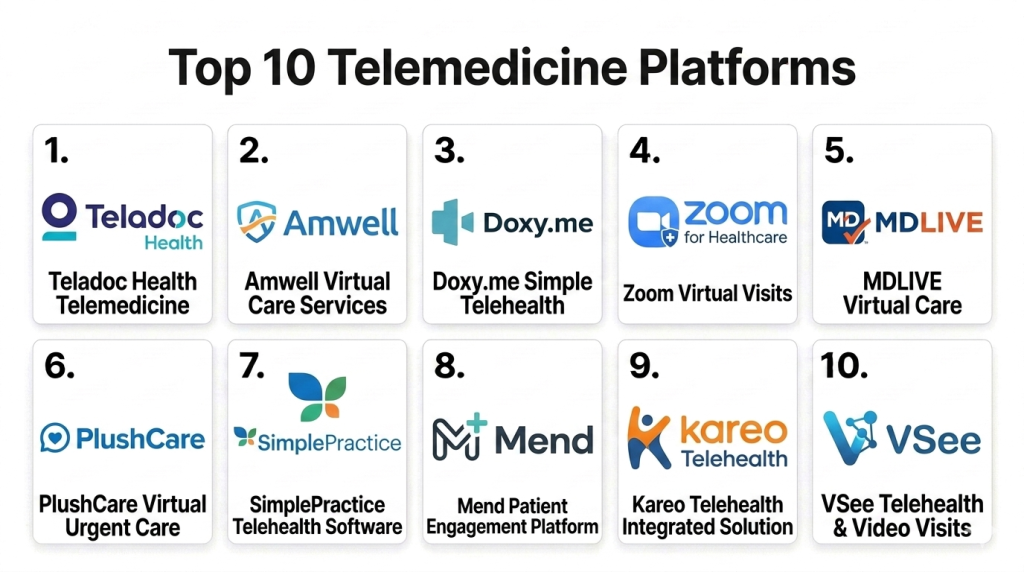
Top 10 Telemedicine Platforms Tools
#1 — Teladoc Health
Short description: A leading telemedicine platform offering virtual consultations, chronic care management, and mental health services. It is widely used by large healthcare organizations and insurers. The platform supports global telehealth delivery at scale.
Key Features
- Virtual consultations
- Mental health services
- Chronic care programs
- Mobile apps
- Scheduling tools
Pros
- Strong global presence
- Comprehensive services
- Scalable platform
- Trusted brand
Cons
- Expensive
- Complex setup
- Limited customization
Platforms / Deployment
- Web / Mobile / Cloud
Security & Compliance
- HIPAA compliant, encryption
Integrations & Ecosystem
Integrates with healthcare systems and digital tools to support large-scale telehealth delivery.
- EHR systems
- Mobile apps
- Analytics tools
Support & Community
Enterprise-level support with onboarding and training.
#2 — Amwell
Short description: A telemedicine platform designed for healthcare providers and enterprises. It supports video consultations, patient engagement, and integration with hospital systems. Suitable for large-scale telehealth deployments.
Key Features
- Video consultations
- Patient engagement tools
- EHR integration
- Scheduling
- Analytics
Pros
- Enterprise-ready
- Reliable performance
- Good integration
- Scalable
Cons
- Higher cost
- Complex setup
- Limited flexibility
Platforms / Deployment
- Web / Mobile / Cloud
Security & Compliance
- HIPAA compliant
Integrations & Ecosystem
Supports integration with healthcare systems and enterprise applications.
- EHR systems
- Hospital systems
- APIs
Support & Community
Strong enterprise support.
#3 — Doxy.me
Short description: A simple and lightweight telemedicine platform designed for individual practitioners and small clinics. It offers browser-based video consultations without requiring downloads. Easy to set up and use.
Key Features
- Browser-based video calls
- Waiting room
- Secure sessions
- No installation required
- Patient queue
Pros
- Easy to use
- No downloads needed
- Affordable
- Quick setup
Cons
- Limited features
- Basic integrations
- Not ideal for enterprise
Platforms / Deployment
- Web / Cloud
Security & Compliance
- HIPAA compliant
Integrations & Ecosystem
Basic integration capabilities focused on simplicity.
- Basic APIs
- Limited integrations
Support & Community
Good support for small users.
#4 — Zoom for Healthcare
Short description: A healthcare-focused version of Zoom designed for telemedicine consultations. It offers high-quality video communication with compliance features for medical use. Suitable for clinics and hospitals.
Key Features
- HD video consultations
- Screen sharing
- Scheduling
- Secure communication
- Integration tools
Pros
- High-quality video
- Familiar interface
- Reliable performance
- Easy adoption
Cons
- Not healthcare-specific workflows
- Requires setup
- Limited built-in medical tools
Platforms / Deployment
- Web / Mobile / Desktop
Security & Compliance
- HIPAA compliant, encryption
Integrations & Ecosystem
Integrates with healthcare systems and collaboration tools.
- EHR systems
- Calendar tools
- APIs
Support & Community
Strong global support and documentation.
#5 — MDLIVE
Short description: A telemedicine platform focused on virtual care services including urgent care and mental health. It is widely used by patients and healthcare providers for remote consultations.
Key Features
- Virtual consultations
- Mental health services
- Scheduling
- Mobile apps
- Care coordination
Pros
- Strong patient adoption
- Easy to use
- Reliable
- Good support
Cons
- Limited customization
- Not ideal for large enterprise workflows
- Feature limitations
Platforms / Deployment
- Web / Mobile
Security & Compliance
- Not publicly stated
Integrations & Ecosystem
Supports integration with healthcare systems and patient apps.
- Mobile apps
- Healthcare systems
Support & Community
Good support for healthcare providers.
#6 — PlushCare
Short description: A telemedicine platform providing online doctor visits and prescription services. It focuses on patient accessibility and convenience. Suitable for individual patients and providers.
Key Features
- Online consultations
- Prescription services
- Mobile apps
- Scheduling
- Patient management
Pros
- Easy to use
- Good patient experience
- Quick access
- Mobile-friendly
Cons
- Limited enterprise features
- Not highly customizable
- Smaller ecosystem
Platforms / Deployment
- Web / Mobile
Security & Compliance
- Not publicly stated
Integrations & Ecosystem
Focused on patient experience with limited integrations.
- Mobile apps
- Basic healthcare systems
Support & Community
Standard support services.
#7 — SimplePractice
Short description: A telehealth and practice management platform designed for therapists and small healthcare providers. It combines scheduling, billing, and telemedicine features.
Key Features
- Telehealth sessions
- Scheduling
- Billing
- Patient management
- Documentation
Pros
- All-in-one solution
- Easy to use
- Good for therapists
- Affordable
Cons
- Limited scalability
- Basic integrations
- Not enterprise-grade
Platforms / Deployment
- Web / Mobile
Security & Compliance
- HIPAA compliant
Integrations & Ecosystem
Supports integration with practice management tools and workflows.
- Billing tools
- Calendar systems
Support & Community
Strong support for small providers.
#8 — Mend
Short description: A telemedicine platform focused on patient engagement, appointment automation, and virtual care delivery. It helps reduce no-shows and improve efficiency.
Key Features
- Telehealth video
- Appointment reminders
- Workflow automation
- Patient engagement
- Scheduling
Pros
- Strong automation
- Good engagement tools
- Easy to use
- Scalable
Cons
- Limited advanced features
- Integration limitations
- Pricing not transparent
Platforms / Deployment
- Web / Cloud
Security & Compliance
- Not publicly stated
Integrations & Ecosystem
Supports integration with healthcare systems and scheduling tools.
- EHR systems
- Scheduling tools
Support & Community
Growing support ecosystem.
#9 — Kareo Telehealth
Short description: A telemedicine solution integrated with Kareo’s practice management system. It is designed for small to mid-sized healthcare providers.
Key Features
- Video consultations
- Practice management integration
- Scheduling
- Billing
- Patient records
Pros
- Integrated workflow
- Easy to use
- Good for SMBs
- Reliable
Cons
- Limited enterprise features
- Basic integrations
- Not highly customizable
Platforms / Deployment
- Web / Cloud
Security & Compliance
- Not publicly stated
Integrations & Ecosystem
Integrates with practice management and billing systems.
- Billing tools
- Patient systems
Support & Community
Good support for SMB healthcare providers.
#10 — VSee
Short description: A telemedicine platform offering secure video consultations and telehealth workflows. It is used by healthcare providers for remote patient care.
Key Features
- Secure video calls
- Telehealth workflows
- Patient management
- Mobile apps
- Integration tools
Pros
- Secure communication
- Reliable
- Flexible
- Scalable
Cons
- Interface complexity
- Setup required
- Limited advanced features
Platforms / Deployment
- Web / Mobile / Desktop
Security & Compliance
- HIPAA compliant
Integrations & Ecosystem
Supports integration with healthcare systems and telehealth tools.
- EHR systems
- APIs
Support & Community
Strong documentation and support.
Comparison Table
| Tool Name | Best For | Platform Supported | Deployment | Standout Feature | Public Rating |
|---|---|---|---|---|---|
| Teladoc | Enterprise healthcare | Web, Mobile | Cloud | Global telehealth services | N/A |
| Amwell | Large providers | Web, Mobile | Cloud | Enterprise integration | N/A |
| Doxy.me | Small clinics | Web | Cloud | Browser-based access | N/A |
| Zoom Healthcare | Video consultations | Web, Desktop | Cloud | HD video quality | N/A |
| MDLIVE | Virtual care | Web, Mobile | Cloud | Patient accessibility | N/A |
| PlushCare | Individual patients | Web, Mobile | Cloud | Convenience | N/A |
| SimplePractice | Therapists | Web, Mobile | Cloud | Practice management | N/A |
| Mend | Patient engagement | Web | Cloud | Automation | N/A |
| Kareo | SMB providers | Web | Cloud | Integrated workflow | N/A |
| VSee | Secure telehealth | Web, Mobile | Cloud | Secure communication | N/A |
Evaluation and Scoring of Telemedicine Platforms
| Tool Name | Core | Ease | Integrations | Security | Performance | Support | Value | Weighted Total |
|---|---|---|---|---|---|---|---|---|
| Teladoc | 9 | 7 | 8 | 9 | 9 | 9 | 6 | 8.2 |
| Amwell | 8 | 7 | 8 | 9 | 8 | 8 | 6 | 7.9 |
| Doxy.me | 7 | 9 | 5 | 7 | 7 | 7 | 9 | 7.6 |
| Zoom | 8 | 9 | 7 | 8 | 9 | 8 | 8 | 8.2 |
| MDLIVE | 7 | 8 | 6 | 7 | 7 | 7 | 7 | 7.1 |
| PlushCare | 7 | 8 | 5 | 7 | 7 | 7 | 8 | 7.2 |
| SimplePractice | 8 | 8 | 6 | 7 | 7 | 8 | 8 | 7.7 |
| Mend | 7 | 8 | 6 | 7 | 7 | 7 | 7 | 7.1 |
| Kareo | 7 | 8 | 6 | 7 | 7 | 7 | 7 | 7.1 |
| VSee | 8 | 7 | 7 | 8 | 8 | 7 | 7 | 7.6 |
These scores are comparative and help prioritize tools based on different needs. Enterprise platforms score higher in performance and security, while smaller tools excel in ease of use and value. Buyers should align scoring with their operational goals rather than selecting the highest score.
Which Telemedicine Platforms Tool Is Right for You
Solo / Freelancer
Doxy.me and SimplePractice are ideal due to ease of use and low setup requirements.
SMB
Kareo and Mend offer a balance between features and affordability.
Mid-Market
Zoom for Healthcare and VSee provide scalability and reliability.
Enterprise
Teladoc and Amwell are best for large-scale deployments.
Budget vs Premium
Budget tools focus on essential features, while premium platforms offer advanced integrations and analytics.
Feature Depth vs Ease of Use
Advanced platforms offer deeper capabilities, while simpler tools prioritize usability.
Integrations and Scalability
Choose platforms with strong EHR integrations and scalability support.
Security and Compliance Needs
Ensure platforms meet healthcare compliance and data protection requirements.
Frequently Asked Questions FAQs
1. What is a telemedicine platform
Telemedicine platforms allow healthcare providers to conduct consultations remotely using video, chat, or mobile apps. They help improve access to care and reduce the need for in-person visits. These platforms are widely used for routine consultations and follow-ups. They are an essential part of digital healthcare.
2. How much do telemedicine platforms cost
Pricing varies based on features, users, and scale. Some tools offer subscription plans, while others provide enterprise pricing. Costs may include integration and onboarding. It is important to evaluate total cost based on usage.
3. Are telemedicine platforms secure
Most platforms include encryption and security controls to protect patient data. Compliance features vary by vendor. Healthcare providers should verify security standards before adoption. Data privacy is a key requirement.
4. Can telemedicine replace in-person visits
Telemedicine can handle many routine consultations and follow-ups. However, it cannot fully replace physical examinations or procedures. It works best as a complement to traditional care. Providers should use it strategically.
5. How long does implementation take
Implementation can take a few days to several weeks depending on complexity. Simple tools can be deployed quickly, while enterprise solutions require more setup. Integration with existing systems may extend timelines. Planning is important.
6. Can telemedicine integrate with EHR systems
Yes, many platforms support integration with EHR systems. This enables seamless patient data sharing and workflow efficiency. Integration capabilities vary between tools. It is an important factor during selection.
7. What devices are supported
Telemedicine platforms typically support smartphones, tablets, and computers. Some also integrate with medical devices. Device compatibility depends on the platform. Mobile access is increasingly important.
8. Who uses telemedicine platforms
Hospitals, clinics, individual doctors, therapists, and telehealth companies use these platforms. They are also used by insurers and healthcare networks. Adoption is growing across all healthcare segments. It improves accessibility and efficiency.
9. What are common challenges
Challenges include connectivity issues, patient adoption, and integration complexity. Ensuring data security and compliance is also important. Training staff and patients can help overcome these challenges. Proper planning improves outcomes.
10. Can small clinics use telemedicine platforms
Yes, many platforms are designed for small clinics and individual practitioners. They offer easy setup and affordable pricing. Tools like Doxy.me are particularly suitable. This makes telemedicine accessible to all provider sizes.
Conclusion
Telemedicine platforms have become a critical component of modern healthcare by enabling accessible, efficient, and scalable virtual care delivery. From enterprise-grade solutions like Teladoc and Amwell to simple tools like Doxy.me and SimplePractice, organizations have a wide range of options depending on their size and requirements. Advanced platforms provide strong integrations and scalability, while lightweight solutions focus on ease of use and quick adoption. Security, compliance, and integration remain key factors when choosing a platform. The best approach is to shortlist a few tools, test them through pilot programs, and evaluate real-world usability before making a final decision.

A helpful comparison that breaks down telemedicine platforms in a clear and easy-to-understand way, making it simpler to evaluate the best option for virtual healthcare services.