Introduction
Classroom Management Software is a digital solution that helps teachers monitor, control, and manage classroom activities, especially when students use devices like laptops or tablets. These platforms provide visibility into student activity, allowing teachers to guide attention, reduce distractions, and improve engagement during lessons.
As classrooms become more technology-driven, managing both physical and digital learning environments has become increasingly complex. Modern classroom management tools centralize communication, assignments, monitoring, and behavior tracking into one system. They help teachers maintain discipline, improve collaboration, and ensure students stay focused on learning outcomes.
Common use cases include:
- Monitoring student device activity during lessons
- Managing assignments and classroom tasks
- Tracking student behavior and performance
- Facilitating communication between teachers, students, and parents
- Controlling distractions in digital classrooms
Key evaluation criteria:
- Device monitoring and control capabilities
- Assignment and task management features
- Real-time communication tools
- Performance and behavior tracking
- Ease of use for teachers and students
- Integration with LMS and school systems
- Scalability across classrooms and institutions
- Security and data privacy
Best for: Schools, teachers, and institutions using digital devices in classrooms and needing better control, engagement, and collaboration.
Not ideal for: Traditional classrooms without digital tools or institutions that only need basic administrative systems.
Key Trends in Classroom Management Software
- AI-powered monitoring for student engagement and behavior
- Real-time screen monitoring and device control features
- Integration with LMS and school systems
- Cloud-based platforms replacing standalone tools
- Mobile accessibility for teachers and students
- Automation of assignments and grading workflows
- Increased focus on privacy and secure data handling
- Gamification to improve student engagement
- Real-time communication between teachers and parents
- Hybrid classroom support for both online and offline learning
How We Selected These Tools Methodology
- Evaluated adoption across schools and educators
- Assessed classroom monitoring and control features
- Reviewed usability for teachers and students
- Considered integration with learning platforms
- Analyzed performance and scalability
- Included both device-monitoring and engagement tools
- Focused on real-world classroom use cases
- Balanced enterprise-grade and lightweight solutions
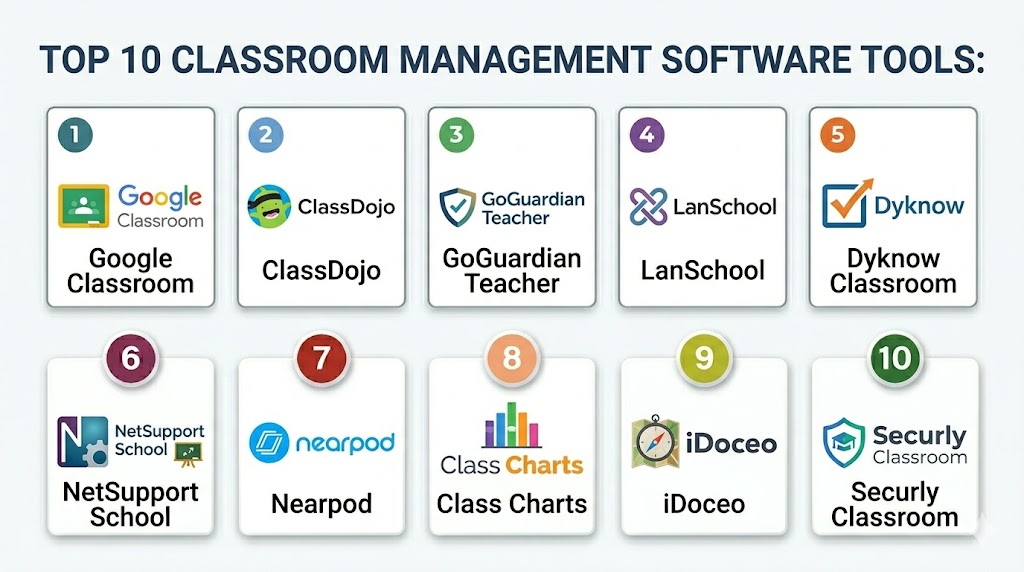
Top 10 Classroom Management Software Tools
#1 — Google Classroom
Short description:
Google Classroom is a widely used classroom management platform that helps teachers organize assignments, communicate with students, and manage workflows. It integrates seamlessly with Google ecosystem tools. The platform is simple and scalable for schools of all sizes. It is ideal for both physical and virtual classrooms.
Key Features
- Assignment management
- Classroom communication
- Integration with Google tools
- Real-time collaboration
- Grading system
- Resource sharing
Pros
- Easy to use
- Free for many users
- Strong integration ecosystem
Cons
- Limited device monitoring
- Basic analytics
- Customization limits
Platforms / Deployment
Web / Android / iOS
Security & Compliance
Encryption and access controls
Integrations & Ecosystem
Integrates with Google Workspace and learning tools.
- APIs
- LMS integrations
- Cloud tools
Support & Community
Strong global community and support
#2 — ClassDojo
Short description:
ClassDojo focuses on classroom engagement and behavior tracking. It helps teachers communicate with students and parents effectively. The platform encourages positive behavior through rewards. It is widely used in primary education.
Key Features
- Behavior tracking
- Communication tools
- Student engagement features
- Parent messaging
- Classroom updates
Pros
- Engaging interface
- Easy communication
- Good for younger students
Cons
- Limited advanced features
- Not suitable for higher education
- Basic analytics
Platforms / Deployment
Web / Android / iOS
Security & Compliance
Not publicly stated
Integrations & Ecosystem
Integrates with classroom communication tools.
- APIs
- App integrations
Support & Community
Strong community support
#3 — GoGuardian Teacher
Short description:
GoGuardian Teacher is a classroom management tool focused on monitoring student device activity. It allows teachers to view screens and control browsing. The platform helps reduce distractions. It is widely used in digital classrooms.
Key Features
- Screen monitoring
- Website blocking
- Activity tracking
- Classroom control
- Real-time alerts
Pros
- Strong monitoring capabilities
- Improves focus
- Easy to manage
Cons
- Privacy concerns
- Limited non-device features
- Pricing varies
Platforms / Deployment
Cloud
Security & Compliance
Not publicly stated
Integrations & Ecosystem
Integrates with school systems and devices.
- APIs
- Device integrations
Support & Community
Good support
#4 — LanSchool
Short description:
LanSchool is a classroom monitoring and management solution designed for schools using digital devices. It allows teachers to control and guide student activity. The platform supports classroom discipline and engagement. It is suitable for computer labs and digital classrooms.
Key Features
- Screen monitoring
- Device control
- Content filtering
- Messaging tools
- Classroom control
Pros
- Strong device control
- Reliable
- Good for labs
Cons
- Interface can be complex
- Requires setup
- Limited analytics
Platforms / Deployment
Windows / macOS
Security & Compliance
Not publicly stated
Integrations & Ecosystem
Supports integration with school systems.
- APIs
- Device integrations
Support & Community
Standard support
#5 — Dyknow Classroom
Short description:
Dyknow Classroom provides real-time monitoring and management of student devices. It enables teachers to track activity and maintain focus. The platform supports engagement and accountability. It is widely used in digital learning environments.
Key Features
- Device monitoring
- Activity tracking
- Screen control
- Reporting tools
- Engagement insights
Pros
- Strong monitoring
- Easy to use
- Improves engagement
Cons
- Limited broader features
- Pricing varies
- Requires devices
Platforms / Deployment
Cloud
Security & Compliance
Not publicly stated
Integrations & Ecosystem
Integrates with education systems and devices.
- APIs
- Device integrations
Support & Community
Good support
#6 — NetSupport School
Short description:
NetSupport School is a classroom management tool designed for monitoring and collaboration. It allows teachers to interact with students and manage activities. The platform supports remote and in-person learning. It is suitable for schools with digital infrastructure.
Key Features
- Screen monitoring
- Collaboration tools
- Messaging features
- Assessment tools
- Classroom control
Pros
- Feature-rich
- Supports collaboration
- Reliable
Cons
- Complex interface
- Setup required
- Pricing varies
Platforms / Deployment
Windows / macOS
Security & Compliance
Not publicly stated
Integrations & Ecosystem
Supports integration with education tools.
- APIs
- System integrations
Support & Community
Professional support
#7 — Nearpod
Short description:
Nearpod is a classroom engagement platform that helps teachers deliver interactive lessons. It includes tools for quizzes, polls, and real-time participation. The platform improves student engagement. It is widely used in modern classrooms.
Key Features
- Interactive lessons
- Real-time quizzes
- Student participation tools
- Content sharing
- Analytics
Pros
- Engaging
- Easy to use
- Improves participation
Cons
- Limited monitoring
- Requires internet
- Pricing tiers
Platforms / Deployment
Web / Mobile
Security & Compliance
Not publicly stated
Integrations & Ecosystem
Integrates with LMS and classroom tools.
- APIs
- LMS integrations
Support & Community
Strong support
#8 — Class Charts
Short description:
Class Charts focuses on behavior tracking and classroom organization. It helps teachers monitor student performance and seating arrangements. The platform improves classroom discipline. It is suitable for schools focusing on behavior management.
Key Features
- Behavior tracking
- Seating plans
- Performance analytics
- Reporting tools
- Parent communication
Pros
- Simple
- Effective behavior tracking
- Good reporting
Cons
- Limited advanced features
- Smaller ecosystem
- Basic UI
Platforms / Deployment
Web
Security & Compliance
Not publicly stated
Integrations & Ecosystem
Supports integration with school systems.
- APIs
- School integrations
Support & Community
Standard support
#9 — iDoceo
Short description:
iDoceo is a classroom management app designed for teachers to manage grading, attendance, and planning. It is widely used by educators for its flexibility. The platform supports offline usage. It is ideal for individual teachers.
Key Features
- Gradebook
- Attendance tracking
- Lesson planning
- Reporting tools
- Offline support
Pros
- Flexible
- Easy to use
- Offline functionality
Cons
- Limited collaboration
- Not enterprise-ready
- Platform restrictions
Platforms / Deployment
iOS
Security & Compliance
Not publicly stated
Integrations & Ecosystem
Supports basic integrations.
- File integrations
Support & Community
Good support
#10 — Securly Classroom
Short description:
Securly Classroom is a cloud-based classroom management tool focused on student safety and device monitoring. It helps teachers guide student activity and maintain focus. The platform supports digital classrooms. It is suitable for schools with device-based learning.
Key Features
- Screen monitoring
- Device control
- Content filtering
- Real-time alerts
- Safety features
Pros
- Strong safety features
- Easy to use
- Cloud-based
Cons
- Limited broader features
- Privacy concerns
- Pricing varies
Platforms / Deployment
Cloud
Security & Compliance
Not publicly stated
Integrations & Ecosystem
Integrates with school systems and devices.
- APIs
- Device integrations
Support & Community
Standard support
Comparison Table
| Tool Name | Best For | Platform Supported | Deployment | Standout Feature | Public Rating |
|---|---|---|---|---|---|
| Google Classroom | Assignments | Web | Cloud | Integration | N/A |
| ClassDojo | Behavior tracking | Web | Cloud | Engagement | N/A |
| GoGuardian | Monitoring | Web | Cloud | Screen control | N/A |
| LanSchool | Device control | Desktop | On-premise | Lab management | N/A |
| Dyknow | Activity tracking | Web | Cloud | Monitoring | N/A |
| NetSupport | Collaboration | Desktop | Hybrid | Interaction | N/A |
| Nearpod | Engagement | Web | Cloud | Interactive lessons | N/A |
| Class Charts | Behavior | Web | Cloud | Analytics | N/A |
| iDoceo | Teacher tools | iOS | Local | Flexibility | N/A |
| Securly | Safety | Web | Cloud | Filtering | N/A |
Evaluation and Scoring of Classroom Management Software
| Tool Name | Core | Ease | Integrations | Security | Performance | Support | Value | Weighted Total |
|---|---|---|---|---|---|---|---|---|
| Google Classroom | 9 | 9 | 9 | 8 | 9 | 8 | 9 | 8.8 |
| ClassDojo | 7 | 9 | 7 | 7 | 8 | 7 | 9 | 7.9 |
| GoGuardian | 9 | 8 | 8 | 8 | 9 | 8 | 7 | 8.3 |
| LanSchool | 8 | 7 | 7 | 8 | 8 | 7 | 7 | 7.7 |
| Dyknow | 8 | 8 | 7 | 8 | 8 | 7 | 7 | 7.8 |
| NetSupport | 8 | 7 | 7 | 8 | 8 | 7 | 7 | 7.7 |
| Nearpod | 8 | 9 | 8 | 7 | 8 | 8 | 8 | 8.2 |
| Class Charts | 7 | 8 | 7 | 7 | 7 | 7 | 8 | 7.5 |
| iDoceo | 7 | 9 | 6 | 7 | 7 | 7 | 9 | 7.6 |
| Securly | 8 | 8 | 7 | 8 | 8 | 7 | 7 | 7.8 |
How to interpret these scores:
These scores compare tools across key factors like features, usability, integrations, and value. Higher scores indicate stronger overall performance, but the best choice depends on your classroom needs. Platforms with strong monitoring capabilities score higher in control and performance, while engagement-focused tools perform better in ease of use and value. The weighted scoring balances these factors, but educators should prioritize what matters most, such as device control, engagement, or simplicity. These scores should guide decision-making, not replace real-world testing.
Which Classroom Management Software Is Right for You
Solo Freelancer
Use tools like iDoceo for simple classroom management and grading.
SMB
ClassDojo or Nearpod provide engagement and ease of use.
Mid Market
Google Classroom or Dyknow offer balance between features and scalability.
Enterprise
GoGuardian, Securly, and NetSupport provide advanced monitoring and control.
Budget vs Premium
Budget tools focus on simplicity, while premium tools offer advanced monitoring and analytics.
Feature Depth vs Ease of Use
Advanced tools provide more control, while simple tools focus on usability.
Integrations and Scalability
Cloud-based tools with APIs scale better across institutions.
Security and Compliance Needs
Choose tools with strong monitoring and data protection features.
Frequently Asked Questions
1 What is classroom management software
It is a tool that helps teachers manage classroom activities, monitor students, and improve engagement. It centralizes tasks like assignments and communication. It improves efficiency. It supports both digital and physical classrooms.
2 How does it help teachers
It reduces manual work and provides better control over classroom activities. Teachers can monitor student behavior and progress. It improves focus and discipline. It enhances teaching effectiveness.
3 Can it monitor student devices
Yes, many tools allow teachers to view and control student devices in real time. This helps reduce distractions. It ensures students stay on task. It improves classroom management.
4 Is it suitable for online classes
Yes, these tools are widely used in online and hybrid classrooms. They help manage remote learning effectively. They provide structure and engagement. They improve communication.
5 How much does it cost
Costs vary depending on features and scale. Some tools are free, while others require subscriptions. Pricing depends on usage. Institutions should evaluate based on needs.
6 Can it integrate with LMS
Most tools integrate with learning systems for better workflow management. Integration improves efficiency. API support is important. It helps centralize operations.
7 Is it secure
Security depends on the platform. Many tools offer encryption and access controls. Institutions should choose trusted providers. Data privacy is important.
8 What industries use it
Primarily education institutions use it, including schools and colleges. It is also used in training environments. It supports structured learning. Adoption is growing.
9 Can it improve student engagement
Yes, many tools include interactive features and monitoring capabilities that improve engagement. They help keep students focused. They support personalized learning. Engagement increases significantly.
10 How do I choose the right tool
Evaluate features, ease of use, integrations, and cost. Consider your classroom size and needs. Test multiple tools. Choose one that fits your workflow.
Conclusion
Classroom management software has become a critical component of modern education by enabling teachers to effectively manage both physical and digital classrooms through automation, monitoring, and engagement tools. These platforms help reduce distractions, improve student focus, and streamline administrative tasks, allowing educators to spend more time on teaching rather than management. While some tools focus on device monitoring and control, others emphasize collaboration and engagement, making it important to choose based on your specific classroom needs. Schools with advanced digital infrastructure may benefit from feature-rich solutions, while smaller institutions may prefer simpler, easy-to-use platforms. The best approach is to shortlist a few tools, test them in real classroom scenarios, and evaluate how well they integrate with existing systems before making a final decision.
