Introduction
Wellness Habit Tracking Apps are digital platforms designed to help individuals build, maintain, and monitor positive behaviors related to physical health, mental well-being, and personal productivity. Unlike simple to-do lists, these apps utilize behavioral science principles—such as gamification, habit stacking, and streak motivation—to turn abstract goals into consistent daily routines. In a modern world filled with digital distractions and rising stress levels, these tools act as personal accountability partners, helping users bridge the gap between their intentions and their actual daily actions.
The importance of habit tracking has escalated as healthcare shifts toward a more proactive, preventive model. By monitoring small, incremental changes in hydration, sleep, mindfulness, and physical activity, users can identify patterns that lead to long-term health improvements. For corporate wellness programs and healthcare providers, these apps offer a scalable way to encourage healthy lifestyle shifts. Modern wellness trackers now leverage AI to provide personalized nudges, ensuring that the tracking process remains engaging rather than becoming another administrative burden.
Real-world use cases for these tools include:
- Establishing a consistent morning routine that includes meditation, stretching, and a healthy breakfast.
- Monitoring daily water intake and movement goals for individuals in sedentary office environments.
- Tracking sleep hygiene habits to identify triggers for insomnia or poor rest quality.
- Building “deep work” habits by tracking time spent on focused tasks without digital interruptions.
- Managing emotional well-being by logging daily moods and gratitude alongside physical habits.
When evaluating these solutions, buyers should analyze several critical factors:
- The flexibility of the habit creation engine (e.g., daily, weekly, or specific day scheduling).
- The quality and psychological impact of the notification and reminder system.
- Native synchronization with hardware like smartwatches and fitness trackers.
- The depth of data visualization and long-term trend analysis.
- The presence of social features or community challenges for group accountability.
- The simplicity of the user interface for rapid, friction-free logging.
- The availability of expert-led content or “habit templates” for beginners.
- Privacy policies regarding the handling and potential sale of personal lifestyle data.
- The level of gamification (streaks, badges, or virtual rewards).
- Cross-platform availability to ensure tracking is possible across all personal devices.
Mandatory paragraph
- Best for: Individuals seeking to improve their lifestyle through small, daily changes, corporate wellness managers looking for engagement tools, and high-performers focused on productivity and mental clarity.
- Not ideal for: Users who are already overwhelmed by screen time and prefer analog tracking methods, or those with severe clinical conditions that require medical-grade intervention rather than general wellness habit-building.
Key Trends in Wellness Habit Tracking Apps for the Future
- Hyper-Personalized AI Nudging: Apps are moving beyond static reminders, using AI to determine the “perfect” moment to nudge a user based on their current location, calendar availability, and historical responsiveness.
- Biometric Integration: Modern trackers are pulling real-time data from wearables (HRV, blood glucose, sleep stages) to suggest habits—like suggesting a meditation session if your stress levels are trending high.
- Habit Stacking Blueprints: Tools are incorporating “habit stacking” logic directly into the UI, helping users attach new behaviors to established routines (e.g., “After I brush my teeth, I will do 2 minutes of stretching”).
- Focus on Micro-Habits: Recognizing “habit fatigue,” many platforms now emphasize “tiny wins,” encouraging 1-minute tasks that are impossible to fail, ensuring long-term neurological rewiring.
- Social & Community Accountability: The rise of “habit squads” or community-wide challenges allows users to compete or collaborate, leveraging social pressure for better consistency.
- Mental Health Synthesis: Habit trackers are increasingly merging with mood journals and therapy-adjacent tools, recognizing that physical habits and emotional states are deeply linked.
- Privacy-First “Local-Only” Modes: In response to data concerns, some developers are offering modes where habit data never leaves the device or is stored in zero-knowledge encrypted clouds.
- Immersive Gamification: Moving beyond simple badges, some apps are incorporating RPG (Role Playing Game) elements where your real-life habits power a virtual character’s growth and adventures.
How We Selected These Tools (Methodology)
The selection of the “Top 10” wellness habit tracking apps involved a rigorous evaluation focused on both user experience and behavioral science efficacy. The methodology focused on the following:
- Behavioral Design Efficacy: We prioritized apps that utilize proven habit-building techniques like the Cue-Routine-Reward loop and habit stacking.
- UI/UX Friction Levels: Because habit tracking requires daily input, we heavily weighted the “speed to log”—how quickly a user can check off a habit.
- Data Visualization Quality: We analyzed the ability of each tool to turn raw data into meaningful insights that motivate the user to continue their streaks.
- Community and Social Feedback: We reviewed qualitative data from large-scale user communities to gauge long-term retention rates and general satisfaction.
- Versatility: Preference was given to tools that can handle a diverse range of habits, from “don’t do” habits (quitting smoking) to positive physical and mental goals.
- Integrations: We looked for apps that play well with the broader health ecosystem, including Apple Health, Google Fit, and various smart wearables.
- Security Posture: Evaluation included the transparency of the app’s privacy policy and the methods used to secure sensitive personal logs.
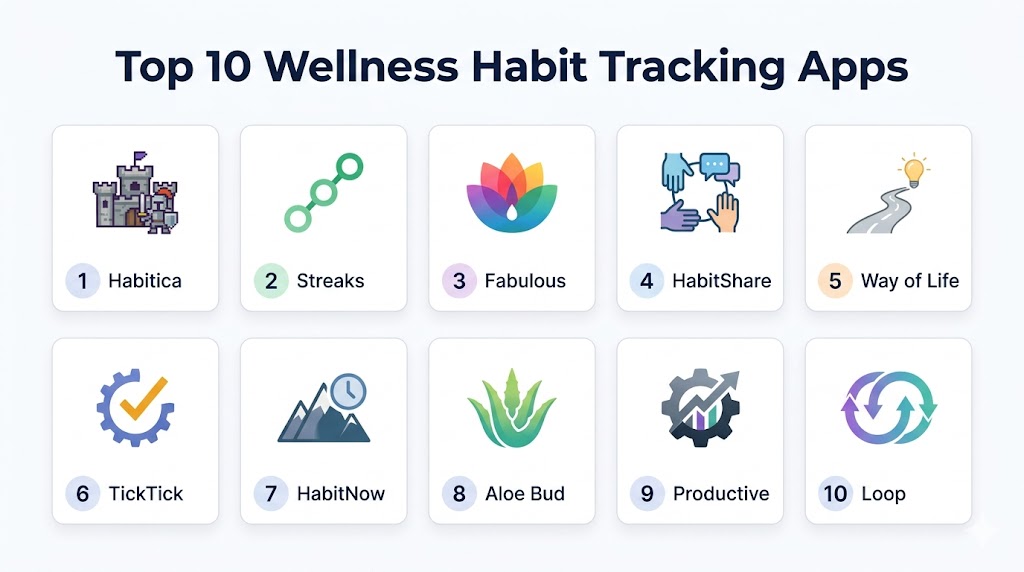
Top 10 Wellness Habit Tracking Apps
#1 — Habitica
Short description: Habitica is a unique, gamified task manager and habit tracker that turns your real-life goals into a retro-style Role Playing Game (RPG). By completing habits, you earn experience and gold to level up your character, buy equipment, and go on “quests” with friends. It is specifically designed to make productivity fun and socially engaging.
Key Features
- RPG Mechanics: Your real-life tasks power your virtual avatar; failing habits results in your character losing health.
- Party Quests: Join “Parties” with friends to battle monsters, where your combined habit consistency determines the outcome.
- Customizable Habits: Separate categories for “Habits” (good/bad), “Dailies” (recurring), and “To-Dos” (one-time).
- Pet and Mount System: Collect rare items and hatch virtual pets as a reward for long-term consistency.
- Community Guilds: Join interest-based guilds to find accountability partners for specific goals like fitness or coding.
Pros
- Extremely high engagement for users who enjoy gaming and fantasy themes.
- Strong social accountability features that make it difficult to “cheat” on habits.
- Completely free core experience with a very supportive community.
Cons
- The pixel-art interface may feel too juvenile or cluttered for corporate professionals.
- The complexity of the RPG system can be a distraction from the actual habits themselves.
- Manual logging is required for everything; no native hardware syncing.
Platforms / Deployment
- Web / iOS / Android
- Cloud
Security & Compliance
- Standard data encryption, RBAC for teams.
- Not publicly stated (General privacy focus).
Integrations & Ecosystem
Habitica focuses more on its internal ecosystem but offers some extensibility.
- Browser extensions for Chrome/Firefox.
- Open API for third-party developer integrations.
- Discord bot integrations for community groups.
Support & Community
Habitica boasts a massive, volunteer-driven community, extensive wikis, and dedicated “Guilds” for troubleshooting and peer support.
#2 — Streaks
Short description: Streaks is a minimalist, Apple Design Award-winning habit tracker designed for those who want a clean, no-nonsense interface. Its core philosophy is based on the “Don’t Break the Chain” method, encouraging users to complete up to 24 tasks each day to maintain their momentum.
Key Features
- Automatic Tracking: Deep integration with Apple Health allows the app to automatically mark habits (like “walk 10k steps”) as complete.
- Minimalist Interface: Uses large, bold icons and simple colors to show progress at a glance.
- Highly Flexible Scheduling: Set habits for specific days, a certain number of times per week, or even “negative” habits to avoid.
- Apple Watch Mastery: One of the best-designed complications for tracking habits directly from your wrist.
- Custom Notifications: Specific reminders that can be set to trigger based on location or time of day.
Pros
- Unrivaled “set it and forget it” capability through HealthKit automation.
- Extremely fast logging—literally one tap to complete a task.
- Beautiful, aesthetic design that fits perfectly into the iOS ecosystem.
Cons
- Exclusively built for Apple users; no Android or Windows version available.
- Limited to a maximum of 24 habits to prevent user burnout (which may be a pro for some).
- Lacks the community and social features of apps like Habitica.
Platforms / Deployment
- iOS / macOS / Apple Watch / Apple TV
- Cloud (iCloud Sync)
Security & Compliance
- End-to-end encryption via iCloud.
- Compliant with Apple’s strict privacy guidelines.
Integrations & Ecosystem
Streaks is built entirely around the Apple health and software stack.
- Apple Health (HealthKit) for automated tracking.
- Shortcuts app for complex automation.
- iCloud for cross-device synchronization.
Support & Community
Streaks offers direct email support and a detailed FAQ, though it lacks a large public forum.
#3 — Fabulous
Short description: Developed in Duke University’s Behavioral Economics Lab, Fabulous is a science-based app that uses a “journey” approach to habit building. It focuses on the holistic ritual—morning, afternoon, and evening—rather than just isolated tasks, aiming to rewire your brain for long-term health and focus.
Key Features
- Guided Journeys: Curated multi-week programs for specific goals like “Deep Sleep” or “Weight Loss.”
- Ritual Building: Encourages users to group habits into morning, afternoon, and evening routines.
- Scientific Coaching: Integrated audio coaching and letters based on behavioral science research.
- In-App Challenges: Live challenges that allow users to compete with the global Fabulous community.
- Mental Well-being Focus: Includes meditation, breathing exercises, and gratitude prompts as core habit options.
Pros
- Beautiful, award-winning illustration-style interface.
- Strongly rooted in behavioral science, making it very effective for psychological rewiring.
- Excellent for users who need a “hand-holding” approach to starting a new lifestyle.
Cons
- The subscription cost is significantly higher than most other habit trackers.
- The “hand-holding” approach can feel restrictive for power users who want full control.
- The app is resource-heavy and can be slow on older smartphones.
Platforms / Deployment
- iOS / Android
- Cloud
Security & Compliance
- Data Encryption.
- HIPAA Compliant (Self-certified for certain health data).
Integrations & Ecosystem
Fabulous is a relatively closed ecosystem but supports basic health data sharing.
- Apple Health / Google Fit for steps and basic vitals.
- Internal community “Spheres” for social interaction.
Support & Community
Fabulous offers a robust help center, a premium coaching tier, and a large global community of “voyagers.”
#4 — HabitShare
Short description: HabitShare is a social habit tracker that combines a simple, functional interface with the power of peer pressure. It allows you to selectively share specific habits with friends, creating a private social network for accountability without the noise of traditional social media.
Key Features
- Selective Sharing: Choose exactly which habits a specific friend can see (e.g., share “Gym” with a workout buddy but not “Meditation”).
- In-App Messaging: Securely message friends to encourage them or “nudge” them if they miss a day.
- Simplicity-First Design: A clean, spreadsheet-like view of your habit streaks.
- Privacy Controls: Total control over your data; friends can only see what you explicitly allow.
- Group Accountability: Create small groups for specific team or family goals.
Pros
- Completely free to use with no hidden subscription costs.
- The best app for users whose primary motivator is social accountability.
- Very lightweight and works well on all device types.
Cons
- Lacks the advanced analytics and charts found in “Streaks” or “Fabulous.”
- No automated tracking via Apple Health or Google Fit.
- The interface is very basic and lacks modern aesthetic “flair.”
Platforms / Deployment
- iOS / Android
- Cloud
Security & Compliance
- Encrypted data transmission.
- Not publicly stated.
Integrations & Ecosystem
HabitShare focuses on the social layer rather than technical integrations.
- Contact list integration to find friends.
- Basic push notification system.
Support & Community
Support is handled via email, and the community is entirely user-defined (you bring your own friends).
#5 — Way of Life
Short description: Way of Life is a powerful data-tracking tool for those who love charts and trends. It uses a unique “Journal” view that allows you to log a habit as “Yes,” “No,” or “Skip” in seconds. It is specifically designed to help users identify the “chains” of behavior that lead to success or failure over months and years.
Key Features
- Color-Coded Journal: A fast way to view your entire month’s performance at a glance.
- Deep Analytics: Provides trend lines, success rates, and bar charts to visualize progress over years.
- Note-Taking Feature: Attach notes to specific days to explain why a habit was missed (e.g., “Sick,” “Traveling”).
- Customizable Chains: Allows for “negative” habits where the goal is to not do something.
- Interactive Notifications: Log your habits directly from the notification screen without opening the app.
Pros
- The data visualization is among the best in the industry.
- Extremely efficient for tracking dozens of habits at once.
- The note-taking feature is excellent for identifying personal triggers.
Cons
- The interface can feel a bit “data-heavy” and clinical for casual users.
- The free version is limited to only three habits.
- Lacks the gamification and coaching found in competitors.
Platforms / Deployment
- iOS / Android
- Cloud (Optional backup)
Security & Compliance
- Optional passcode/biometric lock for the app.
- Encryption.
Integrations & Ecosystem
Way of Life is a standalone data tool with limited external connections.
- Data export to CSV or Excel for custom analysis.
- Standard notification integrations.
Support & Community
Way of Life provides a detailed user guide and direct email support from the developers.
#6 — TickTick
Short description: While primarily a task manager, TickTick features one of the most robust integrated habit trackers in the productivity space. It is the ideal choice for users who want to manage their to-do list, calendar, and wellness habits in a single, unified application.
Key Features
- Unified Dashboard: View your tasks, calendar events, and habits in one view.
- Habit Logs with Statistics: Detailed insights into streak frequency and completion rates.
- Pomodoro Timer Integration: Link specific habits (like “Focus Work”) directly to a built-in Pomodoro timer.
- White Noise Generator: Integrated soundscapes to help with habits like “Meditation” or “Sleep.”
- Cross-Platform Mastery: One of the few apps that works perfectly across Web, Windows, Mac, Linux, and Mobile.
Pros
- Eliminates “app fatigue” by combining productivity and wellness tracking.
- Excellent for building work-related habits like “Inbox Zero” or “Daily Planning.”
- Very affordable “Premium” tier compared to specialized habit apps.
Cons
- The habit tracker is a module, not the primary focus, so it lacks some “journey” features.
- No automated health data syncing (everything is manual).
- Can feel cluttered for someone who only wants a wellness tracker.
Platforms / Deployment
- Web / Windows / macOS / Linux / iOS / Android
- Cloud
Security & Compliance
- SSO, MFA.
- Not publicly stated (General productivity focus).
Integrations & Ecosystem
TickTick is designed to be a central productivity hub.
- Calendar sync (Google, Outlook, iCloud).
- Siri/Google Assistant integration.
- Browser extensions and email-to-task features.
Support & Community
TickTick offers a robust support ticket system, a large subreddit for user tips, and a comprehensive blog.
#7 — HabitNow
Short description: HabitNow is a highly organized habit tracker and task manager for Android users (with iOS support). It excels at categorization, allowing users to separate habits into “Health,” “Work,” “Social,” and more. It offers a very balanced mix of features, including a timer for duration-based habits.
Key Features
- Categorization Engine: Organize habits into custom folders with unique icons and colors.
- Duration Habits: Includes a built-in timer for habits like “Read for 30 minutes” or “Plank for 2 minutes.”
- Checklist Habits: Create sub-tasks within a single habit.
- Highly Customizable Widgets: Log your habits directly from your home screen.
- Dark Mode & Themes: A very modern, customizable aesthetic.
Pros
- One of the best Android-first habit tracking experiences.
- The duration timer is a significant advantage for specific wellness goals.
- Clean, ad-free experience even in the base version.
Cons
- The sync between devices can occasionally be slower than iCloud-based apps.
- Lacks the scientific coaching of “Fabulous” or the gamification of “Habitica.”
- The community features are minimal.
Platforms / Deployment
- Android / iOS
- Cloud (Google Drive/iCloud Backup)
Security & Compliance
- Standard Encryption.
- Passcode/Fingerprint lock.
Integrations & Ecosystem
HabitNow focuses on home-screen efficiency.
- Extensive Android Widgets.
- Standard notification system.
Support & Community
HabitNow provides email support and a detailed FAQ section.
#8 — Aloe Bud
Short description: Aloe Bud is a “self-care pocket companion” that focuses on gentle, non-judgmental habit tracking. It avoids the aggressive “streak” pressure of other apps, instead using soft prompts to encourage basic self-care like drinking water, eating, and reaching out to friends.
Key Features
- Gentle Reminders: Soft, encouraging push notifications that don’t feel like “orders.”
- Check-in Reflection: Encourages users to write a small note about how they feel during a check-in.
- Self-Care Activity Log: Focuses on fundamental human needs (Hydrate, Move, Breathe, Socialize).
- Nostalgic UI: A beautiful, 8-bit inspired aesthetic that feels calm and approachable.
- No Pressure Streaks: Prioritizes “showing up” over maintaining a perfect numerical count.
Pros
- The best app for users with anxiety or those who find traditional habit trackers stressful.
- Focuses on the quality of self-care rather than just the quantity.
- Very lightweight and simple to use.
Cons
- Lacks the analytical depth required by data-driven users.
- Not ideal for “high-performance” or complex goal tracking.
- Primarily an iOS-centric experience.
Platforms / Deployment
- iOS
- Cloud
Security & Compliance
- Privacy-first (minimal data collection).
- Encryption.
Integrations & Ecosystem
Aloe Bud is a standalone, focused self-care tool.
- Basic HealthKit sync for hydration.
- Standard iOS notification system.
Support & Community
Aloe Bud offers email support and has a very loyal following on social media focused on mental health.
#9 — Productive
Short description: Productive is a feature-rich habit tracker with a heavy emphasis on “Habit Challenges” and expert-led content. It is designed to help users identify their most productive times of day and provides a structured environment for building a more efficient lifestyle.
Key Features
- Morning/Afternoon/Evening Sorting: Automatically shows you only the habits relevant to your current time of day.
- Competitions: Join global challenges to see how your consistency ranks against others.
- Expert Articles: Built-in library of content on productivity and wellness.
- Mood Tracking Integration: Log how you feel alongside your habit completion.
- Advanced Geofencing: Trigger reminders only when you arrive at a specific location (like the gym).
Pros
- The geofencing feature is a “killer app” for location-based habits.
- Excellent time-of-day sorting prevents the user from being overwhelmed by a long list.
- Very polished, high-end professional design.
Cons
- The premium subscription is quite expensive.
- The app can feel a bit “busy” with many different buttons and menus.
- Some users find the “Challenges” to be more stressful than motivating.
Platforms / Deployment
- iOS / Android / Apple Watch
- Cloud
Security & Compliance
- Standard Encryption.
- Passcode Lock.
Integrations & Ecosystem
Productive is a well-connected modern app.
- Apple Health integration.
- Siri Shortcuts.
- Deep Apple Watch complications.
Support & Community
Productive provides a robust help desk, regular blog updates, and a large user base for global challenges.
#10 — Loop Habit Tracker
Short description: Loop is a completely free, open-source habit tracker for Android users. It is renowned for its simplicity, privacy, and its unique “Habit Score” algorithm, which calculates the strength of a habit based on your long-term consistency, rather than just the current streak.
Key Features
- Habit Score Algorithm: A sophisticated metric that shows how “ingrained” a habit is in your life.
- Open Source & Ad-Free: Completely community-driven with no trackers or advertisements.
- Advanced Charts: Includes heatmaps, frequency charts, and long-term history views.
- Export to SQLite/CSV: Allows for total ownership of your data for external analysis.
- Minimal Permissions: Requires almost no system permissions, ensuring maximum privacy.
Pros
- The most private and secure habit tracker available today.
- The “Habit Score” is a much more realistic motivator than simple streaks.
- Entirely free with no “Pro” tier or paywalls.
Cons
- Only available on Android; no official iOS or Web versions.
- The design is functional but lacks the “beauty” of Fabulous or Streaks.
- No social features or community accountability.
Platforms / Deployment
- Android
- Self-hosted (Local data with cloud backup options)
Security & Compliance
- Highest level of privacy (no external trackers).
- Open-source code for public auditing.
Integrations & Ecosystem
Loop is designed for the independent Android user.
- Android Wear support.
- Export to CSV/SQLite.
- Home screen widgets.
Support & Community
Support is handled via GitHub and a dedicated user community on forums like Reddit.
Comparison Table (Top 10)
| Tool Name | Best For | Platform(s) Supported | Deployment | Standout Feature | Public Rating |
|---|---|---|---|---|---|
| Habitica | Gamification / Social | Web, iOS, Android | Cloud | RPG Avatar Mechanics | N/A |
| Streaks | iPhone / Watch Users | iOS, macOS, Watch | Cloud | HealthKit Automation | N/A |
| Fabulous | Science-Based Rituals | iOS, Android | Cloud | Guided Journeys & Coaching | N/A |
| HabitShare | Social Accountability | iOS, Android | Cloud | Selective Friend Sharing | N/A |
| Way of Life | Data & Trend Analysis | iOS, Android | Cloud | Color-Coded Journal View | N/A |
| TickTick | All-in-One Productivity | Web, Win, Mac, iOS, Android | Cloud | Unified Habit/Task View | N/A |
| HabitNow | Android Customization | Android, iOS | Cloud | Duration Timer for Habits | N/A |
| Aloe Bud | Gentle Self-Care | iOS | Cloud | Non-Judgmental Reminders | N/A |
| Productive | High-Performance / Pros | iOS, Android, Watch | Cloud | Geofencing Reminders | N/A |
| Loop | Privacy / Android Purists | Android | Local/Cloud | “Habit Score” Algorithm | N/A |
Export to Sheets
Evaluation & Scoring of Wellness Habit Tracking Apps
| Tool Name | Core (25%) | Ease (15%) | Integrations (15%) | Security (10%) | Performance (10%) | Support (10%) | Value (15%) | Weighted Total |
|---|---|---|---|---|---|---|---|---|
| Habitica | 9 | 7 | 6 | 8 | 8 | 9 | 10 | 8.30 |
| Streaks | 9 | 10 | 10 | 10 | 10 | 7 | 9 | 9.40 |
| Fabulous | 10 | 7 | 7 | 9 | 7 | 8 | 6 | 7.85 |
| HabitShare | 7 | 9 | 6 | 8 | 9 | 7 | 10 | 7.95 |
| Way of Life | 9 | 9 | 7 | 9 | 9 | 8 | 8 | 8.55 |
| TickTick | 8 | 8 | 9 | 8 | 10 | 9 | 9 | 8.65 |
| HabitNow | 8 | 9 | 7 | 9 | 9 | 8 | 9 | 8.45 |
| Aloe Bud | 6 | 10 | 7 | 10 | 9 | 8 | 9 | 8.35 |
| Productive | 9 | 8 | 9 | 9 | 9 | 8 | 6 | 8.15 |
| Loop | 8 | 9 | 7 | 10 | 10 | 7 | 10 | 8.65 |
Export to Sheets
How to Interpret These Scores
These scores are designed to help you find the tool that matches your personality. A high Ease score (Streaks, Aloe Bud) means the app won’t feel like a chore. A high Core score (Fabulous, Habitica) indicates deep functionality that goes beyond simple check-marking. Value represents the “bang for your buck,” where apps like Loop and HabitShare (which are free) score perfectly. Streaks receives the highest total for Apple users due to its perfect integration with the health ecosystem, while Loop is the winner for Android purists focused on privacy.
Which Wellness Habit Tracking App Is Right for You?
H3: Solo / Freelancer
If you are working independently and need to maintain a strict routine without a boss, TickTick is the best choice. It allows you to track your work tasks and your wellness habits (like “take a 5-minute break every hour”) in one place, ensuring your productivity doesn’t come at the expense of your health.
H3: SMB
For small business owners who want to encourage wellness within their team without a massive corporate HR budget, HabitShare is excellent. You can create a “work family” group and share simple habits like “Drink 2L of water” or “Walk at lunch” to build a healthy culture for free.
H3: Mid-Market
Managers and professionals looking for a “high-performance” lifestyle should look toward Productive. Its time-of-day sorting and geofencing ensure that reminders only hit you when you are actually in a position to complete the habit, reducing notification fatigue.
H3: Enterprise
For large-scale corporate wellness initiatives where scientific backing is required for HR approval, Fabulous is the industry leader. Its structured “Journeys” provide a clinical-grade framework for improving employee health, sleep, and focus.
H3: Budget vs Premium
Loop and HabitShare are the champions of the budget-conscious, offering zero-cost, high-quality tracking. On the premium side, Fabulous and Productive offer a high-touch experience with expert content that justifies their higher subscription fees for dedicated users.
H3: Feature Depth vs Ease of Use
If you want to track everything including your mood and specific minutes spent on tasks, Way of Life and HabitNow offer the most depth. If you want a “one-tap” experience that is as frictionless as possible, Streaks and Aloe Bud are the winners.
H3: Integrations & Scalability
For the ultimate automated experience, Streaks is unmatched due to its deep ties to Apple Health. If you need a tool that scales across every possible device (PC, Mobile, Tablet, Web), TickTick is the most versatile.
H3: Security & Compliance Needs
For those whose privacy is their top priority, Loop and Streaks are the most secure options, as they prioritize local data or zero-knowledge cloud encryption.
Frequently Asked Questions (FAQs) “numbering”
1. Can these apps sync directly with my Apple Watch or Fitbit?
Most top-tier apps like Streaks, Productive, and TickTick have native Apple Watch applications. For Fitbit or Garmin users, the synchronization usually happens indirectly: your wearable syncs with Apple Health or Google Fit, and the habit tracker then pulls the data from those centralized health hubs. Always check if your specific app supports “automated habits” to take advantage of this.
2. Is it better to track many habits at once or start small?
Behavioral science suggests starting with no more than 3 “micro-habits” at once. Habit fatigue is a common reason for app abandonment. Apps like “Fabulous” and “Aloe Bud” are specifically designed to prevent this by guiding you through one small change at a time rather than presenting a daunting list of twenty goals.
3. How do these apps help with “quitting” bad habits?
Many apps, including Way of Life and HabitNow, have a specific “Negative Habit” mode. Instead of checking a box for completion, you are logging a “Success” if you avoided the behavior. These apps often include a “counter” that shows how much money or time you’ve saved since your last relapse, providing a different kind of motivation.
4. Are my wellness habits and personal notes private?
Privacy varies significantly between apps. Open-source apps like Loop and Apple-integrated apps like Streaks offer the highest privacy levels. However, some free apps may monetize anonymized data. If you are logging sensitive mental health notes, it is critical to look for apps that offer biometric (fingerprint/FaceID) locking for the app itself.
5. What is “Habit Stacking” and do these apps support it?
Habit stacking is the practice of attaching a new habit to an existing one (e.g., “After my morning coffee, I will journal”). While most apps allow you to name habits this way, “Fabulous” is built entirely around this concept, guiding you to build “Rituals” where one habit naturally flows into the next.
6. Do I need to pay for a subscription to get results?
Not necessarily. Many of the best apps (Loop, HabitShare, and the basic version of HabitNow) are free. Premium subscriptions usually pay for “Expert Content,” “Cloud Syncing,” or “Unlimited Habits.” If you are just starting out, a free app is usually sufficient to see if the habit-tracking method works for your personality.
7. Can habit tracking apps help with mental health issues like anxiety?
Yes, but the choice of app is critical. High-pressure “streak” apps can sometimes increase anxiety. Apps like “Aloe Bud” or “MyTherapy” focus on “Gentle Self-Care” and don’t penalize you for missing a day, making them much more suitable for mental health support than “hardcore” productivity trackers.
8. What happens if I miss a day in my streak?
Different apps handle this differently. Habitica will cause your virtual character to lose health. Way of Life will show a red mark in your journal. Loop uses a “Habit Score” which is more forgiving; one missed day won’t ruin your score if you’ve been consistent for months. Choosing an app with a “Skip” or “Sick Day” feature is often best for long-term motivation.
9. Can I export my data if I want to switch to a different app?
Most “Pro” versions of these apps allow you to export your data to a CSV or Excel file. This is important for data-driven users who want to keep their multi-year history. However, importing that data into a new app is often difficult because every app uses a different data structure, so you may lose your visual streaks.
10. Do these apps work for children or teenagers?
“Habitica” is incredibly popular with teenagers and children due to its RPG and pet-collecting mechanics. It turns chores and homework into a game that they can play with their friends. For younger children, a simpler, icon-based app like “Streaks” (with a parent’s help) can be a great way to teach the value of daily routine.
Conclusion
Building wellness habits is a marathon, not a sprint, and the right software act as the perfect coach for the journey. Whether you find motivation in the gamified world of Habitica, the clinical precision of Way of Life, or the automated simplicity of Streaks, the “best” tool is simply the one you will actually open every day. To get started, we recommend choosing three simple micro-habits, downloading two apps from this list that match your personality, and running a one-week pilot to see which interface feels most natural. Consistency is the goal; the software is just the engine that helps you get there.
