Introduction
Secure DNS clients are tools that encrypt DNS queries and protect user privacy while browsing the internet. Normally, DNS requests are sent in plain text, making them vulnerable to interception, tracking, and manipulation. Secure DNS clients solve this problem by using encrypted protocols like DNS over HTTPS (DoH) and DNS over TLS (DoT), ensuring that domain lookups remain private and tamper-proof.
With increasing concerns around data privacy, surveillance, and cyber threats, secure DNS has become a critical component of modern security strategies. These tools not only enhance privacy but also provide malware blocking, parental controls, and phishing protection, making them valuable for both individuals and organizations.
Real-world use cases:
- Protecting browsing privacy from ISPs and attackers
- Blocking malicious domains and phishing attempts
- Enforcing content filtering and parental controls
- Securing DNS traffic in public Wi-Fi environments
- Improving network-level security for organizations
What buyers should evaluate:
- Support for DoH, DoT, or DNSCrypt protocols
- Privacy policies and logging practices
- Malware and phishing protection capabilities
- Custom filtering and parental controls
- Performance and latency
- Cross-platform compatibility
- Ease of configuration and management
- Integration with enterprise security tools
- Reliability and uptime
Best for: Privacy-conscious users, IT teams, enterprises, and families looking to enhance internet security and control DNS traffic.
Not ideal for: Users who rely on ISP-specific DNS configurations or environments with strict network policies that restrict custom DNS usage.
Key Trends in Secure DNS Clients
- Widespread adoption of encrypted DNS protocols across devices
- Integration with threat intelligence feeds for malware blocking
- Rise of customizable filtering policies
- Cloud-managed DNS security platforms gaining traction
- Focus on privacy-first DNS providers
- Mobile and cross-device DNS protection
- Zero-trust networking integration
- AI-driven threat detection in DNS traffic
- Enterprise DNS security solutions evolving rapidly
- Faster DNS resolution with global networks
How We Selected These Tools (Methodology)
- Evaluated security features and encryption protocols
- Assessed privacy policies and data handling practices
- Reviewed malware and threat protection capabilities
- Analyzed performance and reliability
- Considered ease of use and configuration
- Evaluated cross-platform support
- Reviewed enterprise readiness and scalability
- Compared community trust and adoption
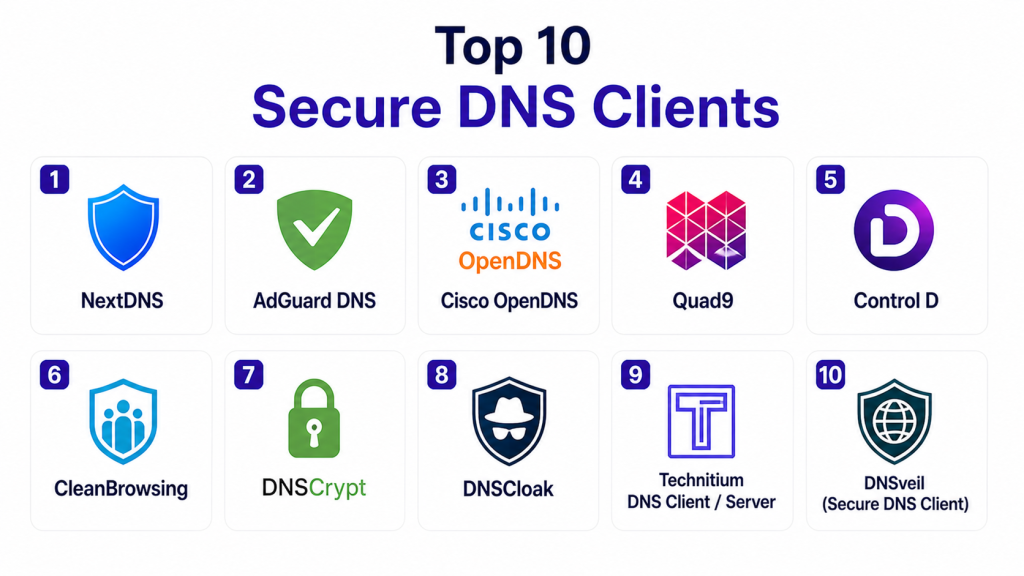
Top 10 Secure DNS Clients
#1 — NextDNS
Short description:
NextDNS is a cloud-based secure DNS client that provides advanced privacy, security, and parental control features. It allows users to customize filtering rules and block trackers, ads, and malicious domains.
Key Features
- DoH and DoT support
- Custom filtering rules
- Threat intelligence integration
- Parental controls
- Analytics dashboard
- Device-level configuration
Pros
- Highly customizable
- Strong privacy features
- Easy to deploy
Cons
- Requires configuration
- Advanced features need setup
- Some features behind paid plans
Platforms / Deployment
Windows / macOS / Linux / iOS / Android
Security & Compliance
Encryption, privacy protection
Integrations & Ecosystem
Works across multiple devices and networks.
- Browsers
- Routers
- Mobile devices
Support & Community
Active community and good documentation.
#2 — AdGuard DNS
Short description:
AdGuard DNS focuses on blocking ads, trackers, and malicious domains at the DNS level, providing a simple and effective way to enhance privacy.
Key Features
- Ad and tracker blocking
- Malware protection
- Custom DNS filtering
- DoH and DoT support
- Easy setup
Pros
- Simple to use
- Strong ad-blocking capabilities
- Free tier available
Cons
- Limited advanced customization
- Requires configuration for full features
- Performance may vary
Platforms / Deployment
Multi-platform
Security & Compliance
Encryption, filtering
Integrations & Ecosystem
Works with various devices.
- Browsers
- Routers
Support & Community
Strong community support.
#3 — Cisco OpenDNS
Short description:
Cisco OpenDNS provides enterprise-grade DNS security with content filtering and threat protection, widely used in corporate environments.
Key Features
- Content filtering
- Threat protection
- Centralized management
- Reporting tools
- High reliability
Pros
- Enterprise-grade security
- Easy deployment
- Reliable infrastructure
Cons
- Limited customization for individuals
- Paid plans required for advanced features
- Privacy concerns for some users
Platforms / Deployment
Cloud
Security & Compliance
Encryption, policy enforcement
Integrations & Ecosystem
Enterprise integrations.
- Security platforms
- Network systems
Support & Community
Strong enterprise support.
#4 — Quad9
Short description:
Quad9 is a privacy-focused DNS service that blocks malicious domains using threat intelligence feeds from multiple sources.
Key Features
- Malware blocking
- Privacy protection
- DoH and DoT support
- Global infrastructure
- No logging policy
Pros
- Strong privacy focus
- Free to use
- Reliable performance
Cons
- Limited customization
- No advanced dashboard
- Basic filtering options
Platforms / Deployment
Multi-platform
Security & Compliance
Encryption, no logging
Integrations & Ecosystem
Works across networks.
- Devices
- Routers
Support & Community
Trusted community and global adoption.
#5 — Control D
Short description:
Control D is a customizable DNS client offering advanced filtering, geo-routing, and privacy features.
Key Features
- Custom DNS rules
- Geo-routing
- Malware blocking
- DoH and DoT support
- Analytics
Pros
- Highly customizable
- Advanced routing features
- User-friendly interface
Cons
- Paid features for full functionality
- Requires setup
- Smaller ecosystem
Platforms / Deployment
Multi-platform
Security & Compliance
Encryption, filtering
Integrations & Ecosystem
Works with various systems.
- Devices
- Networks
Support & Community
Growing community support.
#6 — CleanBrowsing
Short description:
CleanBrowsing focuses on family-safe DNS filtering with content restrictions and parental control features.
Key Features
- Content filtering
- Parental controls
- Malware blocking
- DoH and DoT support
- Easy setup
Pros
- Family-friendly
- Easy configuration
- Strong filtering
Cons
- Limited advanced features
- Less customization
- Not enterprise-focused
Platforms / Deployment
Multi-platform
Security & Compliance
Encryption, filtering
Integrations & Ecosystem
Works across devices.
- Home networks
- Routers
Support & Community
Good support and documentation.
#7 — DNSCrypt
Short description:
DNSCrypt is a protocol and client that encrypts DNS traffic, ensuring privacy and security for users.
Key Features
- DNS encryption
- Privacy protection
- Open-source
- Flexible configuration
- Multiple resolvers
Pros
- Strong encryption
- Open-source
- Highly customizable
Cons
- Complex setup
- Requires technical knowledge
- Limited UI
Platforms / Deployment
Windows / macOS / Linux
Security & Compliance
Encryption, privacy
Integrations & Ecosystem
Works with DNS resolvers.
- Network tools
- Systems
Support & Community
Active open-source community.
#8 — DNSCloak
Short description:
DNSCloak is a secure DNS client designed for mobile users, offering encrypted DNS and privacy features.
Key Features
- Mobile DNS security
- DoH and DNSCrypt support
- Easy interface
- Privacy protection
- Resolver selection
Pros
- Mobile-friendly
- Easy to use
- Free
Cons
- Limited to mobile
- Basic features
- Less enterprise support
Platforms / Deployment
iOS
Security & Compliance
Encryption, privacy
Integrations & Ecosystem
Mobile-focused.
- iOS devices
Support & Community
Small but active community.
#9 — Technitium DNS Client / Server
Short description:
Technitium provides DNS client and server capabilities with advanced control and customization for secure DNS operations.
Key Features
- DNS client and server
- Custom rules
- Encryption support
- Advanced configuration
- Logging
Pros
- Flexible
- Advanced features
- Multi-purpose
Cons
- Complex setup
- Requires expertise
- Not beginner-friendly
Platforms / Deployment
Windows / Linux
Security & Compliance
Encryption, logging
Integrations & Ecosystem
Works with network infrastructure.
- Servers
- Networks
Support & Community
Moderate community support.
#10 — DNSveil
Short description:
DNSveil is a privacy-focused DNS client that encrypts DNS queries and provides filtering and security features.
Key Features
- Encrypted DNS
- Privacy protection
- Filtering
- Easy setup
- Multi-platform support
Pros
- Privacy-focused
- Lightweight
- Easy to use
Cons
- Limited ecosystem
- Less known
- Basic features
Platforms / Deployment
Multi-platform
Security & Compliance
Encryption
Integrations & Ecosystem
Works with general systems.
- Devices
- Networks
Support & Community
Limited but growing support.
Comparison Table
| Tool Name | Best For | Platform(s) Supported | Deployment | Standout Feature | Public Rating |
|---|---|---|---|---|---|
| NextDNS | Custom DNS control | Multi-platform | Cloud | Advanced filtering | N/A |
| AdGuard DNS | Ad blocking | Multi-platform | Cloud | Tracker blocking | N/A |
| OpenDNS | Enterprise security | Multi-platform | Cloud | Content filtering | N/A |
| Quad9 | Privacy users | Multi-platform | Cloud | Malware blocking | N/A |
| Control D | Custom routing | Multi-platform | Cloud | Geo-routing | N/A |
| CleanBrowsing | Families | Multi-platform | Cloud | Parental controls | N/A |
| DNSCrypt | Privacy experts | Multi-platform | Local | Encryption | N/A |
| DNSCloak | Mobile users | iOS | Local | Mobile DNS | N/A |
| Technitium | Advanced users | Multi-platform | Local | DNS server control | N/A |
| DNSveil | Lightweight use | Multi-platform | Local | Simple encryption | N/A |
Evaluation & Scoring
| Tool Name | Core | Ease | Integrations | Security | Performance | Support | Value | Weighted Total |
|---|---|---|---|---|---|---|---|---|
| NextDNS | 9 | 8 | 8 | 9 | 8 | 8 | 8 | 8.4 |
| AdGuard | 8 | 9 | 7 | 8 | 8 | 8 | 9 | 8.3 |
| OpenDNS | 9 | 8 | 9 | 9 | 9 | 9 | 7 | 8.7 |
| Quad9 | 8 | 9 | 7 | 9 | 8 | 8 | 9 | 8.4 |
| Control D | 8 | 8 | 7 | 8 | 8 | 7 | 8 | 8.0 |
| CleanBrowsing | 7 | 9 | 7 | 8 | 8 | 7 | 9 | 8.0 |
| DNSCrypt | 9 | 6 | 7 | 9 | 8 | 7 | 9 | 8.1 |
| DNSCloak | 7 | 9 | 6 | 8 | 8 | 6 | 9 | 7.9 |
| Technitium | 8 | 6 | 8 | 8 | 8 | 7 | 8 | 7.9 |
| DNSveil | 7 | 8 | 6 | 8 | 8 | 6 | 8 | 7.7 |
How to interpret scores:
These scores compare tools based on key factors such as security, usability, and integrations. A higher score indicates a well-rounded solution, but the best choice depends on your needs. Some tools excel in privacy, while others focus on enterprise security or customization. Use this comparison as a guide and select the tool that aligns best with your environment and requirements.
Which Secure DNS Client Is Right for You?
Solo / Freelancer
NextDNS or Quad9 provide strong privacy and easy setup.
SMB
AdGuard DNS and Control D offer balance between features and usability.
Mid-Market
Technitium and DNSCrypt provide advanced control and flexibility.
Enterprise
Cisco OpenDNS is best for large-scale deployment and policy enforcement.
Budget vs Premium
Many tools offer free tiers, while premium versions provide advanced filtering and analytics.
Feature Depth vs Ease of Use
Simple tools are easier to deploy, while advanced tools offer deeper customization.
Integrations & Scalability
Choose tools that integrate with your network and devices.
Security & Compliance Needs
Organizations should prioritize tools with strong encryption and threat intelligence.
Frequently Asked Questions (FAQs)
1. What is a secure DNS client?
A secure DNS client encrypts DNS queries to prevent tracking and interception.
2. What protocols do secure DNS clients use?
Common protocols include DoH, DoT, and DNSCrypt.
3. Are secure DNS clients free?
Many offer free versions, with premium features available.
4. Can secure DNS block ads?
Yes, many tools include ad and tracker blocking.
5. Do they improve security?
Yes, they protect against malicious domains and phishing attacks.
6. Are they easy to use?
Most modern tools are user-friendly with simple setup.
7. Can I use them on mobile?
Yes, many support mobile devices.
8. Do they affect internet speed?
Some may slightly impact latency, but many improve performance.
9. Are they private?
Most prioritize privacy, but policies vary by provider.
10. How do I choose the best one?
Select based on your needs, such as privacy, filtering, or enterprise features.
Conclusion
Secure DNS clients play a vital role in protecting user privacy and strengthening network security by encrypting DNS queries and blocking malicious domains. As cyber threats continue to evolve, relying on traditional DNS is no longer sufficient for safeguarding sensitive data and browsing activity. The tools covered in this guide range from simple privacy-focused solutions to advanced enterprise-grade platforms with deep customization and policy control. Choosing the right secure DNS client depends on your specific needs, whether it is personal privacy, family safety, or organizational security. Instead of selecting a tool based solely on popularity, it is more effective to evaluate features, performance, and compatibility with your environment. The best approach is to test a few options, monitor their impact on performance and security, and then standardize on the solution that best aligns with your long-term protection strategy.

Great article. The comparison is easy to understand and highlights the key strengths of each secure DNS client, making it much simpler to evaluate the right option for privacy and security needs.