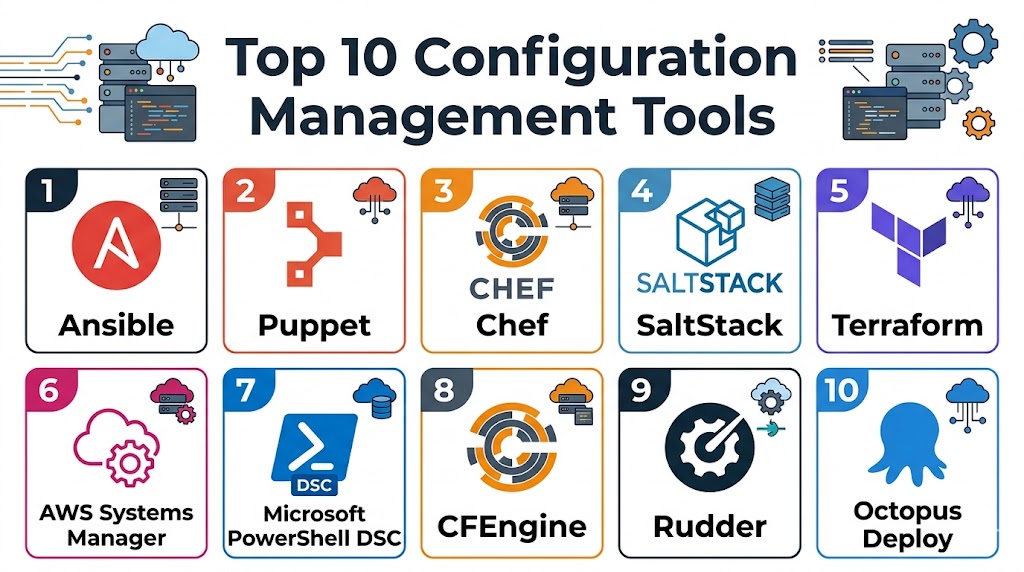
Introduction
Configuration management tools help organizations automate the setup, management, and maintenance of IT infrastructure and software configurations. Instead of manually configuring servers, applications, and environments, these tools ensure consistency, reduce errors, and enable repeatable deployments across systems.
In modern DevOps and cloud-native environments, configuration management is essential for maintaining scalability, reliability, and compliance. These tools allow teams to define infrastructure as code, manage system states, enforce policies, and automate updates across thousands of nodes.
Real-world use cases:
- Automating server provisioning and setup
- Maintaining consistent configurations across environments
- Managing cloud infrastructure and deployments
- Enforcing security policies and compliance
- Supporting CI/CD pipelines and DevOps workflows
What buyers should evaluate:
- Agent-based vs agentless architecture
- Ease of use and learning curve
- Scalability and performance
- Integration with cloud and DevOps tools
- Infrastructure as Code support
- Security and compliance features
- Automation capabilities
- Community and ecosystem
- Cost and licensing
Best for: DevOps engineers, system administrators, IT teams, and enterprises managing complex infrastructure.
Not ideal for: Small teams with minimal infrastructure or environments with limited automation needs.
Key Trends in Configuration Management Tools
- Infrastructure as Code becoming standard practice
- Agentless tools gaining popularity for simplicity
- Integration with CI/CD pipelines and DevOps platforms
- Cloud-native configuration management solutions
- Policy-as-code for compliance enforcement
- Automation of security and patch management
- Hybrid and multi-cloud infrastructure management
- Improved scalability for large environments
- Focus on declarative configuration models
- Growing adoption of GitOps workflows
How We Selected These Tools (Methodology)
- Evaluated market adoption and community support
- Assessed automation and configuration capabilities
- Reviewed scalability and performance
- Analyzed integration with cloud and DevOps tools
- Considered ease of use and learning curve
- Evaluated security and compliance features
- Reviewed flexibility across different environments
- Compared cost and value for organizations
Top 10 Configuration Management Tools
#1 — Ansible
Short description:
Ansible is an agentless configuration management tool that uses simple YAML-based playbooks to automate infrastructure and application deployment.
Key Features
- Agentless architecture
- Playbook automation
- Infrastructure as Code
- Cloud integration
- Simple syntax
Pros
- Easy to learn
- No agents required
- Strong community
Cons
- Limited real-time orchestration
- Performance at scale
- Requires SSH setup
Platforms / Deployment
Linux / Cloud / Hybrid
Security & Compliance
Encryption, role-based access
Integrations & Ecosystem
Works with DevOps ecosystems.
- Cloud platforms
- CI/CD tools
Support & Community
Large open-source community.
#2 — Puppet
Short description:
Puppet is a widely used configuration management tool that uses a declarative language to manage infrastructure at scale.
Key Features
- Declarative configuration
- Agent-based architecture
- Policy enforcement
- Reporting and analytics
- Automation
Pros
- Scalable
- Mature ecosystem
- Strong compliance features
Cons
- Complex setup
- Learning curve
- Requires agents
Platforms / Deployment
Linux / Windows / Cloud
Security & Compliance
RBAC, audit logs
Integrations & Ecosystem
Works across enterprise environments.
- Cloud platforms
- DevOps tools
Support & Community
Strong enterprise and community support.
#3 — Chef
Short description:
Chef is a powerful configuration management tool that uses code to automate infrastructure and application deployment.
Key Features
- Infrastructure as Code
- Automation
- Policy management
- Testing tools
- Scalable architecture
Pros
- Flexible
- Strong automation
- Enterprise-ready
Cons
- Steep learning curve
- Complex setup
- Requires coding knowledge
Platforms / Deployment
Linux / Windows / Cloud
Security & Compliance
Compliance tools, encryption
Integrations & Ecosystem
Works with DevOps pipelines.
- Cloud platforms
- CI/CD tools
Support & Community
Strong enterprise support.
#4 — SaltStack
Short description:
SaltStack is a fast and scalable configuration management tool designed for real-time infrastructure automation.
Key Features
- Event-driven automation
- High performance
- Remote execution
- Configuration management
- Scalability
Pros
- Fast execution
- Flexible
- Scalable
Cons
- Complex setup
- Documentation issues
- Learning curve
Platforms / Deployment
Linux / Windows / Cloud
Security & Compliance
Encryption
Integrations & Ecosystem
Works with infrastructure systems.
- Cloud platforms
- DevOps tools
Support & Community
Active community support.
#5 — Terraform
Short description:
Terraform is an Infrastructure as Code tool that manages infrastructure provisioning across multiple cloud providers.
Key Features
- Infrastructure provisioning
- Multi-cloud support
- Declarative configuration
- State management
- Automation
Pros
- Multi-cloud flexibility
- Strong ecosystem
- Version control
Cons
- Not full configuration tool
- State management complexity
- Learning curve
Platforms / Deployment
Cloud / Hybrid
Security & Compliance
Encryption, policy tools
Integrations & Ecosystem
Supports cloud ecosystems.
- AWS
- Azure
- GCP
Support & Community
Large community and ecosystem.
#6 — AWS Systems Manager
Short description:
AWS Systems Manager provides configuration management and automation for AWS environments.
Key Features
- Configuration management
- Automation
- Patch management
- Inventory tracking
- Integration with AWS
Pros
- Easy AWS integration
- Scalable
- Managed service
Cons
- AWS dependency
- Limited multi-cloud support
- Learning curve
Platforms / Deployment
Cloud
Security & Compliance
Encryption, access control
Integrations & Ecosystem
Works within AWS ecosystem.
- AWS services
Support & Community
Strong AWS support.
#7 — Microsoft PowerShell DSC
Short description:
PowerShell DSC enables configuration management using PowerShell scripts, primarily for Windows environments.
Key Features
- Configuration as code
- Automation
- Windows integration
- Policy enforcement
- Declarative model
Pros
- Native Windows support
- Flexible
- Powerful scripting
Cons
- Windows-focused
- Requires scripting knowledge
- Limited cross-platform
Platforms / Deployment
Windows
Security & Compliance
Encryption
Integrations & Ecosystem
Works within Microsoft ecosystem.
- Windows servers
Support & Community
Strong Microsoft support.
#8 — CFEngine
Short description:
CFEngine is one of the oldest configuration management tools, known for its scalability and performance.
Key Features
- Lightweight
- Policy-based management
- Automation
- High scalability
- Security
Pros
- Highly scalable
- Lightweight
- Reliable
Cons
- Steep learning curve
- Limited modern features
- Smaller community
Platforms / Deployment
Linux / Windows
Security & Compliance
Encryption
Integrations & Ecosystem
Works with enterprise systems.
- Servers
Support & Community
Limited but experienced community.
#9 — Rudder
Short description:
Rudder is an open-source configuration management and compliance tool focusing on policy enforcement.
Key Features
- Policy management
- Compliance automation
- Reporting
- Configuration management
- Automation
Pros
- Strong compliance features
- Open-source
- Easy policy management
Cons
- Limited ecosystem
- UI limitations
- Learning curve
Platforms / Deployment
Linux
Security & Compliance
Compliance automation
Integrations & Ecosystem
Works with IT systems.
- Servers
Support & Community
Active open-source community.
#10 — Octopus Deploy
Short description:
Octopus Deploy focuses on deployment automation and configuration management for applications.
Key Features
- Deployment automation
- Environment management
- CI/CD integration
- Configuration management
- Automation
Pros
- Easy deployment workflows
- Strong CI/CD integration
- User-friendly
Cons
- Limited infrastructure management
- Licensing cost
- Requires setup
Platforms / Deployment
Windows / Cloud
Security & Compliance
Encryption, access control
Integrations & Ecosystem
Works with DevOps tools.
- CI/CD pipelines
Support & Community
Strong support and documentation.
Comparison Table
| Tool Name | Best For | Platform(s) Supported | Deployment | Standout Feature | Public Rating |
|---|---|---|---|---|---|
| Ansible | Easy automation | Multi-platform | Hybrid | Agentless | N/A |
| Puppet | Enterprise config | Multi-platform | Hybrid | Declarative model | N/A |
| Chef | DevOps automation | Multi-platform | Hybrid | Code-based | N/A |
| SaltStack | Real-time automation | Multi-platform | Hybrid | Speed | N/A |
| Terraform | Infrastructure as Code | Multi-platform | Hybrid | Multi-cloud | N/A |
| AWS SSM | AWS environments | Cloud | Cloud | Managed service | N/A |
| PowerShell DSC | Windows config | Windows | Local | Native integration | N/A |
| CFEngine | Large scale | Multi-platform | Local | Lightweight | N/A |
| Rudder | Compliance | Linux | Local | Policy mgmt | N/A |
| Octopus | Deployments | Multi-platform | Hybrid | CI/CD integration | N/A |
Evaluation & Scoring
| Tool Name | Core | Ease | Integrations | Security | Performance | Support | Value | Weighted Total |
|---|---|---|---|---|---|---|---|---|
| Ansible | 9 | 9 | 9 | 8 | 8 | 9 | 9 | 8.8 |
| Puppet | 9 | 7 | 8 | 9 | 8 | 9 | 7 | 8.2 |
| Chef | 9 | 6 | 8 | 9 | 8 | 8 | 7 | 8.0 |
| SaltStack | 8 | 7 | 8 | 8 | 9 | 7 | 8 | 8.0 |
| Terraform | 8 | 8 | 9 | 8 | 8 | 9 | 8 | 8.3 |
| AWS SSM | 8 | 8 | 9 | 8 | 8 | 8 | 8 | 8.2 |
| DSC | 7 | 7 | 7 | 8 | 8 | 7 | 8 | 7.6 |
| CFEngine | 8 | 6 | 7 | 8 | 9 | 6 | 8 | 7.7 |
| Rudder | 7 | 7 | 6 | 8 | 7 | 7 | 8 | 7.3 |
| Octopus | 8 | 8 | 8 | 8 | 8 | 8 | 8 | 8.0 |
How to interpret scores:
These scores provide a comparative overview of configuration management tools based on key factors like functionality, ease of use, integrations, and performance. A higher score indicates a well-rounded solution, but it does not necessarily mean it is the best fit for every use case. Some tools excel in ease of use, while others provide deep enterprise capabilities. Use this scoring as a guideline and align it with your infrastructure complexity, team expertise, and automation goals.
Which Configuration Management Tool Is Right for You?
Solo / Freelancer
Ansible is ideal for simplicity and ease of use.
SMB
Terraform and Ansible provide flexibility and scalability.
Mid-Market
SaltStack and Puppet offer strong performance and control.
Enterprise
Chef and Puppet provide advanced features and compliance.
Budget vs Premium
Open-source tools reduce cost, while enterprise tools provide advanced capabilities.
Feature Depth vs Ease of Use
Agentless tools are easier, while code-based tools offer flexibility.
Integrations & Scalability
Choose tools that integrate with your cloud and DevOps stack.
Security & Compliance Needs
Enterprise users should prioritize policy enforcement and audit features.
Frequently Asked Questions (FAQs)
1. What is configuration management?
It is the process of managing and maintaining system configurations automatically.
2. Why is it important?
It ensures consistency and reduces errors in infrastructure.
3. What is Infrastructure as Code?
It is managing infrastructure using code instead of manual processes.
4. Are these tools cloud-based?
Many support cloud and hybrid environments.
5. What is agentless configuration?
It means no software agent is required on target systems.
6. Which tool is easiest?
Ansible is considered one of the easiest.
7. Can these tools scale?
Yes, most support large-scale environments.
8. Do they support DevOps?
Yes, they integrate with CI/CD pipelines.
9. Are they secure?
Most provide encryption and access control.
10. How do I choose the right tool?
Evaluate your infrastructure, team skills, and automation needs.
Conclusion
Configuration management tools are essential for maintaining consistent, scalable, and secure IT environments in modern organizations. As infrastructure grows more complex and distributed across cloud and hybrid environments, manual configuration becomes inefficient and error-prone. These tools enable teams to automate deployments, enforce policies, and manage systems at scale with greater reliability. The tools covered in this guide range from simple, agentless solutions to enterprise-grade platforms with advanced automation and compliance features. Choosing the right tool depends on your organization’s size, infrastructure complexity, and DevOps maturity. Rather than focusing on a single best option, it is more effective to align your choice with your operational goals and technical requirements. The best next step is to test a few tools in your environment, evaluate their performance and usability, and standardize on the one that best supports your automation strategy.

Excellent comparison. The article breaks down the key features and trade-offs of each configuration management tool in a clear way, making it much easier to evaluate the right choice for different environments.