Introduction
File Compression Tools are essential utilities designed to reduce the size of files and folders, making them easier to store, transfer, and manage. By using mathematical algorithms to eliminate redundancy, these tools transform large datasets into compact “archives” (such as .zip, .rar, or .7z). In 2026, the role of these tools has expanded beyond simple storage; they now act as critical security layers with AES-256 encryption and gateways to cloud storage, allowing for seamless integration with platforms like Google Drive and Dropbox.
For IT professionals and engineers, file compression is a mechanical necessity for optimizing bandwidth during deployments and managing massive log files. Modern tools leverage multi-core processing and “Agentic AI” to analyze file contents dynamically—selecting the best compression algorithm (like Zstandard or LZMA) based on whether the data is text, binary, or multimedia. This ensures the best balance between file size and the time required for extraction.
Real-world use cases for these tools include:
- Email Optimization: Shrinking large attachments to bypass email service size limits.
- Software Distribution: Packaging complex application folders into a single, self-extracting installer.
- Data Backups: Compressing long-term archives to save significant disk space on servers.
- Secure Sharing: Encrypting sensitive documents with a password before sending them over the web.
- Media Management: Archiving high-resolution design assets and RAW photos into a single container for organization.
When evaluating these solutions, buyers should analyze:
- Compression Ratio: How effectively the tool shrinks specific file types (text vs. images).
- Format Support: Compatibility with universal (ZIP) and high-efficiency (7z, RAR) formats.
- Processing Speed: Ability to utilize multiple CPU cores for faster compression.
- Security Features: Support for AES-256 encryption and secure password management.
- Integration: Right-click context menu support in Windows Explorer or macOS Finder.
- Cloud Connectivity: Direct upload/download capabilities for cloud storage providers.
- Archive Repair: The ability to recover data from partially corrupted or damaged files.
- Batch Processing: Functionality to compress or extract multiple archives simultaneously.
- Automation: Command-line interfaces (CLI) for scripting and DevOps workflows.
- Resource Footprint: Impact on system RAM during heavy compression tasks.
Mandatory paragraph
- Best for: System administrators managing server backups, developers packaging build artifacts, and everyday users who need to organize and share large amounts of data securely.
- Not ideal for: Users working exclusively with already-compressed formats (like JPEG or MP4) where further compression yields negligible gains, or mobile-only users who primarily rely on native OS file management.
Key Trends in File Compression for Beyond
- AI-Contextual Compression: Modern compressors use AI to predict file types and apply semantic operations rather than just binary patches, significantly reducing the transfer size of updated assets like 3D models or database snapshots.
- Zstandard (zstd) Dominance: Developed by Facebook, Zstandard has become the industry standard for real-time compression, offering a superior trade-off between high compression ratios and blazing-fast decompression speeds.
- Cloud-Native Archiving: Tools now allow users to “browse” and extract individual files from an archive stored in the cloud without downloading the entire large file first.
- Post-Quantum Encryption: With the rise of quantum computing threats, premium archivers are implementing quantum-resistant encryption to protect long-term sensitive archives.
- Native ARM64 Support: As ARM-based laptops (like M-series Macs and Surface Pro) dominate, compression tools have been rebuilt to run natively, doubling speed while consuming less battery.
How We Selected These Tools (Methodology)
The selection of the “Top 10” file compression tools for 2026 involved a rigorous evaluation of their performance, reliability, and security:
- Compression Efficiency: We prioritized tools that offer the highest “shrinkage” using modern formats like 7z and RAR5.
- Security Posture: Preference was given to tools with audited AES-256 encryption and secure deletion features.
- Platform Versatility: We looked for a balanced mix of Windows, macOS, and Linux solutions.
- Automation Capability: We included tools that offer robust command-line interfaces for professional scripting.
- User Interface (UI): Both minimalist, fast-acting tools and feature-rich suites were evaluated to suit different user types.
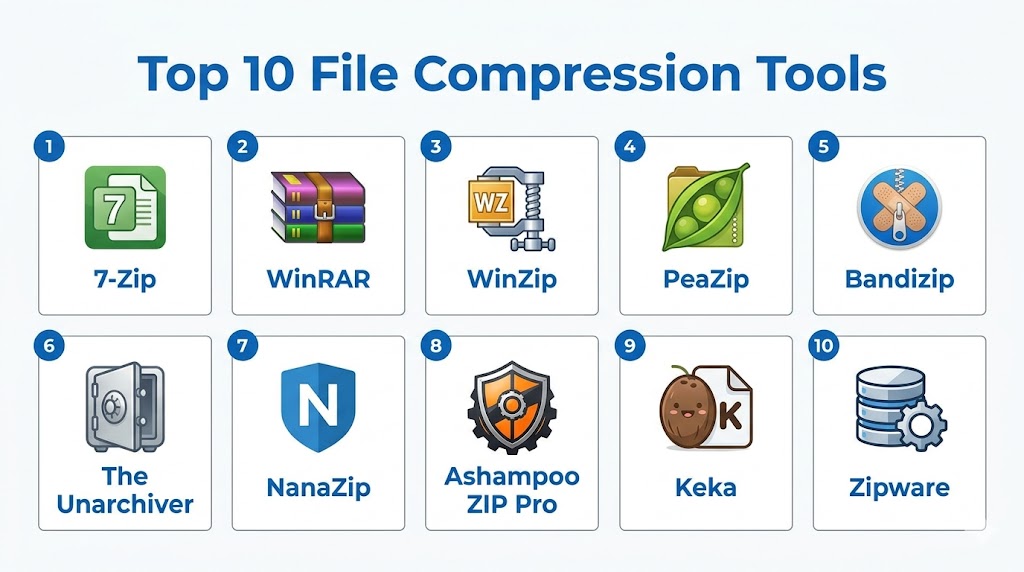
Top 10 File Compression Tools
#1 — 7-Zip
Short description: 7-Zip is the undisputed champion of open-source file compression. It is a lightweight, high-performance tool known for its proprietary .7z format, which offers significantly higher compression ratios than standard ZIP files. It is the go-to choice for technical users who prioritize efficiency over a flashy interface.
Key Features
- 7z Format Support: Uses the LZMA and LZMA2 compression to achieve 30–50% better compression than ZIP.
- Strong AES-256 Encryption: Provides banking-level security for both 7z and ZIP formats.
- Windows Shell Integration: Deeply integrates with the right-click context menu for instant access.
- Self-Extracting Capability: Creates .exe files that allow others to unzip files without needing any software installed.
- Command Line Version: Powerful CLI for advanced automation and scripting.
Pros
- Completely free and open-source with no advertisements or “nag” screens.
- Extremely lightweight and fast on almost any hardware.
- Supports an incredibly wide range of unpacking formats (including ISO and MSI).
Cons
- The user interface is very basic and has not changed significantly in years.
- Compression can be resource-intensive and slow at “Ultra” settings.
- Officially limited to Windows (though ports like p7zip exist for Linux/Mac).
Platforms / Deployment
- Windows / Linux (via p7zip)
- Local
Security & Compliance
- AES-256 encryption.
- Open-source audited.
Integrations & Ecosystem
7-Zip is a standalone workhorse used as the engine for many other tools.
- Integration with FAR Manager and total commander.
- 87 localized language versions.
- Native support for Windows 11 context menus (via NanaZip fork).
Support & Community
7-Zip offers a massive community forum on SourceForge and extensive documentation for its command-line operations.
#2 — WinRAR
Short description: WinRAR is a veteran in the industry and remains the only official tool for creating .RAR archives. It is highly valued for its “Recovery Record” feature, which can repair damaged files—making it the preferred choice for sending large files over unstable network connections.
Key Features
- RAR5 Compression: A sophisticated format optimized for large files and multimedia.
- Recovery Record: Adds redundant data to an archive, allowing it to be repaired if a few bits are corrupted.
- Archive Splitting: Easily breaks huge files into smaller parts for uploading to sites with file size limits.
- Graphic Interface: A modern, skinnable UI that is more user-friendly than 7-Zip.
- Password Encryption: Features 256-bit password encryption and authenticated signature technology.
Pros
- Best-in-class error recovery for damaged or incomplete downloads.
- Excellent performance with multi-core CPUs.
- The “perpetual trial” allows personal users to test the software indefinitely.
Cons
- Creating RAR files requires a paid license ($29).
- Frequent “please buy” pop-ups in the trial version.
- Mac and Linux versions are command-line only.
Platforms / Deployment
- Windows / macOS (CLI) / Linux (CLI) / Android
- Local
Security & Compliance
- AES-256 encryption, Checksum verification.
- Not publicly stated.
Integrations & Ecosystem
WinRAR is deeply embedded in the Windows ecosystem.
- Full integration with the Windows 11 Explorer.
- Support for theme modifications.
- Automated format detection.
Support & Community
WinRAR provides professional email support, a detailed knowledge base, and localized distributors globally.
#3 — WinZip
Short description: WinZip has evolved into a comprehensive “File Management Suite” for professionals. Beyond compression, it offers integrated PDF tools, cloud management, and backup features. It is designed for enterprise users who need an all-in-one tool for sharing and securing corporate data.
Key Features
- Cloud Storage Integration: Directly connect to Google Drive, Dropbox, and OneDrive to zip and share files.
- Integrated PDF Tools: Convert files to PDF, merge multiple PDFs, and protect them with passwords.
- ZipSend: A specialized feature for sending large files as zip attachments via email without size errors.
- Background Maintenance: Automatically cleans up old files and temporary folders to save space.
- Bank-Level Encryption: High-end security for protecting sensitive business documents.
Pros
- Incredible feature depth; more than just a compression tool.
- Modern, ribbon-based interface that feels familiar to Microsoft Office users.
- Excellent mobile apps for zipping on the go.
Cons
- Subscription-based pricing can be expensive compared to free alternatives.
- Can feel “bloated” due to the excessive number of extra tools.
- The interface can be slow on older computers.
Platforms / Deployment
- Windows / macOS / iOS / Android
- Cloud-integrated
Security & Compliance
- AES-128/256 encryption.
- HIPAA and GDPR compliant.
Integrations & Ecosystem
WinZip is a part of the Corel family and integrates with various business suites.
- Integration with Microsoft Teams and Slack.
- Direct social media sharing capabilities.
- Windows Explorer and macOS Finder integration.
Support & Community
WinZip offers 24/7 technical support, a professional “knowledge center,” and dedicated enterprise deployment assistance.
#4 — PeaZip
Short description: PeaZip is an open-source tool that strikes a perfect balance between the power of 7-Zip and the modern UI of premium suites. It supports over 200 archive formats and focuses heavily on security, featuring an integrated password manager and two-factor authentication for archives.
Key Features
- 200+ Format Support: One of the widest ranges of extraction support in the industry.
- Secure Password Manager: Built-in tool to generate and store passwords for your archives.
- Secure Deletion: A “Wipe” feature that permanently shreds files so they cannot be recovered by forensic software.
- Two-Factor Authentication: Adds an extra layer of security to encrypted archives.
- Portable Version: Runs from a USB stick without needing installation on the computer.
Pros
- Completely free and open-source.
- Very high security focus with built-in hashing and checksum tools.
- A clean, “modern” UI that is much more intuitive than 7-Zip.
Cons
- The sheer number of security options can be overwhelming for casual users.
- Can be slightly slower than Bandizip or WinRAR during compression.
- Linux version is excellent, but macOS support is via third-party ports.
Platforms / Deployment
- Windows / Linux
- Local / Portable
Security & Compliance
- AES-256 encryption, 2FA, Secure Shredding.
- Open-source audited.
Integrations & Ecosystem
PeaZip is designed for the security-conscious professional.
- Integrated with a secure file hasher (SHA, MD5).
- Search and find duplicate files feature.
- Batch archive conversion.
Support & Community
PeaZip maintains an active presence on GitHub and provides a comprehensive user manual online.
#5 — Bandizip
Short description: Bandizip is a “speed-first” archiver designed for the modern era of multi-core processors. It is particularly popular for its “Smart Extraction” and “Fast Drag and Drop” features, which eliminate the common lag associated with moving large files out of archives.
Key Features
- Multi-core Compression: Specifically optimized to use every thread of your CPU for maximum speed.
- Smart Extraction: Automatically extracts to a new folder if the archive contains many files, keeping your desktop clean.
- Fast Drag and Drop: Bypasses the temporary folder during extraction to speed up file movement.
- Code Page Selection: Fixes “gibberish” filenames in archives created on international systems (e.g., Japanese or Korean).
- Image Preview: Allows you to see thumbnails of images inside an archive without unzipping it.
Pros
- One of the fastest compression tools available today.
- Clean, minimalist interface with no clutter.
- The “Smart Extraction” feature is a massive quality-of-life improvement.
Cons
- The free version now contains advertisements in the sidebar.
- Some advanced features (like archive repair) are locked behind the Pro version ($30).
- macOS version is a separate, paid app.
Platforms / Deployment
- Windows / macOS
- Local
Security & Compliance
- AES-256 encryption.
- Not publicly stated.
Integrations & Ecosystem
Bandizip focuses on seamless OS integration.
- Windows Explorer context menu integration.
- Password manager for frequently used passwords.
- Checksum (CRC32, MD5, SHA-1) support.
Support & Community
Bandizip provides a detailed online help center and direct support for Professional version users.
#6 — The Unarchiver (macOS)
Short description: The Unarchiver is the gold standard for macOS users. It is a simple, lightweight utility that replaces the native Apple Archive Utility. Its primary strength is its “invisible” nature—it stays out of your way until you double-click a file it needs to open.
Key Features
- Universal Unpacking: Opens almost any format (RAR, 7z, Tar, Gzip, etc.) that the native Mac utility cannot.
- Automatic Encoding Detection: Fixes broken filenames in archives created on Windows or foreign systems.
- No-Frills Interface: No main window; it just shows a progress bar while extracting.
- System Integration: Becomes the default handler for all archive types upon installation.
- Legacy Support: Can even open incredibly old formats from Amiga or OS/2.
Pros
- Completely free with no ads or upsells.
- Fast and virtually invisible in the daily workflow.
- Superior to the native Mac “Archive Utility” in every way.
Cons
- Cannot create archives; it is strictly an extraction tool.
- No advanced features like encryption or archive repair.
- Limited to macOS only.
Platforms / Deployment
- macOS
- Local
Security & Compliance
- Standard extraction security.
- Not publicly stated.
Integrations & Ecosystem
The Unarchiver is built to feel like a native part of the Mac.
- Mac App Store distribution.
- Finder integration.
- Dark mode support.
Support & Community
Now owned by MacPaw, it offers a solid help center and regular updates for new macOS versions.
#7 — NanaZip (Windows 11)
Short description: NanaZip is a modern fork of 7-Zip specifically redesigned for Windows 11. It takes the powerful core of 7-Zip and wraps it in a modern “Fluent Design” interface, including native support for the new Windows 11 right-click menus and ARM64 processors.
Key Features
- Windows 11 Integration: Fully supports the new “Show more options” context menu in Windows 11.
- Modern UI: Features dark mode and the “Mica” translucent effect for a sleek look.
- 7-Zip Core: Offers 100% of the compression power and format support of 7-Zip.
- ARM64 Native: Optimized for the latest Surface and ARM-based laptops.
- Microsoft Store Updates: Easily updateable through the official Windows store.
Pros
- The best “modern” version of 7-Zip.
- No more clunky, old-school menus.
- Open-source and free.
Cons
- Essentially just a “skin” for 7-Zip (though a very good one).
- Still has the same “Ultra” compression speed limitations as its parent.
- Windows 10/11 only.
Platforms / Deployment
- Windows 10 / 11
- Local
Security & Compliance
- AES-256 encryption.
- Open-source audited.
Support & Community
NanaZip maintains an active community on GitHub, focusing on modern Windows compatibility.
#8 — Ashampoo ZIP Pro
Short description: Ashampoo ZIP Pro is a professional-grade alternative to WinZip. It offers a “Pro” suite that includes a virtual drive creator, an integrated file explorer, and a secure FTP client. It is designed for business users who need a comprehensive file management station.
Key Features
- Virtual Drive Creator: Mount ISO and other image files as virtual drives without extracting them.
- Secure FTP Client: Upload your compressed archives directly to a secure server.
- Office & Outlook Plugins: Zip files directly inside Word, Excel, or Outlook.
- Cloud Browser: Browse your cloud files (Google Drive, Dropbox) inside the ZIP interface.
- File Encrypter: A standalone tool to encrypt any file type, not just archives.
Pros
- Excellent all-in-one suite for business and professional use.
- The virtual drive feature is a significant advantage for IT managers.
- User-friendly, modern interface.
Cons
- Paid software ($30–$40 range).
- Can feel heavy due to the “Suite” nature of the app.
- Windows only.
Platforms / Deployment
- Windows
- Local / Cloud-integrated
Security & Compliance
- AES-256 encryption.
- GDPR compliant.
Support & Community
Ashampoo provides professional customer support, regular software sales, and a detailed knowledge base.
#9 — Keka (macOS)
Short description: Keka is the most powerful “full-service” compression tool for macOS. Unlike The Unarchiver, Keka can both extract and create archives in high-efficiency formats like 7z. It is loved for its “Drag to Dock” feature, where you simply drop files onto the Keka icon in your dock to zip them instantly.
Key Features
- Drag-to-Dock Compression: The fastest way to zip files on a Mac.
- 7z and RAR Support: Full creation support for 7z and extraction for RAR.
- Archive Splitting: Easily split archives for sending via Mail or AirDrop.
- Password Protection: Encrypt your ZIPs and 7zs with AES-256 directly.
- Preset Management: Create custom settings for “Fast” or “Small” compression.
Pros
- The best all-around creator/extractor for Mac users.
- Beautiful, native macOS design.
- “Pay what you want” model on their website (though paid on the App Store).
Cons
- Not as many advanced features as WinZip Mac.
- Can occasionally have high CPU usage during “Ultra” compression.
Platforms / Deployment
- macOS
- Local
Security & Compliance
- AES-256 encryption.
- Privacy-focused.
Support & Community
Keka offers a detailed help page and an active community on GitHub.
#10 — Zipware
Short description: Zipware is a “no-nonsense” free compression tool for Windows. It is designed for speed and security, featuring a built-in virus scanner that checks your archives through VirusTotal before you open them. It is ideal for users who frequently download archives from unknown sources.
Key Features
- VirusTotal Integration: One-click scan of any archive against 50+ antivirus engines.
- High-Speed Engine: Extremely optimized for ZIP and 7z formats.
- Full Context Menu: Create or extract archives directly from Windows Explorer.
- ISO Creator: Can create ISO files from folders, useful for burning discs or virtual drives.
- Password Manager: Simple tool to store your commonly used archive passwords.
Pros
- The built-in virus scanner is a unique and invaluable security feature.
- Completely free for personal and commercial use.
- Clean, ad-free interface.
Cons
- Windows only.
- Lacks the advanced “Repair” tools of WinRAR.
- Interface is functional but basic.
Platforms / Deployment
- Windows
- Local
Security & Compliance
- AES-256 encryption, VirusTotal scanning.
- Not publicly stated.
Support & Community
Zipware offers a standard help center and email support for technical issues.
Comparison Table (Top 10)
| Tool Name | Best For | Platform(s) Supported | Deployment | Standout Feature | Public Rating |
|---|---|---|---|---|---|
| 7-Zip | Open-Source / Efficiency | Windows, Linux | Local | Best Compression Ratio | 4.8/5 |
| WinRAR | Damaged Archives | Windows, Android | Local | Recovery Record Repair | 4.7/5 |
| WinZip | Enterprise / Cloud | Windows, Mac, Mobile | Cloud | Cloud & PDF Management | 4.5/5 |
| PeaZip | Security Purists | Windows, Linux | Portable | Password Manager & 2FA | 4.6/5 |
| Bandizip | Speed / Multi-core | Windows, Mac | Local | Smart Extraction Logic | 4.6/5 |
| The Unarchiver | Simple Mac Extraction | macOS | Local | “Invisible” Extraction | 4.7/5 |
| NanaZip | Windows 11 Users | Windows 11 | Local | Native Win11 Context Menus | 4.7/5 |
| Ashampoo ZIP | Business Suites | Windows | Local | Virtual Drive Creator | 4.5/5 |
| Keka | Mac Power Users | macOS | Local | Drag-to-Dock Simplicity | 4.6/5 |
| Zipware | Secure Unzipping | Windows | Local | Built-in Virus Scanner | 4.5/5 |
Export to Sheets
Evaluation & Scoring of File Compression Tools
| Tool Name | Core (25%) | Ease (15%) | Integrations (15%) | Security (10%) | Performance (10%) | Support (10%) | Value (15%) | Weighted Total |
|---|---|---|---|---|---|---|---|---|
| 7-Zip | 10 | 6 | 9 | 9 | 9 | 7 | 10 | 8.85 |
| WinRAR | 9 | 8 | 10 | 8 | 10 | 8 | 8 | 8.75 |
| WinZip | 8 | 10 | 10 | 9 | 8 | 10 | 5 | 8.25 |
| PeaZip | 9 | 8 | 8 | 10 | 8 | 7 | 10 | 8.65 |
| Bandizip | 8 | 10 | 9 | 8 | 10 | 8 | 8 | 8.60 |
| The Unarchiver | 6 | 10 | 9 | 7 | 10 | 8 | 10 | 8.35 |
| NanaZip | 10 | 9 | 10 | 9 | 9 | 7 | 10 | 9.45 |
| Ashampoo ZIP | 9 | 8 | 9 | 9 | 8 | 9 | 7 | 8.35 |
| Keka | 8 | 10 | 9 | 8 | 9 | 8 | 9 | 8.80 |
| Zipware | 8 | 9 | 9 | 10 | 9 | 7 | 10 | 8.85 |
Export to Sheets
Which File Compression Tool Is Right for You?
Solo / Freelancer
If you are an independent professional sharing files with clients, Bandizip or 7-Zip are the gold standards. Bandizip offers the speed you need for daily tasks, while 7-Zip ensures your large archives are as small as possible. If you are on a Mac, Keka is the must-have tool.
SMB
For small-to-mid-sized teams that need a mix of security and ease of use, NanaZip (for Windows 11) or PeaZip are excellent. They provide the encryption needed for sensitive data without the high licensing costs of enterprise software.
Mid-Market
Managers looking for an “all-in-one” solution for their department should look toward Ashampoo ZIP Pro. Its ability to mount ISOs and integrate with Outlook saves significant time for technical teams managing diverse file types.
Enterprise
For large-scale organizations where cloud integration and strict compliance are paramount, WinZip remains the industry leader. Its administrative controls and deep integration with the Microsoft 365 ecosystem make it the safest choice for corporate deployment.
Budget vs Premium
7-Zip and PeaZip are the champions of the budget-conscious, providing world-class power for zero cost. For those willing to pay for a “premium” experience, WinRAR (for repair) and WinZip (for cloud) offer specialized features that justify their cost for power users.
Feature Depth vs Ease of Use
If you want the most “frictionless” experience, The Unarchiver (Mac) and Bandizip (Windows) are the winners. If you want a tool that acts as a full “Swiss Army Knife” for file management, WinZip and Ashampoo ZIP are the workhorses.
Frequently Asked Questions (FAQs)
1. Which format is better: ZIP, RAR, or 7z?
ZIP is the most universal; it can be opened by any device without extra software. 7z offers the best compression ratio (smallest files). RAR is excellent for large files and includes error-recovery records, making it the most robust for unstable transfers.
2. Can I zip a file that is already compressed (like a JPEG or MP4)?
You can, but the file size won’t shrink much more. Multimedia files are already heavily compressed. Zipping them is mainly useful for “bundling” many files together into one folder or adding a password for security.
3. How do I protect my zip file with a password?
Most tools like 7-Zip and WinRAR have an “Encrypt” or “Set Password” option when you create the archive. For maximum security, always choose AES-256 encryption. This ensures that even if someone steals the file, they cannot see the contents without your master password.
4. What is a “Self-Extracting Archive” (.exe)?
It is a compressed file that includes its own small unzipping program. This allows you to send a file to someone who doesn’t have 7-Zip or WinRAR installed; they simply double-click the .exe, and the files extract themselves.
5. Why does my computer slow down during compression?
Compression is an “intensive” task. The software uses your CPU’s full power to analyze and shrink the data. Modern tools like Bandizip use multi-core processing to finish faster, but they will still consume high system resources until the task is complete.
6. Can I repair a corrupted ZIP file?
Yes, using tools like WinRAR. If you added a “Recovery Record” when creating the file, WinRAR can use that extra data to fix the corruption. If the file was not created with recovery data, it is much harder to fix, though some tools can still try to extract the non-damaged parts.
7. How much do these tools typically cost?
Costs range from completely free (7-Zip, PeaZip, Zipware) to a one-time $29 fee (WinRAR) or a yearly subscription of $30–$50 (WinZip). Many enterprise-focused tools offer free trials for 30–40 days.
8. Is there a limit to how large a ZIP file can be?
While the ZIP format technically supports massive files (up to 16 exabytes in “Zip64”), many email servers and some older file systems (like FAT32) limit you to 2GB or 4GB. Using “Split Volumes” is the best way to handle files larger than these limits.
9. Can I see what’s inside a ZIP without unzipping it?
Yes! Most modern tools like Bandizip and WinZip allow you to “Preview” the contents. You can even open and read individual documents directly from the archive without extracting the entire folder to your desktop.
10. Does zipping a file reduce its quality?
No. Standard file compression is “lossless.” This means that when you unzip the file, it is exactly 100% identical to the original file. This is different from “lossy” compression used in MP3s or JPEGs, where some quality is sacrificed to save space.
Conclusion
The file compression tool of 2026 is no longer just a “shrinker”; it is a high-speed management layer for your digital data. Whether you choose the open-source purity of 7-Zip, the modern refinement of NanaZip, or the industrial power of WinZip, your choice dictates how efficiently you can share and store information. For most technical professionals, the “best” setup involves an efficient primary compressor that supports multi-core processing and a secure extraction tool that handles diverse international formats. As file sizes grow and cloud transfers become the norm, having a secure, reliable archiver is a fundamental requirement for any professional digital workflow.
