Introduction
Calendar Software refers to digital applications designed to organize, schedule, and manage time-based events, appointments, and tasks. In 2026, these tools have moved beyond simple date-tracking into “Autonomous Scheduling Engines.” Modern calendars now utilize Agentic AI to predict availability, protect deep-work blocks, and coordinate multi-party meetings without back-and-forth emails. For technical managers and engineers, a calendar is no longer a static grid; it is a dynamic resource allocator that balances complex project deadlines with personal well-being.
The current shift in the landscape is toward “Intent-Aware Scheduling.” Leading tools now analyze your goals and energy patterns to suggest the optimal time for a specific type of work. For organizations, this means a shift from individual time management to “Team Focus Health,” where calendars automatically shift flexible meetings to create uninterrupted “flow state” blocks for the entire engineering department.
Real-world use cases for these tools include:
- Using AI agents to autonomously negotiate meeting times with external clients based on real-time availability.
- Automatically time-blocking your to-do list from Jira or Todoist directly into your calendar.
- Protecting “Deep Work” hours by automatically declining non-essential invites during peak focus times.
- Coordinating complex family or team schedules across multiple time zones and platforms (Google, Outlook, iCloud).
- Syncing travel times and prep buffers automatically into your day plan based on location data.
When evaluating these solutions, buyers should analyze:
- Cross-Platform Sync: Speed and reliability across Google, Outlook, and Apple ecosystems.
- AI Scheduling Power: Depth of autonomous booking, rescheduling, and intent-recognition.
- Task Integration: Ability to merge your to-do list into a unified time-blocking view.
- Privacy & Security: Zero-knowledge encryption for meeting notes and SOC 2 compliance.
- External Booking: Quality of shareable scheduling links (e.g., Calendly-style features).
- Team Optimization: Features for creating team-wide focus blocks and “meeting-free” days.
- Natural Language Input: Ease of adding events via simple text (e.g., “Lunch with Raj at 1pm Friday”).
- Visual Design: Cleanliness of the UI and ability to color-code for at-a-glance clarity.
- Time Zone Handling: Intelligence in managing global schedules and daylight savings shifts.
- Automation API: Extensibility for connecting with Slack, Zoom, and project management tools.
Mandatory paragraph
- Best for: Professional engineers, busy executives, and project managers who need to consolidate tasks and meetings into a single, AI-optimized plan to maximize focus and productivity.
- Not ideal for: Casual users with very few weekly appointments who find advanced AI rescheduling and time-blocking over-engineered for their simple daily needs.
Key Trends in Calendar Software for 2026 and Beyond
- Autonomous Negotiation Agents: AI agents (like Morgen’s Kai) can now “talk” to other calendar agents to finalize a meeting time that works for everyone, skipping the email thread entirely.
- Energy-Pattern Scheduling: Future-ready calendars analyze your biometrics or past performance to schedule high-focus tasks when you are most alert.
- Contextual Meeting Prep: Calendars now automatically pull relevant emails, documents, and previous meeting notes into the event invite 10 minutes before it starts.
- “Flow State” Protection: Tools like Motion and Clockwise use AI to move “flexible” meetings in real-time to create the longest possible stretches of uninterrupted work time.
- Voice-First Scheduling: Deep integration with AI voice assistants (Siri, Alexa, Gemini) allows for hands-free schedule management that understands complex commands.
- Post-Quantum Privacy: Leading secure calendars are adopting quantum-resistant encryption to protect sensitive executive schedules and corporate meeting data.
How We Selected These Tools (Methodology)
The selection of the “Top 10” calendar software tools for 2026 followed a rigorous evaluation of professional utility and innovation:
- Ubiquity and Ecosystem Stability: We included the industry anchors that define the standard for global teams (Google, Outlook).
- AI Innovation Leaders: Selection was heavily weighted toward “AI-native” tools that offer autonomous daily planning (Morgen, Motion, Reclaim).
- Visual and Power-User Design: We prioritized browsers that offer the best “cockpit” view for managing complex schedules (Fantastical, Notion Calendar).
- Specialized External Scheduling: Tools that excel at client-facing booking and routing were favored (Calendly).
- Social and Family Coordination: We included tools that bridge the gap between professional and personal life (TimeTree).
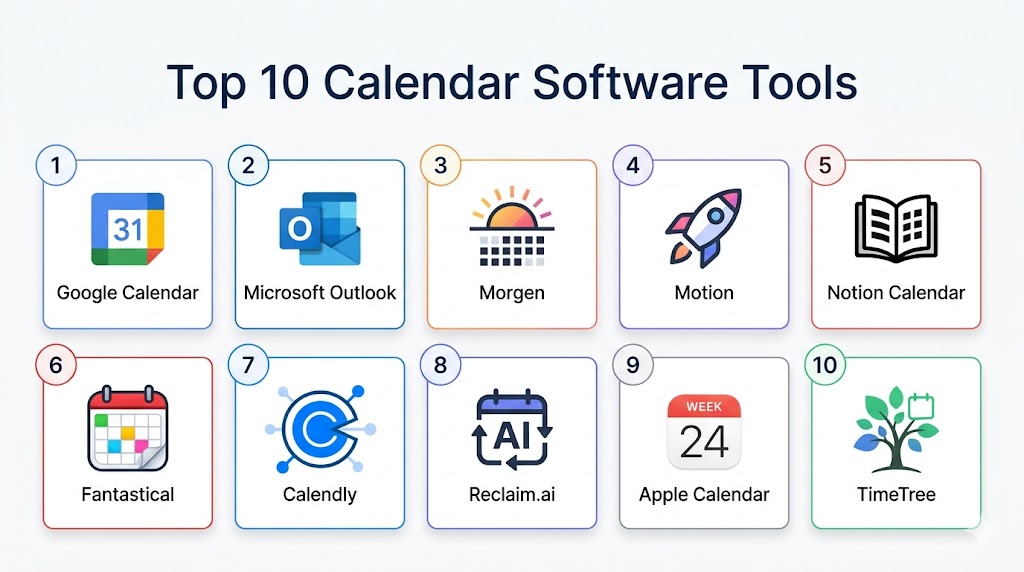
Top 10 Calendar Software Tools
#1 — Google Calendar
Short description: Google Calendar is the world’s most popular calendar foundation, serving as the backbone for millions of teams. In 2026, it is no longer just a simple grid; it is a deeply integrated component of Google Workspace that leverages Gemini AI to automatically add events from Gmail and suggest optimal meeting times.
Key Features
- Seamless Workspace Integration: Automatically pulls meeting links, document attachments, and Gmail invites into your schedule.
- Gemini AI Scheduling: Suggests times for meetings based on the historical availability of all participants.
- Appointment Slots: Built-in scheduling pages that allow external people to book time with you directly.
- Working Location: Allows you to set where you are working from (Office vs. Home) to help teams coordinate in-person time.
- Task & Habits Integration: Synchronizes with Google Tasks to allow for simple time-blocking of daily to-dos.
Pros
- Completely free and works perfectly across every modern device and browser.
- The industry standard for collaboration; everyone knows how to use it.
- Massive ecosystem of third-party add-ons and integrations.
Cons
- Lacks the advanced “Autonomous Rescheduling” features of specialized AI calendars.
- The web interface can feel cluttered when managing 5+ shared calendars.
- Task management is limited to the basic Google Tasks ecosystem.
Platforms / Deployment
- Web / iOS / Android
- Cloud
Security & Compliance
- MFA, Data encryption, HIPAA compliant (Workspace).
- SOC 2 Type 2 certified.
Integrations & Ecosystem
Google Calendar is the primary hub for the Google Workspace ecosystem.
- Native sync with Gmail, Meet, and Drive.
- Direct integration with Slack, Zoom, and hundreds of project management tools.
- API-first architecture for custom enterprise workflows.
Support & Community
Google provides an exhaustive Help Center, a massive community forum, and detailed technical documentation for developers.
#2 — Microsoft Outlook Calendar
Short description: Outlook Calendar is the industrial-strength choice for the corporate world. As part of Microsoft 365, it offers unrivaled security and deep integration with Teams and Copilot. It is designed for large-scale organizations that require high-level administrative oversight and complex group scheduling.
Key Features
- Microsoft Copilot: An AI assistant that can summarize upcoming meetings and draft follow-up tasks from your calendar events.
- Teams Native Sync: One-click meeting creation with built-in lobby management and recording settings.
- Work Location Management: Sophisticated tracking of team locations to optimize hybrid work environments.
- Scheduling Assistant: A powerful tool for viewing the free/busy status of hundreds of employees across an entire organization.
- Integrated To-Do: Native sync with Microsoft To Do (formerly Wunderlist) for integrated task scheduling.
Pros
- Best-in-class security and administrative controls for IT managers.
- Unrivaled reliability for massive enterprises with thousands of employees.
- Excellent offline access via the desktop application.
Cons
- The interface can be complex and overwhelming for casual or solo users.
- Some advanced features require a paid Microsoft 365 subscription.
- Mobile app lacks some of the deep “Power User” features of the desktop version.
Platforms / Deployment
- Windows / macOS / Web / iOS / Android
- Cloud / Hybrid
Security & Compliance
- Enterprise-grade encryption, MFA, Purview data protection.
- GDPR, HIPAA, FedRAMP compliant.
Integrations & Ecosystem
Outlook is the heart of the Microsoft 365 productivity suite.
- Native sync with Windows/macOS notification centers.
- Direct integration with Salesforce, HubSpot, and LinkedIn.
- Unified identity via Entra ID (Azure AD).
Support & Community
Microsoft offers professional enterprise support, an extensive “Microsoft Learn” library, and a dedicated Outlook Insider community.
#3 — Morgen
Short description: Morgen is a “Planning System” built for people who want to be intentional with their time. It consolidates all your calendars (Google, Outlook, iCloud) and syncs tasks from tools like Todoist, Notion, and Linear into a single, unified hub. In 2026, it features “Kai,” an AI agent that proactively manages your week.
Key Features
- Unified Calendar View: Manage multiple professional and personal accounts in one place without double-booking.
- AI Planner & Frames: Automatically designs your day based on priorities, deadlines, and “Ideal Week” templates.
- Kai AI Assistant: An agent that reads your emails and attends meetings to autonomously book follow-ups.
- Drag-and-Drop Time Blocking: Easily move tasks from your sidebar directly into your calendar to protect focus time.
- Multi-Task Integration: Native sync with Todoist, Notion, Linear, Microsoft To Do, and Obsidian.
Pros
- The best tool for consolidating a fragmented digital life into a single “Command Center.”
- Provides a much more intentional, proactive planning experience than standard calendars.
- Works across all platforms, including a high-quality Linux client.
Cons
- The full AI features require a premium subscription ($15-$30/mo).
- Can feel “over-engineered” if you only have a few meetings a week.
- Requires a bit of initial setup to connect all your various task and calendar tools.
Platforms / Deployment
- Windows / macOS / Linux / iOS / Android / Web
- Cloud
Security & Compliance
- Zero-knowledge storage options for local data.
- GDPR compliant.
Integrations & Ecosystem
Morgen acts as a high-performance orchestration layer over your existing tools.
- Syncs with Google, Outlook, iCloud, Fastmail, and CalDAV.
- Direct integration with major task managers (Todoist, Notion).
- Built-in meeting scheduler (Calendly-style links).
Support & Community
Morgen offers direct email support, a detailed technical blog, and a growing community of productivity enthusiasts.
#4 — Motion
Short description: Motion is an “AI Executive Assistant” that builds your entire day for you. It pulls in your tasks, meetings, and deadlines, then uses a complex algorithm to assemble a minute-by-minute schedule. If a meeting runs long or a new task arrives, Motion automatically reschedules your entire day.
Key Features
- Intelligent Auto-Scheduling: Automatically finds the best time for tasks around your fixed meetings.
- Automatic Rescheduling: Instantly updates your entire day if your schedule shifts or tasks are missed.
- Project Management Integration: Built-in tools for managing team projects and assigning tasks directly to calendars.
- Meeting Assistant: High-end booking pages and “Quick Invite” features to eliminate scheduling friction.
- Focus Protection: Intelligently blocks off time for high-priority deep work tasks before they become overdue.
Pros
- Eliminates the “Decision Fatigue” of having to plan your own day.
- One of the most effective tools for ensuring deadlines are met without manual oversight.
- Perfect for “super busy” professionals with highly variable schedules.
Cons
- High cost ($19-$34/mo) and no free tier.
- Can feel “over-automated” or rigid for users who like manual control.
- Steeper learning curve to fully trust the AI’s scheduling logic.
Platforms / Deployment
- Web / iOS / Android / macOS / Windows
- Cloud
Security & Compliance
- AES-256 encryption.
- SOC 2 compliant.
Integrations & Ecosystem
Motion acts as a unified operating system for your professional time.
- Syncs with Google and Outlook calendars.
- Integrated team project management tools.
- Native mobile and desktop notification center.
Support & Community
Motion provides high-quality technical support and a detailed “Productivity Masterclass” for its users.
#5 — Notion Calendar (Cron)
Short description: Formerly known as Cron, Notion Calendar is a beautiful, minimalist calendar that bridges the gap between your schedule and your Notion workspace. It is designed for designers and developers who want a “design-first” experience that feels native to the modern web.
Key Features
- Deep Notion Integration: View Notion database items (like project deadlines) directly on your calendar timeline.
- Availability Sharing: Built-in “Schedule Link” feature that allows you to share open slots in seconds.
- Minimalist UI: A clean, aesthetic design with powerful keyboard shortcuts for every action.
- Time Zone Travel: Easily view and compare multiple time zones by dragging the side-bar.
- Menu Bar Access: A sleek macOS menu bar app that shows your next meeting and allows quick joining.
Pros
- The best-looking and most “fluid” calendar interface on the market.
- Completely free to use for individuals.
- Perfect for teams that already “live” inside Notion.
Cons
- Currently only supports Google Calendar (Outlook support is in development).
- Lacks the heavy AI “auto-scheduling” found in Motion or Morgen.
- More of a “viewer” for Notion rather than a full project management replacement.
Platforms / Deployment
- macOS / Windows / iOS / Web
- Cloud
Security & Compliance
- Standard Notion security encryption.
- SOC 2 Type 2.
Integrations & Ecosystem
Notion Calendar is the front-end for the Notion productivity suite.
- Direct link to Notion Pages and Databases.
- Integrated meeting links (Zoom, Meet).
- Unified view of multiple Google accounts.
Support & Community
Notion provides a massive community of template-builders, a detailed help center, and 24/7 technical support.
#6 — Fantastical
Short description: Fantastical is the legendary, award-winning calendar for Apple users. It is famous for its “Natural Language Input,” allowing you to type “Lunch with Steve at 1pm Friday” to create a perfect event. In 2026, it remains the gold standard for design and reliability on Mac and iOS.
Key Features
- Natural Language Parsing: The industry’s best engine for understanding text-based event creation.
- Calendar Sets: Quickly toggle between different groups of calendars (e.g., “Home” vs. “Client A”).
- Integrated Weather: Shows the forecast directly on your calendar days to help with travel planning.
- Meeting Proposals: Built-in “Doodle-style” polling to find the best time for a group.
- Task Management: Native sync with Apple Reminders, Todoist, and Google Tasks.
Pros
- The absolute best design and user experience for the Apple ecosystem.
- Extremely powerful features hidden behind a simple, clean interface.
- The most reliable “Menu Bar” experience on macOS.
Cons
- Exclusively for macOS, iOS, and Windows; no Android or Web-first version.
- Requires a premium subscription for the best features (scheduling, sets).
- Can be expensive if you only need a simple calendar.
Platforms / Deployment
- macOS / iOS / iPadOS / Apple Watch / Windows
- Cloud (Flexibits Sync)
Security & Compliance
- Zero-knowledge encryption for your calendar data.
- Privacy-first design.
Integrations & Ecosystem
Fantastical is designed to be the “premium skin” for all your existing calendars.
- Syncs with Google, Outlook, iCloud, Yahoo, and Exchange.
- Integration with Zoom, Teams, Webex, and Meet.
- Deep Apple Watch complications.
Support & Community
Flexibits provides high-quality email support, a detailed knowledge base, and an active blog for power users.
#7 — Calendly
Short description: While often thought of as just a booking link, Calendly has evolved into a comprehensive “External Scheduling” platform for teams. It is the gold standard for sales, recruitment, and consulting, using AI to route inbound meetings to the right team member based on complex rules.
Key Features
- Intelligent Routing: Automatically sends a lead to the correct salesperson based on their location or company size.
- Team Scheduling: “Round Robin” and “Collective” booking to manage multi-person availability.
- Automated Workflows: Sends automated reminders, thank-you notes, and follow-ups before and after meetings.
- Brand Customization: Highly professional booking pages that can be embedded directly into your website.
- Meeting Polls: Allows a group to vote on a meeting time without a thread of 50 emails.
Pros
- The undisputed leader in external-facing scheduling; it has the most “trust” from clients.
- Incredible time-saver for anyone who takes external appointments or demos.
- Massive integration library with CRMs and payment processors.
Cons
- Not a traditional “day planner”; you still need a separate calendar (Google/Outlook) to see your day.
- The best team features are locked behind higher-tier paid plans.
- Can feel “impersonal” if not configured with the right tone.
Platforms / Deployment
- Web / iOS / Android / Browser Extension
- Cloud
Security & Compliance
- SOC 2 Type 2, GDPR, HIPAA compliant.
- Advanced RBAC (Role-Based Access Control).
Integrations & Ecosystem
Calendly is designed to be the “front door” of your business time.
- Native integration with Salesforce, HubSpot, and Pipedrive.
- Direct sync with Zoom, Teams, and Google Meet.
- Payment integration via Stripe and PayPal.
Support & Community
Calendly offers a detailed “Calendly Academy,” 24/7 technical support for teams, and an extensive developer API.
#8 — Reclaim.ai
Short description: Reclaim is a “Smart Time-Blocker” that specifically focuses on balancing your tasks with your meetings. It is designed for individual contributors and team leads who struggle to find time for “Deep Work” in a meeting-heavy environment. It intelligently moves your tasks around as your schedule changes.
Key Features
- Smart Habits: Automatically protects time for recurring tasks (like “Exercise” or “Coding”) based on your availability.
- Task-to-Calendar Sync: Pulls tasks from Todoist, Jira, or Asana and finds the best slot for them in your day.
- Smart 1:1s: Finds the optimal time for recurring meetings between two people while preserving focus blocks.
- Buffer Time: Automatically adds “Decompression” time after meetings to prevent burnout.
- Team Focus Analytics: Shows managers how much focus time is being protected across the team.
Pros
- One of the best tools for preventing “Calendar Bloat” and burnout.
- Excellent “Free” tier that provides significant value for solo users.
- Very effective at protecting deep-work hours in a high-growth startup environment.
Cons
- Currently only supports Google Calendar (Outlook support is in development).
- Not as broad in “Project Management” as Motion.
- Interface can be slightly technical for non-power users.
Platforms / Deployment
- Web / iOS / Android (via Mobile Web)
- Cloud
Security & Compliance
- AES-256 encryption.
- GDPR compliant.
Integrations & Ecosystem
Reclaim acts as the “intelligence layer” for your Google Calendar.
- Native sync with Jira, Asana, Linear, and Todoist.
- Integrated Slack status automation.
- Direct Google Meet and Zoom connectivity.
Support & Community
Reclaim offers a detailed help center, a very active Discord community, and direct support for premium users.
#9 — Apple Calendar
Short description: Apple Calendar is the default scheduling tool for the Apple ecosystem. It is simple, reliable, and free. For users who live entirely on iPhone and Mac and don’t need advanced AI or team routing, it remains one of the most stable and aesthetic choices available.
Key Features
- iCloud Sync: Perfectly consistent schedule across iPhone, iPad, Mac, and Apple Watch.
- Siri Integration: High-quality voice commands for adding events and checking your schedule.
- Travel Time: Automatically calculates when you need to leave based on traffic and location.
- Family Sharing: Simple, built-in “Family” calendar for coordinating with partners and children.
- Minimalist Design: A clean, distraction-free interface that prioritizes the day’s events.
Pros
- Completely free and pre-installed on billions of devices.
- Best-in-class privacy; your data stays within the Apple ecosystem.
- Extremely lightweight and fast on Apple hardware.
Cons
- Lacks any advanced AI scheduling, time-blocking, or task integration.
- No Android or Windows version available.
- Not suitable for professional teams requiring complex routing or external booking links.
Platforms / Deployment
- macOS / iOS / iPadOS / Apple Watch
- Cloud (iCloud Sync)
Security & Compliance
- End-to-end encryption via iCloud.
- Apple’s strict privacy policy.
Integrations & Ecosystem
Apple Calendar is the heart of the “Continuity” experience.
- Handoff support between devices.
- Integrated with Maps for location-based alerts.
- Syncs with Google, Outlook, and Yahoo accounts.
Support & Community
Apple provides professional support via AppleCare, a massive knowledge base, and extensive developer documentation.
#10 — TimeTree
Short description: TimeTree is a “Social Calendar” designed for groups, families, and partners. It focuses on communication and collaboration rather than just professional task management. It is the leading choice for those who need a shared space to coordinate life outside of work.
Key Features
- Shared Group Calendars: Create distinct calendars for “Family,” “Friends,” or “Sport Club.”
- Integrated Chat: Every event has its own chat thread for discussing plans, sharing photos, and making notes.
- Memo Section: A dedicated space for sharing shopping lists or non-dated notes with the group.
- Public Calendars: Subscribe to or create public calendars for community events or local teams.
- Multiple Profiles: Users can have different profiles for different calendars to maintain privacy.
Pros
- The best tool for coordinating a busy personal or family life.
- The event-specific chat feature eliminates messy WhatsApp threads for planning.
- Very simple and friendly interface that is easy for all ages to use.
Cons
- Lacks the professional “Enterprise” features (Copilot, Jira sync, etc.) of Outlook or Motion.
- Not designed for high-volume professional task management.
- Free version contains advertisements.
Platforms / Deployment
- iOS / Android / Web
- Cloud
Security & Compliance
- Standard data encryption.
- Privacy-first group sharing.
Integrations & Ecosystem
TimeTree is a standalone social ecosystem for planning.
- Import from Google and Apple calendars.
- Daily/Weekly summary notifications.
- Event photo sharing.
Support & Community
TimeTree offers a robust help center and active social media communities focused on family and social planning.
Comparison Table (Top 10)
| Tool Name | Best For | Platform(s) Supported | Deployment | Standout Feature | Public Rating |
|---|---|---|---|---|---|
| Google Calendar | Teams & Individuals | Web, iOS, Android | Cloud | Seamless G-Workspace Sync | N/A |
| Microsoft Outlook | Corporate Enterprise | Win, Mac, Mobile, Web | Cloud/Hybrid | Copilot & Teams Integration | N/A |
| Morgen | Unified Control | Win, Mac, Linux, Mobile | Cloud | Kai AI Scheduling Agent | N/A |
| Motion | AI Daily Planning | Web, Mac, Win, Mobile | Cloud | Automatic Day Rescheduling | N/A |
| Notion Calendar | Design-First Users | Mac, Win, iOS, Web | Cloud | Deep Notion Database Sync | N/A |
| Fantastical | Apple Power Users | Mac, iOS, Win | Cloud | Natural Language Parsing | N/A |
| Calendly | External Booking | Web, Mobile, Browser | Cloud | Intelligent Lead Routing | N/A |
| Reclaim.ai | Deep Work & Tasks | Web, Mobile | Cloud | Smart Habit Protection | N/A |
| Apple Calendar | Apple Ecosystem | Mac, iOS, Watch | Cloud | Siri & Maps Continuity | N/A |
| TimeTree | Families & Groups | iOS, Android, Web | Cloud | Event-Specific Chat | N/A |
Export to Sheets
Evaluation & Scoring of Calendar Software
The following scores evaluate the tools based on their performance in a modern, AI-driven professional environment.
| Tool Name | Core (25%) | Ease (15%) | Integrations (15%) | Security (10%) | Performance (10%) | Support (10%) | Value (15%) | Weighted Total |
|---|---|---|---|---|---|---|---|---|
| Google Calendar | 10 | 10 | 10 | 9 | 9 | 10 | 10 | 9.85 |
| Outlook | 10 | 8 | 10 | 10 | 9 | 10 | 9 | 9.50 |
| Morgen | 9 | 8 | 9 | 9 | 10 | 8 | 8 | 8.70 |
| Motion | 9 | 7 | 8 | 9 | 9 | 8 | 6 | 7.95 |
| Notion Calendar | 8 | 9 | 9 | 8 | 9 | 8 | 10 | 8.65 |
| Fantastical | 9 | 10 | 8 | 9 | 10 | 9 | 7 | 8.85 |
| Calendly | 7 | 9 | 10 | 10 | 9 | 9 | 8 | 8.45 |
| Reclaim.ai | 9 | 8 | 9 | 9 | 9 | 8 | 9 | 8.85 |
| Apple Calendar | 6 | 10 | 7 | 10 | 10 | 10 | 10 | 8.45 |
| TimeTree | 6 | 9 | 6 | 8 | 9 | 8 | 8 | 7.35 |
Export to Sheets
Which Calendar Software Tool Is Right for You?
Solo / Freelancer
If you are an independent professional managing your own time across multiple clients, Morgen or Notion Calendar are the gold standards. They allow you to consolidate all your accounts and tasks into one beautiful, unified view. If you are budget-conscious, Google Calendar remains the best free choice.
SMB
For a small, fast-moving team that needs to coordinate in-person and remote time while protecting focus hours, Reclaim.ai or Clockwise are essential. They ensure your team isn’t burned out by “Zoom fatigue” while keeping projects moving.
Mid-Market
Managers who need an “AI Assistant” to handle their entire workday should look toward Motion. It takes the guesswork out of “what should I do next?” by building a minute-by-minute schedule that adjusts automatically as meetings shift.
Enterprise
For large-scale organizations, Microsoft Outlook Calendar is the only logical choice due to its enterprise-grade security, Copilot integration, and administrative oversight. For sales-heavy enterprises, Calendly is a critical add-on for managing external lead routing.
Budget vs Premium
Google Calendar and Apple Calendar are the champions of the budget-conscious, providing world-class reliability for zero cost. For those willing to pay for a “premium” experience, Morgen and Fantastical offer AI-driven efficiencies and design that justify their cost for busy executives.
Feature Depth vs Ease of Use
If you want a tool that “just works” with a minimalist design, Notion Calendar and Apple Calendar are the leaders. If you want a tool that acts as a full “Operating System” for your day, Motion and Morgen are the workhorses.
Integrations & Scalability
If your primary goal is connecting your schedule to your task manager (Jira, Todoist, Asana), Reclaim.ai and Motion are the most scalable options.
Security & Compliance Needs
For users in highly regulated industries (legal, finance, or government), Microsoft Outlook and Apple Calendar provide the highest levels of native encryption and compliance.
Frequently Asked Questions (FAQs)
1. What is the difference between a “Calendar” and a “Scheduler”?
A Calendar (like Google or Outlook) is where you view your time and manage events. A Scheduler (like Calendly or SavvyCal) is a tool that allows other people to book time on your calendar based on your availability rules. Modern tools like Morgen and Motion now include both in a single app.
2. Can I use AI to manage my calendar without it being “too much”?
Yes! Tools like Reclaim.ai offer “Light AI” where it only manages your habits (like “Exercise” or “Lunch”) while you manually manage your meetings. This gives you the benefit of automation for routine tasks without feeling like you’ve lost control of your day.
3. How do these apps handle multiple time zones?
High-end apps like Notion Calendar and Fantastical have specialized “Time Zone Travel” features. You can drag a slider to see what time a meeting will be in London versus San Francisco, making it significantly easier to coordinate with global teams.
4. Is it safe to give a calendar app access to my email?
AI-powered apps (like Morgen’s Kai) need to read your email to find follow-up requests and invites. Reputable vendors use “Zero-Knowledge” or “Encrypted Processing” where their staff cannot read your data. Always ensure the tool is SOC 2 compliant before giving it deep access to your inbox.
5. Why should I use a dedicated app instead of just the web browser?
Dedicated apps (like Fantastical or Morgen) offer better notifications, “Menu Bar” quick-views, and deep integration with your computer’s OS. They also stay open as a standalone “cockpit,” preventing you from getting distracted by other open browser tabs.
6. Can I sync my personal iCloud calendar with my work Outlook calendar?
Yes. Tools like Morgen and Fantastical are designed specifically for this. They create a “Unified View” where you see your kids’ soccer practice and your board meeting in one place, while ensuring your coworkers can only see that you are “Busy” during personal times.
7. What is “Time Blocking” and why is it popular?
Time blocking is the practice of scheduling “Tasks” as “Events.” Instead of a to-do list that never gets done, you give every task a specific home on your calendar. This makes you more realistic about what you can actually achieve in a day.
8. Can I use these calendars offline?
Native desktop applications (like Outlook and Thunderbird) offer the best offline access. You can view your schedule and draft invites while on a plane, and they will automatically sync the moment you reconnect to Wi-Fi.
9. What is a “Focused Inbox” for calendars?
Similar to email, a “Focused” calendar view (like in Morgen or Motion) uses AI to hide “Tentative” or “FYI” events, only showing you the meetings where your presence is actually required, helping you focus on your most important work.
10. How much do these calendar apps typically cost?
Costs range from completely free (Google, Apple, Notion) to $5–$15 per month for power-user tools (Fantastical, Reclaim), and up to $30 per month for premium AI assistants (Motion, Morgen Kai). Many offer free tiers for individual use.
Conclusion
The calendar in 2026 is no longer a static record of the past; it is an active architect of your future. Whether you choose the industrial reliability of Microsoft Outlook, the minimalist design of Notion Calendar, or the autonomous power of Morgen Kai, your choice dictates how effectively you can protect your most valuable resource: time. For most technical professionals, the “best” setup involves a primary, AI-integrated planner that merges tasks and meetings into a single, unified view. As scheduling moves toward an “agentic” and “intent-aware” future, ensuring your calendar is secure and capable of protecting your focus is the single most important task for maintaining a balanced and productive life.
