Introduction
Remote backup for SaaS tools are solutions designed to protect cloud-based application data by creating secure, external backups outside the SaaS provider’s infrastructure. While many SaaS platforms offer built-in redundancy, they typically follow a shared responsibility model, meaning data protection and recovery are still the customer’s responsibility.
With increasing reliance on platforms like email, CRM, collaboration tools, and productivity suites, data loss due to accidental deletion, ransomware, insider threats, or sync errors has become a serious risk. Remote backup tools ensure that organizations can recover critical data quickly, maintain compliance, and ensure business continuity.
Real-world use cases:
- Restoring accidentally deleted emails or files
- Recovering data after ransomware attacks
- Maintaining long-term retention for compliance
- Backing up SaaS platforms like email, CRM, and collaboration tools
- Ensuring business continuity during outages
What buyers should evaluate:
- Supported SaaS applications
- Backup frequency and automation
- Data retention and recovery options
- Security features like encryption and access control
- Ease of restoration and granularity
- Compliance and audit capabilities
- Scalability across users and data volume
- Integration with existing IT infrastructure
- Pricing and storage flexibility
Best for: IT teams, MSPs, enterprises, and SMBs relying heavily on SaaS platforms for daily operations.
Not ideal for: Organizations with minimal SaaS usage or those relying solely on built-in platform backups without regulatory requirements.
Key Trends in Remote Backup for SaaS Tools
- Rise of ransomware targeting SaaS data driving backup adoption
- Automated and continuous backup processes becoming standard
- Granular recovery options down to individual files and emails
- Compliance-driven retention policies gaining importance
- Cloud-native backup architectures replacing legacy systems
- Integration with security platforms for unified protection
- Multi-SaaS backup platforms supporting diverse applications
- AI-driven anomaly detection in backup data
- Zero-trust backup security models emerging
- Increased demand for fast recovery times
How We Selected These Tools (Methodology)
- Evaluated market adoption and enterprise usage
- Assessed SaaS platform coverage and flexibility
- Reviewed backup automation and recovery features
- Analyzed security and compliance capabilities
- Considered ease of deployment and management
- Evaluated performance and scalability
- Reviewed customer support and ecosystem strength
- Compared pricing models and value for money
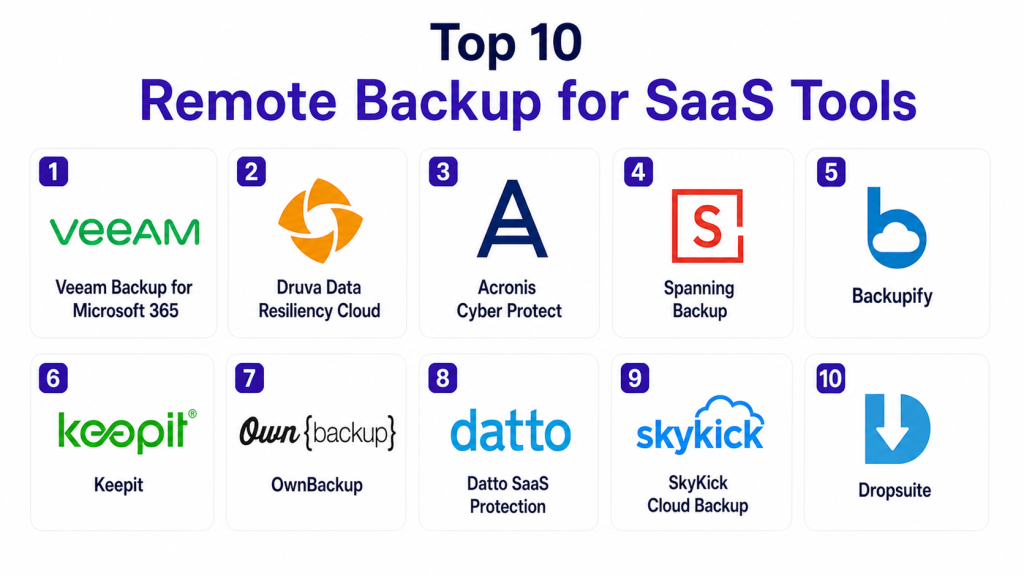
Top 10 Remote Backup for SaaS Tools
#1 — Veeam Backup for Microsoft 365
Short description:
Veeam provides robust backup and recovery for Microsoft 365 environments, offering granular restore options and strong enterprise capabilities.
Key Features
- Backup for Exchange, SharePoint, OneDrive, Teams
- Granular restore options
- Flexible storage options
- Automation
- Data retention policies
Pros
- Enterprise-grade reliability
- Flexible deployment
- Strong recovery features
Cons
- Focused mainly on Microsoft ecosystem
- Complex setup
- Licensing cost
Platforms / Deployment
Cloud / Self-hosted
Security & Compliance
Encryption, RBAC
Integrations & Ecosystem
Works with enterprise systems.
- Microsoft 365
- Storage platforms
Support & Community
Strong enterprise support.
#2 — Druva Data Resiliency Cloud
Short description:
Druva offers a fully cloud-native backup solution for SaaS applications, focusing on data protection and compliance.
Key Features
- Cloud-native backup
- Automated backups
- Data protection policies
- Multi-SaaS support
- Compliance features
Pros
- Easy deployment
- Scalable
- Strong security
Cons
- Pricing may be high
- Limited customization
- Cloud dependency
Platforms / Deployment
Cloud
Security & Compliance
Encryption, compliance support
Integrations & Ecosystem
Supports multiple SaaS platforms.
- Microsoft 365
- Google Workspace
Support & Community
Strong customer support.
#3 — Acronis Cyber Protect
Short description:
Acronis combines backup with cybersecurity features, providing protection against data loss and threats.
Key Features
- Backup and recovery
- Anti-ransomware protection
- Automated backups
- Multi-platform support
- Centralized management
Pros
- All-in-one solution
- Strong security features
- Flexible deployment
Cons
- Complex interface
- Resource-heavy
- Pricing complexity
Platforms / Deployment
Cloud / Hybrid
Security & Compliance
Encryption, threat protection
Integrations & Ecosystem
Works with IT systems.
- SaaS apps
- Security tools
Support & Community
Strong global support.
#4 — Spanning Backup
Short description:
Spanning offers simple and reliable SaaS backup solutions, focusing on ease of use and quick recovery.
Key Features
- Automated daily backups
- One-click restore
- Multi-SaaS support
- Data retention
- Reporting
Pros
- Easy to use
- Fast recovery
- Reliable
Cons
- Limited advanced features
- Basic customization
- Pricing tiers
Platforms / Deployment
Cloud
Security & Compliance
Encryption
Integrations & Ecosystem
Supports SaaS platforms.
- Google Workspace
- Microsoft 365
Support & Community
Good support and documentation.
#5 — Backupify
Short description:
Backupify provides cloud-to-cloud backup for SaaS applications with a focus on simplicity and data protection.
Key Features
- Automated backups
- Unlimited storage
- Granular restore
- Data retention
- Reporting tools
Pros
- Simple setup
- Unlimited storage
- Reliable
Cons
- Limited advanced features
- Performance issues occasionally
- UI limitations
Platforms / Deployment
Cloud
Security & Compliance
Encryption
Integrations & Ecosystem
Works with SaaS tools.
- Google Workspace
- Microsoft 365
Support & Community
Good community support.
#6 — Keepit
Short description:
Keepit provides independent cloud backup for SaaS applications with strong focus on data security and compliance.
Key Features
- Independent backup storage
- Automated backups
- Data retention
- Compliance support
- Multi-SaaS coverage
Pros
- Strong data protection
- Easy management
- Reliable
Cons
- Pricing not transparent
- Limited customization
- Smaller ecosystem
Platforms / Deployment
Cloud
Security & Compliance
Encryption, compliance
Integrations & Ecosystem
Supports SaaS platforms.
- Microsoft 365
- Salesforce
Support & Community
Strong enterprise support.
#7 — OwnBackup
Short description:
OwnBackup specializes in Salesforce backup and recovery, offering deep integration and advanced data protection features.
Key Features
- Salesforce backup
- Data recovery
- Sandbox seeding
- Compliance tools
- Automation
Pros
- Deep Salesforce integration
- Advanced features
- Enterprise-ready
Cons
- Salesforce-focused
- Expensive
- Complex setup
Platforms / Deployment
Cloud
Security & Compliance
Encryption
Integrations & Ecosystem
Works within CRM ecosystem.
- Salesforce
Support & Community
Strong enterprise support.
#8 — Datto SaaS Protection
Short description:
Datto provides SaaS backup solutions designed for MSPs and businesses needing reliable data protection.
Key Features
- Automated backups
- Quick recovery
- Multi-SaaS support
- Reporting
- Centralized management
Pros
- Reliable
- Easy to use
- MSP-friendly
Cons
- Limited customization
- Pricing varies
- Basic features
Platforms / Deployment
Cloud
Security & Compliance
Encryption
Integrations & Ecosystem
Supports SaaS platforms.
- Microsoft 365
- Google Workspace
Support & Community
Strong MSP support.
#9 — SkyKick Cloud Backup
Short description:
SkyKick offers cloud backup solutions with a focus on Microsoft 365 environments and partner ecosystems.
Key Features
- Automated backups
- Data retention
- Easy restore
- Monitoring
- Partner tools
Pros
- Easy deployment
- Reliable
- Partner-focused
Cons
- Limited to specific ecosystems
- Basic features
- Pricing tiers
Platforms / Deployment
Cloud
Security & Compliance
Encryption
Integrations & Ecosystem
Works with Microsoft ecosystem.
- Microsoft 365
Support & Community
Good partner support.
#10 — Dropsuite
Short description:
Dropsuite provides cloud backup and archiving for SaaS applications with strong compliance and security features.
Key Features
- Backup and archiving
- Email backup
- Compliance tools
- Automated backups
- Data retention
Pros
- Strong compliance features
- Reliable
- Easy to use
Cons
- Limited customization
- Smaller ecosystem
- Pricing varies
Platforms / Deployment
Cloud
Security & Compliance
Encryption, compliance
Integrations & Ecosystem
Supports SaaS tools.
- Email platforms
- Cloud apps
Support & Community
Growing support network.
Comparison Table
| Tool Name | Best For | Platform(s) Supported | Deployment | Standout Feature | Public Rating |
|---|---|---|---|---|---|
| Veeam | Microsoft backup | Multi-platform | Hybrid | Granular restore | N/A |
| Druva | Cloud backup | Multi-platform | Cloud | Cloud-native | N/A |
| Acronis | Security + backup | Multi-platform | Hybrid | Cyber protection | N/A |
| Spanning | Easy backup | Multi-platform | Cloud | One-click restore | N/A |
| Backupify | Unlimited backup | Multi-platform | Cloud | Unlimited storage | N/A |
| Keepit | Independent storage | Multi-platform | Cloud | Secure backup | N/A |
| OwnBackup | Salesforce | Cloud | Cloud | CRM backup | N/A |
| Datto | MSPs | Multi-platform | Cloud | MSP tools | N/A |
| SkyKick | Microsoft users | Multi-platform | Cloud | Simple deployment | N/A |
| Dropsuite | Compliance | Multi-platform | Cloud | Archiving | N/A |
Evaluation & Scoring
| Tool Name | Core | Ease | Integrations | Security | Performance | Support | Value | Weighted Total |
|---|---|---|---|---|---|---|---|---|
| Veeam | 9 | 7 | 8 | 9 | 9 | 9 | 7 | 8.5 |
| Druva | 9 | 8 | 8 | 9 | 8 | 8 | 7 | 8.3 |
| Acronis | 8 | 7 | 8 | 9 | 8 | 8 | 7 | 8.1 |
| Spanning | 7 | 9 | 7 | 8 | 8 | 7 | 8 | 7.9 |
| Backupify | 7 | 9 | 7 | 8 | 7 | 7 | 9 | 7.9 |
| Keepit | 8 | 8 | 7 | 9 | 8 | 7 | 7 | 8.0 |
| OwnBackup | 9 | 7 | 8 | 9 | 8 | 8 | 7 | 8.2 |
| Datto | 7 | 8 | 7 | 8 | 8 | 8 | 8 | 7.9 |
| SkyKick | 7 | 8 | 7 | 8 | 8 | 7 | 8 | 7.8 |
| Dropsuite | 7 | 8 | 7 | 8 | 8 | 7 | 8 | 7.8 |
How to interpret scores:
These scores compare tools across critical areas such as features, usability, security, and integrations. A higher score indicates a well-rounded solution, but the best choice depends on your organization’s needs. Some tools excel in enterprise environments, while others focus on simplicity or cost efficiency. Use this as a guide and align your decision with your SaaS usage, compliance requirements, and recovery needs.
Which Tool Is Right for You?
Solo / Freelancer
Spanning or Backupify are simple and easy to manage.
SMB
Druva and Acronis provide a balance of features and scalability.
Mid-Market
Keepit and Datto offer reliable backup and management.
Enterprise
Veeam and OwnBackup provide advanced features and compliance.
Budget vs Premium
Free or lower-cost tools are good for small teams, while enterprise tools offer more control.
Feature Depth vs Ease of Use
Simple tools focus on ease, while enterprise tools provide deeper control.
Integrations & Scalability
Choose tools compatible with your SaaS stack.
Security & Compliance Needs
Prioritize encryption, compliance, and audit features.
Frequently Asked Questions (FAQs)
1. Why do I need SaaS backup?
SaaS providers do not guarantee full data recovery. Backup tools ensure your data is protected.
2. What data can be backed up?
Emails, files, CRM data, and collaboration tools.
3. Are SaaS backups secure?
Yes, most tools use encryption and secure storage.
4. How often should backups run?
Most tools support daily or continuous backups.
5. Can I restore individual files?
Yes, most tools offer granular recovery.
6. Are these tools cloud-based?
Most are cloud-native solutions.
7. Do they support multiple SaaS apps?
Many tools support multiple platforms.
8. What about compliance?
Many tools support retention and audit requirements.
9. How do I choose the right tool?
Evaluate your SaaS usage and recovery needs.
10. Are they expensive?
Pricing varies depending on features and scale.
Conclusion
Remote backup for SaaS tools is essential for protecting critical business data in an increasingly cloud-driven environment. While SaaS platforms provide availability and redundancy, they do not fully protect against data loss caused by human error, cyber threats, or misconfigurations. The tools covered in this guide offer a wide range of capabilities, from simple backup solutions for small teams to enterprise-grade platforms with advanced compliance and recovery features. Choosing the right tool depends on your SaaS ecosystem, security requirements, and operational scale. Rather than relying solely on built-in protections, organizations should adopt a dedicated backup strategy that ensures data resilience and business continuity. The best approach is to evaluate your current risks, test a few tools, and implement a solution that aligns with your long-term data protection strategy.

This was a well-written comparison. The article clearly outlines the strengths and limitations of each remote backup solution, making it easier to identify the right option for protecting SaaS data.