Introduction
Legacy modernization and replatforming tools help organizations transform outdated applications and infrastructure into modern, scalable, and cloud-ready systems. Instead of maintaining costly legacy environments, these tools enable businesses to refactor, rehost, replatform, or rebuild applications using modern architectures such as microservices, containers, and cloud-native platforms.
As digital transformation accelerates, legacy systems often become bottlenecks due to limited scalability, high maintenance costs, and security risks. Modernization tools address these challenges by automating code analysis, dependency mapping, migration planning, and application transformation while minimizing disruption.
Real-world use cases:
- Migrating mainframe applications to cloud platforms
- Refactoring monolithic applications into microservices
- Replatforming legacy workloads to Kubernetes
- Modernizing enterprise applications for better scalability
What buyers should evaluate:
- Level of automation in modernization workflows
- Support for refactoring vs replatforming
- Compatibility with existing tech stack
- Integration with cloud providers
- Performance and scalability improvements
- Security and compliance capabilities
- Cost and ROI of modernization
- Ease of deployment and management
Best for: Enterprises, IT modernization teams, cloud architects, and organizations undergoing digital transformation initiatives.
Not ideal for: Small teams with minimal legacy systems or applications that do not require modernization.
Key Trends in Legacy Modernization & Replatforming Tools
- Cloud-native transformation: Increasing shift toward microservices and containers
- AI-driven code analysis: Automated insights for refactoring and optimization
- Low-code platforms: Faster modernization with minimal coding effort
- Hybrid cloud adoption: Supporting both on-prem and cloud environments
- Containerization: Converting legacy apps into container-based deployments
- DevOps integration: Seamless CI/CD pipeline support
- Security-first modernization: Built-in compliance and security enhancements
- Incremental modernization: Avoiding full system rewrites
- API-first architectures: Enabling integration with modern systems
How We Selected These Tools (Methodology)
- Evaluated market adoption and enterprise usage
- Compared modernization and replatforming capabilities
- Assessed automation and AI-driven features
- Reviewed integration with cloud platforms
- Analyzed ease of use and deployment
- Considered scalability and performance improvements
- Evaluated security and compliance support
- Balanced enterprise and developer-friendly tools
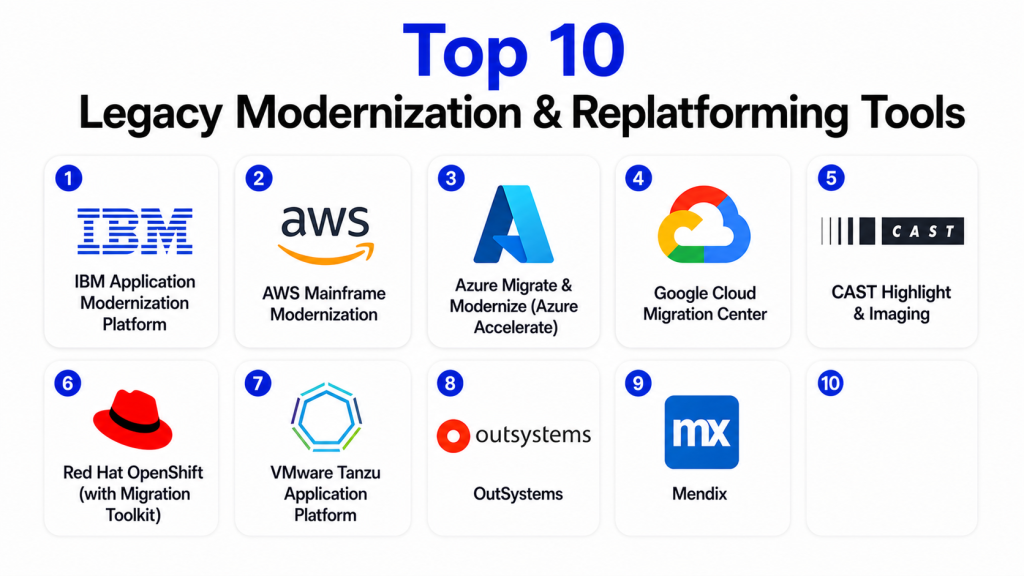
Top 10 Legacy Modernization & Replatforming Tools
#1 — IBM Application Modernization Platform
Short description: A comprehensive platform designed to modernize legacy applications using cloud-native technologies and automation.
Key Features
- Application transformation
- Containerization support
- AI-driven analysis
- DevOps integration
- Hybrid cloud support
Pros
- Enterprise-grade
- Strong automation
- Scalable
Cons
- Complex setup
- High cost
- Requires expertise
Platforms / Deployment
Cloud / Hybrid
Security & Compliance
Enterprise security features
Not publicly stated
Integrations & Ecosystem
Works across enterprise and cloud environments.
- Cloud platforms
- DevOps tools
Support & Community
Strong enterprise support.
#2 — AWS Mainframe Modernization
Short description: A service that helps migrate and modernize mainframe applications to AWS cloud environments.
Key Features
- Mainframe migration
- Automated refactoring
- Cloud integration
- DevOps support
Pros
- Strong AWS integration
- Scalable
- Efficient migration
Cons
- AWS dependency
- Learning curve
- Limited multi-cloud support
Platforms / Deployment
Cloud
Security & Compliance
AWS security features
Not publicly stated
Integrations & Ecosystem
Deep integration with AWS ecosystem.
- AWS services
- Cloud tools
Support & Community
Strong support.
#3 — Azure Migrate & Modernize
Short description: A Microsoft solution for assessing, migrating, and modernizing workloads into Azure environments.
Key Features
- Discovery and assessment
- Migration tools
- Cost analysis
- Dependency mapping
Pros
- Comprehensive features
- Strong Azure integration
- Easy planning
Cons
- Azure-focused
- Requires Microsoft ecosystem
- Learning curve
Platforms / Deployment
Cloud
Security & Compliance
Azure security features
Not publicly stated
Integrations & Ecosystem
Works with Microsoft tools and cloud services.
- Azure ecosystem
Support & Community
Enterprise support.
#4 — Google Cloud Migration Center
Short description: A platform for assessing and modernizing applications for Google Cloud environments.
Key Features
- Asset discovery
- Migration planning
- Cost estimation
- Performance insights
Pros
- Strong analytics
- Easy planning
- Cloud integration
Cons
- Google-focused
- Limited multi-cloud
- Requires expertise
Platforms / Deployment
Cloud
Security & Compliance
Google security features
Not publicly stated
Integrations & Ecosystem
Works within Google Cloud ecosystem.
- Google services
Support & Community
Strong support.
#5 — CAST Highlight & Imaging
Short description: A software intelligence platform that analyzes legacy applications and provides modernization insights.
Key Features
- Code analysis
- Dependency mapping
- Risk assessment
- Portfolio insights
Pros
- Strong analysis capabilities
- Easy to use
- Valuable insights
Cons
- Not a full migration tool
- Limited automation
- Requires integration
Platforms / Deployment
Cloud / Self-hosted
Security & Compliance
Not publicly stated
Integrations & Ecosystem
Works with enterprise IT tools.
- DevOps tools
Support & Community
Moderate support.
#6 — Red Hat OpenShift (with Migration Toolkit)
Short description: A Kubernetes-based platform that enables containerization and modernization of legacy applications.
Key Features
- Container orchestration
- Migration toolkit
- DevOps integration
- Hybrid cloud support
Pros
- Strong Kubernetes support
- Flexible deployment
- Enterprise-ready
Cons
- Complex setup
- Requires Kubernetes knowledge
- Cost considerations
Platforms / Deployment
Cloud / Hybrid
Security & Compliance
Enterprise security
Not publicly stated
Integrations & Ecosystem
Works with cloud-native tools and platforms.
- Kubernetes
- DevOps tools
Support & Community
Strong enterprise and open-source community.
#7 — VMware Tanzu Application Platform
Short description: A platform for building, deploying, and modernizing applications using Kubernetes and cloud-native technologies.
Key Features
- Application modernization
- Kubernetes integration
- DevOps pipelines
- Automation tools
Pros
- Strong enterprise features
- Scalable
- Flexible
Cons
- Complex setup
- VMware dependency
- Higher cost
Platforms / Deployment
Cloud / Hybrid
Security & Compliance
Enterprise-grade security
Not publicly stated
Integrations & Ecosystem
Works with VMware and cloud environments.
- VMware ecosystem
- DevOps tools
Support & Community
Enterprise support.
#8 — OutSystems
Short description: A low-code platform that helps modernize legacy applications quickly by rebuilding them with modern architectures.
Key Features
- Low-code development
- Rapid application delivery
- Integration tools
- Cloud deployment
Pros
- Fast development
- Easy to use
- Reduces coding effort
Cons
- Limited customization
- Vendor lock-in
- Cost
Platforms / Deployment
Cloud
Security & Compliance
Not publicly stated
Integrations & Ecosystem
Supports integration with enterprise systems.
- APIs
- SaaS tools
Support & Community
Strong support.
#9 — Mendix
Short description: A low-code platform that enables organizations to modernize legacy applications through rapid development.
Key Features
- Low-code tools
- Cloud deployment
- Integration capabilities
- Rapid development
Pros
- Easy to use
- Fast implementation
- Flexible
Cons
- Limited advanced customization
- Pricing complexity
- Requires training
Platforms / Deployment
Cloud
Security & Compliance
Not publicly stated
Integrations & Ecosystem
Works with enterprise systems and APIs.
- Cloud platforms
- APIs
Support & Community
Strong support.
#10 — CloudEndure Migration
Short description: A migration tool that supports replatforming through continuous replication and automation.
Key Features
- Continuous replication
- Automated migration
- Minimal downtime
- Cloud integration
Pros
- Reliable
- Easy to deploy
- Cost-effective
Cons
- AWS-focused
- Limited advanced features
- Requires configuration
Platforms / Deployment
Cloud
Security & Compliance
Encryption
Not publicly stated
Integrations & Ecosystem
Works with cloud platforms and services.
- AWS ecosystem
Support & Community
Good support.
Comparison Table (Top 10)
| Tool Name | Best For | Platform(s) Supported | Deployment | Standout Feature | Public Rating |
|---|---|---|---|---|---|
| IBM Platform | Enterprise modernization | Cloud/Hybrid | Hybrid | AI-driven analysis | N/A |
| AWS Mainframe | Mainframe migration | Cloud | Cloud | Automated refactoring | N/A |
| Azure Modernize | Azure workloads | Cloud | Cloud | Assessment tools | N/A |
| Google Migration | GCP modernization | Cloud | Cloud | Analytics insights | N/A |
| CAST Highlight | Code analysis | Cloud/Self-hosted | Hybrid | Software intelligence | N/A |
| OpenShift | Containerization | Cloud/Hybrid | Hybrid | Kubernetes support | N/A |
| VMware Tanzu | Enterprise apps | Cloud/Hybrid | Hybrid | DevOps integration | N/A |
| OutSystems | Low-code apps | Cloud | Cloud | Rapid development | N/A |
| Mendix | Low-code modernization | Cloud | Cloud | Fast deployment | N/A |
| CloudEndure | Migration | Cloud | Cloud | Continuous replication | N/A |
Evaluation & Scoring of Legacy Modernization & Replatforming Tools
| Tool Name | Core | Ease | Integrations | Security | Performance | Support | Value | Weighted Total |
|---|---|---|---|---|---|---|---|---|
| IBM Platform | 9 | 7 | 9 | 9 | 9 | 9 | 7 | 8.6 |
| AWS Mainframe | 9 | 7 | 9 | 9 | 9 | 9 | 7 | 8.6 |
| Azure Modernize | 9 | 8 | 9 | 9 | 8 | 9 | 8 | 8.7 |
| Google Migration | 8 | 8 | 8 | 8 | 8 | 8 | 8 | 8.0 |
| CAST Highlight | 8 | 9 | 7 | 7 | 7 | 7 | 8 | 7.8 |
| OpenShift | 9 | 7 | 9 | 9 | 9 | 9 | 7 | 8.6 |
| VMware Tanzu | 9 | 7 | 9 | 9 | 9 | 9 | 7 | 8.6 |
| OutSystems | 8 | 9 | 8 | 7 | 8 | 8 | 8 | 8.1 |
| Mendix | 8 | 9 | 8 | 7 | 8 | 8 | 8 | 8.1 |
| CloudEndure | 8 | 8 | 8 | 8 | 8 | 8 | 8 | 8.0 |
How to interpret the scores:
These scores provide a comparative benchmark based on modernization capabilities, ease of use, and enterprise readiness. Higher scores indicate stronger overall performance, but the best tool depends on your specific use case. For example, Azure and IBM platforms excel in enterprise environments, while OutSystems and Mendix are better suited for rapid modernization using low-code approaches. Use these scores as a guide and align them with your infrastructure, budget, and modernization strategy before making a final decision.
Which Legacy Modernization & Replatforming Tool Is Right for You?
Solo / Freelancer
Choose OutSystems or Mendix for simple and fast modernization projects.
SMB
CAST Highlight or CloudEndure offer affordable and practical solutions.
Mid-Market
Azure Migrate & Modernize or Google Cloud Migration Center provide balanced capabilities.
Enterprise
IBM Platform, VMware Tanzu, or OpenShift are ideal for large-scale modernization.
Budget vs Premium
Low-code tools reduce development costs, while enterprise platforms require higher investment.
Feature Depth vs Ease of Use
Low-code tools are easier, while enterprise platforms offer deeper control.
Integrations & Scalability
Enterprise tools provide better integration and scalability.
Security & Compliance Needs
Enterprise platforms provide stronger compliance and security capabilities.
Frequently Asked Questions (FAQs)
1. What is legacy modernization?
Legacy modernization is the process of updating old systems to modern architectures. It improves performance, scalability, and security. It helps organizations stay competitive.
2. What is replatforming?
Replatforming involves moving applications to a new platform with minimal changes. It improves performance without full redesign. It is faster than rebuilding.
3. Why is modernization important?
It reduces costs and improves efficiency. It also enhances scalability and security. It enables integration with modern systems.
4. What are the types of modernization?
Common types include rehosting, replatforming, refactoring, and rebuilding. Each approach has different complexity levels. The choice depends on business needs.
5. Are these tools suitable for enterprises?
Yes, most tools are designed for enterprise use. They support large-scale transformations. They integrate with cloud platforms.
6. Do these tools support cloud migration?
Yes, many tools include migration features. They help move workloads to cloud environments. They often integrate with cloud providers.
7. Is modernization expensive?
Costs vary depending on the approach. Low-code tools reduce costs, while enterprise tools may require investment. ROI is often high.
8. How long does modernization take?
It depends on system complexity. Small projects may take weeks, while large ones may take months. Planning is critical.
9. Can modernization improve security?
Yes, modern systems include better security features. They reduce vulnerabilities. This is a key benefit.
10. How do I choose the right tool?
Evaluate your needs, budget, and infrastructure. Consider scalability and integration. Test tools before committing.
Conclusion
Legacy modernization and replatforming tools are essential for organizations looking to transform outdated systems into modern, scalable, and secure environments. Platforms like IBM Application Modernization Platform, Azure Migrate & Modernize, and VMware Tanzu provide powerful enterprise-grade capabilities, while tools like OutSystems and Mendix enable rapid transformation through low-code development. Solutions such as OpenShift and AWS Mainframe Modernization help bridge the gap between legacy infrastructure and cloud-native architectures. Each tool offers unique advantages depending on your modernization strategy, whether it is replatforming, refactoring, or rebuilding. The right choice depends on your technical requirements, budget, and long-term goals. Start by identifying your modernization priorities, shortlist relevant tools, and run pilot projects to validate performance, integration, and scalability before scaling your transformation efforts.

Really useful read. The article explains the key differences between legacy modernization and replatforming tools in a clear way, making it easier to compare options and understand their practical benefits.