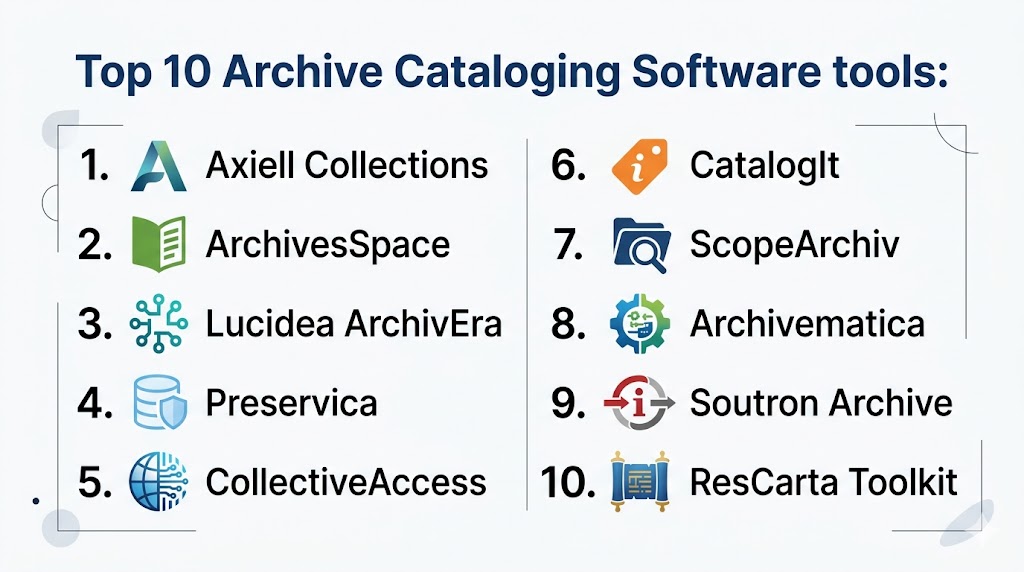
Introduction
Archive Cataloging Software helps organizations systematically organize, describe, preserve, and provide access to archival materials such as documents, manuscripts, records, photographs, and digital files. These platforms enable archivists to manage metadata, track provenance, and ensure long-term preservation of both physical and digital assets in a structured and searchable way.
As archives shift from paper-based collections to hybrid and fully digital repositories, cataloging software has become essential for maintaining accuracy, accessibility, and compliance. Modern tools support standardized metadata schemas, automation workflows, and integration with digital preservation systems, making archival management more efficient and scalable.
Common use cases include:
- Cataloging archival records and collections
- Managing digital and physical archives
- Tracking provenance and ownership history
- Supporting research and public access
- Preserving digital assets and records
Key evaluation criteria:
- Metadata management and standards support
- Cataloging and indexing capabilities
- Digital preservation features
- Search and access functionality
- Integration with archival and library systems
- Ease of use for archivists
- Security and access control
- Scalability and deployment flexibility
Best for: Archives, libraries, museums, government agencies, and institutions managing large volumes of records and historical materials.
Not ideal for: Small collections with minimal cataloging needs or organizations without structured archival workflows.
Key Trends in Archive Cataloging Software
- Shift toward cloud-based archival platforms
- Integration with digital preservation systems
- Adoption of standardized metadata frameworks
- AI-assisted tagging and classification
- Real-time search and discovery tools
- Increased focus on digital archiving and long-term preservation
- API-driven integrations with institutional systems
- Mobile and remote access for archivists
- Automation of cataloging workflows
- Public-facing archive portals for research access
How We Selected These Tools Methodology
- Evaluated adoption across archives and institutions
- Assessed cataloging and metadata capabilities
- Reviewed digital preservation features
- Considered scalability for large collections
- Analyzed usability for archivists
- Included both open-source and enterprise tools
- Focused on integration and interoperability
- Balanced cost-effective and premium solutions
Top 10 Archive Cataloging Software
#1 — Axiell Collections
Short description:
Axiell Collections is a comprehensive platform for managing archival and museum collections. It supports advanced cataloging, metadata management, and workflow automation. The platform is widely used by cultural institutions. It is suitable for large-scale archives.
Key Features
- Advanced cataloging
- Metadata management
- Workflow automation
- Reporting tools
- Integration capabilities
Pros
- Scalable
- Flexible
- Enterprise-ready
Cons
- Complex setup
- Expensive
- Requires training
Platforms / Deployment
Cloud / Hybrid
Security & Compliance
Not publicly stated
Integrations & Ecosystem
Integrates with museum and archive systems for seamless workflows.
- APIs
- Data integrations
Support & Community
Enterprise support
#2 — ArchivesSpace
Short description:
ArchivesSpace is an open-source archival management system designed for libraries and institutions. It provides tools for cataloging, accessioning, and managing archival records. The platform is widely adopted. It is suitable for institutions seeking flexibility.
Key Features
- Archival cataloging
- Metadata management
- Accession tracking
- Reporting tools
- Integration support
Pros
- Open-source
- Flexible
- Strong community
Cons
- Requires technical expertise
- Limited official support
- Setup complexity
Platforms / Deployment
Web / Self-hosted
Security & Compliance
Not publicly stated
Integrations & Ecosystem
Supports integration with archival systems.
- APIs
- Data integrations
Support & Community
Active community
#3 — Lucidea ArchivEra
Short description:
Lucidea ArchivEra is a modern cloud-based archival management platform. It supports cataloging, metadata management, and digital preservation. The platform is user-friendly. It is suitable for institutions of all sizes.
Key Features
- Archival cataloging
- Metadata management
- Digital preservation
- Reporting tools
- Workflow automation
Pros
- Cloud-based
- Easy to use
- Scalable
Cons
- Pricing varies
- Limited customization
- Smaller ecosystem
Platforms / Deployment
Cloud
Security & Compliance
Not publicly stated
Integrations & Ecosystem
Integrates with enterprise and archival systems.
- APIs
- Data integrations
Support & Community
Good support
#4 — Preservica
Short description:
Preservica is a digital preservation platform with strong cataloging capabilities. It focuses on long-term preservation of digital records. The platform supports compliance and security. It is suitable for government and enterprise archives.
Key Features
- Digital preservation
- Metadata management
- Secure storage
- Compliance tools
- Reporting
Pros
- Strong preservation capabilities
- Secure
- Enterprise-ready
Cons
- Expensive
- Complex setup
- Requires expertise
Platforms / Deployment
Cloud
Security & Compliance
Not publicly stated
Integrations & Ecosystem
Supports integration with archival systems.
- APIs
- Data integrations
Support & Community
Enterprise support
#5 — CollectiveAccess
Short description:
CollectiveAccess is an open-source platform for managing archival and museum collections. It supports advanced metadata structures and customization. The platform is flexible. It is suitable for institutions with technical resources.
Key Features
- Metadata management
- Cataloging tools
- Digital asset support
- Reporting tools
- Integration support
Pros
- Highly flexible
- Open-source
- Strong metadata support
Cons
- Requires technical setup
- Limited support
- Smaller ecosystem
Platforms / Deployment
Web / Self-hosted
Security & Compliance
Not publicly stated
Integrations & Ecosystem
Supports integration with digital archives.
- APIs
- DAM integrations
Support & Community
Community-driven
#6 — CatalogIt
Short description:
CatalogIt is a cloud-based cataloging platform designed for archives and collections. It offers intuitive tools for managing records and metadata. The platform supports collaboration. It is suitable for small to mid-sized organizations.
Key Features
- Cataloging
- Cloud access
- Metadata management
- Collaboration tools
- Reporting
Pros
- Easy to use
- Accessible
- Modern interface
Cons
- Limited enterprise features
- Pricing varies
- Smaller ecosystem
Platforms / Deployment
Cloud / Web
Security & Compliance
Not publicly stated
Integrations & Ecosystem
Supports integration with digital tools.
- APIs
- Cloud integrations
Support & Community
Good support
#7 — ScopeArchiv
Short description:
ScopeArchiv is an archival management system designed for managing records and collections. It supports cataloging and workflow automation. The platform is suitable for institutions requiring structured archival processes. It is widely used in archives.
Key Features
- Cataloging tools
- Workflow automation
- Metadata management
- Reporting tools
- Integration support
Pros
- Reliable
- Structured workflows
- Scalable
Cons
- Complex interface
- Requires training
- Pricing varies
Platforms / Deployment
Cloud / Hybrid
Security & Compliance
Not publicly stated
Integrations & Ecosystem
Integrates with archival systems.
- APIs
- Data integrations
Support & Community
Professional support
#8 — Archivematica
Short description:
Archivematica is an open-source digital preservation system designed for long-term archiving. It supports automated workflows and standards-based preservation. The platform is widely used in digital archives. It is suitable for technical teams.
Key Features
- Digital preservation
- Workflow automation
- Metadata management
- Standards support
- Integration capabilities
Pros
- Open-source
- Strong preservation features
- Standards compliance
Cons
- Technical complexity
- Limited UI
- Requires expertise
Platforms / Deployment
Linux / Self-hosted
Security & Compliance
Not publicly stated
Integrations & Ecosystem
Supports integration with preservation systems.
- APIs
- Data integrations
Support & Community
Active community
#9 — Soutron Archive
Short description:
Soutron Archive is a cloud-based archival management system designed for enterprise use. It provides cataloging, metadata, and reporting tools. The platform supports digital and physical collections. It is suitable for large institutions.
Key Features
- Cataloging
- Metadata management
- Reporting tools
- Workflow automation
- Integration support
Pros
- Scalable
- Cloud-based
- Flexible
Cons
- Pricing varies
- Requires setup
- Smaller ecosystem
Platforms / Deployment
Cloud
Security & Compliance
Not publicly stated
Integrations & Ecosystem
Integrates with enterprise systems.
- APIs
- Data integrations
Support & Community
Enterprise support
#10 — ResCarta Toolkit
Short description:
ResCarta Toolkit is an open-source platform designed for digital archives and preservation. It supports cataloging and access to digital collections. The platform is simple and effective. It is suitable for smaller archives.
Key Features
- Digital cataloging
- Metadata management
- Search tools
- Reporting
- Open-source flexibility
Pros
- Free
- Easy to use
- Lightweight
Cons
- Limited advanced features
- Smaller ecosystem
- Basic UI
Platforms / Deployment
Web / Self-hosted
Security & Compliance
Not publicly stated
Integrations & Ecosystem
Supports integration with digital archive systems.
- APIs
- Data integrations
Support & Community
Community support
Comparison Table
| Tool Name | Best For | Platform Supported | Deployment | Standout Feature | Public Rating |
|---|---|---|---|---|---|
| Axiell Collections | Large archives | Web | Hybrid | Advanced metadata | N/A |
| ArchivesSpace | Open-source users | Web | Self-hosted | Flexibility | N/A |
| ArchivEra | All institutions | Web | Cloud | Ease of use | N/A |
| Preservica | Digital preservation | Web | Cloud | Long-term storage | N/A |
| CollectiveAccess | Custom setups | Web | Self-hosted | Metadata flexibility | N/A |
| CatalogIt | Small teams | Web | Cloud | Modern interface | N/A |
| ScopeArchiv | Structured archives | Web | Hybrid | Workflow automation | N/A |
| Archivematica | Technical teams | Linux | Self-hosted | Preservation workflows | N/A |
| Soutron | Enterprise | Web | Cloud | Scalability | N/A |
| ResCarta | Small archives | Web | Self-hosted | Lightweight | N/A |
Evaluation & Scoring
| Tool Name | Core | Ease | Integrations | Security | Performance | Support | Value | Weighted Total |
|---|---|---|---|---|---|---|---|---|
| Axiell Collections | 9 | 7 | 9 | 8 | 9 | 8 | 6 | 8.2 |
| ArchivesSpace | 8 | 6 | 7 | 7 | 8 | 7 | 9 | 7.8 |
| ArchivEra | 8 | 8 | 7 | 7 | 8 | 7 | 7 | 7.7 |
| Preservica | 9 | 6 | 8 | 9 | 9 | 8 | 6 | 8.1 |
| CollectiveAccess | 8 | 6 | 7 | 7 | 8 | 7 | 9 | 7.8 |
| CatalogIt | 7 | 9 | 7 | 7 | 7 | 7 | 8 | 7.6 |
| ScopeArchiv | 8 | 7 | 7 | 7 | 8 | 7 | 7 | 7.6 |
| Archivematica | 9 | 5 | 8 | 8 | 9 | 7 | 8 | 7.9 |
| Soutron | 8 | 7 | 8 | 8 | 8 | 8 | 7 | 7.9 |
| ResCarta | 7 | 8 | 6 | 7 | 7 | 6 | 9 | 7.4 |
How to interpret these scores:
These scores provide a comparative view of how each tool performs across critical areas such as cataloging capabilities, usability, integrations, and value. Higher scores indicate stronger overall performance, but they should not be treated as absolute rankings. Enterprise tools tend to score higher in scalability, security, and integrations, while open-source tools excel in affordability and flexibility. The weighted scoring model balances these criteria to provide a realistic comparison across different use cases. Organizations should prioritize factors that align with their archival needs, such as digital preservation, scalability, or ease of use. Testing shortlisted tools in real-world scenarios is recommended before making a final decision.
Which Archive Cataloging Software Is Right for You
Solo / Small Archive
Use ResCarta or CatalogIt for simplicity and affordability.
SMB
ArchivEra or CollectiveAccess provide balanced features and usability.
Mid Market
ArchivesSpace or ScopeArchiv offer flexibility and scalability.
Enterprise
Axiell Collections and Preservica provide advanced features and integrations.
Budget vs Premium
Open-source tools reduce costs, while premium tools offer advanced capabilities.
Feature Depth vs Ease of Use
Advanced systems provide more control, while simple tools prioritize usability.
Integrations & Scalability
API-driven platforms are ideal for scaling archival operations.
Security & Compliance Needs
Choose tools with strong data protection and preservation capabilities.
Frequently Asked Questions
1 What is archive cataloging software
Archive cataloging software is used to organize and manage archival records and collections. It stores metadata and descriptions. It improves accessibility. It supports long-term preservation.
2 How does it help archivists
It automates cataloging, tracking, and reporting processes. It reduces manual work. It improves accuracy. It supports better organization.
3 Can it manage digital archives
Yes, most modern tools support digital assets and preservation. They enable secure storage. They improve accessibility. They support research.
4 Is it suitable for small archives
Yes, there are tools designed for small archives with simple features. They are affordable. They are easy to use. They provide essential capabilities.
5 How much does it cost
Costs vary widely depending on features and scale. Open-source tools are free. Enterprise platforms are expensive. Pricing depends on requirements.
6 Can it integrate with other systems
Most tools support integration with library and enterprise systems. This improves workflows. API support is important. Integration varies.
7 Is it secure
Security depends on the platform. Many tools include access controls and data protection. Institutions should choose trusted systems. Data safety is important.
8 What industries use this software
Archives, libraries, museums, and government agencies use it. It helps manage records efficiently. Adoption is widespread. It supports preservation.
9 What are key features
Cataloging, metadata management, and reporting are key features. Advanced tools include digital preservation. These improve efficiency. They enhance usability.
10 How do I choose the right tool
Evaluate features, scalability, integrations, and cost. Consider your archive size. Test multiple tools. Choose one that fits your workflow.
Conclusion
Archive Cataloging Software plays a critical role in helping institutions manage, preserve, and provide access to valuable historical and digital records by transforming complex archival processes into structured, searchable, and scalable workflows. These platforms enable archivists to maintain accurate metadata, track provenance, and ensure long-term preservation of both physical and digital assets while improving accessibility for researchers and the public. While enterprise-grade solutions offer advanced features, scalability, and integration capabilities for large institutions, open-source and lightweight tools provide flexibility and cost efficiency for smaller archives. The best choice depends on your organization’s size, technical capabilities, and preservation needs. A practical approach is to shortlist a few tools, conduct pilot testing, and evaluate how well they align with your workflows, integration requirements, and long-term data management strategy.
