Introduction
Dental Practice Management Software helps dental clinics manage daily operations such as patient scheduling, billing, clinical records, treatment planning, and communication. These systems act as a central platform that connects administrative and clinical workflows, improving efficiency and reducing manual errors.
With growing patient expectations and increasing clinic workloads, dental practices are shifting toward digital systems to streamline operations and enhance patient experience. These tools also support compliance, reporting, and multi-location management for expanding practices.
Real-world use cases include:
- Appointment scheduling and patient management
- Billing, insurance claims, and invoicing
- Treatment planning and clinical documentation
- Patient communication and reminders
- Multi-location clinic management
What buyers should evaluate:
- Ease of use and interface design
- Scheduling and workflow automation
- Billing and insurance management
- Integration with imaging and clinical tools
- Security and data protection
- Scalability for growing practices
- Cloud vs on-premise deployment
- Customer support and training
Best for: Dental clinics, multi-location dental practices, orthodontists, and dental service organizations looking to improve operational efficiency.
Not ideal for: Solo practitioners who prefer manual workflows or clinics with minimal digital adoption.
Key Trends in Dental Practice Management Software
- Growth of cloud-based dental platforms
- Integration with digital imaging and diagnostics tools
- Automation of appointment scheduling and reminders
- Increasing focus on patient engagement tools
- Adoption of mobile-friendly applications
- Integration with billing and insurance workflows
- Use of analytics for business insights
- Enhanced data security and compliance
- Multi-location practice management features
- AI-assisted treatment planning and reporting
How We Selected These Tools
- Evaluated market adoption among dental clinics
- Assessed feature completeness and workflow capabilities
- Considered ease of use for dental staff
- Reviewed integration capabilities with imaging systems
- Analyzed billing and insurance management features
- Evaluated scalability for growing practices
- Considered vendor ecosystem and support quality
- Reviewed reliability and performance
- Assessed suitability across small and large practices
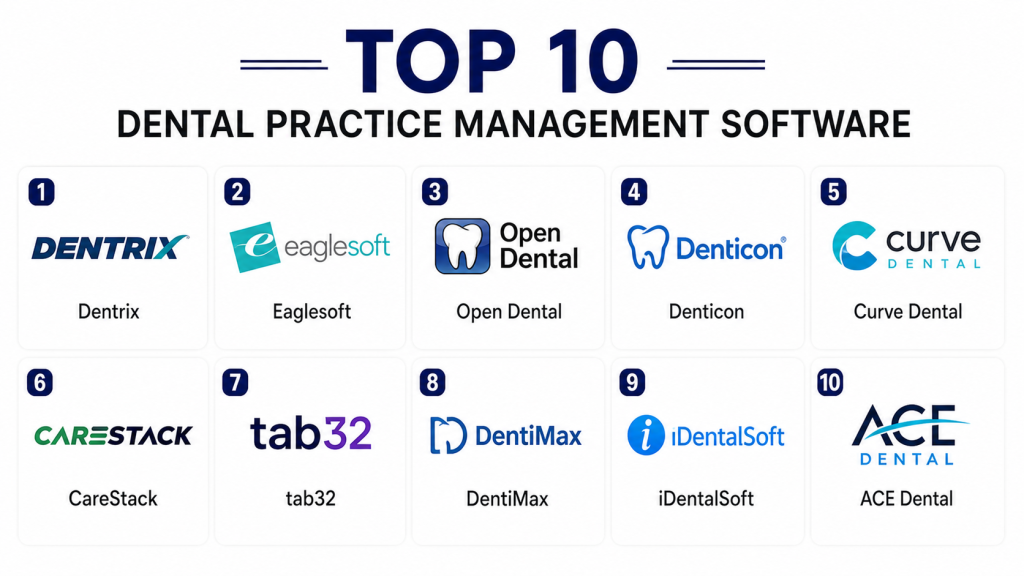
Top 10 Dental Practice Management Software Tools
#1 — Dentrix
Short description: A widely used dental practice management platform designed for comprehensive clinic operations. It supports scheduling, billing, and patient records management. Suitable for medium to large dental practices.
Key Features
- Appointment scheduling
- Billing and insurance management
- Patient records
- Reporting tools
- Workflow automation
Pros
- Comprehensive features
- Widely adopted
- Scalable
- Reliable
Cons
- Complex interface
- Requires training
- Higher cost
Platforms / Deployment
- Windows / Cloud
Security & Compliance
- Not publicly stated
Integrations & Ecosystem
Integrates with dental imaging and clinical tools to streamline operations.
- Imaging systems
- Billing tools
- APIs
Support & Community
Strong support and training resources.
#2 — Eaglesoft
Short description: A dental software solution focused on practice management and clinical workflows. It provides tools for scheduling, billing, and imaging integration.
Key Features
- Scheduling
- Billing and insurance
- Clinical charting
- Reporting
- Imaging integration
Pros
- Reliable
- Strong imaging integration
- Easy to use
- Good support
Cons
- Windows-based
- Limited cloud features
- Requires setup
Platforms / Deployment
- Windows
Security & Compliance
- Not publicly stated
Integrations & Ecosystem
Supports integration with dental imaging and clinical tools.
- Imaging systems
- Practice tools
Support & Community
Good customer support.
#3 — Open Dental
Short description: An open-source dental practice management system offering flexibility and customization. It is widely used by small to mid-sized practices.
Key Features
- Scheduling
- Billing
- Patient records
- Reporting
- Customization
Pros
- Affordable
- Highly customizable
- Active community
- Flexible
Cons
- Requires technical knowledge
- Limited enterprise features
- Setup complexity
Platforms / Deployment
- Windows / Self-hosted
Security & Compliance
- Not publicly stated
Integrations & Ecosystem
Supports integration with dental tools and third-party systems.
- APIs
- Imaging tools
Support & Community
Strong community support and documentation.
#4 — Denticon
Short description: A cloud-based dental management platform designed for multi-location practices. It offers centralized control and real-time access.
Key Features
- Cloud-based management
- Scheduling
- Billing
- Multi-location support
- Reporting
Pros
- Cloud-native
- Scalable
- Easy access
- Good usability
Cons
- Internet dependency
- Limited customization
- Pricing concerns
Platforms / Deployment
- Web / Cloud
Security & Compliance
- Not publicly stated
Integrations & Ecosystem
Integrates with dental and business tools for workflow efficiency.
- Imaging tools
- Billing systems
Support & Community
Reliable support services.
#5 — Curve Dental
Short description: A cloud-based dental practice management solution focused on simplicity and accessibility. Suitable for modern dental clinics.
Key Features
- Scheduling
- Billing
- Patient records
- Reporting
- Cloud access
Pros
- Easy to use
- Cloud-based
- Quick setup
- Scalable
Cons
- Limited advanced features
- Internet dependency
- Integration limitations
Platforms / Deployment
- Web / Cloud
Security & Compliance
- Not publicly stated
Integrations & Ecosystem
Supports integration with dental tools and systems.
- Imaging systems
- Billing tools
Support & Community
Responsive support.
#6 — CareStack
Short description: A modern cloud-based dental software offering practice management, patient engagement, and analytics. Designed for growing dental organizations.
Key Features
- Scheduling
- Billing
- Patient engagement
- Analytics
- Multi-location support
Pros
- Modern interface
- Scalable
- Strong analytics
- Cloud-native
Cons
- Learning curve
- Pricing considerations
- Integration limitations
Platforms / Deployment
- Web / Cloud
Security & Compliance
- Not publicly stated
Integrations & Ecosystem
Supports integration with dental and business tools.
- Imaging systems
- APIs
Support & Community
Strong onboarding and support.
#7 — tab32
Short description: A cloud-based dental practice management system designed for ease of use and flexibility. Suitable for small to mid-sized clinics.
Key Features
- Scheduling
- Billing
- Patient records
- Reporting
- Cloud access
Pros
- Easy to use
- Cloud-based
- Affordable
- Flexible
Cons
- Limited advanced features
- Smaller ecosystem
- Integration limitations
Platforms / Deployment
- Web / Cloud
Security & Compliance
- Not publicly stated
Integrations & Ecosystem
Supports integration with dental tools.
- Imaging systems
- Billing tools
Support & Community
Good support for smaller practices.
#8 — DentiMax
Short description: A dental practice management solution offering both cloud and on-premise options. It supports scheduling, billing, and imaging workflows.
Key Features
- Scheduling
- Billing
- Imaging integration
- Reporting
- Workflow tools
Pros
- Flexible deployment
- Reliable
- Good integration
- Scalable
Cons
- Interface complexity
- Setup required
- Limited modern features
Platforms / Deployment
- Cloud / On-premise
Security & Compliance
- Not publicly stated
Integrations & Ecosystem
Integrates with dental imaging and practice tools.
- Imaging systems
- Billing tools
Support & Community
Reliable support.
#9 — iDentalSoft
Short description: A cloud-based dental management platform focused on patient communication and workflow efficiency. Suitable for modern clinics.
Key Features
- Scheduling
- Billing
- Patient communication
- Reporting
- Cloud access
Pros
- User-friendly
- Cloud-based
- Good communication tools
- Easy setup
Cons
- Limited advanced features
- Smaller ecosystem
- Integration limitations
Platforms / Deployment
- Web / Cloud
Security & Compliance
- Not publicly stated
Integrations & Ecosystem
Supports integration with dental systems and communication tools.
- Messaging tools
- Billing systems
Support & Community
Good support services.
#10 — ACE Dental
Short description: A dental practice management solution designed for small to mid-sized clinics. It focuses on ease of use and affordability.
Key Features
- Scheduling
- Billing
- Patient records
- Reporting
- Workflow tools
Pros
- Affordable
- Easy to use
- Reliable
- Good for small clinics
Cons
- Limited scalability
- Basic features
- Smaller ecosystem
Platforms / Deployment
- Windows
Security & Compliance
- Not publicly stated
Integrations & Ecosystem
Supports integration with dental tools and systems.
- Imaging tools
- Billing tools
Support & Community
Responsive support.
Comparison Table
| Tool Name | Best For | Platform Supported | Deployment | Standout Feature | Public Rating |
|---|---|---|---|---|---|
| Dentrix | Large clinics | Windows | Hybrid | Comprehensive features | N/A |
| Eaglesoft | Imaging workflows | Windows | On-premise | Imaging integration | N/A |
| Open Dental | Custom setups | Windows | Self-hosted | Customization | N/A |
| Denticon | Multi-location | Web | Cloud | Centralized control | N/A |
| Curve Dental | Modern clinics | Web | Cloud | Ease of use | N/A |
| CareStack | Growing clinics | Web | Cloud | Analytics | N/A |
| tab32 | SMB clinics | Web | Cloud | Affordability | N/A |
| DentiMax | Flexible deployment | Web | Hybrid | Integration | N/A |
| iDentalSoft | Patient engagement | Web | Cloud | Communication tools | N/A |
| ACE Dental | Small clinics | Windows | On-premise | Simplicity | N/A |
Evaluation and Scoring of Dental Practice Management Software
| Tool Name | Core | Ease | Integrations | Security | Performance | Support | Value | Weighted Total |
|---|---|---|---|---|---|---|---|---|
| Dentrix | 9 | 7 | 8 | 7 | 9 | 9 | 6 | 8.0 |
| Eaglesoft | 8 | 7 | 8 | 7 | 8 | 8 | 6 | 7.7 |
| Open Dental | 8 | 7 | 7 | 7 | 7 | 7 | 9 | 7.6 |
| Denticon | 8 | 8 | 7 | 7 | 8 | 7 | 7 | 7.7 |
| Curve Dental | 7 | 9 | 6 | 7 | 7 | 7 | 8 | 7.5 |
| CareStack | 8 | 8 | 7 | 7 | 8 | 8 | 7 | 7.8 |
| tab32 | 7 | 8 | 6 | 7 | 7 | 7 | 8 | 7.3 |
| DentiMax | 8 | 7 | 7 | 7 | 7 | 7 | 7 | 7.4 |
| iDentalSoft | 7 | 8 | 6 | 7 | 7 | 7 | 8 | 7.3 |
| ACE Dental | 7 | 8 | 6 | 7 | 7 | 7 | 8 | 7.3 |
These scores are comparative and help highlight strengths across features, usability, and value. Enterprise tools perform better in scalability and performance, while SMB-focused tools excel in ease of use and affordability. Buyers should align their priorities accordingly.
Which Dental Practice Management Software Tool Is Right for You
Solo / Freelancer
Open Dental and ACE Dental are suitable due to affordability and flexibility.
SMB
tab32, iDentalSoft, and Curve Dental offer ease of use and cost efficiency.
Mid-Market
CareStack and Denticon provide scalability and feature balance.
Enterprise
Dentrix and Eaglesoft are best for large multi-location practices.
Budget vs Premium
Budget tools focus on core features, while premium tools provide advanced analytics and integrations.
Feature Depth vs Ease of Use
Advanced tools offer more functionality but require training, while simpler tools prioritize usability.
Integrations and Scalability
Choose tools that integrate well with imaging and billing systems.
Security and Compliance Needs
Ensure strong data protection and compliance readiness.
Frequently Asked Questions FAQs
1. What is dental practice management software
It is software used to manage daily operations of dental clinics such as scheduling, billing, and patient records. It helps improve efficiency and reduce manual work. Clinics use it to streamline workflows. It is essential for modern practices.
2. How much does dental software cost
Costs vary based on features and deployment type. Some tools offer subscription pricing, while others require upfront investment. Additional costs may include setup and training. It is important to evaluate total cost.
3. Is dental software secure
Most platforms include security features like encryption and access control. Security varies by vendor. Clinics should verify compliance standards. Protecting patient data is critical.
4. Can it integrate with imaging systems
Yes, many dental software tools integrate with imaging systems. This helps streamline clinical workflows. Integration improves efficiency. It is an important feature.
5. How long does implementation take
Implementation can take days to weeks depending on complexity. Cloud solutions are faster to deploy. Training may extend timelines. Proper planning helps.
6. Who uses dental software
Dental clinics, orthodontists, and multi-location practices use these tools. They manage patient data and workflows. Adoption is widespread. It improves efficiency.
7. Can small clinics use it
Yes, many tools are designed for small clinics. They offer easy setup and affordable pricing. This makes them accessible. Smaller clinics benefit greatly.
8. What are common challenges
Challenges include training, integration, and cost. Adapting to new systems can take time. Proper onboarding helps. Planning reduces issues.
9. Is cloud-based software better
Cloud software offers flexibility and remote access. It reduces infrastructure costs. Many clinics prefer it. However, internet dependency is a factor.
10. Does it improve patient experience
Yes, it improves scheduling, communication, and record management. This enhances patient satisfaction. Efficient workflows reduce wait times. Overall experience improves.
Conclusion
Dental Practice Management Software plays a crucial role in modernizing dental clinics by streamlining operations, improving patient care, and enhancing efficiency. From enterprise tools like Dentrix to cloud-based platforms like Curve Dental and CareStack, clinics have a wide range of options depending on their needs and scale. Advanced systems offer deeper integrations and scalability, while simpler solutions focus on usability and quick adoption. Security, workflow automation, and integration remain key factors in selecting the right tool. The best approach is to shortlist a few platforms, test them in real scenarios, and choose the one that aligns with both clinical and operational goals

This comparison provides a helpful overview of dental practice management software and makes it easy to understand the strengths of different platforms for managing daily clinic operations.