Introduction
Artifact and container signing & verification tools ensure that software artifacts such as container images, binaries, and packages are authentic, untampered, and produced by trusted sources. In simple terms, these tools add a cryptographic “signature” to artifacts and allow systems to verify that signature before deployment.
With the rise of supply chain attacks targeting containers and CI/CD pipelines, signing and verification have become essential security controls in modern DevSecOps workflows. Organizations are moving toward zero-trust software delivery, where every artifact must be validated before execution.
Real-world use cases:
- Verifying container images before deployment in Kubernetes
- Ensuring trusted builds in CI/CD pipelines
- Enforcing security policies in production clusters
- Protecting against malicious or tampered artifacts
- Meeting compliance and audit requirements
What buyers should evaluate:
- Signing methods (key-based vs keyless)
- Verification and policy enforcement capabilities
- Integration with CI/CD pipelines
- Kubernetes and cloud-native compatibility
- Transparency logs and auditability
- Ease of key management
- Ecosystem and integrations
- Scalability and performance
- Security and compliance features
Best for: DevOps teams, platform engineers, security teams, and organizations adopting Kubernetes, containers, and zero-trust supply chains.
Not ideal for: Teams without containerized workloads, early-stage projects without CI/CD pipelines, or environments where artifact integrity is not a major concern.
Key Trends in Artifact / Container Signing & Verification Tools
- Keyless signing adoption reducing complexity of key management
- Transparency logs becoming standard for auditability
- Deep Kubernetes integration for runtime verification
- Policy-as-code enforcement in clusters
- Shift toward Sigstore ecosystem as a default standard
- Integration with supply chain security frameworks
- Automated signing in CI/CD pipelines
- Zero-trust software deployment models gaining traction
- Cloud-native verification at runtime
- Open standards replacing proprietary approaches
How We Selected These Tools (Methodology)
- Evaluated industry adoption and ecosystem usage
- Assessed signing and verification capabilities
- Reviewed integration with Kubernetes and CI/CD pipelines
- Analyzed security architecture and trust models
- Considered ease of implementation and usability
- Evaluated policy enforcement capabilities
- Reviewed community support and enterprise adoption
- Compared deployment flexibility and scalability
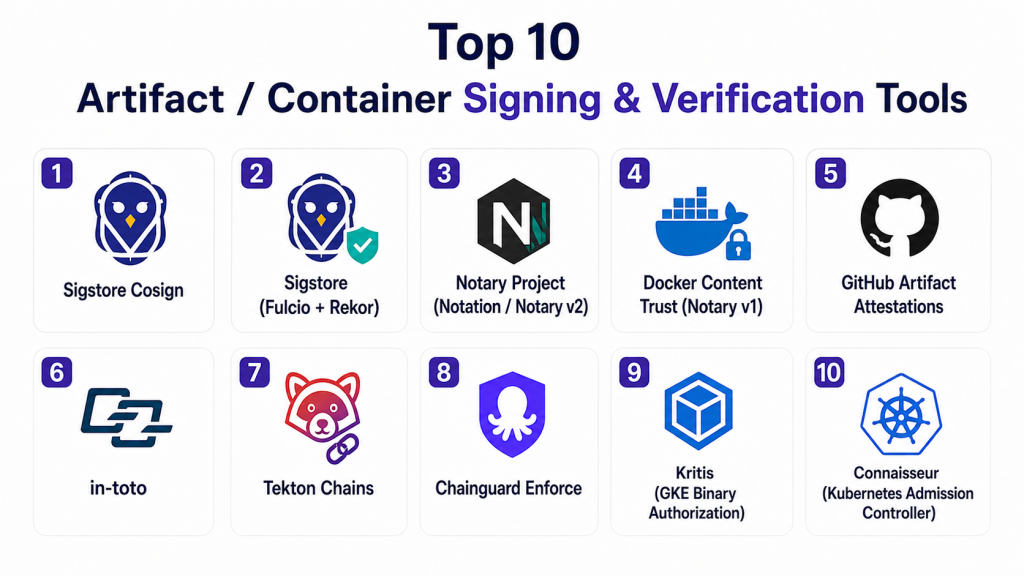
Top 10 Artifact / Container Signing & Verification Tools
#1 — Sigstore Cosign
Short description:
Cosign is a key component of the Sigstore ecosystem that enables signing and verification of container images and OCI artifacts. It supports keyless signing and integrates seamlessly with modern CI/CD pipelines, making it a preferred choice for cloud-native environments.
Key Features
- Keyless signing using identity providers
- Container image and artifact signing
- Integration with transparency logs
- CI/CD pipeline integration
- Kubernetes compatibility
- Verification enforcement capabilities
Pros
- Simple and developer-friendly
- No key management overhead
- Strong ecosystem support
Cons
- Requires ecosystem understanding
- Limited standalone UI
- Dependent on Sigstore components
Platforms / Deployment
Cloud / Self-hosted
Security & Compliance
Encryption, identity-based signing, audit logs
Integrations & Ecosystem
Works closely with cloud-native tools and pipelines.
- Kubernetes
- Docker
- CI/CD systems
Support & Community
Strong open-source community and active development.
#2 — Sigstore (Fulcio + Rekor)
Short description:
Fulcio provides certificate authority services while Rekor acts as a transparency log. Together, they enable secure, auditable signing workflows without traditional key management.
Key Features
- Keyless certificate issuance
- Public transparency log
- Auditability and traceability
- Integration with Cosign
- Secure identity verification
Pros
- Eliminates key management complexity
- High transparency
- Strong trust model
Cons
- Requires understanding of components
- Not a single unified platform
- Setup complexity
Platforms / Deployment
Cloud / Self-hosted
Security & Compliance
Encryption, transparency logs, identity verification
Integrations & Ecosystem
Core Sigstore ecosystem integrations.
- Cosign
- Kubernetes
- CI/CD tools
Support & Community
Active open-source ecosystem.
#3 — Notary Project (Notation / Notary v2)
Short description:
Notary Project provides standards-based signing and verification for container images. It is designed to work with OCI artifacts and is backed by industry organizations.
Key Features
- OCI-compliant signing
- Standardized verification workflows
- Secure key management
- Integration with registries
- Extensible architecture
Pros
- Industry standard approach
- Strong registry integration
- Flexible design
Cons
- More complex than keyless solutions
- Requires key management
- Slower adoption compared to Sigstore
Platforms / Deployment
Cloud / Self-hosted
Security & Compliance
Encryption, key-based signing
Integrations & Ecosystem
Works with container registries and tools.
- Docker
- OCI registries
Support & Community
Backed by industry groups with growing adoption.
#4 — Docker Content Trust (Notary v1)
Short description:
Docker Content Trust provides signing and verification for Docker images using Notary v1. It ensures only trusted images are pulled and deployed.
Key Features
- Image signing
- Verification enforcement
- Registry integration
- Key-based security
- CLI-based workflows
Pros
- Integrated with Docker
- Easy to enable
- Proven solution
Cons
- Legacy architecture
- Limited flexibility
- Being replaced by newer standards
Platforms / Deployment
Cloud / Self-hosted
Security & Compliance
Encryption, key-based trust
Integrations & Ecosystem
Docker ecosystem focused.
- Docker CLI
- Docker Hub
Support & Community
Strong documentation; legacy support continues.
#5 — GitHub Artifact Attestations
Short description:
GitHub provides built-in artifact attestation features that integrate directly into its CI/CD workflows, enabling developers to sign and verify artifacts automatically.
Key Features
- Native CI/CD integration
- Provenance generation
- Identity-based signing
- Workflow automation
- Secure verification
Pros
- Easy adoption
- Seamless GitHub integration
- Developer-friendly
Cons
- Limited outside GitHub
- Feature constraints
- Dependency on platform
Platforms / Deployment
Cloud
Security & Compliance
SSO, audit logs
Integrations & Ecosystem
Optimized for GitHub environment.
- GitHub Actions
- Repositories
Support & Community
Strong platform support and documentation.
#6 — in-toto
Short description:
in-toto provides end-to-end integrity verification across the software supply chain by ensuring every step is validated and signed.
Key Features
- Supply chain verification
- Flexible workflow definitions
- Cryptographic signing
- End-to-end traceability
- Open framework
Pros
- Highly secure
- Flexible architecture
- Open-source
Cons
- Complex setup
- Requires expertise
- Limited UI
Platforms / Deployment
Self-hosted
Security & Compliance
Encryption, audit trails
Integrations & Ecosystem
Works across DevOps environments.
- CI/CD tools
- Kubernetes
Support & Community
Active open-source community.
#7 — Tekton Chains
Short description:
Tekton Chains automatically signs artifacts and generates provenance within Kubernetes-native pipelines, making it ideal for cloud-native teams.
Key Features
- Automated signing
- Provenance generation
- Kubernetes-native design
- Integration with Sigstore
- Pipeline security
Pros
- Strong automation
- Native Kubernetes integration
- Open-source
Cons
- Kubernetes dependency
- Setup complexity
- Limited outside ecosystem
Platforms / Deployment
Cloud / Self-hosted
Security & Compliance
RBAC, audit logs
Integrations & Ecosystem
Cloud-native integrations.
- Kubernetes
- Tekton
Support & Community
Growing community support.
#8 — Chainguard Enforce
Short description:
Chainguard Enforce focuses on enforcing policies and verifying signed artifacts in runtime environments, ensuring only trusted software is deployed.
Key Features
- Policy enforcement
- Verified images
- Continuous verification
- Kubernetes integration
- Secure pipelines
Pros
- Strong enforcement capabilities
- Modern architecture
- Cloud-native
Cons
- Newer tool
- Limited ecosystem
- Pricing not transparent
Platforms / Deployment
Cloud
Security & Compliance
Not publicly stated
Integrations & Ecosystem
Modern cloud integrations.
- Kubernetes
- CI/CD tools
Support & Community
Commercial support with growing ecosystem.
#9 — Kritis (GKE Binary Authorization)
Short description:
Kritis enables Kubernetes admission control to enforce policies that only signed and trusted images are deployed in clusters.
Key Features
- Admission control policies
- Image verification
- Kubernetes enforcement
- Policy management
- Secure deployments
Pros
- Strong Kubernetes security
- Policy enforcement
- Enterprise use cases
Cons
- Kubernetes-specific
- Requires configuration
- Limited flexibility outside GKE
Platforms / Deployment
Cloud / Self-hosted
Security & Compliance
RBAC, policy enforcement
Integrations & Ecosystem
Kubernetes-focused integrations.
- GKE
- Kubernetes
Support & Community
Supported within Kubernetes ecosystem.
#10 — Connaisseur
Short description:
Connaisseur is a Kubernetes admission controller that validates container image signatures before allowing deployments.
Key Features
- Signature validation
- Policy enforcement
- Admission control
- Multi-registry support
- Kubernetes integration
Pros
- Lightweight
- Strong security enforcement
- Easy integration
Cons
- Kubernetes-only
- Limited UI
- Requires setup
Platforms / Deployment
Self-hosted
Security & Compliance
Policy enforcement, audit logs
Integrations & Ecosystem
Kubernetes ecosystem integrations.
- Kubernetes
- Container registries
Support & Community
Open-source community support.
Comparison Table (Top 10)
| Tool Name | Best For | Platform(s) Supported | Deployment | Standout Feature | Public Rating |
|---|---|---|---|---|---|
| Cosign | Keyless signing | Multi-platform | Hybrid | Keyless signing | N/A |
| Fulcio + Rekor | Transparency logs | Multi-platform | Hybrid | Audit logs | N/A |
| Notary v2 | Standard signing | Multi-platform | Hybrid | OCI compliance | N/A |
| Docker Trust | Docker users | Multi-platform | Hybrid | Built-in signing | N/A |
| GitHub Attestations | GitHub pipelines | Web | Cloud | Native integration | N/A |
| in-toto | Full verification | Multi-platform | Self-hosted | Workflow validation | N/A |
| Tekton Chains | Kubernetes pipelines | Linux | Self-hosted | Pipeline signing | N/A |
| Chainguard | Runtime enforcement | Multi-platform | Cloud | Policy enforcement | N/A |
| Kritis | Kubernetes security | Linux | Hybrid | Admission control | N/A |
| Connaisseur | Lightweight validation | Linux | Self-hosted | Signature validation | N/A |
Evaluation & Scoring
| Tool Name | Core | Ease | Integrations | Security | Performance | Support | Value | Weighted Total |
|---|---|---|---|---|---|---|---|---|
| Cosign | 9 | 8 | 8 | 9 | 8 | 7 | 9 | 8.5 |
| Fulcio + Rekor | 8 | 7 | 8 | 9 | 8 | 7 | 9 | 8.2 |
| Notary v2 | 8 | 6 | 7 | 9 | 8 | 7 | 8 | 7.9 |
| Docker Trust | 7 | 8 | 7 | 8 | 7 | 7 | 8 | 7.6 |
| GitHub | 7 | 9 | 8 | 8 | 8 | 8 | 8 | 8.1 |
| in-toto | 9 | 5 | 7 | 9 | 8 | 7 | 8 | 7.9 |
| Tekton | 8 | 6 | 8 | 8 | 8 | 7 | 8 | 7.8 |
| Chainguard | 8 | 7 | 7 | 9 | 8 | 7 | 7 | 7.9 |
| Kritis | 7 | 6 | 7 | 9 | 8 | 7 | 8 | 7.6 |
| Connaisseur | 7 | 7 | 7 | 8 | 8 | 7 | 8 | 7.7 |
How to interpret scores:
These scores compare tools across multiple dimensions such as features, usability, integrations, and security. A higher score indicates a well-rounded tool, but it does not automatically mean it is the best choice for every organization. Some tools excel in specific environments like Kubernetes or GitHub workflows. Use these scores as a directional guide and align them with your technical stack, team expertise, and security requirements before making a decision.
Which Tool Is Right for You?
Solo / Freelancer
Use Cosign or Docker Content Trust for simplicity and minimal setup.
SMB
GitHub Attestations or Cosign provide the best balance of ease and security.
Mid-Market
Tekton Chains or Chainguard Enforce offer better automation and policy control.
Enterprise
Notary v2, in-toto, and Kritis provide advanced enforcement and compliance.
Budget vs Premium
Open-source tools like Cosign and in-toto are cost-effective. Enterprise tools provide additional support and features.
Feature Depth vs Ease of Use
Cosign and GitHub tools are easier to adopt, while in-toto and Notary provide deeper control.
Integrations & Scalability
Kubernetes users should prefer Tekton, Kritis, or Connaisseur.
Security & Compliance Needs
Enterprises should prioritize policy enforcement and audit capabilities.
Frequently Asked Questions (FAQs)
1. What is container image signing?
Container image signing ensures that an image is created by a trusted source and has not been altered. It uses cryptographic signatures to verify authenticity before deployment.
2. What is keyless signing?
Keyless signing uses identity-based authentication instead of managing private keys. It simplifies security while maintaining strong verification.
3. Why is signing important?
Signing prevents tampering and ensures trust in artifacts. It is critical for secure deployments and compliance.
4. Can signing be automated?
Yes, most tools integrate with CI/CD pipelines to automate signing and verification during builds.
5. Do I need Kubernetes for these tools?
Not all tools require Kubernetes, but many are optimized for cloud-native environments.
6. What is a transparency log?
A transparency log records all signing events, making them publicly auditable and tamper-resistant.
7. Are open-source tools secure?
Yes, many open-source tools are widely used and trusted in production environments.
8. How do I enforce verification?
Policy engines and admission controllers ensure only verified artifacts are deployed.
9. Can these tools scale?
Yes, most tools support enterprise-scale deployments with automation and integration capabilities.
10. How do I choose the best tool?
Evaluate your infrastructure, team expertise, and security needs. Start with a pilot before full adoption.
Conclusion
Artifact and container signing tools are becoming essential for securing modern software supply chains. As organizations move toward zero-trust architectures, verifying the authenticity and integrity of every artifact is no longer optional. The tools covered in this guide range from lightweight open-source solutions to enterprise-grade platforms with advanced policy enforcement. The right choice depends on your environment, whether it is Kubernetes-heavy, GitHub-centric, or enterprise-scale infrastructure. Instead of searching for a single perfect tool, focus on aligning capabilities with your workflow, security goals, and scalability needs. The best next step is to shortlist a few tools, test them within your CI/CD pipelines, and validate how well they integrate with your existing systems before making a long-term commitment.
