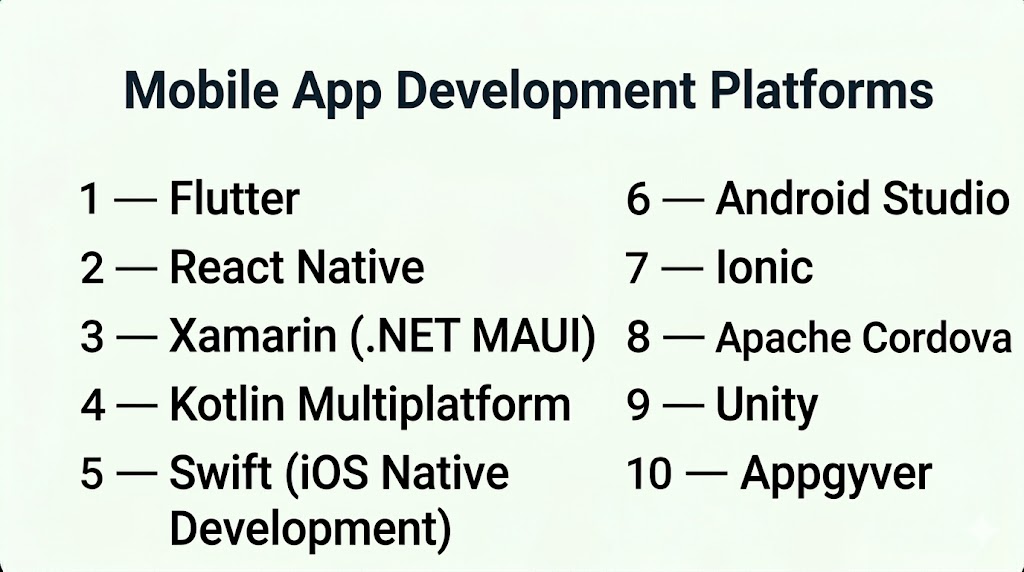
Introduction
Mobile app development platforms provide the tools, frameworks, and environments needed to design, build, test, and deploy mobile applications across devices such as smartphones and tablets. These platforms can support native, cross-platform, or low-code development approaches, enabling teams to accelerate development while maintaining performance and scalability.
As mobile apps continue to dominate digital experiences, businesses increasingly rely on these platforms to deliver high-quality apps faster, integrate with backend systems, and scale efficiently. Choosing the right platform is critical, as it directly impacts development speed, user experience, and long-term maintainability.
Common Use Cases
- Building native iOS and Android apps
- Developing cross-platform applications from a single codebase
- Creating MVPs for startups
- Integrating mobile apps with backend systems and APIs
- Automating business workflows via mobile interfaces
What Buyers Should Evaluate
- Native vs cross-platform capabilities
- Performance and scalability
- Development speed and ease of use
- Integration with APIs and backend services
- UI/UX customization flexibility
- Security and compliance features
- Testing and deployment tools
- Community and ecosystem support
- Cost and licensing
Best for: Developers, startups, enterprises, product teams, and businesses building scalable mobile apps or digital products.
Not ideal for: Simple projects that can be handled by website builders or no-code tools with minimal mobile functionality.
Key Trends in Mobile App Development Platforms
- Cross-platform dominance: Single codebase for multiple platforms reducing development time
- AI-assisted development: Tools suggesting code, UI, and workflows
- Low-code integration: Combining visual development with coding flexibility
- Cloud-native development: Faster deployment and scalability
- API-first architecture: Seamless integration with backend services
- Performance optimization: Focus on native-like performance
- Security-first development: Encryption, authentication, and compliance features
- Real-time updates: Faster iteration and deployment cycles
- DevOps integration: CI/CD pipelines built into platforms
How We Selected These Tools (Methodology)
- Industry adoption and developer popularity
- Feature completeness across native and cross-platform development
- Performance and scalability capabilities
- Integration ecosystem and API support
- Flexibility for both beginners and developers
- Security and enterprise readiness indicators
- Community and documentation strength
- Cross-platform support and deployment options
- Continuous innovation and updates
Top 10 Mobile App Development Platforms
#1 — Flutter
Short description: An open-source UI toolkit by Google for building cross-platform apps from a single codebase.
Key Features
- Single codebase for iOS and Android
- Fast rendering engine
- Rich UI components
- Hot reload for real-time updates
- Strong performance
- Large community
Pros
- High performance close to native
- Fast development cycle
Cons
- Larger app size
- Requires learning Dart
Platforms / Deployment
Web / iOS / Android / Desktop
Security & Compliance
Not publicly stated
Integrations & Ecosystem
- APIs
- Firebase integration
- Third-party plugins
Support & Community
Very large and active community
#2 — React Native
Short description: A popular framework for building cross-platform apps using JavaScript and React.
Key Features
- Cross-platform development
- Native modules
- Hot reload
- Large ecosystem
- Reusable components
Pros
- Widely adopted
- Strong developer community
Cons
- Performance limitations in complex apps
- Requires native modules for advanced features
Platforms / Deployment
iOS / Android
Security & Compliance
Not publicly stated
Integrations & Ecosystem
- JavaScript ecosystem
- APIs
- Third-party libraries
Support & Community
Very large community and resources
#3 — Xamarin (.NET MAUI)
Short description: A Microsoft platform for building cross-platform apps using C# and .NET.
Key Features
- Single codebase
- Native performance
- Integration with Microsoft tools
- UI components
- Code sharing
Pros
- Strong enterprise support
- Native-like performance
Cons
- Smaller community compared to React Native
- Learning curve
Platforms / Deployment
iOS / Android / Windows
Security & Compliance
Enterprise-level features within Microsoft ecosystem
Integrations & Ecosystem
- Microsoft Azure
- APIs
- .NET ecosystem
Support & Community
Strong enterprise support
#4 — Kotlin Multiplatform
Short description: A platform for sharing code across Android, iOS, and web while maintaining native performance.
Key Features
- Shared business logic
- Native UI development
- Cross-platform support
- Strong performance
- Integration with Android tools
Pros
- Native-level performance
- Flexible architecture
Cons
- Still evolving
- Requires Kotlin expertise
Platforms / Deployment
iOS / Android / Web
Security & Compliance
Not publicly stated
Integrations & Ecosystem
- Android ecosystem
- APIs
Support & Community
Growing developer community
#5 — Swift (iOS Native Development)
Short description: Apple’s programming language for building high-performance iOS applications.
Key Features
- Native iOS performance
- Strong security
- UI frameworks
- Integration with Apple ecosystem
- High efficiency
Pros
- Best performance for iOS
- Full access to device features
Cons
- Limited to Apple ecosystem
- Requires separate Android development
Platforms / Deployment
iOS
Security & Compliance
Built-in Apple security features
Integrations & Ecosystem
- Apple ecosystem
- APIs
Support & Community
Strong developer community
#6 — Android Studio
Short description: Official IDE for building Android apps using Java or Kotlin.
Key Features
- Native Android development
- Debugging tools
- Emulator support
- UI design tools
- Performance monitoring
Pros
- Full control over Android apps
- Official Google support
Cons
- Android-only
- Steep learning curve
Platforms / Deployment
Android
Security & Compliance
Standard Android security features
Integrations & Ecosystem
- Google services
- APIs
Support & Community
Extensive documentation and support
#7 — Ionic
Short description: A hybrid app development framework using web technologies like HTML, CSS, and JavaScript.
Key Features
- Cross-platform development
- Web-based apps
- UI components
- Integration with frameworks
- Plugin ecosystem
Pros
- Easy for web developers
- Fast development
Cons
- Performance limitations
- Not fully native
Platforms / Deployment
Web / iOS / Android
Security & Compliance
Not publicly stated
Integrations & Ecosystem
- APIs
- JavaScript frameworks
Support & Community
Active community
#8 — Apache Cordova
Short description: An open-source framework for building mobile apps using web technologies.
Key Features
- Web-based development
- Plugin support
- Cross-platform compatibility
- Access to device features
Pros
- Easy for web developers
- Open-source
Cons
- Performance issues
- Outdated compared to newer tools
Platforms / Deployment
iOS / Android
Security & Compliance
Not publicly stated
Integrations & Ecosystem
- Plugins
- APIs
Support & Community
Moderate community
#9 — Unity
Short description: A platform primarily used for game development but also supports mobile apps.
Key Features
- Game engine
- 2D/3D rendering
- Cross-platform deployment
- Real-time graphics
- Asset store
Pros
- Excellent for game apps
- Strong performance
Cons
- Not ideal for standard business apps
- Resource-intensive
Platforms / Deployment
iOS / Android / Web
Security & Compliance
Not publicly stated
Integrations & Ecosystem
- Game development tools
- APIs
Support & Community
Large community
#10 — Appgyver
Short description: A no-code/low-code platform for building mobile apps with visual tools.
Key Features
- Visual builder
- Logic editor
- API integration
- Cross-platform apps
- UI components
Pros
- Easy to use
- Flexible logic
Cons
- Smaller ecosystem
- Limited enterprise features
Platforms / Deployment
Web / iOS / Android
Security & Compliance
Not publicly stated
Integrations & Ecosystem
- APIs
- Third-party tools
Support & Community
Growing community
Comparison Table (Top 10)
| Tool Name | Best For | Platform(s) Supported | Deployment | Standout Feature | Public Rating |
|---|---|---|---|---|---|
| Flutter | Cross-platform | Web/iOS/Android | Cloud | Single codebase | N/A |
| React Native | Developers | iOS/Android | Cloud | JavaScript ecosystem | N/A |
| Xamarin | Enterprise | iOS/Android/Windows | Cloud | .NET integration | N/A |
| Kotlin Multiplatform | Native apps | iOS/Android/Web | Hybrid | Shared logic | N/A |
| Swift | iOS apps | iOS | Local | Native performance | N/A |
| Android Studio | Android apps | Android | Local | Official IDE | N/A |
| Ionic | Web developers | Web/iOS/Android | Cloud | Web-based apps | N/A |
| Cordova | Hybrid apps | iOS/Android | Cloud | Open-source | N/A |
| Unity | Game apps | Multi-platform | Cloud | Game engine | N/A |
| Appgyver | No-code apps | Web/iOS/Android | Cloud | Visual builder | N/A |
Evaluation & Scoring of Mobile App Development Platforms
| Tool Name | Core | Ease | Integrations | Security | Performance | Support | Value | Weighted Total |
|---|---|---|---|---|---|---|---|---|
| Flutter | 9 | 8 | 9 | 7 | 9 | 9 | 8 | 8.6 |
| React Native | 8 | 8 | 9 | 7 | 8 | 9 | 8 | 8.3 |
| Xamarin | 8 | 7 | 9 | 8 | 8 | 8 | 7 | 8.0 |
| Kotlin Multiplatform | 8 | 7 | 8 | 7 | 9 | 7 | 7 | 7.9 |
| Swift | 9 | 6 | 7 | 8 | 10 | 8 | 7 | 8.2 |
| Android Studio | 9 | 6 | 8 | 8 | 9 | 9 | 7 | 8.3 |
| Ionic | 7 | 8 | 7 | 6 | 7 | 7 | 8 | 7.4 |
| Cordova | 6 | 8 | 6 | 6 | 6 | 6 | 8 | 6.8 |
| Unity | 8 | 6 | 7 | 7 | 9 | 8 | 7 | 7.8 |
| Appgyver | 7 | 9 | 7 | 6 | 7 | 7 | 9 | 7.7 |
How to interpret scores:
- Scores are relative comparisons across platforms
- Higher scores indicate stronger overall capabilities
- Native tools score high in performance
- Cross-platform tools balance speed and flexibility
- Choose based on your development goals
Which Mobile App Development Platform Is Right for You?
Solo / Freelancer
- Best: Flutter, Appgyver
- Focus on speed and ease of development
SMB
- Best: React Native, Ionic
- Balanced features and flexibility
Mid-Market
- Best: Flutter, Xamarin
- Need scalability and integrations
Enterprise
- Best: Kotlin Multiplatform, Xamarin
- Advanced performance and architecture
Budget vs Premium
- Budget: Ionic, Appgyver
- Premium: Xamarin, Kotlin Multiplatform
Feature Depth vs Ease of Use
- Deep features: Android Studio, Swift
- Easy to use: Flutter, Ionic
Integrations & Scalability
- Strong integrations: React Native, Xamarin
- Moderate: Flutter
Security & Compliance Needs
- Enterprise-ready: Xamarin, Kotlin
- Basic: Ionic, Cordova
Frequently Asked Questions (FAQs)
What are mobile app development platforms?
Tools that help developers build, test, and deploy mobile apps efficiently.
What is the difference between native and cross-platform?
Native apps are built for one OS, while cross-platform works across multiple systems.
Which platform is best for beginners?
Flutter and Ionic are easier to learn.
Are cross-platform apps good?
Yes, they reduce development time and cost.
Do I need coding skills?
Most platforms require coding knowledge.
Can I build both iOS and Android apps?
Yes, with cross-platform tools.
Are these platforms secure?
Security depends on implementation and platform features.
How long does it take to build an app?
From weeks to months depending on complexity.
Which platform is fastest?
Cross-platform tools are generally faster.
When should I use native development?
When performance and device-specific features are critical.
Conclusion
Mobile app development platforms are essential for building scalable and high-performance applications. They provide the tools needed to accelerate development, improve user experience, and integrate with modern systems.
The right choice depends on your goals—whether you prioritize speed, performance, or flexibility. Flutter and React Native are excellent for cross-platform development, while native tools like Swift and Android Studio offer maximum performance.
