Introduction
Low-code app development platforms enable teams to build applications with minimal hand-coding, using visual interfaces, pre-built components, and automation tools. Unlike no-code tools, low-code platforms still allow developers to extend functionality with custom code, making them ideal for both business users and technical teams.
As organizations push for faster digital transformation, low-code platforms are becoming essential for rapid development, process automation, and enterprise application delivery. They help reduce development time, improve collaboration between IT and business teams, and accelerate innovation.
Common Use Cases
- Building internal enterprise applications
- Automating workflows and business processes
- Creating customer-facing web and mobile apps
- Integrating legacy systems with modern interfaces
- Rapid prototyping and MVP development
What Buyers Should Evaluate
- Visual development capabilities vs coding flexibility
- Backend and database support
- Integration with APIs and enterprise systems
- Scalability and performance
- Security and compliance features
- Deployment options (cloud, hybrid, on-premise)
- Collaboration tools for teams
- DevOps and lifecycle management
- Pricing and licensing model
Best for: Enterprises, IT teams, developers, and product managers who need to build scalable applications quickly while maintaining flexibility.
Not ideal for: Very simple projects (better suited for no-code tools) or highly complex systems requiring full custom development from scratch.
Key Trends in Low-Code App Development Platforms
- Enterprise adoption acceleration: Companies are using low-code to reduce development bottlenecks
- AI-assisted development: Automated suggestions for workflows, UI, and logic
- Fusion teams: Collaboration between business users and developers
- API-first architecture: Seamless integration with existing systems
- Hybrid deployment models: Cloud + on-premise flexibility
- Built-in DevOps: Continuous integration and deployment pipelines
- Security-first design: Role-based access and compliance controls
- Reusable components: Faster development through modular design
- Cross-platform apps: Single build for web and mobile
How We Selected These Tools (Methodology)
- Strong enterprise adoption and industry recognition
- Comprehensive feature sets for full-stack development
- Proven scalability and performance
- Integration capabilities with enterprise systems
- Flexibility for both developers and business users
- Security and compliance readiness indicators
- Support for multiple deployment models
- Active ecosystem and community support
- Continuous innovation and feature updates
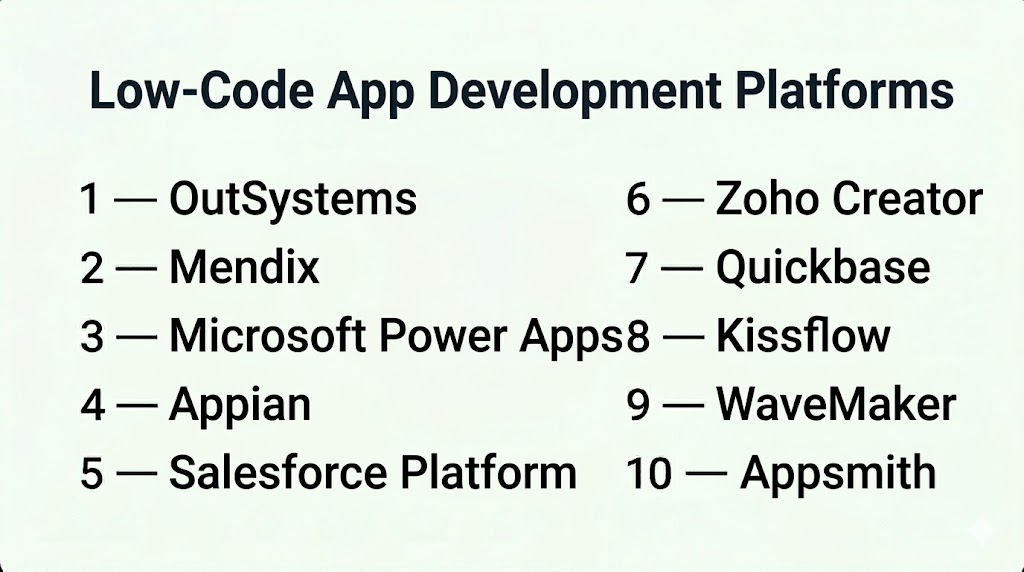
Top 10 Low-Code App Development Platforms
#1 — OutSystems
Short description: A leading enterprise low-code platform designed for building scalable applications with full-stack capabilities.
Key Features
- Visual full-stack development
- Built-in DevOps and deployment
- Integration with enterprise systems
- Real-time monitoring
- Scalable architecture
- AI-assisted development
Pros
- Highly scalable and enterprise-ready
- Strong performance and monitoring tools
Cons
- Expensive
- Requires technical knowledge
Platforms / Deployment
Web / Cloud / Hybrid
Security & Compliance
Enterprise-grade controls. Details: Not publicly stated
Integrations & Ecosystem
Supports integration with enterprise systems and APIs:
- ERP systems
- CRM platforms
- REST APIs
- Cloud services
Support & Community
Strong enterprise support and active community
#2 — Mendix
Short description: A collaborative low-code platform enabling rapid application development and lifecycle management.
Key Features
- Visual development environment
- Workflow modeling
- Application lifecycle management
- Collaboration tools
- Multi-platform deployment
- Integration with data sources
Pros
- Strong collaboration features
- Scalable for enterprise use
Cons
- Complex for beginners
- Pricing not transparent
Platforms / Deployment
Web / Cloud / Hybrid
Security & Compliance
Role-based access, monitoring. Additional details: Not publicly stated
Integrations & Ecosystem
- APIs
- Enterprise systems
- Data integrations
Support & Community
Strong enterprise support and ecosystem
#3 — Microsoft Power Apps
Short description: A low-code platform within the Microsoft ecosystem for building business apps and automating workflows.
Key Features
- Drag-and-drop app builder
- Integration with Microsoft tools
- Workflow automation
- Data connectors
- Mobile app support
- AI capabilities
Pros
- Deep integration with Microsoft ecosystem
- Easy adoption for existing users
Cons
- Limited outside Microsoft ecosystem
- Licensing complexity
Platforms / Deployment
Web / iOS / Android / Cloud
Security & Compliance
Enterprise-grade controls within Microsoft ecosystem
Integrations & Ecosystem
- Microsoft 365
- Azure
- Dynamics
- APIs
Support & Community
Extensive documentation and community
#4 — Appian
Short description: A low-code automation platform focused on business process management and workflow automation.
Key Features
- Workflow automation
- Visual app builder
- Data integration
- Process mining
- AI features
- Case management
Pros
- Strong automation capabilities
- Enterprise-ready
Cons
- Expensive
- Complex setup
Platforms / Deployment
Web / Cloud / Hybrid
Security & Compliance
Enterprise-grade features. Details: Not publicly stated
Integrations & Ecosystem
- APIs
- Enterprise systems
- Data tools
Support & Community
Enterprise support and training
#5 — Salesforce Platform
Short description: A low-code platform for building apps within the Salesforce ecosystem.
Key Features
- App builder
- Workflow automation
- Data management
- Integration tools
- Security controls
- Reporting
Pros
- Strong CRM integration
- Scalable
Cons
- Vendor lock-in
- Expensive
Platforms / Deployment
Web / Cloud
Security & Compliance
Enterprise-grade controls
Integrations & Ecosystem
- Salesforce ecosystem
- APIs
- Third-party tools
Support & Community
Large ecosystem and support network
#6 — Zoho Creator
Short description: A flexible low-code platform for building business applications and automating workflows.
Key Features
- Drag-and-drop builder
- Workflow automation
- Database management
- Integration tools
- Reporting
Pros
- Affordable
- Strong business use cases
Cons
- Limited UI customization
- Learning curve
Platforms / Deployment
Web / iOS / Android
Security & Compliance
Not publicly stated
Integrations & Ecosystem
- Zoho ecosystem
- APIs
Support & Community
Strong documentation and support
#7 — Quickbase
Short description: A low-code platform designed for building operational and workflow applications.
Key Features
- App builder
- Workflow automation
- Data management
- Reporting
- Integrations
Pros
- Strong for internal tools
- Easy to use
Cons
- Limited advanced customization
- Pricing concerns
Platforms / Deployment
Web / Cloud
Security & Compliance
Not publicly stated
Integrations & Ecosystem
- APIs
- Enterprise tools
Support & Community
Good support and documentation
#8 — Kissflow
Short description: A low-code platform focused on process automation and business workflows.
Key Features
- Workflow builder
- Process automation
- App creation
- Reporting
- Integrations
Pros
- Easy to use
- Strong workflow automation
Cons
- Limited advanced development
- Not ideal for complex apps
Platforms / Deployment
Web / Cloud
Security & Compliance
Not publicly stated
Integrations & Ecosystem
- APIs
- Business tools
Support & Community
Good onboarding and support
#9 — WaveMaker
Short description: A low-code platform for building scalable enterprise applications with open architecture.
Key Features
- Visual development
- API integration
- Cloud-native deployment
- Responsive UI
- Open standards
Pros
- Open architecture
- Developer-friendly
Cons
- Smaller ecosystem
- Learning curve
Platforms / Deployment
Web / Cloud
Security & Compliance
Not publicly stated
Integrations & Ecosystem
- APIs
- Enterprise systems
Support & Community
Growing community
#10 — Appsmith
Short description: An open-source low-code platform for building internal tools quickly.
Key Features
- Open-source platform
- Drag-and-drop builder
- API integration
- Database support
- Custom widgets
Pros
- Free and open-source
- Highly customizable
Cons
- Requires technical setup
- Smaller support ecosystem
Platforms / Deployment
Cloud / Self-hosted
Security & Compliance
Not publicly stated
Integrations & Ecosystem
- APIs
- Databases
- Developer tools
Support & Community
Active open-source community
Comparison Table (Top 10)
| Tool Name | Best For | Platform(s) Supported | Deployment | Standout Feature | Public Rating |
|---|---|---|---|---|---|
| OutSystems | Enterprise | Web | Hybrid | Full-stack development | N/A |
| Mendix | Enterprise | Web | Hybrid | Collaboration tools | N/A |
| Power Apps | Microsoft users | Web | Cloud | Microsoft integration | N/A |
| Appian | Automation | Web | Hybrid | Workflow automation | N/A |
| Salesforce | CRM apps | Web | Cloud | CRM ecosystem | N/A |
| Zoho Creator | SMB | Web | Cloud | Workflow builder | N/A |
| Quickbase | Internal tools | Web | Cloud | Data apps | N/A |
| Kissflow | Automation | Web | Cloud | Process automation | N/A |
| WaveMaker | Developers | Web | Cloud | Open architecture | N/A |
| Appsmith | Open-source | Web | Hybrid | Customizable platform | N/A |
Evaluation & Scoring of Low-Code App Development Platforms
| Tool Name | Core | Ease | Integrations | Security | Performance | Support | Value | Weighted Total |
|---|---|---|---|---|---|---|---|---|
| OutSystems | 9 | 7 | 9 | 8 | 9 | 9 | 6 | 8.3 |
| Mendix | 9 | 7 | 9 | 8 | 9 | 9 | 6 | 8.3 |
| Power Apps | 8 | 8 | 9 | 8 | 8 | 8 | 7 | 8.0 |
| Appian | 9 | 6 | 8 | 8 | 9 | 9 | 6 | 8.1 |
| Salesforce | 8 | 7 | 9 | 8 | 8 | 9 | 6 | 7.9 |
| Zoho Creator | 8 | 8 | 8 | 7 | 8 | 8 | 8 | 8.0 |
| Quickbase | 7 | 8 | 7 | 7 | 7 | 7 | 7 | 7.3 |
| Kissflow | 7 | 9 | 7 | 6 | 7 | 7 | 8 | 7.5 |
| WaveMaker | 8 | 7 | 8 | 7 | 8 | 7 | 7 | 7.6 |
| Appsmith | 7 | 7 | 8 | 6 | 7 | 7 | 9 | 7.5 |
How to interpret scores:
- Scores are comparative across tools
- Higher scores indicate stronger enterprise capabilities
- Enterprise tools score higher in features and performance
- Simpler tools score higher in ease of use and value
- Choose based on your business needs
Which Low-Code App Development Platform Is Right for You?
Solo / Freelancer
- Best: Appsmith, Zoho Creator
- Focus on affordability and flexibility
SMB
- Best: Power Apps, Zoho Creator
- Balanced features and integrations
Mid-Market
- Best: Mendix, Quickbase
- Need scalability and collaboration
Enterprise
- Best: OutSystems, Appian, Mendix
- Advanced features and governance
Budget vs Premium
- Budget: Appsmith, Zoho Creator
- Premium: OutSystems, Mendix
Feature Depth vs Ease of Use
- Deep features: OutSystems, Appian
- Easy to use: Power Apps, Kissflow
Integrations & Scalability
- Strong integrations: Power Apps, Salesforce
- Moderate: Zoho Creator
Security & Compliance Needs
- Enterprise-ready: OutSystems, Mendix
- Basic: Appsmith
Frequently Asked Questions (FAQs)
What are low-code platforms?
Platforms that allow app development with minimal coding using visual tools.
How are they different from no-code tools?
Low-code allows custom coding, while no-code does not.
Are low-code platforms scalable?
Yes, especially enterprise-focused platforms.
Do I need programming knowledge?
Basic understanding helps but is not always required.
Can I build mobile apps?
Yes, many platforms support mobile deployment.
Are these platforms secure?
Security varies but enterprise tools offer strong protections.
Can I integrate with existing systems?
Yes, most platforms support APIs and integrations.
How long does development take?
Much faster than traditional development.
Are low-code platforms expensive?
Enterprise tools can be costly, but SMB options exist.
When should I use low-code platforms?
For rapid development, automation, and enterprise applications.
Conclusion
Low-code platforms are transforming how applications are built by enabling faster development, better collaboration, and reduced reliance on traditional coding. They are particularly valuable for organizations looking to accelerate digital transformation and streamline workflows.
There is no single best platform—the right choice depends on your scale, technical needs, and integration requirements. Enterprise platforms like OutSystems and Mendix offer robust capabilities, while tools like Zoho Creator and Appsmith provide flexibility for smaller teams.
