Introduction
Patch Management Tools help organizations automatically deploy software updates, operating system patches, security fixes, and third-party application updates across devices and servers. In simple terms, these tools ensure systems stay secure, stable, and compliant without relying on manual update processes.
Modern businesses manage large fleets of laptops, desktops, servers, cloud workloads, and remote devices. Without proper patching, systems become vulnerable to cyberattacks, compatibility issues, downtime, and compliance failures. That is why patch management has become one of the most important IT operations and cybersecurity priorities.
Today’s best patch management platforms combine automated scanning, vulnerability prioritization, update scheduling, rollback controls, reporting, remote endpoint support, and multi-OS coverage. Many also integrate with endpoint management and RMM platforms for broader IT automation.
Common use cases include:
- Windows and macOS patch deployment
- Third-party software updates
- Server patching and maintenance windows
- Remote workforce device patching
- Compliance reporting and audit readiness
What buyers should evaluate:
- Multi-OS support
- Third-party app patching
- Automation and scheduling depth
- Rollback and testing controls
- Remote endpoint support
- Reporting dashboards
- Security integrations
- Ease of administration
- Scalability
- Pricing and value
Best for: Enterprises, SMBs, MSPs, healthcare, finance, education, retail, and any organization managing multiple endpoints.
Not ideal for: Very small teams managing only a few devices using native auto-update tools.
Key Trends in Patch Management Tools
- AI-based patch prioritization
- Vulnerability-aware patch deployment
- Cloud-native patch management
- Better remote workforce patching
- Third-party application patch expansion
- Zero Trust compliance integrations
- Automated remediation workflows
- Real-time patch posture dashboards
- Unified endpoint + patch platforms
- Flexible subscription pricing models
How We Selected These Tools (Methodology)
- Strong market reputation
- Reliable patch deployment performance
- Broad OS and app coverage
- Automation and scheduling maturity
- Security and compliance readiness
- Ease of deployment and use
- Integration ecosystem strength
- Scalability across environments
- Reporting quality
- Overall long-term value
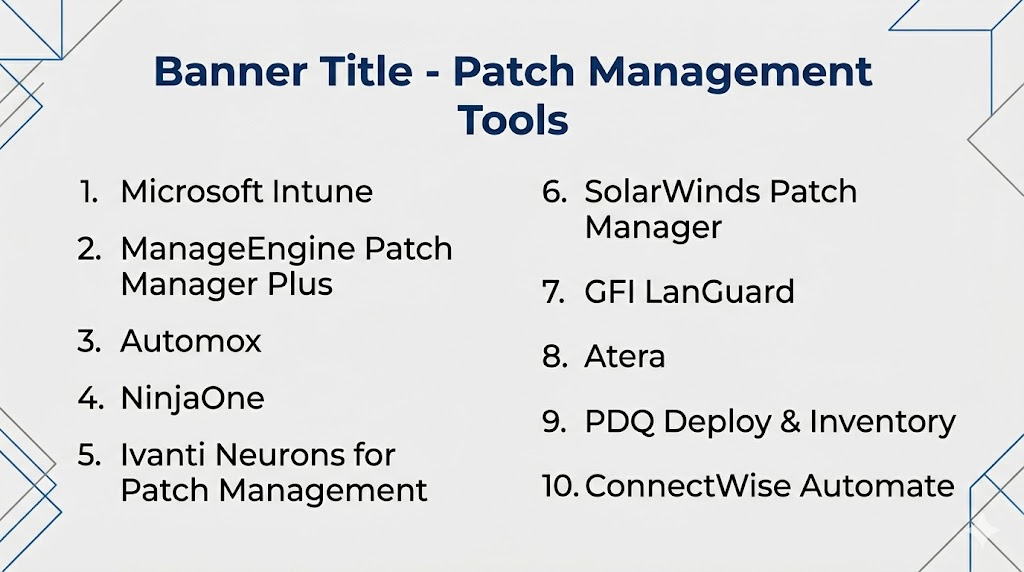
Top 10 Patch Management Tools
#1 — Microsoft Intune
Short description: Leading cloud patch management platform for Microsoft-centric organizations with strong endpoint integration.
Key Features
- Windows update management
- macOS update support
- Compliance policies
- Remote patching
- Reporting dashboards
- Device controls
Pros
- Excellent Microsoft ecosystem fit
- Strong enterprise governance
Cons
- Best for Microsoft-first environments
- Licensing complexity possible
Platforms / Deployment
Web / Windows / macOS / iOS / Android | Cloud
Security & Compliance
Enterprise-grade controls.
Integrations & Ecosystem
Microsoft 365, Entra ID, Defender, endpoint tools.
Support & Community
Large global enterprise ecosystem.
#2 — ManageEngine Patch Manager Plus
Short description: Popular patching platform for SMB and enterprise teams needing broad OS and third-party coverage.
Key Features
- Windows patching
- macOS patching
- Linux patching
- Third-party app updates
- Test and approve workflows
- Reporting tools
Pros
- Strong all-in-one value
- Cloud and on-prem options
Cons
- UI can feel dense
- Advanced tuning may take time
Platforms / Deployment
Cross-platform | Cloud / Self-hosted
Security & Compliance
Policy and admin controls available.
Integrations & Ecosystem
ManageEngine suite, ITSM tools, APIs.
Support & Community
Strong SMB-mid market presence.
#3 — Automox
Short description: Cloud-native patch management platform built for modern distributed device fleets.
Key Features
- Cross-platform patching
- Remote endpoint updates
- Policy automation
- Worklets automation
- Reporting dashboards
- Compliance visibility
Pros
- Excellent for remote teams
- Modern cloud experience
Cons
- Premium pricing possible
- Some advanced workflows require planning
Platforms / Deployment
Windows / macOS / Linux | Cloud
Security & Compliance
Enterprise controls available.
Integrations & Ecosystem
Security tools, identity tools, APIs.
Support & Community
Strong modern IT operations momentum.
#4 — NinjaOne
Short description: IT operations platform combining patch management, endpoint monitoring, and remote support.
Key Features
- Automated patching
- Endpoint monitoring
- Remote support
- Policy management
- Reporting tools
- Multi-OS support
Pros
- Strong usability reputation
- Great support quality
Cons
- Broader RMM focus than pure patch tools
- Pricing depends on scale
Platforms / Deployment
Cross-platform | Cloud
Security & Compliance
Enterprise controls available.
Integrations & Ecosystem
Security tools, IT ops stack, APIs.
Support & Community
Strong growth among IT teams.
#5 — Ivanti Neurons for Patch Management
Short description: Enterprise patch management solution with automation and vulnerability-aware workflows.
Key Features
- Risk-based patching
- OS patch deployment
- Third-party patching
- Automation workflows
- Reporting dashboards
- Compliance tools
Pros
- Strong enterprise depth
- Good security alignment
Cons
- Premium buying cycle
- Higher complexity
Platforms / Deployment
Cross-platform | Cloud
Security & Compliance
Enterprise-grade controls.
Integrations & Ecosystem
Security tools, ITSM, APIs.
Support & Community
Strong enterprise support.
#6 — SolarWinds Patch Manager
Short description: Established patch management tool especially known in Windows-centric environments.
Key Features
- Microsoft patching
- Third-party updates
- Scheduling
- Approval workflows
- Reporting tools
- WSUS enhancement
Pros
- Strong Windows environments fit
- Familiar IT admin workflows
Cons
- Less cloud-native than newer rivals
- Better for Microsoft-heavy teams
Platforms / Deployment
Windows / Web | Self-hosted
Security & Compliance
Admin controls available.
Integrations & Ecosystem
SolarWinds tools, Microsoft tools.
Support & Community
Well-known IT brand.
#7 — GFI LanGuard
Short description: Combined patching and vulnerability management platform for SMB-mid market teams.
Key Features
- Patch deployment
- Vulnerability scanning
- Asset inventory
- Network scanning
- Reporting dashboards
- Compliance views
Pros
- Security + patching combo
- Good SMB fit
Cons
- Interface feels older to some users
- Less enterprise scale than leaders
Platforms / Deployment
Windows | Self-hosted
Security & Compliance
Security-focused controls.
Integrations & Ecosystem
Basic IT integrations.
Support & Community
Established SMB presence.
#8 — Atera
Short description: RMM platform with integrated patch management and technician-based pricing.
Key Features
- Patch automation
- Remote monitoring
- Ticketing tools
- Remote access
- Reporting dashboards
- Scripts automation
Pros
- Great MSP value model
- Easy deployment
Cons
- Less enterprise patch depth
- Broader RMM focus
Platforms / Deployment
Cross-platform | Cloud
Security & Compliance
Admin controls available.
Integrations & Ecosystem
PSA tools, remote tools, APIs.
Support & Community
Popular with smaller MSPs.
#9 — PDQ Deploy & Inventory
Short description: Popular Windows administration toolset for software deployment and patch workflows.
Key Features
- Windows patching
- Software deployment
- Inventory visibility
- Scheduling
- Script automation
- Reporting
Pros
- Excellent Windows admin productivity
- Strong value for IT teams
Cons
- Windows-focused scope
- Less cross-platform coverage
Platforms / Deployment
Windows | Self-hosted
Security & Compliance
Admin controls available.
Integrations & Ecosystem
Windows ecosystem, scripting workflows.
Support & Community
Strong IT admin following.
#10 — ConnectWise Automate
Short description: MSP-focused automation platform with patching, scripting, and large-scale endpoint management.
Key Features
- Automated patching
- Deep scripting
- Monitoring tools
- Multi-client management
- Remote support
- Reporting dashboards
Pros
- Strong MSP scale capabilities
- Powerful automation depth
Cons
- Steeper learning curve
- Complex interface for some teams
Platforms / Deployment
Windows / Web | Cloud / Self-hosted
Security & Compliance
Controls vary by deployment.
Integrations & Ecosystem
ConnectWise ecosystem, PSA, security tools.
Support & Community
Large MSP ecosystem.
Comparison Table (Top 10)
| Tool Name | Best For | Platform(s) Supported | Deployment | Standout Feature | Public Rating |
|---|---|---|---|---|---|
| Microsoft Intune | Microsoft enterprises | Cross-platform | Cloud | Native Microsoft integration | N/A |
| ManageEngine Patch Manager Plus | SMB-mid market | Cross-platform | Cloud/Self-hosted | Broad OS coverage | N/A |
| Automox | Remote teams | Cross-platform | Cloud | Cloud-native patching | N/A |
| NinjaOne | IT operations teams | Cross-platform | Cloud | Ease of use | N/A |
| Ivanti Neurons | Large enterprises | Cross-platform | Cloud | Risk-based patching | N/A |
| SolarWinds Patch Manager | Windows teams | Windows | Self-hosted | WSUS enhancement | N/A |
| GFI LanGuard | SMB security teams | Windows | Self-hosted | Patch + vulnerability combo | N/A |
| Atera | MSPs | Cross-platform | Cloud | Technician pricing | N/A |
| PDQ Deploy & Inventory | Windows admins | Windows | Self-hosted | Fast deployment workflows | N/A |
| ConnectWise Automate | Large MSPs | Windows/Web | Cloud/Self-hosted | Deep automation | N/A |
Evaluation & Scoring of Patch Management Tools
| Tool Name | Core (25%) | Ease (15%) | Integrations (15%) | Security (10%) | Performance (10%) | Support (10%) | Value (15%) | Weighted Total |
|---|---|---|---|---|---|---|---|---|
| Microsoft Intune | 9 | 8 | 10 | 9 | 9 | 8 | 8 | 8.8 |
| ManageEngine Patch Manager Plus | 9 | 8 | 8 | 8 | 8 | 8 | 9 | 8.4 |
| Automox | 8 | 9 | 8 | 8 | 8 | 8 | 8 | 8.2 |
| NinjaOne | 8 | 9 | 8 | 8 | 9 | 9 | 8 | 8.4 |
| Ivanti Neurons | 9 | 7 | 8 | 9 | 8 | 8 | 7 | 8.1 |
| SolarWinds Patch Manager | 8 | 7 | 7 | 8 | 8 | 8 | 7 | 7.6 |
| GFI LanGuard | 8 | 7 | 7 | 8 | 8 | 7 | 8 | 7.6 |
| Atera | 7 | 8 | 7 | 7 | 8 | 8 | 9 | 7.8 |
| PDQ Deploy & Inventory | 8 | 8 | 6 | 7 | 8 | 8 | 9 | 7.8 |
| ConnectWise Automate | 8 | 6 | 8 | 8 | 8 | 8 | 7 | 7.6 |
How to interpret scores:
These scores are comparative. Enterprise tools rank higher in governance and integrations, while SMB tools often score higher in usability and affordability.
Which Patch Management Tool Is Right for You?
Solo / Freelancer
PDQ Deploy or Atera for lightweight needs.
SMB
ManageEngine, Automox, NinjaOne.
Mid-Market
Intune, NinjaOne, Automox.
Enterprise
Microsoft Intune, Ivanti Neurons, ManageEngine.
Budget vs Premium
- Budget: PDQ, Atera
- Premium: Intune, Ivanti
Feature Depth vs Ease of Use
- Easy: NinjaOne, Automox
- Deep: Intune, Ivanti
Integrations & Scalability
Intune, ManageEngine, NinjaOne.
Security & Compliance Needs
Intune, Ivanti, GFI LanGuard.
Frequently Asked Questions (FAQs)
What is patch management software?
It automates deployment of software and security updates.
Why is patching important?
It reduces vulnerabilities and improves stability.
Can patch tools update third-party apps?
Yes, many leading tools support this.
Are cloud patch tools secure?
Leading vendors provide strong controls.
Can remote workers be patched?
Yes, modern tools support remote endpoints.
Is patching only for Windows?
No, many tools support macOS and Linux too.
What if an update breaks something?
Many tools offer testing and staged deployment controls.
Can small businesses use patch tools?
Yes, several affordable options exist.
How much do they cost?
Usually subscription-based by device or technician.
How do I choose the best tool?
Compare OS support, automation, security, and budget.
Conclusion
Patch Management Tools are essential for organizations that want secure, stable, and compliant IT environments. The best platforms automate updates, reduce manual workload, improve visibility, and help prevent costly vulnerabilities. Microsoft Intune and Ivanti lead in enterprise governance, while ManageEngine, Automox, and NinjaOne provide strong value for growing teams. Windows-focused administrators may prefer PDQ or SolarWinds, while MSPs often choose Atera or ConnectWise Automate. The right choice depends on your device mix, internal expertise, compliance needs, and budget. Shortlist two or three tools, run a pilot, and validate patch success rates, reporting, and ease of administration before making a final decision.
