Introduction
Endpoint Management Tools help organizations manage, secure, monitor, update, and control devices such as laptops, desktops, mobile phones, tablets, and other connected endpoints from a centralized platform. In simple terms, these tools allow IT teams to manage every business device efficiently without touching each one manually.
Modern workplaces rely on hybrid teams, BYOD policies, remote employees, cloud applications, and increasing cybersecurity threats. Because of this, endpoint management has evolved into a strategic IT priority. Today’s leading platforms combine device provisioning, patch management, policy enforcement, compliance monitoring, software deployment, remote support, and analytics in one console. Unified Endpoint Management (UEM) continues replacing standalone tools in many organizations.
Common use cases include:
- Device enrollment and provisioning
- Patching and OS updates
- Mobile Device Management (MDM)
- Security policy enforcement
- Remote troubleshooting and support
What buyers should evaluate:
- Cross-platform support
- Patch management quality
- Security controls
- Automation depth
- Remote support tools
- Ease of administration
- Reporting dashboards
- Integration ecosystem
- Scalability
- Pricing and value
Best for: Enterprises, SMBs, MSPs, education, healthcare, retail, distributed workforces, and regulated industries.
Not ideal for: Very small teams managing only a handful of devices or companies needing only basic remote desktop access.
Key Trends in Endpoint Management Tools
- Unified Endpoint Management replacing separate MDM tools
- AI-driven remediation and alert prioritization
- Zero Trust device compliance enforcement
- Cloud-native management consoles
- Better macOS and Linux support
- Automated patching at scale
- Stronger identity integrations
- Real-time analytics and device health scoring
- Endpoint security convergence with management tools
- Flexible subscription pricing models
How We Selected These Tools (Methodology)
- Strong market presence and mindshare
- Broad device platform support
- Proven patching and automation capabilities
- Security and compliance readiness
- Ease of deployment and management
- Integration ecosystem maturity
- Reliability at scale
- Fit across SMB and enterprise segments
- Reporting and analytics depth
- Overall long-term value
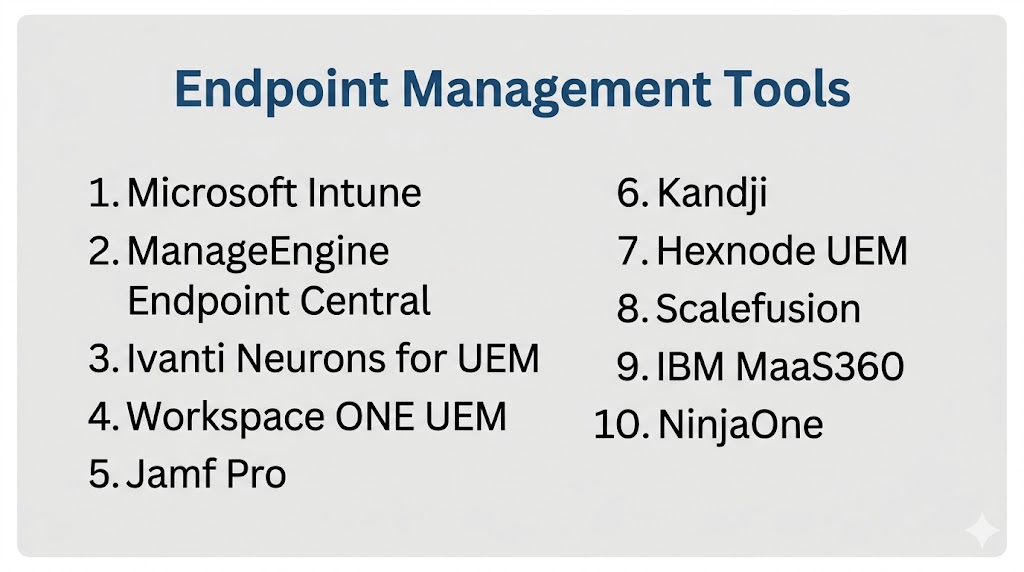
Top 10 Endpoint Management Tools
#1 — Microsoft Intune
Short description: Leading cloud endpoint management platform tightly integrated with Microsoft ecosystems. Strong for Windows-first organizations.
Key Features
- Windows, macOS, iOS, Android management
- Compliance policies
- Conditional access integration
- App deployment
- Patching and updates
- Remote actions
Pros
- Excellent Microsoft 365 integration
- Strong enterprise security model
Cons
- Best experience in Microsoft environments
- Licensing complexity possible
Platforms / Deployment
Web / Windows / macOS / iOS / Android | Cloud
Security & Compliance
SSO, RBAC, policy controls, enterprise security integrations.
Integrations & Ecosystem
Works closely with Microsoft 365, Entra ID, Defender, Windows Autopilot, APIs.
Support & Community
Large global enterprise community.
#2 — ManageEngine Endpoint Central
Short description: Popular endpoint management suite combining patching, remote control, software deployment, and UEM.
Key Features
- Patch management
- Software deployment
- Remote troubleshooting
- Asset inventory
- Mobile device management
- Vulnerability management
Pros
- Strong all-in-one value
- Cloud and on-prem deployment options
Cons
- UI can feel dense
- Advanced tuning may take time
Platforms / Deployment
Web / Windows / macOS / Linux / iOS / Android | Cloud / Self-hosted
Security & Compliance
Role controls and enterprise management features.
Integrations & Ecosystem
ManageEngine ecosystem, ITSM tools, APIs, security tools.
Support & Community
Strong SMB-mid market presence.
#3 — Ivanti Neurons for UEM
Short description: Enterprise UEM platform focused on automation, visibility, and security across diverse endpoints.
Key Features
- Device discovery
- Cross-platform management
- Automation workflows
- Compliance enforcement
- Endpoint security integrations
- Lifecycle management
Pros
- Strong enterprise feature depth
- Good heterogeneous environment support
Cons
- Higher complexity
- Premium enterprise buying cycle
Platforms / Deployment
Web / Cross-platform | Cloud
Security & Compliance
Enterprise controls available.
Integrations & Ecosystem
Security tools, ITSM, identity providers, APIs.
Support & Community
Strong enterprise support footprint.
#4 — Workspace ONE UEM
Short description: Mature enterprise UEM solution with strong mobile, desktop, and digital workspace management.
Key Features
- Device lifecycle management
- App management
- Compliance policies
- Multi-OS support
- Analytics
- Workspace integrations
Pros
- Broad platform coverage
- Mature enterprise workflows
Cons
- Can be complex to administer
- Premium pricing likely
Platforms / Deployment
Web / Cross-platform | Cloud / Hybrid
Security & Compliance
Enterprise-grade controls.
Integrations & Ecosystem
Identity systems, productivity suites, APIs.
Support & Community
Well-known enterprise product.
#5 — Jamf Pro
Short description: Best-known Apple device management platform for macOS, iPhone, and iPad fleets.
Key Features
- macOS management
- Zero-touch Apple deployment
- App distribution
- Security baselines
- Inventory tracking
- Patch workflows
Pros
- Best for Apple-first organizations
- Strong admin experience
Cons
- Limited outside Apple ecosystems
- Additional tools may be needed for mixed fleets
Platforms / Deployment
Web / macOS / iOS | Cloud
Security & Compliance
Enterprise controls available.
Integrations & Ecosystem
Apple ecosystem, identity providers, security tools.
Support & Community
Very strong Apple IT community.
#6 — Kandji
Short description: Modern Apple-focused endpoint management platform emphasizing automation and compliance.
Key Features
- Automated remediation
- macOS management
- Device onboarding
- Compliance templates
- App deployment
- Inventory tools
Pros
- Excellent modern UX
- Strong automation
Cons
- Apple-focused scope
- Premium pricing possible
Platforms / Deployment
Web / macOS / iOS | Cloud
Security & Compliance
Policy and compliance controls.
Integrations & Ecosystem
Identity, security, Apple ecosystem.
Support & Community
Strong growth in Apple IT teams.
#7 — Hexnode UEM
Short description: Flexible UEM platform with strong SMB-mid market appeal and broad device support.
Key Features
- MDM + UEM controls
- Kiosk mode
- App management
- Remote actions
- Policy enforcement
- Reporting
Pros
- Broad platform support
- Strong ease of use
Cons
- Less enterprise depth than top leaders
- Advanced scenarios may need planning
Platforms / Deployment
Cross-platform | Cloud / Self-hosted
Security & Compliance
Policy and management controls available.
Integrations & Ecosystem
Identity tools, APIs, productivity apps.
Support & Community
Growing global adoption.
#8 — Scalefusion
Short description: Endpoint management solution focused on device control, identity, and compliance.
Key Features
- Multi-OS device management
- Kiosk controls
- Compliance management
- App deployment
- Remote support
- Identity integrations
Pros
- Strong for frontline/device fleets
- Good modern roadmap
Cons
- Smaller ecosystem than biggest vendors
- Less enterprise mindshare globally
Platforms / Deployment
Cross-platform | Cloud
Security & Compliance
Compliance and policy controls.
Integrations & Ecosystem
Identity tools, APIs, device ecosystems.
Support & Community
Growing rapidly.
#9 — IBM MaaS360
Short description: Mature UEM platform with analytics and enterprise mobility heritage.
Key Features
- Device management
- Threat insights
- Compliance enforcement
- Containerization options
- App management
- Reporting
Pros
- Mature enterprise mobility product
- Broad mobile expertise
Cons
- Less momentum than some newer rivals
- UI preferences vary
Platforms / Deployment
Cross-platform | Cloud
Security & Compliance
Enterprise controls available.
Integrations & Ecosystem
Identity, enterprise systems, APIs.
Support & Community
Longstanding enterprise presence.
#10 — NinjaOne
Short description: Strong cloud endpoint management platform blending device management, patching, and IT operations.
Key Features
- Patch management
- Remote management
- Monitoring
- Asset tracking
- Automation
- Multi-OS support
Pros
- Strong usability reputation
- Excellent support reputation
Cons
- More IT-ops focused than mobile-first UEM rivals
- Pricing depends on scale
Platforms / Deployment
Windows / macOS / Linux / iOS / Android | Cloud
Security & Compliance
Enterprise controls available.
Integrations & Ecosystem
Security tools, IT ops stack, APIs.
Support & Community
Strong momentum in IT operations.
Comparison Table (Top 10)
| Tool Name | Best For | Platform(s) Supported | Deployment | Standout Feature | Public Rating |
|---|---|---|---|---|---|
| Microsoft Intune | Microsoft-centric enterprises | Cross-platform | Cloud | Native Microsoft integration | N/A |
| ManageEngine Endpoint Central | SMB-mid market | Cross-platform | Cloud/Self-hosted | All-in-one value | N/A |
| Ivanti Neurons for UEM | Large enterprises | Cross-platform | Cloud | Automation depth | N/A |
| Workspace ONE UEM | Global enterprises | Cross-platform | Cloud/Hybrid | Mature UEM suite | N/A |
| Jamf Pro | Apple fleets | Apple platforms | Cloud | Best Apple management | N/A |
| Kandji | Apple-first SMB-mid market | Apple platforms | Cloud | Automated remediation | N/A |
| Hexnode UEM | Growing businesses | Cross-platform | Cloud/Self-hosted | Ease + flexibility | N/A |
| Scalefusion | Frontline fleets | Cross-platform | Cloud | Compliance + kiosk | N/A |
| IBM MaaS360 | Mobility-heavy enterprises | Cross-platform | Cloud | Mobility heritage | N/A |
| NinjaOne | IT operations teams | Cross-platform | Cloud | Patching + support | N/A |
Evaluation & Scoring of Endpoint Management Tools
| Tool Name | Core (25%) | Ease (15%) | Integrations (15%) | Security (10%) | Performance (10%) | Support (10%) | Value (15%) | Weighted Total |
|---|---|---|---|---|---|---|---|---|
| Microsoft Intune | 9 | 8 | 10 | 9 | 9 | 8 | 8 | 8.8 |
| ManageEngine Endpoint Central | 8 | 8 | 8 | 8 | 8 | 8 | 9 | 8.2 |
| Ivanti Neurons for UEM | 9 | 7 | 8 | 9 | 8 | 8 | 7 | 8.1 |
| Workspace ONE UEM | 9 | 7 | 8 | 9 | 8 | 8 | 7 | 8.1 |
| Jamf Pro | 9 | 9 | 7 | 8 | 9 | 9 | 7 | 8.4 |
| Kandji | 8 | 9 | 7 | 8 | 8 | 8 | 7 | 7.9 |
| Hexnode UEM | 8 | 8 | 7 | 8 | 8 | 8 | 8 | 7.9 |
| Scalefusion | 8 | 8 | 7 | 8 | 8 | 7 | 8 | 7.8 |
| IBM MaaS360 | 8 | 7 | 8 | 8 | 8 | 8 | 7 | 7.8 |
| NinjaOne | 8 | 9 | 8 | 8 | 9 | 9 | 8 | 8.4 |
How to interpret scores: These scores are comparative, not absolute. Enterprise tools score higher in governance and integrations, while SMB tools often score higher in usability and value.
Which Endpoint Management Tool Is Right for You?
Solo / Freelancer
Hexnode UEM or Scalefusion for lightweight management.
SMB
ManageEngine Endpoint Central, NinjaOne, Hexnode.
Mid-Market
Intune, NinjaOne, Jamf Pro.
Enterprise
Microsoft Intune, Ivanti, Workspace ONE UEM.
Budget vs Premium
- Budget: Hexnode, ManageEngine
- Premium: Intune, Ivanti, Workspace ONE
Feature Depth vs Ease of Use
- Easy: NinjaOne, Kandji
- Deep: Intune, Ivanti
Integrations & Scalability
Intune, Workspace ONE, ManageEngine.
Security & Compliance Needs
Intune, Ivanti, Jamf Pro.
Frequently Asked Questions (FAQs)
What are endpoint management tools?
They help manage and secure business devices centrally.
Is endpoint management the same as MDM?
MDM focuses mainly on mobile devices; endpoint management covers broader device types.
Are these tools cloud-based?
Many modern platforms are cloud-first.
Can they patch Windows and macOS?
Yes, many leading tools support multi-OS patching.
Do they support BYOD?
Most major platforms support BYOD policies.
Are Apple devices harder to manage?
Not with tools like Jamf Pro or Kandji.
Can small businesses use them?
Yes, several tools target SMB budgets.
Do they improve security?
Yes, through compliance, updates, and policy enforcement.
How much do they cost?
Usually subscription-based by device or user count.
How do I choose?
Match platform support, security needs, and budget.
Conclusion
Endpoint Management Tools are now essential for organizations running hybrid, remote, and security-focused environments. The best platforms centralize device control, automate patching, enforce compliance, and reduce IT workload. Microsoft Intune and Workspace ONE lead in enterprise depth, while ManageEngine, Hexnode, and NinjaOne deliver strong value for growing teams. Apple-focused businesses should closely evaluate Jamf Pro or Kandji. The best choice depends on your device mix, internal expertise, compliance needs, and budget. Shortlist two or three tools, run a pilot, and validate integrations, usability, and security controls before making a final decision.
