Introduction
BYOD Management Tools help organizations securely manage employee-owned devices used for work. BYOD stands for Bring Your Own Device, where employees use personal smartphones, tablets, or laptops to access company apps, email, and data. These tools help IT teams balance productivity with security while respecting user privacy.
Modern businesses increasingly support hybrid work, remote teams, contractors, and mobile-first operations. Without proper BYOD controls, organizations risk data leakage, compliance issues, malware exposure, and inconsistent device access. That is why BYOD management tools have become essential. Most modern solutions combine Mobile Device Management (MDM), Mobile Application Management (MAM), identity access controls, policy enforcement, remote wipe, and containerization features. BYOD programs commonly rely on centralized management and secure access controls.
Common use cases include:
- Secure employee phones for email and apps
- BYOD access for remote workers
- Contractor laptop access management
- Compliance controls for regulated industries
- Separation of work and personal data
What buyers should evaluate:
- iOS / Android / Windows / macOS support
- Work-personal data separation
- App protection policies
- Identity integrations
- Remote wipe capabilities
- Ease of enrollment
- Security controls
- Reporting and analytics
- Scalability
- Pricing and value
Best for: Enterprises, SMBs, healthcare, education, finance, retail, logistics, and remote-first businesses.
Not ideal for: Companies with only company-owned devices or businesses with minimal mobility needs.
Key Trends in BYOD Management Tools
- Stronger privacy-first BYOD controls
- Containerized work profiles on personal devices
- Zero Trust device compliance checks
- AI-based risk alerts and remediation
- Better Apple and Android zero-touch enrollment
- Identity-first secure access models
- Unified Endpoint Management replacing standalone BYOD tools
- SaaS access governance on personal devices
- Growth in contractor laptop BYOD solutions
- Flexible cloud subscription pricing
How We Selected These Tools (Methodology)
- Strong market adoption
- Proven BYOD support features
- Multi-platform device coverage
- Security and compliance readiness
- Ease of deployment
- App and identity integration depth
- Reporting and automation quality
- Fit across SMB and enterprise buyers
- Reliability at scale
- Overall long-term value
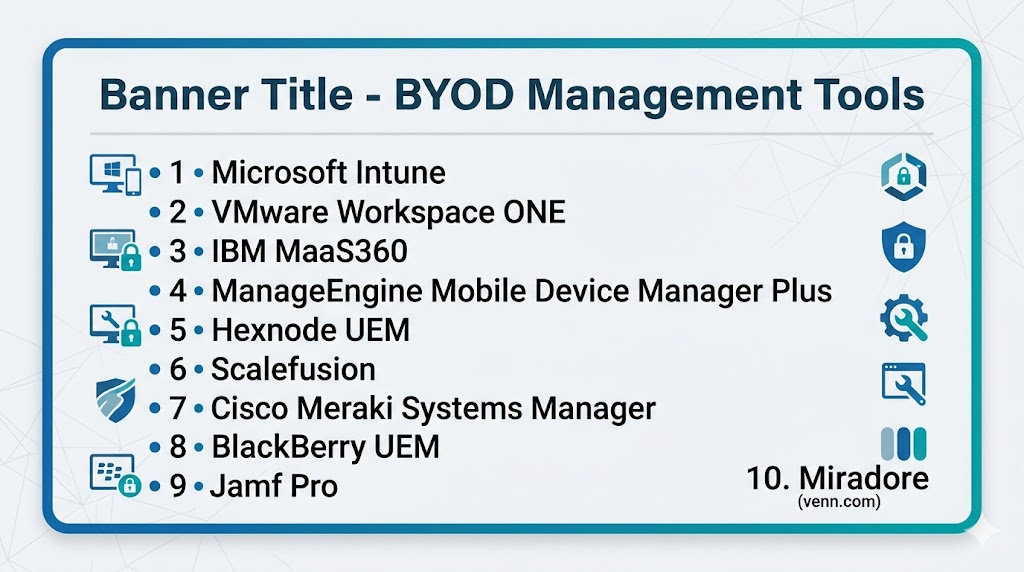
Top 10 BYOD Management Tools
#1 — Microsoft Intune
Short description: Leading BYOD platform with strong app protection, identity integration, and cross-platform mobile management.
Key Features
- BYOD enrollment
- App protection policies
- Conditional access
- Selective wipe
- Compliance policies
- Cross-platform support
Pros
- Excellent Microsoft ecosystem fit
- Strong enterprise security
Cons
- Best inside Microsoft stack
- Licensing complexity possible
Platforms / Deployment
Web / iOS / Android / Windows / macOS | Cloud
Security & Compliance
Enterprise-grade controls with identity integrations.
Integrations & Ecosystem
Microsoft 365, Entra ID, Defender, APIs.
Support & Community
Large enterprise ecosystem.
#2 — VMware Workspace ONE
Short description: Mature enterprise mobility platform with strong BYOD, app management, and identity controls.
Key Features
- Device enrollment
- Secure app access
- Conditional access
- Multi-OS support
- Analytics
- Compliance policies
Pros
- Broad enterprise functionality
- Strong mixed-device support
Cons
- Complex for small teams
- Premium pricing possible
Platforms / Deployment
Cross-platform | Cloud / Hybrid
Security & Compliance
Enterprise controls available.
Integrations & Ecosystem
Identity systems, enterprise apps, APIs.
Support & Community
Strong enterprise presence.
#3 — IBM MaaS360
Short description: Security-focused BYOD solution with encrypted containers and mobile risk controls.
Key Features
- Secure containerization
- MFA support
- Device compliance
- App management
- Threat insights
- Reporting tools
Pros
- Strong security reputation
- Good regulated-industry fit
Cons
- UI preferences vary
- Less momentum than some rivals
Platforms / Deployment
Cross-platform | Cloud
Security & Compliance
Encrypted work containers and enterprise controls.
Integrations & Ecosystem
Identity tools, enterprise apps, APIs.
Support & Community
Longstanding enterprise vendor.
#4 — ManageEngine Mobile Device Manager Plus
Short description: Affordable BYOD management platform with strong admin controls and flexible deployment.
Key Features
- BYOD onboarding
- Work profiles
- App deployment
- Remote wipe
- Compliance rules
- Reporting dashboards
Pros
- Strong value
- Cloud and on-prem options
Cons
- Interface can feel busy
- Advanced tuning may take time
Platforms / Deployment
Cross-platform | Cloud / Self-hosted
Security & Compliance
Policy controls available.
Integrations & Ecosystem
ManageEngine suite, IT tools, APIs.
Support & Community
Strong SMB-mid market presence.
#5 — Hexnode UEM
Short description: Flexible BYOD platform with strong cross-platform support and easy policy management.
Key Features
- BYOD policies
- Kiosk mode
- App controls
- Remote actions
- Compliance enforcement
- Reporting
Pros
- Easy to use
- Broad device support
Cons
- Less enterprise depth than leaders
- Advanced scenarios need planning
Platforms / Deployment
Cross-platform | Cloud / Self-hosted
Security & Compliance
Policy controls available.
Integrations & Ecosystem
Identity tools, APIs, productivity apps.
Support & Community
Growing global presence.
#6 — Scalefusion
Short description: Modern BYOD solution focused on privacy, work-personal separation, and device compliance.
Key Features
- Work profile separation
- Remote actions
- App control
- Kiosk mode
- Compliance tools
- Reporting
Pros
- Strong BYOD-specific positioning
- Good modern roadmap
Cons
- Smaller ecosystem than leaders
- Less enterprise mindshare globally
Platforms / Deployment
Cross-platform | Cloud
Security & Compliance
Policy and compliance controls.
Integrations & Ecosystem
Identity tools, APIs, device ecosystems.
Support & Community
Growing rapidly.
#7 — Cisco Meraki Systems Manager
Short description: Cloud BYOD management tool with strong network-aware security controls.
Key Features
- Device management
- Security policies
- App deployment
- Remote wipe
- Network integrations
- Reporting
Pros
- Great for Cisco users
- Easy cloud administration
Cons
- Best value in Meraki ecosystem
- Less specialized than some rivals
Platforms / Deployment
Cross-platform | Cloud
Security & Compliance
Enterprise controls available.
Integrations & Ecosystem
Cisco ecosystem, APIs, identity tools.
Support & Community
Strong networking community.
#8 — BlackBerry UEM
Short description: Security-first mobility platform suited for highly regulated environments.
Key Features
- BYOD controls
- Secure app containerization
- Policy enforcement
- Identity integrations
- Remote wipe
- Compliance reports
Pros
- Strong security reputation
- Great for regulated sectors
Cons
- Smaller market share today
- UI preferences vary
Platforms / Deployment
Cross-platform | Cloud / Self-hosted
Security & Compliance
Strong enterprise-grade security controls.
Integrations & Ecosystem
Security tools, enterprise systems.
Support & Community
Trusted enterprise brand.
#9 — Jamf Pro
Short description: Best choice for Apple-first BYOD programs using iPhone, iPad, and Mac devices.
Key Features
- Apple enrollment
- App deployment
- Security baselines
- Inventory tracking
- Remote commands
- BYOD support
Pros
- Best Apple ecosystem fit
- Excellent admin experience
Cons
- Apple-only focus
- Mixed fleets need extra tools
Platforms / Deployment
Web / iOS / macOS | Cloud
Security & Compliance
Enterprise Apple management controls.
Integrations & Ecosystem
Apple ecosystem, identity tools, APIs.
Support & Community
Strong Apple admin community.
#10 — Miradore
Short description: Lightweight cloud BYOD platform ideal for SMBs needing simple device control.
Key Features
- Device enrollment
- Remote wipe
- Security policies
- App management
- Inventory tools
- BYOD workflows
Pros
- Easy onboarding
- Good SMB fit
Cons
- Less enterprise depth
- Smaller ecosystem
Platforms / Deployment
Cross-platform | Cloud
Security & Compliance
Policy-based controls.
Integrations & Ecosystem
Basic integrations, APIs.
Support & Community
Strong SMB appeal.
Comparison Table (Top 10)
| Tool Name | Best For | Platform(s) Supported | Deployment | Standout Feature | Public Rating |
|---|---|---|---|---|---|
| Microsoft Intune | Microsoft enterprises | Cross-platform | Cloud | App protection policies | N/A |
| Workspace ONE | Large enterprises | Cross-platform | Cloud/Hybrid | Broad enterprise mobility | N/A |
| IBM MaaS360 | Security-focused orgs | Cross-platform | Cloud | Encrypted containers | N/A |
| ManageEngine MDM Plus | SMB-mid market | Cross-platform | Cloud/Self-hosted | Strong value | N/A |
| Hexnode UEM | Growing businesses | Cross-platform | Cloud/Self-hosted | Ease + flexibility | N/A |
| Scalefusion | BYOD-focused teams | Cross-platform | Cloud | Work profile separation | N/A |
| Cisco Meraki SM | Cisco users | Cross-platform | Cloud | Network integration | N/A |
| BlackBerry UEM | Regulated sectors | Cross-platform | Cloud/Self-hosted | Security-first model | N/A |
| Jamf Pro | Apple fleets | Apple platforms | Cloud | Best Apple management | N/A |
| Miradore | SMB teams | Cross-platform | Cloud | Simple onboarding | N/A |
Evaluation & Scoring of BYOD Management Tools
| Tool Name | Core (25%) | Ease (15%) | Integrations (15%) | Security (10%) | Performance (10%) | Support (10%) | Value (15%) | Weighted Total |
|---|---|---|---|---|---|---|---|---|
| Microsoft Intune | 9 | 8 | 10 | 9 | 9 | 8 | 8 | 8.8 |
| Workspace ONE | 9 | 7 | 8 | 9 | 8 | 8 | 7 | 8.1 |
| IBM MaaS360 | 8 | 7 | 8 | 9 | 8 | 8 | 7 | 7.9 |
| ManageEngine MDM Plus | 8 | 8 | 8 | 8 | 8 | 8 | 9 | 8.2 |
| Hexnode UEM | 8 | 8 | 7 | 8 | 8 | 8 | 8 | 7.9 |
| Scalefusion | 8 | 8 | 7 | 8 | 8 | 7 | 8 | 7.8 |
| Cisco Meraki SM | 8 | 8 | 8 | 8 | 8 | 8 | 7 | 7.9 |
| BlackBerry UEM | 8 | 7 | 7 | 9 | 8 | 8 | 7 | 7.8 |
| Jamf Pro | 9 | 9 | 7 | 8 | 9 | 9 | 7 | 8.4 |
| Miradore | 7 | 8 | 6 | 7 | 7 | 7 | 8 | 7.2 |
How to interpret scores:
These scores are comparative. Enterprise tools rank higher in governance and integrations, while SMB tools often score better in usability and affordability.
Which BYOD Management Tool Is Right for You?
Solo / Freelancer
Miradore or Hexnode for lightweight needs.
SMB
ManageEngine, Hexnode, Scalefusion.
Mid-Market
Intune, Jamf Pro, Cisco Meraki.
Enterprise
Microsoft Intune, Workspace ONE, IBM MaaS360, BlackBerry UEM.
Budget vs Premium
- Budget: Miradore, ManageEngine
- Premium: Intune, Workspace ONE
Feature Depth vs Ease of Use
- Easy: Jamf Pro, Hexnode
- Deep: Intune, Workspace ONE
Integrations & Scalability
Intune, Workspace ONE, Cisco Meraki.
Security & Compliance Needs
Intune, MaaS360, BlackBerry UEM.
Frequently Asked Questions (FAQs)
What is BYOD software?
It helps secure personal employee devices used for work.
Is BYOD safe?
Yes, with proper policies and management tools.
Does BYOD invade privacy?
Good tools separate work and personal data.
Can BYOD tools wipe personal phones?
Usually selective wipe removes work data only.
Is BYOD only for phones?
No, it can include tablets and laptops.
Which tool is best for Microsoft users?
Microsoft Intune is a leading option.
Which tool is best for Apple BYOD?
Jamf Pro is a strong choice.
Can small businesses use BYOD tools?
Yes, many SMB-friendly options exist.
How much do they cost?
Usually priced per device or user subscription.
How do I choose the best BYOD tool?
Compare platform support, privacy controls, security, and budget.
Conclusion
BYOD Management Tools are essential for modern organizations that want flexibility without sacrificing security. The best platforms let employees use personal devices while keeping company apps and data protected through policies, containers, and selective controls. Microsoft Intune and Workspace ONE lead in enterprise depth, while ManageEngine, Hexnode, and Scalefusion offer strong value for growing teams. Apple-focused companies should evaluate Jamf Pro, while regulated sectors may prefer MaaS360 or BlackBerry UEM. The right choice depends on your device mix, privacy requirements, compliance needs, and budget. Shortlist two or three tools, run a pilot, and validate onboarding, security, and user experience before making a final decision.
