Introduction
Terminal emulators are software applications that allow users to interact with a computer’s command-line interface (CLI) through a graphical interface. They act as a bridge between the user and the system shell, enabling developers, system administrators, and power users to execute commands, automate workflows, and manage systems efficiently.
In modern development and DevOps environments, terminal emulators are more than just command-line tools. They now offer advanced features like GPU acceleration, multi-pane layouts, SSH integration, customization, and plugin ecosystems. With the rise of cloud computing, remote development, and containerized workflows, choosing the right terminal emulator can significantly improve productivity and operational efficiency.
Real-world use cases:
- Managing servers and cloud infrastructure
- Running development workflows and scripts
- SSH access to remote machines
- Debugging applications and services
What buyers should evaluate:
- Performance and responsiveness
- Customization and theming options
- Multi-tab and multi-pane support
- Cross-platform compatibility
- Plugin and extension ecosystem
- Integration with development tools
- Resource usage and efficiency
- Ease of setup and configuration
Best for: Developers, DevOps engineers, system administrators, and power users who rely heavily on command-line workflows.
Not ideal for: Users who primarily work with graphical interfaces and rarely use command-line operations.
Key Trends in Terminal Emulators
- GPU acceleration: Faster rendering and improved performance
- Cross-platform consistency: Unified experience across operating systems
- Cloud and remote development integration: Seamless SSH and remote sessions
- Customization and extensibility: Plugins, themes, and scripting support
- Improved UI/UX: Modern interfaces replacing traditional terminals
- Automation workflows: Integration with DevOps pipelines
- Security enhancements: Secure shell integration and credential management
- Lightweight performance: Reduced resource consumption
- Developer-centric features: Enhanced debugging and productivity tools
How We Selected These Tools (Methodology)
- Evaluated developer adoption and popularity
- Compared performance and rendering capabilities
- Assessed feature richness and customization options
- Reviewed cross-platform compatibility
- Analyzed integration with development tools
- Considered ease of use and setup
- Evaluated community support and documentation
- Balanced lightweight and feature-rich tools
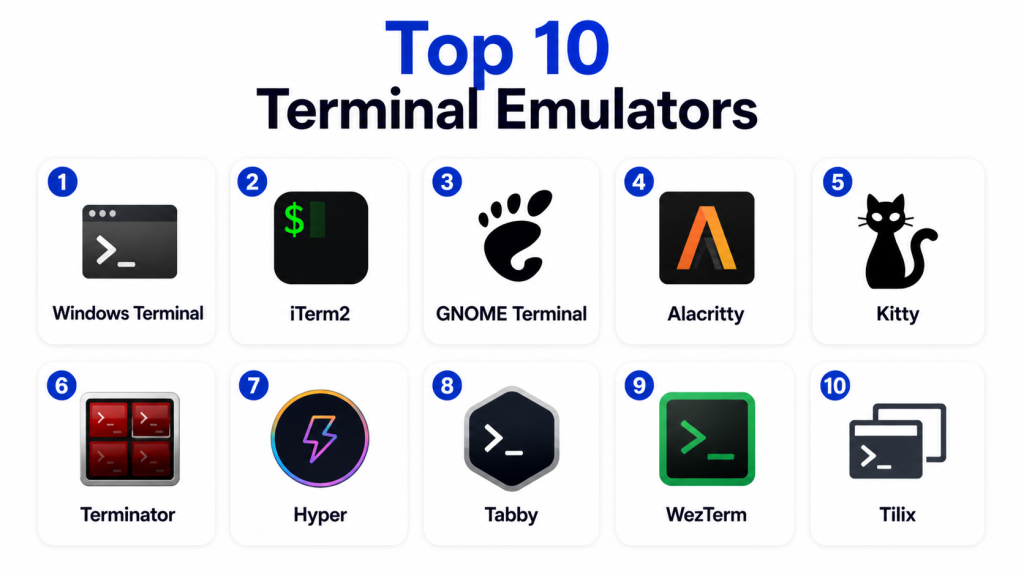
Top 10 Terminal Emulators Tools
#1 — Windows Terminal
Short description: Windows Terminal is a modern terminal application for Windows that supports multiple tabs, panes, and shells like PowerShell and WSL.
Key Features
- Multi-tab interface
- Split panes
- GPU-accelerated rendering
- Unicode and UTF-8 support
- Integration with WSL
Pros
- Modern UI
- High performance
- Strong Windows integration
Cons
- Windows-only
- Limited plugin ecosystem
- Requires configuration
Platforms / Deployment
Windows
Security & Compliance
Not publicly stated
Integrations & Ecosystem
Works seamlessly with Windows-based development tools and shells.
- PowerShell
- WSL
- Azure tools
Support & Community
Strong community and official support.
#2 — iTerm2
Short description: iTerm2 is a feature-rich terminal emulator for macOS, known for its customization and productivity enhancements.
Key Features
- Split panes
- Search functionality
- Profiles and customization
- Clipboard history
- Hotkey window
Pros
- Highly customizable
- Feature-rich
- Strong macOS integration
Cons
- macOS-only
- Learning curve
- Resource usage
Platforms / Deployment
macOS
Security & Compliance
Not publicly stated
Integrations & Ecosystem
Integrates well with macOS development environments.
- Shell integrations
- Developer tools
Support & Community
Large and active community.
#3 — GNOME Terminal
Short description: GNOME Terminal is a default terminal emulator for many Linux distributions, offering simplicity and reliability.
Key Features
- Tabbed interface
- Profile management
- UTF-8 support
- Lightweight design
Pros
- Stable and reliable
- Easy to use
- Default in many distros
Cons
- Limited advanced features
- Basic UI
- Minimal customization
Platforms / Deployment
Linux
Security & Compliance
Not publicly stated
Integrations & Ecosystem
Works within Linux desktop environments.
- GNOME ecosystem
Support & Community
Strong Linux community support.
#4 — Alacritty
Short description: Alacritty is a GPU-accelerated terminal emulator designed for speed and simplicity.
Key Features
- GPU rendering
- Cross-platform support
- Minimal design
- High performance
Pros
- Extremely fast
- Lightweight
- Cross-platform
Cons
- Limited features
- No tabs
- Configuration via files
Platforms / Deployment
Windows / macOS / Linux
Security & Compliance
Not publicly stated
Integrations & Ecosystem
Works with standard shells and tools.
- Shell environments
Support & Community
Active developer community.
#5 — Kitty
Short description: Kitty is a fast, GPU-based terminal emulator with advanced features like tiling and scripting.
Key Features
- GPU acceleration
- Tiling support
- Remote control
- Image display in terminal
Pros
- Feature-rich
- High performance
- Advanced capabilities
Cons
- Complex configuration
- Learning curve
- Less beginner-friendly
Platforms / Deployment
Windows / macOS / Linux
Security & Compliance
Not publicly stated
Integrations & Ecosystem
Supports scripting and automation.
- Shell tools
- Custom scripts
Support & Community
Active community with strong documentation.
#6 — Terminator
Short description: Terminator is a Linux terminal emulator designed for managing multiple terminals in one window.
Key Features
- Multi-pane layout
- Drag-and-drop terminals
- Keyboard shortcuts
- Profile support
Pros
- Great for multitasking
- Easy pane management
- Lightweight
Cons
- Linux-only
- Limited modern features
- UI outdated
Platforms / Deployment
Linux
Security & Compliance
Not publicly stated
Integrations & Ecosystem
Works with Linux environments.
- Shell tools
Support & Community
Moderate community support.
#7 — Hyper
Short description: Hyper is an Electron-based terminal emulator focused on extensibility and customization.
Key Features
- Plugin ecosystem
- Theming support
- Cross-platform
- Web technologies
Pros
- Highly customizable
- Easy to extend
- Modern UI
Cons
- Performance overhead
- Resource-heavy
- Stability issues
Platforms / Deployment
Windows / macOS / Linux
Security & Compliance
Not publicly stated
Integrations & Ecosystem
Supports plugins and extensions.
- Plugin ecosystem
Support & Community
Strong developer community.
#8 — Tabby
Short description: Tabby is a modern, cross-platform terminal emulator with a focus on extensibility and remote connections.
Key Features
- SSH integration
- Plugin support
- Cross-platform
- Custom themes
Pros
- Easy to use
- Modern interface
- Good remote features
Cons
- Smaller ecosystem
- Performance varies
- Still evolving
Platforms / Deployment
Windows / macOS / Linux
Security & Compliance
Not publicly stated
Integrations & Ecosystem
Supports remote connections and plugins.
- SSH
- Plugins
Support & Community
Growing community.
#9 — WezTerm
Short description: WezTerm is a GPU-accelerated terminal emulator designed for performance and flexibility.
Key Features
- GPU rendering
- Multiplexing
- Cross-platform
- Configuration via Lua
Pros
- High performance
- Flexible configuration
- Cross-platform
Cons
- Complex setup
- Learning curve
- Smaller community
Platforms / Deployment
Windows / macOS / Linux
Security & Compliance
Not publicly stated
Integrations & Ecosystem
Works with developer tools and shells.
- Shell environments
Support & Community
Active but smaller community.
#10 — Tilix
Short description: Tilix is a tiling terminal emulator for Linux that supports advanced layouts and customization.
Key Features
- Tiling interface
- Session management
- Custom layouts
- Drag-and-drop support
Pros
- Great layout control
- Lightweight
- Easy to use
Cons
- Linux-only
- Limited ecosystem
- Basic features
Platforms / Deployment
Linux
Security & Compliance
Not publicly stated
Integrations & Ecosystem
Works within Linux environments.
- GNOME ecosystem
Support & Community
Moderate support.
Comparison Table (Top 10)
| Tool Name | Best For | Platform(s) Supported | Deployment | Standout Feature | Public Rating |
|---|---|---|---|---|---|
| Windows Terminal | Windows users | Windows | Local | Multi-tab UI | N/A |
| iTerm2 | macOS users | macOS | Local | Customization | N/A |
| GNOME Terminal | Linux basics | Linux | Local | Simplicity | N/A |
| Alacritty | Performance | Cross-platform | Local | GPU speed | N/A |
| Kitty | Advanced users | Cross-platform | Local | Tiling + GPU | N/A |
| Terminator | Multi-pane | Linux | Local | Split layout | N/A |
| Hyper | Customization | Cross-platform | Local | Plugins | N/A |
| Tabby | Remote access | Cross-platform | Local | SSH integration | N/A |
| WezTerm | Flexibility | Cross-platform | Local | Lua config | N/A |
| Tilix | Layout control | Linux | Local | Tiling | N/A |
Evaluation & Scoring of Terminal Emulators
| Tool Name | Core | Ease | Integrations | Security | Performance | Support | Value | Weighted Total |
|---|---|---|---|---|---|---|---|---|
| Windows Terminal | 9 | 9 | 8 | 7 | 9 | 9 | 9 | 8.8 |
| iTerm2 | 9 | 8 | 8 | 7 | 8 | 9 | 9 | 8.5 |
| GNOME Terminal | 7 | 9 | 6 | 7 | 8 | 9 | 9 | 8.0 |
| Alacritty | 8 | 7 | 6 | 7 | 10 | 8 | 9 | 8.2 |
| Kitty | 9 | 7 | 7 | 7 | 9 | 8 | 8 | 8.3 |
| Terminator | 7 | 8 | 6 | 7 | 7 | 7 | 8 | 7.5 |
| Hyper | 8 | 8 | 8 | 6 | 6 | 8 | 8 | 7.6 |
| Tabby | 8 | 8 | 8 | 7 | 8 | 7 | 9 | 8.1 |
| WezTerm | 8 | 7 | 7 | 7 | 9 | 7 | 8 | 8.0 |
| Tilix | 7 | 8 | 6 | 7 | 7 | 7 | 8 | 7.5 |
How to interpret the scores:
These scores are relative and based on usability, performance, and ecosystem strength. Higher scores indicate stronger all-around capability, but the best tool depends on your workflow. For example, Alacritty excels in performance, while Hyper focuses on customization. Always match the tool with your operating system, use case, and level of expertise.
Which Terminal Emulator Is Right for You?
Solo / Freelancer
Choose Windows Terminal, iTerm2, or Tabby for simplicity and ease of use.
SMB
Alacritty or Kitty offer better performance and flexibility.
Mid-Market
WezTerm or Hyper provide customization and scalability.
Enterprise
Standardize on Windows Terminal or iTerm2 for stability and support.
Budget vs Premium
Most tools are free and open-source, making cost less of a concern.
Feature Depth vs Ease of Use
Simple tools like GNOME Terminal are easy to use, while Kitty offers advanced features.
Integrations & Scalability
Tabby and Hyper provide better integration and extensibility.
Security & Compliance Needs
Focus on tools with secure SSH and configuration management.
Frequently Asked Questions (FAQs)
1. What is a terminal emulator?
A terminal emulator is software that provides access to a command-line interface through a graphical environment. It allows users to run commands, manage systems, and automate workflows. It is essential for developers and system administrators.
2. Why do developers use terminal emulators?
Developers use terminal emulators for speed, efficiency, and control over systems. They enable quick execution of commands and automation. They are also essential for remote server management.
3. Which terminal emulator is fastest?
GPU-based terminals like Alacritty and Kitty are among the fastest. They use hardware acceleration for rendering. This improves responsiveness and performance.
4. Are terminal emulators secure?
Security depends on configuration and usage. Most support secure protocols like SSH. Proper setup is essential for safe usage.
5. Can I customize terminal emulators?
Yes, most terminal emulators support themes, plugins, and configuration options. Some tools offer extensive customization capabilities. This helps improve productivity.
6. Do terminal emulators support multiple tabs?
Yes, many modern terminals support tabs and split panes. This allows multitasking within a single window. It is useful for managing multiple sessions.
7. Are terminal emulators cross-platform?
Some are cross-platform, while others are OS-specific. Tools like Alacritty and Tabby support multiple platforms. Others like iTerm2 are limited to macOS.
8. What is GPU acceleration in terminals?
GPU acceleration uses graphics hardware to render text faster. This improves performance and responsiveness. It is useful for heavy workloads.
9. Do I need a terminal emulator?
If you work with command-line tools, then yes. It improves efficiency and control. For basic users, it may not be necessary.
10. How do I choose the right terminal emulator?
Consider your operating system, workflow, and feature needs. Evaluate performance, customization, and integrations. Test a few options before deciding.
Conclusion
Terminal emulators are essential tools for developers, DevOps engineers, and system administrators who rely on command-line interfaces for productivity and control. From beginner-friendly options like Windows Terminal and iTerm2 to high-performance tools like Alacritty and feature-rich platforms like Kitty and Hyper, each tool serves a unique purpose depending on user needs and workflows. Cross-platform solutions such as Tabby and WezTerm offer flexibility, while Linux-focused tools like GNOME Terminal and Tilix provide stability and simplicity. The best terminal emulator depends on your operating system, customization needs, and performance expectations. Start by identifying your workflow requirements, test a few tools, and choose the one that enhances your efficiency and fits seamlessly into your development environment.
