Introduction
Package managers are tools that help developers install, update, manage, and remove software dependencies efficiently. Instead of manually downloading libraries or handling version conflicts, package managers automate dependency resolution and ensure consistent environments across development, testing, and production.
In modern software development, managing dependencies is a critical challenge due to complex ecosystems and rapid release cycles. Package managers play a key role in improving developer productivity, reproducibility, and security by handling versioning, updates, and integration with build systems.
Real-world use cases:
- Installing and managing libraries in applications
- Handling dependency version conflicts
- Automating build and deployment workflows
- Managing system-level packages and tools
- Ensuring consistent development environments
What buyers should evaluate:
- Language or ecosystem compatibility
- Dependency resolution efficiency
- Performance and speed
- Security features and vulnerability checks
- Integration with CI/CD pipelines
- Ease of use and learning curve
- Package repository availability
- Cross-platform support
- Community and ecosystem maturity
Best for: Developers, DevOps engineers, and organizations building applications across languages and platforms.
Not ideal for: Non-technical users or projects with no dependency management needs.
Key Trends in Package Managers
- Faster dependency installation using caching and parallel downloads
- Improved security scanning for vulnerabilities in packages
- Deterministic builds using lockfiles and version pinning
- Monorepo support becoming more common
- Cloud-native development integration
- Private package registries adoption
- Cross-platform package management tools rising
- Automation in CI/CD pipelines
- Better dependency visualization and analytics
- Focus on reproducibility and environment consistency
How We Selected These Tools (Methodology)
- Evaluated popularity and ecosystem adoption
- Assessed dependency management capabilities
- Reviewed performance and installation speed
- Considered security and vulnerability management features
- Analyzed integration with development and CI/CD tools
- Evaluated cross-platform compatibility
- Reviewed community support and documentation
- Compared ease of use and learning curve
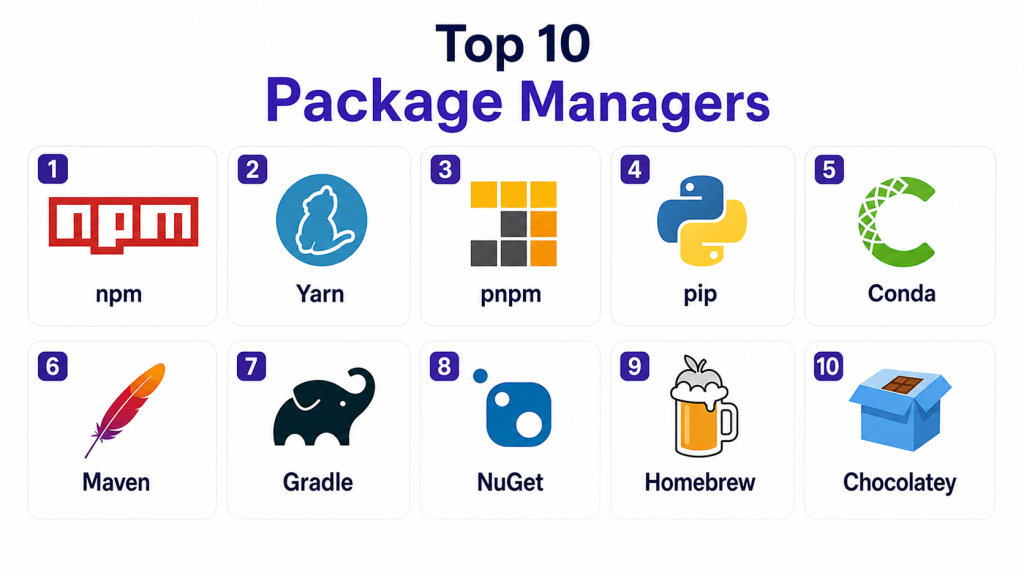
Top 10 Package Managers
#1 — npm
Short description:
npm is the default package manager for JavaScript and Node.js. It provides access to one of the largest software registries, enabling developers to manage dependencies efficiently in web and backend applications.
Key Features
- Massive package ecosystem
- Dependency management
- Version control
- CLI tools
- Package publishing
- Script automation
Pros
- Widely used
- Large community
- Easy integration
Cons
- Slower installs compared to alternatives
- Dependency bloat issues
- Security concerns in public packages
Platforms / Deployment
Windows / macOS / Linux
Security & Compliance
Audit tools, vulnerability scanning
Integrations & Ecosystem
Strong integration with JavaScript ecosystem.
- Node.js
- Web frameworks
- CI/CD tools
Support & Community
Very large community and extensive documentation.
#2 — Yarn
Short description:
Yarn is a fast and reliable package manager for JavaScript that improves performance and security compared to npm.
Key Features
- Fast installs with caching
- Lockfile for deterministic builds
- Offline mode
- Parallel downloads
- Workspaces support
Pros
- Faster than npm
- Better dependency management
- Reliable builds
Cons
- Smaller ecosystem than npm
- Learning curve for beginners
- Compatibility issues in some setups
Platforms / Deployment
Windows / macOS / Linux
Security & Compliance
Lockfile integrity, audit tools
Integrations & Ecosystem
Works within JavaScript ecosystem.
- Node.js
- Monorepos
Support & Community
Active community with strong documentation.
#3 — pnpm
Short description:
pnpm is a fast, disk-efficient package manager that uses a unique approach to store dependencies, reducing duplication and improving performance.
Key Features
- Disk space optimization
- Fast installs
- Strict dependency handling
- Monorepo support
- Efficient caching
Pros
- High performance
- Saves disk space
- Better dependency isolation
Cons
- Smaller community
- Compatibility issues with some packages
- Learning curve
Platforms / Deployment
Windows / macOS / Linux
Security & Compliance
Dependency isolation
Integrations & Ecosystem
Supports JavaScript ecosystems.
- Node.js
- Monorepos
Support & Community
Growing community and adoption.
#4 — pip
Short description:
pip is the standard package manager for Python, allowing developers to install and manage Python libraries easily.
Key Features
- Python package management
- Integration with PyPI
- Version control
- Dependency resolution
- CLI interface
Pros
- Simple and widely used
- Strong ecosystem
- Easy installation
Cons
- Dependency conflicts
- Limited environment management
- Slower performance
Platforms / Deployment
Windows / macOS / Linux
Security & Compliance
Basic verification features
Integrations & Ecosystem
Works with Python ecosystem.
- Virtual environments
- Python frameworks
Support & Community
Very large Python community.
#5 — Conda
Short description:
Conda is a package and environment manager primarily used for data science and scientific computing.
Key Features
- Environment management
- Cross-language support
- Dependency resolution
- Binary package support
- Package isolation
Pros
- Great for data science
- Environment management
- Handles complex dependencies
Cons
- Slower installs
- Larger footprint
- Complexity
Platforms / Deployment
Windows / macOS / Linux
Security & Compliance
Environment isolation
Integrations & Ecosystem
Used in scientific computing.
- Python
- R
Support & Community
Strong data science community.
#6 — Maven
Short description:
Maven is a build automation and dependency management tool for Java projects, widely used in enterprise environments.
Key Features
- Dependency management
- Build automation
- Central repository
- Plugin ecosystem
- Project structure standardization
Pros
- Mature ecosystem
- Enterprise-ready
- Strong dependency management
Cons
- Verbose configuration
- Slower builds
- XML complexity
Platforms / Deployment
Windows / macOS / Linux
Security & Compliance
Repository validation
Integrations & Ecosystem
Java ecosystem integrations.
- Java frameworks
- CI/CD tools
Support & Community
Large enterprise community.
#7 — Gradle
Short description:
Gradle is a modern build and dependency management tool for Java and other languages, offering flexibility and performance improvements.
Key Features
- Incremental builds
- Flexible configuration
- Multi-language support
- Dependency management
- Plugin ecosystem
Pros
- Fast builds
- Flexible
- Modern architecture
Cons
- Learning curve
- Complex configuration
- Resource usage
Platforms / Deployment
Windows / macOS / Linux
Security & Compliance
Dependency verification
Integrations & Ecosystem
Works across development ecosystems.
- Java
- Android
Support & Community
Active community and strong adoption.
#8 — NuGet
Short description:
NuGet is the package manager for .NET, enabling developers to manage libraries and dependencies for .NET applications.
Key Features
- .NET package management
- Dependency resolution
- Version control
- CLI and GUI tools
- Integration with Visual Studio
Pros
- Native .NET support
- Easy integration
- Strong ecosystem
Cons
- Limited outside .NET
- Dependency conflicts
- Repository management
Platforms / Deployment
Windows / macOS / Linux
Security & Compliance
Package validation
Integrations & Ecosystem
Works within Microsoft ecosystem.
- .NET
- Visual Studio
Support & Community
Strong developer support.
#9 — Homebrew
Short description:
Homebrew is a package manager for macOS and Linux, designed for installing system-level software easily.
Key Features
- Simple CLI
- System package management
- Easy installation
- Large repository
- Dependency handling
Pros
- Easy to use
- Lightweight
- Wide package support
Cons
- Limited to Unix-like systems
- Not enterprise-focused
- Dependency issues occasionally
Platforms / Deployment
macOS / Linux
Security & Compliance
Basic package validation
Integrations & Ecosystem
System-level integrations.
- CLI tools
- Development environments
Support & Community
Active community and strong documentation.
#10 — Chocolatey
Short description:
Chocolatey is a package manager for Windows that simplifies software installation and management.
Key Features
- Windows package management
- Automation scripts
- Package repository
- CLI interface
- Enterprise features
Pros
- Great for Windows automation
- Easy deployment
- Enterprise support
Cons
- Windows-only focus
- Limited cross-platform support
- Requires admin privileges
Platforms / Deployment
Windows
Security & Compliance
Package verification
Integrations & Ecosystem
Works within Windows ecosystem.
- PowerShell
- Windows tools
Support & Community
Strong Windows community.
Comparison Table
| Tool Name | Best For | Platform(s) Supported | Deployment | Standout Feature | Public Rating |
|---|---|---|---|---|---|
| npm | JavaScript developers | Multi-platform | Local | Large ecosystem | N/A |
| Yarn | Fast JS installs | Multi-platform | Local | Speed & caching | N/A |
| pnpm | Efficient storage | Multi-platform | Local | Disk optimization | N/A |
| pip | Python projects | Multi-platform | Local | Simplicity | N/A |
| Conda | Data science | Multi-platform | Local | Environment mgmt | N/A |
| Maven | Java enterprise | Multi-platform | Local | Build automation | N/A |
| Gradle | Modern Java builds | Multi-platform | Local | Flexible config | N/A |
| NuGet | .NET apps | Multi-platform | Local | .NET integration | N/A |
| Homebrew | macOS tools | macOS/Linux | Local | Easy installs | N/A |
| Chocolatey | Windows automation | Windows | Local | Script automation | N/A |
Evaluation & Scoring
| Tool Name | Core | Ease | Integrations | Security | Performance | Support | Value | Weighted Total |
|---|---|---|---|---|---|---|---|---|
| npm | 9 | 8 | 9 | 7 | 7 | 9 | 9 | 8.3 |
| Yarn | 8 | 8 | 8 | 8 | 9 | 8 | 8 | 8.2 |
| pnpm | 8 | 7 | 8 | 8 | 9 | 7 | 9 | 8.1 |
| pip | 8 | 9 | 7 | 7 | 7 | 9 | 9 | 8.0 |
| Conda | 9 | 7 | 8 | 8 | 7 | 8 | 8 | 8.0 |
| Maven | 9 | 6 | 9 | 8 | 7 | 9 | 8 | 8.1 |
| Gradle | 9 | 7 | 9 | 8 | 8 | 8 | 8 | 8.3 |
| NuGet | 8 | 8 | 8 | 8 | 7 | 8 | 8 | 8.0 |
| Homebrew | 7 | 9 | 7 | 7 | 8 | 8 | 9 | 7.9 |
| Chocolatey | 8 | 8 | 7 | 8 | 7 | 8 | 8 | 7.9 |
How to interpret scores:
These scores compare tools across multiple factors like features, ease of use, and integrations. A higher score indicates a well-balanced tool, but it does not guarantee it is the best choice for every scenario. Some tools excel in specific ecosystems such as JavaScript, Python, or enterprise environments. Use these scores as a guide and align them with your project requirements, team expertise, and infrastructure before making a final decision.
Which Tool Is Right for You?
Solo / Freelancer
Use npm, pip, or Homebrew for simplicity and ease of setup.
SMB
Yarn, pnpm, or NuGet provide good balance of performance and usability.
Mid-Market
Gradle and Conda are suitable for complex environments and scalability.
Enterprise
Maven, Gradle, and Chocolatey offer strong enterprise features and automation.
Budget vs Premium
Most package managers are free and open-source, making them cost-effective solutions.
Feature Depth vs Ease of Use
Simple tools like pip are easier, while Gradle and Maven offer deeper functionality.
Integrations & Scalability
Choose tools aligned with your programming language and ecosystem.
Security & Compliance Needs
Enterprise environments should prioritize tools with strong dependency validation.
Frequently Asked Questions (FAQs)
1. What is a package manager?
A package manager is a tool that automates installing, updating, and managing software dependencies in a project.
2. Why are package managers important?
They simplify dependency management, improve productivity, and ensure consistent environments across systems.
3. Are package managers secure?
Most modern package managers include security features, but risks exist when using untrusted packages.
4. Can I use multiple package managers?
Yes, but it can create complexity. It is usually better to standardize within a project.
5. What is dependency resolution?
It is the process of determining compatible versions of all required packages.
6. What is a lockfile?
A lockfile ensures consistent versions of dependencies across environments.
7. Do package managers work offline?
Some support offline mode using cached packages.
8. What are private registries?
Private registries allow organizations to host internal packages securely.
9. How do I choose the right package manager?
Choose based on your programming language, ecosystem, and project needs.
10. Are package managers free?
Most are open-source and free to use, though enterprise features may require payment.
Conclusion
Package managers are a foundational part of modern software development, enabling teams to manage dependencies efficiently and maintain consistent environments across projects. As applications grow more complex, the importance of reliable dependency management continues to increase. The tools covered in this guide serve different ecosystems, from JavaScript and Python to enterprise Java and system-level package management. Selecting the right package manager depends on your programming language, team size, and infrastructure needs. Rather than focusing on a single best tool, it is more effective to align your choice with your development workflow and long-term scalability goals. A practical next step is to evaluate the top options within your ecosystem, test them in real-world scenarios, and standardize on the one that best fits your requirements.
