Introduction
Revenue Recognition Software helps businesses automatically record, track, and report revenue according to accounting standards like ASC 606 and IFRS 15. Instead of relying on spreadsheets or manual calculations, these tools centralize contract data, billing events, and financial transactions to ensure accurate and compliant revenue reporting.
In modern finance environments, especially with SaaS, subscriptions, and complex contracts, revenue recognition has become significantly more complicated. Companies must recognize revenue when it is earned—not when payment is received, which requires precise tracking of performance obligations and timelines.
These platforms solve that challenge by automating allocation, scheduling, and reporting, enabling finance teams to close books faster and reduce compliance risks.
Common use cases include:
- Automating ASC 606 and IFRS 15 compliance
- Managing deferred and recognized revenue
- Handling subscription and usage-based revenue
- Automating revenue allocation and scheduling
- Generating audit-ready financial reports
What buyers should evaluate:
- Compliance support for accounting standards
- Automation of revenue allocation and scheduling
- Integration with ERP, CRM, and billing systems
- Real-time reporting and dashboards
- Scalability for complex contracts
- Ease of implementation and usability
- Audit readiness and traceability
- Multi-entity and global support
- Performance and reliability
Best for: CFOs, finance teams, SaaS companies, enterprises, and organizations managing complex contracts or recurring revenue models.
Not ideal for: Small businesses with simple cash-based accounting or minimal contract complexity.
Key Trends in Revenue Recognition Software
- Automation of ASC 606 workflows: Reduced manual effort in compliance processes
- AI-driven anomaly detection: Identifying revenue discrepancies early
- Real-time revenue dashboards: Instant visibility into recognized and deferred revenue
- Integration with billing systems: Seamless flow from invoice to recognition
- Subscription and usage-based revenue support: Essential for SaaS companies
- End-to-end revenue automation: From contract ingestion to reporting
- Audit-ready systems: Built-in traceability and compliance controls
- Cloud-first platforms: Scalable and accessible from anywhere
- Multi-entity financial management: Supporting global operations
- Faster financial close cycles: Reduced month-end workload
Modern platforms eliminate manual spreadsheets by automatically ingesting contract and billing data, applying accounting rules, and generating revenue schedules.
How We Selected These Tools (Methodology)
- Evaluated market adoption and enterprise usage
- Assessed ASC 606 and IFRS 15 compliance capabilities
- Compared automation depth and revenue lifecycle coverage
- Reviewed integration with ERP, CRM, and billing systems
- Considered ease of use and implementation complexity
- Checked audit readiness and reporting capabilities
- Analyzed scalability for global organizations
- Reviewed performance and reliability indicators
- Ensured coverage across SMB, mid-market, and enterprise tools
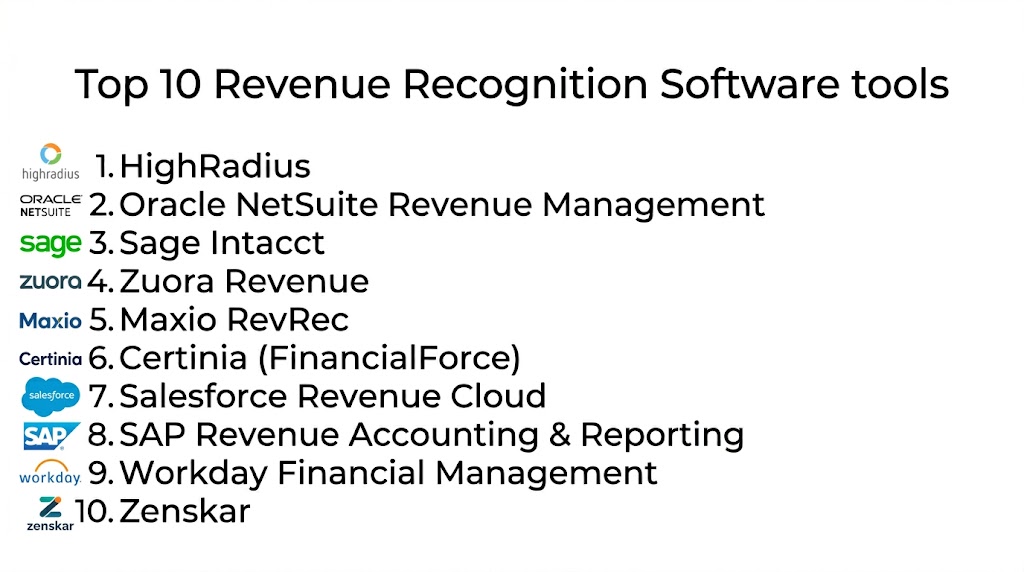
Top 10 Revenue Recognition Software
#1 — HighRadius
Short description: HighRadius offers AI-powered revenue recognition automation designed for enterprises handling complex financial operations and high transaction volumes.
Key Features
- Automated contract ingestion
- Revenue allocation and scheduling
- AI-driven anomaly detection
- Real-time dashboards
- Journal entry automation
- Compliance workflows
Pros
- Strong AI capabilities
- Enterprise scalability
- End-to-end automation
Cons
- Complex implementation
- Higher cost
- Requires training
Platforms / Deployment
Cloud
Security & Compliance
Encryption, audit logs, RBAC; certifications not publicly stated
Integrations & Ecosystem
Integrates with ERP and CRM systems.
- API integrations
- Billing platforms
- Financial systems
Support & Community
Enterprise-level support with onboarding assistance
#2 — NetSuite Revenue Management
Short description: NetSuite provides built-in revenue recognition capabilities within its ERP, automating compliance and financial workflows.
Key Features
- Automated revenue allocation
- ASC 606 compliance workflows
- Real-time reporting
- Contract management
- Multi-entity support
Pros
- Integrated ERP solution
- Strong automation
- Real-time visibility
Cons
- Requires NetSuite ecosystem
- Learning curve
- Higher cost
Platforms / Deployment
Cloud
Security & Compliance
Encryption, audit logs; certifications not publicly stated
Integrations & Ecosystem
Native integration with NetSuite ERP.
- CRM integrations
- Financial modules
Support & Community
Strong enterprise support and documentation
#3 — Sage Intacct
Short description: Sage Intacct provides automated revenue recognition for subscription and contract-based businesses within its accounting platform.
Key Features
- Revenue scheduling automation
- Contract modification handling
- Real-time reporting
- Multi-entity management
- Compliance workflows
Pros
- Strong financial reporting
- Scalable
- Reliable
Cons
- Complex setup
- Requires ecosystem adoption
- Pricing varies
Platforms / Deployment
Cloud
Security & Compliance
SOC 2, encryption, audit logs
Integrations & Ecosystem
Integrates with CRM and ERP systems.
- API integrations
- Accounting tools
Support & Community
Strong support and training resources
#4 — Zuora Revenue
Short description: Zuora Revenue is an enterprise-grade solution designed for subscription and usage-based businesses with complex billing models.
Key Features
- Automated revenue recognition
- SSP allocation
- Contract management
- Real-time analytics
- Compliance automation
Pros
- Handles complex revenue models
- Strong compliance support
- Real-time insights
Cons
- Expensive
- Complex implementation
- Requires expertise
Platforms / Deployment
Cloud
Security & Compliance
Supports ASC 606, IFRS standards
Integrations & Ecosystem
Integrates with billing, ERP, and CRM systems.
- API integrations
- Financial systems
Support & Community
Enterprise-level support
Zuora automates revenue recognition across subscription, usage-based, and hybrid models while ensuring compliance with accounting standards.
#5 — Maxio RevRec
Short description: Maxio RevRec is designed for SaaS companies needing automated revenue recognition and compliance.
Key Features
- Automated revenue scheduling
- Deferred revenue tracking
- Compliance workflows
- Analytics dashboards
- Contract management
Pros
- SaaS-focused
- Easy automation
- Scalable
Cons
- Limited enterprise features
- Requires setup
- Smaller ecosystem
Platforms / Deployment
Cloud
Security & Compliance
Not publicly stated
Integrations & Ecosystem
Integrates with billing and CRM tools.
- API integrations
- Financial systems
Support & Community
Moderate support and documentation
#6 — Certinia
Short description: Certinia focuses on service-based organizations with project-driven revenue recognition needs.
Key Features
- Project-based revenue tracking
- Contract management
- Automated scheduling
- Analytics dashboards
- Compliance workflows
Pros
- Strong for service businesses
- Real-time tracking
- Flexible
Cons
- Limited for SaaS
- Complex setup
- Smaller ecosystem
Platforms / Deployment
Cloud
Security & Compliance
Not publicly stated
Integrations & Ecosystem
Integrates with CRM and ERP systems.
- API integrations
- Salesforce ecosystem
Support & Community
Moderate support
#7 — Salesforce Revenue Cloud
Short description: Salesforce Revenue Cloud combines CPQ, billing, and revenue recognition into a unified platform.
Key Features
- End-to-end revenue lifecycle management
- Automated revenue recognition
- Real-time dashboards
- Contract tracking
- Billing integration
Pros
- Full lifecycle coverage
- Strong CRM integration
- Scalable
Cons
- Expensive
- Complex setup
- Requires Salesforce ecosystem
Platforms / Deployment
Cloud
Security & Compliance
Encryption, RBAC; certifications not publicly stated
Integrations & Ecosystem
Deep integration with Salesforce ecosystem.
- CRM integrations
- Billing tools
Support & Community
Strong enterprise support
#8 — SAP Revenue Accounting & Reporting
Short description: SAP RAR is designed for large enterprises with complex revenue recognition needs across multiple entities.
Key Features
- Automated revenue allocation
- Multi-entity support
- Compliance workflows
- Real-time reporting
- Contract management
Pros
- Enterprise-grade
- Highly scalable
- Strong compliance support
Cons
- Complex implementation
- High cost
- Requires expertise
Platforms / Deployment
Cloud / Hybrid
Security & Compliance
Supports ASC 606, IFRS
Integrations & Ecosystem
Integrates with SAP ERP systems.
- Financial systems
- API support
Support & Community
Enterprise-level support
#9 — Workday Financial Management
Short description: Workday offers revenue recognition capabilities integrated with financial planning and reporting tools.
Key Features
- Automated revenue recognition
- Financial planning integration
- Real-time dashboards
- Contract management
- Compliance workflows
Pros
- Unified financial platform
- Strong reporting
- Scalable
Cons
- Expensive
- Requires Workday ecosystem
- Learning curve
Platforms / Deployment
Cloud
Security & Compliance
Encryption; certifications not publicly stated
Integrations & Ecosystem
Integrates with enterprise systems.
- API integrations
- Financial tools
Support & Community
Strong enterprise support
#10 — Recurly Revenue Recognition
Short description: Recurly offers built-in revenue recognition for subscription businesses with automated compliance.
Key Features
- Subscription revenue automation
- Deferred revenue tracking
- Automated scheduling
- Analytics dashboards
- Billing integration
Pros
- Easy for SaaS
- Integrated billing
- Scalable
Cons
- Limited enterprise features
- Less flexible
- Smaller ecosystem
Platforms / Deployment
Cloud
Security & Compliance
Not publicly stated
Integrations & Ecosystem
Integrates with billing and payment systems.
- API integrations
- CRM tools
Support & Community
Moderate support
Comparison Table
| Tool Name | Best For | Platform(s) Supported | Deployment | Standout Feature | Public Rating |
|---|---|---|---|---|---|
| HighRadius | Enterprise | Web | Cloud | AI automation | N/A |
| NetSuite | ERP users | Web | Cloud | Built-in ERP | N/A |
| Sage Intacct | Mid-market | Web | Cloud | Financial integration | N/A |
| Zuora Revenue | SaaS | Web | Cloud | Compliance automation | N/A |
| Maxio RevRec | SaaS | Web | Cloud | SaaS focus | N/A |
| Certinia | Services | Web | Cloud | Project tracking | N/A |
| Salesforce Revenue Cloud | Enterprise | Web | Cloud | End-to-end lifecycle | N/A |
| SAP RAR | Enterprise | Web | Cloud/Hybrid | Multi-entity support | N/A |
| Workday | Enterprise | Web | Cloud | Unified finance | N/A |
| Recurly | SaaS | Web | Cloud | Subscription focus | N/A |
Evaluation & Scoring of Revenue Recognition Software
| Tool | Core | Ease | Integrations | Security | Performance | Support | Value | Weighted Total |
|---|---|---|---|---|---|---|---|---|
| HighRadius | 9 | 7 | 9 | 8 | 9 | 8 | 7 | 8.3 |
| NetSuite | 9 | 7 | 9 | 8 | 8 | 8 | 7 | 8.1 |
| Sage Intacct | 8 | 7 | 8 | 8 | 8 | 8 | 7 | 7.9 |
| Zuora | 9 | 6 | 9 | 9 | 9 | 8 | 6 | 8.3 |
| Maxio | 8 | 7 | 8 | 7 | 8 | 7 | 7 | 7.7 |
| Certinia | 7 | 7 | 7 | 7 | 7 | 7 | 7 | 7.2 |
| Salesforce | 9 | 6 | 9 | 8 | 9 | 8 | 6 | 8.2 |
| SAP | 9 | 5 | 9 | 9 | 9 | 8 | 6 | 8.1 |
| Workday | 8 | 6 | 8 | 8 | 8 | 8 | 6 | 7.8 |
| Recurly | 7 | 8 | 7 | 7 | 7 | 7 | 8 | 7.4 |
Scores are comparative and help identify strengths across features, usability, and value.
Which Revenue Recognition Software Is Right for You?
Solo / Freelancer
Basic accounting tools are usually sufficient.
SMB
Maxio or Recurly offers simplicity and automation.
Mid-Market
Sage Intacct and NetSuite provide strong balance.
Enterprise
Zuora, SAP, and HighRadius deliver advanced capabilities.
Budget vs Premium
- Budget: Maxio, Recurly
- Premium: Zuora, SAP
Feature Depth vs Ease of Use
- Feature-rich: SAP, Zuora
- Easy-to-use: Recurly
Integrations & Scalability
Choose ERP-integrated tools for scalability.
Security & Compliance Needs
Enterprises should prioritize compliance-ready platforms.
Frequently Asked Questions (FAQs)
1. What is revenue recognition software?
It automates how businesses record revenue based on accounting rules. It ensures revenue is recognized when earned, not when payment is received. This improves financial accuracy and compliance.
2. Why is revenue recognition important?
It ensures financial statements reflect actual business performance. Accurate reporting helps with compliance, investor trust, and decision-making.
3. What standards do these tools support?
Most support ASC 606 and IFRS 15 standards for revenue recognition. These frameworks define how revenue should be recorded.
4. Who needs revenue recognition software?
SaaS companies, enterprises, and businesses with complex contracts benefit most. It is essential for organizations with recurring or deferred revenue.
5. How long does implementation take?
Implementation varies from weeks to months depending on complexity. Enterprise deployments typically take longer.
6. Can these tools integrate with ERP systems?
Yes, most platforms integrate with ERP, CRM, and billing systems. This ensures seamless financial workflows.
7. Are these tools secure?
Most offer encryption and audit logs. Compliance features vary by vendor.
8. What pricing models do they support?
They support subscription, usage-based, and hybrid revenue models.
9. Can small businesses use these tools?
Yes, but simpler tools may be more suitable for small businesses.
10. What mistakes should be avoided?
Ignoring compliance requirements and integration capabilities are common mistakes.
Conclusion
Revenue Recognition Software is critical for modern businesses that need accurate, compliant, and scalable financial reporting. As revenue models become more complex, manual processes are no longer sufficient to manage compliance and reporting requirements. These platforms automate revenue allocation, scheduling, and reporting, reducing errors and improving efficiency. From enterprise-grade solutions like SAP and Zuora to SaaS-focused tools like Maxio and Recurly, businesses have multiple options depending on their needs. The right choice depends on contract complexity, integration requirements, and organizational scale. Companies should prioritize automation, compliance, and scalability when selecting a solution. It is also important to ensure smooth integration with existing systems. Instead of selecting a tool based on popularity, organizations should evaluate how well it fits their workflows. Testing a few tools through pilot programs is the best approach. This ensures accurate implementation and long-term financial efficiency.
