Introduction
Bookkeeping Tools are software solutions that help businesses record financial transactions, track income and expenses, reconcile accounts, and generate financial reports. Instead of manually maintaining ledgers, these tools automate bookkeeping processes and ensure accuracy in financial records.
Modern bookkeeping has evolved significantly with the rise of cloud technology. Today, most tools operate online, allowing businesses to access financial data from anywhere, collaborate in real time, and automate repetitive tasks like bank reconciliation and invoicing . This shift has made bookkeeping faster, more secure, and more scalable for growing businesses.
Common use cases include:
- Recording daily financial transactions
- Automating invoicing and expense tracking
- Bank reconciliation and financial reporting
- Managing accounts payable and receivable
- Preparing tax-ready financial statements
What buyers should evaluate:
- Ease of use and user interface
- Automation capabilities
- Integration with banking and accounting systems
- Reporting and analytics features
- Multi-currency and tax compliance
- Cloud vs on-premise deployment
- Security and data protection
- Scalability and performance
- Pricing and value
Best for: Freelancers, small businesses, accountants, startups, and finance teams needing accurate financial tracking.
Not ideal for: Businesses with very minimal transactions or those already using full ERP systems with built-in bookkeeping.
Key Trends in Bookkeeping Tools
- Cloud-based bookkeeping adoption: Remote access and real-time collaboration are now standard
- AI-powered automation: Automatic categorization of transactions and smart reconciliation
- Bank integrations: Direct syncing with bank accounts for real-time updates
- Mobile-first bookkeeping: Managing finances via apps on smartphones
- Real-time financial dashboards: Instant insights into business performance
- Automation of repetitive tasks: Reduced manual data entry
- API-driven ecosystems: Easy integration with CRM, payroll, and tax tools
- Enhanced security features: Encryption, MFA, and backup systems
- Scalable SaaS models: Subscription-based pricing for flexibility
- Integration with accounting platforms: Seamless transition from bookkeeping to accounting
How We Selected These Tools (Methodology)
- Evaluated market adoption and popularity
- Assessed core bookkeeping features and automation
- Reviewed ease of use and onboarding experience
- Compared integration capabilities and APIs
- Considered scalability across business sizes
- Checked security features and compliance readiness
- Analyzed performance and reliability indicators
- Reviewed customer feedback trends
- Ensured coverage across SMB, enterprise, and open-source tools
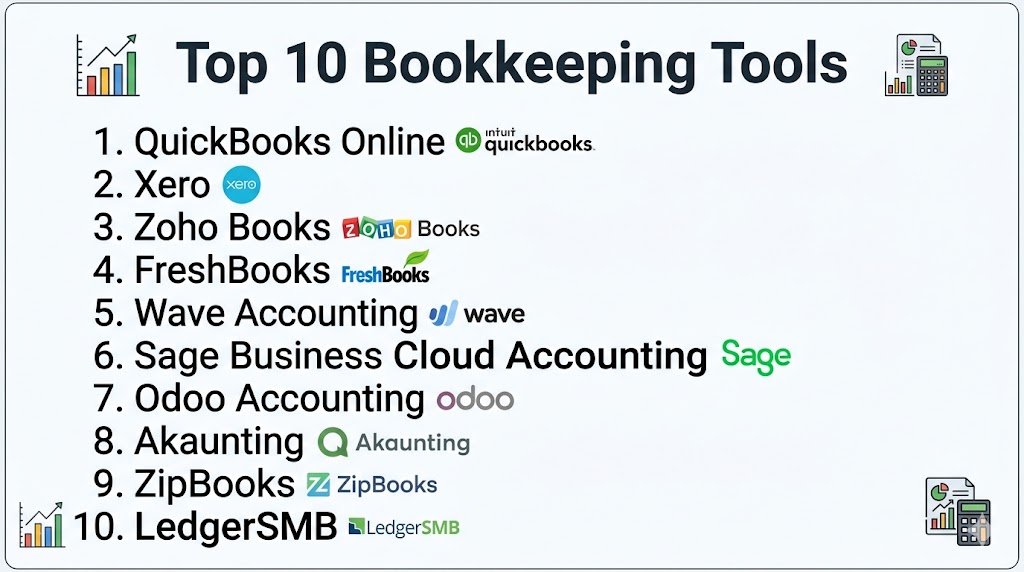
Top 10 Bookkeeping Tools
#1 — QuickBooks Online
Short description: QuickBooks Online is a leading bookkeeping and accounting platform offering automation, reporting, and financial tracking for small to mid-sized businesses.
Key Features
- Invoice creation and tracking
- Expense categorization
- Bank reconciliation
- Payroll integration
- Financial dashboards
- Tax reporting tools
Pros
- Easy to use
- Comprehensive features
- Strong ecosystem
Cons
- Pricing increases with features
- Learning curve for beginners
- Limited customization
Platforms / Deployment
Web / iOS / Android, Cloud
Security & Compliance
Encryption, MFA; certifications not publicly stated
Integrations & Ecosystem
Integrates with many business tools including CRM and payment systems.
Support & Community
Large user base with extensive support resources
#2 — Xero
Short description: Xero is a cloud-based bookkeeping solution with strong automation and collaboration features for growing businesses.
Key Features
- Bank reconciliation
- Invoice automation
- Expense tracking
- Financial reporting
- Multi-user access
Pros
- Clean interface
- Strong integrations
- Scalable
Cons
- Learning curve
- Pricing tiers
- Limited support in lower plans
Platforms / Deployment
Web / iOS / Android, Cloud
Security & Compliance
Encryption, MFA
Integrations & Ecosystem
Extensive integrations with financial and business tools.
Support & Community
Strong global community
#3 — Zoho Books
Short description: Zoho Books is a cloud bookkeeping tool offering automation, invoicing, and tax compliance features for SMBs.
Key Features
- Automated workflows
- Expense tracking
- Bank reconciliation
- GST/VAT compliance
- Reporting dashboards
Pros
- Affordable
- Easy to use
- Strong automation
Cons
- Limited enterprise features
- Reporting limitations
- Customization constraints
Platforms / Deployment
Web / iOS / Android, Cloud
Security & Compliance
Encryption, MFA
Integrations & Ecosystem
Part of Zoho ecosystem with strong integrations.
Support & Community
Good documentation and support
#4 — FreshBooks
Short description: FreshBooks is designed for freelancers and small businesses with simple invoicing and bookkeeping features.
Key Features
- Invoice automation
- Expense tracking
- Time tracking
- Reporting tools
- Payment reminders
Pros
- Very user-friendly
- Quick setup
- Ideal for freelancers
Cons
- Limited scalability
- Fewer advanced features
- Pricing increases with growth
Platforms / Deployment
Web / iOS / Android, Cloud
Security & Compliance
Encryption
Integrations & Ecosystem
Integrates with common business tools and APIs.
Support & Community
Strong onboarding and support
#5 — Wave Accounting
Short description: Wave is a free bookkeeping tool ideal for freelancers and small businesses with basic financial tracking needs.
Key Features
- Invoice creation
- Expense tracking
- Payment processing
- Basic reporting
- Receipt scanning
Pros
- Free to use
- Simple interface
- Good for small businesses
Cons
- Limited advanced features
- Not scalable
- Limited integrations
Platforms / Deployment
Web / iOS / Android, Cloud
Security & Compliance
Encryption
Integrations & Ecosystem
Basic integrations available
Support & Community
Basic support
#6 — Sage Business Cloud Accounting
Short description: Sage Business Cloud Accounting provides bookkeeping, payroll, and financial tracking for small and mid-sized businesses.
Key Features
- Invoice and billing management
- Expense tracking
- Payroll tools
- Financial reporting
- Tax compliance
Pros
- Reliable platform
- Good for growing businesses
- Strong reporting
Cons
- Interface complexity
- Pricing tiers
- Learning curve
Platforms / Deployment
Web / Mobile, Cloud
Security & Compliance
Not publicly stated
Integrations & Ecosystem
Integrates with financial and payroll systems.
Support & Community
Strong support and documentation
#7 — Odoo Accounting
Short description: Odoo Accounting is part of the Odoo ERP suite, offering bookkeeping with automation and integration capabilities.
Key Features
- Invoice automation
- Expense tracking
- Bank synchronization
- Financial reporting
- ERP integration
Pros
- Highly customizable
- Integrated ecosystem
- Scalable
Cons
- Requires setup
- Complex for beginners
- Customization needed
Platforms / Deployment
Web, Cloud / On-premise
Security & Compliance
Not publicly stated
Integrations & Ecosystem
Part of Odoo ERP ecosystem with extensive integrations.
Support & Community
Strong open-source community
#8 — Akaunting
Short description: Akaunting is an open-source bookkeeping tool designed for small businesses needing flexibility and customization.
Key Features
- Invoice creation
- Expense tracking
- Financial reporting
- Multi-user support
- Custom plugins
Pros
- Open-source
- Customizable
- Free option available
Cons
- Requires technical setup
- Limited support
- Smaller ecosystem
Platforms / Deployment
Web, Cloud / Self-hosted
Security & Compliance
Not publicly stated
Integrations & Ecosystem
Supports plugins and extensions.
Support & Community
Community-driven support
#9 — ZipBooks
Short description: ZipBooks is a cloud bookkeeping solution that helps businesses track finances, manage invoices, and process payments.
Key Features
- Invoice management
- Expense tracking
- Financial reporting
- Payment processing
- Analytics dashboards
Pros
- Free plan available
- Easy to use
- Good reporting
Cons
- Limited advanced features
- Smaller ecosystem
- Not ideal for large businesses
Platforms / Deployment
Web / Mobile, Cloud
Security & Compliance
Not publicly stated
Integrations & Ecosystem
Supports integrations with payment tools and APIs.
Support & Community
Moderate support
#10 — LedgerSMB
Short description: LedgerSMB is an open-source bookkeeping and accounting system designed for small to medium businesses with advanced financial tracking needs.
Key Features
- General ledger management
- Accounts payable and receivable
- Multi-currency support
- Financial reporting
- Inventory tracking
Pros
- Open-source flexibility
- Strong financial features
- Highly customizable
Cons
- Technical setup required
- Not beginner-friendly
- Limited UI
Platforms / Deployment
Web, Cloud / Self-hosted
Security & Compliance
Not publicly stated
Integrations & Ecosystem
Supports integration via database and APIs.
Support & Community
Community-driven support
Comparison Table
| Tool Name | Best For | Platform(s) Supported | Deployment | Standout Feature | Public Rating |
|---|---|---|---|---|---|
| QuickBooks Online | SMB | Web/Mobile | Cloud | Full bookkeeping suite | N/A |
| Xero | SMB | Web/Mobile | Cloud | Strong integrations | N/A |
| Zoho Books | SMB | Web/Mobile | Cloud | Automation | N/A |
| FreshBooks | Freelancers | Web/Mobile | Cloud | Ease of use | N/A |
| Wave | Small business | Web/Mobile | Cloud | Free plan | N/A |
| Sage | SMB | Web/Mobile | Cloud | Payroll integration | N/A |
| Odoo | SMB/Enterprise | Web | Cloud/On-premise | ERP integration | N/A |
| Akaunting | SMB | Web | Cloud/Self-hosted | Open-source | N/A |
| ZipBooks | SMB | Web/Mobile | Cloud | Free plan | N/A |
| LedgerSMB | SMB | Web | Cloud/Self-hosted | Open-source ERP | N/A |
Evaluation & Scoring of Bookkeeping Tools
| Tool | Core | Ease | Integrations | Security | Performance | Support | Value | Weighted Total |
|---|---|---|---|---|---|---|---|---|
| QuickBooks | 8 | 8 | 9 | 8 | 8 | 8 | 7 | 8.0 |
| Xero | 8 | 8 | 9 | 8 | 8 | 7 | 7 | 8.0 |
| Zoho Books | 7 | 9 | 8 | 7 | 7 | 7 | 9 | 7.8 |
| FreshBooks | 7 | 9 | 7 | 7 | 7 | 8 | 8 | 7.6 |
| Wave | 6 | 9 | 6 | 7 | 7 | 6 | 10 | 7.3 |
| Sage | 7 | 7 | 7 | 7 | 7 | 7 | 7 | 7.2 |
| Odoo | 8 | 6 | 8 | 7 | 8 | 7 | 7 | 7.6 |
| Akaunting | 6 | 7 | 6 | 6 | 7 | 6 | 9 | 7.0 |
| ZipBooks | 6 | 8 | 6 | 6 | 7 | 7 | 9 | 7.1 |
| LedgerSMB | 7 | 5 | 7 | 7 | 7 | 6 | 8 | 7.0 |
Scores are comparative and help identify strengths across usability, features, and value.
Which Bookkeeping Tool Is Right for You?
Solo / Freelancer
FreshBooks, Wave, and Zoho Books are ideal due to simplicity and affordability.
SMB
QuickBooks, Xero, and Zoho Books provide balanced features and scalability.
Mid-Market
Sage and Odoo offer advanced features and integration capabilities.
Enterprise
Odoo and LedgerSMB provide flexibility and scalability.
Budget vs Premium
- Budget: Wave, Akaunting
- Premium: QuickBooks, Xero
Feature Depth vs Ease of Use
- Feature-rich: Odoo, LedgerSMB
- Easy-to-use: FreshBooks, Zoho Books
Integrations & Scalability
Choose tools with strong API ecosystems for long-term growth.
Security & Compliance Needs
Businesses should prioritize tools with encryption and access controls.
Frequently Asked Questions (FAQs)
1. What are bookkeeping tools?
Bookkeeping tools are software applications used to record financial transactions and manage business finances. They automate tasks like invoicing and expense tracking. This improves accuracy and saves time.
2. Why are bookkeeping tools important?
They help maintain accurate financial records and ensure compliance with tax regulations. Businesses can track performance and make informed decisions. They also reduce manual errors.
3. Are cloud bookkeeping tools better?
Cloud tools allow access from anywhere and support real-time collaboration. They also offer automatic backups and updates. This makes them more flexible than traditional systems.
4. Who should use bookkeeping tools?
Freelancers, small businesses, startups, and accountants can benefit from these tools. They are useful for anyone managing financial transactions. Growing businesses need them the most.
5. What features should I look for?
Look for invoicing, expense tracking, reporting, and integrations. Automation and scalability are also important. Choose tools that match your business needs.
6. Are bookkeeping tools secure?
Most tools provide encryption and access controls. Cloud platforms also offer backups and disaster recovery. Security levels vary by provider.
7. How much do bookkeeping tools cost?
Some tools are free, while others use subscription pricing. Costs depend on features and business size. Businesses should choose based on value.
8. Can bookkeeping tools integrate with other systems?
Yes, most tools integrate with banking, CRM, and accounting software. This ensures smooth workflows. API support is also important.
9. Can I switch tools later?
Yes, but data migration requires planning. Businesses should ensure compatibility before switching. Testing is recommended.
10. What mistakes should I avoid?
Choosing based only on price or ignoring scalability are common mistakes. Businesses should also consider integrations and usability. Long-term planning is important.
Conclusion
Bookkeeping Tools have become essential for businesses aiming to manage finances efficiently and accurately. With the rise of cloud technology, these tools now offer automation, real-time insights, and seamless integrations that significantly reduce manual workload. From simple solutions like Wave and FreshBooks to more advanced platforms like QuickBooks and Odoo, there are options available for every business size and complexity. The right choice depends on your operational needs, budget, and scalability requirements. Businesses should focus on ease of use, automation capabilities, and integration options when selecting a tool. Security and compliance should also be key considerations. Instead of choosing based on popularity, it is better to evaluate how well a tool fits your workflow. Shortlisting a few tools and testing them in real scenarios is the best approach. This ensures long-term efficiency and better financial management.
