Introduction
Cross-browser Testing Platforms help development, QA, product, and DevOps teams test websites and web applications across different browsers, devices, operating systems, screen sizes, and real user environments. These tools make sure a website works consistently on Chrome, Safari, Firefox, Edge, mobile browsers, tablets, desktops, and different operating system combinations.
Cross-browser testing is important because users do not access websites from one fixed environment. A checkout page may work perfectly on one browser but break on another. A form may look correct on desktop but fail on mobile Safari. A CSS layout may render differently across browser engines. Without proper testing, teams risk broken user journeys, poor conversions, accessibility issues, support tickets, and damaged customer trust.
Modern Cross-browser Testing Platforms go beyond simple screenshot testing. Many platforms now support live interactive testing, automated Selenium testing, Playwright testing, Cypress workflows, visual regression testing, real device testing, mobile app testing, network simulation, debugging tools, test analytics, CI/CD integrations, and collaboration features. The right platform depends on whether your team needs manual testing, automation at scale, real device coverage, enterprise security, or faster release validation.
Why Cross-browser Testing Platforms Matter
Cross-browser Testing Platforms matter because browser compatibility directly affects user experience, revenue, and product quality. Even small layout issues, JavaScript errors, broken buttons, font rendering problems, or mobile responsiveness failures can stop users from completing important actions such as signing up, logging in, purchasing, subscribing, or submitting a form.
As websites become more complex, manual testing on a few local browsers is no longer enough. Teams need access to many browser and device combinations without maintaining expensive physical device labs. Cross-browser testing tools provide cloud-based environments where teams can test quickly, reproduce issues, and validate releases before they reach users.
These platforms help businesses:
- Test websites across multiple browsers and devices
- Reduce production bugs caused by browser differences
- Improve mobile and desktop user experience
- Validate responsive design across screen sizes
- Support automated regression testing
- Speed up QA cycles before release
- Improve collaboration between developers and testers
- Reproduce bugs in real browser environments
- Support CI/CD quality gates
- Improve customer trust and conversion performance
Common Use Cases
- Website compatibility testing across Chrome, Firefox, Safari, Edge, and mobile browsers
- Responsive design validation across phones, tablets, laptops, and desktops
- Automated browser testing using Selenium, Cypress, Playwright, or related frameworks
- Manual live testing for exploratory QA and bug reproduction
- Visual regression testing to detect layout, UI, and screenshot differences
- Mobile browser testing for iOS and Android web experiences
- Release validation before production deployment
- Ecommerce checkout testing across devices and browsers
- SaaS dashboard testing for complex UI workflows and authenticated user flows
- CI/CD pipeline testing to automatically validate builds before release
Evaluation Criteria for Buyers
When choosing a Cross-browser Testing Platform, buyers should evaluate both technical testing coverage and team workflow fit.
- Browser coverage: Check support for Chrome, Safari, Firefox, Edge, and older browser versions where needed.
- Device coverage: Evaluate real devices, emulators, simulators, tablets, desktops, and mobile browsers.
- Automation support: Look for Selenium, Cypress, Playwright, Appium, and CI/CD compatibility.
- Manual testing experience: Check live testing speed, debugging tools, screenshots, video recording, logs, and browser controls.
- Visual testing: Review screenshot comparison, layout regression, baseline management, and visual approval workflows.
- Performance and reliability: Evaluate test execution speed, parallel testing, uptime, queue times, and session stability.
- CI/CD integrations: Confirm support for GitHub, GitLab, Jenkins, CircleCI, Azure DevOps, and other pipelines.
- Debugging tools: Look for console logs, network logs, screenshots, video playback, HAR files, and session sharing.
- Security and compliance: Review access controls, tunnel testing, private app testing, data protection, and enterprise controls.
- Pricing and scalability: Compare pricing by parallel sessions, users, test minutes, automation usage, real device access, and enterprise features.
Best for: QA teams, developers, DevOps teams, ecommerce brands, SaaS companies, agencies, enterprise software teams, and product teams that need reliable browser and device compatibility testing.
Not ideal for: Teams that only maintain a very simple static website, have no cross-browser traffic, or do not need regular release validation.
Key Trends in Cross-browser Testing Platforms
- Automation-first testing is increasing as teams move compatibility checks into CI/CD pipelines.
- Real device testing is becoming more important because emulators do not always reflect actual user behavior.
- Playwright and Cypress adoption is growing alongside traditional Selenium-based browser testing.
- Visual regression testing is becoming a standard QA layer for modern design-heavy web applications.
- Shift-left testing is gaining momentum as developers test browser compatibility earlier in the development process.
- Cloud-based testing is replacing local device labs for many teams due to easier scaling and broader coverage.
- Mobile web quality is now a core requirement because many users access websites from smartphones first.
- Debugging context is becoming more valuable with video, screenshots, logs, and network traces inside test sessions.
- Enterprise teams need stronger security controls for testing private applications and pre-production environments.
- Parallel testing is becoming essential because teams want faster test execution without delaying release cycles.
How We Selected These Cross-browser Testing Platforms
The tools in this list were selected based on browser coverage, real device access, automation support, QA workflow fit, developer usability, enterprise readiness, integrations, and practical value for web testing teams.
Selection factors included:
- Breadth of browser and operating system combinations
- Real device and mobile browser coverage
- Manual and automated testing support
- Selenium, Cypress, Playwright, and Appium compatibility
- Debugging and issue reproduction capabilities
- Visual testing and screenshot comparison features
- CI/CD and DevOps integrations
- Suitability for startups, SMBs, agencies, and enterprises
- Security features for private and internal testing
- Practical usefulness for modern web application quality assurance
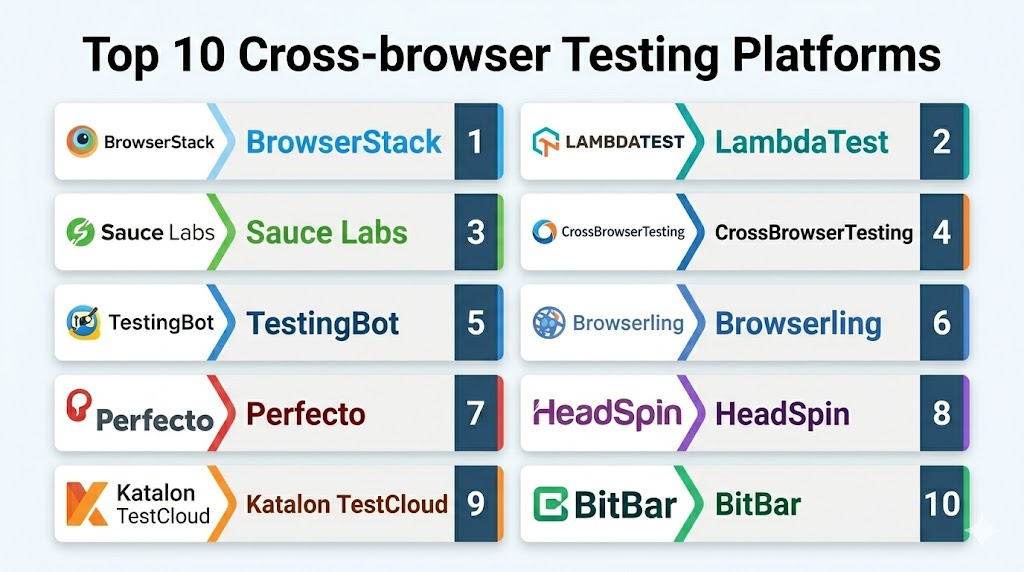
Top 10 Cross-browser Testing Platforms
- BrowserStack
- LambdaTest
- Sauce Labs
- CrossBrowserTesting
- TestingBot
- Browserling
- Perfecto
- HeadSpin
- Katalon TestCloud
- BitBar
1 — BrowserStack
BrowserStack is a widely used cross-browser testing platform that helps teams test websites and applications across real browsers, real devices, operating systems, and mobile environments. It supports both manual live testing and automated testing workflows, making it useful for developers, QA teams, DevOps teams, and enterprises that need broad browser and device coverage. BrowserStack is especially strong for teams that want scalable browser testing, mobile testing, visual testing, and CI/CD integration without maintaining physical device labs.
Key Features
- Live cross-browser testing
- Real device cloud testing
- Selenium automation support
- Cypress and Playwright testing support
- Appium support for mobile testing
- Visual testing capabilities
- Local testing for private environments
- Screenshots, logs, and debugging tools
Pros
- Strong real device and browser coverage
- Useful for both manual and automated testing
- Good fit for enterprise and fast-moving development teams
- Strong integration ecosystem for DevOps workflows
Cons
- Advanced usage can become costly for large teams
- Test speed depends on session availability and configuration
- Teams may need planning for parallel test optimization
Platforms / Deployment
Cloud-based testing platform with browser, desktop, mobile, and real device environments.
Security & Compliance
BrowserStack provides enterprise security features such as access controls, secure local testing options, private environment testing, and administrative controls. Specific compliance suitability depends on the organization’s configuration and plan.
Integrations & Ecosystem
BrowserStack integrates with CI/CD systems, issue trackers, test automation frameworks, collaboration tools, and development workflows. It supports common testing frameworks and is suitable for automated quality gates.
Support & Community
BrowserStack provides documentation, enterprise support options, developer resources, testing guides, and a large user community.
2 — LambdaTest
LambdaTest is a cloud-based testing platform for cross-browser testing, real device testing, automation testing, visual testing, and responsive website validation. It supports manual testing and automated testing across many browser, operating system, and device combinations. LambdaTest is a strong option for teams that want browser compatibility testing, Selenium grid execution, Cypress testing, Playwright testing, mobile testing, and CI/CD integration in one platform.
Key Features
- Live interactive browser testing
- Automated Selenium testing
- Cypress and Playwright support
- Real device cloud testing
- Visual regression testing
- Screenshot testing
- Local testing for private apps
- CI/CD and project management integrations
Pros
- Broad testing coverage for web and mobile
- Strong automation framework support
- Useful for QA teams and developers
- Good balance of manual and automated testing features
Cons
- Advanced automation workflows may require setup effort
- Large-scale parallel execution may increase cost
- Feature depth may vary by plan
Platforms / Deployment
Cloud-based cross-browser and device testing platform with manual and automated test execution.
Security & Compliance
LambdaTest provides secure tunnel testing, team management, access controls, and enterprise security options. Specific compliance needs should be checked based on business requirements and plan.
Integrations & Ecosystem
LambdaTest integrates with Selenium, Cypress, Playwright, Appium, Jenkins, GitHub, GitLab, Jira, Slack-style tools, CI/CD platforms, and test management workflows.
Support & Community
LambdaTest provides documentation, customer support, developer tutorials, webinars, and QA-focused learning resources.
3 — Sauce Labs
Sauce Labs is a cloud-based testing platform designed for automated and manual testing across browsers, devices, and operating systems. It is widely used by enterprise QA and DevOps teams that need scalable test execution, real device testing, web testing, mobile testing, and test analytics. Sauce Labs is especially useful for teams that want to run automated test suites at scale and connect test results to release quality decisions.
Key Features
- Cross-browser testing
- Real device testing
- Selenium automation support
- Appium mobile testing support
- Visual testing capabilities
- Test analytics and reporting
- Secure tunnel testing
- CI/CD integration support
Pros
- Strong fit for enterprise test automation
- Scalable cloud testing infrastructure
- Useful analytics for release quality
- Supports web and mobile testing workflows
Cons
- May be more advanced than small teams need
- Setup can require test automation maturity
- Pricing may be higher for large-scale usage
Platforms / Deployment
Cloud-based test execution platform for browser, mobile, and real device testing.
Security & Compliance
Sauce Labs provides enterprise access controls, secure testing options, private app testing support, and security-focused administrative features. Compliance suitability depends on plan and implementation.
Integrations & Ecosystem
Sauce Labs integrates with automation frameworks, CI/CD tools, issue trackers, test management systems, collaboration tools, and DevOps pipelines.
Support & Community
Sauce Labs provides documentation, enterprise support, training resources, technical guidance, and a broad QA automation community.
4 — CrossBrowserTesting
CrossBrowserTesting is a browser compatibility testing platform that supports live testing, automated testing, screenshots, and visual comparison across browser and operating system combinations. It is useful for QA teams, developers, agencies, and businesses that need to validate web applications across multiple environments. CrossBrowserTesting is often considered by teams that want manual testing and Selenium-based automation in a browser cloud.
Key Features
- Live browser testing
- Selenium automation support
- Screenshot testing
- Visual comparison
- Local testing support
- Browser and operating system coverage
- Debugging tools
- Test recording and reporting
Pros
- Useful for traditional cross-browser QA
- Supports manual and automated testing
- Good for screenshot and layout validation
- Practical for agencies and web teams
Cons
- May not feel as modern as newer platforms
- Real device and advanced automation depth should be evaluated
- Enterprise teams may need broader testing analytics
Platforms / Deployment
Cloud-based cross-browser testing platform with live and automated testing capabilities.
Security & Compliance
Security features may include secure local testing, access controls, and private environment support. Specific compliance details should be reviewed based on plan and customer requirements.
Integrations & Ecosystem
CrossBrowserTesting integrates with Selenium workflows, CI/CD tools, issue trackers, and web testing processes.
Support & Community
CrossBrowserTesting provides documentation, support resources, customer assistance, and browser testing guidance.
5 — TestingBot
TestingBot is a cloud-based browser and mobile testing platform that supports manual testing, Selenium testing, Appium testing, Cypress testing, and real device testing. It is useful for teams that want a flexible testing cloud with support for common automation frameworks. TestingBot is often a practical choice for developers and QA teams that need browser testing coverage without maintaining their own Selenium grid or device lab.
Key Features
- Cross-browser testing
- Selenium grid support
- Cypress testing support
- Appium mobile testing
- Real device testing
- Screenshot testing
- Local tunnel testing
- Test logs and video recordings
Pros
- Flexible automation framework support
- Useful for web and mobile testing
- Good option for teams needing cloud Selenium access
- Supports local and private app testing
Cons
- Interface and ecosystem may be less broad than larger vendors
- Advanced enterprise analytics may be limited
- Large-scale usage requires careful plan selection
Platforms / Deployment
Cloud-based browser and mobile testing platform with manual and automated testing support.
Security & Compliance
TestingBot supports local tunnel testing and access controls for private app testing. Specific compliance needs should be validated based on plan and environment.
Integrations & Ecosystem
TestingBot integrates with Selenium, Appium, Cypress, CI/CD tools, issue trackers, and common development workflows.
Support & Community
TestingBot provides documentation, support resources, API references, and technical assistance for testing teams.
6 — Browserling
Browserling is a browser testing platform focused on simple, live interactive cross-browser testing. It allows users to quickly open websites in different browsers without complex setup. Browserling is useful for developers, freelancers, small teams, support teams, and website owners who need quick browser checks, bug reproduction, and visual validation across browser environments.
Key Features
- Live browser testing
- Interactive browser sessions
- Browser version selection
- Quick website compatibility checks
- Screenshot support
- Simple access through browser interface
- Useful for exploratory testing
- No heavy local setup required
Pros
- Simple and easy to use
- Good for quick manual checks
- Useful for freelancers and small teams
- Minimal setup needed
Cons
- Limited compared with full automation platforms
- Not ideal for large-scale automated testing
- Enterprise features may be limited
Platforms / Deployment
Cloud-based live browser testing platform accessed through a web interface.
Security & Compliance
Security controls and enterprise compliance features may be limited compared with larger testing platforms. Teams with sensitive applications should evaluate private testing needs carefully.
Integrations & Ecosystem
Browserling is best suited for manual browser testing and quick compatibility checks rather than deep DevOps automation ecosystems.
Support & Community
Browserling provides product resources, customer support options, and simple browser testing guidance.
7 — Perfecto
Perfecto is a cloud-based testing platform focused on continuous testing across web and mobile applications. It supports real device testing, browser testing, automation, performance-focused testing workflows, and enterprise-grade quality validation. Perfecto is a strong fit for large organizations that need secure testing environments, real device coverage, automation support, and reliable release validation at scale.
Key Features
- Cross-browser testing
- Real device cloud testing
- Mobile app testing
- Selenium and Appium support
- Automated testing workflows
- Visual testing options
- Secure enterprise testing
- Test reporting and analytics
Pros
- Strong fit for enterprise testing programs
- Good real device and mobile testing capabilities
- Supports continuous testing workflows
- Useful for regulated or large-scale organizations
Cons
- May be more complex than smaller teams need
- Pricing and implementation may require planning
- Best value comes with mature QA processes
Platforms / Deployment
Cloud-based continuous testing platform for web and mobile applications.
Security & Compliance
Perfecto provides enterprise-focused security controls, secure testing environments, access management, and private application testing options. Specific compliance needs depend on customer configuration.
Integrations & Ecosystem
Perfecto integrates with automation frameworks, CI/CD systems, test management tools, issue trackers, DevOps pipelines, and enterprise QA workflows.
Support & Community
Perfecto provides documentation, enterprise support, implementation resources, and testing best practice guidance.
8 — HeadSpin
HeadSpin is a digital experience testing platform that supports web, mobile, device, network, and performance testing across global environments. It is useful for organizations that need to understand how applications perform across real devices, browsers, locations, and networks. HeadSpin is especially valuable for teams that want testing plus performance insights, user experience diagnostics, and global device coverage.
Key Features
- Cross-browser and mobile testing
- Real device access
- Global testing infrastructure
- Network condition testing
- Performance diagnostics
- User experience monitoring
- Automation support
- Video and debugging insights
Pros
- Strong global testing and device coverage
- Useful for performance and experience validation
- Good for mobile-heavy and distributed user bases
- Supports advanced testing diagnostics
Cons
- May be more advanced than basic browser testing needs
- Pricing and setup may require enterprise planning
- Best suited for teams needing device and network insights
Platforms / Deployment
Cloud-based digital experience testing platform with real device and browser testing environments.
Security & Compliance
HeadSpin provides enterprise security options, access controls, and private testing capabilities. Specific compliance suitability should be reviewed based on business needs and deployment.
Integrations & Ecosystem
HeadSpin integrates with automation frameworks, mobile testing workflows, CI/CD systems, performance testing processes, and QA operations.
Support & Community
HeadSpin provides documentation, customer support, enterprise assistance, and testing guidance for web and mobile teams.
9 — Katalon TestCloud
Katalon TestCloud is a cloud testing environment designed to work with Katalon’s broader test automation platform. It helps teams execute automated tests across browsers, operating systems, and environments without maintaining local infrastructure. It is best suited for teams already using Katalon Studio or Katalon Platform and looking for cloud-based execution for web, API, mobile, and application testing workflows.
Key Features
- Cloud-based test execution
- Cross-browser testing support
- Integration with Katalon Studio
- Automated test execution
- Parallel testing support
- Test reporting and analytics
- CI/CD workflow support
- Web and mobile testing alignment
Pros
- Strong fit for Katalon users
- Simplifies cloud test execution
- Useful for teams building structured automation workflows
- Supports reporting and pipeline integration
Cons
- Best value comes inside the Katalon ecosystem
- Less ideal for teams using unrelated test stacks
- Browser and device coverage should be evaluated by requirement
Platforms / Deployment
Cloud-based test execution service connected to Katalon’s testing platform.
Security & Compliance
Katalon provides platform access controls, test management controls, and cloud execution security options. Specific compliance details should be reviewed based on plan and configuration.
Integrations & Ecosystem
Katalon TestCloud integrates with Katalon Studio, Katalon Platform, CI/CD tools, test management workflows, source control, and automation pipelines.
Support & Community
Katalon provides documentation, community support, learning resources, customer support, and testing templates.
10 — BitBar
BitBar is a cloud-based testing platform focused on real device testing, mobile app testing, web testing, and automated test execution. It is useful for QA teams that need access to real devices and browser environments for validating application quality. BitBar is especially practical for teams that need mobile and browser testing coverage without maintaining a physical device lab.
Key Features
- Real device cloud testing
- Cross-browser testing support
- Mobile app testing
- Selenium and Appium support
- Automated test execution
- Manual device testing
- Parallel testing support
- Test reports and logs
Pros
- Strong real device testing focus
- Useful for mobile and browser QA teams
- Supports automation workflows
- Helps reduce physical device lab overhead
Cons
- Platform fit should be evaluated against modern framework needs
- Enterprise setup may require planning
- Feature availability may vary by plan and product packaging
Platforms / Deployment
Cloud-based real device and browser testing platform.
Security & Compliance
BitBar supports secure test execution and access controls. Specific compliance needs should be evaluated based on team requirements, data handling, and plan.
Integrations & Ecosystem
BitBar integrates with Selenium, Appium, CI/CD tools, mobile testing workflows, QA pipelines, and development processes.
Support & Community
BitBar provides documentation, technical resources, customer support, and testing workflow guidance.
Cross-browser Testing Platforms Comparison Table
| Tool Name | Best For | Platforms Supported | Deployment | Standout Feature | Public Rating |
|---|---|---|---|---|---|
| BrowserStack | Broad browser and real device testing | Web / Mobile / Real Devices | Cloud platform | Large browser and device cloud | Varies / N/A |
| LambdaTest | Automation and live browser testing | Web / Mobile / Real Devices | Cloud platform | Selenium, Cypress, and Playwright support | Varies / N/A |
| Sauce Labs | Enterprise test automation | Web / Mobile / Real Devices | Cloud platform | Scalable automated test execution | Varies / N/A |
| CrossBrowserTesting | Traditional browser compatibility QA | Web browsers | Cloud platform | Live testing and screenshots | Varies / N/A |
| TestingBot | Selenium and Appium cloud testing | Web / Mobile | Cloud platform | Flexible automation grid | Varies / N/A |
| Browserling | Quick manual browser testing | Web browsers | Cloud platform | Simple live browser access | Varies / N/A |
| Perfecto | Enterprise continuous testing | Web / Mobile / Real Devices | Cloud platform | Secure enterprise testing environment | Varies / N/A |
| HeadSpin | Global device and experience testing | Web / Mobile / Real Devices | Cloud platform | Device, network, and performance insights | Varies / N/A |
| Katalon TestCloud | Katalon-based automation teams | Web / Mobile / API workflows | Cloud platform | Cloud execution for Katalon tests | Varies / N/A |
| BitBar | Real device and mobile testing | Web / Mobile / Real Devices | Cloud platform | Real device testing at scale | Varies / N/A |
Evaluation & Scoring Table
| Tool | Core Features 25% | Ease 15% | Integrations 15% | Security 10% | Performance 10% | Support 10% | Value 15% | Weighted Total |
|---|---|---|---|---|---|---|---|---|
| BrowserStack | 9.5 | 8.5 | 9.0 | 9.0 | 9.0 | 9.0 | 8.5 | 9.0 |
| LambdaTest | 9.0 | 8.5 | 9.0 | 8.5 | 8.5 | 8.5 | 8.5 | 8.7 |
| Sauce Labs | 9.0 | 8.0 | 9.0 | 9.0 | 8.5 | 9.0 | 8.0 | 8.6 |
| Perfecto | 8.5 | 7.5 | 8.5 | 9.0 | 8.5 | 8.5 | 7.5 | 8.3 |
| HeadSpin | 8.5 | 7.5 | 8.0 | 8.5 | 8.5 | 8.5 | 7.5 | 8.1 |
| TestingBot | 8.0 | 8.0 | 8.0 | 8.0 | 8.0 | 7.5 | 8.0 | 7.9 |
| Katalon TestCloud | 8.0 | 8.0 | 8.5 | 8.0 | 8.0 | 8.0 | 8.0 | 8.1 |
| BitBar | 8.0 | 7.5 | 8.0 | 8.0 | 8.0 | 8.0 | 7.5 | 7.9 |
| CrossBrowserTesting | 7.5 | 8.0 | 7.5 | 7.5 | 7.5 | 7.5 | 7.5 | 7.6 |
| Browserling | 6.5 | 9.0 | 6.0 | 6.5 | 7.0 | 7.0 | 8.0 | 7.0 |
Which Cross-browser Testing Platform Is Right for You?
For Solo Developers
Solo developers should choose a platform that is easy to start, affordable, and useful for quick compatibility checks. Browserling, LambdaTest, and BrowserStack can be good choices depending on whether the developer needs simple manual testing or broader browser and device coverage. For very lightweight websites, quick live testing may be enough, but for production applications, automated checks are more useful.
For Small Businesses
Small businesses should prioritize ease of use, pricing flexibility, browser coverage, and reliable manual testing. LambdaTest, BrowserStack, TestingBot, and Browserling can help small teams validate websites without building a device lab. Businesses that depend on online conversions should also consider screenshot testing and mobile browser validation.
For Mid-Market Teams
Mid-market teams usually need both manual QA and automated regression testing. BrowserStack, LambdaTest, Sauce Labs, TestingBot, and Katalon TestCloud are strong options because they support automation frameworks, CI/CD workflows, and parallel testing. These teams should focus on reducing release delays and improving test coverage.
For Enterprises
Enterprises should evaluate scale, governance, security, access controls, private app testing, audit readiness, real device coverage, support quality, and analytics. BrowserStack, Sauce Labs, Perfecto, HeadSpin, and BitBar are strong choices for large testing programs that need structured QA workflows and reliable cloud execution.
For Automation-heavy QA Teams
Automation-heavy QA teams should prioritize Selenium, Cypress, Playwright, Appium, parallel execution, reporting, CI/CD integration, and test stability. BrowserStack, LambdaTest, Sauce Labs, TestingBot, Katalon TestCloud, and BitBar can support automation-driven release validation.
For Manual QA Teams
Manual QA teams should focus on live testing quality, easy browser switching, screenshots, session recording, logs, and bug reproduction workflows. BrowserStack, LambdaTest, CrossBrowserTesting, Browserling, and Perfecto can support exploratory testing and compatibility checks.
For Mobile-first Teams
Mobile-first teams should prioritize real device testing, mobile browser coverage, touch interactions, device logs, network conditions, and performance context. BrowserStack, Sauce Labs, Perfecto, HeadSpin, and BitBar are strong options for mobile-focused testing workflows.
For Agencies
Agencies should look for flexible browser coverage, quick testing access, screenshots, client issue reproduction, and affordable user management. LambdaTest, BrowserStack, CrossBrowserTesting, TestingBot, and Browserling can be practical depending on project size and client requirements.
Common Mistakes to Avoid
- Testing only on the developer’s default browser
- Ignoring Safari and mobile browser compatibility
- Relying only on emulators instead of real devices
- Skipping responsive testing across screen sizes
- Not testing checkout, login, and form workflows
- Running browser tests only at the end of development
- Ignoring JavaScript console errors
- Not capturing screenshots, videos, and logs for bugs
- Testing only happy paths and not edge cases
- Not including browser tests in CI/CD pipelines
- Running too many tests without prioritization
- Ignoring visual regression issues
- Not testing private or staging environments securely
- Choosing a tool without checking automation framework support
Best Practices for Cross-browser Testing
- Define your priority browser and device matrix based on real user traffic
- Test critical flows such as login, signup, checkout, search, and payment
- Combine manual exploratory testing with automated regression testing
- Use real devices for important mobile and responsive workflows
- Run automated tests in CI/CD before production release
- Capture screenshots, videos, console logs, and network logs for debugging
- Use visual testing for design-sensitive pages
- Test private and staging environments through secure tunnels
- Review flaky tests regularly and improve test stability
- Prioritize high-impact browsers and devices first
- Include accessibility and responsive checks in QA workflows
- Track browser compatibility issues across releases
Frequently Asked Questions
1. What is a Cross-browser Testing Platform?
A Cross-browser Testing Platform helps teams test websites and web applications across different browsers, devices, operating systems, and screen sizes. It allows developers and QA teams to confirm that pages, layouts, forms, scripts, and user flows work correctly for different users. These platforms reduce the need to maintain many local devices and browser installations. They are especially useful for teams releasing web applications frequently.
2. Why is cross-browser testing important?
Cross-browser testing is important because websites can behave differently across Chrome, Safari, Firefox, Edge, mobile browsers, and operating systems. A feature that works on one browser may break on another due to rendering, JavaScript, CSS, or device differences. Testing helps prevent broken layouts, failed forms, checkout issues, and poor mobile experiences. It improves user trust and reduces production defects.
3. Which Cross-browser Testing Platform is best for enterprises?
BrowserStack, Sauce Labs, Perfecto, HeadSpin, and BitBar are strong enterprise options because they support real device testing, automation, security controls, and scalable test execution. Enterprises should focus on governance, secure tunnel testing, access management, parallel testing, analytics, and support quality. The best choice depends on the organization’s automation maturity, browser coverage needs, and mobile testing requirements. Enterprise buyers should also evaluate integration with existing CI/CD and QA systems.
4. Which tool is best for small teams?
LambdaTest, BrowserStack, TestingBot, and Browserling can be practical for small teams depending on their budget and testing needs. Browserling is useful for quick manual checks, while BrowserStack and LambdaTest provide broader testing coverage and automation support. Small teams should prioritize ease of setup, required browser coverage, and simple debugging tools. If releases are frequent, automation support becomes more important.
5. What is the difference between real device testing and emulator testing?
Real device testing uses actual phones, tablets, or desktops to test how users experience a website or app in real conditions. Emulator or simulator testing mimics devices through software and may not fully reflect performance, touch behavior, browser rendering, or device-specific issues. Real devices are more reliable for important workflows, especially mobile checkout, forms, media, and performance-sensitive pages. Emulators are still useful for quick early-stage checks.
6. Can cross-browser testing be automated?
Yes, cross-browser testing can be automated using frameworks such as Selenium, Cypress, Playwright, and Appium depending on the platform. Automation helps teams run regression tests across multiple browsers and devices without manual repetition. It is especially useful for CI/CD pipelines, release validation, and high-impact user journeys. However, manual exploratory testing is still useful for visual review and unusual edge cases.
7. What should teams test first in cross-browser testing?
Teams should first test the most important user journeys such as login, signup, search, checkout, payment, forms, dashboards, and content pages. They should also prioritize browsers and devices based on real user traffic rather than trying to test every possible combination equally. High-revenue or high-risk pages should receive the most coverage. This approach keeps testing practical and business-focused.
8. Are visual regression testing features necessary?
Visual regression testing is useful when layout accuracy, branding, responsive design, and UI consistency are important. It helps detect unexpected design changes, spacing issues, broken components, missing elements, or rendering differences across browsers. It is especially valuable for ecommerce, SaaS dashboards, design systems, and marketing pages. Teams with frequent UI changes can benefit from visual testing as an added QA layer.
9. How do Cross-browser Testing Platforms support CI/CD?
Cross-browser Testing Platforms support CI/CD by allowing automated tests to run during build, pull request, staging, or release workflows. They can connect with tools such as Jenkins, GitHub, GitLab, Azure DevOps, and other pipelines. This helps teams detect browser compatibility issues before production deployment. CI/CD integration also improves release confidence and reduces manual QA bottlenecks.
10. How should teams choose the right Cross-browser Testing Platform?
Teams should choose based on browser coverage, real device access, automation support, debugging tools, visual testing, security, integrations, pricing, and team skill level. Small teams may prefer simple live testing, while enterprises may need scalable automation and governance. Mobile-heavy teams should prioritize real devices, while automation-heavy teams should compare Selenium, Cypress, Playwright, and Appium support. The best platform is the one that fits both release workflow and user traffic reality.
Conclusion
Cross-browser Testing Platforms help teams deliver consistent, reliable, and high-quality web experiences across browsers, devices, operating systems, and screen sizes. BrowserStack, LambdaTest, and Sauce Labs are strong all-around options for modern web testing, while Perfecto, HeadSpin, and BitBar are valuable for enterprise and real device testing needs. TestingBot, CrossBrowserTesting, Browserling, and Katalon TestCloud serve specific needs across automation, manual testing, quick validation, and Katalon-based workflows. The right choice depends on your team size, automation maturity, browser matrix, mobile coverage needs, security requirements, and release process.
