Introduction
Design systems management tools help teams organize, document, maintain, and scale reusable design components, patterns, brand rules, tokens, and UI guidelines. These platforms make it easier for designers, developers, product managers, and brand teams to work from a shared source of truth instead of rebuilding inconsistent interface elements across products. A strong design system improves product consistency, speeds up delivery, reduces design debt, and creates smoother collaboration between design and engineering teams.
Real-world use cases:
- Managing reusable UI components and design tokens
- Documenting brand guidelines and interaction patterns
- Connecting design assets with frontend development workflows
- Improving design-to-code handoff
- Standardizing product experiences across multiple teams
Buyer evaluation criteria:
- Component documentation quality
- Design token support
- Developer handoff capabilities
- Figma and design tool integrations
- Versioning and governance workflows
- Collaboration and approval features
- Code integration and Storybook support
- Brand guideline management
- Scalability for multi-team use
- Pricing and support fit
Best for: Product design teams, frontend engineering teams, brand teams, UX leaders, design ops teams, and enterprises managing multiple products or brands.
Not ideal for: Very small teams with only a few screens, early projects without repeatable UI patterns, or teams that only need simple design files without documentation or governance.
Key Trends in Design Systems Management Tools
- Design tokens are becoming central: Teams increasingly use tokens for colors, spacing, typography, shadows, motion, and themes to keep design and code aligned.
- Design-to-code workflows are improving: More tools now connect design components, code components, and documentation so handoff becomes less manual.
- Figma-first ecosystems are growing: Many design system tools integrate deeply with Figma because it is widely used for UI design collaboration.
- Documentation is becoming productized: Teams want polished, searchable, and easy-to-maintain design system portals for designers, developers, and stakeholders.
- Multi-brand design systems are increasing: Enterprises need tools that can manage multiple product lines, brands, themes, and regional design variations.
- Governance and version control matter more: Mature teams need approvals, ownership, changelogs, contribution models, and release workflows.
- Component-driven development is expanding: Storybook-style workflows are becoming standard for documenting and testing UI components in code.
- Accessibility is becoming a design system requirement: Teams are embedding accessibility rules, component guidance, and inclusive design patterns directly into systems.
- Automation is reducing manual updates: Tools are improving synchronization between design libraries, tokens, documentation, and code repositories.
- Design ops is becoming more strategic: Larger organizations treat design systems as operational infrastructure, not just a visual style guide.
How We Selected These Tools Methodology
- Adoption across product, design, and engineering teams
- Strength in design system documentation and governance
- Support for reusable components and design tokens
- Integration with Figma, code repositories, and developer workflows
- Fit for startups, SMBs, agencies, and enterprises
- Collaboration features for designers, developers, and brand teams
- Ability to support multi-product or multi-brand environments
- Ease of setup and long-term maintenance
- Quality of support, documentation, and community resources
- Practical value for scaling consistent digital products
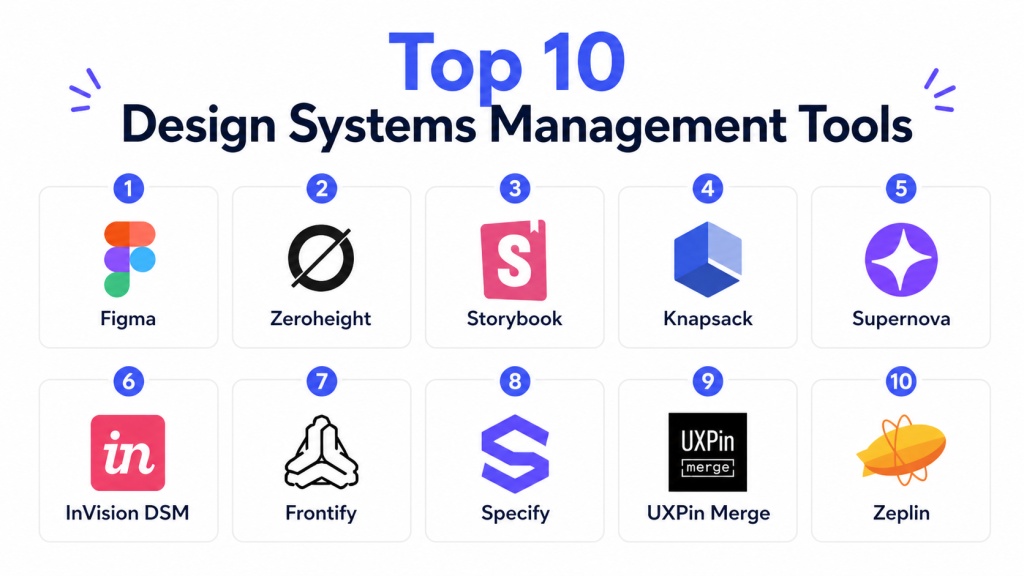
Top 10 Design Systems Management Tools
#1 — Figma
Short description: Figma is a collaborative design platform widely used to create, maintain, and share UI libraries, components, variables, styles, and design system assets. It works well for product teams that want design collaboration, reusable components, prototyping, and design handoff in one environment. While Figma is not only a design system management platform, it is often the foundation where design systems are created, maintained, and adopted by cross-functional teams.
Key Features
- Shared component libraries
- Variables and styles
- Team libraries
- Prototyping and collaboration
- Design comments and review workflows
- Dev Mode for handoff
- Plugin ecosystem
Pros
- Strong collaboration for design teams
- Widely adopted and easy to share
- Useful for creating reusable UI libraries
- Strong plugin and integration ecosystem
Cons
- Documentation portals may require additional tools
- Governance can become complex at enterprise scale
- Advanced design system workflows may need add-ons
- Code synchronization is not fully automatic
Platforms / Deployment
Web / Windows / macOS / Cloud
Security & Compliance
Supports access controls, team permissions, SSO on eligible plans, and enterprise administration features. Specific compliance details depend on the selected plan and organizational configuration.
Integrations & Ecosystem
Figma integrates with design, product, development, documentation, and workflow tools, making it a central hub for design system collaboration.
- Jira
- Slack
- Storybook workflows
- GitHub workflows through plugins
- FigJam
- Design token plugins
Support & Community
Figma has strong documentation, a large global design community, many learning resources, and active plugin support. Enterprise support depends on the selected plan.
#2 — Zeroheight
Short description: Zeroheight is a dedicated design system documentation platform that helps teams create polished style guides, component documentation, usage rules, and governance resources. It is especially useful for teams that already design in Figma or similar tools but need a separate, structured portal where designers, developers, and stakeholders can understand how the design system should be used.
Key Features
- Design system documentation portal
- Figma integration
- Component usage guidelines
- Versioning and changelog support
- Brand and style guide documentation
- Collaboration and review workflows
- Access controls for teams
Pros
- Strong documentation experience
- Good fit for design ops teams
- Easy to create searchable design system portals
- Helps align designers, developers, and stakeholders
Cons
- Not a primary UI design tool
- Requires maintenance discipline
- Best value comes with an existing design system
- Advanced workflows may require higher-tier plans
Platforms / Deployment
Web / Cloud
Security & Compliance
Supports access controls and team permissions. Specific compliance certifications are not publicly stated for every buyer requirement.
Integrations & Ecosystem
Zeroheight connects design documentation with the tools teams already use for UI design and engineering collaboration.
- Figma
- Storybook
- Adobe design workflows
- Slack-style collaboration workflows
- Code documentation references
- Brand guideline assets
Support & Community
Zeroheight provides documentation, onboarding resources, design system guidance, and support options. It is popular among design ops and product design teams.
#3 — Storybook
Short description: Storybook is an open-source frontend workshop used to build, document, test, and review UI components in isolation. It is widely used by engineering teams that want a code-based source of truth for components and design system implementation. Storybook is especially valuable when teams need component documentation, visual testing, interaction examples, and developer-friendly design system workflows.
Key Features
- Component documentation
- Isolated UI development
- Add-ons for testing and accessibility
- Visual review workflows
- Support for multiple frontend frameworks
- Component examples and usage states
- Integration with design and CI workflows
Pros
- Strong developer adoption
- Excellent for code-based component systems
- Flexible and extensible
- Open-source ecosystem
Cons
- Requires engineering setup
- Not ideal for non-technical users alone
- Needs maintenance with codebase changes
- Design governance may require additional tools
Platforms / Deployment
Web / Self-hosted / Cloud through related services
Security & Compliance
Security depends on hosting model, repository permissions, and deployment configuration. Compliance details vary by implementation.
Integrations & Ecosystem
Storybook has a large ecosystem of add-ons and integrations for frontend development, testing, accessibility, and documentation.
- React
- Vue
- Angular
- Web Components
- GitHub workflows
- Accessibility and visual testing add-ons
Support & Community
Storybook has a very strong open-source community, extensive documentation, and broad adoption among frontend developers. Paid support may depend on related commercial services and vendors.
#4 — Knapsack
Short description: Knapsack is a design system platform built to connect design, code, documentation, and governance in one collaborative environment. It is suited for mature product teams and enterprises that need to manage component libraries, design tokens, usage guidelines, and contribution workflows across design and engineering teams. Knapsack is valuable for organizations treating the design system as a shared product.
Key Features
- Design system documentation
- Design token management
- Component catalog
- Code and design alignment
- Governance workflows
- Multi-team collaboration
- Design system release management
Pros
- Strong focus on design system operations
- Useful for enterprise governance
- Connects design and engineering workflows
- Supports scalable documentation practices
Cons
- May be too advanced for small teams
- Requires process maturity
- Pricing may vary by organization
- Setup can take planning
Platforms / Deployment
Web / Cloud
Security & Compliance
Supports enterprise-oriented access controls and collaboration features. Specific compliance details are not publicly stated for every buyer requirement.
Integrations & Ecosystem
Knapsack supports design and engineering workflows by connecting component documentation, code references, and design system governance.
- Figma workflows
- Code repositories
- Frontend component libraries
- Design token workflows
- Documentation portals
- Team collaboration tools
Support & Community
Knapsack provides onboarding, product support, and design system guidance. It is best suited for teams with dedicated design ops or platform ownership.
#5 — Supernova
Short description: Supernova is a design system platform focused on design tokens, documentation, automation, and design-to-code workflows. It helps teams manage design system assets and synchronize them across design and development environments. Supernova is useful for organizations that want to reduce manual design system maintenance and keep tokens, guidelines, and code outputs better aligned.
Key Features
- Design token management
- Design system documentation
- Figma integration
- Code export workflows
- Multi-brand support
- Automation and synchronization
- Collaboration features
Pros
- Strong token management capabilities
- Useful for design-to-code workflows
- Good for multi-brand design systems
- Helps reduce manual maintenance
Cons
- Requires thoughtful setup
- Advanced workflows may need technical support
- May be excessive for simple design systems
- Teams must maintain token discipline
Platforms / Deployment
Web / Cloud
Security & Compliance
Supports team access controls and secure collaboration workflows. Specific compliance certifications are not publicly stated for every buyer requirement.
Integrations & Ecosystem
Supernova connects design tokens and documentation with design and development workflows, helping teams automate parts of the design system lifecycle.
- Figma
- Code export workflows
- Design token pipelines
- Documentation portals
- Developer tools
- Multi-brand systems
Support & Community
Supernova offers documentation, onboarding materials, and support resources. It is used by teams that need structured design system automation.
#6 — InVision DSM
Short description: InVision DSM is a design system management solution historically used to organize brand assets, design libraries, and UI guidelines for product teams. It helps teams centralize reusable design resources and maintain consistency across digital products. It is most relevant for organizations already invested in InVision workflows or maintaining older design system processes connected to that ecosystem.
Key Features
- Design system documentation
- Component and asset management
- Brand guideline support
- Shared libraries
- Team collaboration
- Design consistency workflows
- Centralized design resources
Pros
- Useful for design library organization
- Good for teams already using InVision
- Supports brand and UI consistency
- Helps centralize reusable assets
Cons
- Less dominant than newer Figma-first workflows
- Ecosystem relevance may vary by team
- Advanced code integration may be limited
- Buyers should verify current product fit before adoption
Platforms / Deployment
Web / Cloud
Security & Compliance
Supports team access and collaboration controls. Specific compliance details are not publicly stated for every buyer requirement.
Integrations & Ecosystem
InVision DSM fits teams that have existing InVision design workflows and need centralized design system documentation.
- InVision ecosystem
- Design libraries
- Brand assets
- Collaboration workflows
- UI documentation
- Product design processes
Support & Community
Support and documentation availability may depend on current product packaging and customer plan. Teams should verify current support options before choosing it for new design system work.
#7 — Frontify
Short description: Frontify is a brand and design system management platform that helps teams centralize brand guidelines, digital assets, design documentation, and reusable UI resources. It is especially useful for organizations managing both product design consistency and brand governance. Frontify works well for marketing, brand, and product teams that need a shared hub for brand identity and design system standards.
Key Features
- Brand guideline management
- Digital asset management
- Design system documentation
- Collaboration workflows
- Template and asset control
- Multi-brand support
- Governance and approval features
Pros
- Strong brand management capabilities
- Good for marketing and design alignment
- Useful for multi-brand organizations
- Centralizes assets and guidelines
Cons
- May be broader than pure design system needs
- Not primarily a code component tool
- Pricing may vary by enterprise requirements
- Developer workflows may need additional tools
Platforms / Deployment
Web / Cloud
Security & Compliance
Supports access controls, user permissions, and enterprise administration features. Specific compliance details should be verified based on buyer requirements.
Integrations & Ecosystem
Frontify integrates brand management with design and content workflows, making it useful for organizations that need consistent brand execution across teams.
- Design tools
- Digital asset workflows
- Brand portals
- Collaboration tools
- Content templates
- Enterprise asset management workflows
Support & Community
Frontify provides documentation, onboarding, customer support, and brand governance guidance. It is commonly used by brand and design operations teams.
#8 — Specify
Short description: Specify is a design data platform focused on collecting, transforming, and distributing design tokens and design system data across tools and codebases. It helps teams automate the flow of design decisions from design tools into development workflows. Specify is especially useful for teams that want better token pipelines and more reliable synchronization between design and engineering.
Key Features
- Design token collection
- Token transformation workflows
- Figma integration
- Code output support
- Design data automation
- Multi-platform token delivery
- API and pipeline support
Pros
- Strong design token automation
- Good for design-to-code synchronization
- Helps reduce manual handoff errors
- Useful for technical design system teams
Cons
- Requires token strategy and setup
- Less useful for teams without mature systems
- May need engineering involvement
- Not a full visual design platform
Platforms / Deployment
Web / Cloud
Security & Compliance
Supports secure workflow and access control practices. Specific compliance certifications are not publicly stated for every buyer requirement.
Integrations & Ecosystem
Specify connects design tools, token sources, and code destinations to automate design system data delivery.
- Figma
- Git workflows
- Design token pipelines
- Code repositories
- API workflows
- Frontend platforms
Support & Community
Specify provides documentation and support resources for design system and engineering teams. It is most useful for organizations with token-driven design workflows.
#9 — UXPin Merge
Short description: UXPin Merge is a design and prototyping platform that allows teams to design using real production components from code. It helps bridge the gap between designers and developers by making prototypes more aligned with actual frontend implementation. UXPin Merge is valuable for teams that want high-fidelity prototyping based on coded design system components.
Key Features
- Code-based design components
- High-fidelity prototyping
- Design system integration
- Interactive component states
- Developer handoff
- React component support
- Design-to-code alignment
Pros
- Strong bridge between design and code
- Useful for mature component libraries
- Improves prototype realism
- Reduces design-development mismatch
Cons
- Requires technical setup
- Best suited for code-backed design systems
- Learning curve for design teams
- May be too advanced for simple teams
Platforms / Deployment
Web / Cloud
Security & Compliance
Supports account access controls and secure collaboration workflows. Specific compliance details are not publicly stated for every buyer requirement.
Integrations & Ecosystem
UXPin Merge integrates design workflows with production component libraries, making it practical for teams that want coded components inside design environments.
- React components
- Git repositories
- Storybook-style workflows
- Design systems
- Developer handoff
- Prototyping workflows
Support & Community
UXPin provides documentation, onboarding resources, and support options. Merge workflows may require collaboration between design and engineering teams.
#10 — Zeplin
Short description: Zeplin is a design delivery and handoff platform that helps designers share specs, assets, components, and style information with developers. It supports design system workflows by organizing screens, components, colors, typography, and design decisions in a developer-friendly format. Zeplin is useful for teams that need structured handoff and collaboration between design and engineering.
Key Features
- Design handoff documentation
- Component and style guides
- Asset export
- Developer specs
- Comments and collaboration
- Design tool integrations
- Team workspace organization
Pros
- Strong developer handoff experience
- Easy for cross-functional collaboration
- Helps organize specs and assets
- Useful for teams transitioning from design to development
Cons
- Not a complete design system governance platform
- Requires design files from external tools
- Limited direct code synchronization
- May overlap with built-in design tool handoff features
Platforms / Deployment
Web / macOS / Windows / Cloud
Security & Compliance
Supports workspace permissions and access controls. Specific compliance details are not publicly stated for every buyer requirement.
Integrations & Ecosystem
Zeplin fits well into design-to-development workflows and helps teams share design specs more clearly.
- Figma
- Sketch
- Adobe XD workflows
- Slack
- Jira
- Developer handoff workflows
Support & Community
Zeplin provides documentation, support resources, and a strong user base among product design and frontend teams.
Comparison Table
| Tool | Best For | Platform | Deployment | Feature | Rating |
|---|---|---|---|---|---|
| Figma | Design collaboration | Web / Desktop | Cloud | Shared component libraries | N/A |
| Zeroheight | Documentation | Web | Cloud | Design system portals | N/A |
| Storybook | Developers | Web | Self-hosted / Cloud | Code component documentation | N/A |
| Knapsack | Enterprise design ops | Web | Cloud | Governance workflows | N/A |
| Supernova | Token management | Web | Cloud | Design-to-code automation | N/A |
| InVision DSM | Legacy design libraries | Web | Cloud | Centralized design resources | N/A |
| Frontify | Brand and design governance | Web | Cloud | Brand guideline management | N/A |
| Specify | Design token pipelines | Web | Cloud | Token distribution automation | N/A |
| UXPin Merge | Code-backed prototyping | Web | Cloud | Production components in design | N/A |
| Zeplin | Design handoff | Web / Desktop | Cloud | Developer-ready specs | N/A |
Evaluation & Scoring
| Tool | Core | Ease | Integrations | Security | Performance | Support | Value | Total |
|---|---|---|---|---|---|---|---|---|
| Figma | 8.8 | 8.7 | 8.8 | 8.2 | 8.6 | 8.5 | 8.6 | 8.62 |
| Zeroheight | 8.5 | 8.4 | 8.3 | 7.8 | 8.2 | 8.2 | 8.0 | 8.25 |
| Storybook | 8.7 | 7.4 | 8.7 | 7.9 | 8.5 | 8.6 | 8.8 | 8.40 |
| Knapsack | 8.6 | 7.7 | 8.3 | 8.0 | 8.2 | 8.2 | 7.7 | 8.13 |
| Supernova | 8.5 | 7.9 | 8.4 | 7.8 | 8.1 | 8.0 | 7.9 | 8.13 |
| InVision DSM | 7.5 | 7.8 | 7.4 | 7.5 | 7.6 | 7.5 | 7.2 | 7.52 |
| Frontify | 8.4 | 8.2 | 8.0 | 8.0 | 8.1 | 8.3 | 7.7 | 8.11 |
| Specify | 8.2 | 7.5 | 8.5 | 7.7 | 8.0 | 7.8 | 7.8 | 8.00 |
| UXPin Merge | 8.1 | 7.3 | 8.1 | 7.6 | 8.0 | 7.8 | 7.5 | 7.80 |
| Zeplin | 7.8 | 8.5 | 8.0 | 7.7 | 8.0 | 8.0 | 7.9 | 7.99 |
Scores are comparative and should be used as a shortlist guide, not a final buying decision. Figma scores high because it is widely adopted and practical for design collaboration, while Storybook is strong for engineering-led component documentation. Zeroheight, Knapsack, and Supernova are better for dedicated documentation, governance, and token workflows. The right choice depends on whether your biggest problem is design collaboration, developer handoff, documentation, token automation, or brand governance.
Which Design Systems Management Tool Is Right for You?
Solo / Freelancer
Solo designers and freelancers usually need simple, flexible tools that help create reusable UI libraries and share work with clients or developers. Figma and Zeplin are practical choices because they are easy to adopt and support everyday design-to-development collaboration. If you are building a small design system for a personal product, Figma may be enough without adding a dedicated documentation platform.
SMB
Small and mid-sized teams need a balance of documentation, collaboration, and handoff. Figma, Zeroheight, Storybook, and Zeplin are strong options depending on whether the team is design-led or engineering-led. A product team with developers should consider Storybook for component documentation, while a design ops team may prefer Zeroheight for a clearer design system portal.
Mid-Market
Mid-market organizations often need stronger structure, versioning, governance, and design-to-code alignment. Zeroheight, Storybook, Supernova, Knapsack, and Frontify can support this stage well. Teams should prioritize component documentation, ownership rules, token management, and release processes so the design system does not become outdated or inconsistent.
Enterprise
Enterprises need scalable governance, multi-brand support, security controls, documentation, and cross-functional adoption. Knapsack, Frontify, Supernova, Zeroheight, Figma, and Storybook are strong options depending on the organization’s maturity. Enterprise teams should also define design system ownership, contribution rules, approval workflows, and accessibility requirements before choosing a platform.
Budget vs Premium
Budget-conscious teams can start with Figma, Storybook, and open-source or lightweight documentation workflows. Premium buyers may choose Zeroheight, Knapsack, Supernova, Frontify, or UXPin Merge when they need stronger governance, automation, brand management, and enterprise workflows. The best value depends on how much design system maintenance the tool can reduce.
Feature Depth vs Ease of Use
Figma, Zeplin, and Zeroheight are easier for many teams to adopt quickly. Storybook, Specify, UXPin Merge, and Supernova offer deeper technical workflows but require more planning and setup. Teams should choose ease of use when adoption is the priority and feature depth when token automation, component governance, or code alignment is the main goal.
Integrations & Scalability
Figma, Storybook, Supernova, Specify, and UXPin Merge are strong choices when design and engineering integration is important. Frontify is better when brand governance and asset management are major needs. Zeroheight and Knapsack are useful when documentation, contribution workflows, and multi-team design system scaling are priorities.
Security & Compliance Needs
Security-focused teams should review SSO, access controls, workspace permissions, audit capabilities, data handling, and enterprise administration features. Enterprise buyers should verify compliance documentation directly before adoption. For regulated organizations, tools with stronger role management, admin controls, and governance workflows should be prioritized over lightweight design-only solutions.
Frequently Asked Questions
1. What are design systems management tools?
Design systems management tools help teams organize reusable design components, tokens, brand rules, documentation, and usage guidelines in one place. They make it easier for designers and developers to build consistent digital products. These tools reduce duplicated work and help teams follow the same visual and interaction standards. They are especially useful when multiple teams work on the same product ecosystem.
2. Why do companies need design system tools?
Companies need design system tools to improve consistency, speed up delivery, and reduce confusion between design and development teams. Without a shared system, different teams may create inconsistent buttons, forms, layouts, and patterns. A design system tool provides a central source of truth for components and rules. This helps teams scale product design more efficiently.
3. What is the difference between Figma and a design system documentation tool?
Figma is mainly used to create and manage design files, components, styles, and prototypes. A documentation tool such as Zeroheight or Knapsack is used to explain how components should be used, when to use them, and what rules apply. Many teams use Figma for design creation and a documentation platform for governance. Together, they create a stronger design system workflow.
4. What are design tokens?
Design tokens are reusable values that store design decisions such as colors, spacing, typography, shadows, borders, and motion settings. They help keep design and code consistent across products and platforms. Tokens are useful for scaling themes, brands, and design updates. When managed well, they reduce manual updates and improve design-to-code alignment.
5. Can design system tools help developers?
Yes, many design system tools help developers by providing component documentation, code examples, design specs, and reusable UI patterns. Tools like Storybook are especially useful for documenting coded components. Handoff tools like Zeplin help developers understand spacing, colors, assets, and layouts. This reduces confusion and improves implementation accuracy.
6. Are design system tools only for large companies?
No, smaller teams can also benefit from design system tools when they build repeated patterns or multiple product screens. A simple system can help startups maintain consistency as they grow. However, very small teams may not need advanced governance tools at the beginning. They can start with Figma libraries and expand into documentation later.
7. How do I choose the right design system tool?
Start by identifying your biggest problem: design collaboration, documentation, developer handoff, token management, or brand governance. If you need design collaboration, Figma is a strong starting point. If you need documentation, consider Zeroheight or Knapsack. If you need code-based component documentation, Storybook may be the better fit.
8. What are common mistakes in design system management?
Common mistakes include poor ownership, outdated documentation, inconsistent component naming, and lack of developer involvement. Some teams create a design system but do not define contribution or approval workflows. Others focus only on visual design and ignore accessibility or code implementation. A successful system needs governance, maintenance, and cross-team adoption.
9. Do design system tools support accessibility?
Many design system tools can support accessibility by documenting accessible patterns, contrast rules, keyboard behavior, and component usage guidance. However, accessibility still requires human review and proper implementation. Teams should include accessibility rules directly in component documentation. This makes inclusive design easier to follow across products.
10. Can design system tools reduce product development time?
Yes, design system tools can reduce development time by giving teams reusable components, clear guidelines, and ready-to-use patterns. Designers spend less time recreating common elements, and developers receive clearer implementation guidance. Over time, this reduces rework and speeds up product delivery. The benefit is strongest when the system is actively maintained and adopted by teams.
Conclusion
Design systems management tools help organizations create consistent, scalable, and efficient product experiences by connecting design assets, documentation, tokens, and development workflows. The best tool depends on your team’s maturity and main challenge: Figma is strong for design collaboration, Storybook is excellent for code-based component documentation, Zeroheight and Knapsack support structured documentation, and Supernova or Specify are better for token-driven workflows. Brand-heavy teams may prefer Frontify, while developer handoff teams may choose Zeplin or UXPin Merge. The next step is to shortlist two or three tools, test them with your existing components and workflows, validate integrations with design and engineering tools, and choose the platform that improves adoption, governance, and long-term consistency.

This was a very informative read. The comparison is well organized and makes it easy to understand how different design system management tools support consistency and collaboration across teams.