Introduction
Usability Testing Platforms help product teams, UX researchers, designers, marketers, founders, and digital teams understand how real users interact with websites, mobile apps, prototypes, product flows, landing pages, dashboards, and digital experiences. These platforms allow teams to observe user behavior, collect feedback, measure task success, identify friction points, and validate design decisions before or after launch.
Usability testing matters because teams often build products based on internal assumptions. A button may look clear to the design team but confuse users. A checkout flow may seem simple but cause drop-offs. A dashboard may include powerful features but remain difficult for new users to understand. Usability testing gives teams direct evidence from real users so they can improve clarity, navigation, accessibility, conversion, and customer satisfaction.
Modern Usability Testing Platforms support moderated interviews, unmoderated studies, prototype testing, website testing, mobile app testing, screen recording, voice recording, surveys, participant recruitment, task analytics, heatmaps, AI summaries, transcription, team collaboration, and research repositories. The right platform depends on whether your team needs fast design validation, deep qualitative research, enterprise research operations, global participant recruitment, or lightweight usability feedback.
Why Usability Testing Platforms Matter
Usability Testing Platforms matter because user experience problems are often invisible until real users struggle. Analytics may show that users drop off from a page, but usability testing explains why they drop off. It reveals confusion, hesitation, unclear labels, broken expectations, missing information, accessibility barriers, and emotional reactions that dashboards alone cannot capture.
For product teams, usability testing helps validate new ideas before engineering investment. For designers, it improves interface clarity and task flow. For marketers, it improves landing page performance and messaging. For founders, it reduces the risk of building the wrong product. For enterprises, it creates a repeatable research process that supports better digital experiences across teams and business units.
These platforms help organizations:
- Validate product ideas before development
- Test prototypes before launch
- Improve website and app usability
- Understand user pain points
- Reduce design guesswork
- Improve conversion rates
- Support product discovery
- Prioritize UX improvements
- Collect qualitative and quantitative feedback
- Build customer-centered digital experiences
Common Use Cases
- Prototype testing to validate design concepts before development
- Website usability testing to understand navigation, content clarity, and conversion barriers
- Mobile app testing to evaluate onboarding, gestures, flows, and task completion
- Landing page testing to improve messaging, layout, trust, and call-to-action clarity
- Checkout and signup testing to reduce drop-offs and friction
- Feature validation to test whether users understand new product capabilities
- Moderated interviews to explore user motivations, expectations, and emotional reactions
- Unmoderated studies to collect fast feedback from many participants
- Card sorting and tree testing to improve navigation and information architecture
- Design preference testing to compare multiple concepts and choose stronger layouts
Evaluation Criteria for Buyers
When choosing a Usability Testing Platform, buyers should evaluate research depth, participant quality, workflow simplicity, and team collaboration features.
- Testing methods: Check support for moderated testing, unmoderated testing, prototype testing, website testing, mobile testing, interviews, surveys, card sorting, tree testing, and preference testing.
- Participant recruitment: Evaluate whether the platform provides its own panel, allows bring-your-own participants, supports demographic targeting, and manages incentives.
- Recording and playback: Look for screen recording, webcam recording, voice recording, mobile recording, timestamps, notes, highlights, and shareable clips.
- Analytics and reporting: Review task success, time on task, click paths, heatmaps, user flows, sentiment, transcripts, summaries, and benchmark metrics.
- Prototype and design integrations: Check compatibility with tools such as Figma and other design workflows.
- Collaboration features: Look for observer rooms, shared notes, tagging, highlight reels, research repositories, and stakeholder sharing.
- Ease of setup: Evaluate how quickly teams can create a study, define tasks, recruit users, and collect insights.
- Security and privacy: Review consent capture, data masking, access controls, participant privacy, recording permissions, and data retention settings.
- Scalability: Consider whether the tool supports individual designers, growing product teams, agencies, or enterprise research operations.
- Value and pricing fit: Compare costs based on seats, studies, participants, panel usage, interviews, recordings, transcription, and advanced features.
Best for: UX researchers, product managers, designers, startup founders, ecommerce teams, SaaS companies, agencies, marketing teams, and enterprises that want to improve digital experiences using real user feedback.
Not ideal for: Teams that only need backend analytics, do not have a clear research question, cannot act on user feedback, or need only technical QA rather than user experience insights.
Key Trends in Usability Testing Platforms
- Unmoderated testing is growing because teams want faster feedback during design and product iterations.
- AI-assisted research analysis is becoming common for summaries, themes, transcripts, and faster insight extraction.
- Continuous discovery is replacing one-off research as product teams test ideas more frequently.
- Prototype testing is becoming earlier and lighter so teams can validate concepts before investing in engineering.
- Research democratization is increasing as product managers, designers, and marketers run basic studies without depending only on research specialists.
- Participant recruitment quality is a major buying factor because poor participants can lead to weak or misleading insights.
- Mixed-method research is more valuable as teams combine usability tests, surveys, interviews, heatmaps, and analytics.
- Stakeholder collaboration matters more because research insights need to be shared clearly across product, design, engineering, and leadership.
- Privacy and consent controls are increasingly important as recordings may include personal information or sensitive product experiences.
- Information architecture testing is becoming more common through card sorting, tree testing, first-click testing, and preference testing.
How We Selected These Usability Testing Platforms
The tools in this list were selected based on usability testing capabilities, user research workflow support, participant recruitment options, analysis features, collaboration tools, adoption among UX teams, and practical value for product improvement.
Selection factors included:
- Breadth of usability testing methods
- Moderated and unmoderated research support
- Participant panel and recruitment flexibility
- Prototype, website, and mobile testing capabilities
- Recording, transcription, and analysis features
- Reporting and insight-sharing options
- Fit for designers, researchers, product managers, and agencies
- Ease of setup and study creation
- Security, privacy, and collaboration controls
- Practical usefulness for improving real product experiences
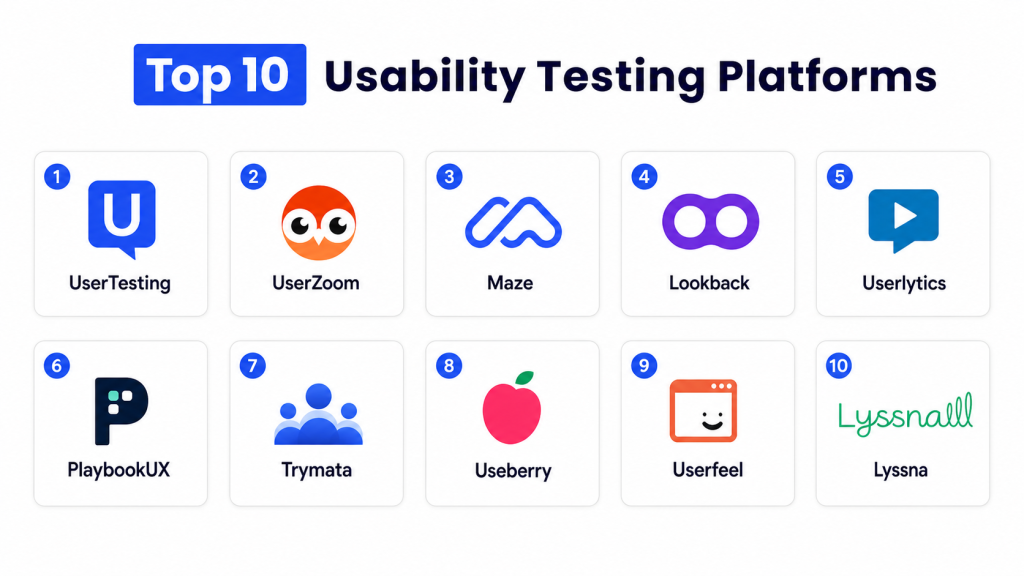
Top 10 Usability Testing Platforms
- UserTesting
- UserZoom
- Maze
- Lookback
- Userlytics
- PlaybookUX
- Trymata
- Useberry
- Userfeel
- Lyssna
1 — UserTesting
UserTesting is a human insight and user research platform designed to help teams collect feedback on websites, apps, prototypes, campaigns, concepts, and digital experiences. It supports qualitative and quantitative research workflows, making it useful for product, UX, marketing, ecommerce, and enterprise teams that need fast access to user perspectives. UserTesting is especially strong for organizations that want a mature research platform with participant access, recorded feedback, study templates, and stakeholder-friendly insights.
Key Features
- Remote usability testing
- Prototype and website testing
- Mobile app testing
- Participant recruitment
- Recorded user feedback
- Qualitative and quantitative research support
- Study templates and guided workflows
- Insight sharing and collaboration tools
Pros
- Strong platform for fast user feedback
- Useful for product, design, and marketing teams
- Good for testing concepts, prototypes, websites, and apps
- Mature research workflow for larger organizations
Cons
- May be expensive for smaller teams
- Requires thoughtful study design for useful results
- Advanced research operations may need team training
Platforms / Deployment
Cloud-based user research platform with participant access, study creation tools, recording workflows, and collaboration features.
Security & Compliance
UserTesting provides enterprise-oriented platform controls, participant privacy workflows, access management, and security resources. Specific compliance suitability depends on plan, configuration, and data handling practices.
Integrations & Ecosystem
UserTesting supports research workflows across product, design, marketing, customer experience, and stakeholder collaboration. It can be used alongside design tools, analytics platforms, product workflows, and research operations processes.
Support & Community
UserTesting provides documentation, customer support, research resources, templates, education materials, and enterprise support options.
2 — UserZoom
UserZoom is a UX research platform that supports usability testing, surveys, benchmarking, information architecture testing, and digital experience research. It is especially suitable for organizations that need structured research operations, measurable UX insights, and repeatable research programs across products and teams. UserZoom is often used by enterprises and mature UX teams that want a more formal approach to user research, usability measurement, and product decision support.
Key Features
- Usability testing
- UX benchmarking
- Surveys and feedback collection
- Tree testing and card sorting
- Task-based studies
- Research templates and study workflows
- Participant recruitment options
- Reporting and analytics tools
Pros
- Strong fit for enterprise UX research programs
- Useful for measurable UX benchmarking
- Supports multiple research methods
- Good for structured research teams
Cons
- May feel complex for small teams
- Best value comes with mature research processes
- Setup and study design may require UX research expertise
Platforms / Deployment
Cloud-based UX research platform with study creation, participant management, analysis, and reporting capabilities.
Security & Compliance
UserZoom provides administrative controls, research governance options, data management features, and enterprise security resources. Specific compliance needs depend on configuration and plan.
Integrations & Ecosystem
UserZoom fits into UX research operations, digital product teams, design validation workflows, customer experience programs, and enterprise research processes.
Support & Community
UserZoom provides help resources, documentation, learning materials, support options, and research methodology guidance.
3 — Maze
Maze is a user research and usability testing platform built for fast product discovery, prototype testing, website testing, surveys, card sorting, tree testing, and design validation. It is especially useful for product teams, designers, and startups that want quick feedback without running every study as a long moderated research project. Maze helps teams collect quantitative usability metrics and qualitative feedback, making it practical for rapid iteration and continuous product discovery.
Key Features
- Prototype testing
- Website usability testing
- Unmoderated testing
- Surveys and feedback collection
- Card sorting and tree testing
- Participant recruitment options
- Automated reports and insights
- AI-assisted research workflows
Pros
- Fast setup for design validation
- Good fit for product and design teams
- Supports multiple lightweight research methods
- Useful for early-stage and iterative testing
Cons
- Deep moderated research may require other tools or add-ons
- Research quality depends on task design and participant selection
- Enterprise governance needs should be evaluated carefully
Platforms / Deployment
Cloud-based UX research platform for unmoderated studies, prototype testing, website testing, surveys, and research analysis.
Security & Compliance
Maze provides platform access controls and research data handling features. Specific compliance requirements should be reviewed based on plan, data sensitivity, and participant workflows.
Integrations & Ecosystem
Maze works well with product discovery, design validation, prototype testing, and collaboration workflows. It is commonly used alongside design tools, product management tools, and research repositories.
Support & Community
Maze provides documentation, templates, customer support, learning resources, and UX research guides for product teams.
4 — Lookback
Lookback is a qualitative user research platform for moderated and unmoderated usability testing across desktop and mobile experiences. It is especially useful for teams that want to observe participants, record sessions, conduct interviews, collaborate with stakeholders, and review user behavior in detail. Lookback is a strong choice for research teams that value live observation, face-to-face interviews, recorded sessions, and qualitative depth.
Key Features
- Moderated usability testing
- Unmoderated usability testing
- Remote interviews
- Desktop and mobile research
- Live stakeholder observation
- Session recording and playback
- Notes and highlight features
- Participant setup support
Pros
- Strong qualitative research experience
- Useful for live moderated sessions
- Good for observing user behavior in detail
- Supports team collaboration during research
Cons
- Less focused on large-scale quantitative testing
- Participant setup may require guidance
- Reporting may require manual synthesis for deeper studies
Platforms / Deployment
Cloud-based qualitative research platform supporting desktop and mobile testing, remote interviews, and session recordings.
Security & Compliance
Lookback provides participant consent workflows, access controls, recording management, and privacy-related platform settings. Specific compliance needs should be evaluated based on research practices and plan.
Integrations & Ecosystem
Lookback fits well into UX research workflows, moderated interviews, stakeholder observation sessions, product discovery, and design validation processes.
Support & Community
Lookback offers documentation, support resources, research guidance, customer support, and product education content.
5 — Userlytics
Userlytics is a remote UX research and usability testing platform that supports moderated testing, unmoderated testing, website testing, mobile app testing, prototype testing, surveys, card sorting, tree testing, and participant recruitment. It is useful for companies that need flexible research methods and access to global participants. Userlytics is especially practical for teams that want video-based feedback, task-based studies, and a broad testing toolkit for digital products.
Key Features
- Moderated and unmoderated testing
- Website and mobile app testing
- Prototype testing
- Participant recruitment
- Surveys and questionnaires
- Card sorting and tree testing
- Video and audio recording
- AI-assisted analysis features
Pros
- Broad range of UX research methods
- Supports global participant testing
- Useful for mobile, web, and prototype studies
- Good fit for flexible research workflows
Cons
- Study setup may require planning for high-quality results
- Advanced features may vary by plan
- Teams may need time to organize large volumes of video feedback
Platforms / Deployment
Cloud-based UX research platform with participant recruitment, study management, recording, and analysis capabilities.
Security & Compliance
Userlytics provides participant consent, platform controls, data handling options, and privacy-related workflows. Specific compliance requirements should be evaluated based on research scope and configuration.
Integrations & Ecosystem
Userlytics supports research workflows across UX, product, design, ecommerce, agencies, and enterprise research teams. It can be used with prototypes, live websites, apps, and research panels.
Support & Community
Userlytics offers documentation, customer support, research resources, onboarding assistance, and guidance for study setup.
6 — PlaybookUX
PlaybookUX is an all-in-one user research platform that helps teams recruit participants, conduct qualitative and quantitative research, run usability tests, record sessions, transcribe feedback, and analyze insights. It is useful for product teams, UX researchers, agencies, and companies that want a research workflow covering recruiting, testing, incentives, transcription, and analysis. PlaybookUX is especially helpful for teams looking for a practical research platform with both moderated and unmoderated options.
Key Features
- Moderated and unmoderated testing
- Participant recruitment
- Interview scheduling
- Session recording
- Transcription and analysis
- Quantitative and qualitative research support
- Automated usability testing workflows
- Team collaboration features
Pros
- Strong all-in-one research workflow
- Useful recruiting and participant management features
- Good for qualitative and quantitative studies
- Helpful for agencies and product teams
Cons
- Interface and workflow fit should be tested before adoption
- Advanced enterprise research operations may require evaluation
- Study quality depends heavily on research planning
Platforms / Deployment
Cloud-based UX research platform with recruitment, study execution, transcription, analysis, and collaboration workflows.
Security & Compliance
PlaybookUX provides platform access controls, participant handling workflows, and research data management features. Specific compliance details should be checked based on business needs.
Integrations & Ecosystem
PlaybookUX supports product discovery, UX research, interview workflows, usability testing, participant recruitment, and research operations.
Support & Community
PlaybookUX provides documentation, support resources, research guides, customer assistance, and usability testing education content.
7 — Trymata
Trymata is a usability testing and product analytics platform that helps teams test websites, mobile experiences, prototypes, and digital products with real users. It supports remote usability testing, moderated testing, tester recruitment, session recordings, usability metrics, heatmaps, visitor logs, and product experience insights. Trymata is useful for teams that want to combine usability testing with behavioral analytics and iterative product improvement.
Key Features
- Remote usability testing
- Moderated user testing
- Website and mobile testing
- Tester recruitment
- Session recording and playback
- Usability benchmarks and metrics
- Heatmaps and visitor logs
- Product analytics features
Pros
- Combines usability testing with product analytics
- Useful for website and product experience improvement
- Supports recordings and usability metrics
- Good for iterative testing and optimization
Cons
- Teams may need to separate research insights from analytics noise
- Advanced enterprise workflows should be evaluated
- Best results require clear test scenarios and success metrics
Platforms / Deployment
Cloud-based usability testing and product analytics platform for websites, mobile experiences, and digital products.
Security & Compliance
Trymata provides research and analytics data handling features. Specific compliance suitability depends on implementation, participant data, and organizational requirements.
Integrations & Ecosystem
Trymata supports usability testing, product analytics, visitor behavior analysis, session replay, website optimization, and research workflows.
Support & Community
Trymata provides documentation, support resources, learning materials, customer assistance, and usability testing guidance.
8 — Useberry
Useberry is a remote UX research and usability testing platform focused on unmoderated testing, prototype testing, website testing, task-based usability, first-click testing, five-second testing, card sorting, preference testing, surveys, heatmaps, click tracking, recordings, and user flows. It is a good choice for designers, product teams, agencies, and startups that want fast design validation and actionable usability metrics without a heavy research operations setup.
Key Features
- Unmoderated usability testing
- Prototype and website testing
- First-click testing
- Five-second testing
- Card sorting and preference testing
- Surveys and feedback tools
- Heatmaps and click tracking
- User flows and recordings
Pros
- Fast setup for design and prototype testing
- Strong fit for designers and product teams
- Useful visual feedback and task metrics
- Good for early-stage validation
Cons
- Less suited for deep moderated interviews
- Complex enterprise research programs may need broader tooling
- Participant quality depends on recruitment setup
Platforms / Deployment
Cloud-based UX research platform for unmoderated tests, prototypes, websites, surveys, and visual usability insights.
Security & Compliance
Useberry provides team controls, research data handling settings, and privacy-related features. Specific compliance needs should be reviewed based on plan and research requirements.
Integrations & Ecosystem
Useberry fits into design validation, prototype testing, UX research, product discovery, and agency workflows. It is often used with design tools and website testing processes.
Support & Community
Useberry provides documentation, customer support, product resources, templates, and usability testing guidance.
9 — Userfeel
Userfeel is a usability testing platform designed to help teams watch real users interact with websites, apps, prototypes, and digital experiences. It supports rapid tests, moderated sessions, bring-your-own testers, participant recruitment, recordings, and continuous user research workflows. Userfeel is useful for product teams, agencies, ecommerce brands, UX researchers, and marketers that want clear user feedback without overcomplicating the research process.
Key Features
- Remote usability testing
- Moderated and unmoderated research support
- Bring-your-own participants
- Participant recruitment options
- Website, app, and prototype testing
- Session recordings
- Multilingual testing support
- Continuous research workflows
Pros
- Simple and practical usability testing workflow
- Useful for agencies and product teams
- Supports both quick tests and deeper sessions
- Good for watching real user behavior
Cons
- Advanced research operations features should be evaluated
- Reporting depth may vary by study type
- Best results require well-written tasks and participant criteria
Platforms / Deployment
Cloud-based usability testing platform supporting desktop, mobile, and tablet research workflows.
Security & Compliance
Userfeel provides participant management, testing workflows, and platform controls. Specific compliance requirements should be reviewed based on participant data and business needs.
Integrations & Ecosystem
Userfeel supports usability testing for websites, apps, prototypes, ecommerce flows, product teams, agencies, and continuous user research workflows.
Support & Community
Userfeel provides product resources, customer support, research guidance, and usability testing education materials.
10 — Lyssna
Lyssna is a user research and usability testing platform that helps teams run usability tests, surveys, interviews, prototype testing, preference testing, first-click testing, card sorting, tree testing, and participant recruitment. It is useful for product teams, designers, marketers, and researchers who want a flexible platform for quick design validation and broader user research. Lyssna is especially practical for teams that want usability testing and survey-based feedback in one place.
Key Features
- Usability testing
- Surveys and interviews
- Prototype testing
- First-click testing
- Preference testing
- Card sorting and tree testing
- Participant recruitment
- Research collaboration features
Pros
- Flexible user research platform
- Good for lightweight and structured studies
- Useful for design validation and surveys
- Supports multiple research methods in one place
Cons
- Native mobile app testing depth should be evaluated
- Advanced enterprise research operations may need review
- Panel costs and research scale should be planned carefully
Platforms / Deployment
Cloud-based user research platform for usability testing, surveys, interviews, recruitment, and design validation.
Security & Compliance
Lyssna provides research data handling features, team access controls, and participant workflow support. Specific compliance suitability depends on plan, configuration, and research data collected.
Integrations & Ecosystem
Lyssna fits into product research, design validation, survey research, prototype testing, information architecture testing, and participant recruitment workflows.
Support & Community
Lyssna provides documentation, support resources, product education, research guides, and customer assistance.
Usability Testing Platforms Comparison Table
| Tool Name | Best For | Platforms Supported | Deployment | Standout Feature | Public Rating |
|---|---|---|---|---|---|
| UserTesting | Enterprise human insight and usability feedback | Web / Mobile / Prototype | Cloud platform | Large-scale human insight platform | Varies / N/A |
| UserZoom | Structured UX research and benchmarking | Web / Mobile / Surveys | Cloud platform | UX benchmarking and research operations | Varies / N/A |
| Maze | Fast product discovery and prototype testing | Web / Prototype / Surveys | Cloud platform | Rapid unmoderated testing and reports | Varies / N/A |
| Lookback | Qualitative moderated research | Desktop / Mobile | Cloud platform | Live observation and recorded sessions | Varies / N/A |
| Userlytics | Flexible remote UX research | Web / Mobile / Prototype | Cloud platform | Broad testing methods and global research | Varies / N/A |
| PlaybookUX | Recruiting plus usability research | Web / Mobile / Interviews | Cloud platform | Recruit, test, transcribe, and analyze | Varies / N/A |
| Trymata | Usability testing plus product analytics | Web / Mobile / Product analytics | Cloud platform | Testing with session and behavior insights | Varies / N/A |
| Useberry | Fast design and prototype validation | Web / Prototype / Surveys | Cloud platform | Click tracking, heatmaps, and task metrics | Varies / N/A |
| Userfeel | Continuous user research and usability testing | Web / Mobile / Prototype | Cloud platform | Simple real-user testing workflow | Varies / N/A |
| Lyssna | Lightweight research, surveys, and testing | Web / Prototype / Surveys | Cloud platform | Usability testing, surveys, and recruitment | Varies / N/A |
Evaluation & Scoring Table
| Tool | Core Features 25% | Ease 15% | Integrations 15% | Security 10% | Performance 10% | Support 10% | Value 15% | Weighted Total |
|---|---|---|---|---|---|---|---|---|
| UserTesting | 9.5 | 8.0 | 8.5 | 9.0 | 9.0 | 9.0 | 8.0 | 8.8 |
| UserZoom | 9.0 | 7.5 | 8.5 | 9.0 | 8.5 | 8.5 | 7.5 | 8.3 |
| Maze | 8.5 | 9.0 | 8.5 | 8.0 | 8.5 | 8.0 | 8.5 | 8.5 |
| Lookback | 8.0 | 8.0 | 7.5 | 8.0 | 8.0 | 8.0 | 8.0 | 7.9 |
| Userlytics | 8.5 | 8.0 | 8.0 | 8.0 | 8.0 | 8.0 | 8.0 | 8.1 |
| PlaybookUX | 8.0 | 8.5 | 7.5 | 8.0 | 8.0 | 8.0 | 8.5 | 8.1 |
| Trymata | 8.0 | 8.0 | 7.5 | 7.5 | 8.0 | 7.5 | 8.0 | 7.8 |
| Useberry | 7.5 | 9.0 | 8.0 | 7.5 | 8.0 | 7.5 | 8.5 | 8.0 |
| Userfeel | 7.5 | 8.5 | 7.5 | 7.5 | 8.0 | 7.5 | 8.0 | 7.8 |
| Lyssna | 8.0 | 8.5 | 8.0 | 8.0 | 8.0 | 8.0 | 8.0 | 8.1 |
Which Usability Testing Platform Is Right for You?
For Solo Designers
Solo designers should choose a platform that is easy to set up, quick to run, and useful for validating early ideas. Maze, Useberry, Lyssna, and Userfeel are practical options for testing prototypes, landing pages, navigation, first clicks, and design preferences without building a complex research operation.
For Small Businesses
Small businesses should prioritize ease of use, participant access, practical reports, and affordable testing workflows. Maze, Useberry, Userfeel, Trymata, and Lyssna can help small teams collect useful feedback on websites, onboarding flows, product pages, and conversion journeys.
For Startups
Startups need fast learning cycles and should avoid spending months building without user validation. Maze, PlaybookUX, Useberry, Lyssna, and UserTesting can help test ideas, prototypes, messaging, signup flows, and MVP experiences with real users before committing more engineering effort.
For UX Research Teams
Dedicated UX research teams should look for moderated testing, unmoderated testing, participant recruitment, transcription, tagging, highlight reels, collaboration, and reporting. UserTesting, UserZoom, Lookback, Userlytics, and PlaybookUX are strong choices depending on research maturity and budget.
For Product Managers
Product managers should choose tools that make research easy to connect with product decisions. Maze, UserTesting, Lyssna, Useberry, and Trymata can support feature validation, problem discovery, onboarding improvement, and conversion analysis without requiring every study to be deeply academic.
For Enterprises
Enterprises should prioritize governance, participant management, research operations, security, scalability, reporting, and stakeholder collaboration. UserTesting, UserZoom, Userlytics, Lookback, and PlaybookUX are strong options for organizations that need structured research across multiple teams and product lines.
For Agencies
Agencies should look for flexible testing methods, client-friendly reports, participant recruitment, easy sharing, and fast study setup. PlaybookUX, Userlytics, Maze, Useberry, Userfeel, and Lyssna can support client research, website audits, design validation, and conversion optimization projects.
For Ecommerce Teams
Ecommerce teams should focus on checkout testing, product page clarity, search usability, mobile purchase flows, trust signals, and cart abandonment issues. UserTesting, Trymata, Maze, Userfeel, and Useberry can help ecommerce teams identify where users hesitate, misunderstand, or abandon the purchase journey.
Common Mistakes to Avoid
- Testing too late after major design decisions are already locked
- Asking leading questions that influence participant answers
- Recruiting participants who do not match the target audience
- Running tests without clear tasks or success criteria
- Relying only on opinions instead of observing behavior
- Ignoring mobile usability when most users are mobile-first
- Testing too many things in one study
- Not recording sessions or capturing evidence
- Treating one participant’s comment as universal truth
- Ignoring accessibility and readability issues
- Sharing raw feedback without clear recommendations
- Not involving stakeholders in research review
- Running studies without a plan to act on findings
- Confusing usability testing with general customer satisfaction surveys
Best Practices for Usability Testing
- Define one clear research objective before creating the test
- Recruit participants who match real customer segments
- Use realistic tasks instead of vague feedback prompts
- Ask users to think aloud during task completion
- Observe behavior before interpreting opinions
- Test prototypes early before development begins
- Keep studies focused and short enough for quality responses
- Combine qualitative feedback with measurable task data
- Review recordings with product, design, and engineering stakeholders
- Prioritize issues by severity, frequency, and business impact
- Turn findings into specific design or product actions
- Retest important flows after improvements are made
Frequently Asked Questions
1. What is a Usability Testing Platform?
A Usability Testing Platform is software that helps teams test websites, apps, prototypes, or product flows with real users. It records how participants complete tasks, where they struggle, what they say, and how they react to the experience. These platforms often include participant recruitment, screen recording, surveys, task metrics, and reporting tools. They help teams make better design and product decisions based on observed user behavior.
2. Why is usability testing important?
Usability testing is important because it shows how real users experience a product, not just how internal teams think it works. It reveals confusing navigation, unclear copy, broken flows, weak calls to action, and friction points that analytics alone may not explain. By testing early and often, teams can reduce redesign costs, improve conversion, and build more user-friendly products. It also helps stakeholders make decisions with evidence instead of assumptions.
3. Which Usability Testing Platform is best for enterprises?
UserTesting, UserZoom, Userlytics, Lookback, and PlaybookUX are strong options for enterprise teams because they support structured research, participant management, collaboration, and advanced study workflows. Enterprises should evaluate governance, access controls, security, reporting, participant quality, and research operations features. The best choice depends on whether the team needs fast feedback, deep qualitative interviews, benchmarking, or continuous research. Large organizations should also consider how easily insights can be shared across departments.
4. Which tool is best for fast prototype testing?
Maze, Useberry, Lyssna, and UserTesting are strong choices for fast prototype testing because they support quick study setup and design validation workflows. These tools help teams test navigation, first impressions, task completion, and concept clarity before development begins. Fast prototype testing is especially useful for product teams working in short design cycles. It helps reduce wasted engineering effort by catching usability problems early.
5. What is the difference between moderated and unmoderated usability testing?
Moderated usability testing involves a researcher guiding the participant through tasks in real time, often asking follow-up questions and observing reactions live. Unmoderated testing lets participants complete tasks on their own, usually with screen and voice recording. Moderated testing is better for deep exploration and complex topics, while unmoderated testing is better for speed, scale, and simple validation. Many teams use both methods depending on the research question.
6. How many users are needed for usability testing?
The right number depends on the study goal, product complexity, and target segments. Small studies can reveal major usability issues quickly, while larger studies are better for comparing patterns, segments, or design variations. For early design feedback, a small focused group may be enough to uncover common problems. For high-stakes product decisions, teams should test with more participants and validate findings across different user groups.
7. Can usability testing improve conversion rates?
Yes, usability testing can improve conversion rates by identifying why users hesitate, abandon forms, ignore calls to action, or misunderstand product value. It is especially useful for ecommerce checkout flows, landing pages, pricing pages, signup journeys, and onboarding experiences. By fixing friction points discovered during testing, teams can make user journeys clearer and easier to complete. The impact depends on how well the findings are prioritized and implemented.
8. What should teams test first?
Teams should start with high-impact user journeys such as signup, onboarding, checkout, search, pricing pages, dashboard setup, feature discovery, or support flows. These areas often affect revenue, activation, retention, or customer satisfaction. Testing should focus on realistic tasks that users actually need to complete. Starting with business-critical flows makes usability research easier to justify and more useful for stakeholders.
9. Are usability testing platforms useful for mobile apps?
Yes, many usability testing platforms support mobile app testing, mobile web testing, and prototype testing for mobile experiences. They help teams understand gestures, navigation, onboarding, screen readability, task completion, and mobile-specific friction. Mobile testing is important because users interact differently on smaller screens and varied device conditions. Teams should check whether the platform supports native app testing, mobile recording, and mobile participant workflows.
10. How should teams choose the right Usability Testing Platform?
Teams should choose based on research goals, testing methods, participant recruitment needs, budget, security, collaboration features, reporting quality, and ease of setup. Designers may prefer fast prototype testing tools, while research teams may need moderated sessions and deeper analysis. Enterprises should prioritize governance, scalability, and stakeholder sharing. The best platform is the one that helps the team collect reliable insights and turn them into product improvements.
Conclusion
Usability Testing Platforms help teams build products that are easier to understand, easier to use, and better aligned with real customer needs. UserTesting and UserZoom are strong choices for mature research programs, Maze and Useberry are practical for rapid design validation, Lookback is valuable for qualitative moderated research, and Userlytics, PlaybookUX, Trymata, Userfeel, and Lyssna offer flexible options for different team sizes and research workflows. The right platform depends on whether your main goal is fast prototype feedback, moderated interviews, participant recruitment, UX benchmarking, ecommerce optimization, or continuous product discovery.

Really useful article. The breakdown of each usability testing platform was clear and practical, making it easier to compare features and choose the right tool for different research needs.