Introduction
UX Research Tools help product teams understand how users think, behave, struggle, and make decisions while using a product, website, app, or digital service. These platforms support user interviews, usability testing, surveys, prototype testing, heatmaps, session recordings, feedback analysis, research repositories, and participant recruitment. Instead of guessing what users need, teams can collect real evidence and turn it into better design, product, and business decisions.
This category matters because user experience directly affects adoption, conversion, retention, and customer satisfaction. A product may have strong features, but if users cannot understand or complete key tasks easily, growth becomes difficult. UX research tools help teams identify friction early, validate ideas before development, and continuously improve products after launch.
Real-world use cases
- Testing product prototypes before development
- Running usability tests on websites and apps
- Collecting customer feedback and user interviews
- Analyzing user journeys, clicks, and behavior patterns
- Building a central research repository for product insights
Evaluation Criteria for Buyers
- Usability testing capabilities
- Participant recruitment support
- Survey and feedback collection
- Video recording and session replay
- Research repository and tagging
- Collaboration features for teams
- Analytics and reporting quality
- Integration with design and product tools
- Ease of setup and researcher workflow
- Pricing and scalability
Best for: UX researchers, product managers, designers, SaaS teams, startups, agencies, marketing teams, and enterprises that want evidence-based product decisions.
Not ideal for: teams that only need basic analytics or simple customer support feedback without structured research workflows.
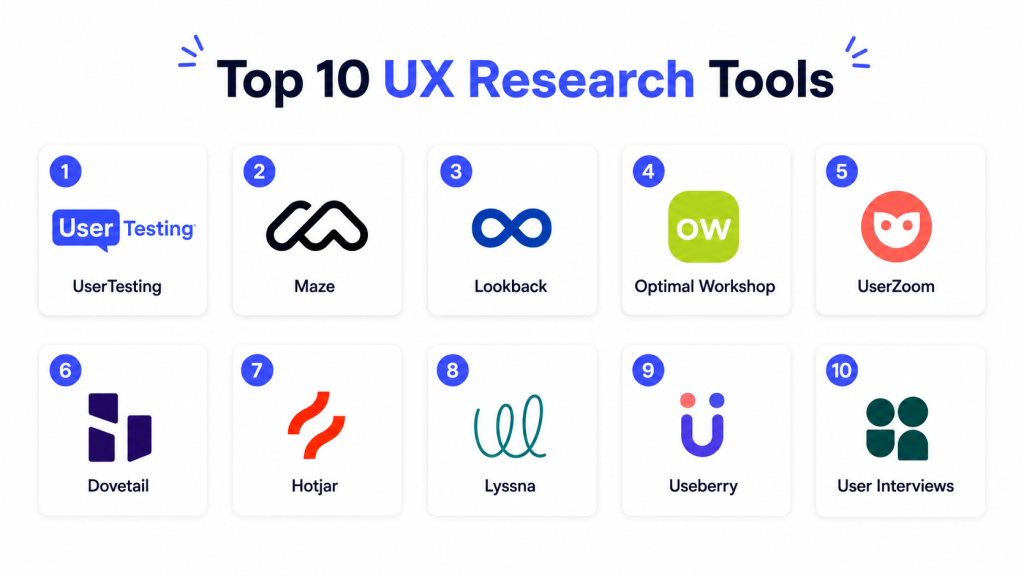
Top 10 UX Research Tools
#1 — UserTesting
Short description: UserTesting is a well-known UX research platform that helps teams collect video-based feedback from real users. It is commonly used for usability testing, prototype validation, customer journey research, and product experience studies. The platform is suitable for product teams, UX researchers, marketers, and enterprises that need fast access to user insights. UserTesting is especially useful when teams want qualitative feedback with recorded user behavior and spoken reactions.
Key Features
- Video-based usability testing
- Participant recruitment support
- Prototype and website testing
- Customer journey research
- Highlight reels and insight sharing
- Team collaboration tools
- Research templates and guided studies
Pros
- Strong qualitative research capabilities
- Fast access to user feedback
- Useful for product, design, and marketing teams
Cons
- Can be costly for smaller teams
- Advanced workflows may require onboarding
- Best value comes with regular research usage
Support & Community
UserTesting offers documentation, onboarding support, research resources, and customer success options for teams running structured research programs.
#2 — Maze
Short description: Maze is a user research and product discovery platform designed for fast prototype testing, surveys, and usability insights. It is popular among product designers and product managers because it integrates well with design workflows and helps validate ideas before development. Maze is useful for testing concepts, measuring task completion, collecting feedback, and making design decisions quickly. It is a strong choice for teams that want lightweight, continuous research without complex setup.
Key Features
- Prototype testing
- Usability testing
- Surveys and feedback forms
- Task success metrics
- Design tool integrations
- Automated reports
- Participant panel options
Pros
- Fast and easy to use
- Strong prototype testing workflow
- Good for continuous product discovery
Cons
- Less deep than enterprise research suites
- Limited for complex moderated research
- Advanced research operations may need other tools
Support & Community
Maze provides documentation, templates, learning resources, and support for product and design teams focused on rapid testing.
#3 — Lookback
Short description: Lookback is a UX research tool focused on moderated and unmoderated user interviews, usability testing, and live observation. It helps researchers watch users interact with products, ask follow-up questions, and capture rich qualitative insights. Lookback is useful for teams that want to understand user behavior in context rather than only collect survey responses. It fits UX researchers, product designers, and teams that rely heavily on interview-based research.
Key Features
- Moderated user interviews
- Unmoderated usability testing
- Live observation rooms
- Screen and camera recording
- Participant session capture
- Research note-taking
- Team collaboration features
Pros
- Strong for live research sessions
- Useful for interviews and usability studies
- Good qualitative research depth
Cons
- Less focused on quantitative testing
- Requires research planning and moderation skills
- May not replace survey or analytics tools
Support & Community
Lookback provides help resources, documentation, and support for research teams conducting live and recorded user studies.
#4 — Optimal Workshop
Short description: Optimal Workshop is a UX research platform focused on information architecture, navigation testing, card sorting, tree testing, surveys, and first-click testing. It is especially useful for teams designing websites, apps, intranets, product menus, and content structures. The platform helps researchers understand how users categorize information and find what they need. Optimal Workshop is a strong choice for UX teams working on navigation, taxonomy, and content organization.
Key Features
- Card sorting
- Tree testing
- First-click testing
- Online surveys
- Information architecture research
- Visual reports and analysis
- Participant recruitment options
Pros
- Excellent for navigation and IA research
- Easy to run structured studies
- Useful for website redesigns and product menus
Cons
- Less broad than full UX research suites
- Not focused on session replay or heatmaps
- Best for specific research methods
Support & Community
Optimal Workshop offers documentation, research guides, templates, and support for UX teams working on information architecture and usability research.
#5 — UserZoom
Short description: UserZoom is an enterprise-focused UX research platform that supports usability testing, benchmarking, surveys, participant management, and research operations. It is designed for larger organizations that need scalable research programs across multiple teams and products. UserZoom helps teams collect both qualitative and quantitative insights and turn them into product decisions. It is best suited for enterprises and mature research teams that need governance, reporting, and repeatable research workflows.
Key Features
- Usability testing
- Benchmarking studies
- Surveys and questionnaires
- Participant management
- Research operations features
- Reporting dashboards
- Enterprise collaboration tools
Pros
- Strong enterprise research capabilities
- Supports structured research programs
- Useful for both qualitative and quantitative insights
Cons
- May be too complex for small teams
- Pricing can be higher
- Requires setup and research maturity
Support & Community
UserZoom provides enterprise onboarding, documentation, support resources, and customer success options for research teams.
#6 — Dovetail
Short description: Dovetail is a research repository and insight management platform that helps teams organize, analyze, and share customer research. It is commonly used to store interview notes, transcripts, feedback, tags, themes, and research findings in one central place. Dovetail is especially useful for product teams that run frequent research and need a searchable knowledge base. It helps turn raw qualitative data into structured insights that teams can reuse across projects.
Key Features
- Research repository
- Interview transcription support
- Tagging and theme analysis
- Insight highlight creation
- Collaborative note-taking
- Searchable customer knowledge base
- Reports and shareable findings
Pros
- Excellent for organizing research insights
- Strong collaboration features
- Useful for product discovery and research operations
Cons
- Not primarily a testing tool
- Requires consistent tagging discipline
- Value increases with regular research input
Support & Community
Dovetail offers documentation, templates, onboarding resources, and support for UX research, product, and customer insight teams.
#7 — Hotjar
Short description: Hotjar is a behavior analytics and feedback tool that helps teams understand how users interact with websites. It provides heatmaps, session recordings, feedback widgets, and surveys to identify friction points and conversion issues. Hotjar is popular among marketers, product managers, UX teams, and website owners because it is easy to set up and visually shows user behavior. It is best for teams that want website experience insights without heavy research operations.
Key Features
- Heatmaps
- Session recordings
- Feedback widgets
- Surveys
- Funnel behavior insights
- User behavior tracking
- Website experience analysis
Pros
- Easy to install and use
- Great visual behavior insights
- Useful for websites and conversion optimization
Cons
- Less suited for deep interview research
- Mainly focused on website behavior
- Requires careful privacy configuration
Support & Community
Hotjar provides help documentation, onboarding guides, templates, and a large user community across product and marketing teams.
#8 — Lyssna
Short description: Lyssna is a user research platform designed for quick usability tests, preference tests, surveys, first-click tests, and design validation. It helps teams collect user feedback on designs, landing pages, prototypes, and product ideas. Lyssna is useful for designers, marketers, founders, and product teams that need fast feedback without complex research setup. It is a strong choice for lightweight validation and early-stage design decisions.
Key Features
- Preference testing
- First-click testing
- Surveys
- Five-second testing
- Prototype feedback
- Participant recruitment
- Visual result reports
Pros
- Simple and fast testing workflow
- Useful for design validation
- Good for early product decisions
Cons
- Less suitable for complex enterprise research
- Limited deep qualitative research features
- May need pairing with repository tools
Support & Community
Lyssna provides help resources, templates, support documentation, and practical guidance for design and product teams.
#9 — Useberry
Short description: Useberry is a UX testing platform focused on prototype testing, user flows, click tracking, and design feedback. It helps teams validate product designs before development by measuring how users interact with prototypes. Useberry is useful for designers and product teams that want quick feedback on usability, navigation, and task completion. It works well for early-stage testing when teams need practical insights before investing engineering time.
Key Features
- Prototype testing
- User flow analysis
- Click tracking
- Heatmaps
- Task completion metrics
- Feedback collection
- Design tool integrations
Pros
- Good for prototype validation
- Easy for designers to use
- Helpful visual testing reports
Cons
- Less broad than full UX research suites
- Limited research repository features
- Advanced analysis may require other tools
Support & Community
Useberry offers documentation, onboarding resources, and support for design and product teams running prototype tests.
#10 — User Interviews
Short description: User Interviews is a participant recruitment and research operations platform that helps teams find, screen, schedule, and manage research participants. It is useful for UX researchers, product teams, and companies that need reliable participant sourcing for interviews, surveys, and usability tests. The platform is not mainly a usability testing tool itself, but it plays a critical role in research workflows by helping teams recruit the right users. It is best for teams that need better research participant management and recruitment efficiency.
Key Features
- Participant recruitment
- Screener surveys
- Scheduling tools
- Research panel management
- Incentive management
- Participant communication
- Research operations support
Pros
- Strong participant recruitment workflow
- Saves time for research teams
- Useful for targeted user studies
Cons
- Not a full usability testing platform
- Costs depend on recruitment needs
- Requires pairing with research or testing tools
Support & Community
User Interviews provides documentation, support resources, templates, and guidance for researchers managing participant recruitment and research operations.
Comparison Table
| Tool Name | Best For | Ease of Use | Pricing | Standout Feature |
|---|---|---|---|---|
| UserTesting | Video-based user feedback | Medium | High | Large user feedback platform |
| Maze | Prototype and product testing | High | Medium | Fast usability validation |
| Lookback | Moderated user research | Medium | Medium | Live user interviews |
| Optimal Workshop | Information architecture | High | Medium | Card sorting and tree testing |
| UserZoom | Enterprise UX research | Medium | High | Research operations at scale |
| Dovetail | Research repository | High | Medium | Insight organization |
| Hotjar | Website behavior analysis | High | Medium | Heatmaps and recordings |
| Lyssna | Quick design testing | High | Medium | Preference and first-click tests |
| Useberry | Prototype testing | High | Medium | User flow and click tracking |
| User Interviews | Participant recruitment | High | Medium | Research participant sourcing |
Scoring Table
| Tool Name | Core | Ease | Integrations | Security | Performance | Support | Value | Total |
|---|---|---|---|---|---|---|---|---|
| UserTesting | 9 | 7 | 8 | 8 | 8 | 9 | 7 | 8.0 |
| Maze | 8 | 9 | 8 | 8 | 8 | 8 | 8 | 8.2 |
| Lookback | 8 | 7 | 7 | 8 | 8 | 8 | 7 | 7.6 |
| Optimal Workshop | 8 | 8 | 7 | 8 | 8 | 8 | 8 | 7.9 |
| UserZoom | 9 | 7 | 8 | 9 | 8 | 9 | 7 | 8.1 |
| Dovetail | 8 | 9 | 8 | 8 | 8 | 8 | 8 | 8.1 |
| Hotjar | 8 | 9 | 8 | 8 | 8 | 8 | 8 | 8.1 |
| Lyssna | 7 | 9 | 7 | 8 | 8 | 7 | 8 | 7.7 |
| Useberry | 7 | 8 | 7 | 7 | 8 | 7 | 8 | 7.5 |
| User Interviews | 8 | 8 | 7 | 8 | 8 | 8 | 8 | 7.9 |
These scores are comparative and help buyers understand which tools are stronger for different research needs. A higher score does not mean one tool is best for every team. For example, UserTesting is strong for video-based research, Dovetail is better for organizing insights, and User Interviews is better for recruiting participants. The right choice depends on your research workflow, team maturity, budget, and product stage.
Which UX Research Tool Is Right for You?
Solo / Freelancer
Solo freelancers usually need simple tools that are affordable, easy to learn, and quick to set up. Maze, Lyssna, Useberry, and Hotjar are practical choices because they support lightweight testing and feedback collection without heavy research operations. If you need participant recruitment, User Interviews can help, but it may be more useful when you have regular research needs.
SMB
SMBs need tools that support product discovery, usability testing, and customer feedback without creating too much operational complexity. Maze, Hotjar, Dovetail, and Optimal Workshop are strong choices for growing teams. Maze helps validate prototypes, Hotjar shows website behavior, Dovetail organizes insights, and Optimal Workshop supports navigation research.
Mid-Market
Mid-market teams usually need stronger collaboration, repeatable research workflows, participant recruitment, and better insight sharing. UserTesting, Dovetail, Lookback, and Optimal Workshop are useful in this segment. These tools help teams run structured studies, analyze feedback, and share insights across product, design, and leadership teams.
Enterprise
Enterprises need research governance, scale, access controls, participant management, reporting, and cross-team collaboration. UserZoom, UserTesting, Dovetail, and User Interviews are strong candidates. Enterprises should prioritize tools that support research operations, centralized insight management, permission controls, and repeatable study templates.
Budget vs Premium
Budget-focused teams should start with lightweight tools such as Maze, Lyssna, Useberry, or Hotjar depending on their use case. These tools are suitable for fast testing, website behavior insights, and simple feedback collection. Premium platforms like UserTesting and UserZoom are better for teams that need larger research programs, participant access, governance, and deeper reporting.
Feature Depth vs Ease of Use
If ease of use matters most, Maze, Hotjar, Lyssna, and Useberry are strong options. They are easy to adopt and useful for fast testing. If feature depth matters more, UserTesting, UserZoom, Lookback, and Dovetail provide stronger research workflows, qualitative analysis, participant management, and insight sharing.
Integrations & Scalability
Teams should check whether the tool integrates with design platforms, product management systems, analytics tools, collaboration platforms, and research repositories. Maze and Useberry are helpful for prototype testing workflows, Dovetail is useful for centralizing insights, and Hotjar works well for website behavior tracking. Enterprise teams should also consider permission management and reporting scalability.
Security & Compliance Needs
Security-sensitive teams should review data handling, access controls, participant privacy, recording storage, permission settings, and export options. Teams running interviews or collecting personal feedback should be especially careful with consent and privacy practices. Enterprises should validate security requirements before storing sensitive research data or customer recordings in any platform.
Frequently Asked Questions
1. What are UX Research Tools?
UX Research Tools help teams understand user behavior, needs, problems, and expectations through testing, interviews, surveys, recordings, and feedback analysis. These tools make it easier to collect evidence before making product or design decisions. They reduce guesswork and help teams build experiences that are easier to use. UX research tools are useful for product discovery, usability testing, and continuous improvement.
2. Why are UX Research Tools important?
UX Research Tools are important because they help teams identify usability problems before they affect customers at scale. They reveal where users struggle, what they expect, and why they abandon certain tasks. This helps product teams reduce friction, improve conversions, and build more useful features. Without research, teams may make decisions based only on opinions or assumptions.
3. What is the difference between usability testing and UX research?
Usability testing is one method within UX research that focuses on how easily users can complete tasks in a product. UX research is broader and includes interviews, surveys, behavioral analysis, concept testing, journey mapping, and feedback synthesis. Usability testing finds interface problems, while UX research helps understand deeper user needs and motivations. Many tools support both areas depending on features.
4. Which UX Research Tool is best for beginners?
Maze, Hotjar, Lyssna, and Useberry are good options for beginners because they are easy to set up and understand. Maze and Useberry are useful for prototype testing, while Hotjar helps analyze website behavior through heatmaps and recordings. Lyssna is helpful for quick design feedback and preference testing. Beginners should choose based on whether they need behavior data, prototype testing, or user feedback.
5. Are UX Research Tools only for large companies?
No, UX Research Tools are useful for startups, freelancers, SMBs, agencies, and enterprises. Small teams can use lightweight tools to test ideas before building them, while larger companies use advanced platforms for continuous research programs. Even simple feedback can prevent costly product mistakes. The best tool depends on team size, research maturity, and budget.
6. Can UX Research Tools help improve conversion rates?
Yes, UX Research Tools can help improve conversion rates by showing where users drop off, get confused, or hesitate. Tools like Hotjar can reveal behavior patterns, while usability testing tools can uncover why users fail to complete tasks. These insights help teams improve forms, landing pages, onboarding flows, and checkout experiences. Better usability often leads to stronger engagement and conversions.
7. Do UX Research Tools support remote user testing?
Yes, many UX Research Tools support remote testing through video sessions, screen sharing, prototype tasks, surveys, and unmoderated studies. Remote testing allows teams to reach users from different locations without in-person labs. It also helps teams run faster research cycles and collect feedback from a wider audience. Tools like UserTesting, Lookback, Maze, and Lyssna are commonly used for remote research workflows.
8. What should I look for before choosing a UX Research Tool?
You should evaluate research methods, participant recruitment, ease of use, collaboration features, reporting quality, integrations, pricing, and data privacy controls. If your team runs interviews, choose tools with recording and note-taking features. If you test designs, choose tools with prototype testing and task metrics. If you manage lots of insights, choose a research repository like Dovetail.
9. Can UX Research Tools replace product analytics?
UX Research Tools do not fully replace product analytics because they answer different questions. Product analytics shows what users are doing, while UX research helps explain why users behave that way. The best teams use both together to identify patterns and understand user motivation. Analytics finds the problem area, and research explains the user experience behind it.
10. How do teams get participants for UX research?
Teams can recruit participants through customer lists, in-app prompts, email outreach, social channels, panels, or participant recruitment platforms. Tools like User Interviews help researchers find and manage participants for studies. Good participant screening is important because feedback is only useful when it comes from the right audience. Teams should define clear criteria before recruitment begins.
Conclusion
UX Research Tools help teams build better products by replacing assumptions with real user evidence. The best tool depends on your research goals, team size, product stage, and budget. Maze, Lyssna, and Useberry are useful for fast design validation, Hotjar is strong for website behavior insights, Dovetail helps organize research knowledge, and UserTesting or UserZoom fit larger research programs. The right next step is to shortlist two or three tools based on your workflow, run a small research pilot, validate ease of use and reporting quality, then scale the tool that helps your team make clearer product decisions.

This was a very helpful comparison. It clearly explains the strengths of each UX research tool and makes it easy to understand which option works best for different stages of user research.