Introduction
Crash Reporting Tools help developers detect, track, analyze, and fix application crashes in real time. These tools capture error logs, stack traces, device data, and user actions that lead to failures, enabling teams to quickly identify root causes and improve application stability. Instead of manually debugging issues after user complaints, crash reporting platforms provide automated insights that reduce downtime and enhance user experience.
This category matters because even small crashes can lead to user frustration, poor reviews, and revenue loss. Modern applications across mobile, web, and backend systems require continuous monitoring to ensure reliability. Crash reporting tools are widely used in mobile apps, SaaS platforms, gaming applications, and enterprise systems.
Real-world use cases
- Detecting app crashes in mobile applications
- Monitoring production errors in web applications
- Debugging backend service failures
- Tracking performance issues linked to crashes
- Improving app stability before releases
Evaluation Criteria for Buyers
- Real-time crash detection and alerting
- Error tracking and debugging capabilities
- Platform support (mobile, web, backend)
- Integration with development tools
- Ease of setup and developer experience
- Reporting and analytics features
- Performance monitoring capabilities
- Scalability and pricing
Best for: developers, SaaS teams, mobile app companies, startups, and enterprises.
Not ideal for: teams that only need basic logging without detailed crash insights.
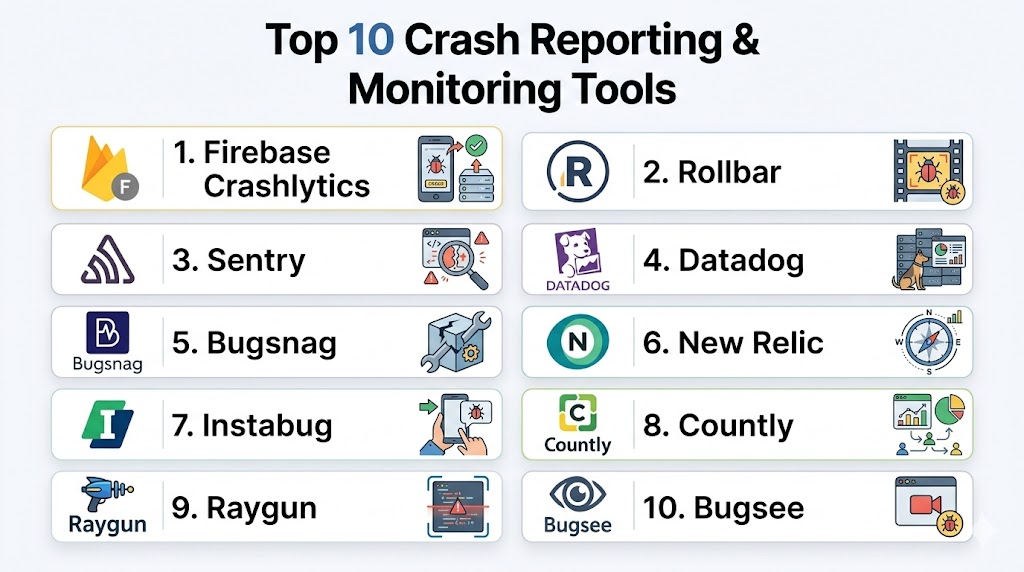
Top 10 Crash Reporting Tools
#1 — Firebase Crashlytics
Short description: Firebase Crashlytics is a widely used crash reporting tool designed for mobile applications, offering real-time crash insights, detailed reports, and seamless integration with Firebase services. It is ideal for developers building Android and iOS apps who want fast and reliable crash detection.
Key Features
- Real-time crash reporting
- Detailed stack traces
- Integration with Firebase ecosystem
- Crash grouping and prioritization
- Performance monitoring
- Custom logs and events
- User impact tracking
Pros
- Easy integration
- Strong mobile support
- Free tier available
Cons
- Limited outside mobile apps
- Firebase dependency
- Less flexible for non-Firebase users
Support & Community
Backed by strong documentation and a large developer community.
#2 — Sentry
Short description: Sentry is a developer-focused error and crash monitoring platform that provides deep visibility into application errors across web, mobile, and backend environments. It is widely used for debugging and performance monitoring.
Key Features
- Real-time error tracking
- Performance monitoring
- Stack trace analysis
- Release tracking
- Issue grouping
- Alerts and notifications
- Multi-platform support
Pros
- Broad platform support
- Powerful debugging tools
- Open-source option available
Cons
- Can be complex to configure
- UI learning curve
- Pricing can increase
Support & Community
Strong community support and extensive documentation.
#3 — Bugsnag
Short description: Bugsnag provides real-time crash reporting and error monitoring with a focus on stability tracking and user impact analysis. It is used by teams that want actionable insights into application health.
Key Features
- Real-time crash tracking
- Stability metrics
- Error grouping
- Release tracking
- Performance insights
- Alerts and notifications
- Multi-platform support
Pros
- Clear insights into app stability
- Easy integration
- Good UI
Cons
- Pricing can be high
- Limited free features
- Advanced features require setup
Support & Community
Offers documentation and customer support with enterprise options.
#4 — Instabug
Short description: Instabug combines crash reporting with user feedback tools, allowing teams to capture crashes along with user-reported issues. It is popular for mobile app teams focused on user experience.
Key Features
- Crash reporting
- In-app bug reporting
- Session replay
- User feedback collection
- Performance monitoring
- Alerts
- Debugging tools
Pros
- Combines feedback and crash data
- Strong mobile features
- User-friendly interface
Cons
- Focused mainly on mobile apps
- Pricing can be high
- Limited backend support
Support & Community
Provides support and documentation with focus on mobile developers.
#5 — Raygun
Short description: Raygun is a crash reporting and performance monitoring tool that helps developers track errors across web and mobile applications with detailed diagnostics.
Key Features
- Error tracking
- Performance monitoring
- Real user monitoring
- Crash analytics
- Alerts
- Deployment tracking
- Session data
Pros
- Detailed diagnostics
- Good performance insights
- Multi-platform support
Cons
- Pricing may be higher
- Setup complexity
- Learning curve
Support & Community
Provides documentation and customer support options.
#6 — Rollbar
Short description: Rollbar is a real-time error monitoring platform that helps developers identify and fix crashes quickly with detailed insights and automation features.
Key Features
- Real-time error tracking
- Root cause analysis
- Alerts
- Deployment tracking
- Stack trace analysis
- API integration
- Multi-platform support
Pros
- Fast issue detection
- Easy integration
- Good automation features
Cons
- UI can feel complex
- Pricing tiers
- Advanced features require setup
Support & Community
Offers documentation and developer support.
#7 — Datadog
Short description: Datadog is an observability platform that includes crash reporting and error tracking as part of its broader monitoring ecosystem.
Key Features
- Error tracking
- Performance monitoring
- Log management
- Real-time alerts
- Dashboard visualization
- API integrations
- Infrastructure monitoring
Pros
- Full observability platform
- Strong integrations
- Scalable
Cons
- Expensive
- Complex setup
- Overkill for small teams
Support & Community
Enterprise support and strong documentation.
#8 — New Relic
Short description: New Relic provides application performance monitoring along with error tracking and crash reporting, making it suitable for enterprise environments.
Key Features
- Error tracking
- Performance monitoring
- Real-time analytics
- Alerts
- Dashboard tools
- API integrations
- Infrastructure monitoring
Pros
- Comprehensive monitoring
- Strong analytics
- Enterprise-ready
Cons
- Pricing complexity
- Learning curve
- Not beginner-friendly
Support & Community
Provides enterprise support and resources.
#9 — Countly
Short description: Countly is an analytics platform with crash reporting capabilities, offering both cloud and self-hosted options for teams needing control over data.
Key Features
- Crash reporting
- Analytics dashboard
- User tracking
- Self-hosted option
- Alerts
- Custom reports
- Data privacy features
Pros
- Self-hosted option
- Good analytics features
- Flexible deployment
Cons
- Requires setup effort
- Limited free features
- Smaller ecosystem
Support & Community
Provides documentation and community support.
#10 — Bugsee
Short description: Bugsee provides crash reporting combined with session replay and debugging tools, helping developers understand the context behind crashes.
Key Features
- Crash reporting
- Session replay
- Video logs
- Network tracking
- Debugging tools
- Alerts
- Performance insights
Pros
- Visual debugging
- Detailed context
- Easy to use
Cons
- Focused mainly on mobile
- Limited enterprise features
- Smaller ecosystem
Support & Community
Offers documentation and developer support.
Comparison Table
| Tool | Best For | Ease of Use | Pricing | Standout Feature |
|---|---|---|---|---|
| Firebase Crashlytics | Mobile apps | High | Free/Low | Real-time crash insights |
| Sentry | Developers | Medium | Medium | Deep debugging |
| Bugsnag | Stability tracking | High | Medium | User impact analysis |
| Instabug | Mobile UX | High | High | User feedback + crashes |
| Raygun | Diagnostics | Medium | High | Detailed analytics |
| Rollbar | Real-time tracking | Medium | Medium | Fast error detection |
| Datadog | Enterprise monitoring | Low | High | Full observability |
| New Relic | Enterprise apps | Low | High | Performance analytics |
| Countly | Self-hosted users | Medium | Medium | Data control |
| Bugsee | Visual debugging | High | Medium | Session replay |
Scoring Table
| Tool | Core | Ease | Integrations | Security | Performance | Support | Value | Total |
|---|---|---|---|---|---|---|---|---|
| Crashlytics | 9 | 9 | 8 | 8 | 9 | 9 | 9 | 8.7 |
| Sentry | 9 | 7 | 9 | 8 | 9 | 8 | 8 | 8.4 |
| Bugsnag | 8 | 8 | 8 | 8 | 8 | 8 | 7 | 7.9 |
| Instabug | 8 | 8 | 7 | 7 | 8 | 8 | 7 | 7.8 |
| Raygun | 8 | 7 | 8 | 8 | 8 | 8 | 7 | 7.8 |
| Rollbar | 8 | 7 | 8 | 8 | 8 | 8 | 7 | 7.8 |
| Datadog | 9 | 6 | 9 | 9 | 9 | 9 | 6 | 8.2 |
| New Relic | 9 | 6 | 9 | 9 | 9 | 9 | 6 | 8.2 |
| Countly | 7 | 7 | 7 | 8 | 7 | 7 | 8 | 7.4 |
| Bugsee | 7 | 8 | 6 | 7 | 7 | 7 | 7 | 7.1 |
These scores provide a comparative overview to help shortlist tools based on your priorities. Higher scores indicate better overall balance, but the right choice depends on your application type and team needs.
Which Tool Is Right for You?
Solo / Freelancer
Crashlytics, Sentry, and Bugsee are easy to use and effective.
SMB
Bugsnag, Rollbar, and Raygun offer balanced features.
Mid-Market
Sentry and Datadog provide strong insights and integrations.
Enterprise
Datadog and New Relic are ideal for large-scale monitoring.
Frequently Asked Questions
1. What is a crash reporting tool?
A crash reporting tool helps developers track application crashes and errors automatically. It captures logs, stack traces, and system data to identify root causes. This allows teams to fix issues quickly and improve app stability.
2. Why are crash reporting tools important?
They help detect issues before users complain, improving user experience. Faster debugging leads to better app performance and fewer downtime incidents.
3. Do these tools support multiple platforms?
Yes, many tools support mobile, web, and backend systems. Some are specialized for mobile apps, while others cover full-stack environments.
4. Can crash reporting tools improve performance?
Yes, many tools include performance monitoring alongside crash tracking. This helps identify slow operations and optimize application behavior.
5. Are these tools difficult to integrate?
Most tools provide SDKs and APIs that make integration straightforward. However, advanced configurations may require developer expertise.
6. Do they support real-time alerts?
Yes, most platforms offer real-time alerts for critical errors. This helps teams respond quickly to issues.
7. Can I track user impact?
Many tools provide insights into how crashes affect users, helping prioritize fixes based on impact.
8. Are free options available?
Some tools offer free tiers with limited features, suitable for small projects or testing.
9. What should I look for in a crash reporting tool?
Focus on real-time tracking, ease of use, integrations, scalability, and pricing.
10. Which tool is best for mobile apps?
Firebase Crashlytics and Instabug are strong choices for mobile applications.
Conclusion
Crash reporting tools are essential for maintaining application stability and delivering a smooth user experience. Each tool offers unique strengths, from simple crash tracking to full observability platforms. The best choice depends on your application type, scale, and technical requirements. Start by selecting a few tools, test their integration, and evaluate their reporting capabilities before making a final decision.
