Introduction
Modern software engineering organizations often face severe bottlenecks when coordinating release mechanisms across multiple engineering teams. In the absence of centralized, automated execution pathways, developers resort to building unique, ad-hoc build scripts, executing manual regression checks, and packaging application binaries locally on separate workstations. This fragmentation leads to prolonged integration cycles, untraceable build failures, and critical configuration mistakes that routinely corrupt target runtime environments.
As application footprints transition to microservices and multicloud infrastructure, relying on disparate release workflows compromises delivery security and velocity. Manual intervention during compile or deployment phases prevents organizations from expanding their computing operations predictably. To resolve these operational challenges, enterprise software teams must implement standardized, highly resilient continuous integration and continuous delivery (CI/CD) pipelines.
What is an Enterprise CI/CD Pipeline?
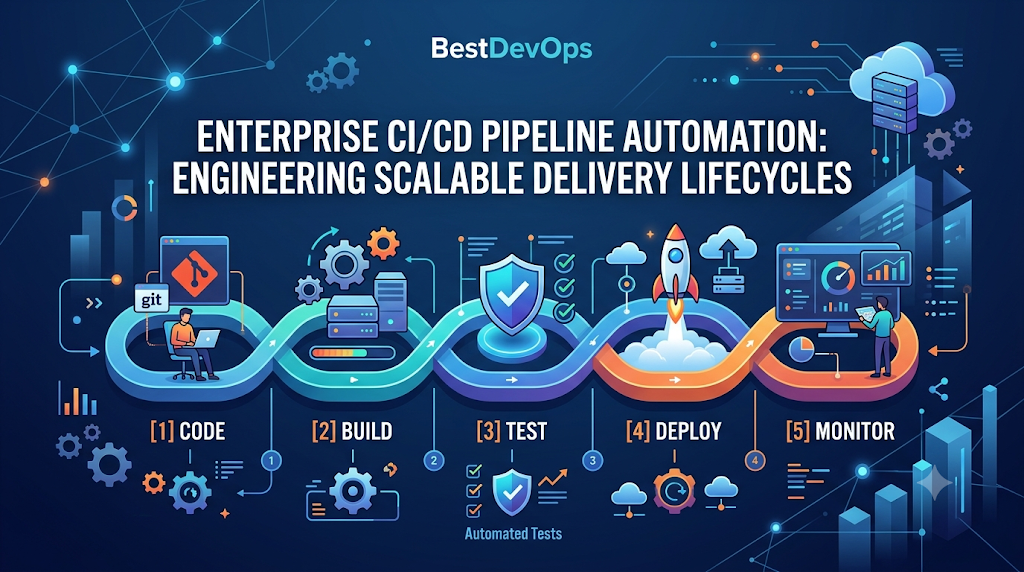
An enterprise CI/CD pipeline is an integrated ecosystem of automated software tools, scripts, and policies designed to handle the building, testing, validating, and deploying of software assets. Continuous Integration (CI) focuses on automating the consolidation of code modifications from multiple contributors into a shared central repository, where builds and validation checks run instantly.
+--------------------------------------------------------------------------------+
|                        Unified CI/CD Execution Lifecycle                       |
+--------------------------------------------------------------------------------+
  [Git Commit] -> [Compile & Test] -> [Artifact Build] -> [Security Validation]
                                                                   |
                                                                   v
  [Production Update] <- [Staging Promotion] <- [Declarative CD] <- [Registry Push]
Continuous Delivery (CD) extends this workflow by automatically packaging successful builds and orchestrating their deployment across target compute platforms. Rather than relying on a series of disconnected operational scripts, a modern pipeline functions as a single, software-defined control plane that moves source modifications from development repositories into production environments securely.
Why It Matters: The Engine of Modern Application Delivery
Operating dynamic software environments across cloud networks requires shipping updates frequently without degrading operational availability. When software validation checks run asynchronously, engineers lose track of code dependencies, leading to broken software states when modules merge.
Enforcing structured pipeline designs ensures that all incoming adjustments go through uniform compilation steps, linting rules, and unit tests automatically. By running these checks inside isolated environment configurations before compilation finishes, organizations lower runtime errors, simplify troubleshooting, and ensure software remains stable. This systemic verification is foundational for modern application delivery.
About BestDevOps
BestDevOps functions as an educational reference and engineering intelligence resource designed for systems architects, cloud practitioners, site reliability engineers, and software delivery leads. The platform provides structured technical roadmaps, hands-on tool comparisons, deployment tutorials, and certification preparation material covering core enterprise domains like infrastructure as code, container orchestration, and continuous integration pipelines. It also features integrated data-driven analytical insights designed to help teams measure software delivery performance, identify workflow blockages, and systematically evaluate key DORA indicators.
Whether you are an enterprise technical manager seeking to standardize multi-cloud infrastructure, or a software engineer looking to advance your technical delivery skills, the platform provides actionable guides tailored to modern operations. By focusing on practical application architectural patterns and systematic automation frameworks, the platform assists engineering teams in mitigating system friction, strengthening delivery consistency, and managing the underlying complexities of cloud-native development. Professionals seeking to design robust validation pipelines can leverage these resources to identify the Best DevOps Course configurations.
Common Enterprise Delivery Pipeline Challenges
- Long-Running Build Queues: Unoptimized pipeline runners and monolithic build steps delay execution feedback, keeping developers waiting on test results for hours.
- Brittle, Flaky Test Suites: Poorly maintained automated tests that fail randomly due to environment or timing issues erode developer trust in pipeline warnings.
- Pipeline Configuration Drift: Allowing teams to manage deployment configurations through custom scripts outside version control results in non-standard release paths.
- Insecure Secret Management: Exposing cloud infrastructure passwords or API access tokens within raw pipeline variables creates significant security vulnerabilities.
Key Concepts of Highly Scalable Pipelines
Continuous Integration Checkpoints
Every repository modification triggers instant compilation, code formatting audits, and localized unit checks to identify source logic bugs early.
Artifact Immutability Properties
Build binaries are compiled once during the initial pipeline run, packaged as immutable assets (like Docker images), and advanced through environments without recompilation.
Automated Staging Environments
The pipeline manages short-lived deployment environments using declarative infrastructure templates, validating system dependencies before production rollouts.
Progressive Delivery Controls
Release platforms isolate feature visibility using tools like feature flags or canary deployments, separating code deployment from business release timelines.
Architectural Workflow of an Automated Build and Release Loop
A high-performance orchestration framework runs validation checks systematically to protect live application nodes.
[ Developer Merge ] ---> Triggers Version Control Webhook
                                 |
                                 v
[ Integration Runner ] -> Compiles Assets & Runs Static Source Inspections
                                 |
                                 v
[ Packaging Engine ] ---> Encapsulates Immutable Artifact & Pushes to Registry
                                 |
                                 v
[ Deployment Gateway ] -> Provisions Ephemeral Test Staging via GitOps Controllers
                                 |
                                 v
[ Production Target ] --> Updates Cluster Running Nodes via Canary Rollouts
- Code Ingestion: A developer pushes a verified change to the code repository, initiating the automated workflow via secure webhooks.
- Asset Compilation: The runner sets up an isolated environment, runs unit tests, and conducts static code analysis.
- Artifact Packaging: Validated code is packaged into an immutable container asset and stored in a secure repository.
- Deployment Verification: Continuous delivery engines push the packaged asset across non-production environments using automated validation steps to check cluster stability.
Real-World Enterprise Use Cases
Streamlining Microservice Deployment Cadences
A financial technology company struggled to coordinate updates across fifty independent microservices using legacy deployment platforms. By migrating to a structured pipeline architecture, the team decoupled build schedules. Each service now uses dedicated, containerized runners to execute updates independently, reducing integration delays.
Automating Rollbacks during Production Failures
An e-commerce platform integrated real-time monitoring hooks directly into its delivery pipeline. During a major promotional event, a faulty deployment caused localized API failures. The deployment gateway caught the elevated error rates via automated monitoring checks and rolled the cluster back to the previous stable release automatically, minimizing customer impact.
Technical and Business Benefits
- Reduced Blast Radii: Shipping minor, incremental updates limits the system impact of any single configuration or code error.
- Elimination of Manual Ticketing: Self-service execution paths remove dependency on operational infrastructure teams for standard software rollouts.
- Enforced Security Standards: Container security checks and dependency audits run automatically within the build path, keeping insecure packages out of production registries.
- Predictable Operational Auditing: Managing pipeline definitions as code provides a clear historical record of all environment and release changes.
Best Practices for Pipeline Automation and Security
Implement Parallel Pipeline Execution
Optimize build speeds by running independent tasks—such as code style checking, unit testing, and dependency scanning—in parallel across distinct build runners rather than sequentially.
Isolate Pipeline Credentials Strictly
Avoid storing static long-lived credentials inside build variables. Use short-lived, identity-federated cloud access tokens that expire automatically after specific pipeline jobs complete.
Treat Pipeline Configurations as Source Code
Store all build and delivery step definitions inside version control repositories alongside the application code. This practice ensures pipeline updates go through standard peer reviews and remain reproducible.
Common Mistakes to Avoid
- Bypassing Pipeline Gates during Incidents: Manually pushing emergency patches directly to production systems outside the pipeline introduces untracked configuration variations and risks breaking subsequent automated releases.
- Neglecting Dependency Maintenance: Allowing build runners to fetch unpinned third-party libraries without validation checks invites breaking changes during automated builds.
- Relying Entirely on Third-Party Scripts: While automation tools are critical, sustained delivery success still relies on a strong collaborative engineering culture, continuous feedback loops, and data-driven process improvements.
Implementation Strategy and Roadmap
Transitioning to automated continuous delivery requires a phased implementation plan to maintain application availability:
Phase 1: Pipeline Definition (Consolidate local compilation tasks into source code files)
                         |
                         v
Phase 2: Continuous Integration (Automate testing and check dependencies on every merge)
                         |
                         v
Phase 3: Automated Staging (Enable automated distribution to non-production environments)
                         |
                         v
Phase 4: Insights Integration (Track performance metrics to monitor delivery health)
- Define the Build Lifecycle: Convert manual build instructions into reproducible, file-based pipeline definitions using tools like Jenkins, GitHub Actions, or GitLab CI.
- Enforce Continuous Integration: Connect automated test configurations to main repository branches, requiring all updates to pass tests before merging.
- Automate Staging Promotions: Configure automated deployment gates to push successful build assets into staging environments using tools like Terraform or Ansible.
- Connect Delivery Telemetry: Integrate performance metrics to monitor deployment stability and check for pipeline execution bottlenecks.
Manual Software Release vs. Automated CI/CD Pipelines
| Evaluation Parameter | Manual Software Release Models | Automated CI/CD Pipelines |
| Execution Consistency | High risk of human error from manual terminal configurations. | High consistency via structured, file-based step definitions. |
| Feedback Latency | Days or weeks due to manual code assembly and coordination. | Near-instant results delivered within active pull requests. |
| Security Credential Handling | Engineers share high-privilege access keys across workstations. | Systems use temporary, role-based cloud access credentials. |
| Rollback Resolution | Manual environment restoration that risks configuration errors. | Fast, single-command rollbacks to the last stable release. |
Career Guidance: Mastering Continuous Delivery Systems
The growth of cloud-native systems drives significant enterprise demand for professionals who can design, secure, and scale automated delivery systems.
Required Skill Sets
- Pipeline Instrumentation: Building secure workflows using platforms like Jenkins, GitHub Actions, or GitLab CI.
- Container and Artifact Management: Creating optimized Dockerfiles, managing base layers, and handling artifact registries securely.
- Infrastructure Configuration: Automating target environments using declarative infrastructure-as-code tools like Terraform or Ansible.
Recommended Learning Pathways
Practitioners looking to build expertise can explore structured educational materials:
- Foundational Knowledge: Evaluate a comprehensive DevOps Roadmap to study the concepts behind container architectures, networking paradigms, and systems orchestration.
- Practical Guides: Follow targeted DevOps Tutorial for Beginners articles to practice constructing basic continuous delivery components.
- Advanced Validations: Explore top industry validations by consulting comprehensive reviews of the Best DevOps Certifications available across cloud platforms.
- Deep-Dive Training: Enroll in an industry-focused software delivery program to gain hands-on experience managing enterprise architectures, security gates, and metrics tracking configurations.
Interview and Career Advancement
Moving into senior platform design or delivery automation roles requires a solid grasp of systems design and release risk mitigation. Engineers can review curated DevOps Interview Questions to practice explaining pipeline structures, token isolation, and staging strategies.
As organizations automate their infrastructure, technical architecture and platform engineering roles scale up. To understand updated market demands and regional compensation benchmarks, consult detailed DevOps Engineer Salary evaluations to guide your professional development plan.
Frequently Asked Questions
Q1. What is the fundamental difference between Continuous Delivery and Continuous Deployment?
Continuous Delivery ensures every validated code change is packaged and deployed automatically to a non-production environment, requiring manual approval for the final production rollout. Continuous Deployment automates the final step, pushing every passing build directly to production without manual gatekeepers.
Q2. How do feature flags support continuous delivery architectures?
Feature flags wrap new code blocks in conditional statements, allowing teams to separate code deployment from feature activation. This configuration lets teams deploy unfinished code to production safely and toggle feature visibility for users dynamically.
Q3. How can we optimize long-running build execution pipelines?
Optimize execution times by implementing distributed build caching, containerizing dependencies to reuse layers, running test suites in parallel, and using shallow cloning strategies to reduce repository checkout data.
Q4. What role do artifact repositories play within a CI/CD lifecycle?
Artifact repositories function as secure storage systems for immutable build components (such as container images or compressed archives), ensuring that identical, audited assets move across staging and production stages.
Q5. Can legacy monolithic applications utilize modern pipeline automations?
Yes. While microservices align naturally with continuous delivery patterns, monolithic applications can still benefit significantly from automating automated regression checking, compilation configurations, and cloud deployment steps.
Q6. How should pipeline execution failures be addressed within engineering groups?
Fixing a broken primary pipeline branch should take priority over developing new features. Keeping the main branch functional ensures the team can deliver critical hotfixes or updates at any time.
Q7. What are the key criteria for selecting pipeline tools?
Prioritize tools that support pipeline-as-code patterns, integrate seamlessly with your version control systems, provide role-based access controls, and offer scalable execution choices.
Q8. How do delivery metrics connect with pipeline performance?
Using modern DORA Metrics Tools allows organizations to track parameters like change lead times and deployment frequencies directly from pipeline data, showing how automation investments support business agility.
Conclusion
Implementing a reliable continuous integration and continuous delivery strategy provides a scalable framework for managing software releases across enterprise cloud environments. By treating pipeline architectures as software code and providing engineering teams with self-service, automated validation channels, organizations can remove release bottlenecks and maintain consistent quality standards.
However, a truly efficient automated platform involves more than just adding scripting tools to code repositories. Long-term operational excellence relies on a collaborative engineering culture, continuous feedback loops, robust automation, and a commitment to data-driven improvement. Tracking execution data through comprehensive optimization engines like DevOpsIQ provides your team with the analytical insights needed to optimize developer velocity, support technical talent, and build a highly responsive enterprise delivery ecosystem.
