Introduction
A Web Browser is the primary software interface used to access, retrieve, and present information from the World Wide Web. While they began as simple document viewers, browsers in 2026 have evolved into sophisticated operating systems in their own right—incorporating autonomous AI agents, integrated development environments, and advanced privacy-shielding technologies. For IT administrators and technical managers, the choice of a browser dictates the baseline security posture, memory management efficiency, and ecosystem compatibility for an entire organization.
The browser is no longer just a window to the web; it is the most critical productivity tool in a professional’s stack. Modern browsers now feature “Agentic AI” that can navigate sites, fill forms, and summarize research autonomously. As web applications (SaaS) replace traditional desktop software, the browser’s ability to manage high-density tab environments and optimize system resources (RAM/CPU) has become a mechanical necessity for peak performance.
Real-world use cases include:
- Using autonomous AI agents to perform complex, multi-site market research and citation gathering.
- Isolating sensitive work logins from personal browsing via containerized tab environments.
- Simulating various mobile and desktop devices for responsive web development and QA testing.
- Protecting high-risk transactions through dedicated, privacy-hardened “stealth” modes.
- Managing enterprise workflows by integrating browser sidebars with Gmail, Drive, and Slack.
When evaluating these solutions, buyers should analyze:
- Rendering Engine: Chromium (industry standard) vs. Gecko (independent) vs. WebKit (Apple).
- AI Integration: Level of autonomous agent support and built-in LLM capabilities.
- Privacy Architecture: Default tracking protection and anti-fingerprinting measures.
- Resource Efficiency: RAM and CPU utilization during high-density tab usage.
- Extension Ecosystem: Availability of professional and productivity plugins.
- Cross-Platform Sync: Seamless data handoff between desktop and mobile.
- Customizability: Ability to modify UI layouts, hotkeys, and tab management.
- Security Audits: Frequency of third-party code reviews and vulnerability patching.
- Developer Tools: Quality of the built-in inspector, debugger, and network monitor.
- Ecosystem Lock-in: Integration with Windows, Apple, or Google services.
Mandatory paragraph
- Best for: Professional engineers, researchers, and technical managers who require deep customization, advanced AI-driven productivity, and a secure environment for high-stakes SaaS workflows.
- Not ideal for: Users on legacy hardware with extremely limited RAM who may struggle with modern Chromium-based browsers, or individuals who prefer a purely offline computing experience.
Key Trends in Web Browsers for 2026 and Beyond
- Agentic Browsing: Browsers are shifting from passive viewers to active agents. Users can now give a command like “Book a flight to Mumbai under $200,” and the browser navigates sites, compares prices, and prepares the checkout form.
- Built-in reasoning Engines: Browsers like Edge and Chrome now include local LLMs that can reason about the content of a page without sending data to the cloud, improving privacy and speed.
- Post-Quantum Encryption: With the rise of quantum computing threats, 2026 browsers are implementing post-quantum cryptographic (PQC) algorithms for HTTPS connections.
- Modular Tab Workspaces: The “20-tab mess” is being solved by modular workspaces (like Arc or Opera One) that treat groups of tabs as distinct, project-based applications.
- Sustainability & Power Profiles: Browsers now offer “Eco Modes” that aggressively snooze background tabs and limit script execution to extend battery life on laptops.
- Privacy Sandbox vs. Cookie Deprecation: The total phase-out of third-party cookies has led browsers to implement “Privacy Sandboxes” that allow for interest-based ads without individual tracking.
- Native VPN & Identity Masking: Built-in VPNs and “masked email” generators (like in Brave and Proton) are becoming standard features rather than optional extensions.
How We Selected These Tools (Methodology)
The selection of the “Top 10” web browsers for 2026 was based on a combination of market share data, technical performance benchmarks, and professional-grade feature sets:
- Global Market Dominance: We prioritized browsers that define the modern web standards (Chrome, Safari).
- Innovation in AI: Selection was heavily weighted toward browsers leading the “Agentic AI” revolution (Comet, Edge).
- Privacy & Sovereignty: We included independent engines that prioritize user data over advertising interests (Firefox, LibreWolf).
- Power User Functionality: Tools with advanced tab management and UI customization were favored for professional workflows (Vivaldi, Arc).
- Developer-Centricity: We evaluated the depth of built-in DevTools and testing environments.
- Security & Audit Transparency: Preference was given to open-source or frequently audited platforms.
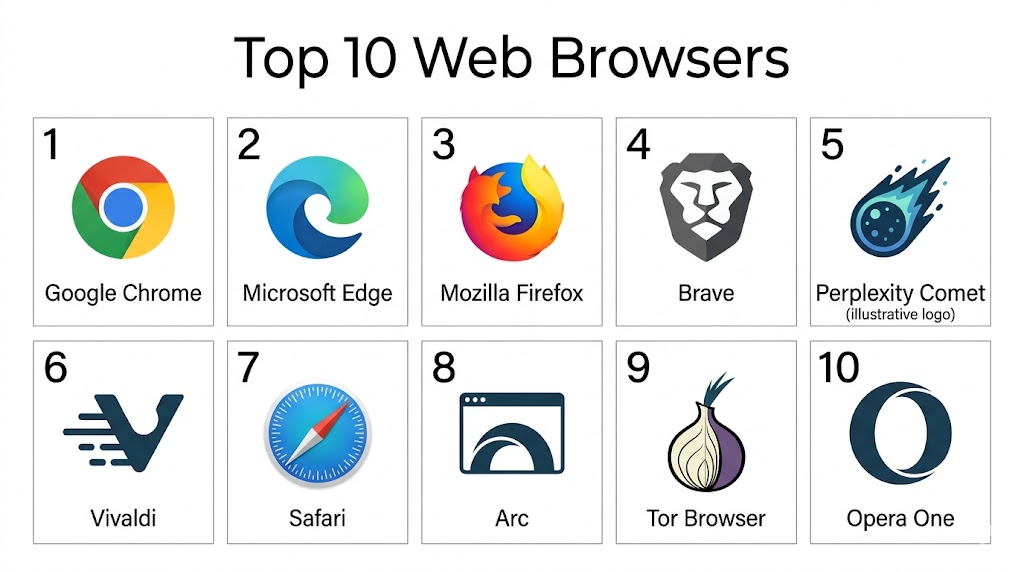
Top 10 Web Browsers
#1 — Google Chrome
Short description: Google Chrome is the world’s most popular browser, serving as the benchmark for web compatibility and performance. It is a Chromium-based powerhouse that integrates deeply with the Google ecosystem, offering a “standard” experience that is both simple for consumers and highly extensible for professionals.
Key Features
- Auto Browse Agent: An integrated AI agent that can execute multi-step workflows across different websites autonomously.
- Gemini Integration: Built-in multimodal AI that can summarize documents and generate content directly from the address bar.
- Unrivaled Extension Library: Access to over 110,000 extensions on the Chrome Web Store, the largest in existence.
- Sandboxed Architecture: Each tab runs as its own process, preventing a single site crash from taking down the entire browser.
- Seamless Google Sync: Instant synchronization of bookmarks, history, and passwords across all Google-connected devices.
Pros
- Highest compatibility with all modern websites and web applications.
- Industry-leading JavaScript execution speed and performance.
- Massive developer community and constant security updates.
Cons
- High RAM and CPU consumption, especially with many tabs open.
- Privacy concerns regarding Google’s data collection and advertising model.
- Extensions can add a significant attack surface if not managed properly.
Platforms / Deployment
- Windows / macOS / Linux / iOS / Android / ChromeOS
- Cloud
Security & Compliance
- Safe Browsing, Sandboxing, MFA.
- SOC 2 compliant (Google Workspace).
Integrations & Ecosystem
Chrome is the anchor for the Google Workspace ecosystem.
- Deep integration with Gmail, Drive, Docs, and Calendar.
- Remote Debugging and CSS Grid tools for developers.
- Native casting support for Chromecast devices.
Support & Community
Google provides an exhaustive Help Center, a massive community forum, and detailed technical documentation for developers and IT admins.
#2 — Microsoft Edge
Short description: Built on the same Chromium engine as Chrome, Microsoft Edge is a power-efficient alternative that has surpassed its predecessor in many productivity metrics. It is the browser of choice for Windows environments, featuring deep integration with Microsoft 365 and the most advanced enterprise-ready AI tools.
Key Features
- Copilot Sidebar: An embedded AI assistant that can analyze PDFs, summarize long web pages, and generate code.
- Vertical Tabs & Groups: Specialized tab management tools that maximize screen real estate on widescreen monitors.
- Sleeping Tabs: Automatically snoozes inactive tabs to save up to 30% of memory and extend battery life.
- Workspaces: Shared browser windows that allow teams to see the same set of tabs in real-time.
- Integrated PDF Editor: Robust tools for highlighting, signing, and annotating documents without external software.
Pros
- Significantly more resource-efficient than Chrome on Windows hardware.
- Best-in-class enterprise security and administrative controls.
- The Copilot integration provides a more practical productivity boost than standard AI plugins.
Cons
- The UI can feel “cluttered” with frequent prompts to use Microsoft services.
- Bing as the default search engine is less popular than Google for many users.
- Some privacy-conscious users are wary of Microsoft’s telemetry data.
Platforms / Deployment
- Windows / macOS / Linux / iOS / Android
- Cloud
Security & Compliance
- Microsoft Defender SmartScreen, Password Monitor.
- GDPR, HIPAA, FedRAMP compliant.
Integrations & Ecosystem
Edge is a critical component of the Microsoft 365 productivity suite.
- Native sync with Windows Alt+Tab menu.
- Direct integration with Outlook, Teams, and SharePoint.
- Entra ID (Azure AD) for enterprise identity management.
Support & Community
Microsoft offers professional enterprise support, an extensive “Microsoft Learn” library, and a dedicated Edge Insider community.
#3 — Mozilla Firefox
Short description: Firefox remains the most prominent independent browser, running on its own “Gecko” engine rather than Chromium. It is a mission-driven, open-source platform that prioritizes user privacy and web diversity, making it a favorite for developers and those who want to avoid the “tech giant” influence.
Key Features
- Multi-Account Containers: A unique tool that isolates website identities into separate tabs (e.g., keeping personal and work Facebook sessions apart).
- Enhanced Tracking Protection: Blocks social media trackers, cross-site tracking cookies, and fingerprinters by default.
- Gecko Engine: An independent rendering engine that ensures the web doesn’t become a Chromium-only monoculture.
- Total Cookie Protection: Confines cookies to the site where they were created, preventing cross-site tracking.
- Developer Edition: A specialized version of the browser with the industry’s leading CSS Grid and JavaScript debugging tools.
Pros
- Lower RAM usage than Chromium browsers when managing hundreds of tabs.
- Completely open-source and governed by a non-profit foundation.
- High level of UI customization via “userChrome.css” for advanced users.
Cons
- Slightly slower than Chrome in some raw JavaScript benchmarks.
- Occasional compatibility issues with sites optimized exclusively for Chromium.
- Lacks the “out-of-the-box” AI agent features found in modern competitors.
Platforms / Deployment
- Windows / macOS / Linux / iOS / Android
- Cloud (Firefox Sync)
Security & Compliance
- Sandboxing, DNS-over-HTTPS (DoH), Phishing protection.
- Open-source audited.
Integrations & Ecosystem
Firefox focuses on being an “un-integrated” browser that plays well with everything.
- Excellent sync across mobile and desktop.
- Pocket integration for saving and offline reading.
- Strong support for decentralized and privacy-focused extensions.
Support & Community
Mozilla provides a vast knowledge base, community-driven “Support Mozilla” (SUMO) forums, and detailed MDN Web Docs for developers.
#4 — Brave
Short description: Brave is a privacy-first browser that blocks ads and trackers right out of the box, offering a speed advantage by stripping away the heavy scripts that slow down most websites. It is built on Chromium, ensuring full compatibility while offering a unique rewards system for users.
Key Features
- Brave Shields: Automatically blocks ads, trackers, and malicious scripts without requiring any configuration.
- Leo AI: A built-in, privacy-respecting AI assistant that does not train on user data and offers local model options.
- Tor Integration: Built-in “Private Window with Tor” for an extra layer of network-level anonymity.
- Brave Rewards: An optional system where users earn “Basic Attention Tokens” (BAT) for viewing privacy-respecting ads.
- Native Wallet: A built-in, non-custodial crypto wallet for managing digital assets and Web3 interactions.
Pros
- Blazing fast page load times due to aggressive ad and tracker blocking.
- The most “secure-by-default” experience for non-technical users.
- Full compatibility with all Chrome extensions.
Cons
- The inclusion of crypto features and “Brave Rewards” can feel distracting to some users.
- Controversies in the past regarding referral links have impacted trust for some purists.
- Some websites may break because the “Shields” block essential scripts.
Platforms / Deployment
- Windows / macOS / Linux / iOS / Android
- Cloud
Security & Compliance
- Fingerprinting protection, Auto-HTTPS upgrading.
- Open-source audited.
Integrations & Ecosystem
Brave is building its own independent privacy ecosystem.
- Brave Search (independent index).
- Brave Talk (private video conferencing).
- Built-in VPN and Firewall for iOS and Android.
Support & Community
Brave offers a community forum (Brave Community), a detailed help center, and a highly active GitHub repository.
#5 — Perplexity Comet
Short description: Comet is a new category of “Agentic Browser” that replaces traditional search with an autonomous research engine. It is designed for professionals who need to find and verify information across multiple sources simultaneously, using a conversational interface to navigate the web.
Key Features
- Autonomous Research Agent: Can visit multiple sites to answer a complex query, citing sources for every claim.
- Live Web Snapshots: Provides a real-time view of data, such as stock prices or news, rather than static index results.
- Reasoning Engine: Uses advanced models to interpret the “intent” behind a user’s research goal.
- Structured Sidebar: Displays facts and data in a scanned, easy-to-read layout alongside web results.
- Project Workspaces: Allows users to group research threads into collaborative project hubs.
Pros
- Drastically reduces the time spent clicking through 20+ tabs for a single research task.
- High fidelity and accuracy due to a citation-first architecture.
- Modern, clean interface focused purely on insights rather than ad-laden search results.
Cons
- Not as “snappy” as a traditional browser for simple navigation (like checking email).
- Requires a high-speed internet connection for real-time AI processing.
- Currently has more limited tab management tools compared to legacy browsers.
Platforms / Deployment
- Web / iOS / Android / macOS
- Cloud
Security & Compliance
- Encrypted sessions, Privacy-first data handling.
- Not publicly stated.
Integrations & Ecosystem
Comet acts as a high-speed intelligence layer over the existing web.
- Deep search prioritizing reliable, evidence-based sources.
- Integration with professional research and content support tools.
- Direct data export for reports and audits.
Support & Community
Perplexity provides direct support and an active community of researchers and developers via social and Discord channels.
#6 — Vivaldi
Short description: Vivaldi is the ultimate browser for “tab hoarders” and power users who want absolute control over their UI. Created by the co-founder of Opera, it allows users to customize every pixel of their browsing environment, offering unique features like tab tiling and a built-in mail client.
Key Features
- Tab Tiling: View multiple tabs side-by-side in a single window, perfect for comparison tasks.
- Tab Stacking: Group tabs into “stacks” to keep the top bar clean and organized.
- Command Palette: A keyboard-driven “Quick Commands” menu that allows you to find anything in your browser instantly.
- Built-in Productivity Suite: Includes a mail client, calendar, notes, and an RSS reader directly in the browser.
- UI Customization: Move the address bar to the bottom, change icons, and create custom themes from scratch.
Pros
- The most powerful tab management system of any browser on the market.
- Does not track user data; a privacy-conscious choice with a unique business model.
- Incredible for high-density information work and multitasking.
Cons
- The vast number of features can lead to a steep learning curve for new users.
- The interface can feel cluttered if not carefully organized.
- Performance can slightly lag on lower-end hardware due to the heavy feature set.
Platforms / Deployment
- Windows / macOS / Linux / Android / iOS / Automotive
- Cloud (Vivaldi Sync)
Security & Compliance
- Integrated Ad and Tracker blocker.
- Not publicly stated.
Integrations & Ecosystem
Vivaldi is designed to be a “standalone hub” for your digital life.
- Sync across desktop, mobile, and even car infotainment systems.
- Web Panels for keeping mobile versions of sites (like Slack) in a sidebar.
- Deep support for custom keyboard shortcuts and mouse gestures.
Support & Community
Vivaldi has a very loyal power-user community, an active forum, and a detailed blog focused on productivity tips.
#7 — Safari (Apple)
Short description: Safari is the default browser for the Apple ecosystem, engineered for maximum efficiency on Mac, iPhone, and iPad. It is the gold standard for battery life and seamless “Continuity,” allowing users to hand off browsing sessions between their Apple devices instantly.
Key Features
- Continuity & Handoff: Start browsing on your iPhone and pick up exactly where you left off on your Mac.
- Intelligent Tracking Prevention: Uses on-device machine learning to block trackers while allowing sites to function normally.
- Profiles: Allows for distinct browsing environments (Work, Personal, School) with separate history and cookies.
- Shared Tab Groups: Collaborate on research by sharing a set of tabs with friends or colleagues via iCloud.
- Passwords & Passkeys: Native integration with iCloud Keychain for secure, biometrically-authorized logins.
Pros
- Unrivaled power efficiency on MacBooks, providing significantly longer battery life than Chrome.
- The most seamless “multi-device” experience for those already in the Apple ecosystem.
- Very clean, aesthetic design that prioritizes the content of the web page.
Cons
- Exclusively available on Apple devices; no Windows or Android support.
- The extension library is much smaller than the Chrome or Firefox ecosystems.
- Can be slower to adopt new web standards compared to Chromium browsers.
Platforms / Deployment
- macOS / iOS / iPadOS
- Cloud (iCloud Sync)
Security & Compliance
- Sandboxing, Privacy Reports, Passkey support.
- Apple’s strict privacy policy.
Integrations & Ecosystem
Safari is the heart of the Apple software experience.
- Universal Clipboard across devices.
- Integrated “Read Later” list that syncs via iCloud.
- Apple Pay integration for secure web checkouts.
Support & Community
Apple provides professional support via AppleCare, a massive knowledge base, and extensive developer documentation.
#8 — Arc (The Browser Company)
Short description: Arc is a radical reimagining of the web browser, treating the internet as a “library” rather than a set of windows. It features a vertical sidebar, “Spaces” for different projects, and AI-powered “Arc Max” features that organize the web for you. It is highly popular among designers and tech founders.
Key Features
- The Sidebar: Consolidates tabs, bookmarks, and pinned apps into a single, vertical left-hand navigation bar.
- Spaces: Allows for distinct “workspaces” with their own themes and accounts (e.g., “Client A” vs. “Personal”).
- Arc Max: AI features that automatically rename downloaded files and summarize links when you hover over them.
- Boosts: Allows users to “remix” any website by changing its colors, fonts, or removing unwanted elements.
- Easels: A built-in “canvas” for creating moodboards and notes directly in the browser.
Pros
- The most innovative and “fresh” feeling browser UI in a decade.
- Excellent for visual thinkers and project-based workflows.
- Fast and snappy performance based on a refined Chromium implementation.
Cons
- The vertical sidebar can be a difficult adjustment for those used to horizontal tabs.
- Currently higher resource usage (RAM) than minimalist browsers.
- Windows version is still maturing compared to the macOS original.
Platforms / Deployment
- macOS / Windows / iOS
- Cloud
Security & Compliance
- Standard Chromium security, Zero-knowledge sync.
- Not publicly stated.
Integrations & Ecosystem
Arc focuses on being a “unified operating system” for your web apps.
- Integrated “Little Arc” for quick link previews.
- Split-view research built into every window.
- Deep keyboard-first navigation shortcuts.
Support & Community
Arc has a very active “insider” community, a direct feedback loop with developers, and a modern, video-first help center.
#9 — Tor Browser
Short description: The Tor Browser is the ultimate tool for online anonymity, routing your traffic through three layers of encryption via the “Onion” network. It is a modified version of Firefox designed for journalists, activists, and anyone who needs to shield their identity and location from surveillance.
Key Features
- Onion Routing: Bounces your traffic through three different volunteer-run relays to hide your IP address.
- NoScript Integration: Disables risky scripts and trackers by default to prevent fingerprinting.
- Anti-Fingerprinting: Standardizes your browser “footprint” so you look identical to every other Tor user.
- Multi-Layered Encryption: Data is encrypted three times before it leaves your device.
- Access Restricted Content: Allows users to bypass government censorship and access “Onion” services (.onion sites).
Pros
- The gold standard for anonymity and preventing government surveillance.
- Completely free and open-source.
- Hides your physical location from the websites you visit.
Cons
- Significantly slower than traditional browsers due to the multi-relay routing.
- Many websites (like banks or Netflix) may block Tor traffic or require constant Captchas.
- Not recommended for daily high-bandwidth tasks like video streaming.
Platforms / Deployment
- Windows / macOS / Linux / Android
- Local (Network-based)
Security & Compliance
- Onion encryption, First-party isolation.
- Open-source audited.
Support & Community
The Tor Project offers a detailed “Tor Manual,” an active support portal, and a global community of privacy advocates.
#10 — Opera One
Short description: Opera One is a modular, AI-centric browser that features a unique “Tab Islands” system for automatic tab grouping. It is designed for users who want a visually organized, fast experience with built-in extras like a VPN and a native ad blocker.
Key Features
- Tab Islands: Automatically groups related tabs together based on context to keep the browser organized.
- Aria AI: A built-in browser AI that uses GPT-based models to help with search and content creation.
- Modular Design: A flexible UI that adapts to the user’s workflow and tab volume.
- Built-in VPN: A free, unlimited VPN that allows for basic IP masking without a separate subscription.
- Integrated Messengers: Access WhatsApp, Telegram, and Discord directly from the browser sidebar.
Pros
- Excellent for visual organization and keeping a clean workspace.
- The “built-in” features (VPN, Ad Blocker, AI) save users from needing extra extensions.
- Very fast performance on a optimized Chromium base.
Cons
- The free VPN is more of a “proxy” and not as secure as a dedicated standalone VPN service.
- Some users find the sidebar-heavy design to be distracting.
- Privacy-conscious users have raised questions about its ownership history.
Platforms / Deployment
- Windows / macOS / Linux / iOS / Android
- Cloud
Security & Compliance
- Integrated Ad-blocker, Tracker blocker.
- Not publicly stated.
Integrations & Ecosystem
Opera One is designed to be an “all-in-one” social and productivity hub.
- Native player for music services (Spotify, Apple Music) in the sidebar.
- Easy flow for sharing files and links between mobile and desktop.
- Customizable “Pinboards” for saving web content.
Support & Community
Opera provides a comprehensive help center, an active blog for feature updates, and a community forum for technical support.
Comparison Table (Top 10)
| Tool Name | Best For | Rendering Engine | Deployment | Standout Feature | Public Rating |
|---|---|---|---|---|---|
| Google Chrome | Overall Performance | Chromium | Cloud | Auto Browse AI Agent | N/A |
| Microsoft Edge | Windows Productivity | Chromium | Cloud | Copilot AI Sidebar | N/A |
| Mozilla Firefox | Privacy & Independence | Gecko | Cloud | Multi-Account Containers | N/A |
| Brave | Ad-free Speed | Chromium | Cloud | Native Ad/Tracker Shield | N/A |
| Perplexity Comet | Autonomous Research | Custom AI | Cloud | Reasoning Research Agent | N/A |
| Vivaldi | Power User Customization | Chromium | Cloud | Tab Tiling & Stacking | N/A |
| Safari | Apple Ecosystem | WebKit | Cloud | Handoff & Continuity | N/A |
| Arc | Modern Visual Flow | Chromium | Cloud | Spaces & Project Sidebar | N/A |
| Tor Browser | Absolute Anonymity | Gecko (mod) | Local | 3-Layer Onion Routing | N/A |
| Opera One | Visual Organization | Chromium | Cloud | Tab Islands & Built-in VPN | N/A |
Export to Sheets
Evaluation & Scoring of Web Browsers
| Tool Name | Core (25%) | Ease (15%) | Integrations (15%) | Security (10%) | Performance (10%) | Support (10%) | Value (15%) | Weighted Total |
|---|---|---|---|---|---|---|---|---|
| Google Chrome | 10 | 10 | 10 | 9 | 10 | 10 | 10 | 9.85 |
| Microsoft Edge | 9 | 9 | 10 | 10 | 9 | 9 | 10 | 9.45 |
| Mozilla Firefox | 9 | 8 | 8 | 10 | 9 | 9 | 10 | 9.10 |
| Brave | 9 | 9 | 7 | 10 | 10 | 8 | 10 | 9.00 |
| Perplexity Comet | 10 | 7 | 8 | 8 | 8 | 8 | 7 | 8.25 |
| Vivaldi | 9 | 6 | 9 | 9 | 8 | 8 | 10 | 8.65 |
| Safari | 8 | 10 | 10 | 10 | 10 | 10 | 10 | 9.50 |
| Arc | 8 | 8 | 8 | 9 | 9 | 8 | 8 | 8.25 |
| Tor Browser | 7 | 5 | 5 | 10 | 5 | 9 | 10 | 7.00 |
| Opera One | 8 | 8 | 9 | 9 | 9 | 8 | 10 | 8.65 |
Export to Sheets
How to Interpret These Scores
These scores are designed to help you align a browser with your specific technical goals. A high Core score (Chrome, Perplexity Comet) reflects a browser’s ability to handle the “next generation” of the web. High Performance scores (Safari, Brave) are essential for mobile users or those on limited hardware. Value represents the return on your time—browsers like Firefox and Brave offer incredible utility without any “cost” to your privacy.
Which Web Browser Is Right for You?
Solo / Freelancer
If you are an independent professional managing multiple clients and dozens of research tabs, Arc or Vivaldi are the standout choices. They allow you to separate client projects into distinct “Spaces” or “Stacks,” preventing your workflows from getting mixed up.
SMB
For a small team that relies heavily on Google Docs and collaborative tools, Google Chrome is the most practical choice. It ensures total compatibility with every team tool and offers the fastest path to “standard” web browsing.
Mid-Market
Technical managers who need to enforce a consistent security posture across a Windows-based workforce should prioritize Microsoft Edge. Its enterprise administrative controls and built-in Copilot for business offer a level of oversight and productivity that other browsers can’t match.
Enterprise
For organizations with high-security requirements or those looking to move toward a passwordless future, Safari (for Apple fleets) and Microsoft Edge (for Windows) offer the best native integration with biometric hardware and identity management.
Budget vs Premium
While all browsers are free to download, Brave and Firefox provide the best “value” for your time by blocking the ads and trackers that slow you down. Perplexity Comet offers a “premium” research experience that may require a subscription for high-end AI models but drastically reduces manual research labor.
Feature Depth vs Ease of Use
If you want a tool that “just works” with zero setup, Chrome and Safari are the winners. If you want a browser you can spend hours configuring to be your perfect cockpit, Vivaldi and Firefox Developer Edition are the workhorses.
Integrations & Scalability
If your life is in the cloud, Chrome (Google) and Edge (Microsoft) are the most scalable options. If you prioritize “independence” and need to work across all platforms without being tied to one tech giant, Firefox and Brave are the gold standard.
Security & Compliance Needs
For journalists or those in high-risk environments, Tor Browser and LibreWolf (a Firefox fork) are the most compliant choices. For enterprise compliance audits, Edge provides the best reporting logs and device health metrics.
Frequently Asked Questions (FAQs)
1. Which browser is the fastest in 2026?
Speed is now split into two categories: “Raw Speed” and “Practical Speed.” Chrome and Brave are the fastest at raw JavaScript execution. However, Brave often has faster “Practical Speed” because it blocks the ads and tracking scripts that make pages heavy. On Apple hardware, Safari is optimized to be the most responsive.
2. Can I use Chrome extensions on other browsers?
Yes! Since Microsoft Edge, Brave, Vivaldi, Opera, and Arc are all built on the “Chromium” engine, you can install any extension from the Chrome Web Store on all of them. Firefox and Safari use different engines and have their own separate extension stores.
3. What is an “Agentic AI Browser”?
Unlike traditional browsers where you do all the clicking, an Agentic AI Browser (like Perplexity Comet or Chrome Auto Browse) can act on your behalf. It understands a goal (e.g., “Find the best laptop under $1000 and summarize the top three reviews”) and navigates the web autonomously to deliver the final result.
4. Is Firefox still relevant if most of the web is Chromium?
Yes, more than ever. Firefox is the only major “non-Chromium” alternative left (alongside Safari). This independence is critical because it ensures that one company (Google) doesn’t dictate how every website on earth should work. It also allows Firefox to implement privacy features that Google might avoid.
5. How do browsers protect my passwords?
Most modern browsers have a built-in password manager that syncs via the cloud (iCloud for Safari, Google Account for Chrome). However, for professional-level security, we recommend using a dedicated, cross-browser password vault (like Bitwarden or 1Password) rather than relying solely on the browser.
6. Why does my browser use so much RAM?
Browsers today are more like operating systems. Each tab you open is a separate process with its own memory allocation. Chromium-based browsers are known for high RAM usage to ensure that if one tab crashes, the others stay alive. Tools like Edge’s Sleeping Tabs can help mitigate this.
7. What is “Anti-Fingerprinting” and why do I need it?
Even if you clear your cookies, websites can “fingerprint” you by looking at your screen resolution, installed fonts, and hardware specs. Browsers like Brave, Firefox, and Tor standardize this information so you look like everyone else, making it much harder for advertisers to track you.
8. Can I use multiple browsers at the same time?
Actually, many professionals do! Using “Browser Isolation”—for example, using Chrome for work and Brave for personal browsing—is an excellent way to keep your data, history, and cookies completely separate and secure.
9. What is a “Passkey” and do all browsers support it?
A Passkey is a cryptographic key that replaces your password. Instead of typing, you use your phone or computer’s biometrics (FaceID/Fingerprint). All major browsers (Chrome, Safari, Edge, Firefox) now support Passkeys, making logins significantly more secure and faster.
10. Are there browsers that don’t track my data?
Yes. Brave, Firefox, Vivaldi, and LibreWolf are built by organizations that do not rely on advertising profiles for revenue. They either use a non-profit model, a user-contribution model, or a subscription model (for extras like VPNs) to keep your browsing data private.
Conclusion
The web browser in 2026 has become the bridge between human intent and autonomous AI execution. Whether you choose the industrial reliability of Google Chrome, the enterprise intelligence of Microsoft Edge, or the privacy-first speed of Brave, your choice fundamentally shapes your daily digital efficiency. For most professionals, the “best” setup involves a primary Chromium browser for compatibility and a secondary, independent browser like Firefox for privacy and session isolation. As the web moves toward a “passwordless” and “agentic” future, ensuring your browser is up-to-date and properly configured is the single most important task for any modern technical manager.
