Introduction
Live Chat Software is a real-time communication tool that allows businesses to interact with website visitors instantly through chat interfaces. It helps organizations provide immediate support, answer queries, and guide users through their journey without delays.
In today’s digital-first environment, live chat has become a critical component of customer experience strategies. It improves engagement, reduces response time, and increases conversion rates by offering instant assistance. Many modern tools now include AI-powered chatbots, automation, and analytics to handle large volumes of conversations efficiently.
Common use cases include:
- Customer support and helpdesk
- Sales and lead generation
- Website visitor engagement
- Product guidance and onboarding
- Multichannel customer communication
What buyers should evaluate:
- Real-time chat capabilities
- AI chatbot and automation features
- Integration with CRM and helpdesk tools
- Analytics and reporting
- Ease of use and setup
- Scalability
- Omnichannel support
- Security and compliance
Best for: SaaS companies, eCommerce businesses, customer support teams, and enterprises.
Not ideal for: Businesses with minimal online interaction or low support volume.
Key Trends in Live Chat Software
- AI-powered chatbots and automation
- Omnichannel communication (chat, email, social)
- Real-time analytics and customer insights
- Integration with CRM and support tools
- Proactive chat and engagement triggers
- Mobile-first chat experiences
- Voice and video chat integration
- Self-service and knowledge base integration
How We Selected These Tools (Methodology)
- Market adoption and popularity
- Feature completeness for live chat and automation
- Reliability and performance
- Integration ecosystem strength
- Security and compliance readiness
- Ease of use for agents and customers
- Innovation in AI and automation
- Customer feedback and usability
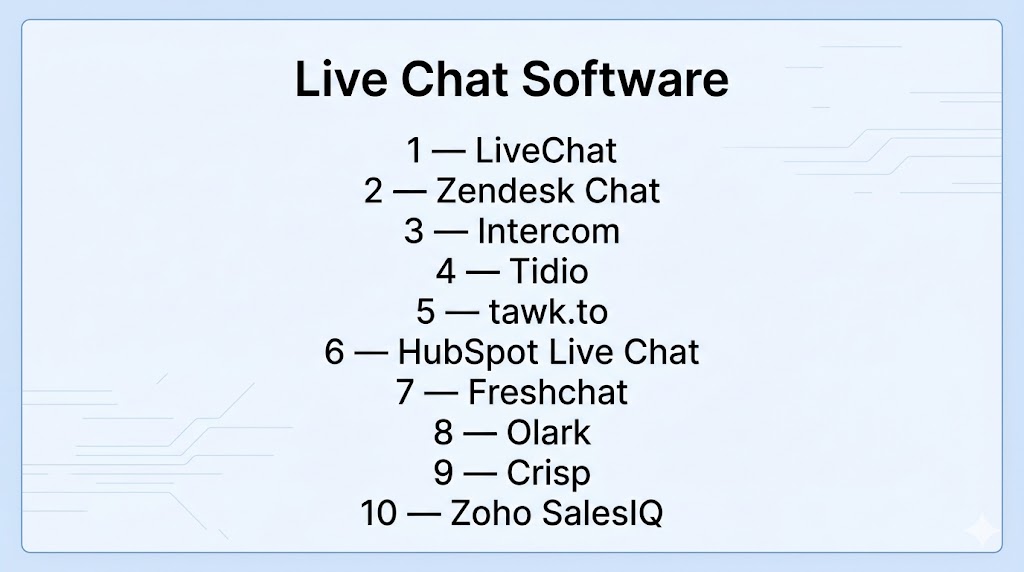
Top 10 Live Chat Software
#1 — LiveChat
Short description: Leading live chat platform with strong analytics and customer support features.
Key Features
- Real-time chat
- Chat automation
- Analytics dashboards
- CRM integrations
- Multi-channel support
Pros
- Strong analytics
- Scalable solution
Cons
- Expensive
- Learning curve
Platforms / Deployment
Web / Mobile / Cloud
#2 — Zendesk Chat
Short description: Enterprise live chat solution integrated with Zendesk support ecosystem.
Key Features
- Live chat
- Ticketing integration
- Automation
- Analytics
- Omnichannel support
Pros
- Strong ecosystem
- Enterprise-ready
Cons
- Complex setup
- Pricing tiers
Platforms / Deployment
Web / Mobile / Cloud
#3 — Intercom
Short description: Customer messaging platform with advanced live chat and automation features.
Key Features
- Live chat
- AI chatbots
- Customer segmentation
- Automation
- Analytics
Pros
- Strong automation
- Modern interface
Cons
- Expensive
- Complex pricing
Platforms / Deployment
Web / Mobile / Cloud
#4 — Tidio
Short description: Affordable live chat tool with AI chatbot integration for SMBs.
Key Features
- Live chat
- AI chatbot (Lyro)
- Automation
- Analytics
- Multi-channel messaging
Pros
- Easy to use
- Free plan available
Cons
- Limited advanced features
- Chatbot limits
#5 — tawk.to
Short description: Free live chat software widely used for website customer support.
Key Features
- Real-time chat
- Visitor tracking
- Custom widgets
- Analytics
- Unlimited agents
Pros
- Completely free
- Easy setup
Cons
- Limited advanced features
- Basic UI
#6 — HubSpot Live Chat
Short description: Free live chat tool integrated with HubSpot CRM.
Key Features
- Live chat
- CRM integration
- Chatbots
- Automation
- Analytics
Pros
- Free CRM integration
- Easy to use
Cons
- Limited customization
- Advanced features require upgrade
#7 — Freshchat
Short description: Modern messaging platform by Freshworks with AI-powered chat.
Key Features
- Live chat
- AI bots
- Omnichannel messaging
- Automation
- Analytics
Pros
- Strong automation
- Scalable
Cons
- Pricing tiers
- Learning curve
#8 — Olark
Short description: Simple live chat tool focused on small business support.
Key Features
- Real-time chat
- Automation
- Reporting
- Integrations
- Transcripts
Pros
- Easy setup
- Affordable
Cons
- Limited advanced features
- Basic UI
#9 — Crisp
Short description: All-in-one messaging platform with live chat and customer engagement tools.
Key Features
- Live chat
- Chatbots
- Knowledge base
- Automation
- Multi-channel messaging
Pros
- All-in-one platform
- Good value
Cons
- UI complexity
- Pricing tiers
#10 — Zoho SalesIQ
Short description: Live chat and visitor tracking platform integrated with Zoho ecosystem.
Key Features
- Live chat
- Visitor tracking
- Chatbots
- Analytics
- Automation
Pros
- Strong integration
- Real-time tracking
Cons
- Limited outside Zoho ecosystem
- Learning curve
Comparison Table (Top 10)
| Tool Name | Best For | Platform(s) Supported | Deployment | Standout Feature | Public Rating |
|---|---|---|---|---|---|
| LiveChat | Enterprise | Web/Mobile | Cloud | Analytics | N/A |
| Zendesk Chat | Support teams | Web/Mobile | Cloud | Ticketing integration | N/A |
| Intercom | Automation | Web/Mobile | Cloud | AI chatbots | N/A |
| Tidio | SMB | Web/Mobile | Cloud | AI chatbot | N/A |
| tawk.to | Free users | Web | Cloud | Free plan | N/A |
| HubSpot Live Chat | CRM users | Web | Cloud | CRM integration | N/A |
| Freshchat | Omnichannel | Web/Mobile | Cloud | Messaging platform | N/A |
| Olark | Small business | Web | Cloud | Simplicity | N/A |
| Crisp | All-in-one | Web/Mobile | Cloud | Multi-channel | N/A |
| Zoho SalesIQ | Zoho users | Web/Mobile | Cloud | Visitor tracking | N/A |
Evaluation & Scoring of Live Chat Software
| Tool Name | Core (25%) | Ease (15%) | Integrations (15%) | Security (10%) | Performance (10%) | Support (10%) | Value (15%) | Weighted Total |
|---|---|---|---|---|---|---|---|---|
| LiveChat | 9 | 8 | 9 | 8 | 9 | 8 | 7 | 8.4 |
| Zendesk Chat | 9 | 7 | 9 | 8 | 9 | 8 | 7 | 8.3 |
| Intercom | 9 | 8 | 9 | 8 | 9 | 8 | 6 | 8.3 |
| Tidio | 8 | 9 | 8 | 7 | 8 | 8 | 8 | 8.2 |
| tawk.to | 7 | 9 | 7 | 7 | 8 | 7 | 10 | 8.1 |
| HubSpot Live Chat | 8 | 9 | 9 | 7 | 8 | 8 | 8 | 8.3 |
| Freshchat | 8 | 8 | 8 | 7 | 8 | 8 | 7 | 7.9 |
| Olark | 7 | 9 | 7 | 7 | 7 | 7 | 8 | 7.6 |
| Crisp | 8 | 8 | 8 | 7 | 8 | 7 | 7 | 7.9 |
| Zoho SalesIQ | 8 | 8 | 8 | 7 | 8 | 7 | 8 | 8.0 |
Scores are comparative and reflect balance across usability, features, and value.
Which Live Chat Software Is Right for You?
Solo / Freelancer
tawk.to or Tidio
SMB
Tidio or Zoho SalesIQ
Mid-Market
Freshchat or Crisp
Enterprise
LiveChat, Zendesk Chat, or Intercom
Budget vs Premium
Free tools offer basic chat; premium tools offer AI and analytics
Feature Depth vs Ease of Use
Simple tools are easier; advanced tools require training
Integrations & Scalability
Enterprise tools provide stronger integrations
Security & Compliance Needs
Large organizations should prioritize secure platforms
Frequently Asked Questions (FAQs)
What is live chat software?
It enables real-time communication between businesses and website visitors.
Why is live chat important?
It improves customer support and engagement.
Does live chat increase sales?
Yes, it helps convert visitors into customers.
Can it be automated?
Yes, many tools include AI chatbots.
Is live chat free?
Some tools offer free plans.
Does it integrate with CRM?
Yes, most tools support integrations.
Can it support multiple channels?
Yes, many tools are omnichannel.
Is it secure?
Security varies by platform.
Can small businesses use it?
Yes, many tools are SMB-friendly.
What are alternatives?
Email support or phone support.
Conclusion
Live chat software has become a critical tool for businesses aiming to deliver instant support, improve customer engagement, and increase conversions in digital environments. While enterprise solutions like LiveChat, Zendesk, and Intercom offer advanced automation and analytics, tools such as Tidio and tawk.to provide affordable and easy-to-use options for smaller teams. The right choice depends on your business size, support needs, and integration requirements rather than a single universal solution. It is important to evaluate tools based on usability, automation capabilities, and scalability before making a decision. Testing a few platforms in real scenarios can help identify the best fit. A well-chosen live chat solution ultimately leads to better customer experience, faster responses, and improved business outcomes.
