Introduction
Chat Apps (instant messaging applications) are software platforms that enable real-time communication through text, voice, video, and multimedia sharing. These apps have become a core part of everyday communication for individuals, teams, and businesses worldwide.
With billions of users globally, chat apps like WhatsApp, Messenger, and Telegram dominate digital communication, offering fast, reliable, and feature-rich messaging experiences.
Modern chat apps go beyond simple messaging by integrating features such as group chats, voice/video calls, file sharing, AI-powered assistants, and encryption for privacy. They are used for personal communication, business collaboration, community engagement, and customer interaction.
Common use cases include:
- Personal messaging and social communication
- Team collaboration and workplace communication
- Community and group discussions
- Voice and video calls
- File and media sharing
What buyers should evaluate:
- Messaging speed and reliability
- Privacy and encryption features
- Group chat and community support
- Cross-platform compatibility
- Integration with other tools
- Ease of use
- Scalability
- Security and compliance
Best for: Individuals, businesses, teams, communities, and enterprises.
Not ideal for: Highly formal communication requiring structured workflows (better suited for email/tools).
Key Trends in Chat Apps
- End-to-end encryption for privacy
- AI-powered chatbots and assistants
- Multi-device synchronization
- Voice and video-first communication
- Integration with productivity tools
- Community and channel-based messaging
- Real-time collaboration features
- Unified messaging platforms
How We Selected These Tools (Methodology)
- Global adoption and popularity
- Feature completeness for messaging
- Ease of use and accessibility
- Security and privacy capabilities
- Cross-platform compatibility
- Integration ecosystem strength
- Performance and reliability
- Innovation in AI and communication
Top 10 Chat Apps
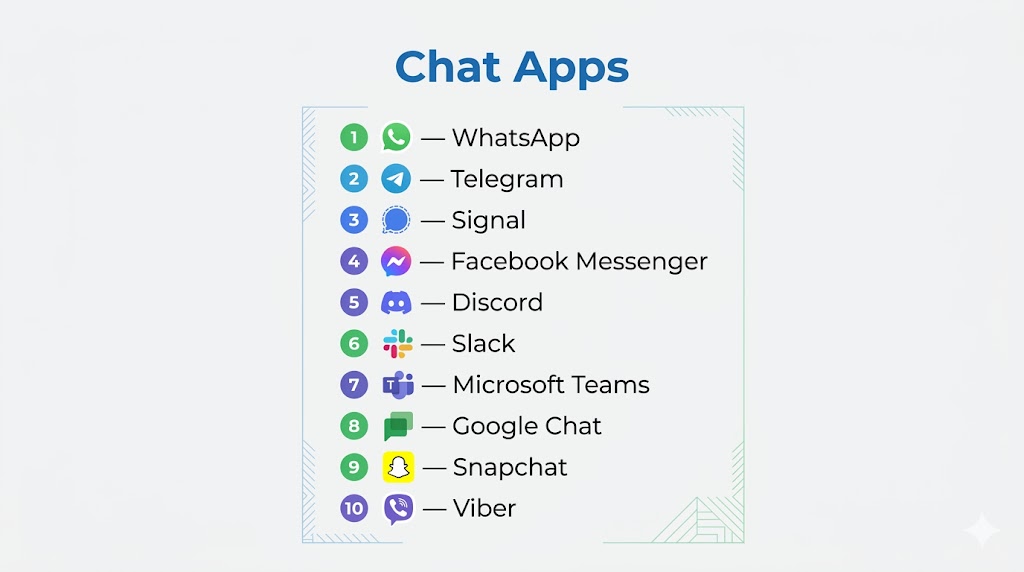
#1 — WhatsApp
Short description: Most widely used messaging app globally with simple and secure communication.
Key Features
- Text and voice messaging
- End-to-end encryption
- Voice and video calls
- Group chats
- File sharing
Pros
- Massive user base
- Easy to use
Cons
- Limited customization
- Privacy concerns (metadata)
Platforms / Deployment
Web / Mobile / Desktop
#2 — Telegram
Short description: Feature-rich messaging app with strong group and channel capabilities.
Key Features
- Cloud-based messaging
- Large group chats
- Channels and broadcasting
- File sharing
- Bots and automation
Pros
- Fast and flexible
- Multi-device support
Cons
- Optional encryption
- Complex UI for beginners
#3 — Signal
Short description: Privacy-focused messaging app with strong encryption.
Key Features
- End-to-end encryption
- Secure messaging
- Voice/video calls
- Group chats
- Open-source
Pros
- High security
- No data tracking
Cons
- Smaller user base
- Limited integrations
#4 — Facebook Messenger
Short description: Popular messaging app integrated with Facebook ecosystem.
Key Features
- Instant messaging
- Voice/video calls
- Chatbots
- Media sharing
- Integrations
Pros
- Widely used
- Easy connectivity
Cons
- Privacy concerns
- Ads and clutter
#5 — Discord
Short description: Community-focused chat app with voice, video, and text channels.
Key Features
- Voice channels
- Text chat
- Community servers
- Bots
- Screen sharing
Pros
- Strong community features
- Free to use
Cons
- Not business-focused
- Learning curve
#6 — Slack
Short description: Team collaboration chat app designed for workplace communication.
Key Features
- Channels and messaging
- Integrations
- File sharing
- Automation
- Notifications
Pros
- Great for teams
- Strong integrations
Cons
- Expensive for large teams
- Notification overload
#7 — Microsoft Teams
Short description: Enterprise chat and collaboration platform integrated with Microsoft tools.
Key Features
- Chat and channels
- Video conferencing
- File sharing
- Integration with Microsoft apps
- Collaboration tools
Pros
- Enterprise-ready
- All-in-one platform
Cons
- Complex interface
- Heavy resource usage
#8 — Google Chat
Short description: Messaging platform for teams using Google Workspace.
Key Features
- Team messaging
- AI-powered features
- File sharing
- Integration with Google tools
- Collaboration
Pros
- Seamless Google integration
- Easy to use
Cons
- Limited outside Google ecosystem
- Basic features
#9 — Snapchat
Short description: Social chat app focused on multimedia messaging and ephemeral content.
Key Features
- Photo/video messaging
- Stories
- Chat
- Filters and AR
- Group chats
Pros
- Highly engaging
- Popular among younger users
Cons
- Limited professional use
- Privacy concerns
#10 — Viber
Short description: Messaging app offering free calls, chats, and strong international reach.
Key Features
- Messaging
- Voice/video calls
- Stickers
- Group chats
- File sharing
Pros
- Global reach
- Free communication
Cons
- Less popular than competitors
- Ads in free version
Comparison Table (Top 10)
| Tool Name | Best For | Platform(s) Supported | Deployment | Standout Feature | Public Rating |
|---|---|---|---|---|---|
| Personal use | Web/Mobile/Desktop | Cloud | Massive user base | N/A | |
| Telegram | Groups & channels | Web/Mobile/Desktop | Cloud | Large communities | N/A |
| Signal | Privacy | Web/Mobile/Desktop | Cloud | Strong encryption | N/A |
| Messenger | Social messaging | Web/Mobile | Cloud | Facebook integration | N/A |
| Discord | Communities | Web/Mobile/Desktop | Cloud | Voice channels | N/A |
| Slack | Teams | Web/Mobile/Desktop | Cloud | Integrations | N/A |
| Microsoft Teams | Enterprise | Web/Mobile/Desktop | Cloud | Collaboration suite | N/A |
| Google Chat | Workspace users | Web/Mobile | Cloud | Google integration | N/A |
| Snapchat | Social | Mobile | Cloud | Multimedia messaging | N/A |
| Viber | Global communication | Web/Mobile/Desktop | Cloud | Free calls | N/A |
Evaluation & Scoring of Chat Apps
| Tool Name | Core (25%) | Ease (15%) | Integrations (15%) | Security (10%) | Performance (10%) | Support (10%) | Value (15%) | Weighted Total |
|---|---|---|---|---|---|---|---|---|
| 9 | 10 | 8 | 8 | 9 | 8 | 9 | 8.9 | |
| Telegram | 9 | 9 | 8 | 7 | 9 | 8 | 9 | 8.6 |
| Signal | 8 | 8 | 6 | 10 | 8 | 7 | 9 | 8.2 |
| Messenger | 9 | 9 | 8 | 6 | 8 | 8 | 8 | 8.1 |
| Discord | 8 | 8 | 8 | 7 | 9 | 8 | 9 | 8.2 |
| Slack | 9 | 8 | 10 | 8 | 9 | 8 | 7 | 8.6 |
| Microsoft Teams | 9 | 7 | 10 | 9 | 9 | 8 | 7 | 8.6 |
| Google Chat | 8 | 9 | 9 | 8 | 8 | 7 | 8 | 8.2 |
| Snapchat | 7 | 9 | 6 | 6 | 8 | 7 | 8 | 7.6 |
| Viber | 8 | 9 | 7 | 8 | 8 | 7 | 8 | 8.0 |
Scores are comparative and reflect balance across usability, features, and value.
Which Chat App Is Right for You?
Personal Use
WhatsApp or Telegram
Privacy-Focused Users
Signal
Communities
Discord
Team Collaboration
Slack or Microsoft Teams
Social Messaging
Snapchat or Messenger
Budget vs Premium
Free apps dominate; premium tools offer business features
Feature Depth vs Ease of Use
Simple apps are easier; enterprise tools require training
Integrations & Scalability
Enterprise tools provide stronger integrations
Security & Compliance Needs
Privacy-focused apps offer stronger encryption
Frequently Asked Questions (FAQs)
What are chat apps?
They are applications used for real-time messaging and communication.
Which chat app is most popular?
WhatsApp is the most widely used globally.
Are chat apps secure?
Some apps like Signal offer strong encryption.
Can chat apps be used for business?
Yes, tools like Slack and Teams are designed for business use.
Are chat apps free?
Most apps offer free versions.
Do chat apps support video calls?
Yes, most modern apps include video calling.
Can chat apps replace email?
For quick communication, yes.
Do they support file sharing?
Yes, file sharing is a core feature.
Are chat apps cross-platform?
Most apps work across devices.
What are alternatives?
Email, SMS, or collaboration tools.
Conclusion
Chat apps have become a fundamental part of digital communication, enabling instant connectivity across personal, professional, and community interactions. While platforms like WhatsApp and Telegram dominate everyday messaging with simplicity and scale, tools such as Slack and Microsoft Teams provide powerful collaboration features for businesses. Privacy-focused apps like Signal cater to users prioritizing security, while platforms like Discord and Snapchat excel in community and social engagement. The right choice depends on your communication needs, whether personal, professional, or community-driven. Evaluating factors like security, integrations, and usability is essential before selecting a platform. A well-chosen chat app ultimately enhances communication, productivity, and user experience.
